
Alternatives and apps like
Triller Alternatives: Music Video Apps and What They Miss
Looking for a Triller alternative? Compare music video app types by editing, sound library and fan features, see what they miss, and when to build your own.
Short answer
The best Triller alternative depends on what you wanted from it. For song-led editing, look for an app with a licensed sound library and beat-timed cuts. For performance, look for duets and challenges. For artist and fan contact, look for live shows, gifts and fan clubs. Check each app's current availability before you commit.
Key takeaways
- People look for an alternative for different reasons, so start by naming the one thing you want: editing, a sound library, collaboration or fan contact.
- Alternatives fall into three types: general short video apps, lip-sync and performance apps, and artist-fan apps.
- No single type covers song-led editing, a deep licensed catalogue and direct fan income together, and that gap is the opening for a niche app.
- Music rights make the niche hard, because the sound library decides what an app can legally offer.
- A niche app for one genre, region, label or event is a realistic build, and a white-label base shortens the path.
On this page 11 sections
- Why people look for a Triller alternative
- What music-first users want: a checklist
- Alternatives by type
- Table: app type, strengths, what is missing
- How to choose as a creator, artist or fan
- Music rights make the niche hard
- The gaps, and what to do with them
- Building your own for one scene
- A worked example: three people, three answers
- Alternative or build: a decision table
- What to do next
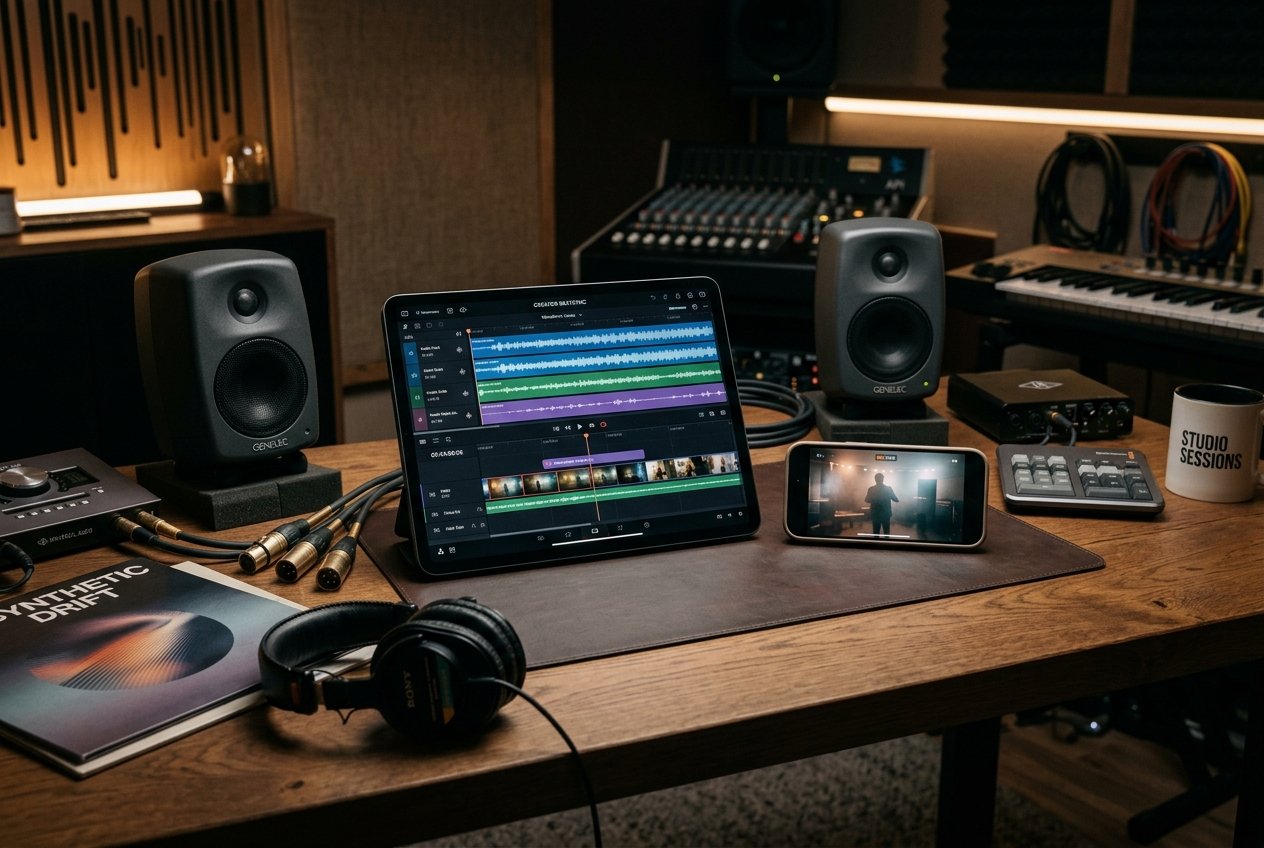
The right Triller alternative depends on what you wanted from it. If you came for song-led editing, look for an app that asks for a track first and times your cuts to the beat. If you came to perform, look for duets, challenges and a feed that rewards performers. If you came for contact between artists and fans, look for live shows, gifts and fan clubs. Each type of app does one of these well and the others only partly.
This guide sorts the alternatives by type instead of by brand, because availability and ownership of individual apps change, and we make no claims about any company. Check the current store listing of any app before you rely on it. If you are a founder, the last sections show what the existing types leave unserved, and how a white-label Triller clone can be turned into an app for one scene.
Why people look for a Triller alternative
There are many ordinary reasons to look around, and none of them says anything about a specific company. The usual ones are these:
- Availability. The app is not offered in your country, has been removed from a store, or no longer updates.
- Audience. Your friends, fans or favorite artists moved to another app, and a video app is only as good as the people on it.
- Music. The tracks you want are not in the library, or a clip of yours was muted after a rights report.
- Editing. The editor feels slow on your phone, or you want more control over cuts and effects.
- Money. You are an artist or creator and want gifts, subscriptions or sponsorships, and the app offers fewer routes than you hoped.
- Fit. You make music in a genre, language or region that a general app does not feature.
Be specific about which of these applies. An artist who wants income needs a different alternative from a fan who wants a quicker editor. The rest of this guide is organized to make that choice easier.
What music-first users want: a checklist
Before comparing apps, write down which of these you need. The more boxes you tick, the narrower the field.
- Song first. The app starts the post from a track, not from a blank camera.
- Auto-edit. The editor proposes cuts and effects. Our explainer on how a Triller-style app works describes how beat detection drives these cuts.
- Beat sync tools. Manual trim, cut and speed control so you can fix the automatic result.
- A deep sound library. Browse by mood and genre, preview, save and find sounds made by other creators.
- Duets and reactions. You can answer a clip with a clip.
- Challenges. A hashtag with a rule, so a song becomes a game.
- Live. A place to perform in real time with chat.
- Fan income. Gifts, subscriptions or fan clubs that reach the artist.
- Safety. Reporting, blocking, age controls and a clear takedown process.
Most apps tick the first and second boxes only partly. Almost none tick all nine, which is why this category keeps attracting new entrants.
Alternatives by type
Instead of a ranking, here are the three types you will meet. Within each, availability differs by country and by month.
General short video apps
These are the big feed-led apps with a sound library tucked into the editor. They are strongest at reach: a clip can find viewers who never followed the creator. The trade-off is that music is one use among many, so the editor is lighter on song-driven features and the feed mixes comedy, news and tips with performances. Our list of apps like TikTok covers the feed-led and music-led families in more detail, and the TikTok clone script page shows what a general feed involves if you want to build one.
Lip-sync and performance apps
These apps are built for acts: lip-syncs, dances, covers, comedy bits set to audio. They usually offer short clip lengths, a sound picker that sits at the front of the camera, and effects meant to make a performance look finished. Their weakness is often the feed: a smaller audience and fewer creators can make discovery thin, and some depend on the same few licensed catalogues.
Artist-fan apps
These focus on the relationship between an artist and the people who follow them. Features include live shows, fan clubs, gifts, exclusive clips and direct messages. Editing tends to be basic, because the aim is contact more than production. Their weakness is the opposite of the performance apps: strong income tools, weak editing, and little help for a fan who wants to make something.
Table: app type, strengths, what is missing
| App type | Strengths | What is often missing | Best for |
|---|---|---|---|
| General short video | Large audience, strong recommendation feed, many sounds | Song-led workflow, deep beat editing, artist income focused on music | Reach and discovery |
| Lip-sync and performance | Song-first camera, effects for acts, quick clips | Reliable catalogue depth, large audience, income for artists | Fun and practice |
| Artist-fan | Live shows, fan clubs, gifts, direct contact | Editing, challenges, discovery of new fans | Artists with an existing audience |
| Niche scene app (your own) | One genre, region or event; all three feature sets under one brand | An audience, which you must recruit | Labels, collectives, event organizers |
Read the last row twice. The gap in the market is rarely a missing feature; it is a missing community. A genre or a city that no general app serves well can be served by a smaller app that offers the three feature sets together.
How to choose as a creator, artist or fan
Run a two-minute test on any app you are considering. It tells you more than any list.
- Open the sound picker. Search for three tracks you actually like. If two are missing, the library is too thin for you.
- Make a 15-second clip. Time yourself. If it takes more than five minutes, the editor will become a chore.
- Look for your people. Search for artists or creators in your genre. If you find no activity from the last week, the audience is not there.
- Read the earnings page. Find out how gifts, subscriptions and royalties work, and whether payouts reach your country.
- Read the terms. See what rights you give when you upload a song, and what the app does after a rights report.
Artists have one extra check: whether you can control who may use your original sound and how it is credited. If the app cannot tell you, ask before you upload your best track.
Music rights make the niche hard
Every popular song has two sets of owners. The recording belongs to an artist or label, and the composition belongs to writers and publishers. A video app needs permission for both. In the United States, the Music Modernization Act created a blanket mechanical license for digital music services, and the MLC administers it. That solves part of the puzzle for audio streaming, but a clip that pairs a recording with moving images raises further questions, so apps sign direct deals, buy from licensed libraries, or restrict users to sounds they have cleared.
For a founder, this means the sound library is a business decision before it is a feature. Our guide to music licensing for a short video app describes four routes and how they trade cost against catalogue depth. For the user, it means a track that is available today might vanish tomorrow when a license ends or a rights holder files a report. If you are an artist, upload original work you own outright and keep your masters.
App stores add their own requirements. Apple's App Review Guidelines say that apps must not use protected third-party material without permission, and that apps with user-generated content need a way to filter, report and block. Google Play's user generated content policy asks for in-app reporting and blocking too. Under section 512, the Copyright Office describes a notice-and-takedown process that platforms follow to keep safe harbor protection. A music app has to build all of this from day one. This is not legal advice.
The gaps, and what to do with them
If you are a founder, turn the table above into a plan. For each gap, ask whether you can fill it.
| Gap | Who feels it | A possible answer |
|---|---|---|
| Thin catalogue for one genre | Fans and performers of that genre | Direct deals with local labels, artists who upload their own music, royalty-free sets in that style |
| Editor that only trims | Casual creators | Beat-timed cuts, speed ramps, filters themed to a release |
| No income for artists | Independent artists | Gifts, fan clubs, sponsored challenges, sales links |
| Feed buries small scenes | Regional acts | Category and hashtag browsing, featured trends curated by you |
| Weak safety for young users | Parents, store reviewers | Age controls, reporting, a moderation queue |
None of these gaps needs a new invention. They need a clear audience and a choice about who to serve first.
Building your own for one scene
The strongest reason to build is a scene you already know. A few examples with invented numbers, to show the thinking:
- A regional genre. A promoter who runs events for a local music style has 20 artists and a few thousand regular attendees. An app gives those artists a place to post, run challenges tied to events, and sell tickets or merchandise.
- A label. A label with 30 acts wants a home for release snippets and fan challenges that it controls, with sponsored sounds for new releases.
- A festival or event. A three-day event runs an app for ten weeks around it: lineup sounds, fan clips, a live channel and a gift catalogue.
- A language community. A diaspora audience that wants music and video in its own language and moderation that understands it.
In each case the first 1,000 users are people you can reach by name. That is how a small app avoids the cold start, which our guide to the cold start problem on creator platforms explains.
What would a platform need? The Triller clone features list includes a categorized sound library, creator original sounds, an admin tool to import tracks, trim, cut and speed control, more than 50 filters, duets and reactions, stitching, hashtag challenges, live sessions, gifts and coins, fan clubs, and moderation tools. Beat-matched auto-edit is something we set up for your build; the exact scope is confirmed with us at kickoff, and you can contact us to scope it. The mobile apps use Flutter, the web app and API use Laravel, and the package ships with full source code. It goes live in six working days, tailored work takes two to eight weeks, and the Triller clone development cost page gives the published price and what it covers.
A worked example: three people, three answers
The same search leads different people to different apps. These three are invented to show how the checklist works in practice.
Maya, a fan who edits for fun
Maya wants to make 20-second clips to her favorite songs and does not care about income. Her checklist is boxes 1, 2, 3 and 4: song first, auto-edit, trim and speed, a deep library. She should try general short video apps and lip-sync apps, and ignore artist-fan apps because their editors are thin. Her deciding test is the sound picker: if two of her three favorite tracks are missing, she moves on.
Dev, an independent rapper
Dev has 3,000 followers elsewhere and wants to turn them into paying fans. His boxes are 5, 7, 8 and 9: duets, live, fan income and safety. He should look at artist-fan apps first and check how payouts reach his country. He posts his own beats only, because those are the only tracks he can offer without a license. His deciding test is the earnings page.
Lena, a festival organizer
Lena runs a yearly event with 12 acts. She is not choosing an alternative at all. She needs a home for lineup sounds, fan clips and a live channel for ten weeks, with her brand on it. Boxes 1 to 9 all matter, but only for her audience. She is the person for whom building a niche app makes sense, and her deciding test is whether she can recruit the first 500 attendees into the app before the event.
The lesson is that an alternative is a fit, not a rank. A well-known app can be wrong for Dev, and a small app can be perfect for Maya.
Questions to ask before you trust any music video app
Whether you are a user, an artist or a buyer of software, a short due-diligence list saves time. Ask these questions and write down the answers.
- Who publishes the app, and when was it last updated? Store listings show both. An app with no update in a long time may be unmaintained.
- Which countries is it offered in? Availability differs by store and by region.
- Where does the music come from? A clear statement about licensed libraries or label deals is a good sign. Silence is not.
- What happens after a rights report? Look for a described takedown process and a repeat-infringer policy.
- How do payouts work? Look for thresholds, payment methods, schedules and taxes.
- Are young users protected? Look for age controls, reporting and blocking, which the app store rules also expect.
- Can you export your work? If the app closes, can you download your clips and your follower list?
The last question matters more than it seems. Apps in this category can change owners, change terms or close, and users who keep copies of their own clips and a way to reach their fans in another channel lose far less when it happens.
For founders, the same list works in reverse: it is what your own users will ask you. If you plan to run a music video app clone, write down your answers before launch and publish the important ones in your terms and help pages.
Alternative or build: a decision table
| Your situation | Use an existing app | Build your own |
|---|---|---|
| You are a fan or casual creator | Yes, pick one with a catalogue you like | No |
| You are an artist with a small following | Yes, post where your fans already are | Not yet |
| You run a label, event or collective | As a feeder channel | Yes, if you control the audience |
| You have a genre or language no app serves | For reach | Yes, as the home base |
| You have no audience and no music supply | Yes | No, build both first |
The step-by-step plan for the build path is in how to start a music video app. For the general short video version, see how to start a short video app.
What to do next
If you are a user, run the five-point test on two or three apps and keep the one where your people are. If you are an artist, upload only what you own, and read the earnings terms before you invest in a channel. If you are a founder, name the scene, count the people you can reach without ads, and settle your sound supply before you talk about features. Availability of every named app and every catalogue changes, so check current listings before you decide. If you want a second opinion on a plan for your own scene, our how it works page shows the path from signing to launch, and the contact page is open for questions about scope.
Questions and answers
Is Triller still available?
Availability of any app changes, and we do not make claims about a specific company here. Open the app's store listing on your phone and its official website to see whether it is offered in your country today, who publishes it and when it was last updated. If the listing is gone or unmaintained, treat it as a reason to look at the alternatives below.
What is the closest app to Triller?
The closest match is any app that starts a post with the song and edits clips to its beat. Many general short video apps offer sound libraries and templates, and some smaller apps focus on lip-sync and performance. Judge by the workflow: does it ask for a track first, does it time the cuts for you, and can fans answer with duets and challenges?
Do music video apps pay artists?
It varies by app. Artists can be paid through the music licenses the app holds, through fan gifts and tips, through subscriptions or fan clubs, and through sponsored challenges. Some apps pay little or nothing for plain usage. Before you upload music, read the app's terms to see what rights you give and whether any payment is promised.
Can I make an app for my own genre?
Yes. A genre, region, label or event is a good reason to run your own app, because a small, focused audience is easier to win than a general one. You need a sound supply you are allowed to offer, an editor, a feed, and ways for fans to respond and pay. A white-label base supplies the software, and you supply the scene.
Is a music app clone legal?
Software that resembles another app's workflow is generally lawful when you do not copy its name, logo, code or protected content. The larger legal issues are music rights, user content rules and app store policies. Use your own brand and licensed or royalty-free sounds, and ask a lawyer in your market. This is not legal advice.
Why do music-first apps struggle?
Three reasons come up repeatedly: licensing costs and disputes, a heavy editing experience that must run on mid-range phones, and the difficulty of keeping both artists and fans active once the first wave of attention passes. An app that solves the sound supply and gives artists a way to earn has a better chance than one that only copies the editor.
Sources
- Apple App Review Guidelines (sections 1.2, 5.2 and 3.1.1)
- Google Play: User Generated Content policy
- U.S. Copyright Office: Music Modernization Act
- The MLC: Mechanical Licensing Collective
- U.S. Copyright Office: Section 512 safe harbors
Checked in October 2026. Rules, fees and programme terms change; confirm on the source before you rely on them.
Keep reading
How to Start a Music Video App for Artists and Fans
How to start a music video app: secure your sound supply first, then the editing toolkit, fan income, artist onboarding and a launch built around a release.
12 min read TikTokAlternatives and apps likeApps Like TikTok: Alternatives and the Gaps Left Open
Apps like TikTok grouped by what they emphasize: feed-led, music-led, live and community, lifestyle and commerce, with the gap each leaves open for founders.
12 min read TikTokContent rights and licensingMusic Licensing for a Short Video App: What to Decide
Music licensing for a short video app explained: the rights involved, who grants each, four practical routes, a comparison table and a takedown checklist.
13 min read