Ready-made, one-time
$3,699
Patreon Clone
Live in 6 working days from kickoff
- Full source code
- White-label under your brand
- 60 days of technical support
- 1 year of free updates
- App publishing support
Membership platform
Recurring support from fans, under your own brand
A ready-made membership platform where creators publish exclusive photos, videos and live streams, and supporters pay to unlock them. You get a creator web panel, a subscriber site, an admin panel and Flutter apps for iOS and Android, all rebranded with your name and delivered with full source code.
The facts a buyer checks first, in one place. Everything on this page is the product as it ships.
| Product type | Membership platform with tiers, locked posts, tips and creator payouts |
|---|---|
| Price | $3,699, one-time |
| Launch time | 6 working days from kickoff |
| Apps included | User app and creator app for iOS and Android, built in Flutter |
| Web panels | Subscriber site, creator panel and admin panel |
| Source code | Complete, unencrypted, yours to modify |
| Hosting | Deployed on your own servers |
| Payments | Cards, digital wallets and bank transfer through integrated gateways |
| Support | 60 days of technical support, first response under 2 hours Mon-Sat 10:00-19:00 IST |
| Updates | 1 year of free updates |
A Patreon clone is a membership platform you own and operate. Creators open a profile, publish photos, videos and live streams behind a paywall, and charge supporters a recurring fee for access. Supporters browse creators, choose a plan, pay, and see locked content from then on. The software handles accounts, content, payments, messaging and administration so you can focus on recruiting creators.
We supply this as finished software rather than a build project. The user site, the creator site and the admin panel run on PHP with Laravel, NodeJS and MySQL. The user and creator mobile apps are written in Flutter for both stores. We rebrand all of it with your logo, icons and color scheme, then deploy it on your servers.
It suits founders who want to run a creator marketplace or a single-community membership site without commissioning a custom product. Because you receive the complete source code without encryption, your own developers can extend the platform later, and the same code can be shaped around a niche such as education, music or lifestyle content.
Patreon is known to most creators as a place to charge supporters a recurring fee in exchange for ongoing work. Supporters pick a tier, each tier unlocks different content or perks, and the service sits between the two sides, processing payments and applying its own terms to everyone on it. Patrons pay for the creator's ongoing work, so predictable monthly support is the point rather than one-off sales.
A Patreon clone is not a copy of that service's code, brand or creators. It is a finished membership platform you can run under your own name, with creator pages, supporter sites, an admin panel and mobile apps. The practical question is less whether you can reproduce the idea and more whether you want to operate a marketplace or a single community, since that decides who the creators are and what you charge them.
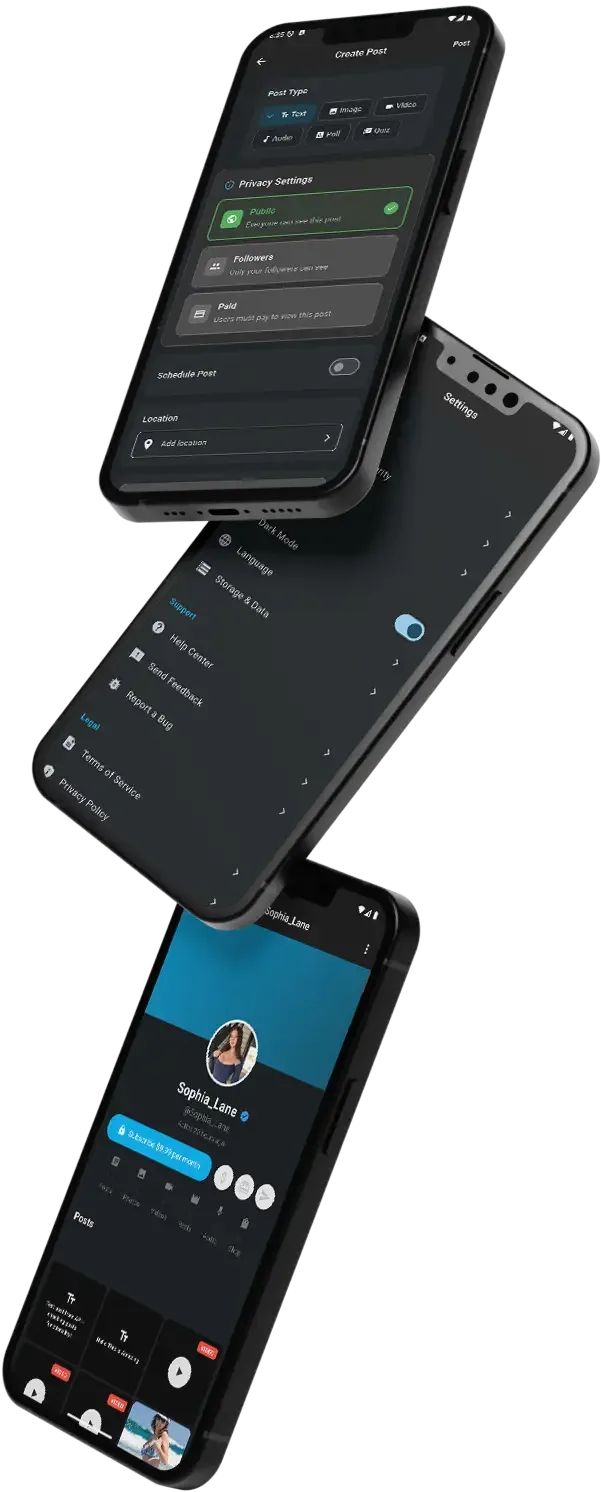
Each role works in its own side of the same product. The screens come from the working demo.
A supporter arrives to find one creator or to browse many. The subscriber site and user app are built around a short path from discovery to a paid, unlocked feed, followed by ways to stay involved so the subscription does not feel passive.
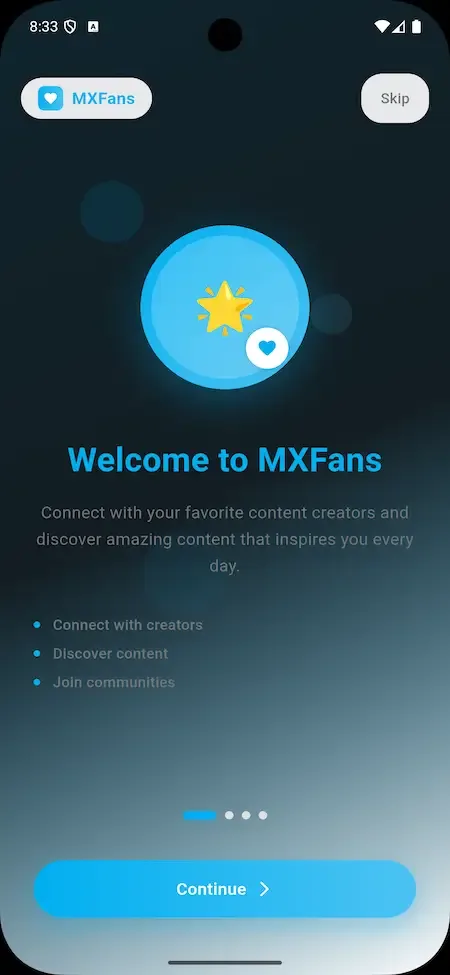
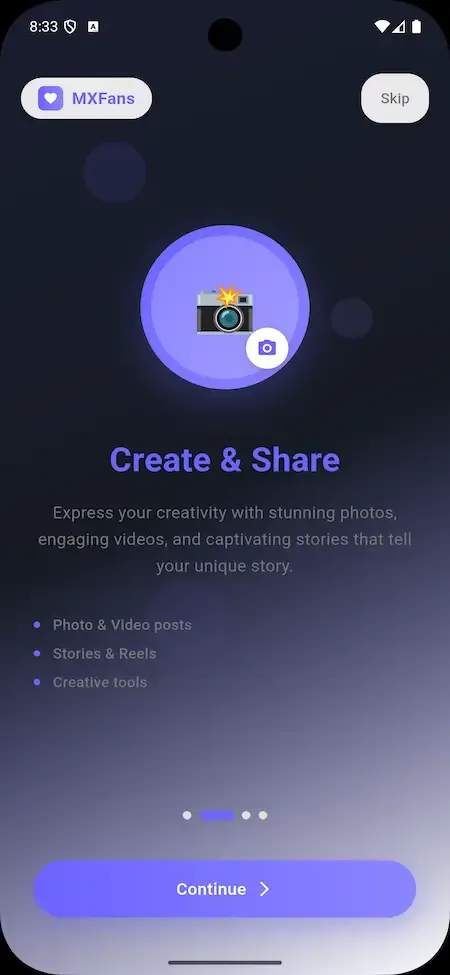
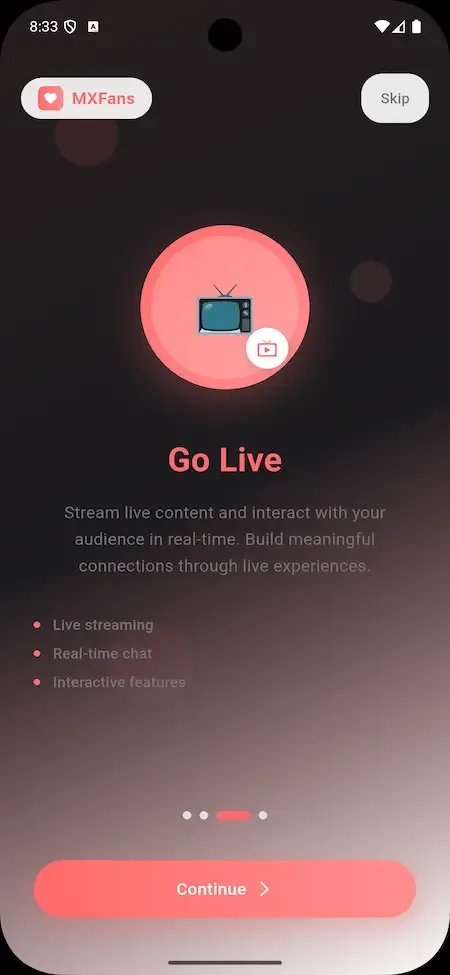
Creators work from their own web panel and a dedicated creator app. The aim is that a person with a camera and an audience can open a page, set prices and publish on the same afternoon, then watch income arrive from several directions instead of one.
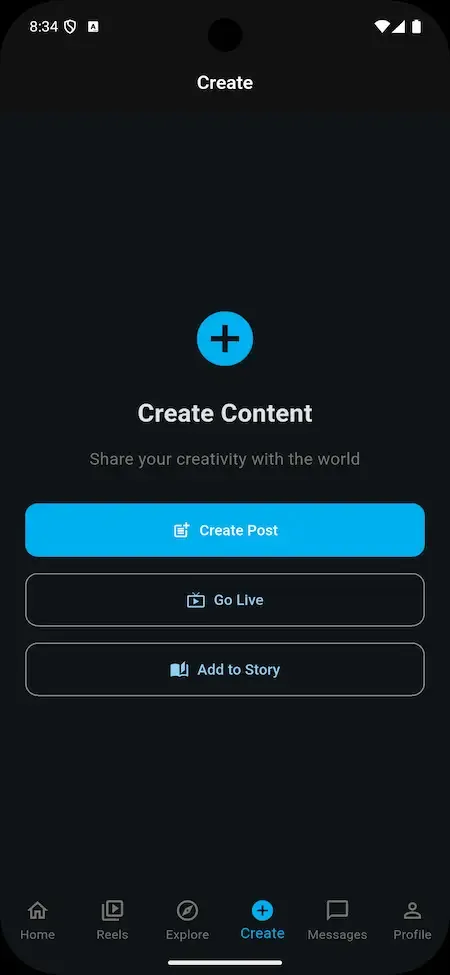
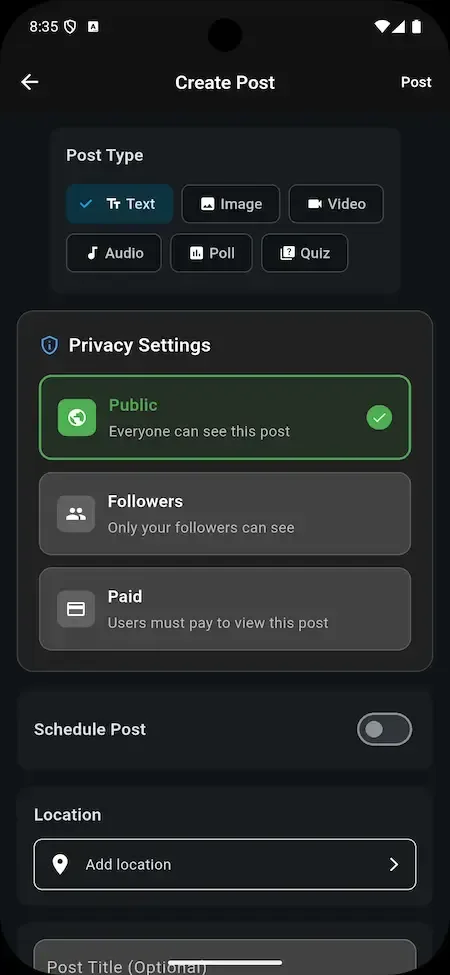
The operator controls the marketplace from one panel: who is allowed in, what is allowed to stay, where the money sits and how it reaches creators. Nothing about the creator economy runs without these controls, so they are covered in depth here.
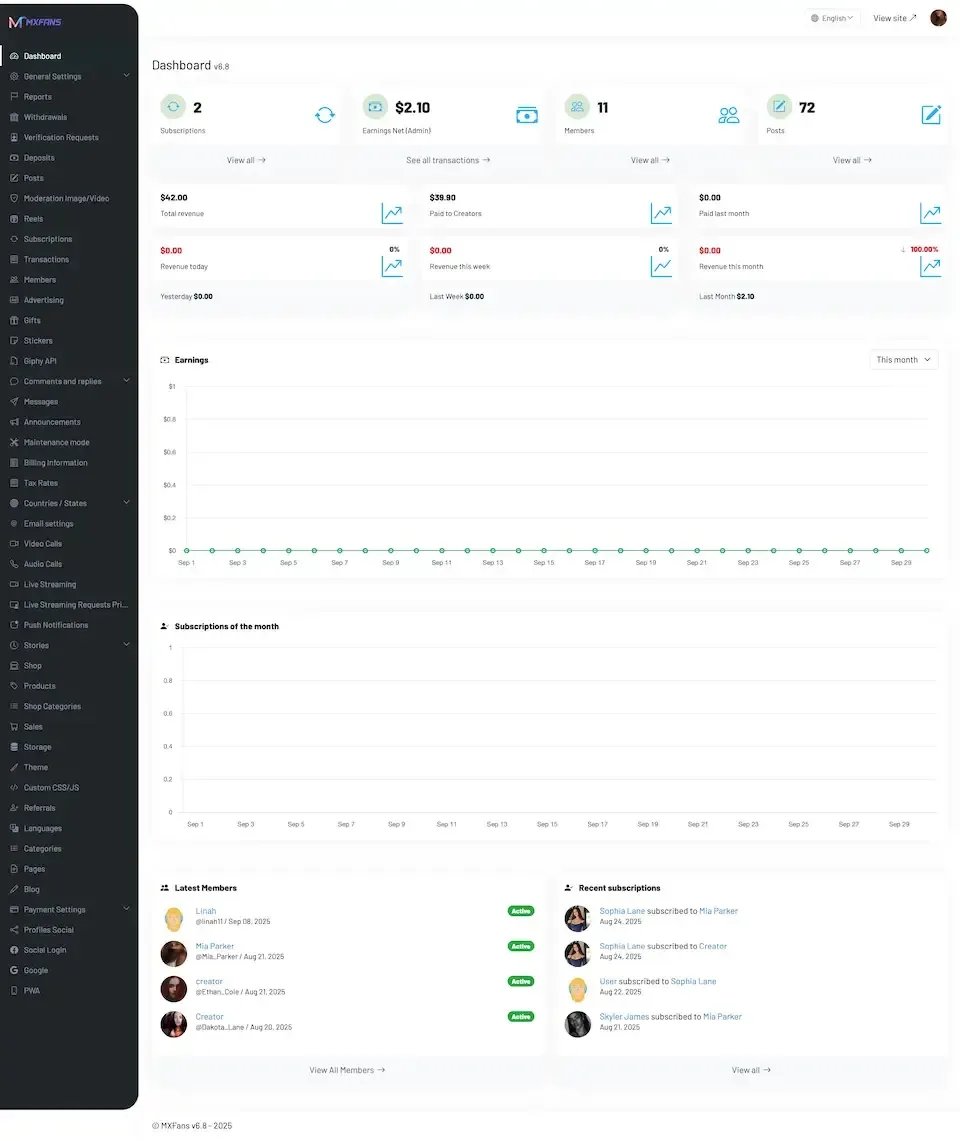
Most supporters will check the feed on a phone, so the apps are not an afterthought. Subscribers and creators each get their own Flutter app for iOS and Android, published to the stores on your developer accounts.
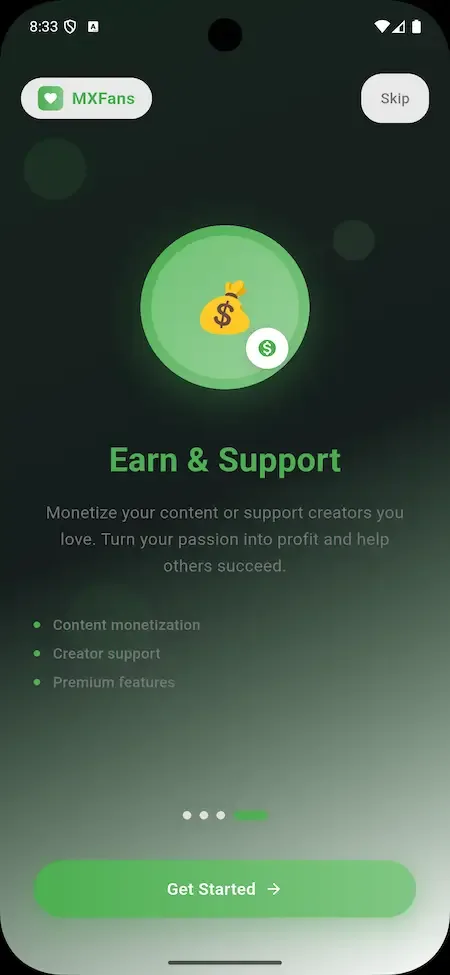
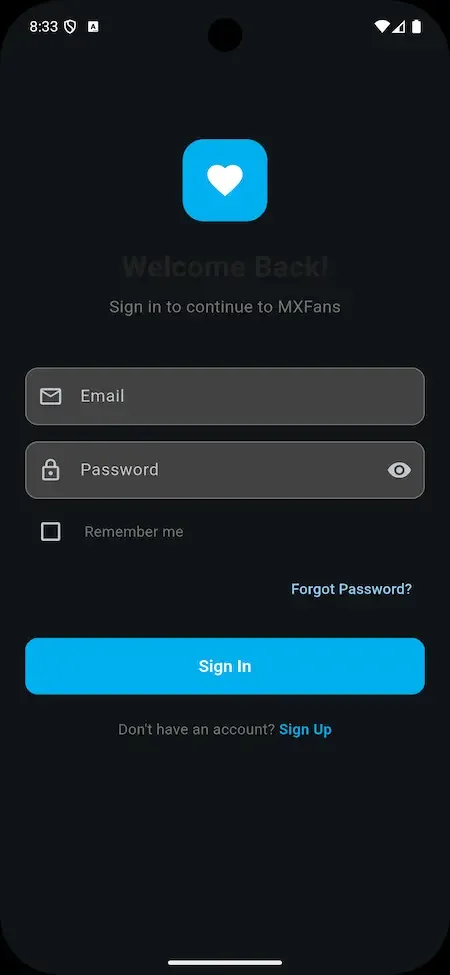
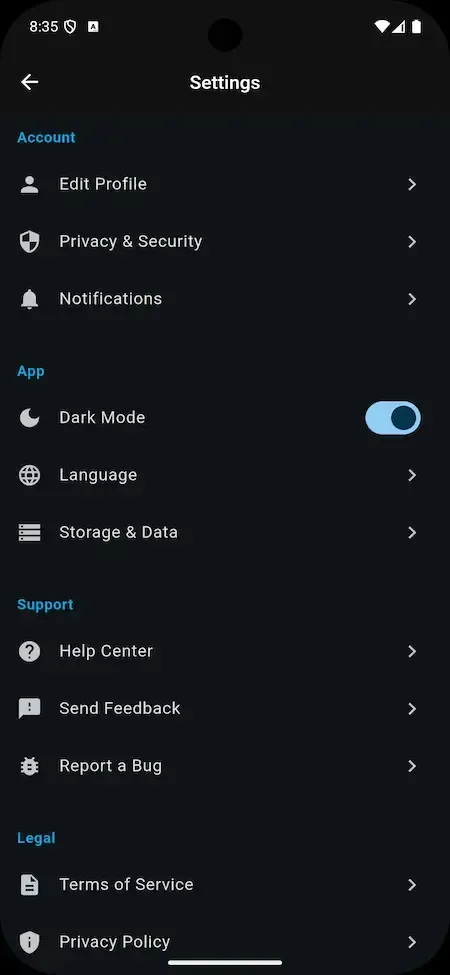
10 screens from the working demo, grouped by where they live. Your platform ships rebranded with your name, logo and colors.
The demo is a live deployment of the membership product with demo branding, so you can see the supporter side, the creator side and the operator side before deciding anything. Use the app logins to behave like a supporter and a creator, then open the admin address to see where your own team would work. Sample accounts are public.
user@demo.comUser_321creator@demo.comCreate_32150 features across 4 roles. The first six of each role are here and the full list is one click away. Nothing is held back for a sales call.
New members register with basic details and confirm an email address before the account becomes active.
Members keep a profile picture, bio and subscription preferences in one account page they can edit at any time.
Creators and content are grouped by category so a visitor can explore a topic without knowing a name.
Search reaches posts and profiles through tags and free keywords, which suits communities with many small creators.
Each creator has a profile a visitor can read before paying, showing plans and what each plan opens.
Supporters read the tiers side by side and pick the one that matches how much they want to spend.
8 more Subscribers features are in the full list.
A creator attaches the account that receives earnings while setting up the profile, before anything is published.
Image posts go up from the creator panel with a price or plan level attached.
Videos are uploaded to the same panel and locked behind whichever plan the creator chooses.
Creators go live for supporters, which turns a static feed into scheduled moments people return for.
Each post is assigned to the plan that unlocks it, so higher tiers open more than lower ones.
The creator, not the operator, sets the monthly price of each plan on the profile.
7 more Creators features are in the full list.
Admins confirm that a subscriber or creator is who they claim to be before granting full access.
A member who breaks the rules can be suspended without being deleted, keeping the record intact.
Accounts can be removed entirely when terms are breached or a user asks to leave.
New content can be reviewed and approved before it reaches subscribers.
Admins watch what users do across the platform and compare it with the policies they wrote.
Revenue from recurring plans is reported in one place so the operator can see what the marketplace takes in.
8 more Admins features are in the full list.
Subscribers and creators install different apps, each tuned to the tasks of that role.
Both apps are written in Flutter, so one codebase serves two operating systems.
Navigation and controls are designed for touch screens of both sizes.
Photos, videos and live streams open inside the app without sending the user to a browser.
The app announces new posts, messages and subscription events to keep supporters returning.
Subscribing, buying a post and sending a tip all complete inside the app.
3 more Mobile apps features are in the full list.
The path through the product, in the order it happens for the people using it.
A user signs up with basic details and confirms an email address.
The creator adds a picture and bio and links a payment method.
Photos, videos and live streams go up with subscription prices and access levels attached.
A supporter picks a plan and pays by card or digital wallet, then gets access to locked content.
Subscribers like, comment and message, and manage subscriptions, profile and notifications from their account.
Every earning route built into the product you receive: how it works, who pays and where the operator earns.
| Revenue model | How it works | Who pays | How you earn |
|---|---|---|---|
| Recurring subscriptions | Supporters pay a monthly fee to a creator and unlock the posts assigned to that plan for as long as it is active. | Subscriber | Platform fee on every subscription payment, tracked in the revenue view |
| Tier upgrades | A creator runs several plans, so a supporter can move to a higher tier for more access and a higher price. | Subscriber | Higher transaction totals on the same audience without recruiting new users |
| Pay-per-view posts | Single posts carry their own price and can be bought without joining any plan. | Visitor or subscriber | Fee on each one-off sale, which suits creators with irregular release schedules |
| Tips | Supporters send an amount of their choosing to a creator at any moment. | Supporter | Transaction fee on every tip passing through the platform |
| Custom content requests | A supporter pays an additional fee for content made to their brief, set by the creator. | Supporter | Fee on each fulfilled request, reported with other transactions |
| Paid private messages | Direct conversation with a creator can be charged, so access to the person becomes a product. | Supporter | Fee on message payments, adjustable from the admin panel |
| Referral rewards | Members who bring in new users are rewarded through the referral and affiliate program. | Operator funds rewards | Lower acquisition cost than paid advertising, since rewards follow only real sign-ups |
The flow of money, the gateways you can connect and how payouts are handled.
Money enters the platform when a subscriber pays for a plan, a post, a tip or a request through an integrated gateway. The platform records the transaction, takes the fee you set, and credits the remainder to the creator. Creators then withdraw to the payment method linked on their profile, while the admin panel shows what is owed, what has been paid and what the platform has earned. Multiple gateways can be connected, so you choose the ones available in your market.
| Gateway | What it covers |
|---|---|
| Card | |
| Credit and debit cards | The main way subscribers pay for plans, posts and tips through a connected gateway. |
| Wallet | |
| Digital wallets | Offered at checkout in the web panels and the mobile apps alongside cards. |
| Bank | |
| Bank transfer | Available as a withdrawal route for creators receiving earnings. |
| Other | |
| Pay API integration | The payment interface listed in the stack, which your chosen gateways connect through. |
You operate the platform, so legal compliance in each market you serve is yours. This is the tooling that ships in the product. It is not legal advice.
Admins can verify, suspend or delete any subscriber or creator account. In practice, decide before launch which creators need checking first, since a membership site depends on supporters believing the person behind a profile is real. The panel gives you the controls; the standard you apply, and the documents you ask for, are your policy to write.
Submissions can be reviewed and approved by admins, and platform activity can be monitored against your guidelines. Smaller marketplaces often approve every new creator first and sample later posts, then relax the process as trust builds. Decide who on your team does this work, because the software records decisions but does not make them for you.
The admin panel is where you define platform policies, content guidelines and community rules. Write them before creators arrive and link them from sign-up. A clear document gives you something concrete to cite when you suspend an account, which makes decisions easier to defend and easier for members to accept.
Payments run through integrated gateways, and the admin panel tracks transaction fees and creator payouts. Keep an eye on chargebacks and refund requests, and agree your refund position in your terms before the first subscription is sold. Each gateway has its own account approval and rules, and you are the merchant of record in your market.
The admin panel carries security settings aimed at protecting user data and preventing unauthorized access. Because you host the platform on your own servers, you also control where data lives. Meeting the data protection laws of the countries you serve remains the operator's responsibility, and we supply tooling, not legal advice.
Creators publish their own photos, videos and live streams, and supporters pay for access, not ownership. Put into your terms that creators must hold the rights to what they upload, and decide how you handle a complaint from a rights holder. Admins can remove content and suspend accounts from the panel when a complaint is upheld.
Admins review and approve content submissions and monitor user activity against your platform policies.
The layers of the product as delivered. You receive the full source code for every one of them.
| Layer | Built with | Hosting note |
|---|---|---|
| Web and admin | PHP with Laravel framework, NodeJS, MySQL | PHP with the Laravel framework and NodeJS serve the subscriber site, creator panel and admin panel. |
| Android app | Flutter, full-component app with latest dependencies | Firebase is listed among the third-party APIs and supports notifications to the apps. |
| iOS app | Flutter, full-component app with latest dependencies | |
| Third-party APIs | Google Maps, Twilio, Firebase, Pay API, translation | |
| Database | MySQL stores accounts, plans, subscriptions, transactions and content records. | |
| Mobile apps | Flutter apps for Android and iOS with the latest dependencies, for both the user and the creator. | |
| SMS and messaging | Twilio is listed among the third-party APIs for text-based communication. | |
| Maps and translation | Google Maps and translation services are listed as third-party APIs you connect with your own keys. | |
| Deployment target | We rebrand the platform and install it on your servers, then hand over complete source code. | |
The platform is deployed on servers you control, so hosting is a choice rather than a subscription to us. The web panels and admin run on a PHP and Laravel stack with NodeJS and MySQL, and the apps talk to the same back end. Size the servers to your expected audience and keep media-heavy traffic in mind, since video and live streaming drive most of the load.
People searching for a Patreon alternative are usually choosing between three kinds of thing, not between brands. This table compares the kinds on the questions founders ask first, in general terms. Individual products vary, so treat it as a way to decide which kind fits before you study any single one.
| Question | Rented service or site tool | Owned white-label platform |
|---|---|---|
| Whose brand do supporters see | The service's, or yours on a single site | Yours, across web and apps |
| Who sets fee terms | The service, or you plus your payment provider | You, on every payment |
| Mobile apps of your own | A shared app, or the browser only | Supporter and creator apps for both stores |
| Many creators on one platform | Yes for a service; usually one publisher for a site tool | Yes, a marketplace you operate |
| Who holds audience data | The service provider, or you on your host | You, on your servers |
| Effort to start | Low to moderate, you sign up or set up a site | Moderate, delivered rebranded and deployed |
| What you must operate | Your own content, plus a site if self-hosted | Hosting, support, policy and creators |
Migration questions come up in almost every conversation about replacing an existing membership service. The honest answer is that creators move easily and supporters do not always, because their payment arrangements often belong to someone else. Plan the move around that fact rather than hoping it will not matter.
Money rules are where membership platforms meet the real world. The software records transactions, fees and payouts, but it cannot decide what the law or the app stores require of you. Review these points with an adviser for each market before you promise creators anything.
One fixed price for the ready-made platform, published here so you can plan before you talk to us.
Ready-made, one-time
$3,699
Live in 6 working days from kickoff
The engineers who deploy your platform stay with it once it is live.
Need more? We tailor the platform to your plan, typically in 2-8 weeks, and confirm the scope with you before work starts. App store review times are set by Apple and Google.
Everything here is available around the ready-made Patreon clone. We confirm the scope with you before any price is agreed.
Adds AR so supporters can place virtual celebrities into their surroundings. We set it up for operators wanting interactive experiences.
Confirm with usLets users personalize video templates, adding their own creative touch to the interactions that run through the platform.
Confirm with usIntroduces auctions for exclusive interactions, creating urgency among supporters competing for limited access.
Confirm with usInteractive tasks tied to favorite creators that earn rewards and recognition inside the community.
Confirm with usWe add a shop so creators sell physical or digital goods beside their memberships.
Confirm with usTailored changes that shape the product around one audience such as education or music, typically 2-8 weeks.
Confirm with usCompetitors split their offer into starter, pro and elite columns. We sell one package at one price, so the honest equivalent is a matrix. Most of the platform ships ready, and the rest is set up around your plan. Plan your first release from the Included rows.
Creators offer several plans at different prices to suit different supporters.
Creators control subscription prices and can offer discounts.
Creators set access levels when they upload, so open and gated posts coexist.
Creators publish all three formats from the web panel.
Single posts carry their own price and need no plan.
Supporters send an amount of their choosing at any time.
Supporters pay an extra fee for content made to their brief.
Direct conversation between creator and supporter, which can be charged for.
Supporters find creators by category, tag and keyword.
Supporters cancel from account settings and keep access to the end of the cycle.
Earnings leave through bank transfer, digital wallet or another configured gateway.
Mobile alerts for new content, messages and subscription activity.
The mobile apps list in-app purchase options; store rules still apply.
Supporters view previously downloaded content without a connection.
Approve content, suspend accounts, track revenue and manage creator payouts.
Supporter site, creator panel, iOS and Android apps, and the complete source code.
Optional tasks tied to creators that earn rewards inside the community; we set this up for your build.
We build audio hosting and feed distribution for your catalog, with scope confirmed with us.
We build the flow that sends posts as email through your mail provider.
We build ordered lessons, progress and certificates as niche flows for you.
We build community boards beyond comments and messages around your plan.
We set up a shop for physical or digital goods, with scope confirmed with us.
Four pages go deeper on the questions buyers ask most about the Patreon Clone. This page stays the overview.
A membership platform succeeds when supporters understand what each plan gives them and creators can see what they will be paid.
See the full breakdownThe ready-made membership platform costs $3,699 once, including full source code, two mobile apps, three web panels and deployment on your servers.
See exact pricingA membership platform earns when supporters keep paying month after month and creators keep giving them reasons to stay.
See the playbookChoosing who builds a creator membership platform is mostly about payments, mobile apps and long-term maintainability, because a membership runs for years and the code has to be changed by someone.
Compare optionsFrom kickoff to a live Patreon clone under your brand: what we do each day, and what we need from you.
1Day 1
2Day 2
3Day 3
4Day 4
5Day 5
6Day 6
What a membership platform costs depends mostly on how much of it you build yourself. Subscriptions look simple until you list what sits underneath: recurring billing, tiered access control, locked content, pay-per-view, tips, messaging, a payout ledger, moderation, an admin panel and two mobile apps for two roles. Each of these is a project on its own. A ready-made platform buys that work already finished, leaving your budget for the parts that make your marketplace different, which are your creators, your niche and your brand. The comparison below is qualitative, because the real figure depends on the team you hire and the scope you set.
| Factor | Build from scratch | Rent a SaaS | Own it with GetFame |
|---|---|---|---|
| Time to launch | Long, because billing, access control, apps and admin are all built in sequence | Fast to start, but you adopt the vendor product and its limits | 6 working days to a branded platform on your servers |
| Who owns the code | You do, once paid for | The vendor does; you rent access | You, with full unencrypted source code |
| Creator pricing control | Whatever you design | Set by the vendor plan and its fee structure | Creators price their tiers, you set platform fees |
| Mobile apps | Extra scope for each role and each operating system | Often a generic app, or none under your name | User and creator apps for iOS and Android in the package |
| Factor | Build from scratch | Rent a SaaS | Own it with GetFame |
|---|---|---|---|
| Ongoing fees | Developer retainers and hosting | Recurring subscription that grows with usage | Your own hosting and gateway fees; no licence renewal on the platform |
| Customization | Unlimited, at your cost | Limited to what the vendor exposes | Full source access, tailored work scoped at 2-8 weeks |
| Risk before launch | Scope grows while the team is building | Low, but you cannot move later without rebuilding | Demo available first, so you see the product before buying |
Running costs. The platform price does not cover running costs. Plan for server hosting sized to your media traffic, payment gateway fees on every transaction, the Apple and Google developer accounts needed to publish the apps, and any third-party services you connect, such as messaging or push providers. Moderation is also a cost in staff time. Extras we set up beyond the ready-made product are confirmed with us.
A membership site looks small until you list what sits beneath it. This table sets each module beside the work a team faces building it themselves, in effort words only, because the real cost depends on your payment provider, your content types and how many creators you onboard.
Build it yourselfA model for tiers, prices and which post belongs to which plan, tested across upgrades and cancellations.
Ready-madeMultiple plans per creator with access levels set at upload.
Build it yourselfGateway integrations, stored credentials and events that keep payments and access in step.
Ready-madeIntegrated gateways for plans, posts, tips and requests, with the fee you set recorded.
Build it yourselfUpload handling, media storage and live streaming for photos, video and live posts.
Ready-madeA creator web panel for photos, videos and live streams with pricing and access.
Build it yourselfIndexing and ranking so supporters can find creators by category, tag or keyword.
Ready-madeSearch and discovery by category, tag and keyword already in place.
Build it yourselfPrivate conversation with delivery, notifications and optional charging for access.
Ready-madeDirect messaging between creators and supporters, with paid messages possible.
Build it yourselfBalances, withdrawals and reconciliation that finance staff can trust.
Ready-madeWithdrawals by bank transfer or wallet, managed from the admin revenue section.
Build it yourselfBack-office screens for users, content approval, policies and reports.
Ready-madeAdmin tools to verify and suspend users, approve content and set guidelines.
Build it yourselfTwo store apps built and maintained alongside the web, a long project for a small team.
Ready-madeFlutter apps for iOS and Android for supporters and creators, rebranded for you.
Build it yourselfPush setup and event triggers for content, messages and subscription activity.
Ready-madePush notification support in the apps, backed by a listed provider integration.
Build it yourselfData design and screens for earnings, fees and platform performance.
Ready-madeAnalytics and financial reports in the admin panel for reconciliation.
Patreon is widely known as a membership service where creators charge supporters monthly and publish to them behind a paywall. The comparison below sets that general model against what you get when you run the platform yourself. It describes the type of product, and makes no claim about any company's internal figures or policies.
| Aspect | The Patreon model | This platform |
|---|---|---|
| Who sets the rules | The service sets terms, fees and content rules for every creator on it | You write the policies, fees and guidelines for your own marketplace |
| Brand and audience | Supporters belong to a shared service with its own identity | Supporters sign up under your name, logo and colors |
| Where the audience data sits | With the service provider | On servers you control, with source code you can inspect |
| Fee structure | Creators pay the service according to its published terms | You decide what you charge creators and where you earn |
| Mobile presence | One shared app for all creators | Your own user and creator apps published on your developer accounts |
| Niche focus | Broad, serving many kinds of creator at once | Shape it around education, music, lifestyle or any single community |
| Extending the product | Wait for the service to add what you need | Add features through tailored work or your own developers |
The founders and teams this product fits most directly, one line each. The launch ideas that follow turn these audiences into a first-week plan.
Musicians, illustrators and makers who want regular supporters instead of one-off sales.
Teachers and trainers who publish lessons and live sessions to paying members.
Personalities who want a paid space with early or exclusive posts for their audience.
Founders who recruit many creators, set the fees and earn from transactions.
Topic-specific membership sites with their own branding, rules and tiers.
Membership is a model, not a content type. Patreon-style platforms attract more than artists, and each audience needs different things from the same core. These are the groups worth building for, with an honest note on what ships and what we would set up.
Illustrators, photographers and craftspeople who share process, finished work and early looks with patrons. Supporters pay for access to a person's work. Configure tiers by depth of access, use photo and video posts for process content, and add custom requests for commissions the artist is happy to take.
Teachers who release lessons to paying students. Learners pay for expertise and structure. Video posts and live sessions cover recorded and live teaching today, while we build ordered lessons, progress tracking and certificates for you. Start with tiers per level and see how students actually move through the content.
Hosts who offer early episodes, extras and bonus conversations. Listeners pay for more of a voice they already enjoy. Video and live posts work now; we build dedicated audio feeds for you. Configure a free tier that teases episodes and a paid tier for the rest, then scope audio distribution if listeners ask.
Writers who publish serious or niche writing for paid readers. Subscribers pay for the writing and the relationship. Posts and access levels cover the gated reading experience, and we build email delivery of posts for you. Decide whether a web feed is enough before you commission a mail integration.
Advisers in fitness, language, finance or careers who answer questions and run live sessions. Members pay for access to expertise. Configure paid private messages for individual questions, live posts for group sessions and tiers by level of attention, then add a niche flow if your field needs one.
Organizations or campaigners who rely on regular supporters. Supporters pay to back a mission and receive updates. Tiers become support levels and tips cover one-off gifts. Receipts, tax treatment and any charity rules are your responsibility, so settle them with an adviser before you advertise the platform.
Several kinds of tool let you charge for memberships, and they solve different problems. The rows below describe what each is generally used for and what you accept by choosing it. They are not verdicts: the right tool depends on whether you want to rent features, add paid access to a site you have, or own the platform itself.
Open-source publishing platform
Publishers who want a site with built-in memberships and paid newsletters.
It is a publishing site, so a multi-creator marketplace with apps is outside its design.
Membership software for your site
Owners of an existing site who want to add paid access and member accounts.
It extends your site rather than giving you creator pages or your own mobile apps.
Marketplace for digital products
Sellers of access, communities and digital goods who want a hosted storefront.
You operate inside a shared marketplace and its terms rather than a brand of your own.
Mobile app builder for creators
Coaches and teachers who want a branded app around their own content.
Aimed at one creator or brand, not at many creators earning on one platform.
Newsletter publishing service
Writers who want paid subscriptions to a newsletter without managing software.
Centered on writing; photo, video and live creator pages are not its focus.
A white-label Patreon clone fits when you want your own brand, your own fee terms, supporter and creator apps, and many creators on one platform. You own the code and the data, and you operate the business. If you only need paid access on a site you already run, or a single creator's newsletter, one of the tools above may be a simpler and lighter choice.
Longer answers to the questions buyers of this model ask before they commit.
Start by deciding whether you are building a marketplace or a single community. A marketplace needs many creators and a steady flow of new ones, so your first job is recruitment and your product must make onboarding quick. A single-community site has one star or one theme, and your first job is converting an existing audience. The same software serves both, but your launch plan, your pricing and your moderation workload differ sharply between them.
Pick one niche for the first six months. A membership site for everything competes with services that have been around for years. A membership site for, say, independent illustrators or language teachers gives creators a reason to join you and gives supporters a place that feels made for them. You can broaden later, once the first group is earning and recommending you.
Before you open the doors, write your policies, set your platform fee, connect at least one gateway and test a real payment from sign-up to creator withdrawal. Many founders discover payout problems only after creators have earned money, which is the worst possible moment. Run the full money loop once yourself, then invite a small group of creators to try it before any public announcement.
The core of the model is a monthly subscription that a creator sets and a supporter pays. The operator earns a fee on each payment and the creator receives the rest. What makes the model durable is predictability: a creator with a hundred supporters on recurring plans can plan their month, which is something one-off sales never offer. That predictability is the reason creators will move to a platform that treats it well.
Subscriptions are not the only income. Pay-per-view posts, tips, paid private messages and custom requests let a creator earn from people who will not commit monthly. For the operator these extra streams matter because they raise the value of each creator without needing more supporters. Watch which stream grows fastest in your niche and promote that one in your creator onboarding.
Tiers are where creators earn more per supporter. A single plan leaves money behind, because some fans would happily pay more and others would pay less. Encourage creators to offer two or three tiers with a clear difference in what each opens. A common pattern is a low tier for access to the feed and a higher tier that adds live sessions or personal contact.
Creators join where they expect to earn, so give them a reason before you have an audience. Approach people who already have followers elsewhere and a habit of publishing regularly. A creator with a few hundred loyal followers and a content schedule is a better first recruit than a famous name who posts rarely, because the loyal group converts into paying supporters more reliably.
Reduce the effort of moving. Offer to help set up the profile, price the first tier and import their first few posts. Show them the creator panel and the withdrawal flow, since the question every creator asks is how and when they get paid. If you can answer that clearly and demonstrate it, you remove the main reason people hesitate.
Use the referral program to turn early creators into recruiters. A creator who brings others to the platform is worth rewarding, and the reward costs you only when a real person signs up. Pair that with a visible feed of what creators are publishing, so a visitor sees activity from their first minute on the site.
Open the demo before anything else. The creator and user apps and the web and admin panels are available to try, so walk the whole flow as each role: sign up, subscribe, publish, get paid and then moderate. A platform that looks good in screenshots can still feel awkward when you try to price a tier or approve a post, and a ten-minute test shows you that.
Confirm what you receive. For this platform that means both mobile apps, the subscriber and creator web panels, the admin panel, deployment on your servers, complete source code without encryption, app publishing support, 60 days of technical support and one year of free updates. Compare that list line by line with any other offer, because missing items usually reappear later as extra charges.
Ask about your specific needs early. If you need a feature that is not in the demo, request a written scope and a timeline for it before you pay for the platform. Tailored work usually takes 2-8 weeks. Knowing this at the start lets you decide whether to launch with the ready-made version first and add the extra later.
The first mistake is launching without creators. Software does not attract a marketplace; people do. Founders who spend the budget on features and nothing on recruitment end up with a polished empty site. Reserve time every week for talking to creators, and treat their feedback on the panel as your product roadmap.
The second is leaving moderation until later. Content problems cost the most trust in the early weeks, when you have the fewest members to absorb them. Decide who reviews what, how fast complaints are answered and when an account is suspended. Write it down, publish it and apply it consistently from the first day.
The third is ignoring payouts. Creators judge a platform by how reliably it pays, and a delay damages your reputation faster than any missing feature. Test withdrawals regularly, keep creators informed when a payment is processing and reconcile your reports against your gateway statements each month.
The ready-made platform is priced at $3,699. We rebrand and deploy it in about 6 working days. That price covers the web panels, both mobile apps, the admin panel and full source code. Further changes are set up around your plan, with scope confirmed with us, and typically take 2 to 8 weeks depending on the work.
Yes. Everything ships white-label: your name, logo, icons and color scheme appear across the web panels and apps. We are not affiliated with Patreon, and the product contains no code or design taken from it. "Patreon clone" is used here only to describe the type of software.
Yes. Creators set prices, offer discounts and decide which content each plan unlocks. They can run multiple tiers so that different supporters can pay different amounts. As the operator you can still adjust platform settings and fees from the admin panel.
Creators can sell individual pay-per-view posts, accept tips, charge for private messages and take paid custom content requests. The admin panel tracks subscription earnings and transaction fees so you can see platform revenue and manage creator payouts in one place.
The web and admin sides use PHP with the Laravel framework, NodeJS and MySQL. The Android and iOS apps are built in Flutter. Third-party services include Google Maps, Twilio, Firebase, a payment API and translation. Because you receive the source code unencrypted, your own developers can modify any layer later, from the web panels to the mobile apps.
Yes. App publishing support is part of the package: we publish the user and creator apps to both stores through your own developer accounts and works through the approval process with you. You keep ownership of the store listings. The user and creator mobile apps are written in Flutter for both iOS and Android.
Earnings are processed through the payment gateways you connect and can be withdrawn by bank transfer, digital wallets and other supported options. Admins manage payouts and see transaction fees in the revenue section, so the flow of money stays visible on your side.
You get 60 days of technical support and 1 year of free updates. Our first response is under 2 hours, Monday to Saturday, 10:00 to 19:00 IST. Longer-term support and tailored development can be arranged if you need them, so there is a clear path after the first two months.
Yes. Tailored development usually takes 2 to 8 weeks depending on scope, and we can scope it with you after launch. You also hold the full source code with no encryption, so an in-house team can extend the platform on its own schedule instead.
Yes. Payments flow through gateways that you connect, and each gateway requires its own merchant account in your name. We integrate them during setup, but approval depends on the gateway and your business details, so apply early. Multiple gateways can run together, which lets you offer different options to subscribers and creators.
The operator. You run the marketplace, so the terms, the content rules, tax handling and data protection duties in your market are yours. The platform gives you admin tools for verification, moderation and policy text, but we supply software, not legal advice. Speak to a local adviser before launch.
Yes. The same software works as a membership site for a single creator, a brand or a niche community. You can approve every creator yourself, or only list one. Your branding, your pricing and your policies apply either way, and you can open it to more creators later.
On servers you choose, because the platform is deployed to your own hosting. You receive complete source code without encryption, so you can inspect how data is handled. We do not keep a running copy of your member list. Your own privacy policy should describe what you collect.
Yes. There is a dedicated creator app for iOS and Android alongside the creator web panel, in addition to the subscriber app. Both are written in Flutter. Creators can check activity from the app, while longer publishing tasks are usually easier from the web panel on a computer.
Creators set their own plan prices, discounts and tiers, while you control platform settings and the fees you earn from the admin panel. If you want a different structure, such as a flat listing fee or a different commission scheme, that is tailored work we scope with you and usually takes 2-8 weeks.
Yes. Because the code is complete and unencrypted, your developers can move the platform to another server or provider at any time. You should plan the move around your database and uploaded media, which is where most of the data lives, and test it on a staging copy first.
Hosting, payment gateway fees, the Apple and Google developer accounts, and any third-party service keys are paid by you. We also set up extras such as augmented reality or auctions, and tailored development beyond the ready-made product, with scope confirmed with us. Support runs for 60 days and updates for one year.
Creators run several plans, so a supporter can move to a higher tier for more access and a higher price. How a change is billed part way through a cycle, including any credit for the unused period, is a rule to confirm during setup and write into your terms, because gateways and markets handle it differently.
Yes. Supporters pay a recurring fee to a creator and unlock the posts assigned to that plan for as long as it stays active. They can cancel at any time from account settings and keep access to the end of the billing cycle. Recurring charges depend on payment providers that support them in your market.
Yes. Creators set an access level when they upload, so open posts and gated posts can share a page. A free sample is a sensible way to convert visitors, and pay-per-view lets a single post carry its own price without requiring any plan. You decide how much free content creators may publish.
The platform handles photo, video and live posts today, and we build dedicated audio feeds for podcasts and email delivery for newsletters, with scope confirmed with us. If the written or audio post can live in the web and app feed first, you can launch sooner and add distribution later.
Yes, in a simple form. Teachers can publish recorded lessons and run live sessions behind tiers. Ordered lessons, progress tracking and certificates are niche flows that we build for you, usually scoped in weeks. Many operators begin with tiers by level and add structure after seeing how students use the content.
Supporters and creators interact through likes, comments, direct messages and live sessions. We can build a dedicated forum or discussion board for you. If community is your main offer, scope that early because it shapes the whole experience.
They solve different problems. Ghost is a publishing site with memberships, Memberful adds paid access to a site you already have, and Whop is a marketplace for digital products. A white-label platform suits you if you want your own brand, creator pages and apps for many creators, and are ready to operate the business yourself.
Creators can move by invitation and republish their work. Supporters usually need to subscribe again, because stored payment details often cannot be transferred to a new operator. Bulk import of content or member lists is something we scope with you, depending on what the other service allows creators to export. Plan an overlap period.
The platform records transactions, fees and creator payouts and produces financial reports. Whether tax applies and who must collect it depends on the countries involved, and that duty stays with you as the operator. Creators withdraw by bank transfer or wallet, so agree payout terms and tax paperwork with them before launch.
The product page does not promise a specific list. Translation services are named among the third-party integrations, and the currencies supporters can use depend on the gateways you connect. If you need a particular language set or local currency, describe it up front so we can confirm or scope it with you.
We can scope this with you. Some builders add token-based support or crypto payments, but those are tailored projects with their own legal and technical questions. Start with the standard membership model and gateways, prove that creators and supporters want it, and scope any token idea as a later, separate piece of work.
→Start here
Share the platform and your market. You get a walkthrough of the live demo, the exact scope of what ships, and a fixed price in writing. First response in under 2 hours, Monday to Saturday, 10:00 to 19:00 IST.
This page uses the name Patreon to describe a type of platform. The product sold here is separate software, built independently, and Patreon has no part in it.
"Patreon clone" is industry shorthand that founders use when searching for software with a comparable business model. It names a category of product, not a copy of Patreon.
The platform is an original product designed and written by Miracuves. It contains no code, design, graphics or content originating from the Patreon website or applications, and it ships under your own brand.
Patreon and its logos are trademarks of their respective owner and are named here for reference only. GetFame is not affiliated with, sponsored by or endorsed by Patreon. Rights holders can write to legal@miracuves.com.
Operator responsibility. The operator of a launched platform is responsible for legal compliance in the markets it serves. Nothing on this page is legal advice.Read the full disclaimer
First response under 2 hours, Mon-Sat 10:00-19:00 IST
India+91 98300 09649 United States+1 516 202 3950