Ready-made, one-time
$3,699
Facebook Clone
Live in 6 working days from kickoff
- Full source code
- White-label under your brand
- 60 days of technical support
- 1 year of free updates
- App publishing support
Social network
A full social network where members and pages earn from their audience.
A white-label social network with profiles, a news feed, friends, groups, pages, events, reels and live streaming, plus the commerce layer around it: paid posts, subscriptions, a wallet, a marketplace, jobs and courses. Web panel, admin panel and Flutter apps for Android and iOS arrive with the full source code.
The facts a buyer checks first, in one place. Everything on this page is the product as it ships.
| Product type | Full social network with profiles, pages, groups, events, marketplace and creator monetization |
|---|---|
| Platform price | $3,699 one time, delivered with full source code |
| Launch time | 6 working days from kickoff |
| Apps included | Two Flutter apps, Android and iOS, plus a responsive web site |
| Admin panel | Six areas: users, moderation, analytics, advertising, security and feature settings |
| Web stack | PHP with Bootstrap, NodeJS, MySQL and MongoDB |
| Payment gateways | Stripe, PayPal, Flutterwave, NyFatoorah, Epayco, Verotel and Cashfree |
| Storage and video | DigitalOcean Spaces, Yandex Cloud Storage, FFmpeg and the Plyr player |
| Source code | Complete and unencrypted; rebranding and deployment done for you |
| Support and updates | 60 days technical support, 1 year of free updates, app publishing on your accounts |
A Facebook clone is a ready-made social networking platform that lets you launch your own network for friends, communities or customers. Members build profiles, post updates, photos and videos, send friend requests, chat in real time and join groups and pages. You receive a web panel, an admin panel and mobile apps, already branded with your name.
This one goes further than connection. The news feed pulls updates from friends, pages and groups, events let members create gatherings and RSVP, and a reels module and a watch area collect video. Live streaming supports screen sharing and quick tip buttons, which gives broadcasters a way to be paid in the moment.
Money moves through the platform in several ways. Members can top up a wallet, buy paid posts, subscribe to profiles, pages and groups, donate and pay for products in a marketplace. The admin panel manages ads, earnings, fees and VAT, so the operator controls the economics rather than a third party.
Facebook is a bundle of surfaces rather than one product: personal profiles and a friends graph, a news feed, groups, pages for businesses, events, a marketplace, messaging, video, live streaming and an advertising system. Each of those is a product in its own right, and the original runs on a very large engineering and safety organization. Anyone who says they can copy all of it is selling a slogan.
A white-label Facebook clone is a more modest and more useful thing. It is a ready-made social network that covers the core surfaces people expect, under your brand and rules, with the source in your hands. The practical question is not whether it matches the original, but which subset serves a community you can actually reach. Competitors themselves advise building a niche network, and that is sound advice.
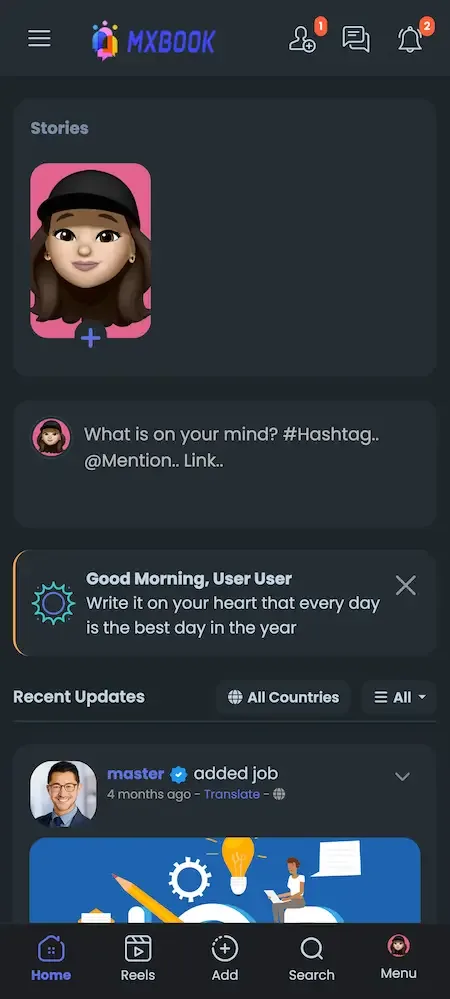
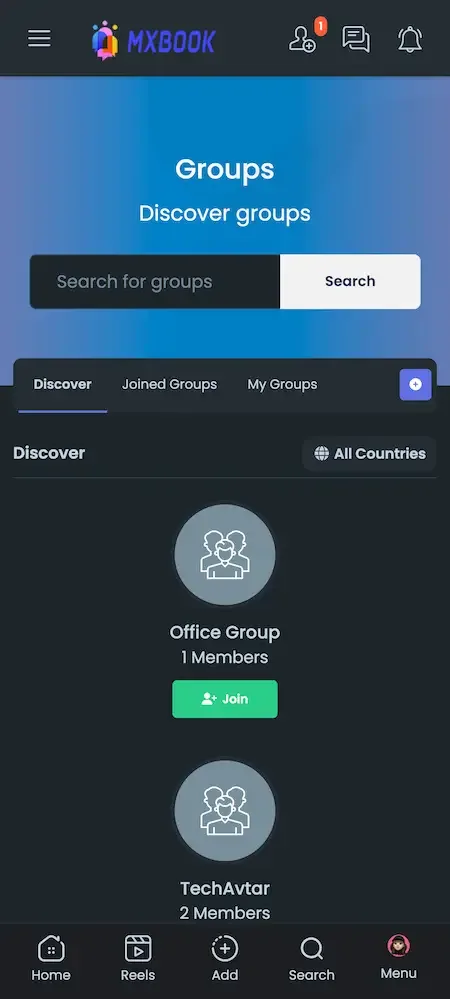
Each role works in its own side of the same product. The screens come from the working demo.
A member joins, fills in a profile, connects with people and then lives in a feed made of friends, pages, groups and events. Reels, live video and stories sit beside text posts, and privacy controls decide who sees what.
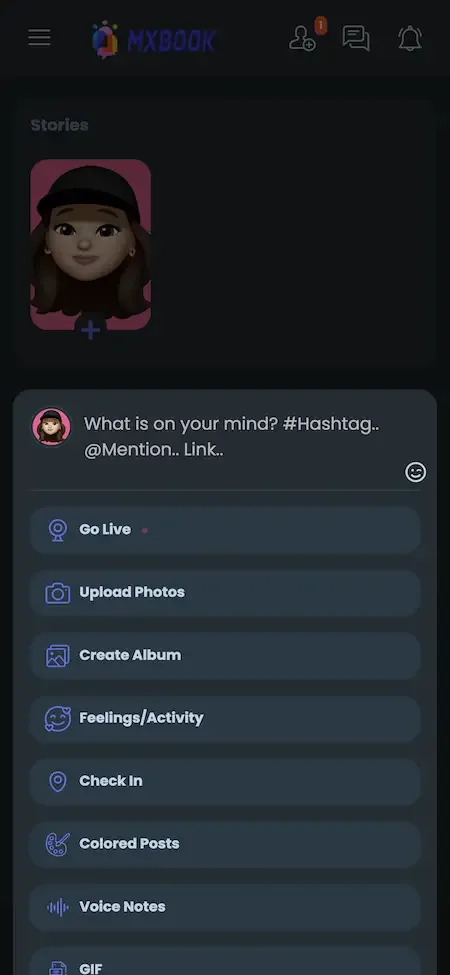
Creators and page owners can sell access to what they publish. Posts can be paid or limited to subscribers, subscriptions come in timed plans with trials, and live streams take tips. Fans can also pay for chat and calls.
Commerce turns the network into a place where people trade. Products live on pages, groups and events, a marketplace handles listings and carts, and jobs, offers, courses, funding and paid movies broaden what the community can sell.
Administrators control who gets in, what gets posted and how money is handled. Approval queues, verification requirements, fees and tax settings, earnings reports and permission groups let one team govern a large community.
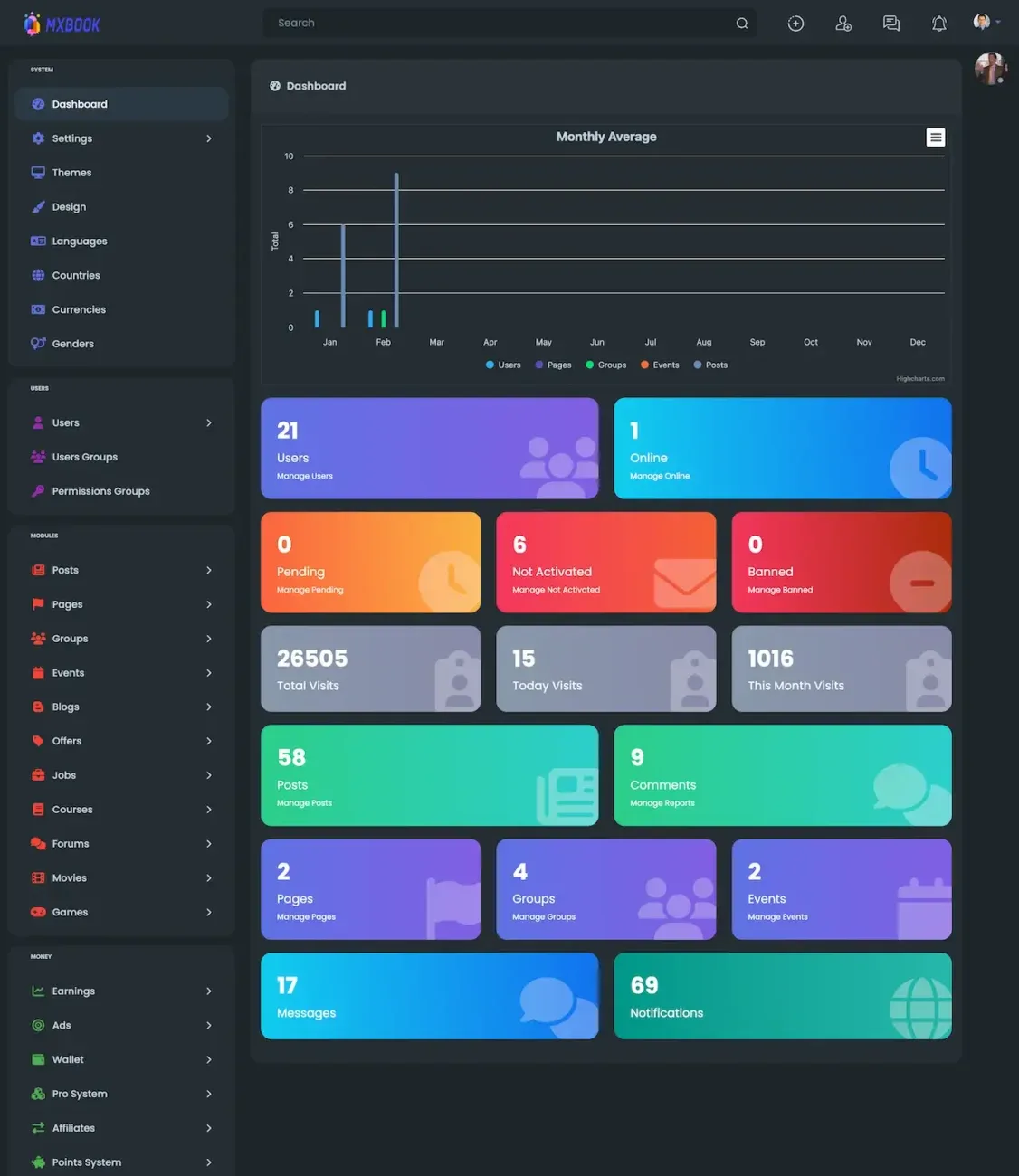
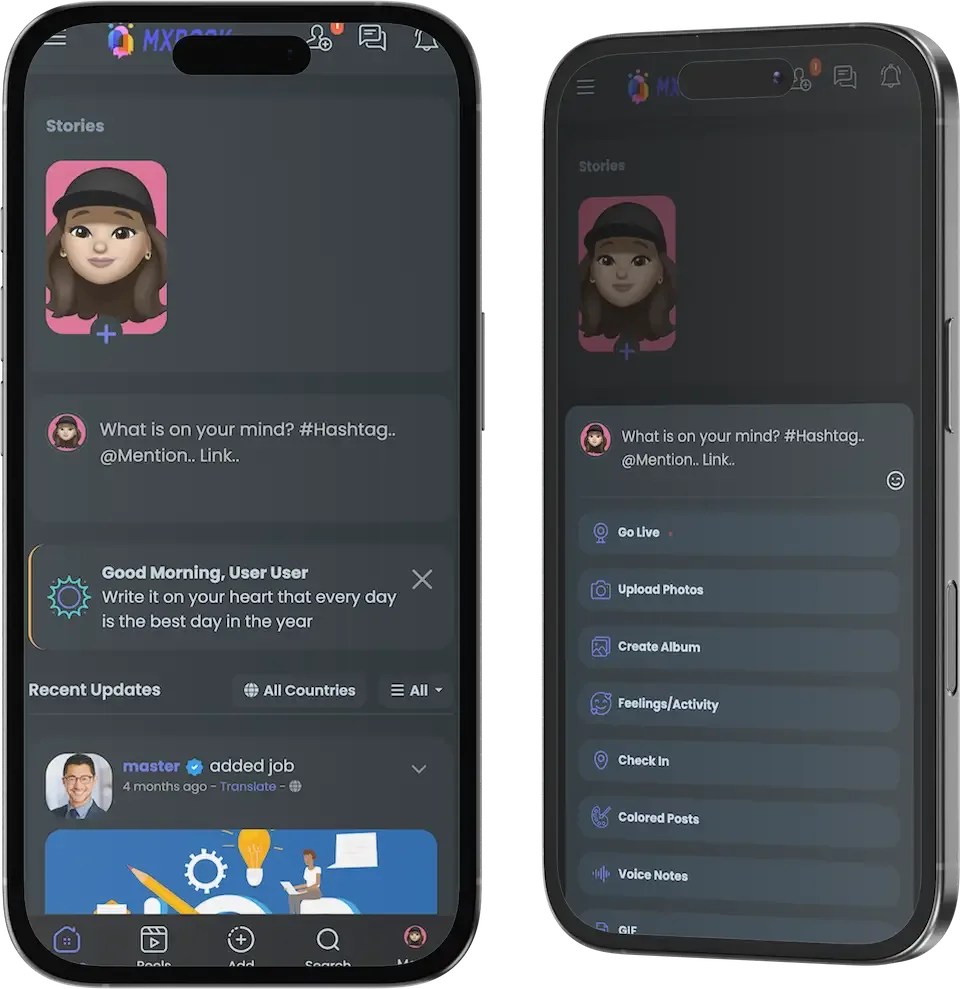
16 screens from the working demo, grouped by where they live. Your platform ships rebranded with your name, logo and colors.
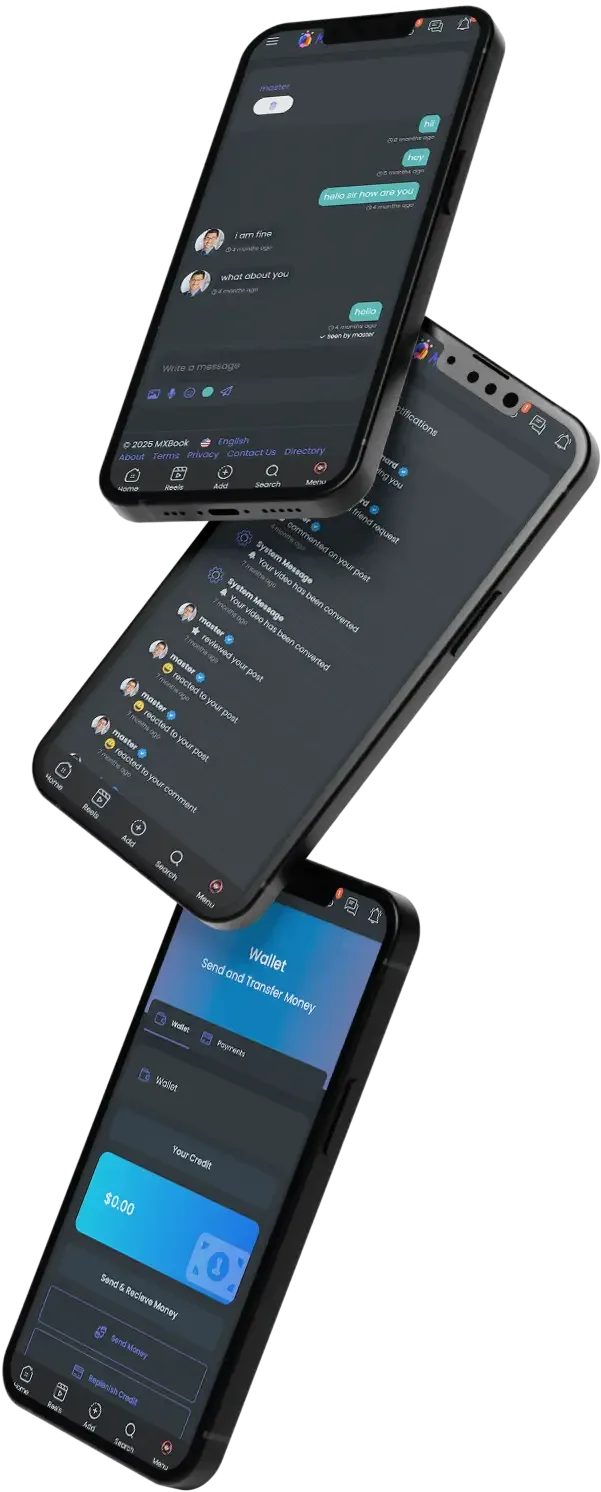
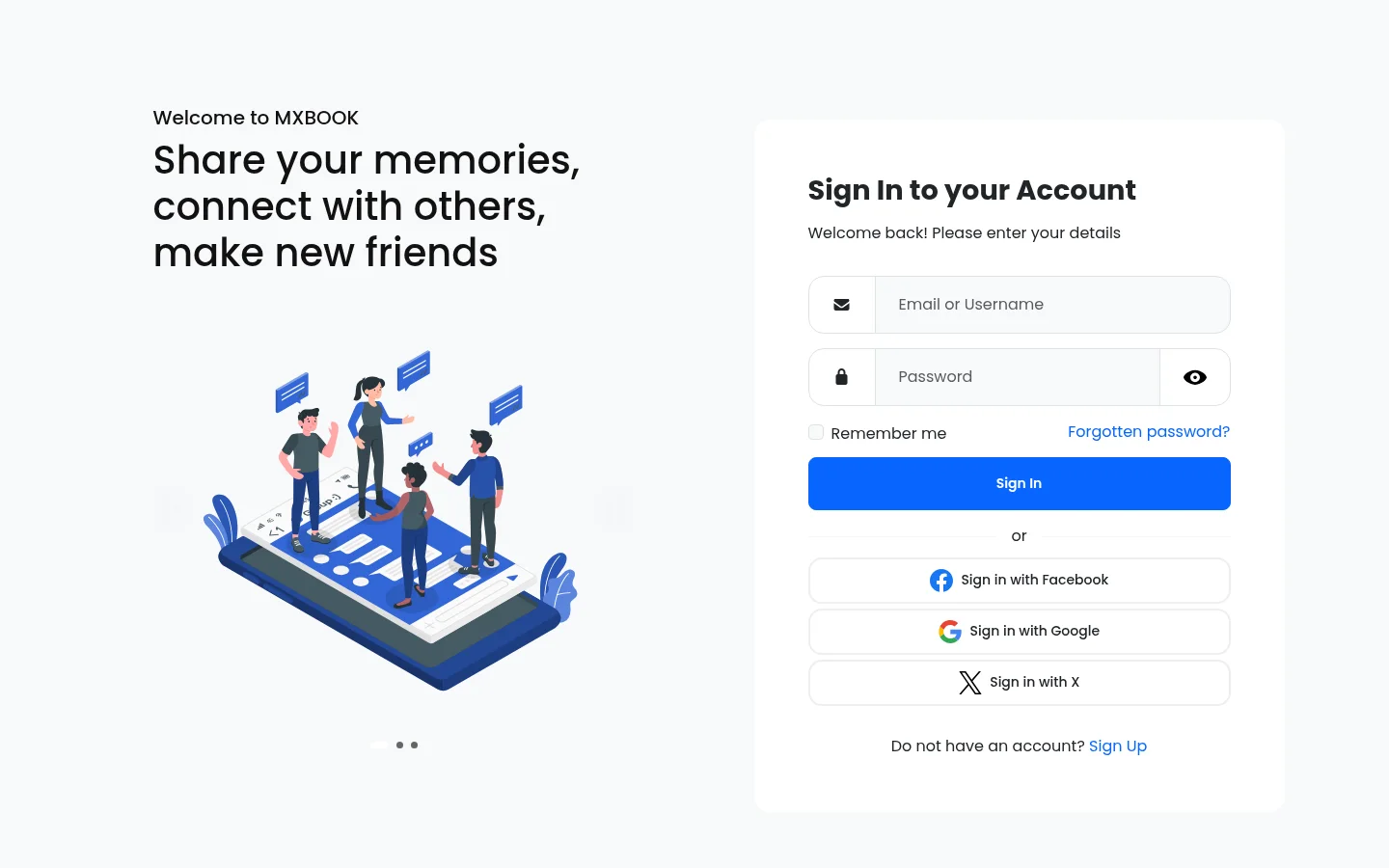
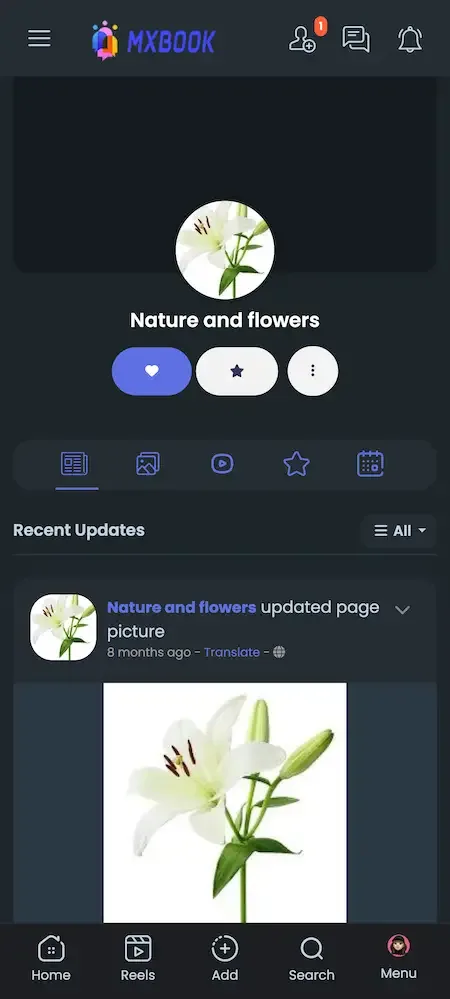
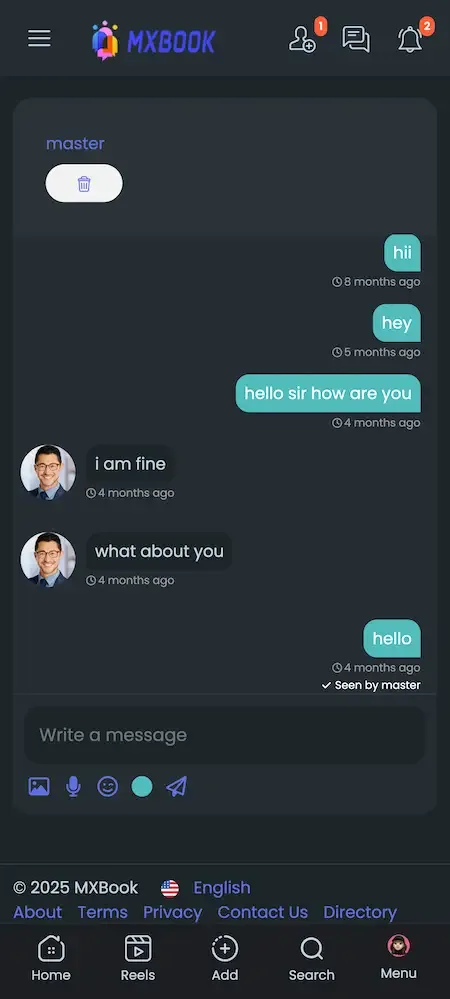
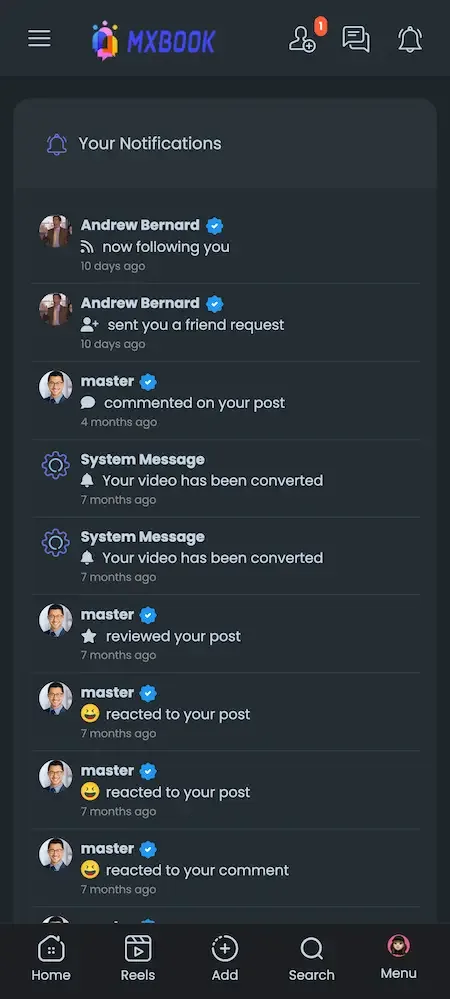
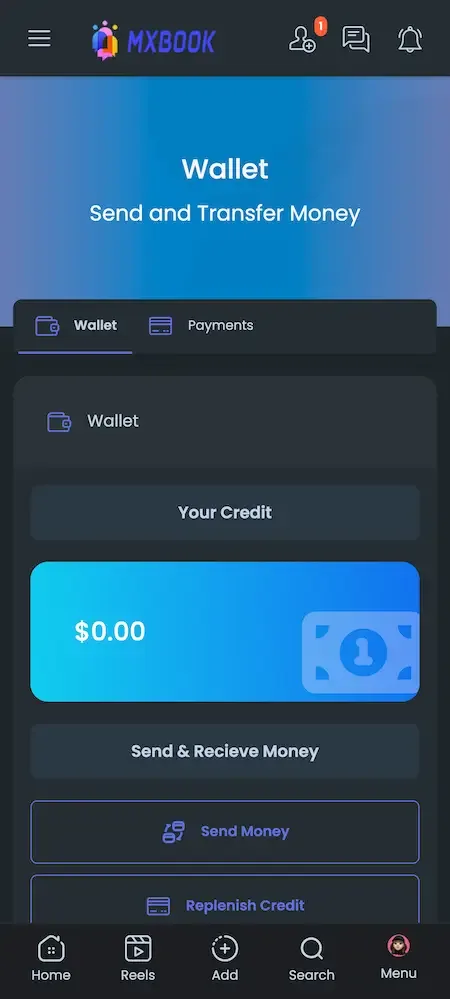
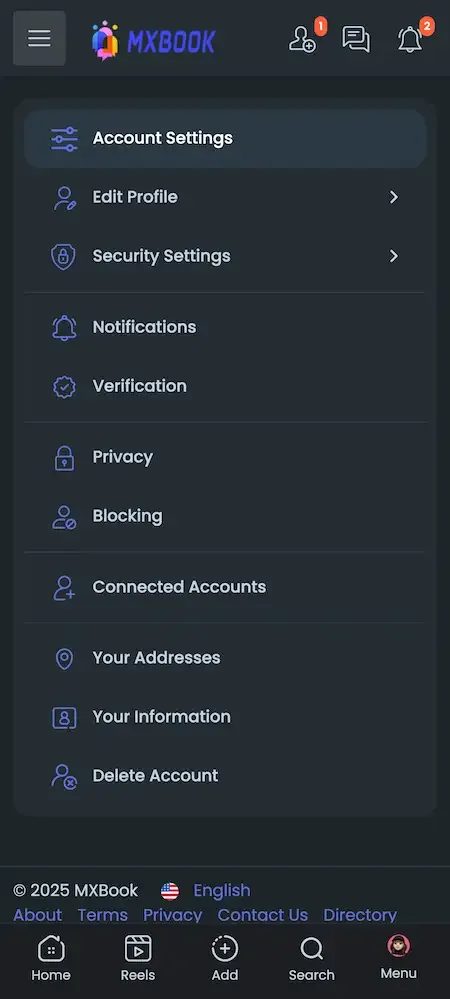
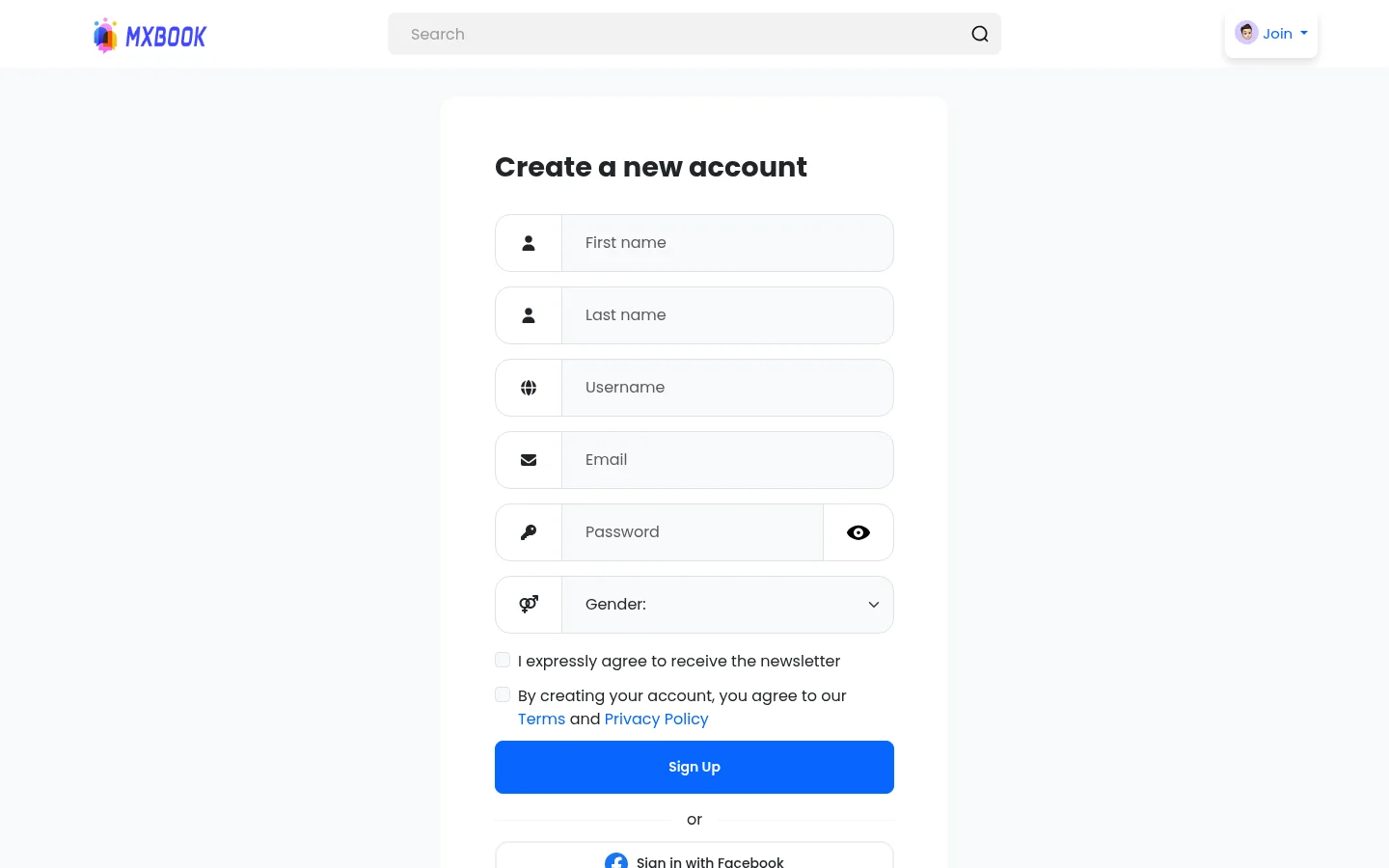
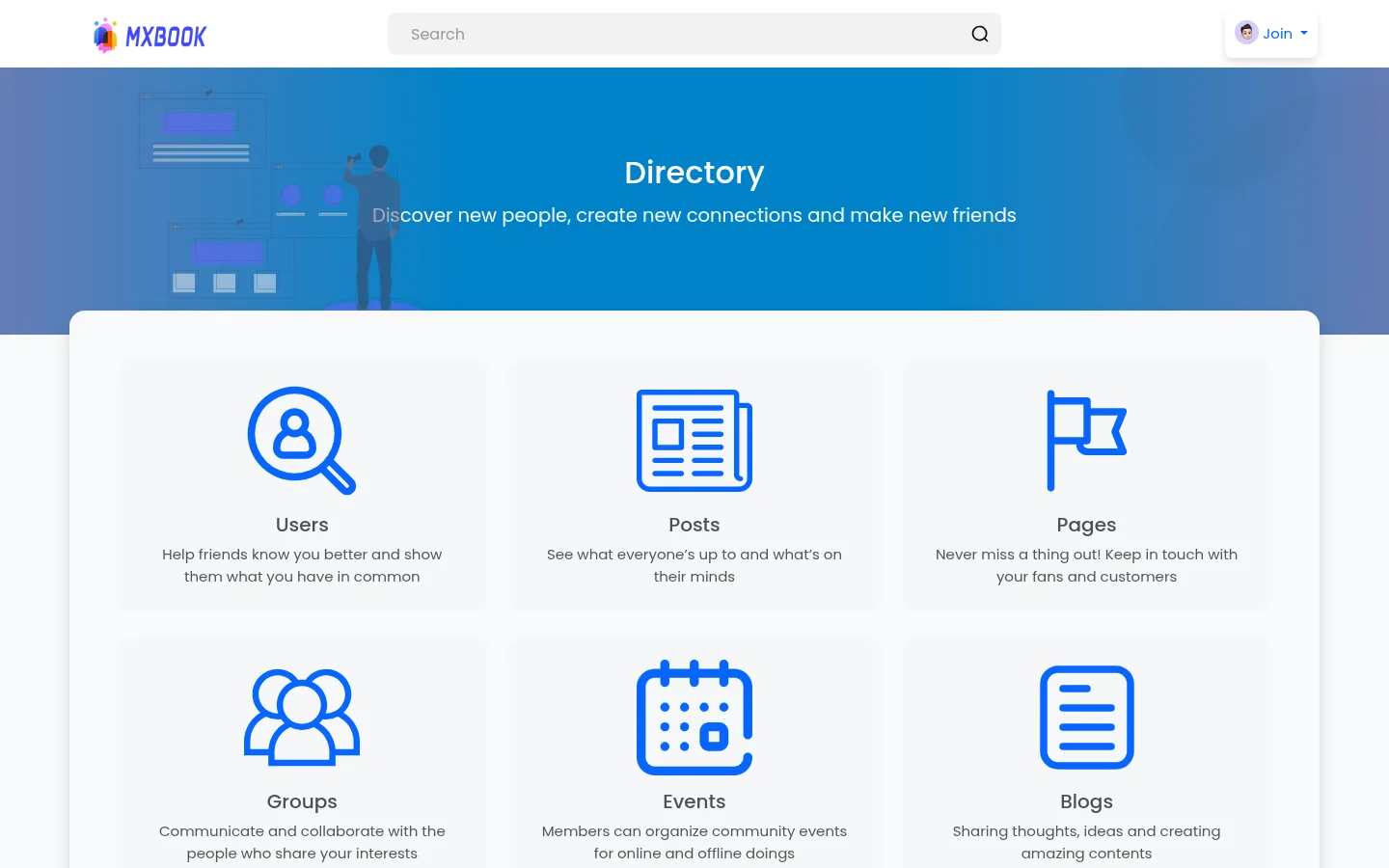
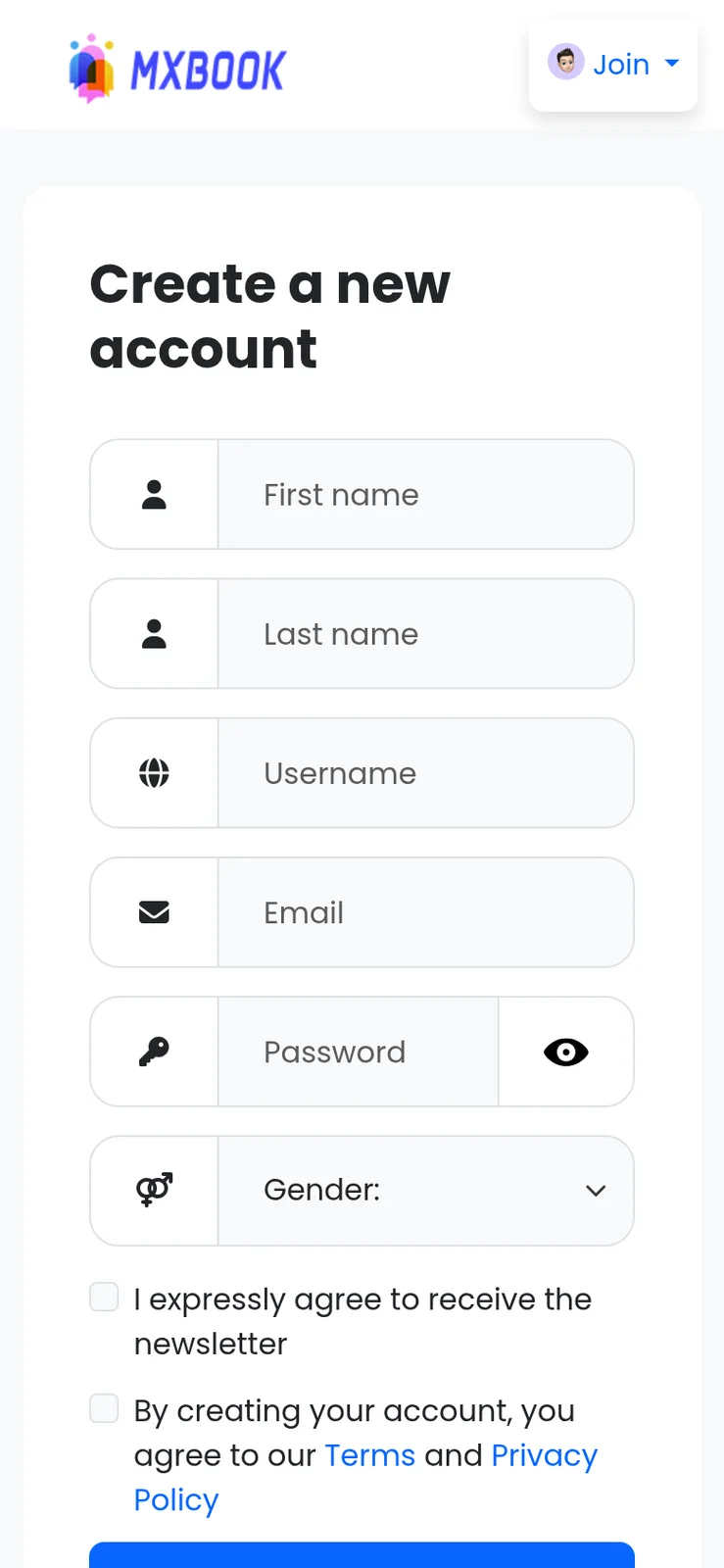
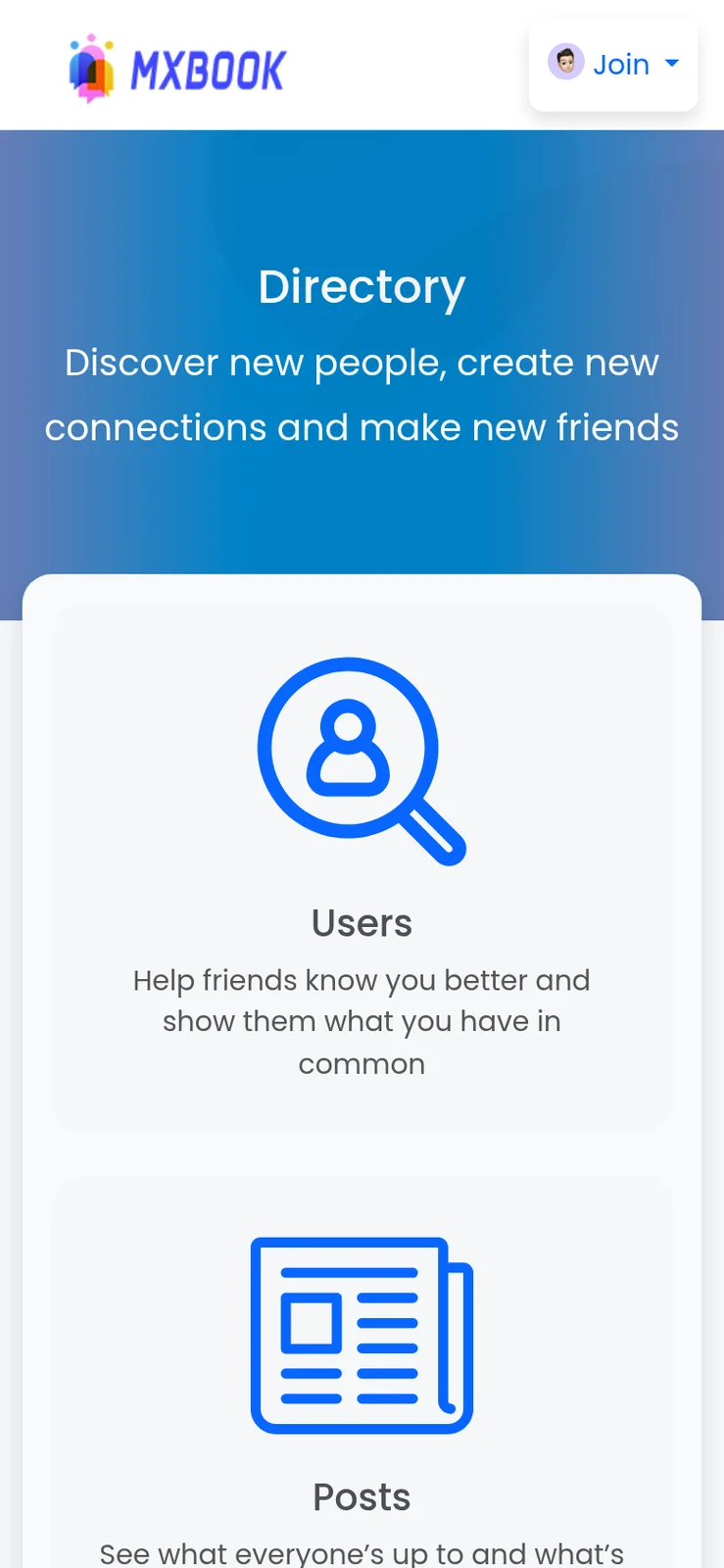
The demo is a running copy of the platform with demo branding. The web panel, the admin panel and an Android app are all linked below, and the sample member account works in the app. Sign in as a member to build a feed and open the monetization screens, then look at the admin side to see how approvals, fees and ads are controlled.
user@demo.comUser_321user@demo.comUser_32159 features across 4 roles. The first six of each role are here and the full list is one click away. Nothing is held back for a sales call.
Members personalize a profile with photos, status updates and interests, and can share it with others.
A dynamic feed gathers updates from friends, pages and groups so the home screen stays populated.
People connect by sending and accepting requests, which builds the friend graph the feed draws on.
Private conversations run in real time, with push notifications on the mobile apps for new messages.
Groups and events each get a chat box, so discussion happens where the community already gathers.
Members create and join pages for businesses and groups for shared interests, hobbies or causes.
10 more Members features are in the full list.
A creator sets a price on a post, and viewers pay to unlock it, including blog posts.
Locked posts show a blurred preview, so followers see enough to know what they are buying.
A post can be limited to subscribers and toggled from the edit menu, for posts, blogs and live streams.
A creator can keep a post behind payment even for subscribers, for premium drops beyond the plan.
Creators define recurring plans that members buy, with Stripe and PayPal handling recurring payments.
A plan can start with a trial, which lowers the barrier for a fan deciding whether to subscribe.
8 more Creators and pages features are in the full list.
People list items for sale and buyers check out through a shopping cart that admins can switch off.
A page can sell its own products, which gives a business a storefront inside the network.
Groups and events can sell items too, from community merchandise to event extras.
Sellers can offer downloadable goods, not only physical items.
The marketplace can accept payment directly and does not need to rely only on wallet credit.
Members top up a wallet, and the interface offers recharge when a balance is too low for a purchase.
8 more Commerce features are in the full list.
Admins oversee accounts, list non-activated users, resend activation emails and export users to CSV.
New sign-ups wait for approval, with email notifications to the user about the outcome.
Posts can be held for review before publication, with email notifications on approval.
Admins monitor and control user content, respond to reports and remove material that breaks the rules.
Verification can be required before publishing, before monetizing or before posting adult content.
An admin setting that governs adult content, to be used within the law of the operator market.
9 more Administrators features are in the full list.
The path through the product, in the order it happens for the people using it.
Members register with email, phone number or a social account, then add photos, a bio and interests.
They send friend requests, follow pages and join groups, so the news feed fills with relevant updates.
Members post updates, photos, videos and reels, create or RSVP to events and chat with friends.
Creators sell paid posts and subscriptions, and members buy through the wallet or the marketplace.
Admins approve users and posts, review reports, manage ads and watch earnings and visitor insights.
Every earning route built into the product you receive: how it works, who pays and where the operator earns.
| Revenue model | How it works | Who pays | How you earn |
|---|---|---|---|
| Paid posts | Creators price a post and viewers pay to unlock it, with a blurred preview shown beforehand. | Viewer | A platform fee on each unlock, set in the payments fee system |
| Subscriptions | Recurring plans on profiles, pages and groups, with free trials and plans by the minute or hour. | Subscriber | A fee on recurring payments through Stripe or PayPal |
| Paid chat and calls | Creators charge for private messages and for audio and video calls. | Fan | A cut of each paid message or call |
| Live tips and donations | Viewers send quick tips during a live stream, and members donate from wallet balance. | Viewer | A fee on tips and donations passing through the wallet |
| Marketplace and products | Products on pages, groups and events and a marketplace with a shopping cart and direct payment. | Buyer | Fees on sales, plus VAT handled by country |
| Pro packages | Paid member packages, with a Pro badge and subscription management from user settings. | Member | Recurring package revenue |
| Advertising | Ad campaigns with targeting managed from the admin panel, and promoted posts. | Advertiser | Campaign revenue sold from your own inventory |
| Affiliates and points | Referral earnings payable by bank transfer, and points for engagement that admins can disable. | Platform | Growth from referrals; points are a cost you control |
The flow of money, the gateways you can connect and how payouts are handled.
Money here moves through a member wallet and through direct checkout. Members top up a wallet, then spend it on donations, subscriptions and purchases, while the marketplace can also take payment directly at checkout. Operators set fees and VAT, and can cap prices. Seven payment gateways are supported, so you can match processors to the regions and content categories you serve. Each requires a merchant account in your own name.
| Gateway | What it covers |
|---|---|
| Card | |
| Stripe | Card payments through the Payment Element, plus recurring subscription payments |
| Wallet | |
| PayPal | Wallet payments with recurring billing and a PayPal Payouts integration for outgoing money |
| Regional | |
| Flutterwave | Regional processor for markets where it operates; merchant account required |
| NyFatoorah | Regional gateway included for markets it serves |
| Epayco | Regional gateway included for markets it serves |
| Cashfree | Updated to a current API version, suited to markets where it operates |
| Adult-friendly | |
| Verotel | Processor commonly used by merchants in higher-risk categories; confirm acceptance with them |
You operate the platform, so legal compliance in each market you serve is yours. This is the tooling that ships in the product. It is not legal advice.
The platform includes an adult content mode and can require verification before members post adult material. Whether you allow it, in which countries and under which age and consent checks is your decision and your legal duty. We supply the tooling and no legal advice, so take local counsel before enabling it and check what your payment processors accept.
User approval and post approval systems let you hold new accounts and new posts for review, with email notifications to the person affected. They are most useful in the first months, when a small team can read everything. As volume grows you can relax them for trusted groups through permission groups and verification requirements.
Verification can be required before members publish posts, before they monetize and before they post adult content. That gives you a staged trust model: anyone can read, verified members can post, and only verified creators can earn. Decide what evidence you need and who reviews it, and explain the process to members clearly.
Admins can disable image downloads and right click, add a username watermark to images and videos and set default privacy for new accounts. These raise the effort of copying content without making it impossible, so tell creators what protection means in practice. Members control who sees their posts through privacy settings.
Sign-in options include email, phone and social accounts, two-factor authentication, SMS through MSG91 and reCAPTCHA on forms. Admins can resend activation emails and list accounts that never activated. Review which sign-in methods you actually want open, since each one adds to the abuse surface you manage.
The VAT system can apply tax by the buyer country and the fees system sets what the platform keeps on each payment. You remain responsible for tax registration, invoicing rules, refunds and chargebacks. Release notes list fixes to recurring payment issues, so test every gateway you enable with real small transactions before launch.
Payment processors are connected with your own accounts. Check the supported countries of each gateway and terms before you choose.
The layers of the product as delivered. You receive the full source code for every one of them.
| Layer | Built with | Hosting note |
|---|---|---|
| Web and admin | PHP with Bootstrap, NodeJS, MySQL and MongoDB | PHP with the Bootstrap framework and NodeJS services, installed on your server. |
| Android app | Flutter with current dependencies | |
| iOS app | Flutter with current dependencies | |
| Third-party services | Google Maps, Twilio, Firebase, payment API, translation | Google Maps, Twilio, Firebase, a payment API and translation services, each on your keys. |
| Payment gateways | Stripe, PayPal, Flutterwave, NyFatoorah, Epayco, Verotel, Cashfree | |
| Storage and video | DigitalOcean Spaces, Yandex Cloud Storage, FFmpeg, Plyr player | DigitalOcean Spaces through S3 compatibility, and Yandex Cloud Storage as another option.FFmpeg creates the video resolutions, and the Plyr player handles playback in the browser. |
| Databases | MySQL for core records and MongoDB for the data that benefits from a document model. | |
| Mobile apps | Two Flutter apps for Android and iOS using the latest dependencies at handover. | |
| Housekeeping | A garbage collector clears orphaned post data and compiled templates from the admin panel. | |
The platform is deployed on servers you provide, with web, admin and apps rebranded and installed for you. The web side runs on PHP with Bootstrap and NodeJS over MySQL and MongoDB. Media can be held on S3-compatible object storage. Apps are Flutter builds that talk to the same back end.
The original is the product of a very large organization, and the gap between a feature list and a working network is wide. These are the reasons to aim at a focused subset, and what that means for your plan, stated without hype.
Switching on every module at once produces a confusing, empty-feeling product. Start with a small core and add surfaces as members ask for them. This table suggests a first set and what to hold back for each of the common network types.
| Network type | Switch on first | Hold back at launch |
|---|---|---|
| Alumni network | Profiles, groups, events, jobs | Marketplace, paid posts, ads |
| Faith community | Pages, events, groups, donations | Marketplace, reels, ads |
| Trade guild | Groups, jobs, offers, verification | Live streaming, reels |
| Local network | Feed, events, light marketplace | Paid chat, subscriptions |
| Learning community | Courses, groups, paid posts | Marketplace, jobs |
| Fan club | Pages, live streaming, subscriptions | Jobs, courses |
| Agency white-label | The client modules only | Everything the client did not request |
The product page lists a long run of advanced ideas: AI-curated feeds, virtual reality spaces, augmented reality profiles, blockchain security and real-time translation in calls. Treat that list as a menu of possible directions rather than a description of what ships. The documented extras we set up are narrower: AI recommendations for groups, pages, events and friends, AR filters, interactive live broadcasting and cryptocurrency payments.
The difference matters when you plan a budget. Each extra has its own work and its own price, confirmed with us. Items that appear only in marketing copy are tailored work: ask for a written scope, a demo and a delivery commitment before you count on them in your launch story.
A good rule is to launch with the ordinary surfaces working well and add one advanced feature when members ask for it. Plain groups, a reliable feed and fast moderation beat a feature list that nobody trusts. If you want AI on the moderation side, say so early, because that is a different integration from recommendations.
One fixed price for the ready-made platform, published here so you can plan before you talk to us.
Ready-made, one-time
$3,699
Live in 6 working days from kickoff
The engineers who deploy your platform stay with it once it is live.
Need more? We tailor the platform to your plan, typically in 2-8 weeks, and confirm the scope with you before work starts. App store review times are set by Apple and Google.
Everything here is available around the ready-made Facebook clone. We confirm the scope with you before any price is agreed.
AR filters and effects for profile pictures, posts and videos, giving members a creative way to express themselves.
Confirm with usAlgorithms that suggest groups, pages, events and friends from each member preferences and activity.
Confirm with usLets members send and receive cryptocurrency inside the platform, subject to the rules in your market.
Confirm with usLive polls, question sessions and real-time collaboration with viewers on top of the live streaming module.
Confirm with usVoice and video calls with live translation, so members can talk across languages.
Confirm with usImmersive social spaces where members meet as if in person, which we set up for you.
Confirm with usAdditional data control for members using blockchain technology, scoped to your requirements.
Confirm with usContent that disappears after a set time, added beyond the stories format that ships.
Confirm with usBecause a full copy is such a large build, the honest way to show scope is one surface at a time. Each row below names a Facebook surface or capability. Most of the platform ships ready, and the rest is set up around your plan, using only what the product pages and release notes support.
Profile customization with photos, status and interests, plus visibility controls.
A feed of updates from friends, pages and groups.
Connections, real-time private messages and chat privacy options.
Communities around interests, with their own chat box and products.
Pages for businesses or causes, with reviews, events and products.
Create events, RSVP and take part in event discussions.
Members can list items, with products also created inside pages, groups and events.
Members can publish jobs and offers, with applications and listings.
Long posts, plus a courses module for learning communities.
A watch area for videos and a short-video reels module.
Live posts with camera controls and tip buttons.
Creators can lock posts behind payment or subscription, with blurred previews.
Monetization options for private messages and audio or video calls.
A wallet, a points system and an affiliate program the operator can adjust.
Admins manage campaigns, targeting and revenue from the panel.
Post and user approval, verification gates and content controls.
Several gateways plus VAT by member country and operator fees.
Web panel, admin panel and Flutter apps for Android and iOS.
Suggestions for groups, pages, events and friends based on activity; we set this up for you.
Filters and effects for profile pictures, posts and videos, which we set up for you.
Live polls, question sessions and viewer collaboration, which we set up for you.
Sending and receiving digital currency inside the platform; we set it up, subject to your market rules.
Immersive spaces and blockchain-backed data control that we build for you; scope is confirmed with us.
Four pages go deeper on the questions buyers ask most about the Facebook Clone. This page stays the overview.
A social network is a web of people, communities and content, and each of those can also be a source of income if the platform is built for it.
See the full breakdownA social network has two cost stories: the price of the software and the cost of running a busy community.
See exact pricingA social network earns when attention becomes payment, and there are more ways to make that happen than advertising alone.
See the playbookA social network is dozens of modules, a payment system and a moderation burden bound together, so the team you choose matters more than the demo you see.
Compare optionsFrom kickoff to a live Facebook clone under your brand: what we do each day, and what we need from you.
1Day 1
2Day 2
3Day 3
4Day 4
5Day 5
6Day 6
A broad social network is expensive to build because it is not one product. It is a feed, a messaging system, pages, groups, events, a marketplace, a video hub, live streaming, a payment layer with fees and tax and an admin panel with approval queues. Each module is manageable alone, but they share users, permissions and money, so the integration work grows quickly. The usual cost mistake is to commission everything at once. A ready-made platform lets you buy the breadth and switch modules on as your community needs them.
| Factor | Build from scratch | Rent a SaaS | Own it with GetFame |
|---|---|---|---|
| Breadth of modules | Each module is separate scope, schedule and risk | A smaller set that the vendor decides | Pages, groups, events, marketplace, jobs and more included |
| Monetization layer | Paid posts, subscriptions and fees are projects of their own | Vendor commission and fixed options | Paid posts, plans, tips, fees and VAT included |
| Payment gateways | Each integration costs engineering time | Whatever the vendor supports | Seven gateways already integrated |
| Mobile apps | Separate builds and store work | Often web only or a generic app | Two Flutter apps, with publishing support |
| Factor | Build from scratch | Rent a SaaS | Own it with GetFame |
|---|---|---|---|
| Time to launch | Long, since modules interlock | Fast, but on rented terms | 6 working days to a branded deployment |
| Ownership and fees | You own what you commission | Recurring fees and no source | Full source, no per-seat fee, no revenue share |
| Fit with your niche | Exactly as designed, at design cost | Compromise on features | Switch modules off and we tailor the rest for you |
Running costs. The price covers the platform, rebranding and deployment. Running a social network adds hosting, MySQL and MongoDB capacity, object storage and bandwidth for video, Twilio usage, Google Maps usage, payment gateway fees and moderators. Video is usually the heaviest recurring cost. Apple and Google developer accounts and store review are yours. Estimate these before you set creator fees and subscription prices.
A social network is a set of products that happen to share a login. This comparison walks through the main modules, showing what each takes when you build it and what the ready-made package gives you, with effort words instead of figures.
Build it yourselfFriend requests, privacy rules and blocking enforced consistently everywhere; a team for several weeks.
Ready-madeProfiles, friend requests, privacy settings and account approval already connected.
Build it yourselfFan-out, ranking, pagination and media handling that gets harder with every new content type.
Ready-madeA working feed mixing friends, pages and groups.
Build it yourselfRoles, membership states, reviews and per-space content, each with its own moderation.
Ready-madeGroups, pages and events with chat, reviews and products.
Build it yourselfListings, carts, seller info, invoices and disputes; close to a separate product.
Ready-madeProducts, a shopping cart toggle, seller details and payments.
Build it yourselfReal-time delivery, privacy options and push notifications across web and mobile.
Ready-madeReal-time chat with privacy settings and push for the apps.
Build it yourselfUpload, transcoding, playback and live camera handling; a specialist integration.
Ready-madeA watch area, reels and live streaming with tips.
Build it yourselfGateway integrations, VAT by country, fees and wallet accounting.
Ready-madeMultiple gateways, VAT, fees, a wallet and earnings views.
Build it yourselfPaid posts, subscriptions, paid chat and blurred previews, each with abuse cases.
Ready-madePaid posts, subscriptions, paid chat and calls with permission controls.
Build it yourselfUser management, approvals, content tools, analytics and settings screens.
Ready-madeAn admin panel covering users, moderation, ads, analytics and feature settings.
Build it yourselfTwo native apps or a cross-platform one, kept in step with the web.
Ready-madeFlutter apps for Android and iOS on the same backend.
Facebook is widely known for a friends-and-family graph, groups and pages, events and a marketplace, supported by advertising. This platform covers that structure and adds creator payments. The comparison concerns operating model only, makes no claim about any company business, and the platform is independent of it.
| Aspect | The Facebook model | This platform |
|---|---|---|
| Who runs the network | One company operates the single global network | You operate your own network under your brand |
| Creator monetization | Programs and terms set by the platform owner | Paid posts, subscriptions, tips, calls and fees you set |
| Marketplace | Local listing marketplace run by the owner | Marketplace, pages and group products with your fee and VAT rules |
| Advertising | Ads sold by the platform owner | Ad campaigns you manage from your admin panel |
| Moderation policy | Owner policy applied everywhere | Your approval queues, verification rules and permission groups |
| Source access | Closed product | Complete source code transferred to you |
| Audience | A very large existing network | None included; you bring your community |
The founders and teams this product fits most directly, one line each. The launch ideas that follow turn these audiences into a first-week plan.
Open a network for one hobby, profession or region, with groups and pages doing the organizing.
Let creators sell paid posts, subscriptions and live access to their audiences inside your brand.
Combine events, groups and a marketplace so neighbors can meet, trade and hire each other.
Pair courses, groups and paid memberships to run a cohort-based learning network.
Give a brand or team a branded home with pages, events, offers and a store.
Deploy a branded network for clients from one codebase, each with its own modules and payment gateways.
The strongest pitch for a Facebook-style platform is not to rival the original but to serve a group the original serves poorly. Each case below names the modules that carry it and what to leave off at launch so the network feels focused.
Graduates or ex-employees who want a place to reconnect and help each other. Profiles, groups by year or office, events and jobs do the work. Keep the marketplace and paid features off at first, verify members against records, and let volunteers moderate their own groups.
A community that wants news, events and private discussion without outside advertising. Use pages for each group, events for services and a donation option if the community wants one. Keep registration approved, set clear rules on content, and decide who owns the member list.
Practitioners who trade leads, listings and advice. Jobs, offers, groups and verification gates fit naturally, and a small paid tier can fund the network. Require verification before posting, and publish the criteria so members trust the badge.
Residents sharing notices, local events and trusted recommendations. Country and area filters help the feed stay local, events carry meetings, and a light marketplace handles swaps. Name moderators from the neighborhood, and plan a clear process for disputes.
A school, trainer or publisher building a home for students. The courses module, groups for each cohort and paid posts for premium material work well together. Start with one course and one group, then add events and a wallet once students are active.
A brand or creator gathering followers in a branded space. Pages carry updates, live streaming carries launches, and subscriptions or paid chat reward the closest fans. Agree creator revenue shares in advance, and keep adult or sensitive content rules explicit.
A Facebook clone is only one route to an online community. Which route is right depends on how much of a social network you actually need, who will run it, and how much you want to own. These are the realistic alternatives and the trade each asks for.
Hosted groups on the original network
Communities that want instant reach and have no budget for software.
You rent the space, the rules and the members belong to the platform owner.
Services such as Mighty Networks or Circle
Creators and coaches who want paid communities without running software.
Less control over design and data, and ongoing fees to the vendor.
Open-source plugin for a social layer
Sites already built on WordPress that need profiles and groups.
You assemble extras and mobile apps yourself, and scale depends on the host.
Open-source social network software
Teams building an internal or association network on self-hosted software.
Self-maintained, with extensions and mobile work left to you.
A team writes it from scratch
Companies whose product is the social platform itself.
A long build with large moderation, safety and media work still ahead.
A ready-made Facebook clone fits when you want many social surfaces under one brand, with payments and an admin panel already attached, and you plan to run the network yourself. You own the source and can switch modules on in stages. It is not a way to compete with the original on reach, and it asks you to supply members, moderation and legal care.
Longer answers to the questions buyers of this model ask before they commit.
The idea of a general-purpose social network is appealing and almost always wrong for a new operator. People already have one, and a copy with a different logo gives them no reason to move. A better question is who is badly served by the big network. Local communities, professional circles, hobby groups, diaspora communities and creator collectives all have shared needs that a generic feed handles poorly.
Choose the one module that matches your niche and lead with it. A local community leads with groups, events and the marketplace. A creator network leads with paid posts, subscriptions and live streaming. A professional community leads with pages, jobs and courses. Then describe the first ten minutes a new member has: whom they find, what they can do and why they come back tomorrow.
Use the country filters and automatic language detection to make a regional network feel local from the first visit. Keep the rest of the modules available but quiet. A network with a clear purpose and a few active spaces beats a feature-rich one with empty corners, and you can introduce further modules as members ask for them.
This platform ships a great many modules, and the temptation is to open them all on day one. Resist it. Each active module is a surface you must moderate, support and explain. Begin with profiles, the feed, friends, groups and messaging, which form the social core. Open pages and events when real organizations and organizers ask. Admins can turn many modules on and off, so sequencing needs no code.
Add money in layers. Tips and donations need no commitment, so enable them first. Add subscription plans when a few creators have audiences that would pay, then paid posts, paid chat and calls. Open the marketplace and product listings once you can handle disputes, because commerce brings refunds, complaints and tax questions that a purely social network never sees.
Measure each module before adding the next. Look at whether members use groups, whether events get RSVPs and whether paid posts convert. If a module sits unused, leave it off and focus effort where members already are. Announce new modules to the community as improvements, with a short explanation, so the arrival feels like growth and not clutter.
Pricing is a trust problem as much as a money problem. Creators will not join if they cannot predict what they earn, and fans will not pay if they cannot see what they get. Use blurred previews so locked posts show enough to tempt, set price caps to protect fans from extremes, and write your fee clearly in the creator terms. A fee people understand is easier to accept than a low fee they discover later.
Design plans around how your creators actually work. Free trials suit creators who rely on discovery. Plans measured in minutes or hours suit events, short access passes and live sessions. Subscribe buttons on profiles, pages and groups let a business or a community sell membership as well as an individual. Start with a small menu of plans and add more only when creators ask.
Treat tax and gateways as part of the product. Decide whether to apply VAT by buyer country, test recurring payments on each gateway you enable and confirm what your processor allows in your content category. Verification before monetization is a useful gate, because it lets you know who is earning on your platform before money moves. Speak to an accountant about creator earnings and your own reporting.
Ask for a walkthrough of each module you intend to use, not a tour of the home screen. Request logins for the user app, the web site and the admin panel. Create a paid post, subscribe to a plan, post to a group, list a product and then read the same activity from the admin side. Anything the seller cannot show working is something to confirm with the seller before you rely on it.
Study the stack and what it needs from you. The web side uses PHP, NodeJS, MySQL and MongoDB, which are widely understood, and storage can be object storage on S3-compatible services. Check that your team or hosting partner can support that mix. Ask which third-party accounts you must open yourself, such as payment gateways, SMS, maps and push, since approvals can take longer than the build.
Read the release log and the support terms. A history of dated updates shows the product is maintained, and the terms should say what 60 days of support and 1 year of updates actually cover. Confirm that you receive full, unencrypted source, that rebranding is included and that the apps will be published under your own developer accounts. Be wary of any seller that avoids those specifics.
It includes a member web panel, an admin panel and Flutter apps for Android and iOS. Members get profiles, a news feed, friends, messaging, groups, pages and events. Reels, live streaming, a marketplace, jobs, offers, courses and a wallet are in the feature set. You receive the complete source code with no encryption, so your own developers can extend it freely.
The ready-made platform is $3,699 one-time. Rebranding and deployment take 6 working days. Tailored changes such as new modules, extra gateways or design work run 2 to 8 weeks depending on scope, and are confirmed in writing before they start. Branding, source code and deployment are all covered by the base price.
Through paid posts, subscriber-only content, recurring subscription plans with free trials, paid chat and calls, live tips and donations. Pages, groups and events can also sell products. The admin sets maximum prices, fees and VAT, and can turn individual monetization features on or off.
No. This platform is not connected to, sponsored by or endorsed by Facebook. The name describes the category of software. The product contains no code, design, graphics or content from the Facebook website or apps, and you launch it under your own brand.
The platform supports Stripe, PayPal including recurring payments and payouts, Flutterwave, NyFatoorah, Epayco, Verotel and Cashfree. You connect them with your own merchant accounts. If you need a gateway that is not on that list, we can scope an integration with you.
The web and admin panels use PHP with Bootstrap, NodeJS, MySQL and MongoDB. The Android and iOS apps are Flutter. Third-party services include Google Maps, Twilio, Firebase and a translation API. Video uses FFmpeg for resolutions and the Plyr player, and storage can use DigitalOcean Spaces or Yandex Cloud.
Yes. App publishing support is part of the package: we publish the apps to both stores on your developer accounts and see them through approval. You provide the accounts, and store review timing is outside our control. Both the Android and iOS apps are Flutter builds, so the same screens and logic serve each store.
Yes. The admin panel covers user management, content moderation, post and user approval, and responses to user reports. Admins can also require verification before members publish or monetize. Chat can be restricted by privacy setting, or the chat module can be disabled entirely.
Yes. Rebranding with your logo, icons and colors is included, and you get the complete source code with no encryption. Admins can switch modules on or off, and developers can change or add features directly. Larger tailored work is something we set up with you, with scope confirmed at kickoff.
The price includes 60 days of technical bug support and 1 year of free updates. First response comes within 2 hours, Monday to Saturday, 10:00 to 19:00 IST. Support covers the platform we delivered, not code that your team writes afterward, though we will review an approach if you ask.
In many markets yes, but the rules depend on where you operate and what you allow. You are responsible for terms of service, privacy policy, age rules, consumer protection, tax and any content restrictions. If you enable adult content mode, you carry the compliance duty in your market. We provide tooling and cannot give legal advice, so consult local counsel.
You do. The platform is installed on servers you provide, with MySQL and MongoDB databases under your control, and you receive full source code. Members keep rights to what they publish under the terms you write. Because you hold the data, you also carry the duty to protect it, back it up and respond to requests under privacy law.
A migration is tailored work we set up, with scope confirmed once we see your data. Users, groups, posts and media can usually be mapped into the database, and the admin panel can export users to CSV for checking. Plan how members will confirm accounts and passwords after the move, and consider a short overlap period so nobody feels dropped.
Object storage is the usual choice for media at volume. The platform supports DigitalOcean Spaces through S3 compatibility and Yandex Cloud Storage, and FFmpeg creates video resolutions for playback with the Plyr player. Media is typically the largest recurring cost, so size your storage and bandwidth plan before you invite many creators to upload video.
Yes. The platform detects the visitor language automatically, and admins can disable that behavior. Widgets can be shown by language, and a language filter exists on content areas. Translating the interface into a new language is content work you or we can do, and real-time translation in calls is available too.
Yes. The admin panel manages ad campaigns and targeting, and pages let local businesses publish and sell products organically. Many operators start by selling a few direct placements to nearby advertisers while the network is small. Define ad rules and review steps before the first campaign runs so quality stays consistent.
Yes. Advanced features such as AR filters, AI recommendations, cryptocurrency, virtual reality and real-time call translation are available, with scope confirmed with us. Gateway and service accounts, hosting, object storage, SMS and map usage are your costs. An audience is not included either, so plan how you will recruit the first community.
The platform is built for real deployments and the architecture can be scaled with stronger servers, separate databases and object storage for media. We do not publish member-count promises. Load behavior depends on your traffic pattern, video use and server sizing, so test with realistic usage and plan capacity with your hosting provider before a big launch.
Not in the sense of matching the original at its scale. The original combines many products and a very large operating organization. A ready-made clone gives you the core surfaces working under your brand, which is a sound base for a focused community. Plan around a subset, add modules in stages, and judge the product by whether your members stay.
Yes, and it is the approach we recommend. Pick one group with a reason to gather, such as alumni, a guild or a neighborhood. Switch on only the modules that group needs, and keep the rest for later. A narrow network with active members is easier to moderate and more valuable than a general one that feels empty.
The sources describe complete, unencrypted source code and an agency white-label use case, but they do not spell out resale terms for this product. Ask for the license terms in writing before you plan on reselling. Deploying the platform under several client brands is a common pattern that should be confirmed explicitly.
The published sources do not describe a standard confidentiality process. Some published pages show client work with names withheld under NDA, which suggests confidentiality is practiced. If your plan is sensitive, request a non-disclosure agreement in writing before sharing specifics, and keep early discussions focused on scope.
The documented option is AI recommendations, which we set up and which suggest groups, pages, events and friends from activity. Broader claims about AI-curated feeds are tailored work, so confirm scope with us. If you want automated moderation or content classification, ask for it specifically, since it is a different integration with its own costs.
A sensible first launch covers profiles, a feed, friend connections, groups, events and messaging, with the admin panel for approvals and moderation. Leave the marketplace, paid chat, reels and ads until members ask for them. Because modules can be switched on or off, you can grow the product without rebuilding it.
Expect hosting and database costs, media storage and bandwidth, payment gateway fees, messaging and map services, store developer accounts and moderation staff. The package price covers software and deployment, while support and updates are included for set periods. Budget these running costs separately and revisit them as the network grows.
The web and admin sides use PHP with Bootstrap, Node.js and MySQL and MongoDB, and the mobile apps are built in Flutter. It relies on third-party services such as maps, messaging, Firebase and translation. Confirm the exact stack, hosting needs and service accounts during the demo so your team can plan the setup.
Yes. Creators can lock posts behind payment or subscription, charge for chat and calls, receive tips in live posts and sell products in pages, groups and events. The operator controls fees, maximum prices and VAT. Payout and tax arrangements for creators are decisions you make with your processor and an adviser.
The platform includes verification gates and an adult content mode, but compliance is the operator responsibility. Rules differ by country and by payment processor, and some gateways restrict adult content. Take local legal advice, write clear content rules, and confirm your processor allows what you intend before you promote paid features.
→Start here
Share the platform and your market. You get a walkthrough of the live demo, the exact scope of what ships, and a fixed price in writing. First response in under 2 hours, Monday to Saturday, 10:00 to 19:00 IST.
This page uses the name Facebook to describe a type of platform. The product sold here is separate software, built independently, and Facebook has no part in it.
"Facebook clone" is industry shorthand that founders use when searching for software with a comparable business model. It names a category of product, not a copy of Facebook.
The platform is an original product designed and written by Miracuves. It contains no code, design, graphics or content originating from the Facebook website or applications, and it ships under your own brand.
Facebook and its logos are trademarks of their respective owner and are named here for reference only. GetFame is not affiliated with, sponsored by or endorsed by Facebook. Rights holders can write to legal@miracuves.com.
Operator responsibility. The operator of a launched platform is responsible for legal compliance in the markets it serves. Nothing on this page is legal advice.Read the full disclaimer
First response under 2 hours, Mon-Sat 10:00-19:00 IST
India+91 98300 09649 United States+1 516 202 3950