Ready-made, one-time
$3,999
TikTok Clone
Live in 6 working days from kickoff
- Full source code
- White-label under your brand
- 60 days of technical support
- 1 year of free updates
- App publishing support
Short video app
Your own short video network, live in six days
A ready-built vertical video platform for Android, iOS and web, with a recommendation-driven feed, in-app editing, live streaming, coins and gifts, and an admin panel. You get the full source code and ship it under your own name, hosted on your own cloud account.
The facts a buyer checks first, in one place. Everything on this page is the product as it ships.
| Product type | Short video network with live rooms, a coin economy and a shop |
|---|---|
| Surfaces | Android app, iOS app, web app with optional PWA, and a web admin panel |
| Platform price | $3,999 one-time, hosted on your own cloud account |
| Launch time | 6 working days from kickoff for the ready-made build |
| Source code | Full source code and complete white-labeling, no revenue share |
| Stack | Flutter apps, PHP and Laravel web and API, MySQL or MariaDB |
| Live and media | Agora, Wowza, WebRTC and FFmpeg |
| Hosting and CDN | AWS, GCP or DigitalOcean, with Cloudflare or Akamai in front |
| Payment gateways | Connected to your own merchant accounts through the API layer; no gateway is fixed |
| Support and updates | 60 days of technical support, 1 year of free updates, app publishing support |
A TikTok clone is a ready-made short video platform that reproduces the experience people expect from vertical video apps: record or upload a clip, edit it, publish it, and have it surface in a personalized feed. Ours adds live streaming, a coin and gift economy, creator profiles, and moderation tools, so you launch a complete product rather than a bare upload-and-scroll prototype.
The script is the code and architecture underneath. You receive the Flutter mobile apps, the Laravel web app and API, the admin panel and the integration layer, then rebrand them with your name, logo, colors and language. Nothing visible to your users points back to us, and you are free to extend any module later.
The product is not a fixed template. Modules can be switched on, switched off or extended to fit your market, whether that is a regional language community, a brand-owned video hub or a niche creator network. Anything beyond the standard setup, such as parental controls or custom filters, we can build for you, with scope confirmed with us.
TikTok is a vertical video network built around one idea: the app decides what you watch next. Instead of showing only people you follow, its For You feed learns from what each viewer finishes, replays, shares and skips, so a new creator can be seen by strangers on a first upload. Around that feed sit in-app editing, reusable sounds, duets and stitches, hashtag challenges, live rooms with gifts, and a shop.
A TikTok clone is not a copy of that company or its audience. It is a ready-made product with the same kind of mechanics, which you launch under your own name, rules and domain. The commercial point is control: you choose the niche, the language, the moderation policy and the revenue split, and you keep the creators and viewers instead of renting reach from a third-party app that can change its terms.
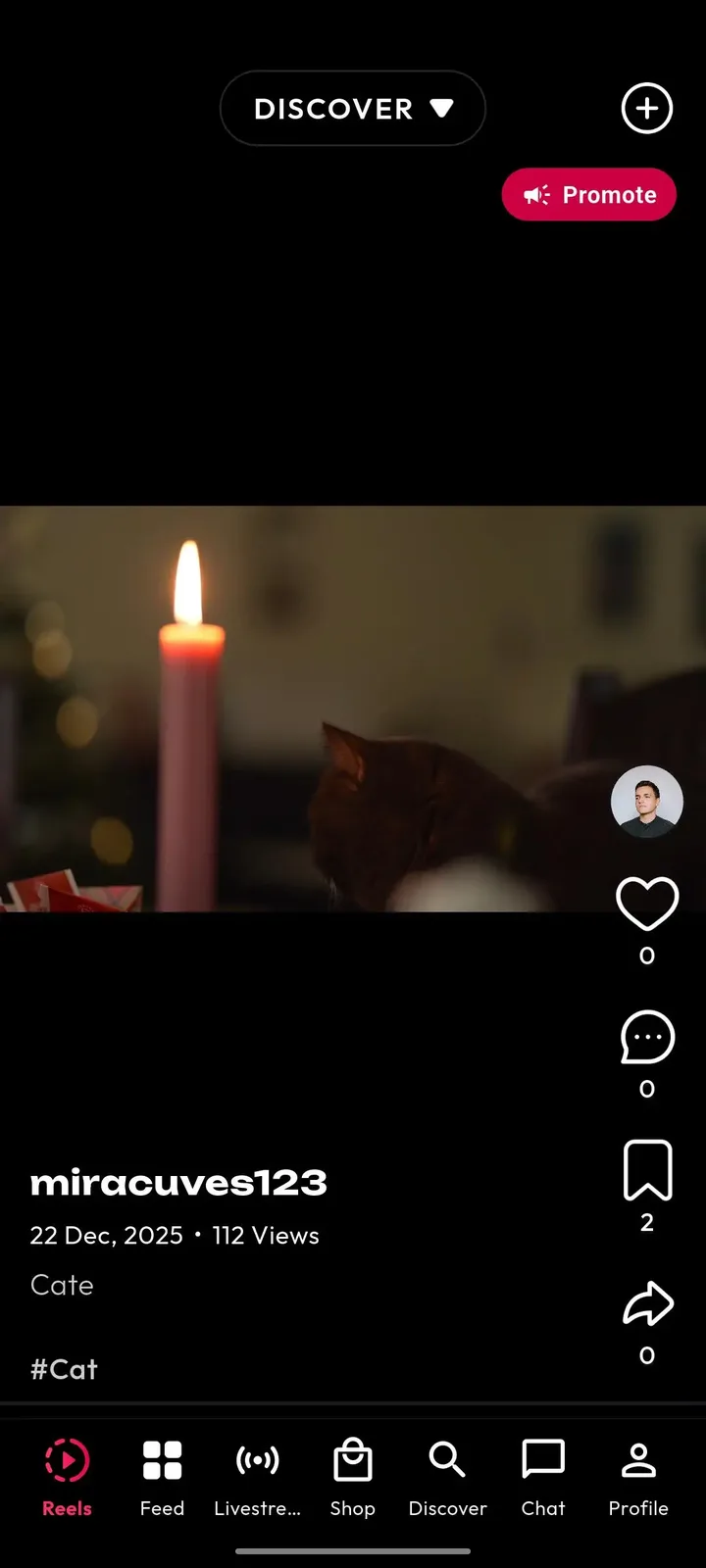
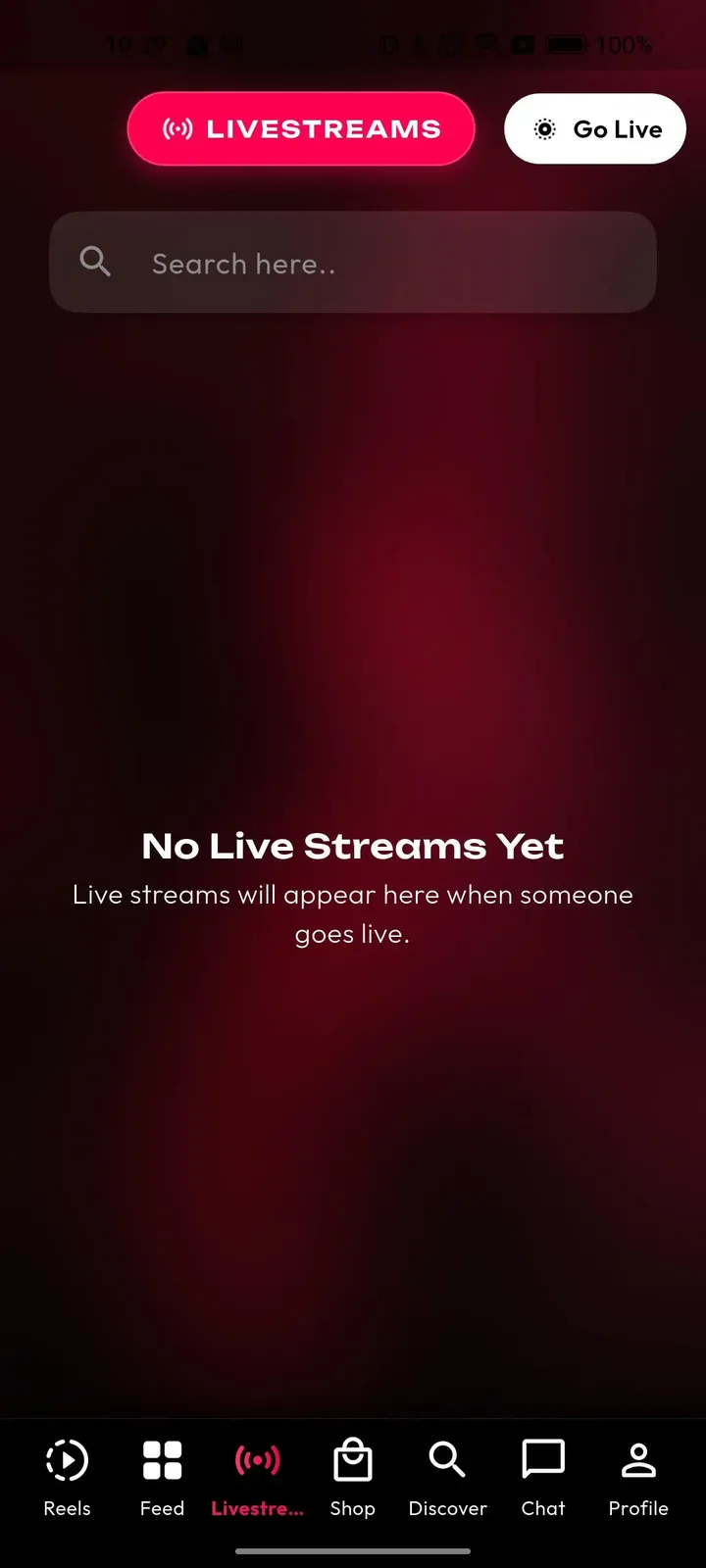
Each role works in its own side of the same product. The screens come from the working demo.
A viewer opens the app and is watching within seconds. Sign-in is by phone, email, Google or Apple, a short interest picker seeds the feed, and from then on each swipe teaches the ranking what to show next. Everything after that is optional depth.
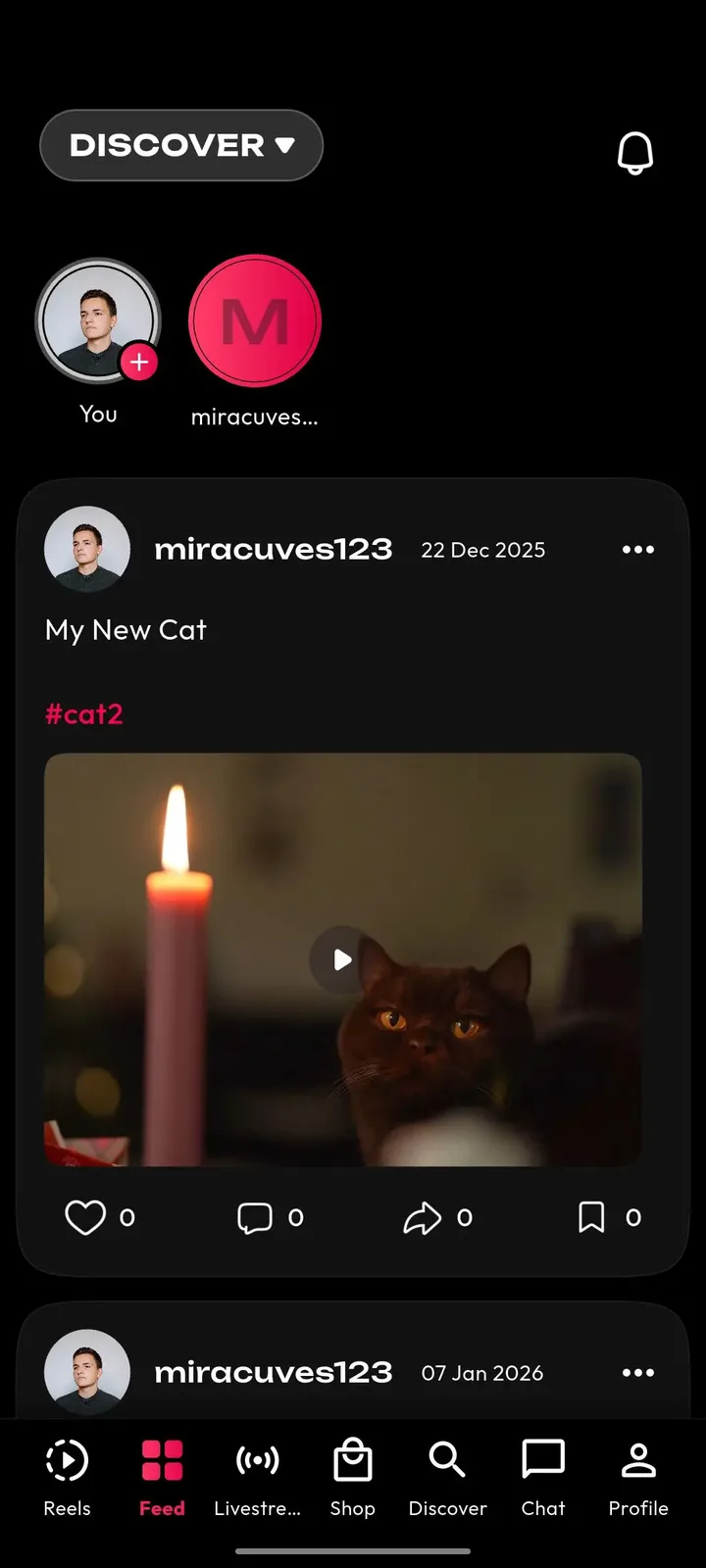
Creators get a full studio inside the app: capture, cut, add sound and effects, choose a thumbnail and privacy level, then publish. A wallet and an analytics screen close the loop, so a creator can see what a clip earned and what to make next.
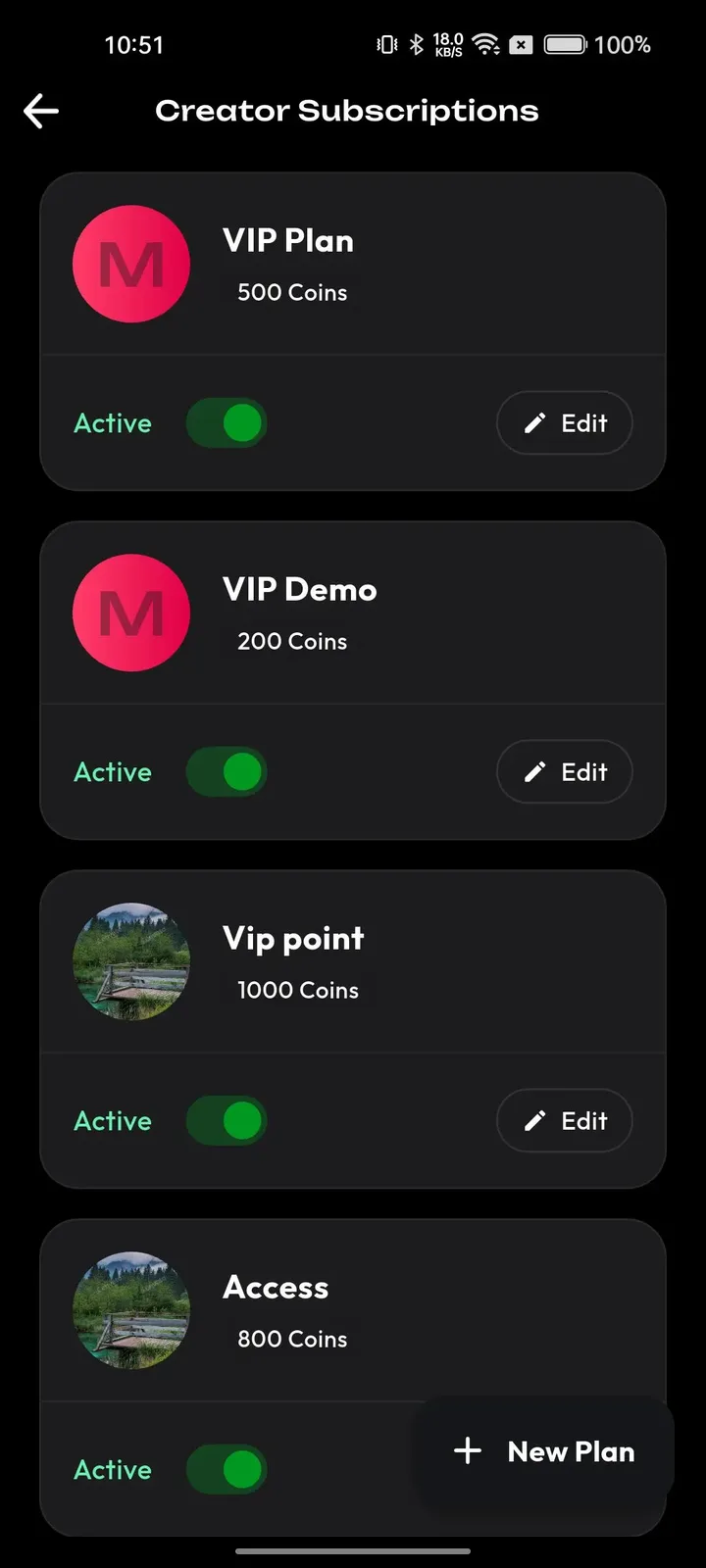
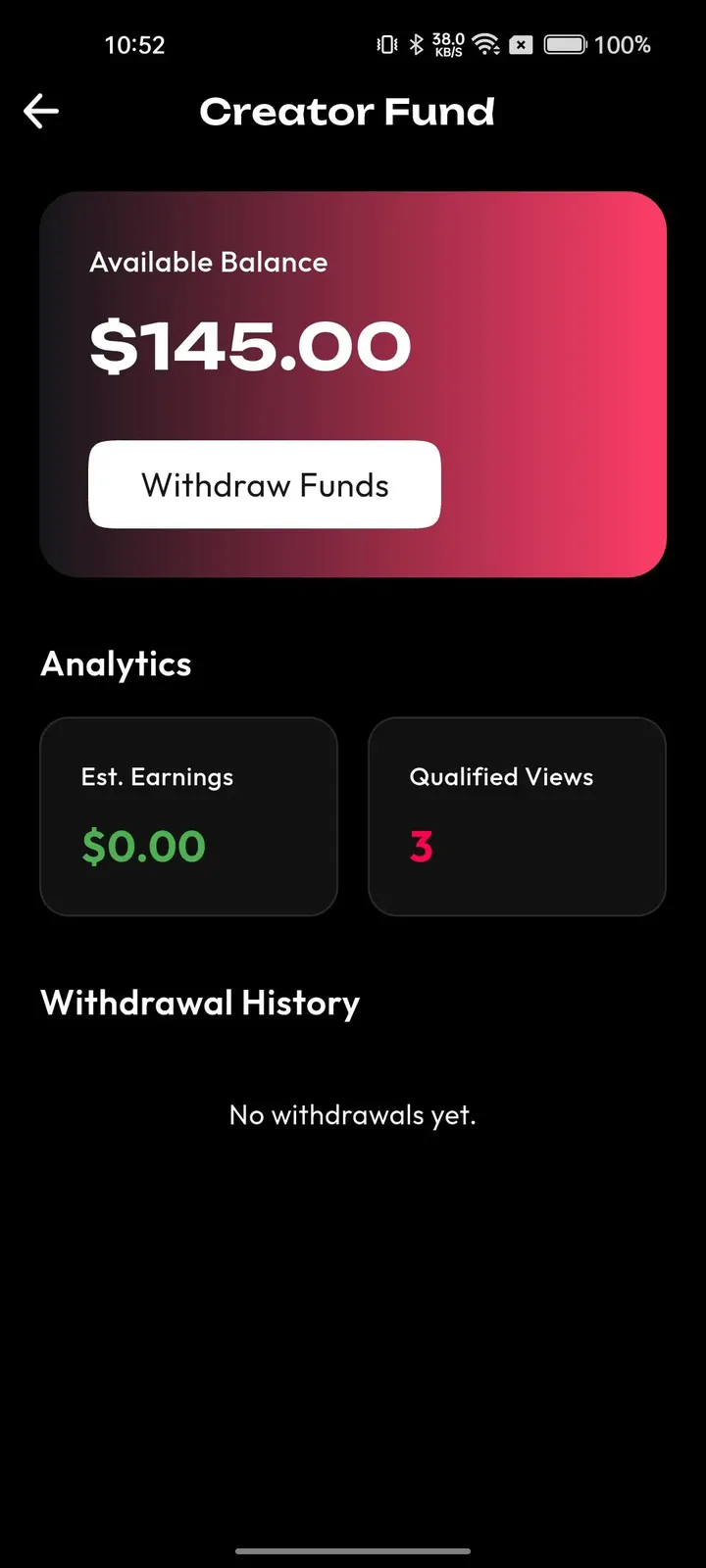
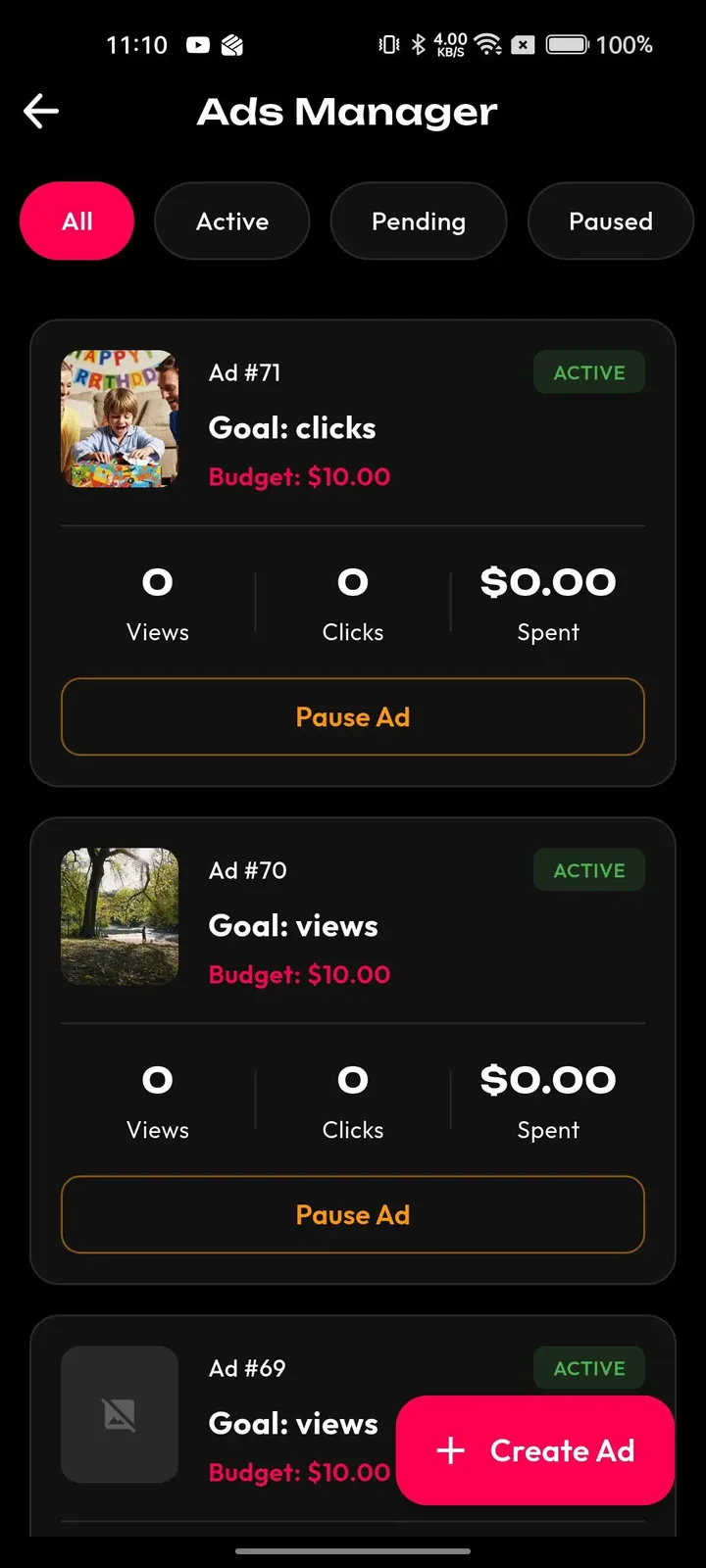
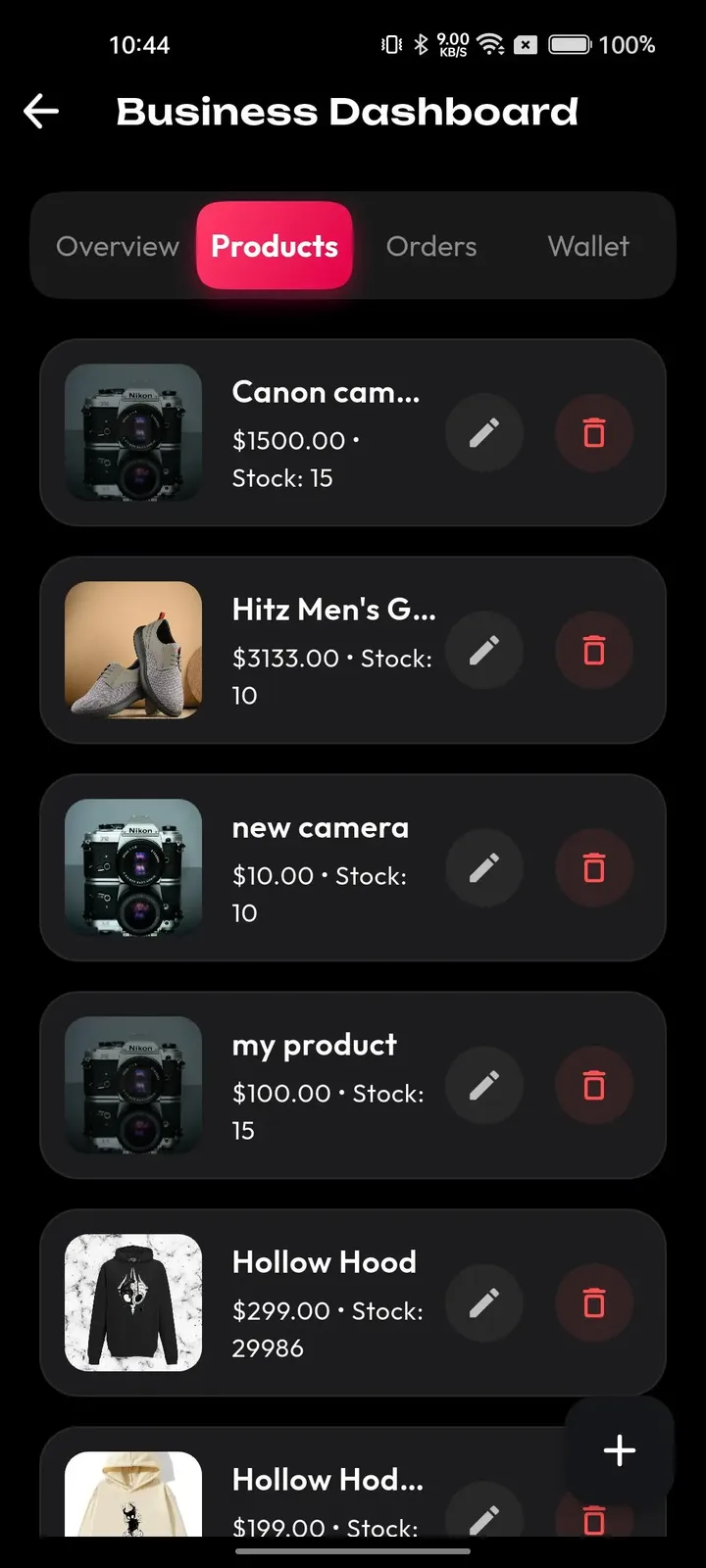
Commerce and campaigns sit inside the same feed as the content that sells. Sellers run a storefront, brands buy placements and sponsor challenges, and both read results from campaign analytics rather than guessing.
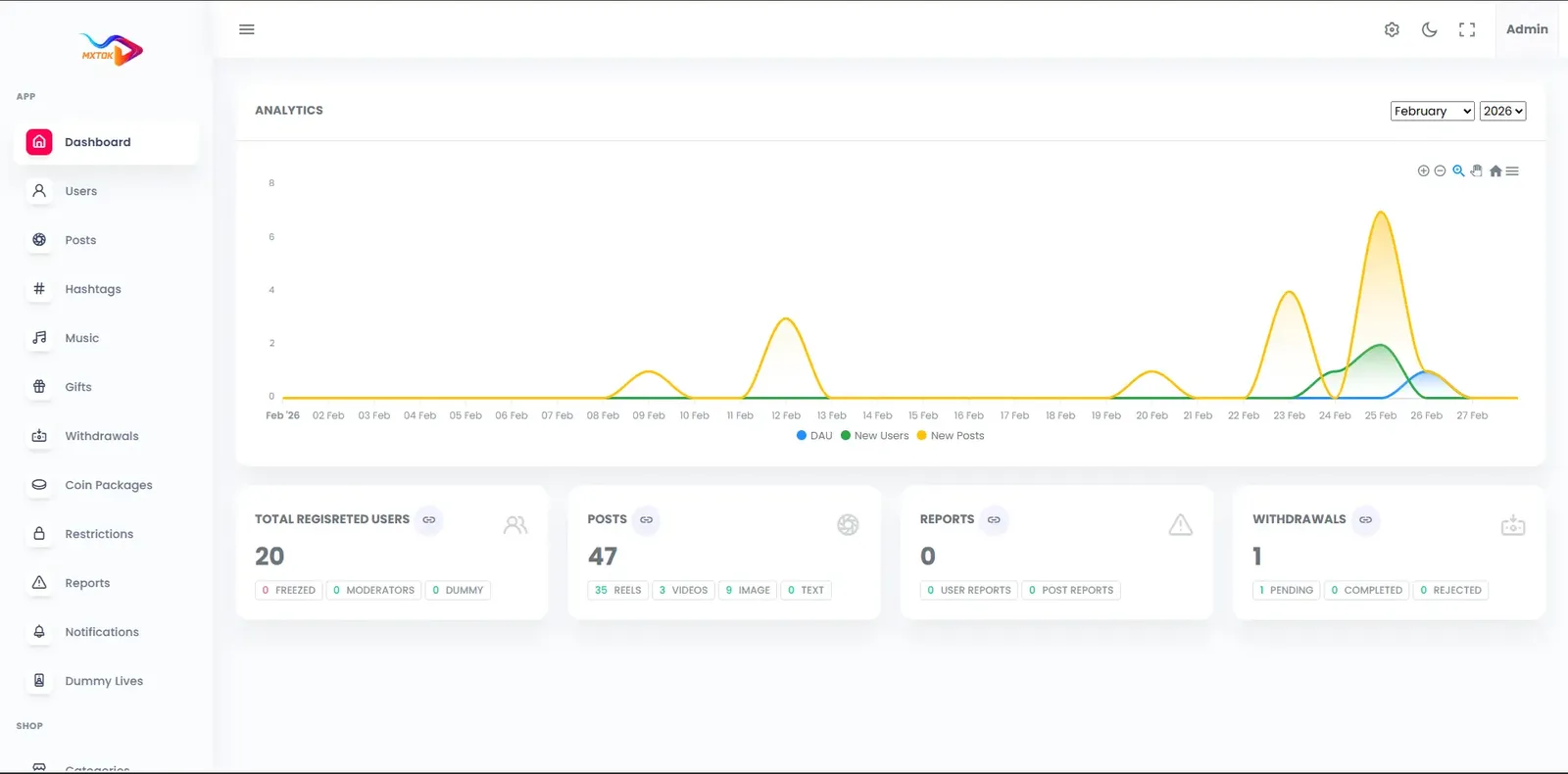
The operator side is a web admin panel that a small team can run. Moderators, finance staff and analysts each get their own permission layer, and every sensitive action leaves a log entry behind.
18 screens from the working demo, grouped by where they live. Your platform ships rebranded with your name, logo and colors.
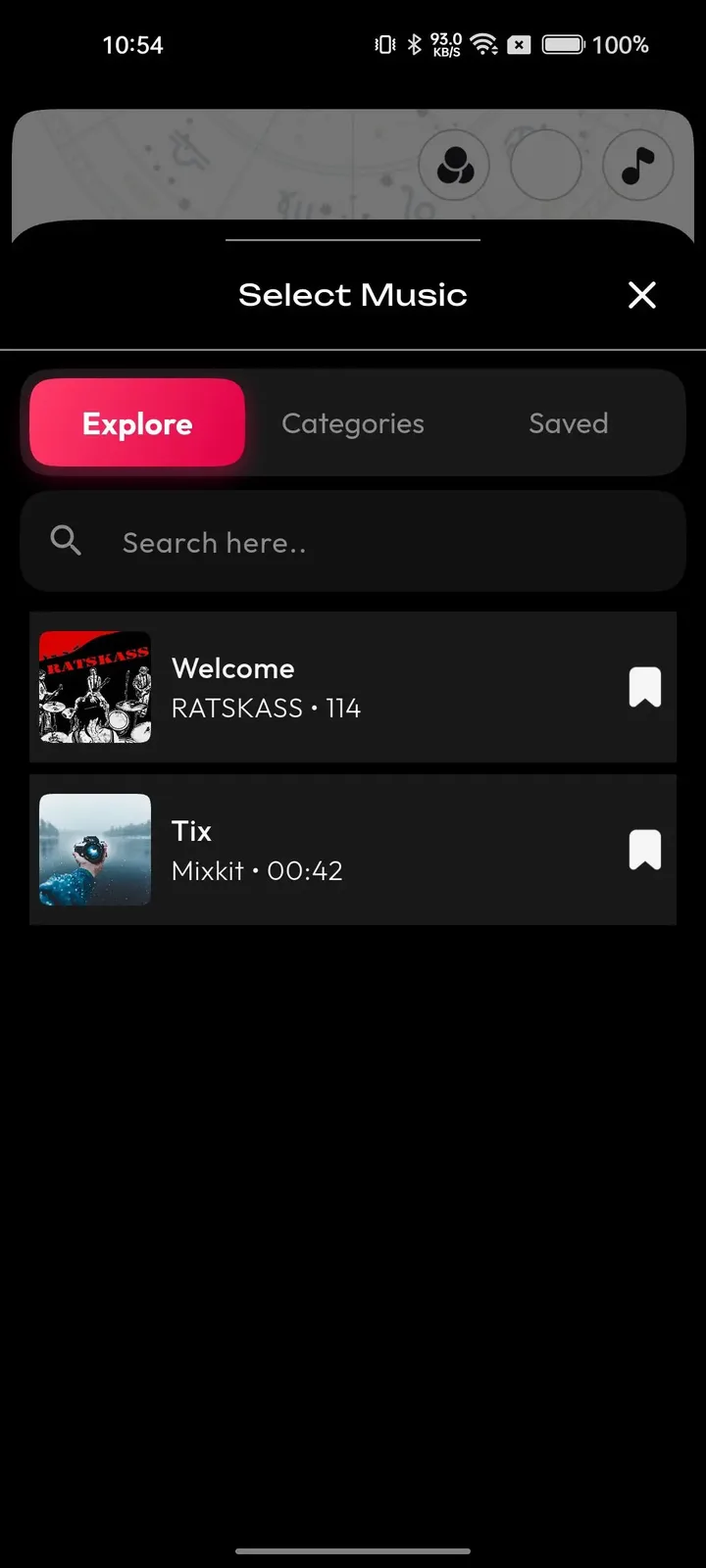
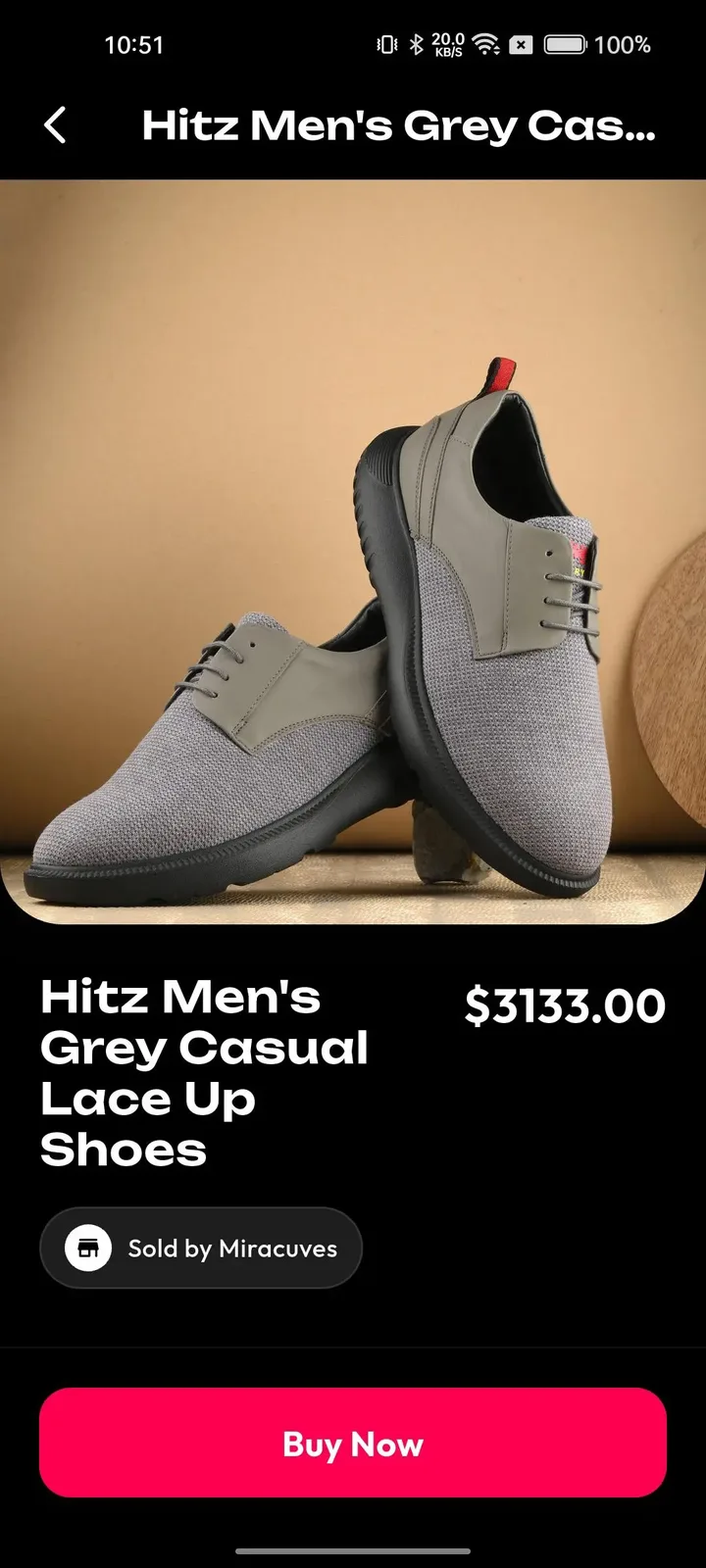
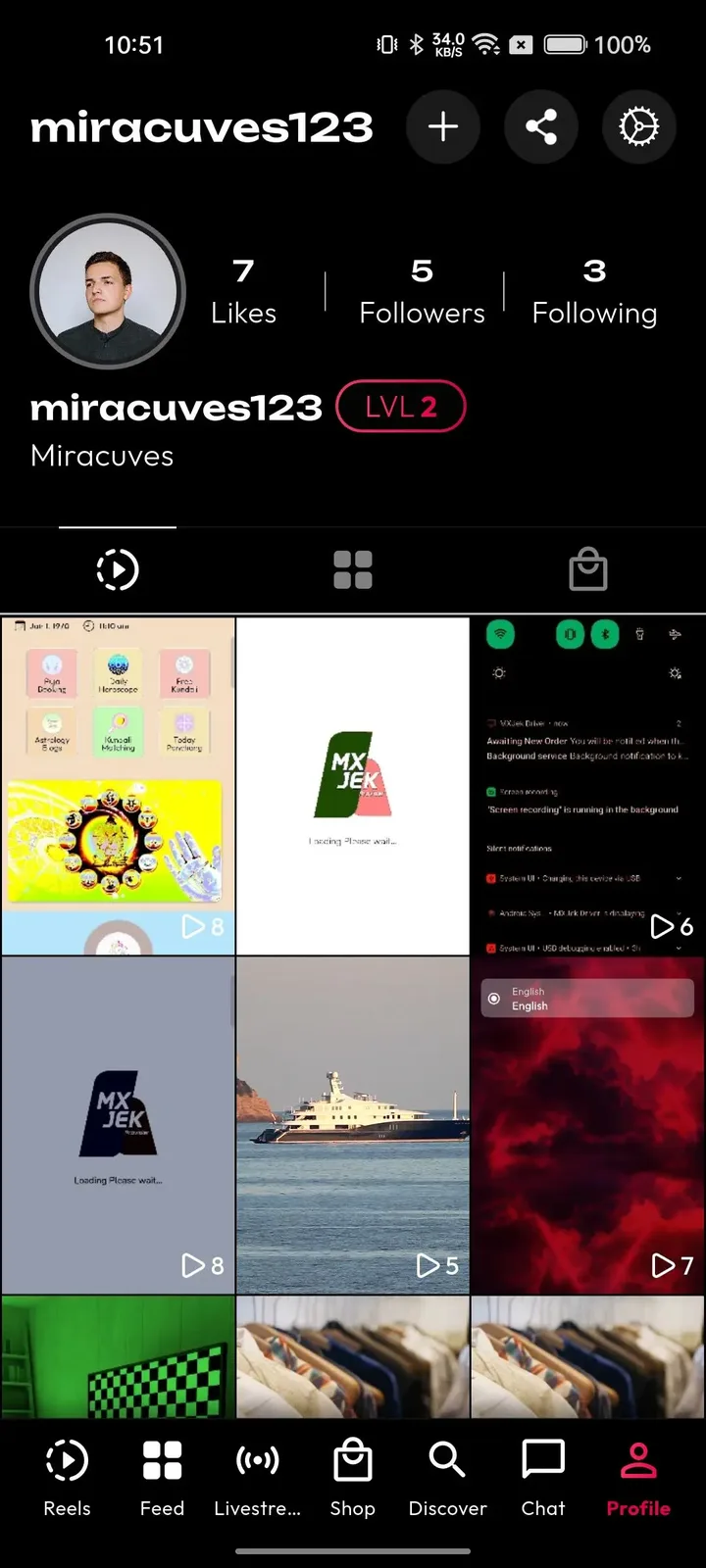
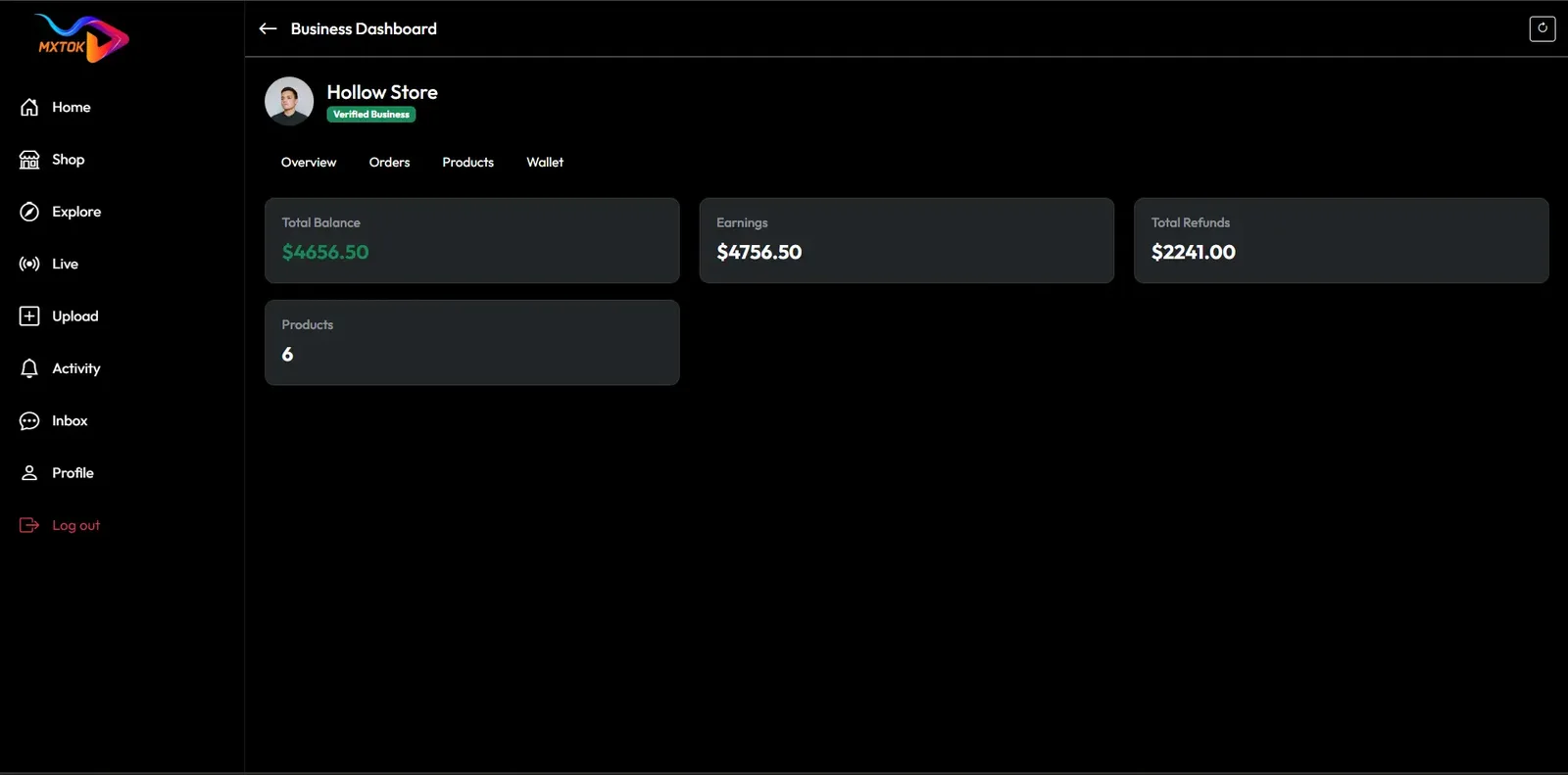
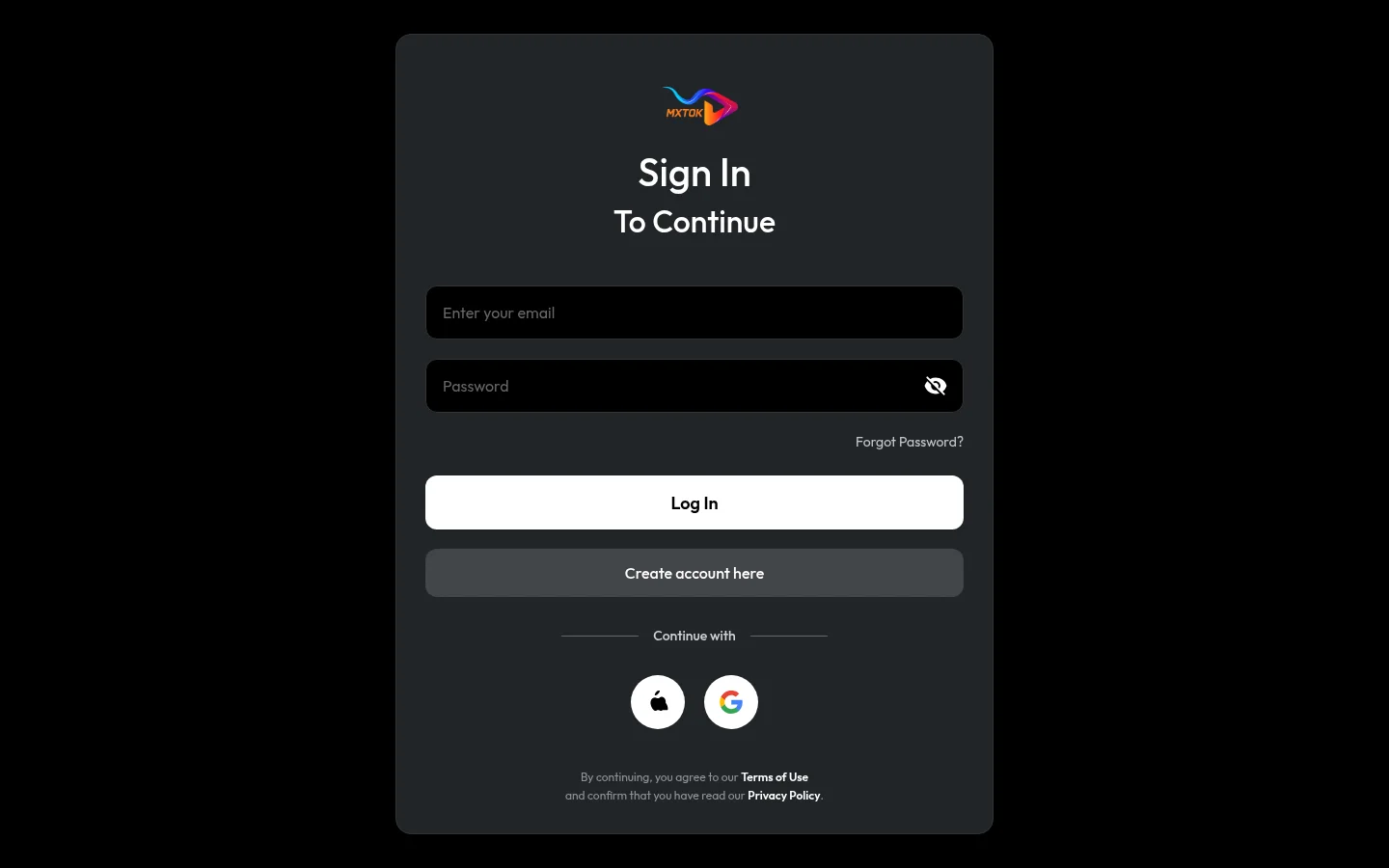
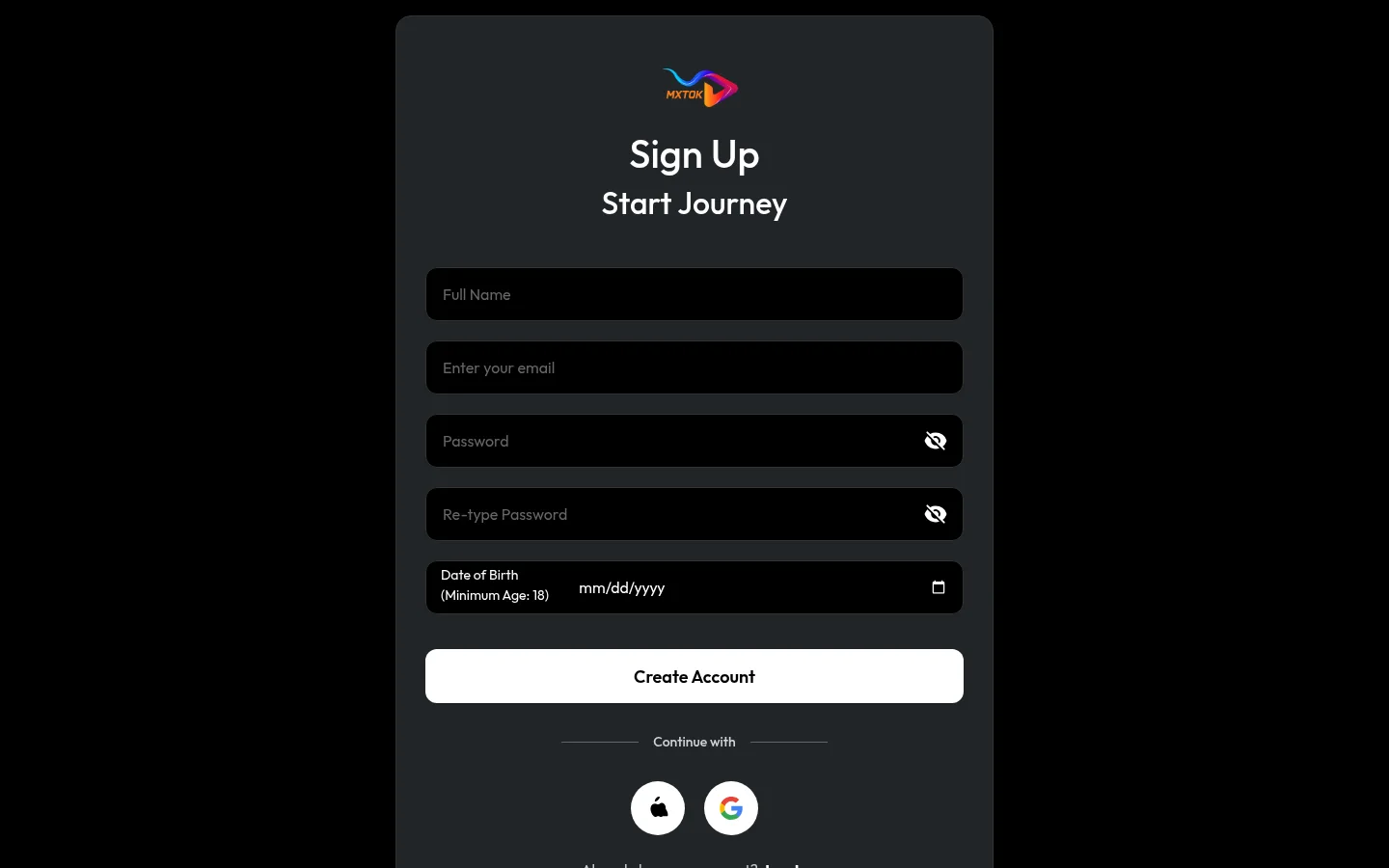
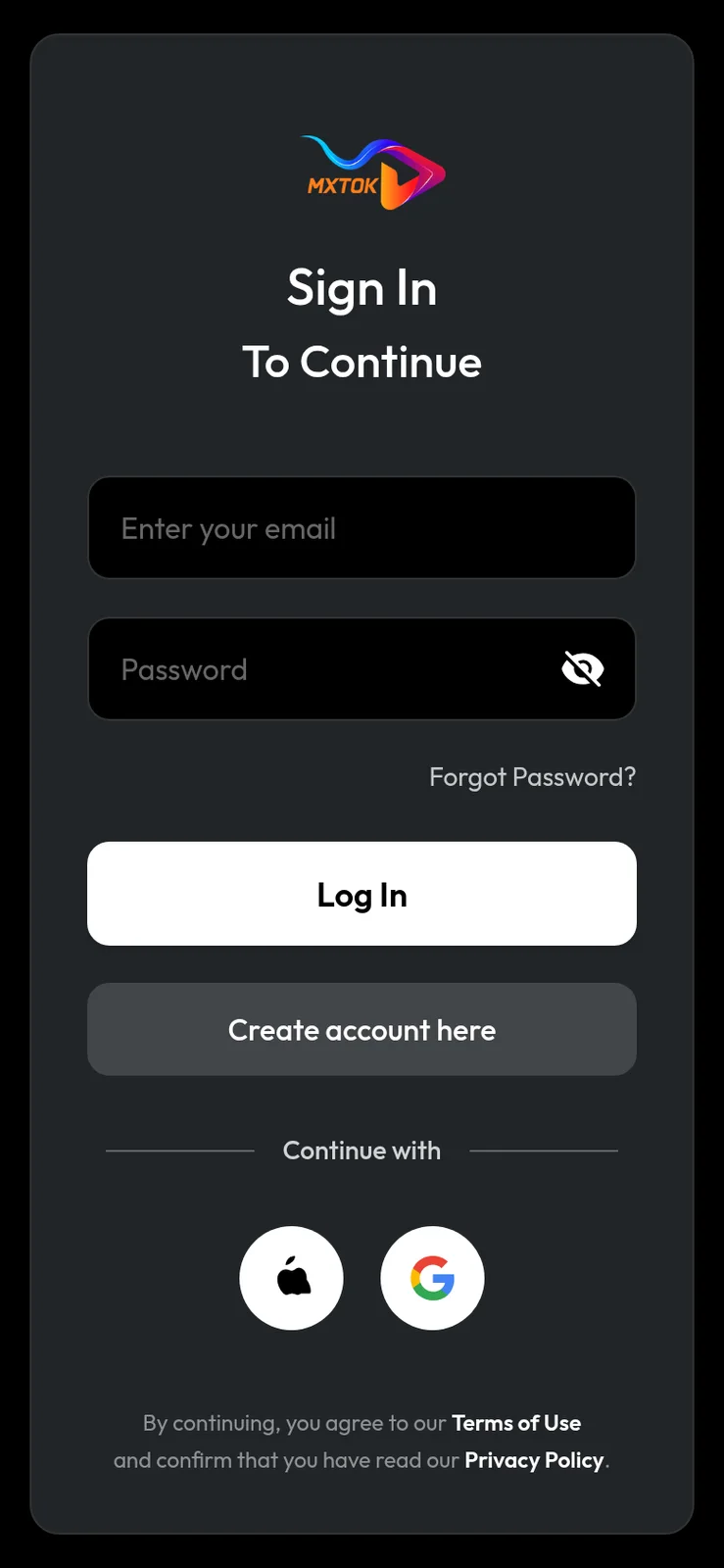
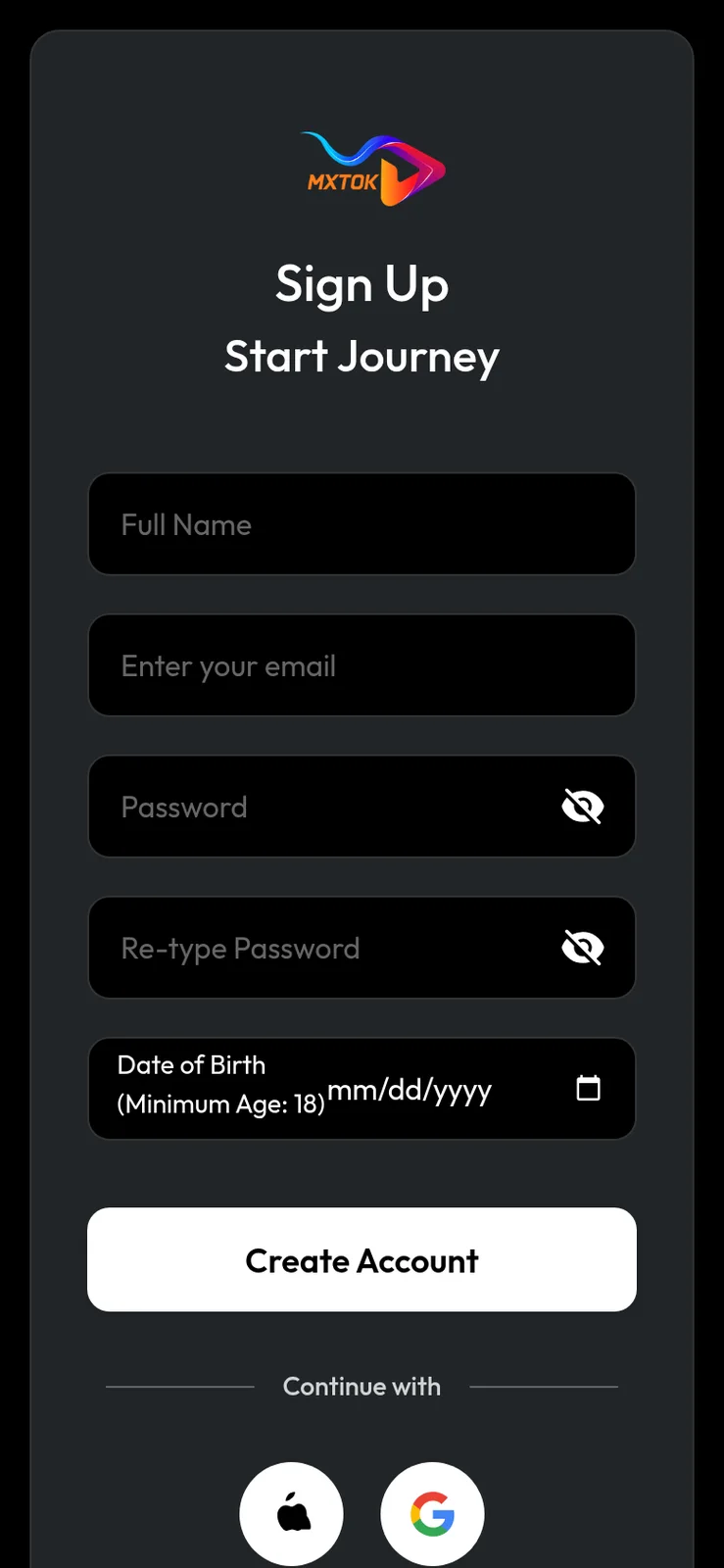
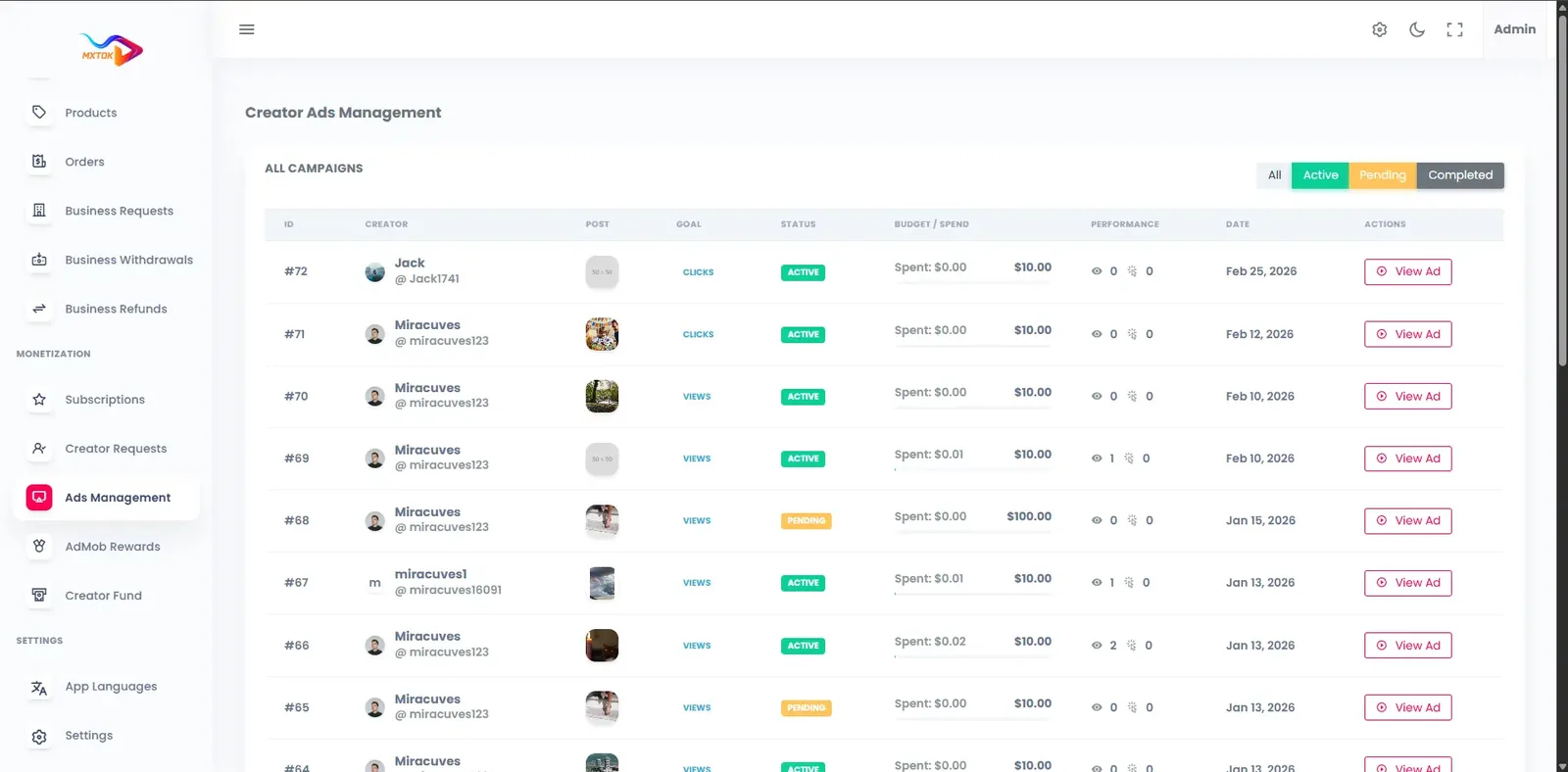
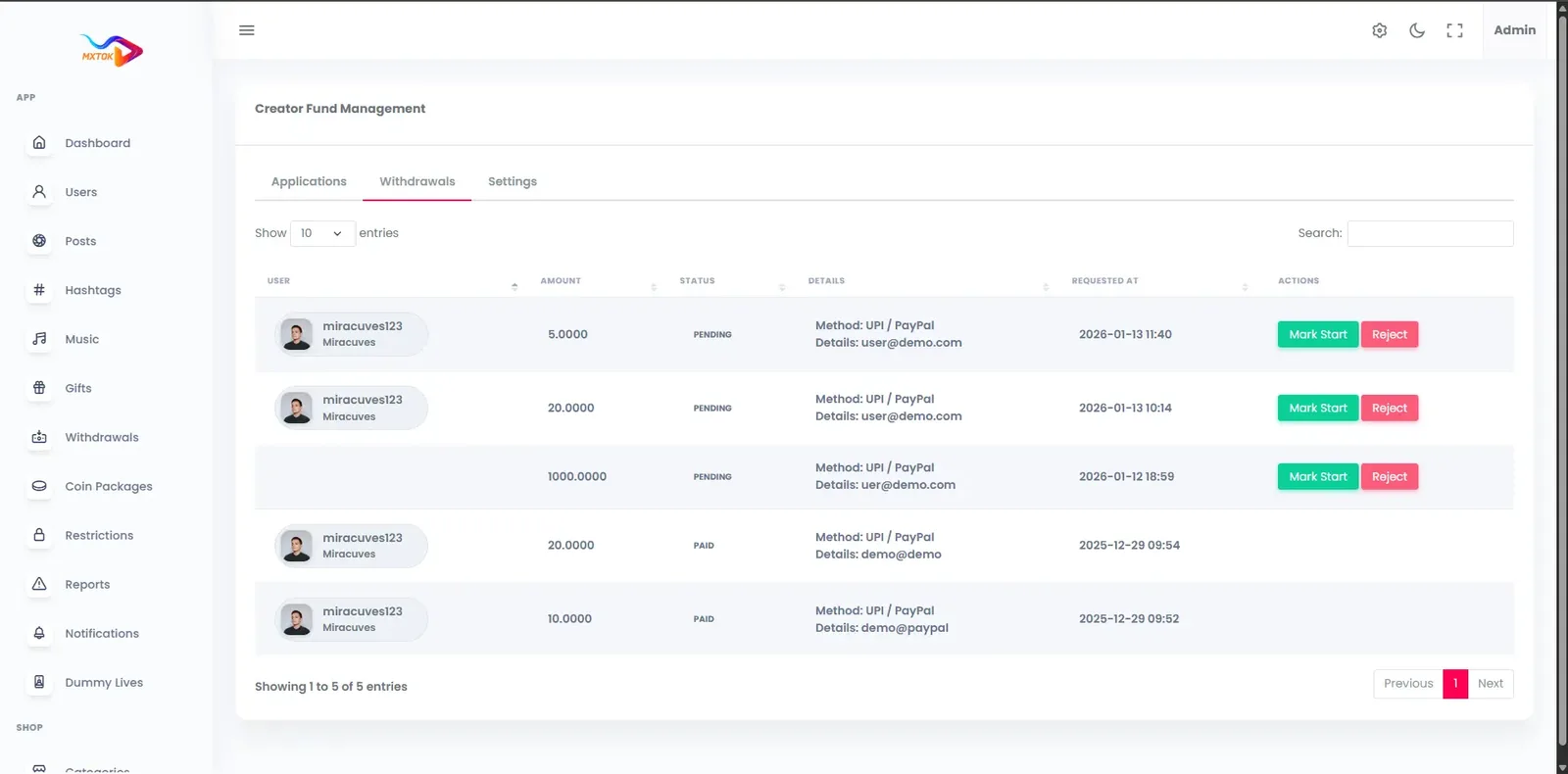
The demo is a running copy of the short video platform with our demo branding, not a slideshow. Open the web app and the admin panel in a browser, or install the Android build, and sign in with the public demo accounts below to watch the feed, post a clip, open a live room and see how an operator reviews it.
miracuves@yopmail.comUser_321miracuves@yopmail.comUser_321adminAdmin_$32149 features across 4 roles. The first six of each role are here and the full list is one click away. Nothing is held back for a sales call.
Each clip fills the screen and advances with a swipe, so watching takes no learning and no taps.
Ranking starts from the interests picked at signup, then adapts to watch time, replays, likes and shares as the viewer scrolls.
A browse tab organized by category, hashtag and creator lets viewers hunt for content instead of waiting for the feed.
Every video, profile and hashtag has its own link that opens on the web with preview tags for social sharing.
Viewers answer a clip with a side-by-side duet or a picture-in-picture reaction without leaving the player.
Likes, comments, shares, saves and follow or unfollow controls give the ranking its signals and give viewers a personal library.
7 more Viewers features are in the full list.
Record with the front or rear camera, add several takes to one video and change playback speed.
Basic editing happens inside the app, so a creator can finish a clip without exporting to another tool.
Unfinished clips are saved as drafts and can be reopened and changed before anything goes public.
More than fifty in-app filters, face effects, stickers and smoothing options are available while recording.
Trending lenses ship with the app, and themed packs for festivals or campaigns can be customized for your brand.
Music is grouped by trend, mood and genre, drawing on global and local catalogs you connect.
8 more Creators features are in the full list.
A shop tab with category search and featured products turns the app into a place to browse and buy.
Each listing carries a gallery, color options, price, stock count, reviews and a link to the seller storefront.
Sellers manage listings and orders from a business dashboard reached through the app settings.
Links and offers attach to a clip so a viewer can go from watching to buying in two taps.
Hosts show products during a stream and run limited-time offers while viewers watch and buy.
Campaigns are set up with a goal and budget, then show views, clicks and spend and can be paused at any point.
4 more Brands and sellers features are in the full list.
Search users and creators, edit roles, and change account status from a single screen.
Likely nudity, violence and copyright matches are flagged for human review ahead of wide distribution.
Viewer reports on videos, comments, profiles and live sessions land in one queue for review.
Warnings, content removal, account restriction, strikes and bans are applied from the same screen.
Moderation decisions, reports and sensitive admin changes are recorded for later review.
Optional KYC and badge review for creators, brands and sellers keeps a verified tier trustworthy.
6 more Operators features are in the full list.
The path through the product, in the order it happens for the people using it.
Viewers sign up by phone, email or Google and Apple login, then pick language, interests and optional age and region.
The For You feed mixes trending clips, new creators and behavior-matched videos in an endless vertical scroll.
Creators record, edit with filters and sounds, set privacy and thumbnails, then post. Uploads are transcoded to several resolutions and served through a CDN.
Viewers like, reply, duet and gift. Coins and gifts settle into creator wallets in real time.
Creators read their analytics, while admins moderate reports, approve payouts and track platform revenue.
Every earning route built into the product you receive: how it works, who pays and where the operator earns.
| Revenue model | How it works | Who pays | How you earn |
|---|---|---|---|
| Coins and gifts | Viewers buy coins and spend them on gifts for videos and live sessions. The platform holds back a commission before credit reaches the creator wallet. | Viewer | Commission on every gift, set by you per creator agreement |
| Live monetization | Paid access to streams, real-time gifting and viewer perks turn a live room into a ticketed or tipped event. | Viewer | Share of live gifts and paid session revenue |
| Subscriptions and fan clubs | Fans pay a recurring fee priced in coins for premium access and community perks from a creator they follow. | Fan | Platform share of each recurring payment |
| In-feed advertising | Creator ad campaigns, in-app placements and rewarded mobile ads are configured in the admin panel and sold against feed reach. | Advertiser | Ad fees, once there is enough audience to sell |
| Sponsored challenges | A brand sponsors a hashtag challenge with contest uploads, rewards and a featured banner placement. | Brand | Sponsorship fee negotiated per campaign |
| Social commerce | Sellers list products in the marketplace, tag them in videos and sell during live streams. | Buyer | Commission or fee on marketplace sales |
| Boosts and creator tools | Creators or brands pay to extend a video beyond organic reach, and premium analytics or editing tools can be sold directly. | Creator or brand | Fees for promotion and premium tool access |
| Creator fund margin | Qualified views feed a fund dashboard with estimated earnings, and withdrawals wait in an approval queue the operator controls. | Platform budget | A controlled cost that keeps creators active and supplied |
The flow of money, the gateways you can connect and how payouts are handled.
Money moves through a wallet. A viewer buys coins, the coins are spent as gifts, and the value lands in the creator wallet after the platform commission. Creators then request withdrawals, which admins approve from a queue. Coin purchases and gift transactions go through secure APIs, balances update in real time, and payouts are logged. The source does not fix a payment gateway, so you connect your own merchant account.
| Gateway | What it covers |
|---|---|
| Other | |
| Gateway of your choice | Connects through the API layer using your own merchant account; the build does not lock you to one processor. |
| Apple and Google store billing | Both stores take a share of in-app purchase revenue, so plan coin pricing and billing rules around them. |
You operate the platform, so legal compliance in each market you serve is yours. This is the tooling that ships in the product. It is not legal advice.
Uploads are checked by AI-assisted filters that flag likely nudity, violence and copyright matches, and flagged clips enter a review queue. User reports add a second layer. What ships is the tooling and the queue. You still decide the policy, staff the queue and respond to rights holders in your market.
Admins can warn, remove content, restrict an account, add a strike or ban. Each decision is logged along with the report that triggered it. That record matters when a creator appeals or a regulator asks how a case was handled, so agree an internal escalation path before launch.
The platform is built to be GDPR-ready, with consent steps at signup, account deletion, data export and configurable retention or anonymization. Shipping the controls is not the same as being compliant. You must publish a privacy notice, name a data controller and follow the rules of every country you serve.
Authentication uses JWT and OAuth2 flows, with optional two-factor sign-in for admins and other high-risk roles. Role-based permissions separate content review, payments, analytics and campaigns, so a moderator never needs wallet access. Assign roles by job, not by seniority.
Rate limits apply to login, uploads, comments, reports and engagement actions. CDN-level protection helps absorb hostile traffic, and secure token-based stream URLs make hotlinking harder. Spam and fake accounts still need human attention, so review reports and signup patterns regularly.
Wallet actions are protected by authenticated sessions and logged. Age and region selection ship in onboarding, while stricter age-gating, parental controls and country-specific policies can be tailored for your market. The operator is responsible for legal compliance, including age limits and payment rules. We supply tooling, not legal advice.
The layers of the product as delivered. You receive the full source code for every one of them.
| Layer | Built with | Hosting note |
|---|---|---|
| Mobile apps | Flutter (Android and iOS) | Flutter builds for Android and iOS from one codebase, prepared with your icon and splash screen for store submission. |
| Web app | PHP and Laravel, with optional PWA | PHP and Laravel serve the web app, an optional PWA and the API used by the mobile apps and admin panel. |
| Backend and API | Laravel | |
| Database | MySQL or MariaDB | MySQL or MariaDB stores profiles, videos, comments, wallets and transactions, with indexing for feed and search. |
| Live and media | Agora, Wowza, WebRTC and FFmpeg | FFmpeg transcodes uploads into several resolutions, generates thumbnails and writes to secure bucket storage.Agora, Wowza and WebRTC carry one-to-many sessions, with latency low enough for chat and gifting to feel immediate. |
| Cloud hosting | AWS, GCP or DigitalOcean | AWS, GCP or DigitalOcean host the stack, with auto-scaling for peaks, CI/CD pipelines and backup and recovery plans. |
| CDN and protection | Cloudflare or Akamai | Cloudflare or Akamai serves video from edge locations, with DDoS protection, a WAF and token-based stream URLs. |
The ready-made package is self-hosted: we set up the cloud on your provider and hand over credentials, so you pay the cloud bill directly and can move providers later. The layers below are the ones to price before you commit.
Music is the part of a video app most likely to create a legal problem, and the software cannot solve it alone. The product gives you a sound library and the controls to manage it. The operator holds the licenses. This table separates the common sound sources by who owns the permission.
| Sound source | Who grants permission | What the operator does |
|---|---|---|
| Royalty-free catalog | The catalog provider, under its own terms | Read the terms for commercial and in-app use and keep proof of the account. |
| Creator original sounds | The creator who recorded them | Make the terms of use clear in your creator agreement and offer a takedown route. |
| Commercial catalog from a rights holder | The label or publisher, by agreement | Negotiate the license directly; it is separate from the platform price. |
| Reused clips with copyrighted audio | The rights holder, not the uploader | Run a notice and takedown workflow and act on repeat infringers. |
| Music played in live sessions | Rights holders, often through collecting societies | Take legal advice on public performance rules in each market you serve. |
| Music in paid brand campaigns | Rights holders for that specific use | Require sponsors to supply cleared audio for sponsored challenges. |
A feed engine needs content to rank, and a new network has none. The first weeks decide whether the loop starts. These points focus on supply, because the software is ready on day one but the catalog of videos is yours to build.
App stores treat copycat apps seriously. Apple and Google both publish policies against apps that impersonate another service or repeat the same template under many names. Launching a TikTok-style app is acceptable when it carries its own name, icon, store text and content rules, and does not use the original brand, sounds or screenshots.
Two habits reduce review risk. First, give the product a clear identity and a reason to exist, such as a language, a region or a niche, and say so in the listing. Second, show that you moderate: working report buttons, a block function, a published policy and an answer for user generated content. Reviewers look for these.
One fixed price for the ready-made platform, published here so you can plan before you talk to us.
Ready-made, one-time
$3,999
Live in 6 working days from kickoff
The engineers who deploy your platform stay with it once it is live.
Need more? We tailor the platform to your plan, typically in 2-8 weeks, and confirm the scope with you before work starts. App store review times are set by Apple and Google.
Everything here is available around the ready-made TikTok clone. We confirm the scope with you before any price is agreed.
Automatic captions generated from speech, with subtitle support in several languages for audiences who watch across borders.
Confirm with usFace-recognition filters and themed lens packs for festivals, events and brand campaigns, designed to your brief.
Confirm with usSeveral hosts go live together for talk shows, interviews and debates, beyond the standard single-host live room.
Confirm with usFull-screen gift animations, gift streaks, top-supporter badges and live leaderboards that reward the biggest fans.
Confirm with usUnique referral codes and links with rewards for inviting friends or bringing in new active creators.
Confirm with usA collectibles layer for limited drops tied to creators or campaigns, scoped to your chosen model.
Confirm with usSeparate trending sections by country, city or region, with the ability to push or limit content by geography.
Confirm with usRun several apps on one shared core, each with its own branding, domain and store listing.
Confirm with usBuyers compare vendors by feature lists that are hard to check. Most of the platform ships ready and the rest is set up around your plan. This matrix shows which is which, starting with the mechanics people expect from the TikTok name, so you can check the claim against your own launch plan.
Behavior-based ranking with weighting you can tune for recency, engagement and creator diversity.
Front and rear camera, trim, merge, speed control, drafts and re-edit before posting.
A base library of filters, stickers and beauty modes ships with the app.
Categorized catalog integration plus creator audio that others can reuse; rights are separate.
Side-by-side duets, picture-in-picture reactions and multi-clip stitching.
Challenge banners, contest uploads and reward logic on the feed and explore tabs.
Plus follows, mentions, video replies and direct messaging between members.
One host with an audience, chat, reactions, coins and gifts during the session.
Coin purchases, gift balances, a creator wallet and a withdrawal queue you approve.
Recurring premium access priced in the app, with creator-led community tiers.
Qualified views, estimated earnings and a withdrawal flow the operator controls.
Sponsored challenges, in-feed placements and campaign analytics for advertisers.
A marketplace, product tags on videos and an admin refund queue.
Reports, review queue, warnings, strikes and bans, with logged decisions.
Search-friendly video, profile and hashtag pages alongside the Android and iOS apps.
Several hosts on screen together for talk shows and interviews; we set this up for your build.
Full-screen gift animations, streaks and top-supporter rankings in live rooms; we set this up for your build.
Speech-to-text captions and multi-language subtitles for cross-border audiences; we set this up for your build.
Invite codes and rewards for bringing in viewers or new creators; we set this up for your build.
The standard library is included; we design lenses for your campaigns, with scope confirmed with us.
You negotiate licenses with rights holders; we can connect a catalog you secure.
Optional age and region choices ship; we tailor stricter checks to your market, with scope confirmed with us.
Four pages go deeper on the questions buyers ask most about the TikTok Clone. This page stays the overview.
This page follows one video through the whole platform, from the moment a creator hits record to the moment an operator reads the revenue report.
See the full breakdownThe price of a short video platform is one number on the day you buy and a different set of numbers every month after.
See exact pricingA short video app is free to watch, so the money comes from what happens around the viewing: gifts, access, advertising and selling.
See the playbookVideo is one of the unforgiving product categories: weak delivery, slow uploads or poor moderation show up immediately and publicly.
Compare optionsFrom kickoff to a live TikTok clone under your brand: what we do each day, and what we need from you.
1Day 1
2Day 2
3Day 3
4Day 4
5Day 5
6Day 6
The cost of a short video platform is dominated by three things: the recommendation feed, the video and live infrastructure, and the monetization and moderation tooling around them. A prototype can skip all three, which is why a bare upload-and-scroll app looks cheap and then grows. Building the full stack yourself means an engineering team working on ranking, transcoding, live streaming, wallets and an admin console before the first real user arrives. A ready-made platform moves those costs to a fixed purchase, and what remains is running the service: hosting, bandwidth, moderation and growth.
| Factor | Build from scratch | Rent a SaaS | Own it with GetFame |
|---|---|---|---|
| Time to launch | Many months of engineering before a public beta | Fast, but inside the vendor product | 6 working days for the ready-made build |
| Recommendation feed | Needs a dedicated ranking team and training data | Fixed algorithm you cannot tune | Pre-built engine with tunable weighting |
| Live streaming and gifting | Real-time infrastructure built separately | Usually available, with vendor rules and fees | Included, using Agora, Wowza and WebRTC |
| Source code | Yours, once built | Not provided | Full source code included |
| Factor | Build from scratch | Rent a SaaS | Own it with GetFame |
|---|---|---|---|
| Moderation tooling | Vendor integration or in-house build | Basic tools, vendor-defined policy | AI-flagged queue and enforcement tools included |
| Switching cost later | Low, you own it | High, audience and data live with the vendor | Low, you can change providers and extend modules |
| Customization | Unlimited but slow | Limited to vendor settings | Modules can be extended; scope confirmed with us |
Running costs. The platform price does not cover running costs. Budget for cloud hosting, video storage and CDN bandwidth, live streaming usage, third-party API fees, moderation staff or a paid AI service, payment gateway fees, and app store developer accounts and revenue share on in-app purchases. These costs grow with video volume and viewers, so review them monthly once traffic begins.
A short video app looks like one product but is a stack of separate systems, each with its own specialists. This table walks through them one at a time, using effort words rather than figures, so you can see where a ground-up build spends its time and what you already have on day one.
Build it yourselfRanking logic, signal collection and tuning, usually owned by a dedicated data team for many months.
Ready-madeA working feed from the first user, with weighting you adjust from configuration.
Build it yourselfCamera, trimming, speed, effects and draft handling written for two mobile platforms in parallel.
Ready-madeOne Flutter codebase delivers the studio on Android and iOS together.
Build it yourselfUpload, transcoding to several renditions, thumbnails and secure storage, tuned for weak networks.
Ready-madeAn FFmpeg based pipeline already writes renditions and thumbnails to your storage.
Build it yourselfEdge delivery, tokenized stream links and attack protection configured and load tested.
Ready-madeCloudflare or Akamai delivery with token-based access is set up during deployment.
Build it yourselfA real-time media layer, chat and gifting built as a specialist integration with its own testing.
Ready-madeLive rooms, chat, reactions and gifting run on Agora, Wowza and WebRTC.
Build it yourselfA ledger, gift settlement, commission logic and withdrawal approvals, where mistakes cost real money.
Ready-madeCoins, gifts, creator balances and a payout queue are wired together from the start.
Build it yourselfReport intake, review queue, enforcement actions and audit records built or bought as a vendor integration.
Ready-madeReports, a review queue, strikes and bans, with logs of each decision.
Build it yourselfA back office for users, content, campaigns, payments and analytics, often built last and late.
Ready-madeA role-based web panel covers all of those areas on launch day.
Build it yourselfA separate front end with shareable video, profile and hashtag pages that search engines can read.
Ready-madeIncluded, with an optional installable web app for mobile browsers.
Build it yourselfBuild signing, listings, review rounds and policy fixes handled by your own team.
Ready-madePublishing support covers builds, listings and handover documents.
Build it yourselfCatalog, product tags, orders, refunds and seller tools designed alongside the feed.
Ready-madeA marketplace, product tags and an admin refund queue come with the product.
The original short video app is a closed global service. A white-label platform behaves differently in the places that matter to an operator: who writes the rules, who keeps the audience and how creators are paid. These are well-known model differences, not claims about any company business.
| Aspect | The TikTok model | This platform |
|---|---|---|
| Who sets the rules | The owning company sets content policy, creator terms and feature access | You set policy, terms and which modules are on |
| Ranking algorithm | Proprietary and not adjustable by anyone outside the company | Tunable weighting for recency, engagement and creator diversity |
| Audience and data | Followers and analytics sit inside the platform | Users, content and data sit in your database |
| Creator payment | Paid under the platform programs and their terms | You define gifts, commissions, subscriptions and fund rules |
| Brand identity | Every creator and advertiser works under the platform brand | Everything ships under your name, logo and domain |
| Source and hosting | Closed software on its own infrastructure | Full source code on your own cloud account |
| Local focus | Built for a global mass audience | Can serve one language, region or niche with local moderation |
The founders and teams this product fits most directly, one line each. The launch ideas that follow turn these audiences into a first-week plan.
A creator-first video app where publishing, gifting, subscriptions and brand deals all run under one brand.
Turn a viewing audience into an owned community with clips, campaigns, interviews and trending feeds.
Launch a single-language or single-city video network with local creators, hashtags and moderation rules.
Product reviews, tagged items and live selling in the same feed as the content that drives them.
Courses cut into micro-lessons, with playlists, live Q&A and challenges that keep learners returning.
One product base rebranded per client, with a multi-brand setup available.
The strongest short video apps start narrow: one audience, one language or one reason to post. These ideas lean on what the product already does, and each names the first setting to configure rather than a generic checklist.
A single-language network for a city or country where global apps feel foreign. Creators earn through gifts and sponsorships from local brands. Configure language, region-based trending and local moderation first, so the feed feels native from the first scroll.
A club, league or fan group collecting match moments, reactions and highlights from supporters. Fans pay through gifts in live match chats and subscriptions for premium access. Configure hashtag challenges for match days and a live schedule before recruiting fans.
Home cooks and food brands posting quick recipes, with products tagged in the video. Viewers buy tagged items; creators earn commission and tips. Configure product tags and the shop first, and pick categories that match how people search for meals.
Trainers run recurring challenges and followers post progress clips. Revenue comes from subscriptions for programs and sponsored challenges from equipment brands. Configure challenge banners and creator subscriptions first, then add live classes once a few trainers have regular followers.
Singers, comedians and dancers post performances while fans vote with gifts and judges follow rising names. Revenue is gifting and sponsor challenges. Configure the sound library, duets and a leaderboard-style challenge so performances can answer each other.
Teachers and coaches cut lessons into short clips, with playlists and live question sessions. Learners pay through subscriptions to a teacher or a series. Configure playlists, verified creator status and a clear moderation policy so the space stays focused on learning.
Before choosing a white-label route, it helps to see the other places a creator can publish short video. Each has a different owner, audience and rule set. None of these is better or worse in general; the right comparison is which one lets you own the thing you are trying to build.
Closed global network
Creators and brands who want the largest ready audience and accept platform rules.
Reach, terms, ranking and monetization are set by the owner, not by you.
Feature inside a social app
Brands that already have followers and want video next to photos and stories.
Video competes with other formats, and the audience belongs to the host network.
Short format inside a video site
Channels that want short clips to feed a long-form library.
You publish into a search and recommendation system owned by someone else.
Self-hosted code
Teams with engineers who want full control and will build the missing parts.
Feed, live, wallet and moderation usually need to be assembled and maintained.
Low-cost source packages
Prototypes and demos where support and scale are not yet a concern.
Often basic upload and feed only, with limited support and unclear update paths.
A white-label platform you own sits where the others stop. You do not inherit an audience, so you must bring creators and a reason to join. In exchange you set the rules, keep the data, choose the revenue split and can add modules over time. It suits operators with a niche, a region or a brand, not those who simply want to out-reach the biggest network.
Longer answers to the questions buyers of this model ask before they commit.
The first risk for a new video network is silence. A viewer who opens the app and sees six clips leaves, and a creator who gets three views never returns. Decide on a narrow audience before you decide on features: one language, one city, one hobby or one fan community. A narrow scope lets a few hundred creators make the feed feel full.
Recruit creators before you open to viewers. Invite a small group, give them the sound library, filters and challenge tools, and ask each to post on a schedule for the first weeks. Seed two or three hashtag challenges that fit your niche, and feature them on the explore tab so newcomers have somewhere to start.
Switch on only what you can support. Gifting and live rooms need creators who are comfortable on camera, so they can wait until you have those people. The shop and advertising tools need sellers and brands, which come later. Keep the first release simple, watch what creators use, and add modules as demand appears.
A short video feed ranks clips for each viewer rather than showing a follow list. Early on, the engine uses the interests chosen at signup. As the viewer watches, it learns from completion, replays, likes and shares, and it mixes trending clips with videos from new creators so fresh uploads get a test audience.
That test-and-expand pattern is what makes the first upload matter. A new clip is shown to a small group, and its performance decides how far it travels. For an operator, the useful controls are weighting between recency, engagement and creator diversity, plus the categories and featured trends you curate in the admin panel.
Resist the urge to retune every day. Change one weighting, give it a few days of traffic and compare watch time and return visits before touching anything else. If one creator dominates the feed, raise diversity. If viewers drop off quickly, check whether categories and onboarding interests are steering them toward content you do not have.
Coins turn small impulses into revenue. Viewers buy a bundle, then spend it on gifts during videos and live sessions, and the platform holds back a commission before the rest reaches the creator wallet. The mechanism matters more than the exact rate, and creators will judge you on whether it is clear and consistent.
Publish the commission before creators join, and do not change it without notice. Describe how coins convert to withdrawable value, how often withdrawals are approved and what verification is required. The admin queue lets you approve withdrawals by hand at first, which is a sensible way to learn your own payout patterns.
Layer revenue in order. Gifting works from the first active creators because it needs no outside demand. Subscriptions make sense once a handful of creators have loyal followers. Advertising and brand deals need an audience large enough to interest buyers, so adding them early can hurt the viewing experience for little income.
Ask to see everything, not a recording. Open the user app, the web app and the admin panel, and test the flows you care about: upload, feed, live, gifting, withdrawal and report handling. If a vendor cannot show the admin side, assume the operator experience is thin.
Confirm what you own. You should receive full source code for the apps, web app, API and admin panel, with no per-seat fee and no revenue share, plus the right to rebrand completely. Ask who hosts it, what documentation is delivered and what is excluded from the price. For this product, custom AR filter design, regional infrastructure and extra integrations are things we set up for you, with scope confirmed with us, while paid music licensing stays with you.
Finally, price the running costs yourself. Video storage, bandwidth, live streaming, moderation and store accounts are yours after launch. A realistic budget for those is more important than the purchase price, and a vendor who will discuss them openly is a better partner than one who avoids the topic.
Projects and comments as published by our parent company, Miracuves, with the release notes as printed there.
Miracuves didn’t just build an app, they helped us shape a product. The short video platform they delivered was incredibly stable from day one, which is rare. Features like reels, filters, and real-time engagement worked seamlessly. Their team was responsive, detail-oriented, and actually cared about long-term scalability - not just delivery.
We were initially skeptical about building a TikTok clone, but Miracuves exceeded expectations. The UI/UX feels premium, and users immediately connected with the platform. What stood out was their backend architecture - it handled traffic spikes effortlessly during our launch campaign. They clearly understand both tech and business.
Working with Miracuves was smooth from start to finish. They delivered exactly what we envisioned - a scalable, feature-rich short video app with strong performance. The customization flexibility they offered helped us differentiate in a competitive market. Even post-launch, their support team has been proactive and reliable.
QifQif Media Pvt. Ltd., a client in the UAE working in short video and the creator economy, launched a scalable TikTok-style app for multi-language audiences and low-bandwidth regional markets, with ad-based and creator incentive monetization, cloud auto-scaling and full multi-language support. Published figures show 250K+ downloads in 90 days, +38% session time and 4 months to early monetization.
v2026.1Jan 2026
v2025.3Oct 2025
v2024.2Jun 2024
v2024.1Feb 2024
The ready-made white-label package is $3,999 as a one-time price, and you host it on your own cloud account. Extra integrations, new modules and compliance controls are available too, with scope confirmed with us. A ready-made launch takes 6 working days, and tailored work typically runs 2 to 8 weeks depending on what you add.
Yes. You receive the complete source for the Flutter apps, the Laravel web app and API, and the admin panel. There is no per-seat fee and no revenue share. Your own team can extend modules, add services, integrate tools and move between cloud providers without asking us for permission.
Yes. Creators can host one-to-many live sessions with chat, reactions, and gifts, coins or stickers. Streaming runs on Agora, Wowza, WebRTC and FFmpeg. Multi-host live rooms are available too, so ask if you want co-hosted shows.
Through coins and gifts, subscriptions and fan clubs, sponsorships, ads, live monetization and the creator fund, depending on which models you switch on. Earnings collect in a creator wallet, and admins approve withdrawals from the payout queue in the admin panel.
Yes. App name, logo, splash screens, colors, fonts, icons and banners are all replaced with yours, and language and region settings are tuned to your market. The platform ships completely white-labeled, so your users never see our name inside the product.
Mobile apps are built in Flutter for Android and iOS from one codebase. The web app, backend and API run on PHP and Laravel with a MySQL or MariaDB database. Streaming uses Agora, Wowza, WebRTC and FFmpeg, with hosting on AWS, GCP or DigitalOcean and Cloudflare or Akamai as the CDN.
Yes. Cloud setup, configuration and submission to Google Play and the App Store are part of the delivery, with the apps prepared with your icon, splash screen and brand assets. You also receive technical documentation and a walkthrough, and 60 days of technical support follow the launch.
Yes. Features can be enabled, disabled or extended, and the codebase is yours to modify. Common additions include AI auto-captioning, AR lens packs, referral and affiliate modules, geo-based trending and a multi-tenant setup. You also get 1 year of free updates after purchase.
You launch under your own name, assets and content policy, and you set your own terms. We are an independent software company with no affiliation to TikTok. You remain responsible for legal compliance in each market you serve, including age rules, content law and payment regulation. We supply the tooling, not legal advice.
Yes. The recommendation engine ships with the platform, and its weighting between recency, engagement and creator diversity can be adjusted to fit your content strategy. You also steer discovery by curating categories, hashtags and featured trends in the admin panel, rather than accepting a black-box ranking.
The base architecture is CDN-backed, uses adaptive bitrate video and scales horizontally on AWS, GCP or DigitalOcean. We do not publish a fixed concurrency figure, because it depends on your servers and content. Very high-scale deployments warrant a separate infrastructure review rather than an assumption.
AI-assisted filters flag likely nudity, violence and copyright matches, and flagged clips go to a review queue. Viewer reports add a manual layer. Admins then remove content or apply warnings, strikes or bans, with each action logged. You still define the policy and staff the queue.
Yes. Language, theme and region settings are configured per market, recommendations can be region-specific, and moderation rules can be set locally. Geo-based trending sections by country or city are available for your build, so a single-region launch is a normal use of the product.
The platform connects to payment gateways, SMS, email and analytics services through its API layer using your own accounts. No single processor is fixed, so you choose one that accepts your business and market. Coin purchases inside mobile apps may also be subject to Apple and Google billing rules.
Yes, through the multi-tenant and multi-brand setup. Several apps run on a shared core, each with its own branding, domain and store listing. This suits agencies and operators who want to run different regional or niche apps without maintaining separate codebases.
The standard package ships as a fresh platform. Moving existing accounts, videos or follower graphs from another system is integration work we handle for you. We confirm scope against your data format and size, so share a sample before you commit and we will confirm what is feasible.
Hosting and infrastructure bills, app store developer accounts and third-party service fees are paid to those providers. Custom feature work, custom AR filter design, dedicated regional infrastructure and integrations beyond the standard stack are things we can set up for you, with scope confirmed with us. Music licensing deals with major labels stay with you.
The real service is a closed network with its own audience, ranking data and rules. A clone is separate software you launch under your own name. It reproduces the mechanics, such as a recommendation feed, editing, live gifts and challenges, but it starts with no users, so you supply creators, content policy and promotion.
You get a working recommendation engine, not a bare player. It ranks on viewing behavior and lets you adjust weighting for recency, engagement and creator diversity. It starts learning from your own audience, so early results improve as real viewing data builds up.
A categorized sound library and reusable creator sounds are included, and the admin can import catalog tracks. The permission to use any track is a separate matter: you secure licenses from catalogs or rights holders, and keep a takedown process. The platform price does not include music agreements.
Yes, within the rules you set. Coin purchases, gifts during live sessions, subscriptions and the creator wallet are part of the product. You decide commissions and approve withdrawals. Advertising works better once enough viewers exist, so many operators start with gifting and add the rest later.
The platform price of $3,999 covers the software and handover. Running costs are separate: cloud hosting, video storage, CDN bandwidth, live streaming usage, payment gateway fees, moderation staffing and store developer accounts. They grow with video volume, so budget by expected uploads and viewing time.
The ready-made build is positioned as live in six days, with deployment on your cloud account and store submission support. The calendar stretches when you add tailored work, supply branding late, or wait on store review, which no vendor controls. Plan extra time for the review rounds.
A marketplace, product tags on videos and an admin refund queue are part of the product. Sellers list items and viewers buy from the feed. Deeper requirements, such as a specific logistics partner or a seller onboarding flow for your country, are something we can tailor for your build after a short call, with scope confirmed with us.
Approval depends on your submission, not on the software alone. Stores object to apps that imitate another brand or add little of their own. Use your own name, icon and listing text, show working moderation and a published policy, and give the app a clear purpose. Review outcomes cannot be guaranteed.
→Start here
Share the platform and your market. You get a walkthrough of the live demo, the exact scope of what ships, and a fixed price in writing. First response in under 2 hours, Monday to Saturday, 10:00 to 19:00 IST.
This page uses the name TikTok to describe a type of platform. The product sold here is separate software, built independently, and TikTok has no part in it.
"TikTok clone" is industry shorthand that founders use when searching for software with a comparable business model. It names a category of product, not a copy of TikTok.
The platform is an original product designed and written by Miracuves. It contains no code, design, graphics or content originating from the TikTok website or applications, and it ships under your own brand.
TikTok and its logos are trademarks of their respective owner and are named here for reference only. GetFame is not affiliated with, sponsored by or endorsed by TikTok. Rights holders can write to legal@miracuves.com.
Operator responsibility. The operator of a launched platform is responsible for legal compliance in the markets it serves. Nothing on this page is legal advice.Read the full disclaimer
First response under 2 hours, Mon-Sat 10:00-19:00 IST
India+91 98300 09649 United States+1 516 202 3950