Ready-made, one-time
$3,699
ManyVids Clone
Live in 6 working days from kickoff
- Full source code
- White-label under your brand
- 60 days of technical support
- 1 year of free updates
- App publishing support

Creator clip marketplace
Every creator profile becomes a clip store fans buy from
This ManyVids clone script is a white-label marketplace where each creator lists videos as individually priced items, fans buy the clips they want and keep access to them, and custom video orders arrive as paid requests with a delivery status. A fan club subscription, a creator shop, tips and live shows sit on top of the catalog. Delivery covers a single phone app for Android and iOS, a browser version, the operator console and complete source code.
| Model | Video marketplace: creators sell clips per title, take custom orders and add a fan club |
|---|---|
| Price | $3,699 paid once for the finished marketplace |
| Launch | Live on your domain in 6 working days |
| Unit of sale | A single video, unlocked by a one-time payment and kept on the buyer account |
| Custom work | Priced request menu with order status from payment to delivery |
| Recurring tier | Fan club plans from weekly to annual, switched on per creator |
| Apps | One Android and iOS app for buyers and creators, plus a browser web app |
| Commission | Separate platform share for clips, requests, memberships and shop orders |
| Ownership | Complete Laravel 12 source, no per-creator or per-title fee |
| Aftercare | Six months of bug fixes, 60 days of technical help, then updates at no charge until the first year ends |
A ManyVids clone is a white-label video marketplace in which creators run their own storefronts of individually priced clips, accept paid requests for custom videos and can add a recurring fan club for their regulars. Fans browse by category and creator, watch previews, pay per title from a gateway or a funded wallet, and find every purchase waiting in their account. The brand name is only the phrase buyers search for; ManyVids has no tie to this product and has not endorsed it.
What sets the model apart from a pure subscription site is that the unit of sale is the video, not the month. A buyer who never subscribes can still spend steadily, one title at a time, and a creator with a deep back catalog earns from work published long ago. Locked media, the creator vault, single-item entitlements and duration-based subscription plans already in the product map onto that model directly, with shoutout-style requests carrying the custom video orders.
The ManyVids clone app ships complete under your brand: one Android and iOS app shared by fans and creators, a PWA-capable web app, a Laravel API, the operator console and full source code. Clip pricing rules, request settings, commission per revenue type, content policy and territory rules are configuration, so the same product can serve a mainstream tutorial marketplace or an age-gated adult clip store.
ManyVids is a video marketplace based in Montreal and launched in 2014. Creators upload videos and photos that members pay for title by title, and each creator profile acts as a storefront inside the wider site. Over time the service added personalized videos made to order, a shop for other goods, tipping, live shows and a membership feed that creators and the trade press have called MV Crush. Sellers keep the copyright in their work, and the service earns a share of what they sell.
A ManyVids clone is a white-label marketplace that runs on the same commercial logic: the single video as the thing people buy, custom work at a premium and a recurring tier for loyal buyers. It does not reproduce the brand software, its catalog or its sellers. The name is only how buyers phrase the search. Your marketplace starts empty, carries its own brand and earns on terms that you write.
A buyer on a clip marketplace behaves more like a shopper than a follower. They search, watch a teaser, pay for one title and come back when something new appears. The app is arranged around that loop, with the wallet and the purchased library removing friction from the second and third purchase.
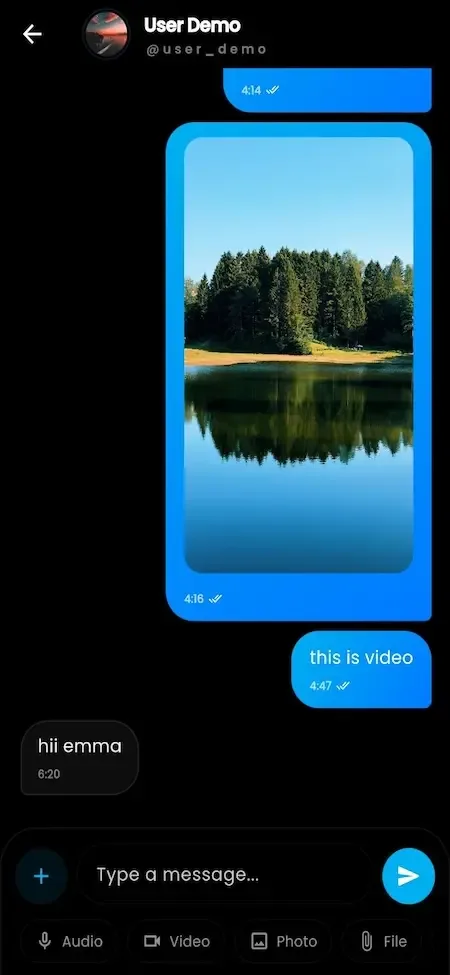
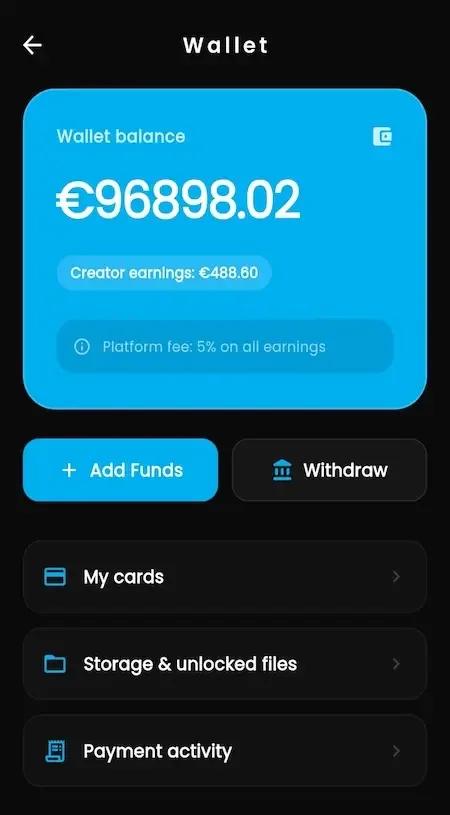
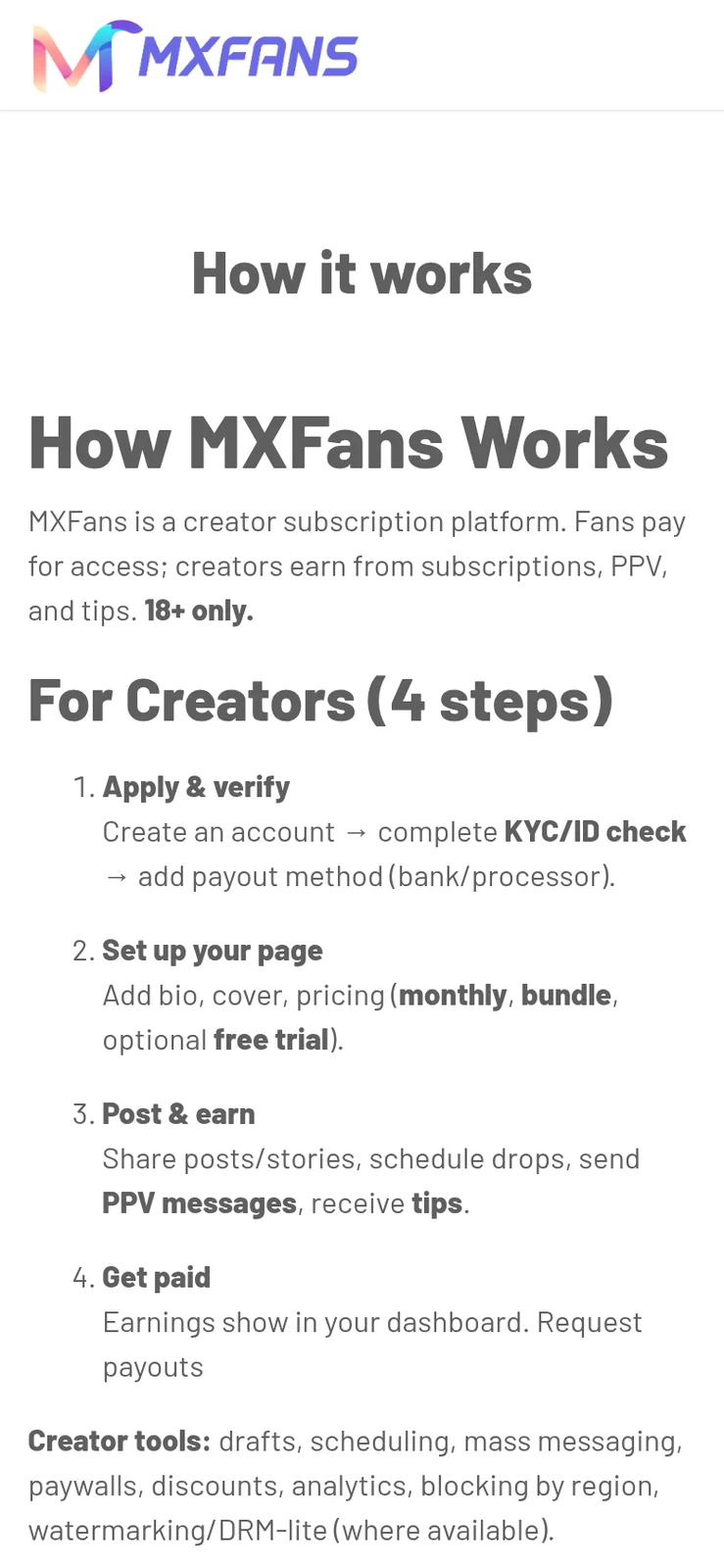
For a creator, the profile is a shop window. The job is to keep it stocked, priced sensibly and easy to browse, and to answer custom orders on time. The creator tools concentrate on catalog work and sales visibility rather than on a daily posting habit.
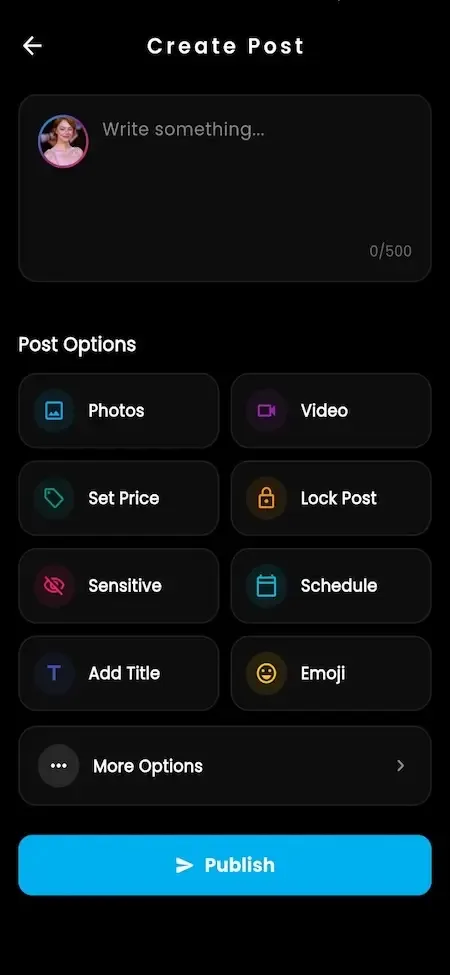
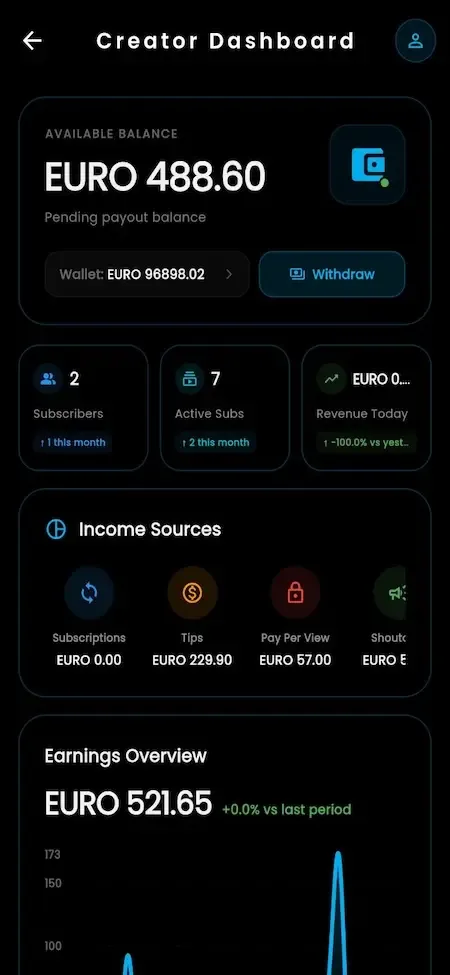
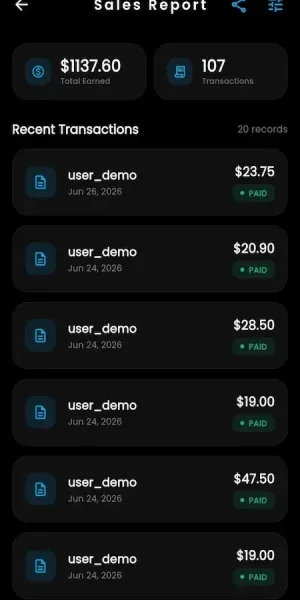
A marketplace succeeds when buyers keep finding something new. The operator side therefore includes the merchandising tools that move attention across thousands of titles: featured slots, boosts, campaigns, auctions and referral rewards, each one configurable from the console.
Every title in the catalog is something you host and sell, so the operator console starts with who may upload, what gets screened and how complaints end. Money controls follow: commission per revenue type, payout review and records that reconcile against the gateway.
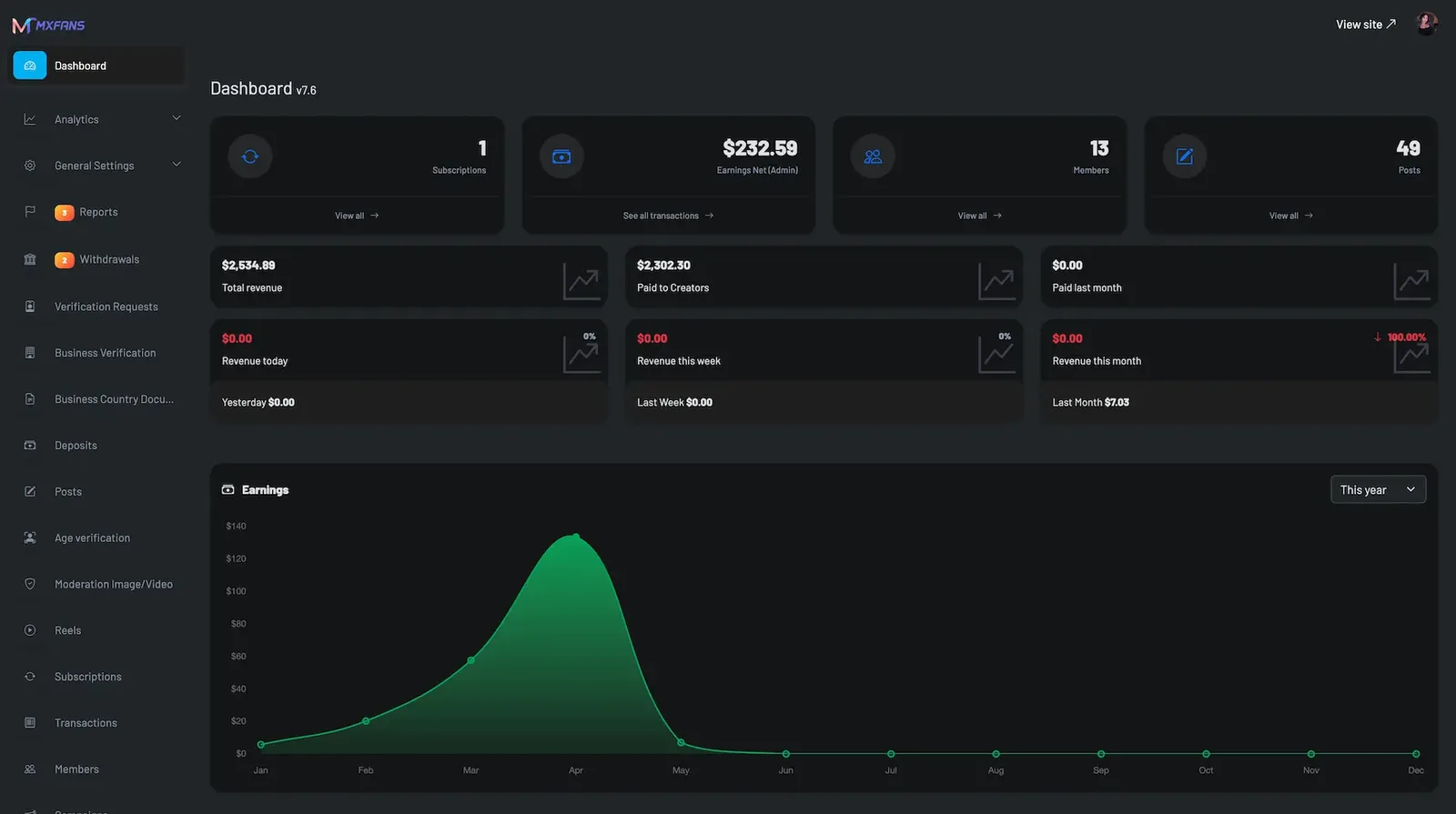
Shared core preview. These screenshots show the shared onlyfans platform foundation used for this solution family. Product-specific branding and any additional modules are configured in the build scope.
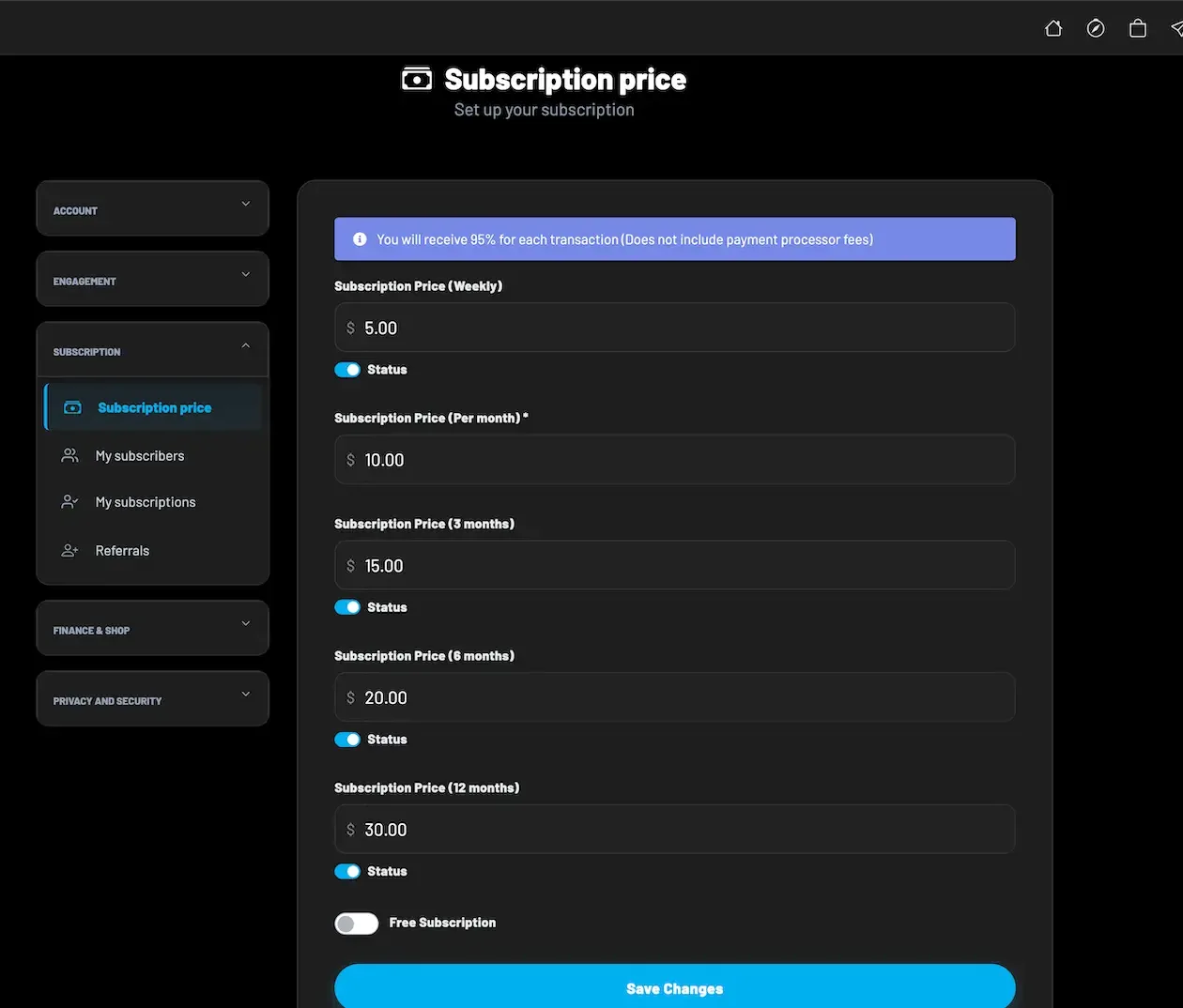
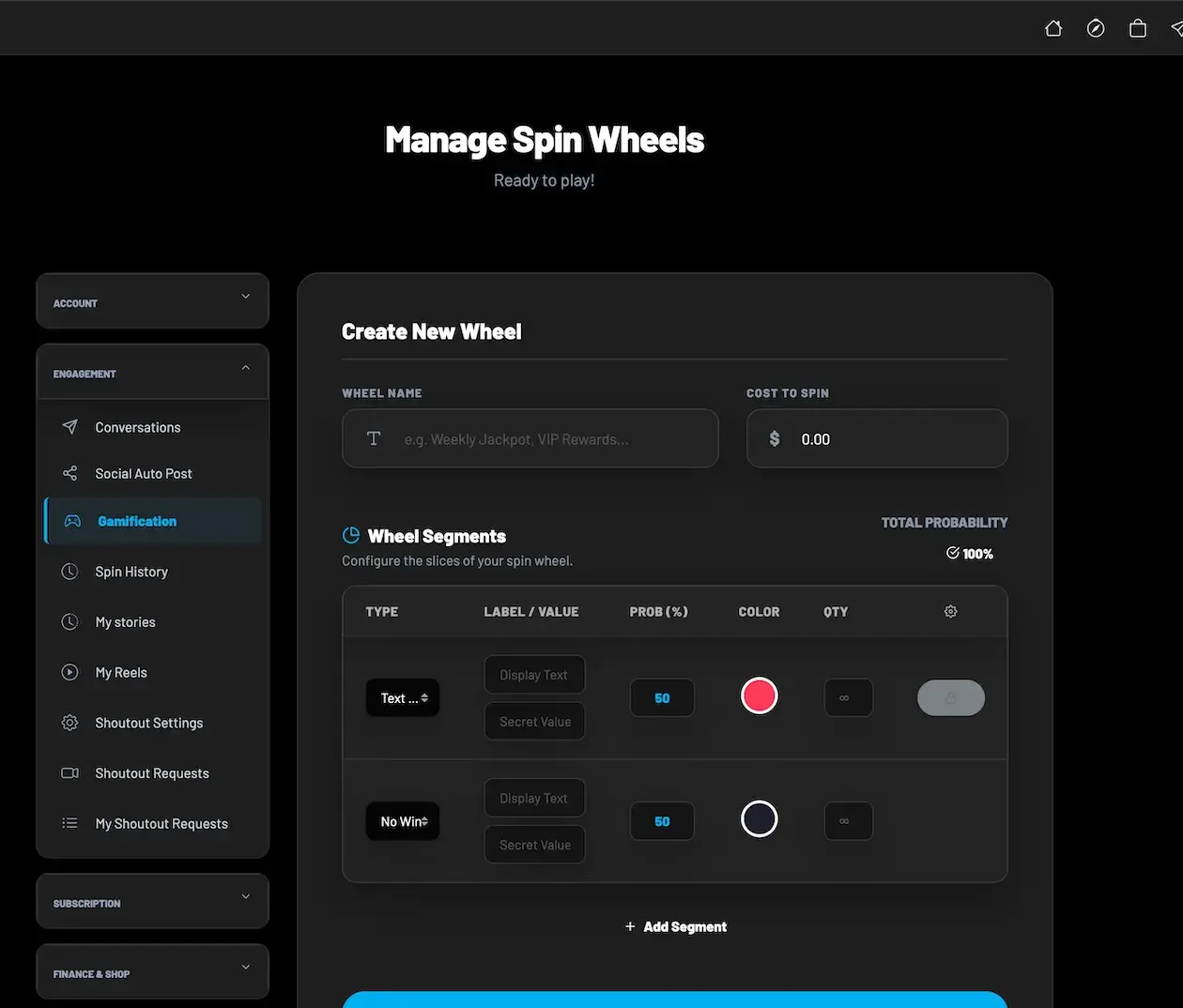
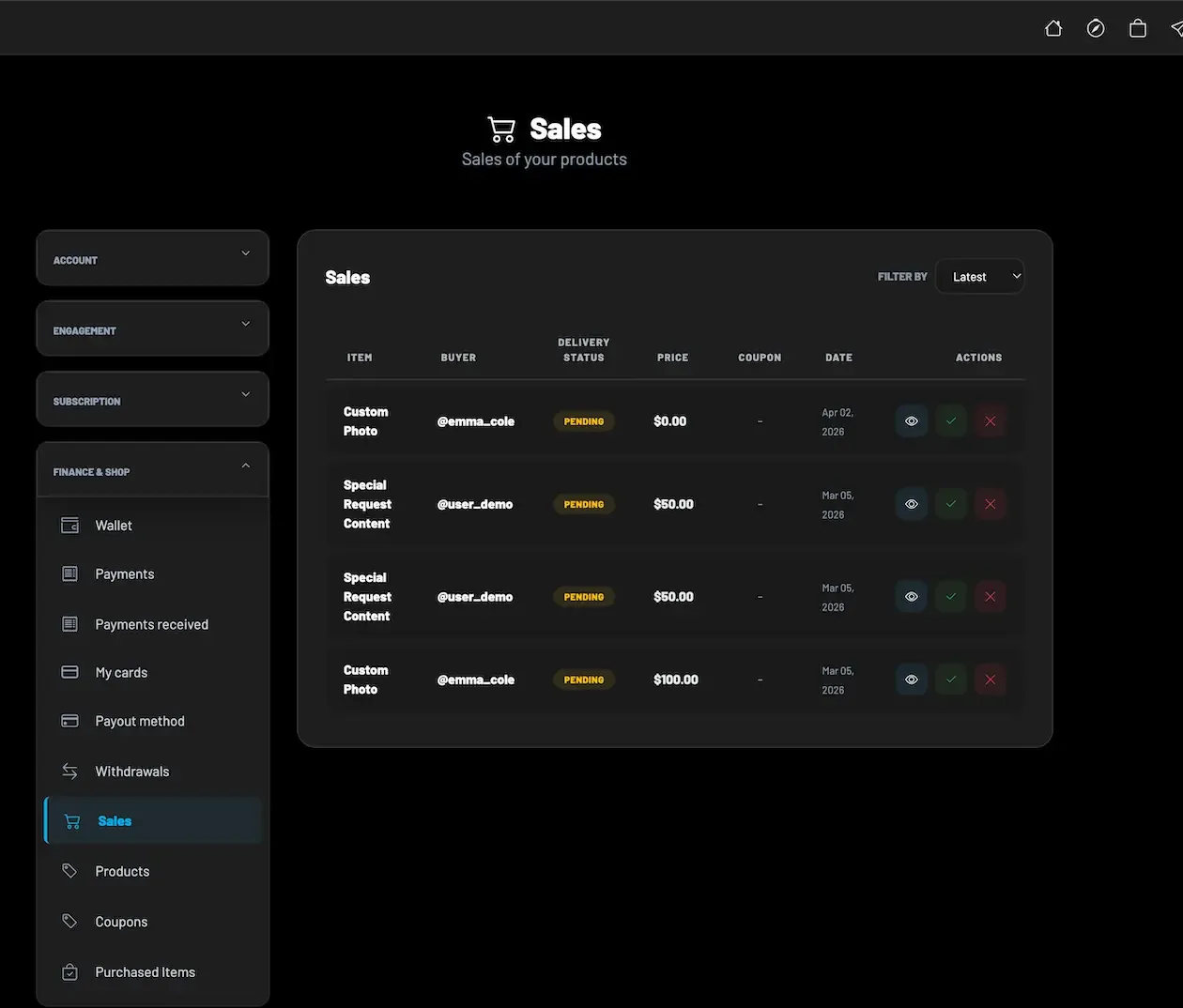
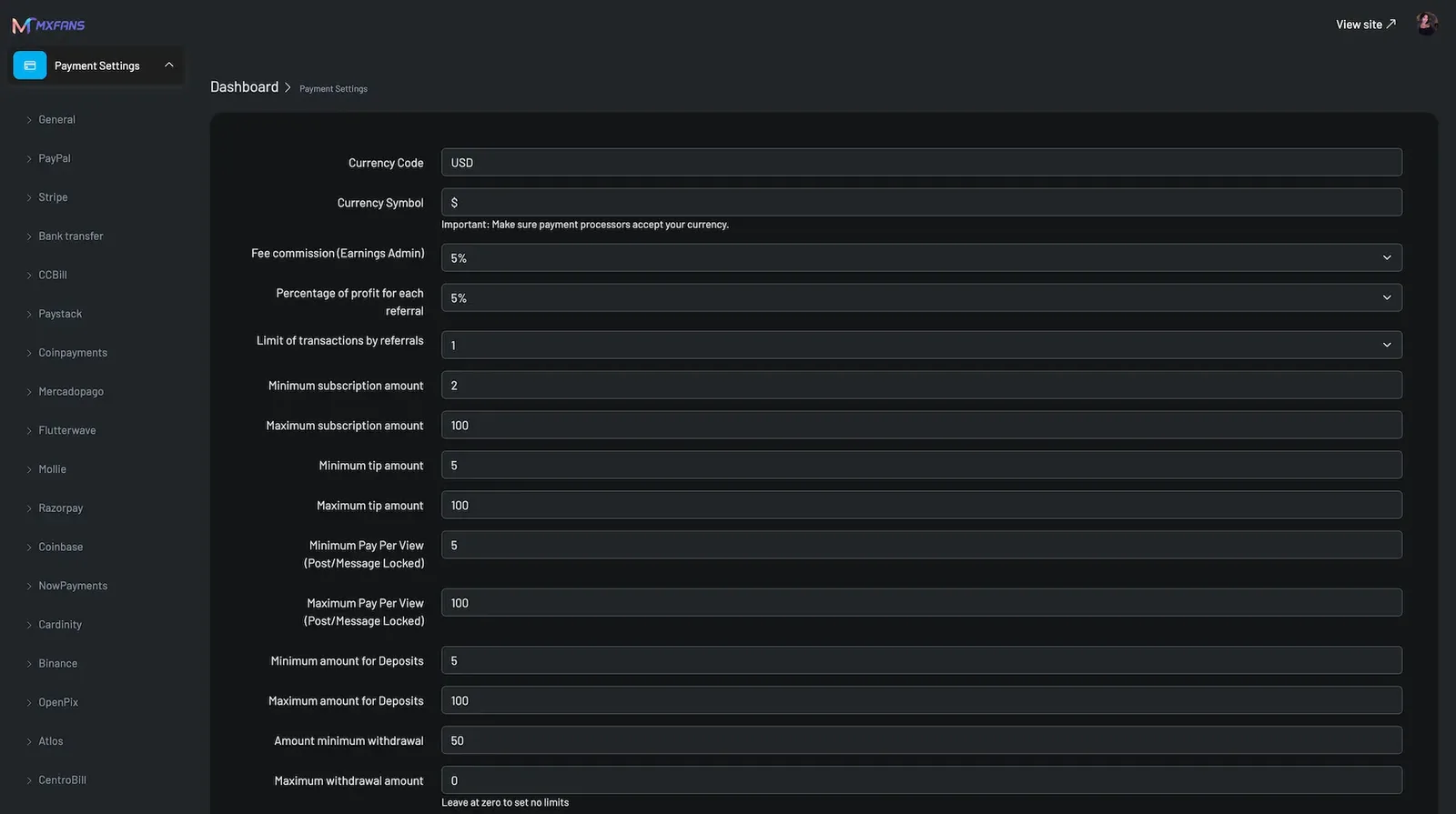
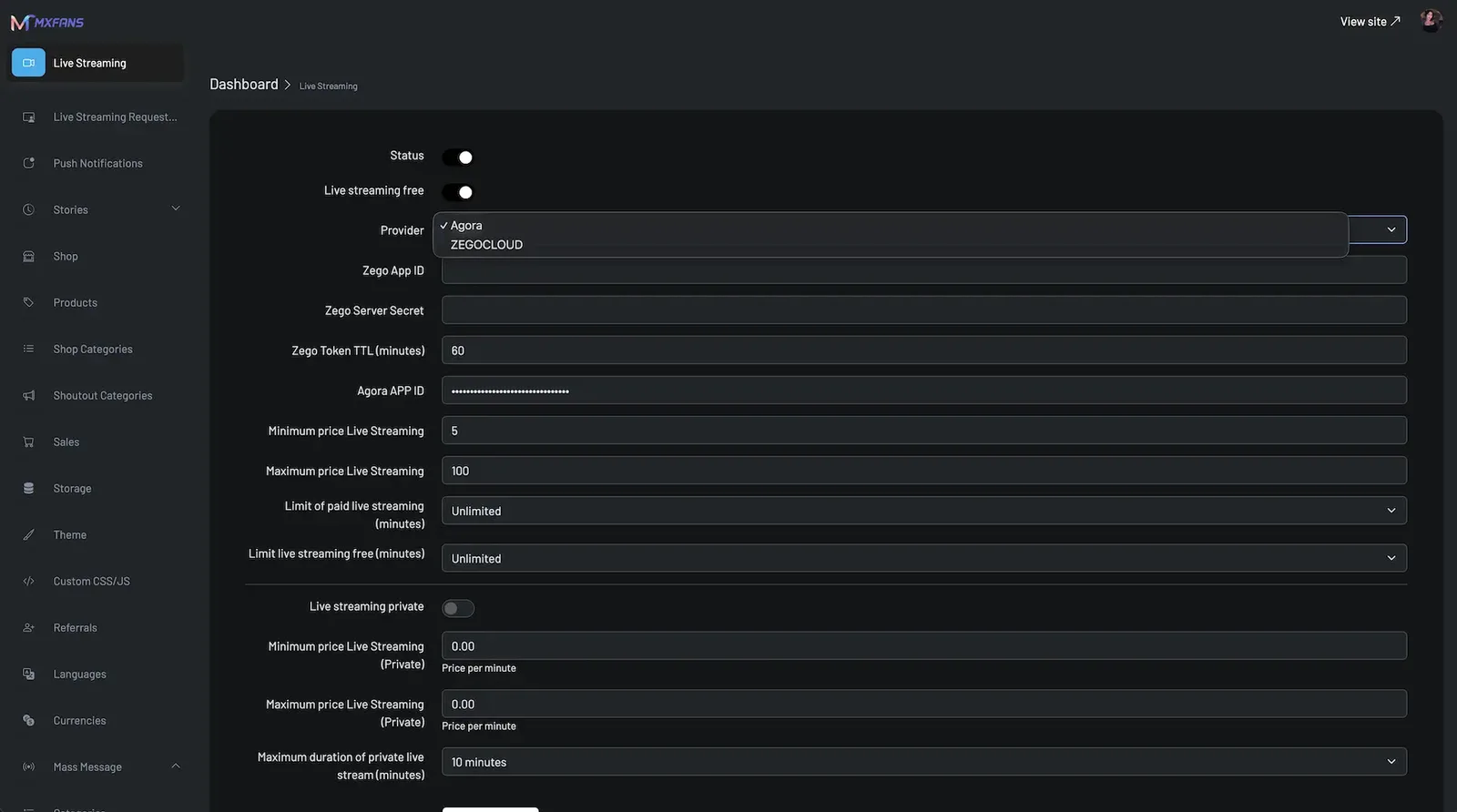
The demo runs the same build you would receive, shown in demo branding instead of yours. For a clip marketplace, the useful test is commercial: buy a locked title as a fan, look at what the seller earned, then open the console to see verification, screening and withdrawals. The logins below are public demo accounts.
user@demo.comUser_321creator@demo.comCreator_321admin@demo.comAdmin_$32148 features across 4 roles.
Find titles and creators by keyword, category and featured lists, with previews shown before payment.
Each creator profile shows cover, bio, verification badge and the priced titles on offer.
A locked video can carry a free or blurred preview so buyers know what they are paying for.
Unlock one clip with a single payment by card, another connected gateway or wallet balance.
Each unlock is stored as an entitlement, and bought files gather in one area of the wallet.
Top up once and spend on clips, tips, requests and store items without repeating checkout.
Choose an item from a creator request menu, pay for it and add the brief for the video.
Follow a personalized request from payment through delivery, with status visible on the account.
Subscribe to a creator on a free or paid plan, with renewal and lapse handled automatically.
Send support on a title, a profile or during a live show from the wallet.
Watch public broadcasts and react in the comments, or ask for a private session at the creator price.
Save titles for later and bid on exclusive videos listed in live auctions.
Upload clips with title, text and media, then decide whether each one is free or locked.
Set an individual price on every video, so short teasers and long releases sell at different levels.
Name, rename, price and organize media in one place, then publish or attach it anywhere.
List personalized videos and similar services as paid requests, each with its own price.
Open requests show what is owed and when, and delivery closes the order for both sides.
Sell digital products, physical merchandise or services, with coupons and buyer records.
Enable weekly, monthly, three-month, six-month or annual plans, each priced separately.
Group fans who bought before and target a release or offer at one list only.
Release a locked clip to many buyers at once, or schedule it for a better hour.
Broadcast publicly or privately and price audio or video calls for buyers who want time.
Revenue, engagement and title performance show which videos are worth repeating.
Request payment against the earned balance and follow each status step to settlement.
Place chosen creators or titles in prominent positions, sold or awarded by the operator.
Creators pay to push a release up the feed during its first days on sale.
Run your own ad placements without depending on what any single creator earns.
A seller opens bidding on an exclusive video and the top bid wins it.
A creator posts a funding target and fans contribute while a progress bar fills.
Creators issue discount codes for store items to reward returning buyers.
Pay a referral share for new accounts, with the rate and caps set by you.
Fans pay per spin on a wheel with weighted segments and creator-chosen rewards.
Characters with names, images and attributes chat with buyers in exchange for credits.
Push, email and in-app alerts tell buyers about releases, deliveries and renewals.
Edit public pages, category structure, banners and marketing creatives from the panel.
Turn features on or off per platform and region, and require or suggest app updates.
Review identity submissions and approve or reject sellers, with the provider callback shown.
Collect company type, address, country and documents from studios that sell as a business.
Set which documents each supported jurisdiction requires before a store opens.
Put sections behind age checks connected to a third-party age or identity provider.
SightEngine checks uploads as they arrive, and uncertain items land in a manual queue.
Buyers and creators file reports that follow a policy workflow to a recorded result.
Every takedown records who removed the title, why and when.
Set currency, platform share per revenue type, referral share and transaction limits.
Enable providers, store their credentials and control wallet funding and plan billing.
Check verification status and balances, then mark each withdrawal with reconciliation records.
Cap file size and upload frequency to protect storage and slow down abuse.
Two-factor authentication, OTP attempt caps and login throttling guard every account.
Identity and age checks complete and the store opens for uploads.
Clips go up with prices, previews and categories, and requests are switched on.
A fan watches a preview, buys a title or orders a custom video, by gateway or wallet.
Purchases open instantly; custom work moves through a tracked delivery status.
Commission is applied per revenue type and creator withdrawals pass through approval.
| Revenue model | How it works | Who pays | How you earn |
|---|---|---|---|
| Clip sales | Buyers pay a creator-set price to unlock one video, which stays on their account afterward. | Buyer | Platform share of each title sold, rising with catalog depth |
| Custom requests | A buyer pays up front for a personalized video that the creator records and delivers. | Buyer | A share of high-value orders, often set at its own rate |
| Fan club plans | Regular buyers subscribe to a creator for member posts on a weekly to annual plan. | Fan | Share of every renewal, the steadiest line in the mix |
| Releases sent in messages | Creators send locked clips to buyer lists, and each recipient pays to open one. | Buyer | Share of each unlock from people who already bought before |
| Storefront orders | Digital goods, merchandise and services sold with coupons from the creator store. | Buyer | Share of order value, with fulfillment tracked on the order |
| Tips and gifts | Wallet-funded support given on titles, profiles and live shows. | Fan | Share of tips, commonly kept lower than on sales |
| Live, calls and auctions | Paid shows, private sessions, timed calls and bids on exclusive content. | Fan | Share of sessions and winning bids |
| Featured slots and boosts | Creators or advertisers pay for visibility across the marketplace. | Creator or advertiser | Flat fees that do not depend on any title selling |
| AI persona credits | Fans buy credits to chat with creator personas between releases. | Fan | Credit income minus what the AI provider charges you |
Clip buyers make many small payments, so the money path is built to keep each one quick. A buyer pays by gateway or from a wallet funded earlier, the purchase is recorded as an entitlement, and commission for that revenue type is applied the moment the payment lands. The creator share accrues as a balance. Withdrawals go into a queue where your staff check verification and balance before releasing them. Which processors accept a video marketplace in your category and region is decided by each provider.
| Gateway | What it covers |
|---|---|
| Card | |
| Stripe | Card checkout for single titles, plan billing and topping up the wallet. |
| Wallet | |
| PayPal | An account-based checkout for buyers who would rather not type a card number. |
| Adult-friendly | |
| CCBill | An integration route kept for catalogs that card processors tend to refuse. |
| Regional | |
| Paystack | Processor covering the markets where it is licensed to operate. |
| Flutterwave | Processor offering locally preferred payment methods in its regions. |
| MercadoPago | Processor with methods buyers in Latin America already use. |
| Crypto | |
| Crypto gateways | Crypto acceptance whose details follow the provider you sign with. |
| Other | |
| Buyer wallet | A topped-up balance that turns each later clip purchase into one tap. |
A clip store gives every approved seller a shop that buyers trust by default, so approval is the first control. Identity and business checks run before a store can list anything, document requirements can differ by country, and age checks connect to a provider following Yoti and Didit patterns. Decide in writing what evidence you require, and record the decision on each seller account.
New media is screened by SightEngine as it arrives, and anything uncertain waits in a manual queue. Large catalogs make volume the real problem, so staff the queue in proportion to upload activity rather than to buyer numbers. Upload size and frequency limits are included and help stop a single account from flooding review.
Sellers should own or hold rights to every title they list, and anyone appearing in a video should have agreed to its sale. Write that into your seller terms. Reports and rights complaints follow a workflow that ends in a logged decision, so you can show what was removed and why. Release forms and extra consent workflows are available as scoped work with us.
Personalized orders are the most sensitive part of this model because a buyer writes the brief. Publish what creators may accept, let creators decline, and treat delivered videos as content subject to the same screening and reports as the catalog. Deadlines and refund handling for undelivered orders should be explicit before the first request is paid.
Processors judge video marketplaces by category and by dispute history. Keep descriptions accurate, previews honest and refund decisions recorded, because chargebacks follow disappointed buyers. Geo-blocking at country, state, city or region level keeps the marketplace away from places you are not ready for. The operator answers for the law wherever the marketplace trades, and we offer no legal advice.
Buyers store purchases and sellers store income, so accounts are worth protecting. Sanctum-secured APIs, HTTPS, permission checks per role, request rate limits, a ceiling on OTP retries and optional two-factor sign-in ship with the build. Commissioning an outside penetration test of your servers before launch is a sensible step.
A clip marketplace that admits adult material makes the operator answerable for the law in each market served and for creator agreements. We ship verification and moderation tooling and give no legal advice.
A creator passes identity and age verification before any title can be listed for purchase.
Creators should own what they upload; reports and rights complaints follow a logged removal workflow.
Which gateways will carry your category is their decision. Advanced KYC and AML integration is available, set up for your build by us.
| Layer | Built with | Hosting note |
|---|---|---|
| Apps and web | One Android and iOS codebase, Blade and Livewire web app, installable PWA | |
| Backend | Laravel 12 framework, PHP 8.2 minimum, Sanctum API tokens | PHP 8.2 or later running Laravel 12, exposing Sanctum-protected endpoints to apps, web and console. |
| Database | MySQL or MariaDB holding purchases, entitlements and orders | MySQL or MariaDB holding titles, entitlements, orders, payouts and review decisions. |
| Media and queues | S3-compatible storage, media optimization settings, Redis queue workers | S3-compatible object storage sized for a catalog that keeps growing.Console settings that compress and optimize uploaded pictures and video.Redis with queue workers for uploads, notifications and payment events. |
| Screening and checks | SightEngine for uploads; Yoti and Didit style age and identity patterns | |
| Hosting | AWS, GCP or DigitalOcean, billed to your account | |
| Real time | WebSockets for messages, live comments and order updates. | |
| Live and calls | Agora or Zego style streaming, billed by usage to an account in your name. | |
| Cloud | Your choice of AWS, GCP or DigitalOcean, backed up regularly, with a staging copy for trying changes first. | |
A clip marketplace stores far more video than a typical social app, and much of it sells for years, so storage and delivery shape the bill more than anything else. Everything runs on cloud accounts you own, configured together with you in launch week.
Clip stores handle thousands of small transactions, and problems usually start at a stage nobody owned. This table follows one title through the marketplace so you can see where each check sits and who acts on it.
| Stage | What happens | Who acts or sees it |
|---|---|---|
| Seller approved | Identity, age and any business documents are checked and the result is recorded | Verification staff and the provider callback |
| Title uploaded | The seller adds the video, description, category, preview and price | Seller, using the vault and upload form |
| Screening | SightEngine checks the media and doubtful items wait for a reviewer | Moderation staff |
| Listed for sale | The title appears in the storefront and in category results with its preview | Buyers browsing the catalog |
| Purchased | A buyer pays by gateway or wallet and an entitlement is written to their account | Buyer, support and finance |
| Commission applied | The platform share for clip sales is taken and the rest accrues to the seller | Owner sets the rate; seller sees net earnings |
| Reported, if needed | A rights or content complaint moves through review to a logged decision | Moderation staff and the audit trail |
| Withdrawal | The seller requests payment and staff approve or hold it after checks | Finance staff, with reconciliation records |
Catalogs decay quietly. Titles get mislabeled, previews oversell, rights become unclear and old uploads nobody reviewed stay on sale. These habits keep a marketplace trustworthy as it grows, and each one uses tools already in the console.
Buyers on a clip marketplace pay for a specific title and expect it to remain available. The platform records each purchase as an entitlement on the account and keeps unlocked files in a library area of the wallet, so a buyer can find what they paid for months later. What that purchase means beyond access inside your app is a decision for your terms, and it is worth making before the first sale.
Some marketplaces allow downloads, which buyers like and sellers worry about. Others stream only, which protects sellers but frustrates buyers who travel or want to keep a copy. Watermarking purchased files with a buyer mark sits in between and is available as scoped work with us. Whatever you choose, state it on every title page so nobody buys under a false assumption.
Write down what happens when a title is removed. If a seller deletes a video or a takedown succeeds, buyers who paid may lose access, and they will ask why. A clear policy, such as refunding recent purchases of removed titles or keeping access unless the removal was for rights reasons, prevents a stream of support tickets and keeps your processor relationship calm.
Ready-made, one-time
$3,699
Live in 6 working days from kickoff
Stamp purchased clips with a buyer mark and decide whether titles stream only or can be downloaded.
Confirm with usAdd due dates, partial payment up front, revision rounds and automatic refunds on missed delivery.
Confirm with usSell sets of titles at one price and run timed discounts across a creator catalog.
Confirm with usTurn a live show into a sales moment with limited-time offers, new product drops and purchases tied to campaigns.
Confirm with usRoute payments by region or category, with payout rules, tax logic and invoice workflows.
Confirm with usBring in a specialist vendor for deeper seller and studio checks.
Confirm with usTitle-level cohorts, buyer lifetime value and repeat purchase views for merchandising.
Confirm with usConnect a CRM, marketing automation, single sign-on or an existing video library.
Confirm with usA clip marketplace is judged on a handful of mechanics that buyers expect from the name. This matrix lists those first and then the supporting modules, with one honest status for each, so you can tell the launch package apart from work we would plan with you later.
Every video can carry its own price and stays locked until bought.
A paid title stays attached to the buyer account and reappears in their library on any device.
Paid personalized requests with fulfillment tracking from order to delivery.
Weekly through annual plans, each switched on and priced by the seller.
A storefront for downloads, merch and services, with coupon codes and sales reporting.
Free and premium previews shown before a buyer pays.
A seller names, prices and files each clip a single time, then reuses it.
Locked clips sent to saved lists immediately or on a schedule.
Wallet tips, public and private streams, and priced audio or video calls.
Exclusive videos sold against a starting bid in real time.
Paid visibility for titles and sellers, set up in the console.
A separate platform share on clips, requests, plans and orders.
Identity, business and age checks with the provider result on record.
SightEngine screening, manual queues and logged removals.
Withdrawals wait for staff approval, with reconciliation records.
Branded Android, iOS and web on one back end, delivered with source.
Buyer-stamped files and stream-only or download policy; we set it up for your build.
Sets of titles at one price and catalog-wide discounts; we set it up for your build.
Provider choice by region or category, plus tax and invoice logic; we set it up for your build.
Due dates, part payment, revision rounds and auto refunds, scoped with us around your policy.
Moving titles, prices and past buyers from another source, scoped with us once formats are known.
A video marketplace is more expensive to build than its screens suggest. The costly parts are invisible to buyers: entitlements that must never lose a purchase, a request queue with delivery and refund states, commission that differs by revenue type, upload screening at catalog scale and payout review. Building those from nothing takes a team a long time, and the money paths need careful testing. Renting a hosted shop is quick, but such services rarely handle per-title video sales, custom orders and a fan club together, and they keep a cut. Owning a finished platform puts the commerce layer in place on day one, so the budget goes to storage, moderation staff and attracting sellers.
| Factor | Scratch build | SaaS | GetFame |
|---|---|---|---|
| Purchase records | Entitlement logic designed and tested by your team | Often limited to downloads or links | Per-title entitlements kept on each buyer account |
| Custom orders | A request workflow built as a separate project | Rarely offered with video delivery | Priced requests with fulfillment status included |
| Time to first sale | Long, with payment edge cases found late | Quick to start, within the vendor limits | 6 working days to a configured marketplace |
| Commission control | Whatever you specify and pay for | Vendor fee model applies | Set per revenue type and per creator |
| Recurring fees | None, but engineers to retain | Subscription and usually a share of sales | None from us and no revenue share |
| Catalog and buyer data | On your servers | Held by the vendor | On cloud accounts you control |
| Changes later | Your roadmap and your budget | Only what the vendor ships | Source in hand, or tailored work in 2 to 8 weeks |
Running costs. Outside the purchase price, budget for video storage and bandwidth, the streaming provider for live shows and calls, gateway fees and chargebacks, per-check verification charges, SMS and OTP delivery, AI usage if personas are on, store developer accounts and legal drafting. Moderation staff to review uploads and delivered requests is the running cost most new marketplaces underestimate.
Video players and upload forms are easy to find. What makes a clip marketplace expensive is the commerce around each title. This table compares building each part with receiving it ready, in effort words only, because your catalog and policies set the true scope.
Build it yourselfPurchase ownership designed so that no paid title is ever lost after updates or refunds.
Ready-madePer-title entitlements stored on the buyer account from launch.
Build it yourselfA separate ordering system with briefs, statuses, delivery and refund states.
Ready-madePaid requests with fulfillment status visible to buyer and seller.
Build it yourselfRules per revenue type tested against refunds, reversals and rounding.
Ready-madePlatform share set per revenue type and, where needed, per seller.
Build it yourselfMedia library with naming, pricing and reuse wired into every selling surface.
Ready-madeVault where sellers organize, price and attach media anywhere.
Build it yourselfA moderation vendor integration plus queues that keep pace with uploads.
Ready-madeSightEngine checks each upload and passes anything doubtful to manual review queues.
Build it yourselfVerification flows, provider callbacks and country document rules built as a project.
Ready-madeIdentity, business and age checks reviewed in the console.
Build it yourselfBalances, withdrawal batches and reconciliation, often manual for a long time.
Ready-madeReview queue with status and reconciliation records.
Build it yourselfFeatured slots, boosts, coupons and campaigns added one by one later.
Ready-madeSlots, boosts, coupons, auctions and campaigns ready to switch on.
Build it yourselfSeparate phone apps and a browser client, each needing upkeep whenever the server changes.
Ready-madePhone apps for both platforms and a browser client, all carrying your brand on one server.
Build it yourselfStreaming provider integration, pricing and session records from scratch.
Ready-madePublic and private shows and priced calls on the same ledger.
ManyVids is a Montreal-based video marketplace launched in 2014 where creators sell clips, take custom orders and run memberships. This platform supports the same style of business under your own brand. ManyVids is unconnected to this product; only model traits are compared here.
| Aspect | The ManyVids model | This platform |
|---|---|---|
| Who runs the marketplace | The brand operates its own service | You operate yours, under your name |
| Commission terms | Set by the brand for its creators | Set by you per revenue type and creator |
| Catalog rules | The brand content policy applies | Your published policy and categories |
| Custom order terms | Defined by the brand | Request types and rules you configure |
| Buyer and seller data | Held by the brand | Stored on infrastructure you own |
| Existing audience | Comes with the established service | Built by you from the first seller |
| Source code | Not offered | Delivered in full at handover |
Run a ManyVids alternative where many creators sell video one title at a time.
Fitness, cooking, music lessons or craft tutorials sold as single paid clips.
Lead with custom requests, and let the catalog fill the gaps between orders.
A production group lists its back catalog under one brand with creator shares.
One market at a time: its gateways, its language and its territory rules.
The clip model fits anywhere buyers want specific videos rather than a stream of everything. These are common shapes, each with the first setting to get right before sellers start uploading.
Many independent performers sell short titles and custom videos to buyers who browse by category. Revenue comes from per-title sales and premium requests. Configure age gating, seller verification and a written custom request policy first, and secure a processor that accepts the category before you invite anyone to upload.
Trainers sell single workouts, programs and personalized routines recorded for one client. Buyers pay for exactly the sessions they want. Set up categories by goal and level, then enable custom requests so trainers can sell made-to-measure plans at a higher price than catalog classes.
Teachers upload individual lessons and accept requests for a song breakdown or feedback on a recording. Students build a library over months. Start with clear titles and previews, because buyers judge lessons by their opening seconds, and add a fan club for students who want every release.
Players sell highlights, coaching clips and personalized shout videos to their community. Live shows and tips fit naturally next to the catalog. Configure live streaming and tipping early, then use auctions for one-off exclusive content that fans compete for.
Performers sell themed clips, photo sets and personalized messages in character, often alongside merchandise. Storefront items and custom requests carry most of the income. Set up the shop with coupons and decide which request types are allowed before launch.
A production group lists a back catalog of titles from several performers under one brand. Business verification and commission per seller matter most here. Verify the studio as a business, agree shares with each performer in writing and plan the library import as scoped work.
Sellers and operators already sell video in several ways, and owning a site like ManyVids is one of them. The rows below set out the common routes and what each one gives up. They are descriptions of trade-offs, not rankings, and many businesses use more than one.
Existing per-title video marketplace
Sellers who want buyers that already shop for clips there.
Commission, catalog rules and buyer relationships belong to that service.
Feed-first creator platform
Creators whose income comes mainly from monthly subscribers.
Built around the feed and the month, so single-title browsing is secondary.
General digital product shop
A single seller selling files, courses or videos from one page.
No multi-seller catalog, request queue or category browsing across sellers.
Hosted rental and purchase pages
Filmmakers selling a few longer titles to their own audience.
Made for a single owner, so there is no marketplace of many creators.
Self-hosted code
Developers comfortable finishing and maintaining a project themselves.
Purchases, custom orders, payouts and verification all remain to be built.
A white-label marketplace you own sits between these. Many sellers share one catalog under your brand, buyers can purchase single titles, order custom work or join a plan, and you set commission and policy. In exchange you take on the operator work: recruiting sellers, contracting processors and verification providers, and answering for what the catalog contains.
Pick the catalog before the software. A clip marketplace needs a reason for buyers to arrive, which is usually a niche with plenty of short, repeatable video: lessons, workouts, recipes, performances or an adult category where you have the legal footing. Write down who sells, who buys and what a typical title is worth to the buyer, because that decides your categories and your price floor.
Next, decide the order of revenue. Most clip stores lead with single-title sales and keep the fan club as a reward for regulars, while custom requests sit at the premium end. Switching all three on at launch is possible, but sellers find it easier to understand a store that does one thing well before it asks them to manage memberships as well.
Finally, plan supply. A marketplace with a dozen sellers and a thin catalog looks empty however good the app is. Recruit enough sellers to fill each category with a credible number of titles before you spend on buyer acquisition, and ask each founding seller to upload part of their back catalog during the first week.
Three prices sit side by side on a storefront, and each one should make sense next to the others. A single clip is the entry purchase, so keep it low enough that a curious buyer tries it. A custom video costs the creator real time and carries the highest price. A fan club plan should feel like better value than buying every release one at a time, or nobody will join.
Let creators set their own prices but publish guidance. New sellers often underprice custom work and overprice catalog titles, which is the reverse of what sells. The sales statistics show which titles move, and creators who look at that weekly learn quickly where their buyers are willing to pay more.
Use commission to shape behavior. The platform share is set per revenue type, so you can take a lower cut on fan club renewals to encourage creators to offer them, and a standard cut on single sales. Keep the rates stable once sellers are earning; changing them later costs trust that is slow to rebuild.
Custom orders bring the biggest tickets and the most arguments. The usual causes are vague briefs, missed delivery dates and requests a creator should never have accepted. Fix all three in policy before the first order: what a brief must contain, how long a creator has to deliver, and which subjects are refused outright.
Make declining easy. A creator who feels obliged to accept every paid request will eventually deliver something poor or late. The order should be refundable when declined or undelivered, and the record of that decision should be clear enough for support staff to answer a buyer without guessing.
Treat delivered videos as catalog content. They pass through the same screening and reporting as everything else, and they count toward the seller record. If you need deposits, revision rounds or automatic refunds after a deadline, those rules are available as tailored work and are best scoped after a few weeks of real orders.
Buy something in the demo. A real purchase path should run from preview to payment to a title that stays in the account after logging out and back in. Then place a custom request and follow its status to delivery. These two paths are the core of the model and the hardest to retrofit.
Open the operator console and look for the controls a catalog needs at scale: seller verification with a recorded result, upload screening with a manual queue, logged takedowns, commission by revenue type and a payout review step. If any of these lives in a spreadsheet, it will break as the catalog grows.
Finally, check what stays with you. Expect the whole codebase handed over with no charge per title or per seller, and a plain list of exclusions: processor approval, storage bills, moderation staff, seller contracts and store acceptance. A vendor that names those openly is easier to plan around than one that promises everything.
As published by Miracuves, our parent company.
Miracuves gave us a strong ready-made foundation and then customized it around our business direction.
v2026.2Jun 2026
v2026.1Jan 2026
v2025.2Jul 2025
The ready-made marketplace is a single payment of $3,699 and goes live in 6 working days in your branding. Extras such as watermarking, download rules for purchased clips or a request flow with deadlines and deposits are tailored work, scoped with us beforehand and usually finished in 2 to 8 weeks. Servers, gateway fees and the live video provider are billed to you directly.
Yes. Any video can be locked behind its own price, so a buyer pays once for that title and keeps access in their account. Subscriptions are optional per creator, and a creator can run only single sales, only a fan club, or both together. Many clip sellers start with per-title pricing and add a membership once they have regular buyers.
A creator lists the personalized work they accept with a price. A fan places a paid request, the creator records and delivers the video, and the order shows its fulfillment status on both sides. Deadlines, revision rules and what happens when a creator declines are policy choices we configure with you, so buyers know the terms before they pay.
Each purchase is stored as an entitlement on the buyer account, and unlocked files appear in a dedicated area of the wallet. Whether a title streams only inside the app or can also be downloaded is a decision for your content policy and rights terms, and we set that behavior with you during launch.
Yes. The platform share is set per revenue type and, where you need it, per creator. A marketplace may take one rate on catalog sales, another on custom requests and a third on memberships or store orders, and every payment resolves against the same ledger.
Searching for a ManyVids clone open source project usually turns up a video script with no purchase records, request queue or payout approval, so the commerce layer becomes your job. Our ManyVids clone source code is complete on delivery and belongs to you outright. The stack is Laravel, PHP and MySQL, which lets your team change pricing logic or add a storage provider without us.
Both. It grew up as a clip store where every video carries its own price, and it also runs a membership tier so regular buyers can follow a creator for a recurring fee. This clone keeps the two apart: you can open with per-title sales alone, run the fan club tier alone, or let each seller combine them on one storefront with custom orders beside.
Card checkout through Stripe and account checkout through PayPal are set up, CCBill is the route kept for catalogs card processors turn away, and crypto acceptance follows the provider you contract. Regional launches can use Paystack, Flutterwave or MercadoPago, and a topped-up buyer wallet speeds repeat clip purchases. Further processors are available, scope confirmed with us, and approval of your account stays with each provider.
You do as the operator. The platform supplies verification, upload screening, reports, takedowns and geo-blocking, while creator contracts, rights questions and local legal duties remain your responsibility. Agree how you handle copyright complaints before the catalog opens, because a clip store attracts them.
Building a marketplace on a similar model is lawful. Copying the name, logo, design, videos or code of the original service is not, and none of that is part of this product; your marketplace launches under its own identity. How this site refers to third-party brand names is explained on our disclaimer page.
Yes, completely. Your name, logo, palette, app icon and domain appear on both phone apps, the browser version, outgoing email and every public page, and nothing of ours is shown to creators or buyers. Category names, policy pages and landing banners are yours to write and change from the console.
Handover includes documentation, credentials, a walkthrough and help submitting to the app stores. 60 days of engineering support follow launch, bugs are fixed for six months, and a year of updates costs nothing extra. Tickets get a first answer in under 2 hours during desk time (IST, 10:00-19:00, closed Sundays), and longer maintenance can be arranged later.
It depends on how many sellers you have, how long their titles run and how much of the back catalog they upload. Storage grows steadily because clips keep selling for years and are rarely deleted. Object storage on your own cloud account scales with you, and compression settings in the console help keep files to a sensible size.
Yes. Business verification collects the applicant, company type, address, country and documents, so a production group can open a storefront under its company name. You decide which documents each country requires before that store can list titles.
Moving an existing catalog, its prices and past purchases is tailored work we scope with you, because file formats, metadata and buyer consent differ from one source to the next. A sensible route is to launch with new uploads from founding sellers and bring older material across in batches afterward.
Support staff can see the transaction, the entitlement and the wallet history for that buyer, which makes the facts quick to establish. Refund decisions are your policy. Keep previews accurate and titles honestly described, because most disputes on clip stores come from a purchase that did not match its listing.
Yes. Public streams with tips, private sessions on request and priced calls are part of the build, and their earnings join the same ledger as clip sales. Video for those sessions comes from an outside streaming vendor, Agora or Zego for example, which invoices you by usage.
Yes. Plans can be switched off for everyone or left to each creator. Many clip marketplaces open with single-title sales and custom requests only, then enable memberships once sellers have repeat buyers who would rather pay a regular fee.
We get the builds ready and assist with the store review, but Apple and Google decide, and their rules on adult content and digital purchases are strict. Plenty of operators in this category treat the web app as the main storefront and the store apps as optional.
You can change commission per revenue type at any time, and new rates apply to payments from that moment on, so earlier sales keep the rate they settled at. Announce changes to sellers before they take effect, since a marketplace depends on sellers trusting its terms.
Yes. Per-title video sales suit tutorials, fitness programs, music lessons, gaming highlights and many other niches. Content policy, age gating and categories are configuration, and mainstream niches usually find it easier to get gateway and app store approval.
ManyVids earns a share of what creators sell on the service: individual clips, custom videos, store items, memberships and tips. Creators set their own prices and keep the remainder. Its results are not something we comment on. Your marketplace can follow identical logic, with commission per revenue type decided by you.
MV Crush is the name creators and the trade press used for the ManyVids membership feed, a recurring tier on top of single clip sales that has since been renamed. The equivalent here is the fan club plan: sellers enable weekly through annual billing, and members see posts and offers that single-title buyers do not.
Category pages, storefronts and previews can be shown to visitors, while purchases, requests and plans need an account so that entitlements have somewhere to live. Age-gated sections can require verification before anything is shown. How much is public is a setting you choose for your market.
Yes. Any upload can be free or locked, and free titles are a common way to introduce a new seller. Previews on locked titles serve the same purpose. Sellers usually keep a few free clips at the top of the storefront and lock the rest.
Each seller lists the kinds of personalized work they accept and puts a price on each. Buyers pay when they place the order, so a seller never records a video before the money is secured. If you want deposits, rush fees or revision rounds, those are rules we can build for you as scoped work.
Yes. Sellers can group past buyers into lists and send a locked new release to one list, either at once or at a scheduled time. Each recipient pays to open it. Templates keep repeated messages quick, and buyers can block a seller if they no longer want offers.
Currency is set in the payment configuration, and regional processors such as Paystack, Flutterwave and MercadoPago cover local methods in their markets. Routing payments by region with tax logic is available as well, and we configure it when you trade in several countries at once.
Offer something an established marketplace does not: a niche it serves badly, a lower commission for founding sellers, faster payouts or a market it does not reach. Recruit a small group personally, help them upload part of their back catalog and use featured slots to show their titles first.
Yes. The live demo runs the same build in demo branding, with buyer, creator and operator logins. Buy a locked title, look at the creator earnings view and open the console screens for verification, reports and withdrawals. A walkthrough in your own branding can be arranged on request.
It does not include processor approval, storage and streaming bills, moderation staff, seller contracts, legal advice or app store acceptance. It also does not include sellers or buyers; the marketplace starts with an empty catalog under your brand. Everything in the software itself, including source code, is delivered at handover.
Stripe handles cards, PayPal offers wallet checkout, CCBill covers catalogs that mainstream processors turn down, and crypto gateways are available too, with Paystack, Flutterwave and MercadoPago for regional buyers and a buyer wallet for repeat clip purchases. Further processors are connected as custom integrations scoped with us. Each provider still has to approve your business before money can flow.
Clips, previews and files live in S3-compatible object storage on a cloud account you own, such as AWS, GCP or DigitalOcean, and reach buyers through CDN delivery. Because the library sits in your account rather than ours, a later move to another provider is a migration we plan with you, including copying the existing files and checking that purchased titles still open.
→Start here
Share the platform and your market. You get a walkthrough of the live demo, the exact scope of what ships, and a fixed price in writing. First response in under 2 hours, Monday to Saturday, 10:00 to 19:00 IST.
This page uses the name ManyVids to describe a type of platform. The product sold here is separate software, built independently, and ManyVids has no part in it.
"ManyVids clone" is industry shorthand that founders use when searching for software with a comparable business model. It names a category of product, not a copy of ManyVids.
The platform is an original product designed and written by Miracuves. It contains no code, design, graphics or content originating from the ManyVids website or applications, and it ships under your own brand.
ManyVids and its logos are trademarks of their respective owner and are named here for reference only. GetFame is not affiliated with, sponsored by or endorsed by ManyVids. Rights holders can write to legal@miracuves.com.
Operator responsibility. The operator of a launched platform is responsible for legal compliance in the markets it serves. Nothing on this page is legal advice.Read the full disclaimer
First response under 2 hours, Mon-Sat 10:00-19:00 IST
India+91 98300 09649 United States+1 516 202 3950