Ready-made, one-time
$3,699
HeyGen Clone
Live in 6 working days from kickoff
- Full source code
- White-label under your brand
- 60 days of technical support
- 1 year of free updates
- App publishing support
AI video generator
Script to translated video, run as an operation
A white-label AI video production platform in which a script becomes an avatar-presented video, then a translated version, then an export, then a measured result. Workspaces, roles, billing, API metering and an 18-tab admin console are built in. It is a responsive web platform with full source code, so you run it on your own infrastructure.
The facts a buyer checks first, in one place. Everything on this page is the product as it ships.
| Product type | AI avatar video production and localization platform |
|---|---|
| Price | $3,699, one-time, self-hosted by you |
| Launch time | 6 working days from kickoff |
| Delivery format | Responsive web application; native mobile apps available |
| Roles | Viewer, creator, workspace manager and platform admin |
| Stack | React, TypeScript, Node.js, Express, PostgreSQL, Redis |
| Interface languages | Eight, with runtime switching |
| AI providers | Not hard-coded; you connect your own accounts and keys |
| Source code | Full source, no revenue share, no per-seat fee |
| Support and updates | 60 days of support, 6 months of priority fixes, 1 year of free updates |
A HeyGen clone is a ready-made AI video production platform. A user writes a script, assigns an avatar and a synthetic voice, and the platform renders a presenter-style video. Around that core sit workspaces for teams and clients, script version history, template and asset libraries, a translation pipeline, export presets, analytics, subscription billing and an administrative console for the operator.
It is built as a React and TypeScript web app on a Node.js and Express API with PostgreSQL, and rendering, translation, export and webhooks run on queue workers. Provider settings are editable at runtime, so you connect your own AI accounts and change providers without redeploying. The product is a responsive web platform, and native mobile apps are available; we set them up around your plan.
It suits operators who need video produced repeatedly rather than occasionally and who must govern who produced it, in what language and at what cost: marketing teams, agencies, training departments, software platforms and resellers. You own the source code outright, with no revenue share and no per-seat fee.
Search results for HeyGen clone are mostly tutorials on creating a digital copy of yourself inside HeyGen, the AI video service known for avatar presenters, voice and translation. That is a different goal from this page. Here, a HeyGen clone means a white-label AI video platform: the software that lets you run a service of that kind under your own brand, with your own customers, plans and rules.
In practice the platform turns a script into a presenter-style video, then into translated versions, then into exports and measured results, all inside workspaces with roles and billing. The generation itself comes from AI providers you connect and pay. What you own is the operating layer: tenancy, queues, plan limits, the API and the admin console. This product is not affiliated with HeyGen.
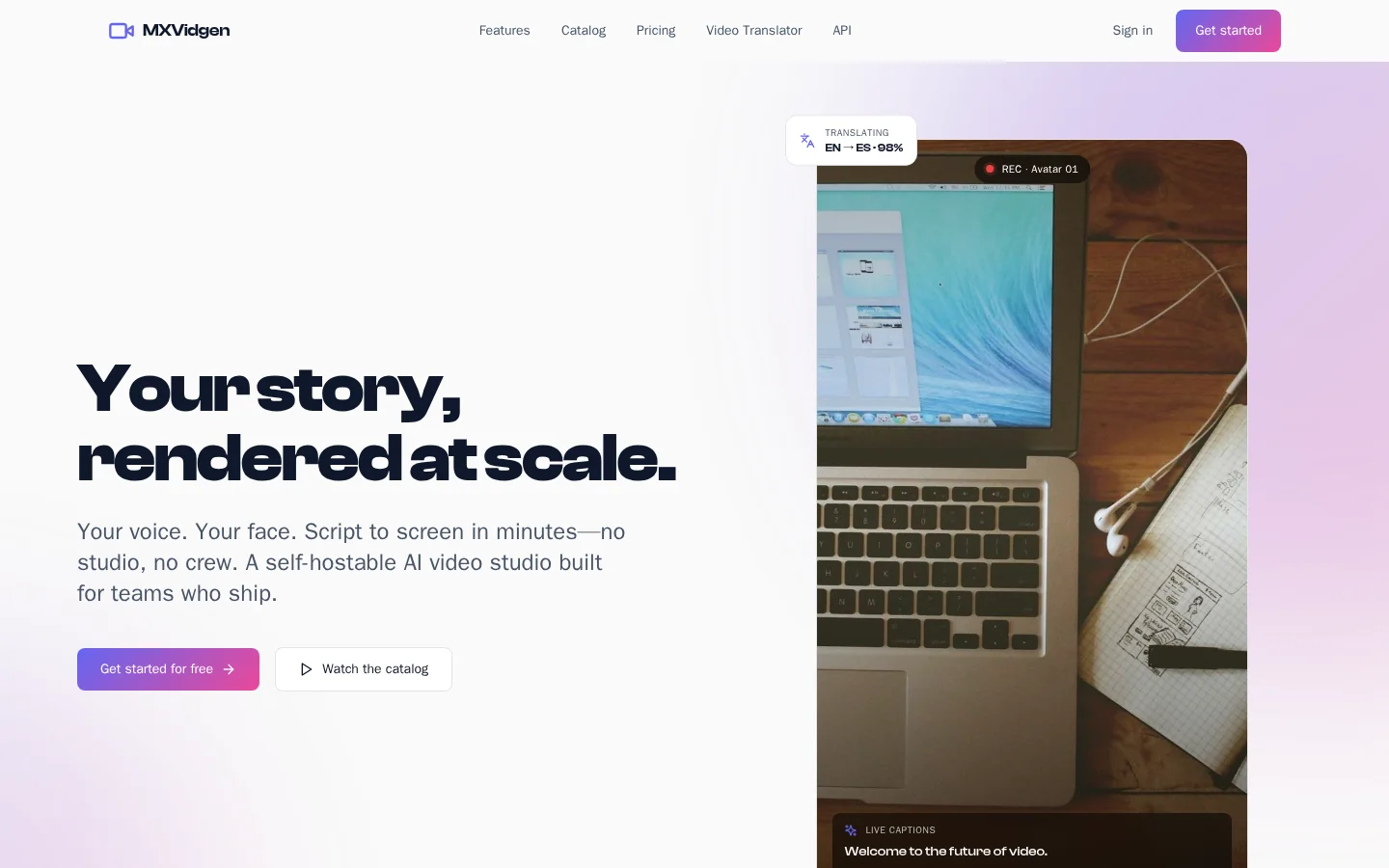
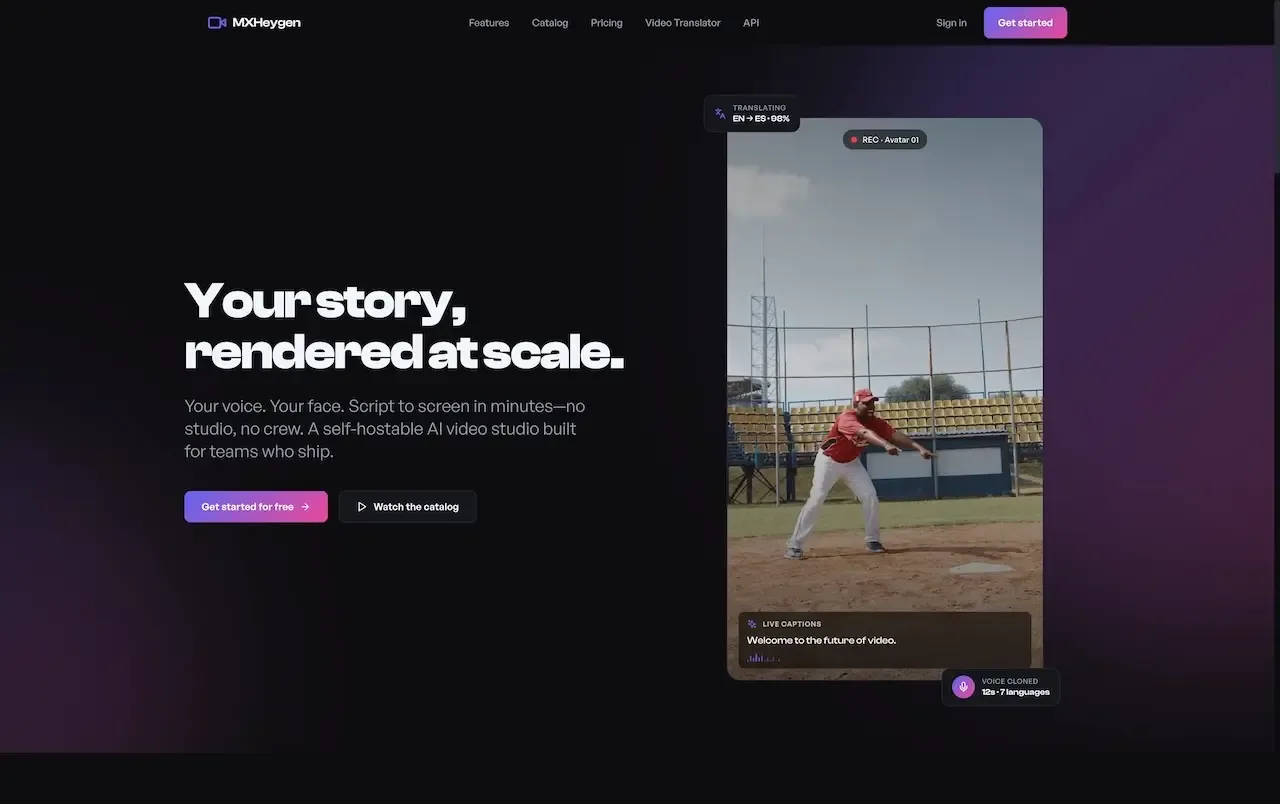
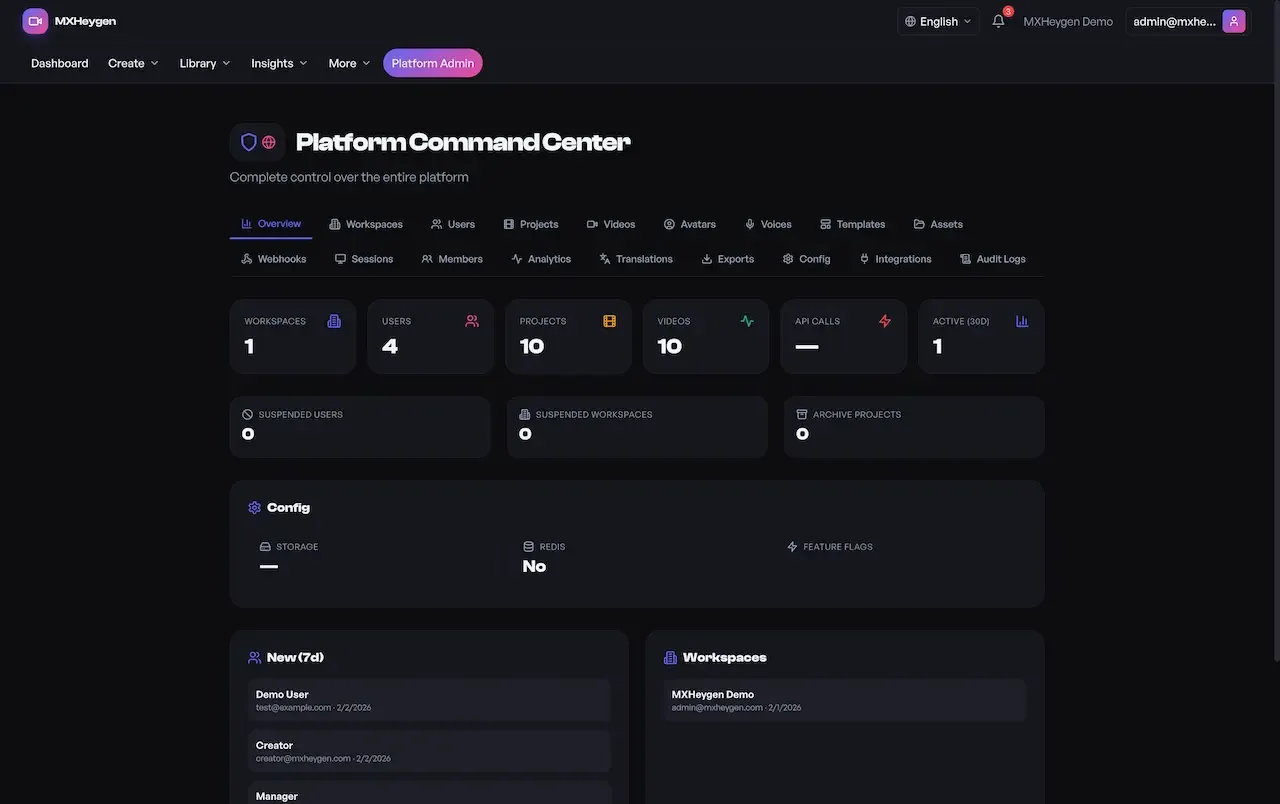
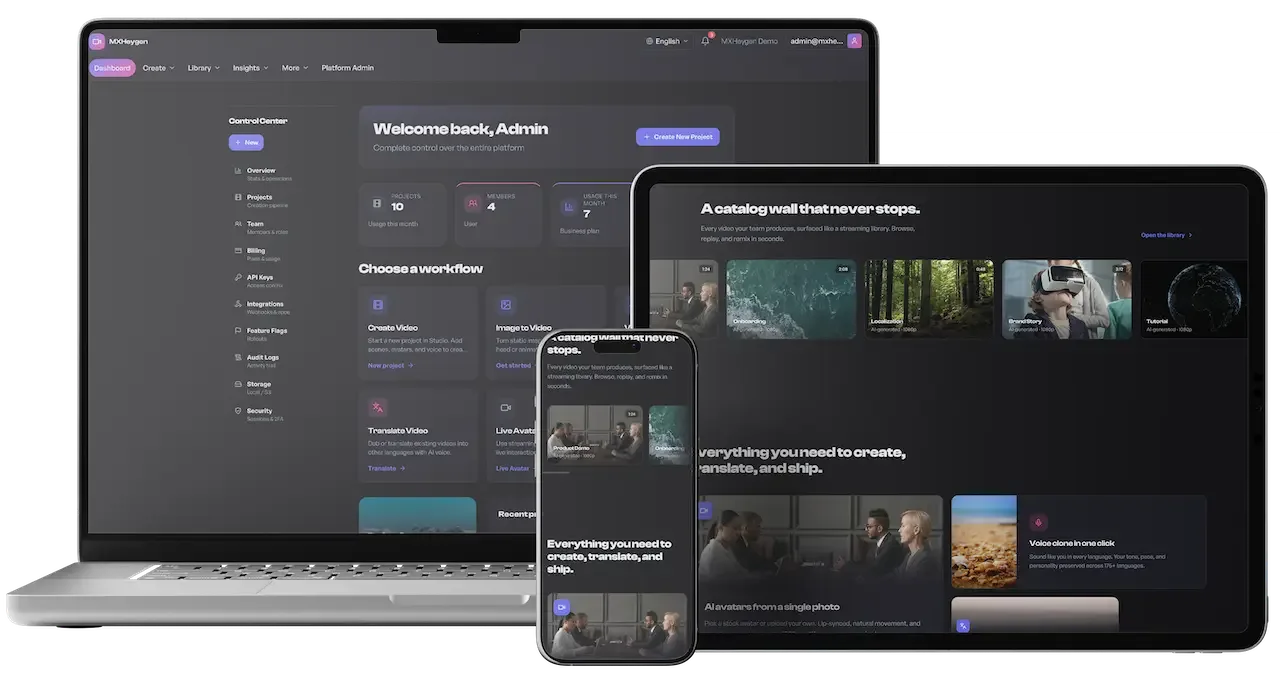
Each role works in its own side of the same product. The screens come from the working demo.
Creators are the people who make videos all day. Their workspace is organized as a production line: write the words, pick a presenter and a voice, queue the render, watch it progress, translate it and export it. Each stage shows its own status, so nobody stares at a spinner.
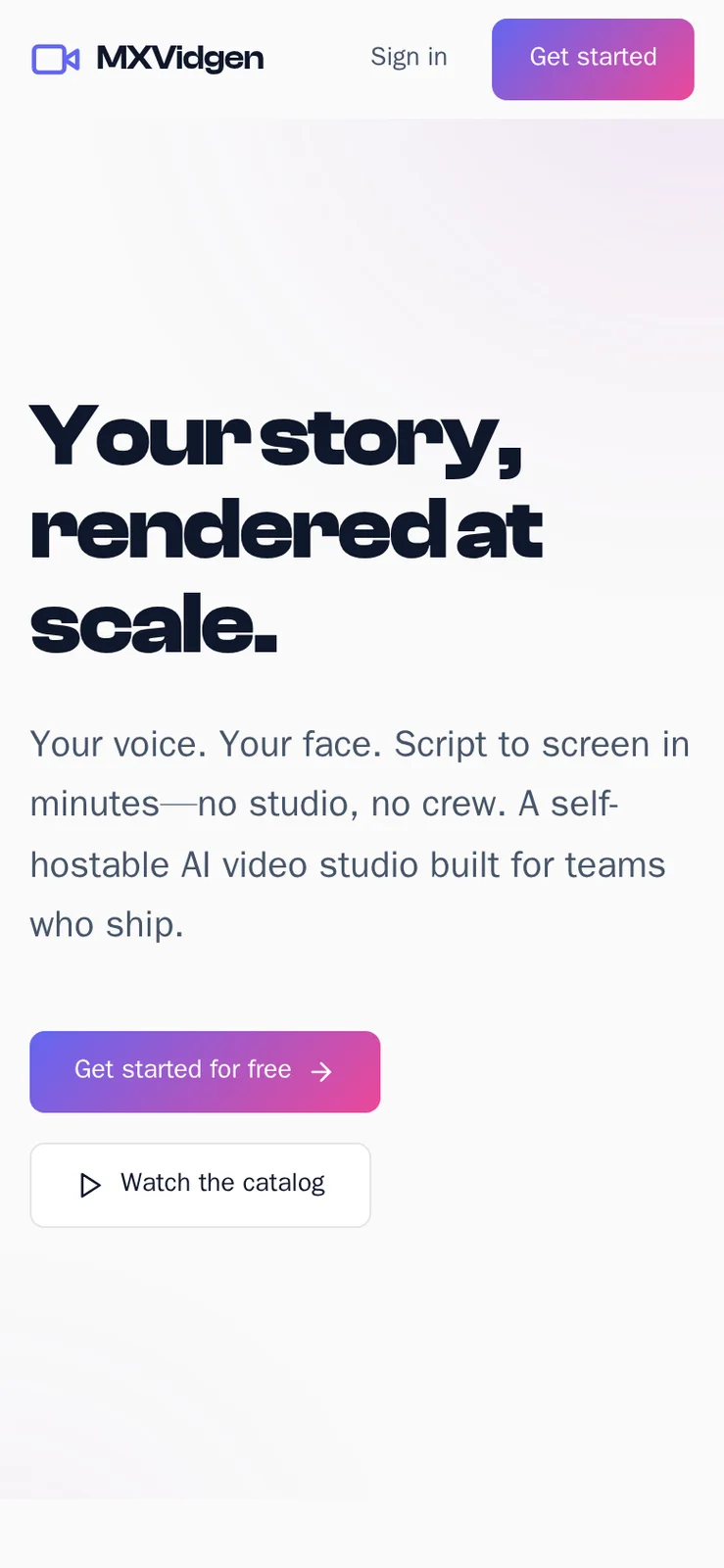
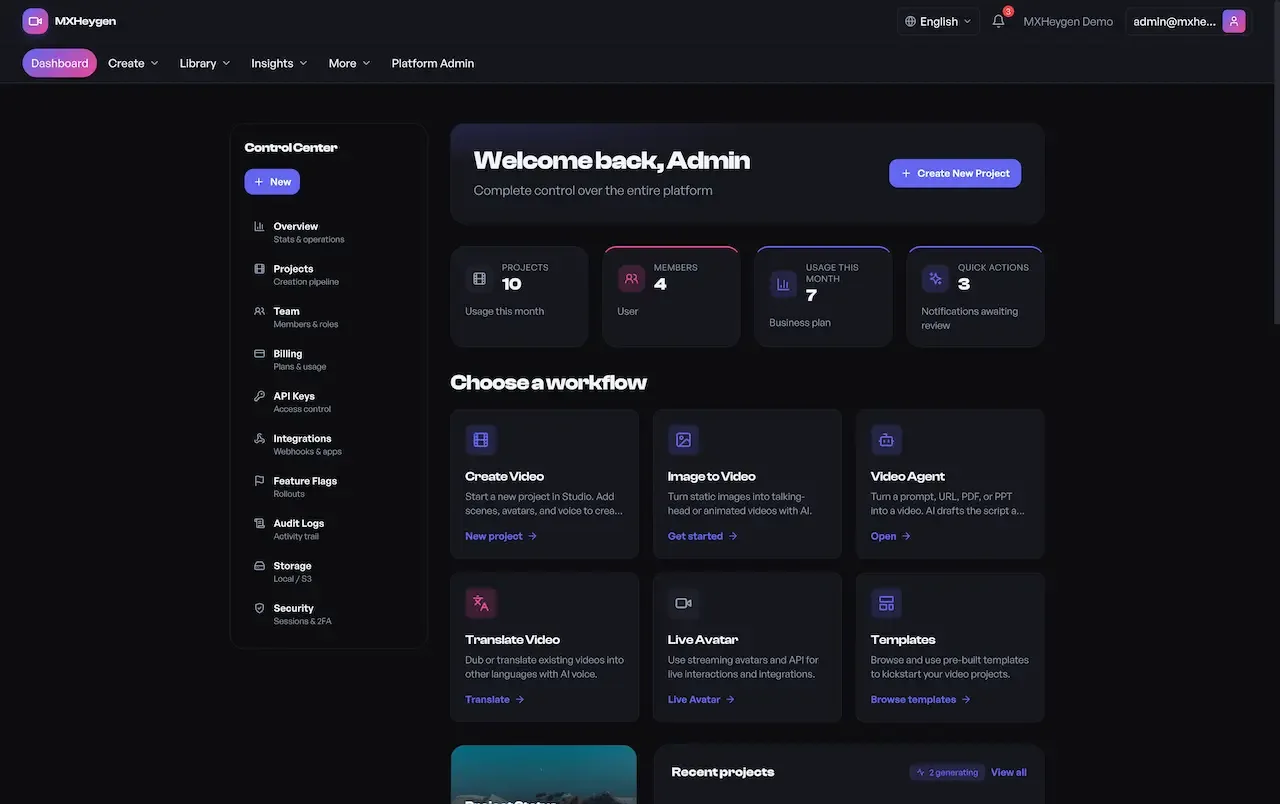
A manager owns the account that a team or a client works in. Their screens deal with people, plans, usage and automation rather than with individual videos. For an agency, each client workspace gives the client a manager role and keeps their material separate from everyone else.
Some customers will never open the editor. They want to call video generation from their own product. The developer surface gives them a versioned API, documentation and metered keys, so the operator can run a developer tier next to the visual product.
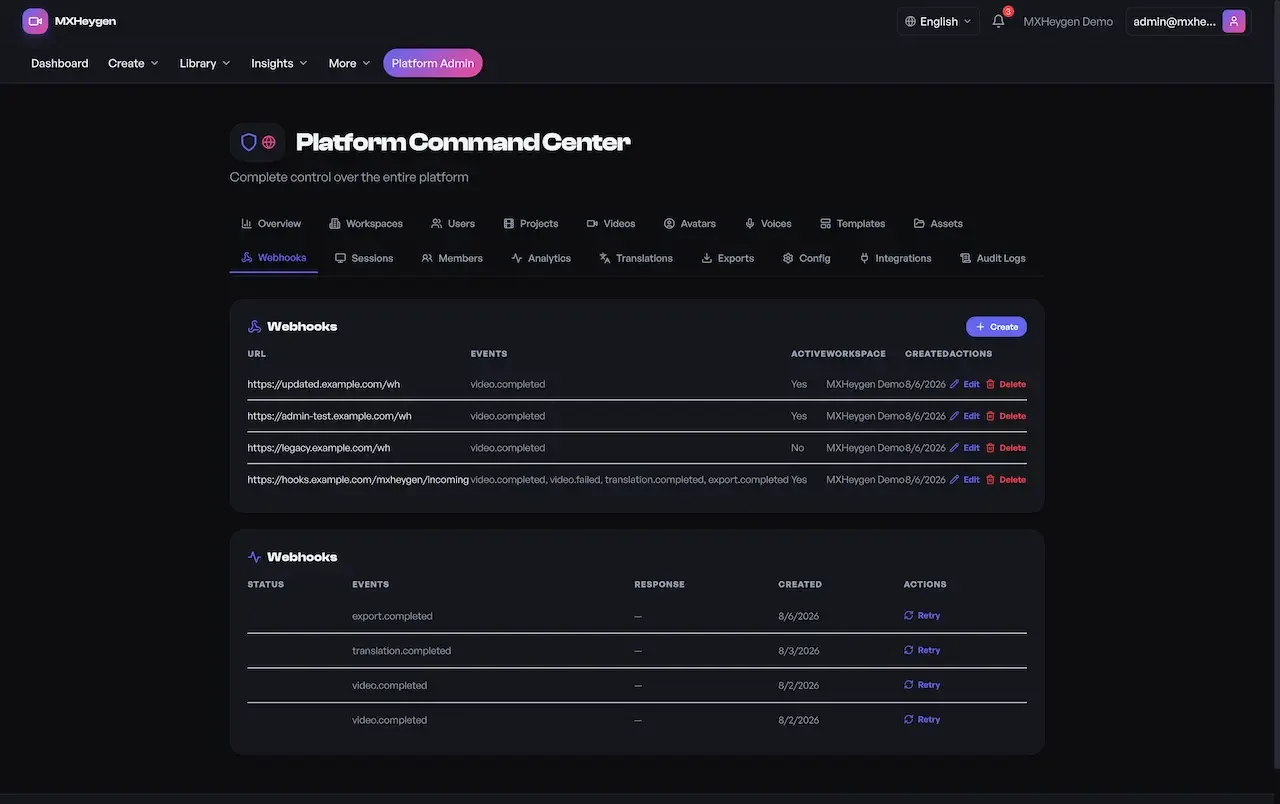
The operator needs to see every workspace, user, project and video on the deployment, change settings without a redeploy and support customers who get stuck. The admin command center, spread over 18 tabs, is the surface built for that work and sits behind its own authorization.
21 screens from the working demo, grouped by where they live. Your platform ships rebranded with your name, logo and colors.
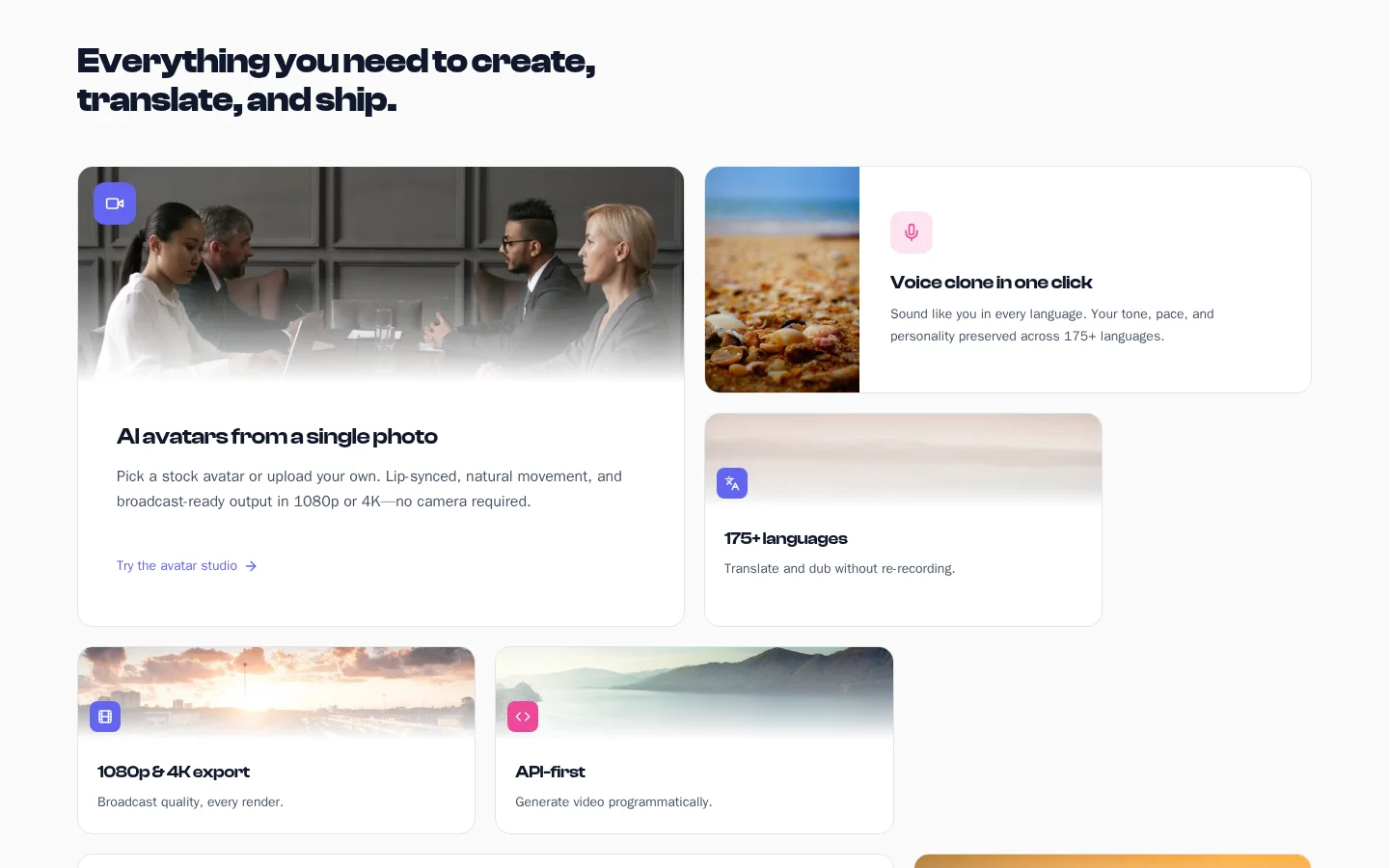
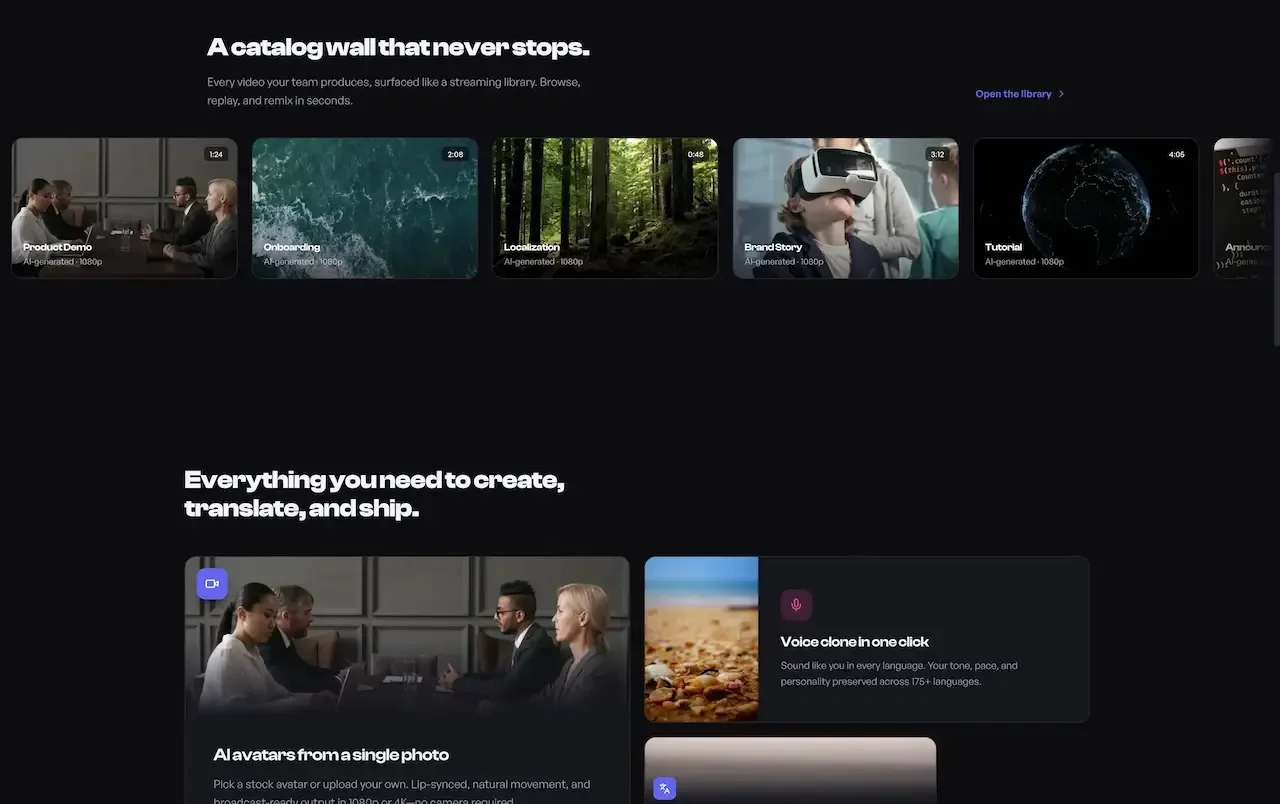
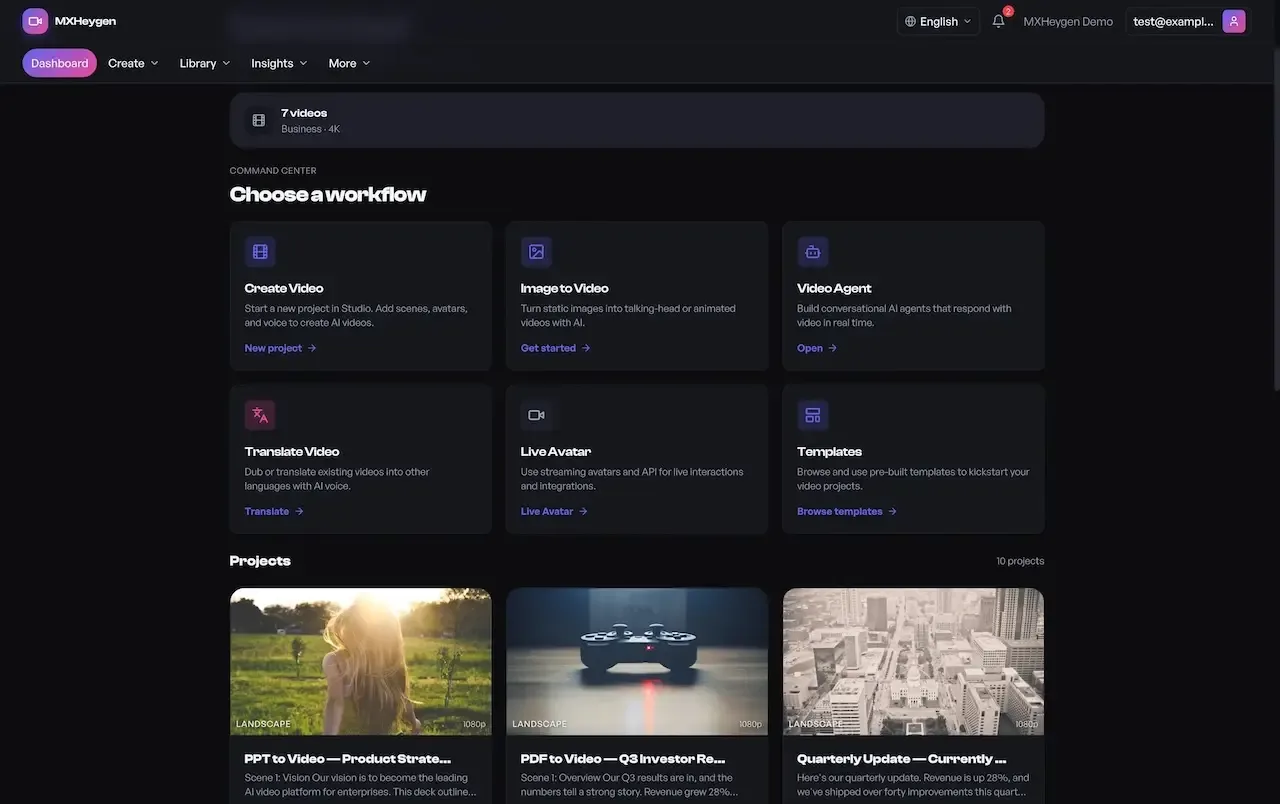
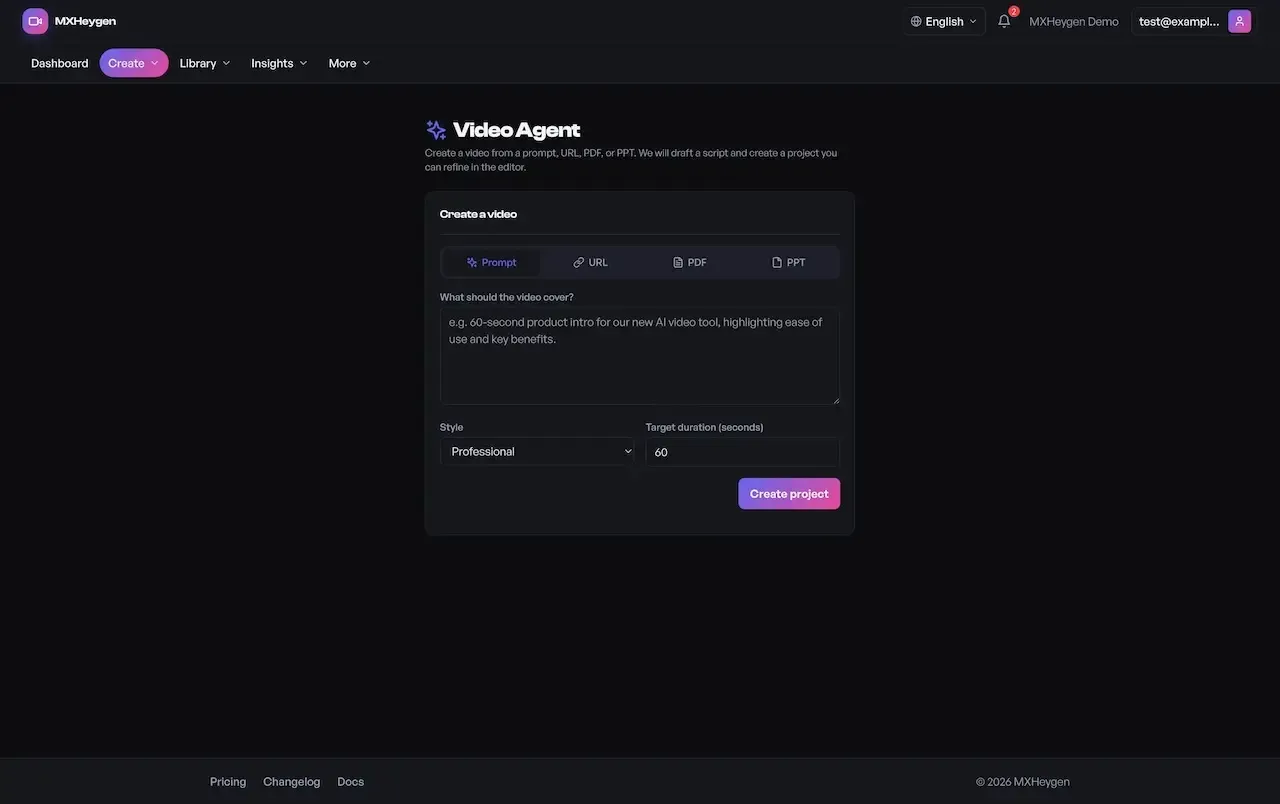
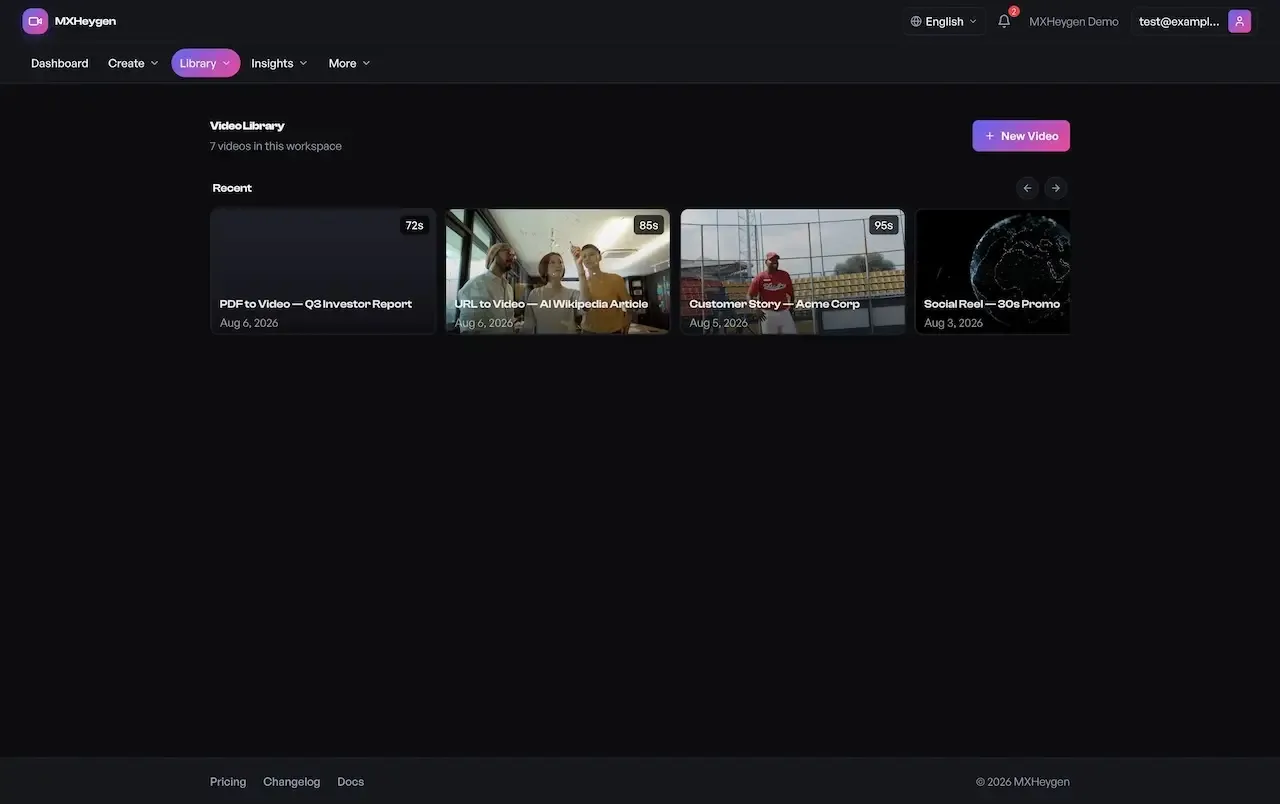
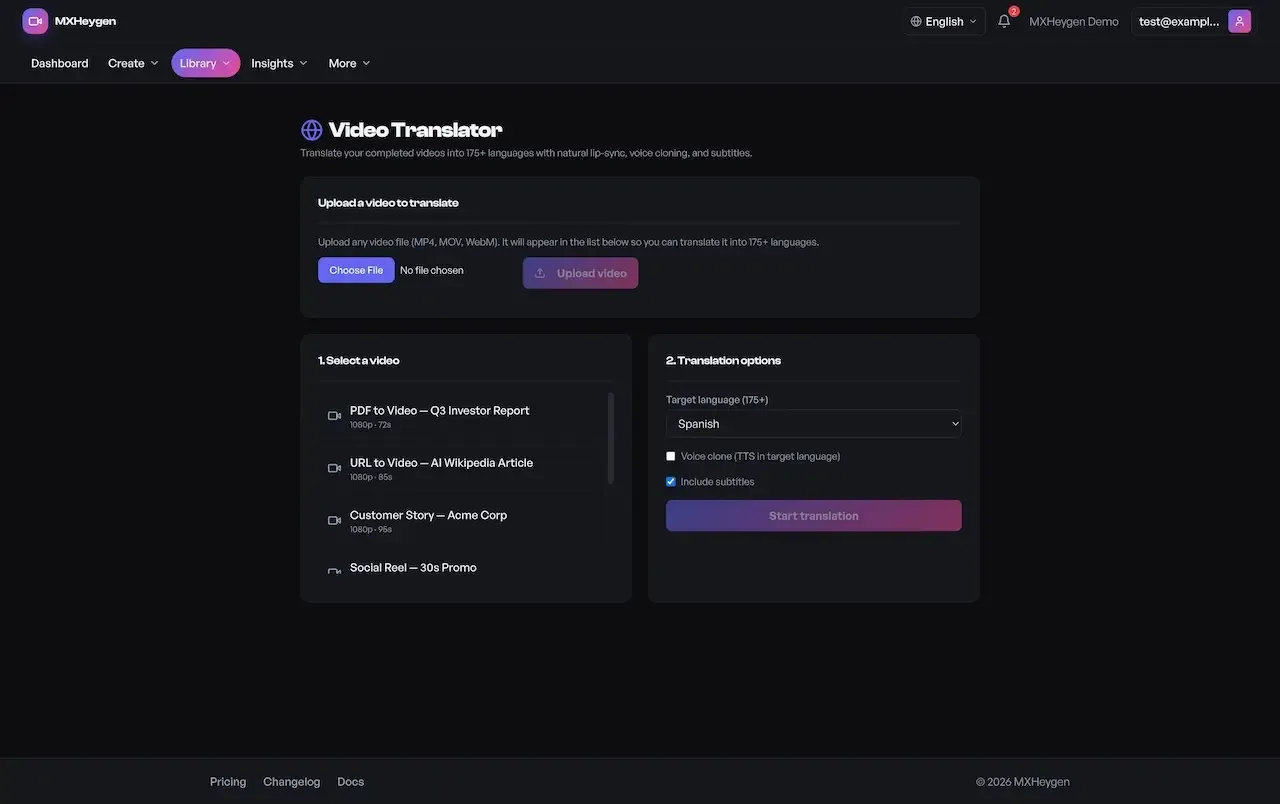
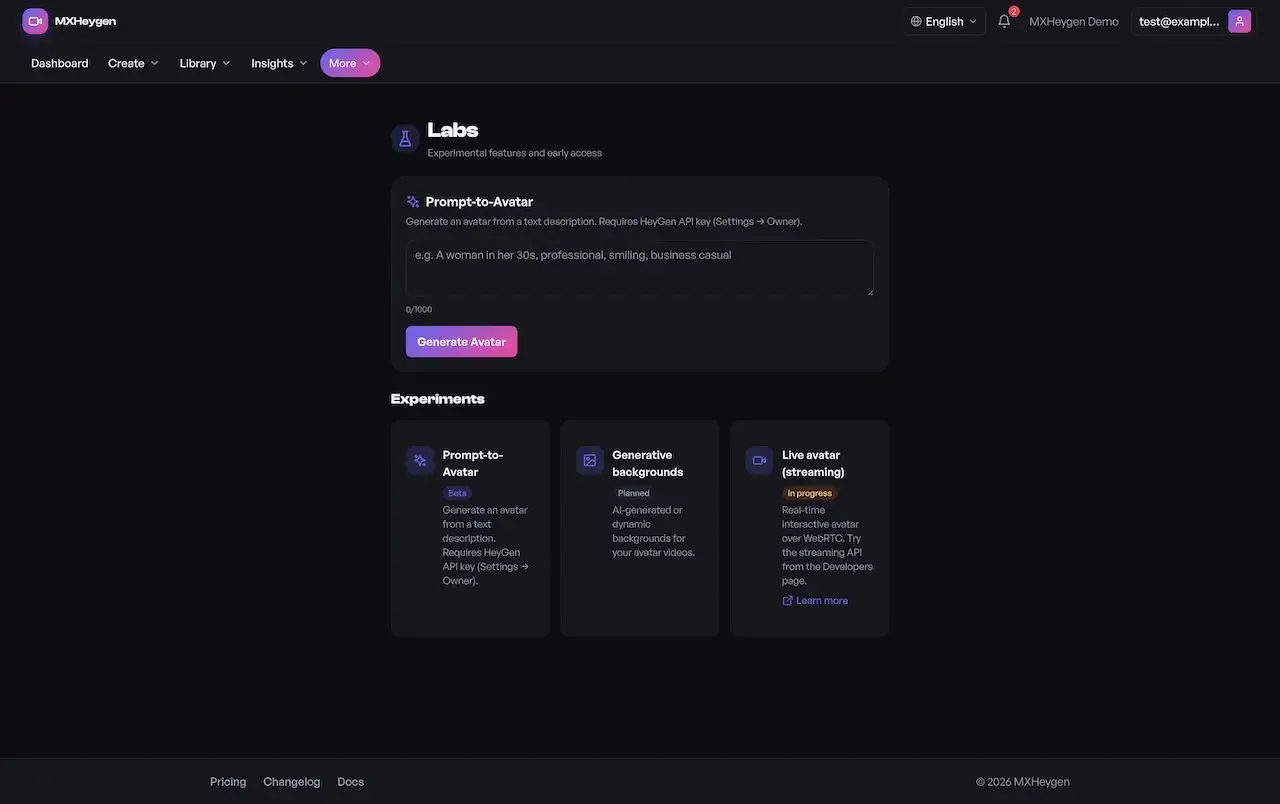
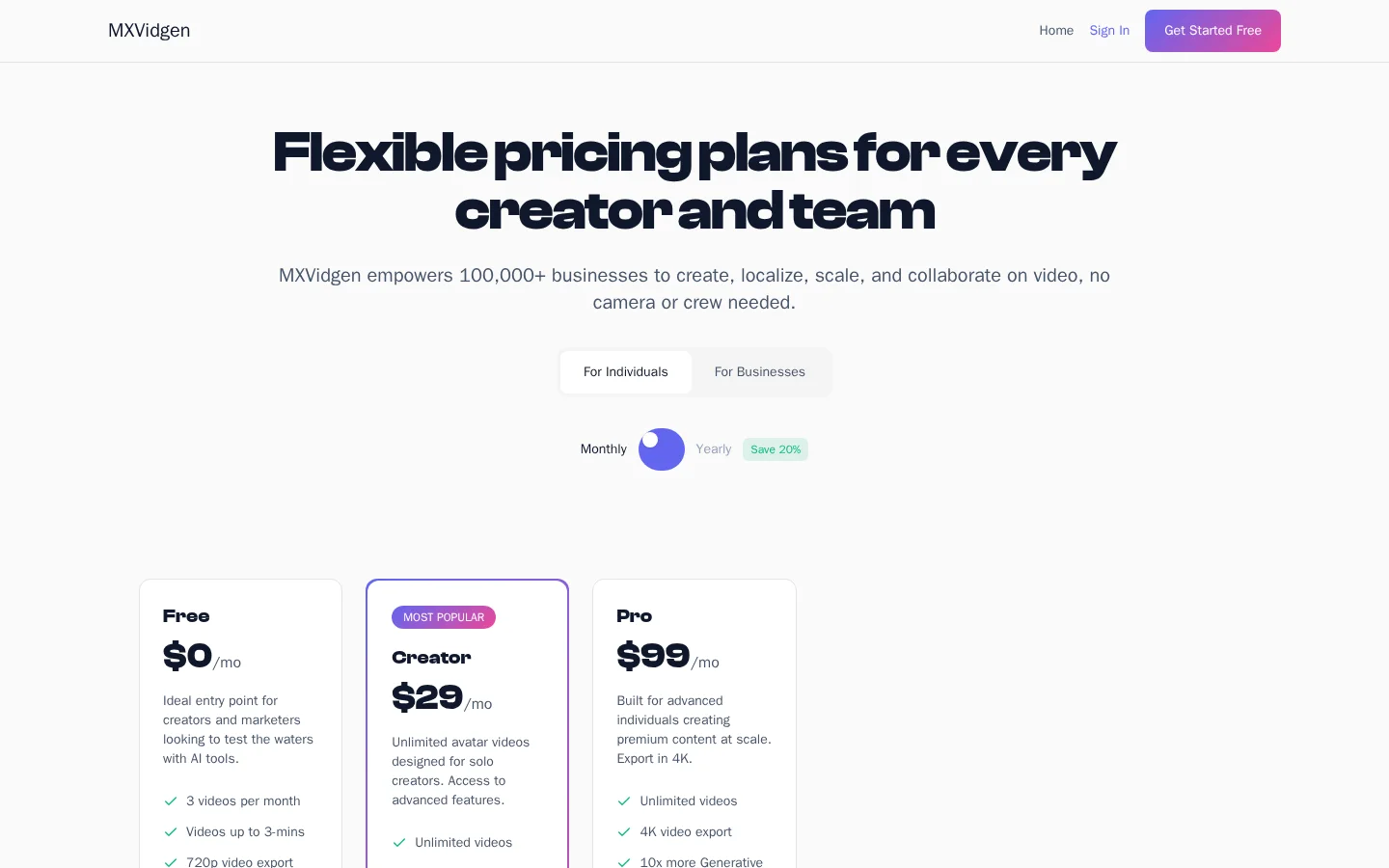
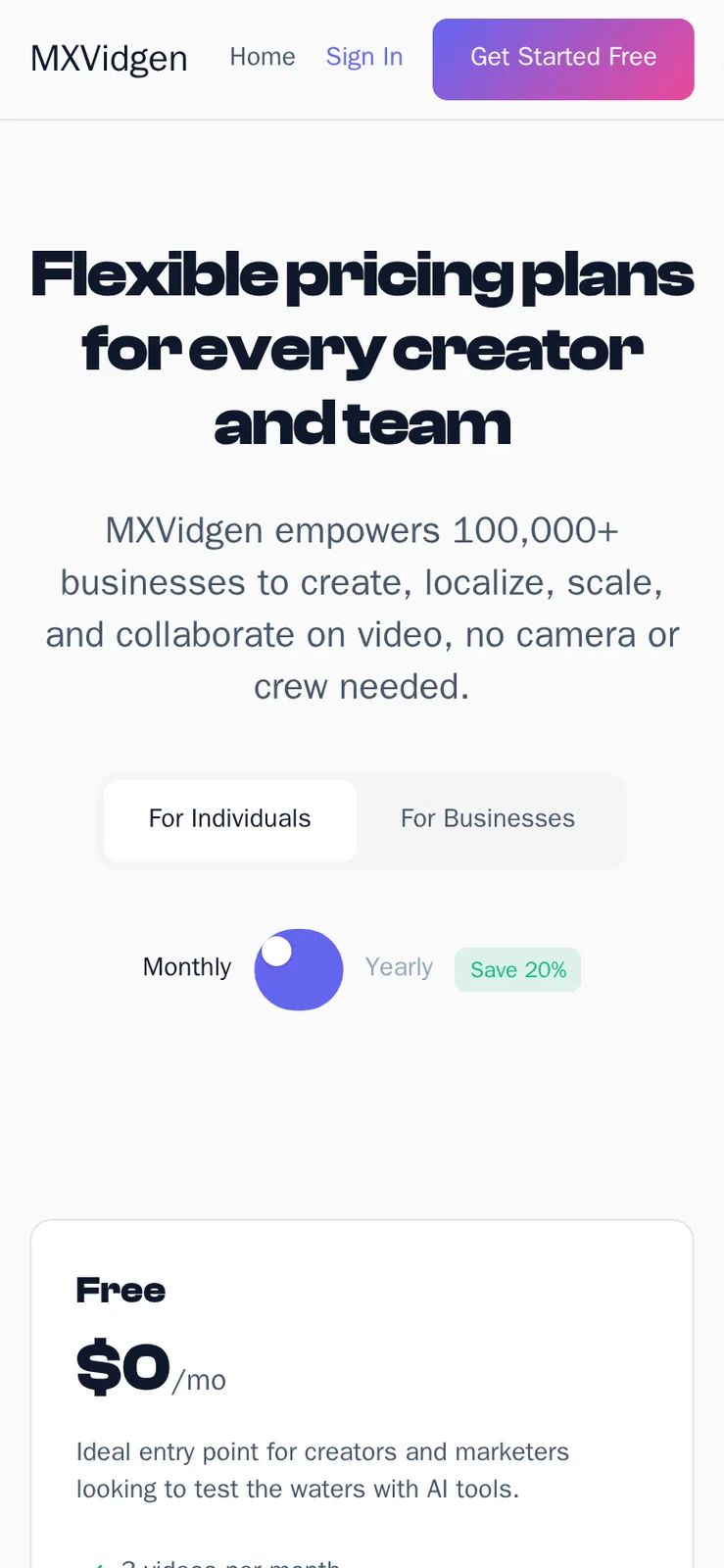
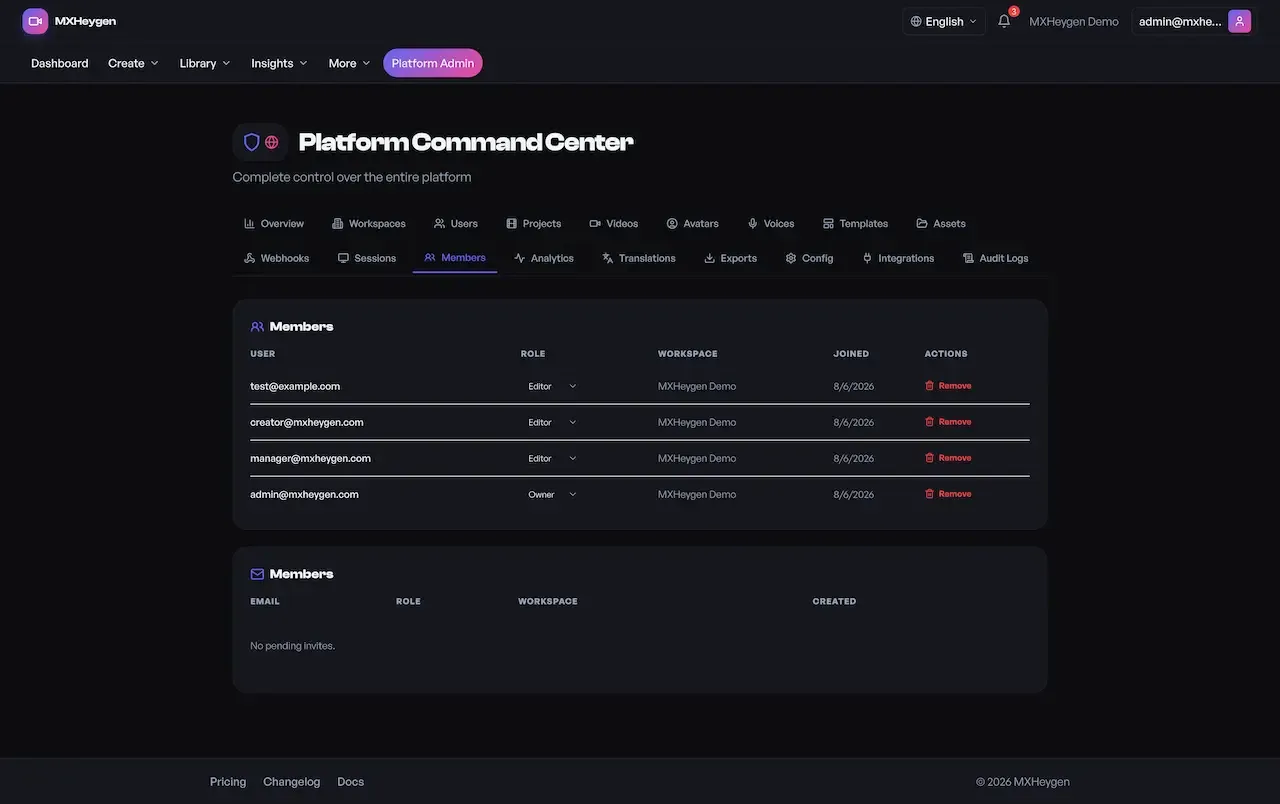
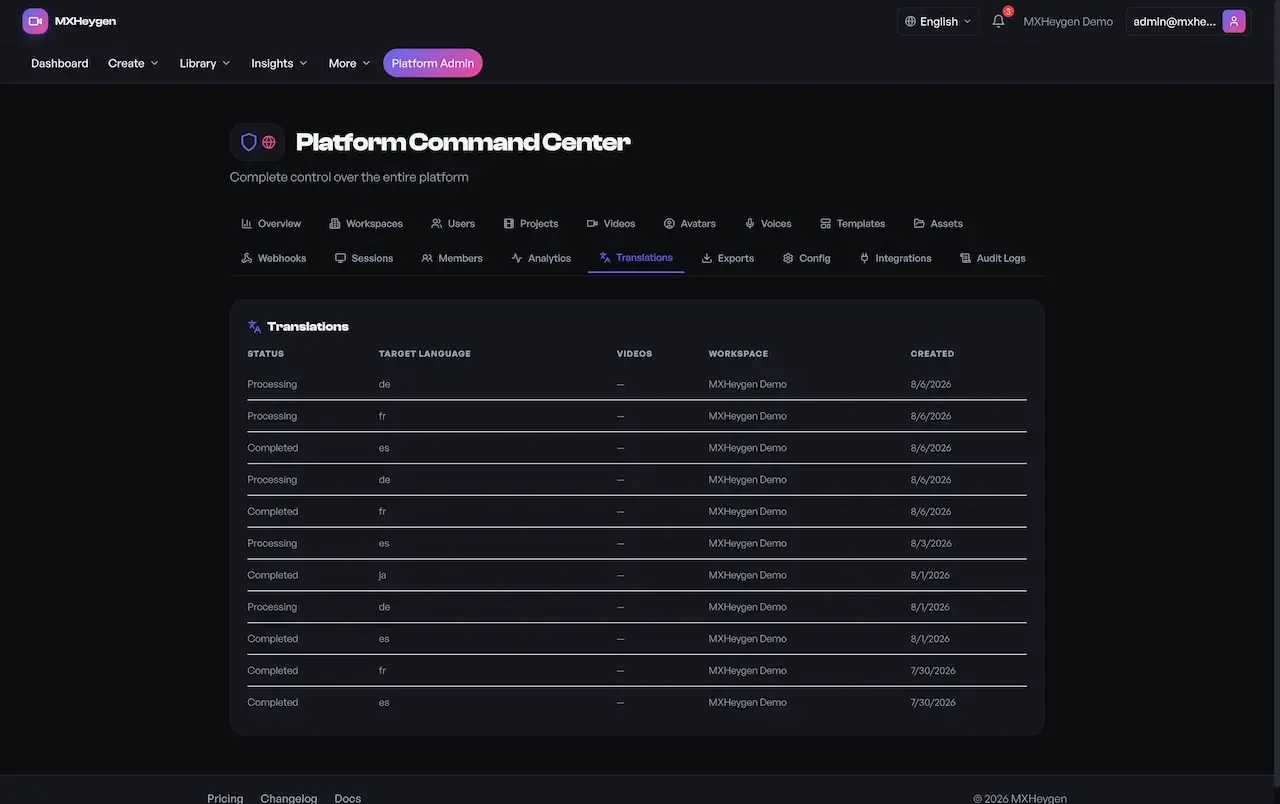
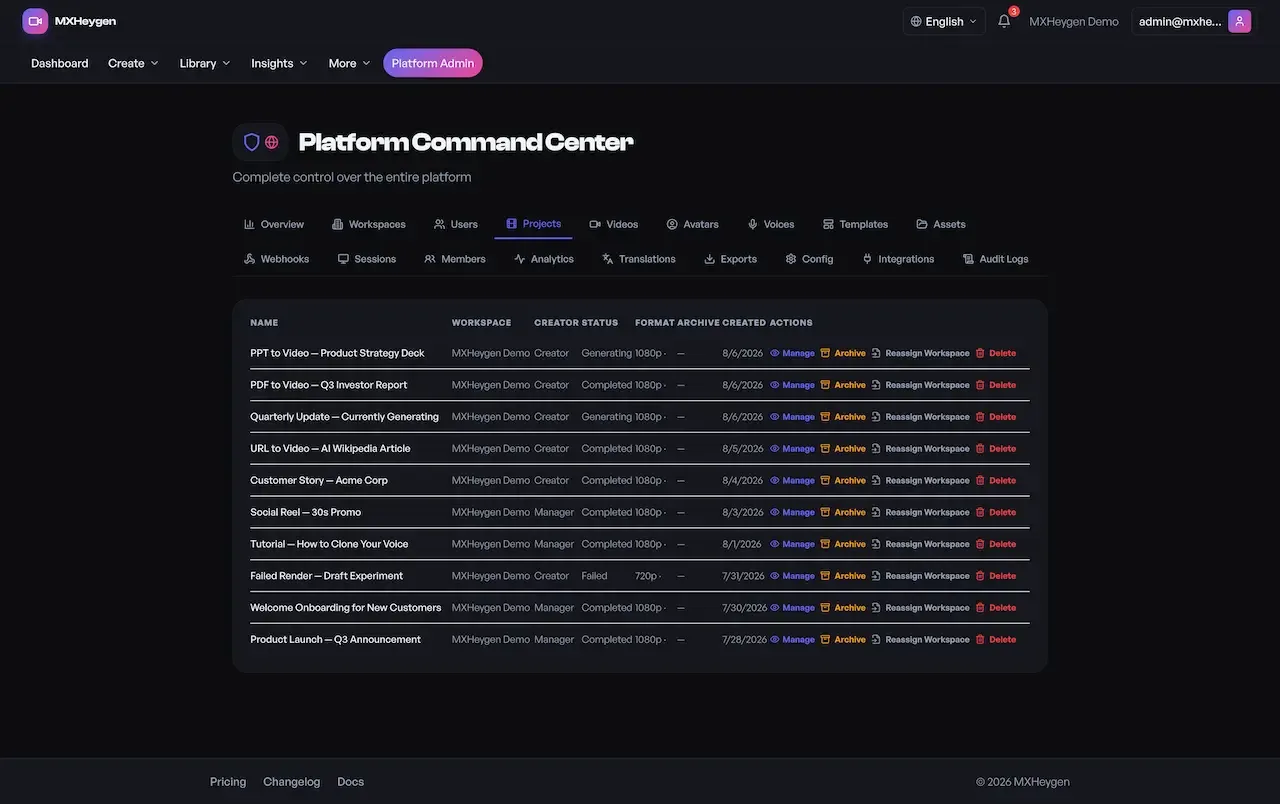
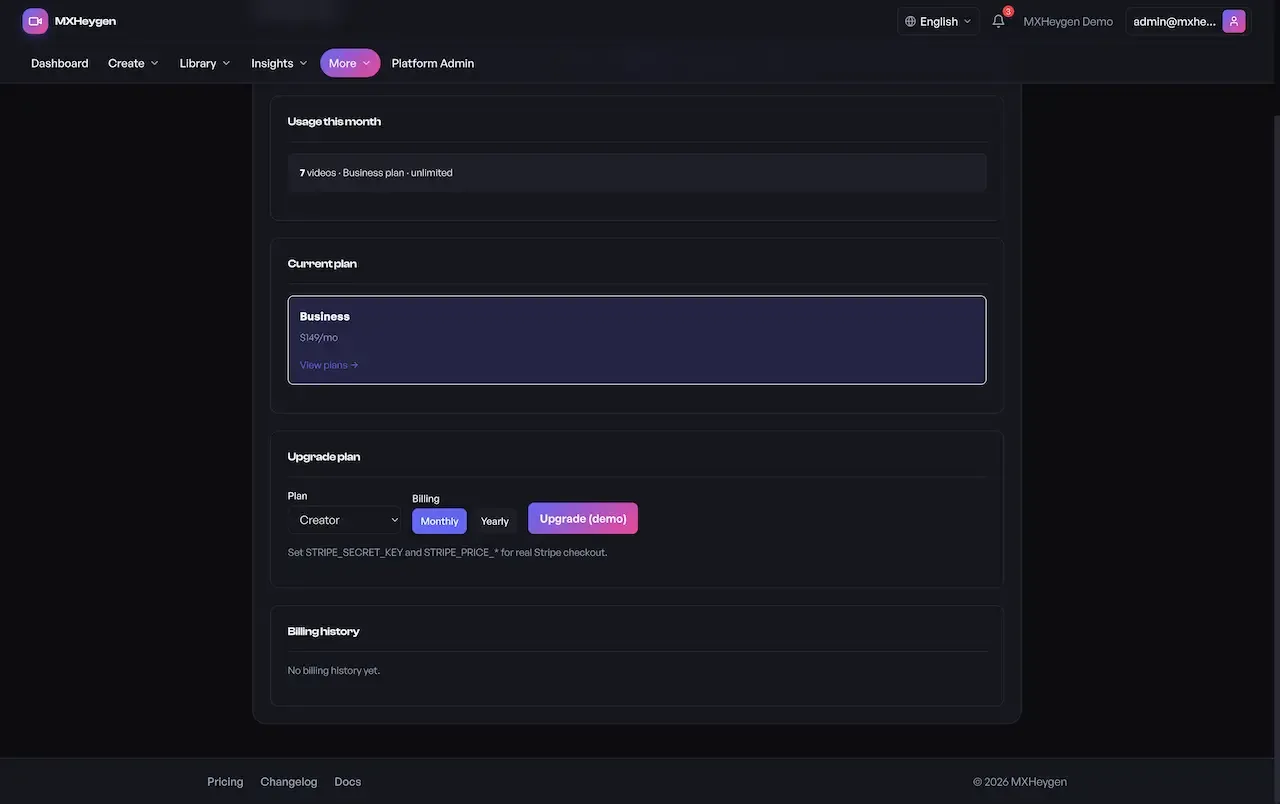
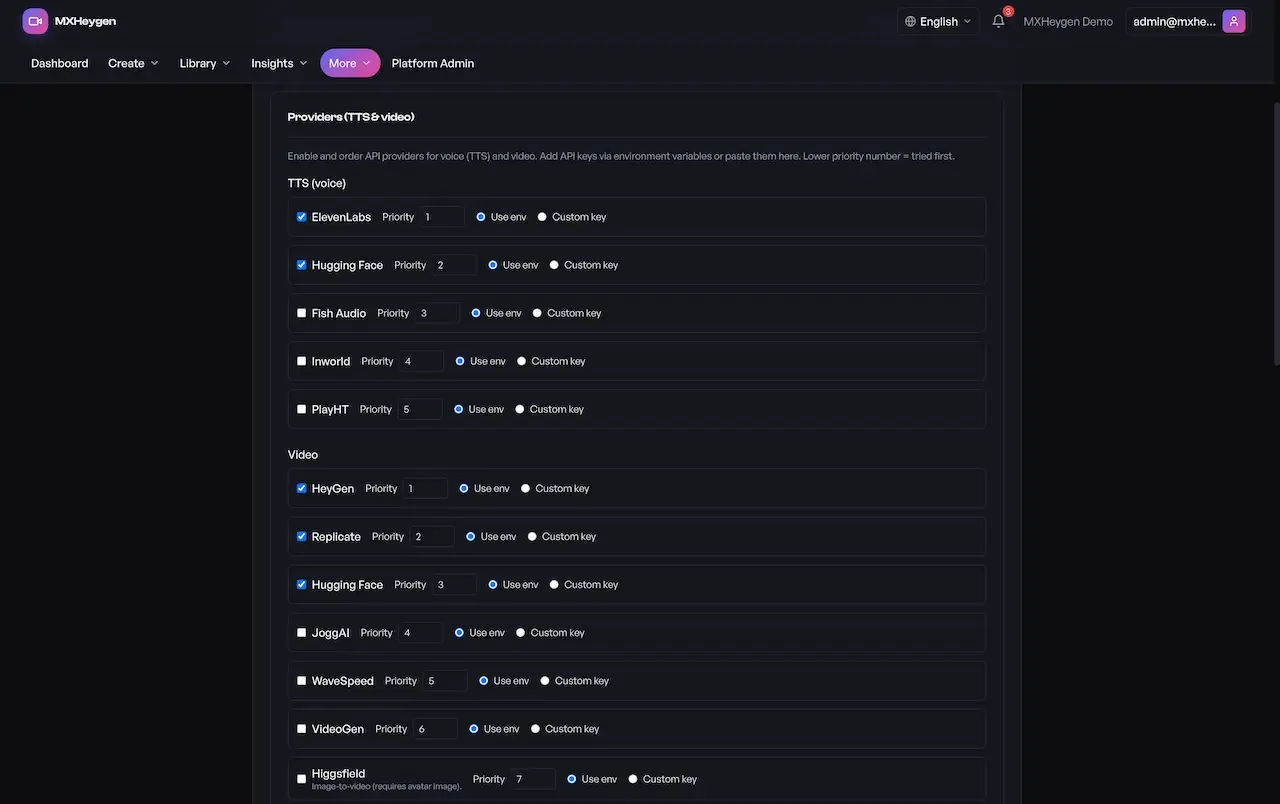
The demo has four live logins, one for each role the platform defines: viewer, creator, workspace manager and platform admin. Sign in as each and the interface changes to match what that role may do. It carries our demo branding and sample content, so judge the workflow rather than the output.
test@example.compassword123creator@mxvidgen.comcreator123manager@mxvidgen.commanager123admin@mxvidgen.comadmin12350 features across 4 roles. The first six of each role are here and the full list is one click away. Nothing is held back for a sales call.
Each saved revision is kept as a snapshot, never overwritten, so editorial history survives every edit.
A creator can return to any earlier script revision when a client asks to go back.
An avatar is assigned to each project from a searchable library with detail views.
The voice library can be filtered by language so creators find a fitting voice quickly.
A creator uploads a sample for voice cloning, and the upload is validated before it is accepted.
Public templates and workspace templates sit in separate catalogues, with import, export and apply actions.
8 more Creators features are in the full list.
A new user gets a workspace and becomes its owner in the same transaction.
Sign-up includes verification of the email address before the account is used.
Members are invited with an owner, editor or viewer role, with the full invite lifecycle available.
Pending invitations can be listed and cancelled before they are accepted.
One active subscription per workspace stores plan, status and billing cycle.
Generation and export limits are shown against what the plan permits.
6 more Workspace managers features are in the full list.
Routes are versioned under a stable path with a backward-compatible mirror.
A GraphQL option with query complexity limits and introspection disabled in production.
A documentation surface lets developers explore routes without reading the source.
Each key belongs to one workspace, so usage and billing attribute cleanly.
Calls are counted per endpoint per day, which supports a metered developer tier.
Event callbacks tell a customer system when a render, translation or export finishes.
4 more Developers features are in the full list.
Suspending a workspace blocks every user in it from authenticated endpoints.
Admins change an owner or a plan and inspect usage and API keys per account.
Accounts can be suspended or deleted from the command center.
Users can be promoted to or demoted from platform admin, controlled by a super-admin flag.
Staff can sign in as a user to reproduce a problem, and impersonation is limited to platform admins.
Projects are archived, restored, deleted or reassigned across workspaces without database access.
8 more Platform admins features are in the full list.
The path through the product, in the order it happens for the people using it.
A user signs up, verifies email, optionally enables two-factor, and a workspace is created with that user as owner.
A project holds the script, with versions snapshotted and an avatar and voice assigned.
Plan limits are checked, the job is queued to a worker, and status moves from pending to completed.
Target language, voice and subtitle options are chosen and a separate translation job runs.
Output is packaged by preset and plan entitlement, then tracked in analytics with CSV or JSON reports.
Every earning route built into the product you receive: how it works, who pays and where the operator earns.
| Revenue model | How it works | Who pays | How you earn |
|---|---|---|---|
| Workspace subscriptions | One active plan per workspace, with status and billing cycle stored as the source of truth. | Workspace owner | Recurring plan fees, forecastable per workspace |
| Plan-gated generation | Generation limits are checked before a job is queued, so overage is prevented rather than billed afterward. | Workspace owner | Protects margin by capping render spend per plan |
| Export entitlements | Which resolutions and formats a workspace may export depends on its plan, checked inside the export service. | Workspace owner | A natural upgrade lever between plans |
| Metered API access | Workspace keys record usage per endpoint per day, which supports a developer tier. | Developer or customer product | Usage-based income that grows with the customer product |
| Seat and team expansion | Invitations and roles make per-seat or per-workspace pricing practical to run. | Workspace owner | Income that grows as teams add members |
| White-label licensing | Agencies and resellers deploy the platform under their own name using the branding controls. | Agency or reseller | Licence income from partners, with no revenue share owed to us |
| Premium avatar and voice tiers | Higher-cost avatars and voices are reserved for paid plans through entitlement settings. | Paying workspaces | Keeps the most expensive render minutes tied to paying customers |
The flow of money, the gateways you can connect and how payouts are handled.
Money moves in one direction on this platform: customers pay the operator. Workspaces subscribe to plans, plan limits decide what they can generate and export, and the API tier is metered per endpoint per day. The billing flow is Stripe-compatible and accepts billing events only with a valid signature, but moving real money needs your own Stripe account and webhook wiring. Your own spend, mostly provider render minutes, is the other side of the ledger.
| Gateway | What it covers |
|---|---|
| Card | |
| Stripe-compatible billing | Workspace subscriptions use a Stripe-compatible flow with webhook ingestion and signature verification. |
| Your Stripe account | Required to collect payment, along with webhook wiring that you or we complete during setup. |
You operate the platform, so legal compliance in each market you serve is yours. This is the tooling that ships in the product. It is not legal advice.
Rights in a face or a voice stay with the person it depicts. Offer provider-licensed avatars, or obtain explicit consent for custom ones, particularly before a customer uploads a voice sample for cloning. The platform provides verification and audit tooling, but the consent process and its records are yours to design. Put your consent wording in your terms and keep the evidence.
You decide what customers may generate, and you are responsible for reviewing it and for disclosing synthetic media where your markets expect it. Write a content policy that covers impersonation, deceptive use and prohibited subjects, and use workspace suspension and the audit trail to enforce it. Decide who reviews reports and how fast.
Tokens are verified against an algorithm allowlist pinned to HS256, production refuses a JWT secret shorter than 32 characters, and each user can add TOTP two-factor. Sessions can be listed and revoked one at a time or all at once. Suspension is enforced at the auth layer, so a suspended user or workspace is blocked everywhere.
Zod schemas validate input, Drizzle parameterizes database queries, and separate rate limiters guard general and authentication traffic. Uploads are checked by extension and MIME type, with sanitized filenames and path traversal checks. Webhook URLs cannot reach localhost, private ranges or cloud metadata endpoints. The audit notes that magic-byte upload validation is not implemented.
The documentation is candid that API keys are stored unhashed, front-end tokens live in browser storage and resource-level authorization is applied unevenly across route families. Strict CORS, a tight content security policy and an encryption key for provider secrets also need configuration. These are listed as hardening work; plan time and budget for them before opening to the public.
Scripts, uploaded media, analytics events and audit entries sit inside a workspace partition, which makes data mapping easier. The operator carries GDPR duties such as lawful basis, access requests and erasure. Retention windows, purge schedules and PII tagging are available; we set them up for your build. We supply tooling, not legal advice, so involve a privacy adviser.
The platform models plans and a Stripe-compatible flow, but moving money requires your own Stripe account and webhook wiring.
The layers of the product as delivered. You receive the full source code for every one of them.
| Layer | Built with | Hosting note |
|---|---|---|
| Web app | React, TypeScript, Vite | React, TypeScript and Vite, with route-level module separation and role-aware navigation.Node.js with Express, TypeScript and Zod, serving versioned REST and GraphQL. |
| API server | Node.js, Express, TypeScript, Zod; REST and GraphQL | |
| Data layer | PostgreSQL, Drizzle ORM | |
| Async processing | Bull, Redis, with inline fallback mode | |
| Security and auth | JWT, TOTP two-factor, Helmet, rate limiting | |
| Deployment | Docker, CI/CD workflows, health checks | |
| Database | PostgreSQL through Drizzle ORM, with ten sequential migrations and workspace tenancy throughout. | |
| Queues and workers | Bull on Redis across four domains: generation, translation, export and webhooks, with an inline fallback. | |
| Media storage | Local or S3-style storage, selected by the operator at runtime through admin settings. | |
| Containers and pipelines | Multi-stage Docker builds and CI workflows for test, build, security scanning and deploy. | |
| Health checks | Liveness and readiness endpoints with dependency checks verify each deployment. | |
This platform is hosted by you and is built to run on conventional parts. A monorepo holds the web app, API, shared types and utilities. Rendering-heavy work runs on queue workers instead of the request path, which shapes how you should size it. Redis-backed queue mode is documented as required for production, while inline mode exists for staging and small installs.
The platform price covers the software, not the compute. Every video and every translation consumes minutes on provider accounts that you pay for, and that is usually the largest recurring cost. Price plans from what a minute costs you, not from what competitors charge. The table lists the cost lines and how to bound each one.
| Cost line | What drives it | How to bound it |
|---|---|---|
| Render minutes | Every generated video uses minutes on the avatar or video provider you connect. | Plan limits are checked before a job is queued, so set allowances from your real cost per minute. |
| Voice synthesis | Speech generation, and cloned voices where the provider charges more for them. | Offer cloning only on higher plans, and test prices across the voices you plan to expose. |
| Translation volume | Each target language is its own job, so one script multiplies cost by the language count. | Gate translation by plan, and treat it as a paid feature instead of a free extra. |
| Free trial generosity | A generous free tier turns every sign-up into a direct monthly cost. | Cap trial minutes tightly, and watch for repeat sign-ups from the same people. |
| Premium avatars and voices | Some provider catalogs charge more for higher-quality options. | Reserve premium options for plans that cover the difference. |
| Storage and delivery | Rendered video takes space and bandwidth, growing with every customer. | Set retention rules and choose a storage mode that fits expected volume. |
| Queue and worker capacity | Busy periods need more workers, and Redis mode helps distribute them. | Start small, watch queue depth and add capacity before customers notice delays. |
| Payment processing | Your processor takes a fee on each plan payment. | Include fees in the margin when you set plan prices. |
Synthetic video carries risks that ordinary software does not, and the operator carries them. The platform provides tools for verification and an audit trail, but policy and process are yours. These points gather the items that deserve a decision before you open the doors to customers.
Buyers often ask how good the output will look. The honest answer is that realism, lip-sync and voice quality are decided by the models behind the providers you connect, not by this platform. The software moves a script through a pipeline, records each attempt and hands the result to a provider. A better provider gives better output, and a change of provider is a settings edit and not a rebuild.
In practice, quality depends on the avatar, the voice, the language and the script itself. Languages differ in how natural a synthetic voice sounds, and cloned voices vary with the quality of the sample. Test several scripts through each provider in every language you plan to offer, compare cost per minute alongside quality, and avoid advertising any language whose voices you would not use yourself.
Dubbing and translation add another layer. Translation here is a separate job, so a target language can be retried without touching the source video. Review translated scripts with a fluent reader before publishing, because an automatic translation can be fluent and still wrong. Treat provider selection as ongoing work, since models and prices in this field change quickly.
One fixed price for the ready-made platform, published here so you can plan before you talk to us.
Ready-made, one-time
$3,699
Live in 6 working days from kickoff
The engineers who deploy your platform stay with it once it is live.
Need more? We tailor the platform to your plan, typically in 2-8 weeks, and confirm the scope with you before work starts. App store review times are set by Apple and Google.
Everything here is available around the ready-made HeyGen clone. We confirm the scope with you before any price is agreed.
The product ships as a responsive web platform. Native iOS and Android builds are available, tailored to your plan.
Confirm with usSocial sign-in connectors are included. SAML or OIDC for enterprise identity providers is available as tailored work.
Confirm with usStrict origin allowlisting, a tightened content security policy and a secure-cookie token model.
Confirm with usProvision the encryption key and hash API keys at rest, showing plaintext only once at creation.
Confirm with usA log sink, queue-lag monitoring and alerts on authentication anomalies, webhook failures and worker errors.
Confirm with usCentral workspace-resource guard middleware with regression tests for cross-tenant access attempts.
Confirm with usRetention windows, purge schedules and PII classification across analytics, audit and event data.
Confirm with usRedis queue scale-out, index tuning against your busiest filters and capacity instrumentation.
Confirm with usMost of the platform ships ready, and the rest is set up around your plan. With an AI video product the line between what the software does and what a provider does matters more than usual, so this matrix shows both.
Each version is an immutable snapshot, with rollback to an earlier one.
Searchable catalogs, with voices filtered by language and chosen for each project.
A sample can be uploaded with validation, while clone quality depends on the provider.
Reusable template catalogs and scene-level composition.
Explicit job states and recorded attempts, so long renders never block a request.
A separate job with its own status, language, voice and subtitle options.
Format and resolution presets, an export queue and plan-gated entitlements.
Tenancy runs through the data, with invitations and role-based access.
Limits are checked on the server before a job is queued. Billing is Stripe-compatible.
Developers get interactive API documentation served through Swagger alongside both endpoints.
Workspace-scoped keys with per-endpoint metering, plus webhook retries and secret rotation.
Per-video analytics by country and device, with CSV and JSON export.
Eighteen tabs covering workspaces, users, content, config and an audit log.
Providers are changed from admin screens with Save and Test, without a redeploy.
The interface is translated. The language of finished video depends on providers.
Identity, colors, typography, copy, legal links and custom styling.
Verification and audit tools exist, while the consent process is yours to design.
Social sign-in ships. We build corporate login through SAML or OIDC for your build, with scope confirmed with us.
Today the product is a responsive web platform, and we build native iOS and Android apps for your plan, with scope confirmed with us.
Depends on what your provider offers or on a custom avatar arrangement you contract; we set it up in the platform.
Strict CORS, a tight content policy, secret encryption and alerting are set up for your build, with scope confirmed with us.
Roles and workspaces ship; we build simultaneous editing of scripts for your plan, with scope confirmed with us.
Four pages go deeper on the questions buyers ask most about the HeyGen Clone. This page stays the overview.
Generating a clip is the easy part of an AI video product.
See the full breakdownFor an AI video business the software price is not the number that decides profit.
See exact pricingAn AI video business has a tidy cost structure: each render costs you provider minutes, and each customer pays a plan.
See the playbookAnyone can connect a generation API to a form.
Compare optionsFrom kickoff to a live HeyGen clone under your brand: what we do each day, and what we need from you.
1Day 1
2Day 2
3Day 3
4Day 4
5Day 5
6Day 6
Wiring a generation API into a page is the easy part and can produce a demo in a short time. The cost of an AI video business sits in everything around it: workspace tenancy, a queue that survives busy periods, translation modeled as a retryable job, plan-aware entitlements, metered keys, an audit trail and an admin console that a security review will accept. And then there is a cost that has nothing to do with development. Each render consumes provider minutes you pay for. That is your marginal cost, and plan limits are how you keep it under control. The comparison below is qualitative because the true figure depends on team, region and the providers you choose.
| Factor | Build from scratch | Rent a SaaS | Own it with GetFame |
|---|---|---|---|
| Time to launch | A long build before workspaces, queues and billing all work together | Immediate, but under another company brand and terms | 6 working days to a branded deployment on your infrastructure |
| Tenancy and governance | Retrofitting workspaces onto a user-scoped product is a rewrite | Team accounts as the vendor defines them | Workspace tenancy across every business table, with roles and audit logs |
| Provider independence | Depends on how you structure the integration | Locked to the vendor models and pricing | Providers configured at runtime and changeable without a redeploy |
| Monetization | Billing is its own workstream | You rent features, you do not resell them | Subscriptions, plan gating, metered API and white-label licensing |
| Factor | Build from scratch | Rent a SaaS | Own it with GetFame |
|---|---|---|---|
| Per-seat cost | None, once built | Grows with headcount | No per-seat fee and no revenue share to us |
| Source ownership | Yours after delivery | None | Full React, Express, PostgreSQL and worker codebase |
| Mobile apps | Extra scope if wanted | Depends on vendor | Web app ships; native builds available, tailored to your plan |
Running costs. The platform price covers the software, not the cost of operating it. The largest running cost is provider render minutes on the AI accounts you connect, followed by translation volume, video storage and delivery, and queue capacity. Free-tier generosity is a pricing decision with a direct monthly cost. You also need hosting, a Stripe account for billing, and monitoring. Extras we set up for your build are confirmed with us at kickoff.
Calling a generation API from a web page is the easy part, and a demo can appear quickly. The effort sits in everything that makes it a business: tenancy, queues, limits, metering and governance. Here is how each module compares when built yourself and when it comes ready-made.
Build it yourselfSeparating customers in every table and every query, then proving that no one can read another account.
Ready-madeTenancy runs through the schema, with roles, invitations and an admin view.
Build it yourselfWorkers with retries, explicit states and a way to survive busy periods without losing jobs.
Ready-madeFour queue domains cover generation, translation, export and webhooks, with Redis or inline mode.
Build it yourselfA version model, rollback and a way to tie each render to the script that produced it.
Ready-madeImmutable snapshots with rollback sit behind the editor.
Build it yourselfA separate job type with its own status, so one script can produce several language versions.
Ready-madeTranslation is its own pipeline stage and worker, tracked apart from the source video.
Build it yourselfChecks in the service layer before a job is queued, so tampering with the interface changes nothing.
Ready-madeLimits are checked on the server before queueing, and exports are gated by plan.
Build it yourselfKeys scoped to a workspace, per-endpoint counters and clear error behavior for developers.
Ready-madeScoped keys, per-endpoint metering, Swagger docs and webhook retries.
Build it yourselfWrappers for each AI service, with settings that change safely without a deployment.
Ready-madeNine integration sections are editable at runtime with Save and Test buttons.
Build it yourselfScreens for workspaces, users, content, sessions and settings, plus an audit trail a reviewer accepts.
Ready-madeAn eighteen-tab command center and a platform-wide audit log.
Build it yourselfSubscription plans, signature-verified billing events and usage against limits shown to customers.
Ready-madeStripe-compatible billing with signed events, using your own Stripe account.
Build it yourselfTheming, copy and legal links per deployment so each reseller looks like its own studio.
Ready-madeIdentity, colors, typography and custom styling are settings, with white-label controls.
HeyGen is widely known as an AI video service where a user types a script, picks a presenter and receives a finished video, with voice and translation features. The table compares that general model, a vendor-run SaaS product, with operating a platform of your own. It makes no claim about any company's private figures or policies, and the software here is independent of it.
| Aspect | The HeyGen model | This platform |
|---|---|---|
| Who operates it | The vendor runs the service and sets its terms | You run it on your infrastructure and set your own terms |
| Pricing model | Plans and usage defined by the vendor | You design plans, seats, limits and the API tier |
| Customers | Accounts belong to the vendor | Customers sign up to your brand and sit in your database |
| AI providers | Chosen and changed by the vendor | You connect and swap providers through admin settings |
| Client separation | Team accounts as offered | Workspaces isolate each client or brand on one install |
| Operator console | Not exposed to customers | An 18-tab command center with audit logs and impersonation |
| Extending the product | Follow the vendor roadmap | Add providers, languages and routes using documented patterns |
The founders and teams this product fits most directly, one line each. The launch ideas that follow turn these audiences into a first-week plan.
Recurring campaign video from reusable templates, brand-locked assets and per-video analytics.
One install with a separate branded workspace per client.
Lessons produced once and localized for staff who work in other languages.
Explainers and onboarding video kept current by editing the script and rendering again.
Presenter-style video generation embedded in another product through API keys and webhooks.
Operators licensing the platform to their own customers under their own name.
The same pipeline supports quite different businesses, and what changes is the plan structure, the provider mix and the language coverage. These ideas describe who pays, what they buy and what to configure before the first customer signs in.
A studio takes a client script and delivers it in several languages, using translation as its own job. Clients pay for finished versions or a monthly allowance. Configure the providers for each language first, and listen to a sample in every language before you advertise it, since voice quality varies by language.
A service produces campaign video for brands from templates, with per-video analytics tied to performance. Brands pay a subscription. Configure workspaces per client and a template library first, so each brand sees only its own work and your team can reuse proven formats.
An agency gives each client a workspace on one install, branded as its own studio. Clients pay the agency, not a tool vendor. Configure branding and roles first, and decide who owns provider accounts and whether their terms allow resale of generated output.
A learning provider turns documents into presenter-led lessons that stay current, since a script revision replaces a reshoot. Customers pay per seat or per allowance. Configure plan limits and export presets first, and agree consent wording for any real person depicted.
A software company sells video generation to other products through metered keys and webhooks. Developers pay by usage tier. Configure endpoint metering and webhook retries first, and publish the Swagger docs so integrators can test without asking your team.
An operator focuses on one field, such as real estate or product explainers, with templates and voices tuned for it. Customers pay a plan. Configure the template catalog first, and check that your providers offer the avatars and tone the niche expects.
Before choosing a platform, it helps to see where it sits among the tools buyers already know. The descriptions are general and neutral, because each vendor sets its own plans, features and terms. The question is less which tool is best and more whether you want to use a service or run one.
AI video service
Teams that want avatar video, voices and translation as a hosted subscription.
You use a service on its terms and do not own the platform or its customers.
AI video service
Organizations producing presenter-style business and training video from scripts.
A hosted product, so providers, plans and features are chosen by the vendor.
AI video service and API
Developers wanting talking-head video through an API, often from a still image.
An API to build on, so workspaces, billing and a console are still yours to create.
AI video service
Learning and training teams building avatar video for courses.
Hosted and aimed at one audience, so reselling under your own brand is not the point.
Do-it-yourself
Teams with machine learning engineers who want full control over models.
Heavy engineering, graphics hardware to manage and no product layer around it.
A white-label platform is for operators who want to sell AI video as their own service or run it for many clients. You own the code, set the plans and limits, choose and change providers, and keep the customer relationship. You also carry provider costs, content policy and support, and the quality of output depends on the providers you pick.
Longer answers to the questions buyers of this model ask before they commit.
Choose a customer before you choose a model. A platform for marketing teams, one for training departments and one for agencies need different plans, different templates and different language lists. Pick one group, decide which videos they make repeatedly, and build your first plans around that routine. Breadth comes later; depth in one niche wins your first customers.
Sort out providers early. The platform does not hard-code them, so generation, voice and translation quality depend on the accounts you connect, and approval for those accounts is often the slowest step of the whole launch. Open them before kickoff, test a few scripts through each provider, and compare cost per minute so you can price plans above your real spend.
Treat hardening as part of launch. The documentation lists items that need configuration before production: a strong JWT secret, an encryption key, strict CORS, a tight content security policy, Redis-backed queue mode and monitoring with alerts. Schedule that work in your first week, and make sure billing is tested with your own Stripe account before the first paying customer signs up.
Start from cost, not from competitors. Every video and every translation consumes provider compute you pay for, so the first number to know is what a minute of output costs you across your chosen providers. Plan limits are enforced on the server before a job is queued, which means you can set an allowance per plan and know your worst-case spend for each workspace.
Set limits before prices. Decide how many generations and which export resolutions each plan allows, then price above the cost of using all of it. Reserve premium avatars and voices for paid plans, since they usually cost more per minute, and be deliberate about the free allowance, because every free generation is real spend.
Open revenue levers in order. Workspace subscriptions give a forecastable base. The metered API tier follows once the pipelines have proved themselves under real load, because its revenue rides on your customers products. Enterprise and white-label deals come last, and they are sold on governance and language coverage rather than on feature counts.
Translation is a separate pipeline stage with its own worker and status, which means it can be metered, priced and reported on separately. One script in several languages is the clearest value story in this category, and the operational design lets you charge for it instead of absorbing it. Make it visible on your pricing page and in your plan tables.
Remember that the interface and the video are different things. The product ships in eight interface languages, but the language of the finished video depends on the voices and translation providers you connect. Check that each language you advertise has a voice you are happy with before you promote it, and open markets in the order you can serve them.
Launch fewer languages than you could. Each language you promote is translation spend and support effort. Watch which languages customers actually request, and add the rest as demand appears. Because a translated version has its own status, a failure in one language never hides a successful render in another, which makes support simpler as you grow.
Workspaces are the unit of separation. Give each client their own workspace, assign their reviewers the viewer role and keep your editors as owners or editors, and projects, assets and templates stay apart without a second installation. Usage and billing are visible per workspace in the admin console, so you can invoice each client from real numbers.
White-label licensing works the same way. Branding controls cover name, logo, colors, typography, copy, legal links and player styling, and feature flags decide what each deployment may do. A reseller can sell under their own name while you keep the platform running. Because there is no per-seat fee or revenue share, the commercial terms with partners are entirely yours to set.
Use the audit trail and the admin console to build trust with larger customers. Procurement teams ask about roles, suspension, session control and logs, and the command center answers each one. Be honest about what is configuration still to be done, and show your hardening plan, since a buyer who sees the gaps handled will trust the rest more.
Test the pipeline, not just the screens. Run a script from draft to export with each of the four demo roles, queue a translation and watch the statuses change. Ask which parts are included, which are supported and which still need configuration, because the documentation uses exactly those categories for each capability.
Be clear about scope. This is a responsive web platform with an Express API, GraphQL, PostgreSQL and Redis workers, with native mobile apps available as tailored work. If your customers need an app, add it to your plan and confirm scope with us. Confirm which providers you will connect, who owns those accounts and whether their terms allow resale of generated output.
Read the security material with a specific question: what must I do before production? The documents list pinned token verification, two-factor, rate limits and validation as shipped, and unhashed API keys, browser-stored tokens and uneven authorization as hardening work. Decide whether you do that work yourself or have us quote it.
Projects and comments as published by our parent company, Miracuves, with the release notes as printed there.
A distributed marketing organization consolidated fragmented video tools onto this product for multilingual campaign production. It needed localized video without a separate translation vendor, workspaces that kept each brand team to its own content, and queue-backed rendering that held up through busy campaign weeks.
v2026.1Aug 2026
The launch-ready white-label build starts at $3,699, one-time and self-hosted by you. We need about 6 days to rebrand and deploy it. The calendar stretches with what we need from you: brand assets, hosting access, AI provider accounts and a Stripe account. Provider approval is usually the slowest part, so start it early.
None are hard-coded. Provider settings are editable at runtime in the admin console across nine integration sections, including generation, voice and model providers. You bring your own accounts and keys and we connect them. Generation, voice and translation quality depend on the providers you choose.
Yes, as tailored work. The product is a responsive web platform, and we can add native iOS and Android apps if your roadmap needs them. Scope is confirmed with us at kickoff, usually within the 2 to 8 week range for tailored work.
Translation is a distinct pipeline stage with its own worker and status, not a re-render of the original job. You select target language, voice and subtitle options, the job is queued, and its status moves independently of the source video. The interface itself ships in eight languages.
On the server, in the service layer, before a job is accepted. Generation limits are checked before queueing and export entitlements gate resolution and format access. Because enforcement sits below the API rather than in the interface, changes made in the browser cannot bypass it.
Eighteen tabs cover platform stats, workspace suspension and plan changes, user suspension, password resets and impersonation, project archiving, content management for avatars, voices and templates, session revocation, runtime configuration, nine integration sections and platform-wide audit logs. Every route is guarded by dedicated platform-admin middleware, so only your own staff can reach it.
A production JWT secret, an encryption key for provider secrets, a strict CORS allowlist and CSP, Redis-backed queue mode, your AI provider accounts, and monitoring with alerting. If you are billing customers, you also need a Stripe account and webhook wiring. Each of these is configuration required.
You receive 60 days of technical support, 6 months of priority fixes and 1 year of free updates, plus the complete documentation set. Our first response is under 2 hours, Monday to Saturday, 10:00 to 19:00 IST. You keep full source code ownership with no revenue share.
No. We are not connected to HeyGen. "HeyGen clone" describes the category, an AI video production platform with avatars and translation, and is how buyers search for it. The platform launches under your brand, and the avatars and voices you offer are your responsibility.
The platform includes voice cloning upload with validation, so a creator can submit a sample. The quality of the cloned voice depends on the provider you connect. Obtain explicit consent from the person whose voice is used and keep a record, since the consent process is the operator's responsibility.
No, they use yours. You connect your provider accounts through the admin integration settings, and customers generate videos on your plans. That is why plan limits matter: each render uses minutes on your accounts, and the limits keep that spend predictable and priced into the plan.
Yes. Workspace tenancy runs through every business table, so each client or brand has separate projects, assets, templates, subscriptions and API keys. The admin console shows usage and billing per workspace, and you can suspend or reassign any of them without touching the database.
Yes. A versioned REST API, a GraphQL endpoint with complexity limits and Swagger documentation are included, along with workspace-scoped keys metered per endpoint per day and webhooks with retries. That lets you offer a developer tier that is billed by usage alongside the visual product.
Jobs run on queue workers with explicit states, so a failure is recorded as failed rather than lost, and each attempt stores its provider and configuration. A translation has its own status, so a failed language does not affect the source video. Jobs can be retried without redoing finished work.
For production, yes. Redis-backed queue mode is documented as required, because it distributes workers across instances. Inline mode, where jobs run without Redis, keeps staging and small installs working but is not the recommended production setup. Plan Redis into your hosting from the start.
The operator. You set the content policy, review what is produced and disclose synthetic media where your markets expect it. The platform gives you suspension tools, audit logs and verification tooling, but we supply software, not legal advice. Have an adviser review your terms, consent process and disclosure approach.
Hosting, AI provider accounts and their usage costs, a Stripe account for billing and monitoring services are yours. We can also set up native mobile apps, enterprise sign-on, security hardening, retention automation and scale tuning around your platform, with scope confirmed with us. Support covers 60 days, priority fixes 6 months and updates one year.
No. Many search results describe creating a digital copy of yourself inside HeyGen. This product is a white-label AI video platform that you run as a business. It does include a voice cloning upload, with quality depending on your provider, and consent for any real person depicted is the operator responsibility.
The platform sends your script and chosen voice to the providers you connect, and records each attempt. Lip-sync and voice quality come from their models. Translation is a separate job with its own status, so a language version can be retried without redoing the source video. Quality therefore depends on the provider you pick.
Realism is decided mostly by the avatar and voice models of your provider, so test several. Short, natural scripts help, as do voices suited to each language. The platform lets you change providers from admin settings without a rebuild, which makes comparing them practical. Review samples with real viewers before you promote a feature.
Learn what a minute of output costs you across your providers, then set plan allowances above that with room for storage, payment fees and support. Plan limits are checked on the server before a job is queued, so worst-case spend per workspace is known. Platform price is $3,699, while provider costs are separate and recurring.
Start with the languages where your providers have voices you would use yourself and where you can find a fluent reviewer. The interface ships in eight languages, but the language of finished video depends on voices and translation providers. Open markets in the order you can serve them well, not in the order that sounds impressive.
The platform does not train avatars. It uses what your providers offer, so a niche avatar depends on a provider catalog or a custom arrangement you contract. Templates and voices can be tuned to a niche inside the product. We can set up anything beyond the provider catalog as tailored work, with scope confirmed with us.
No. The platform is provider-based and does not train models. You connect providers through the admin integration screens and use their avatars and voices. If you plan to train your own models, that is a separate engineering project we can scope with you.
Workspaces, roles, invitations and script version history support teams working on shared projects. Simultaneous editing of one script is something we build for you as tailored work, with scope confirmed with us. Immutable version snapshots at least make it easy to see who changed what and to roll back.
Compare on workflow, ownership and terms rather than on adjectives. Hosted services such as HeyGen, Synthesia, D-ID and Colossyan offer finished products on the vendor terms, while a white-label platform gives you the code and the customer relationship. Check provider terms, language coverage and the cost per minute that applies to you.
Plan for consent and likeness rights, misuse of synthetic media, provider terms on resale, render delays in busy periods, security hardening and privacy rules. The platform provides audit logs, verification tools and runtime settings. The policies, the consent process and the customer terms need to come from you before you open to the public.
→Start here
Share the platform and your market. You get a walkthrough of the live demo, the exact scope of what ships, and a fixed price in writing. First response in under 2 hours, Monday to Saturday, 10:00 to 19:00 IST.
This page uses the name HeyGen to describe a type of platform. The product sold here is separate software, built independently, and HeyGen has no part in it.
"HeyGen clone" is industry shorthand that founders use when searching for software with a comparable business model. It names a category of product, not a copy of HeyGen.
The platform is an original product designed and written by Miracuves. It contains no code, design, graphics or content originating from the HeyGen website or applications, and it ships under your own brand.
HeyGen and its logos are trademarks of their respective owner and are named here for reference only. GetFame is not affiliated with, sponsored by or endorsed by HeyGen. Rights holders can write to legal@miracuves.com.
Operator responsibility. The operator of a launched platform is responsible for legal compliance in the markets it serves. Nothing on this page is legal advice.Read the full disclaimer
First response under 2 hours, Mon-Sat 10:00-19:00 IST
India+91 98300 09649 United States+1 516 202 3950