App store rules
App Store Submission Checklist for Creator Apps: Pass Review
An app store submission checklist for creator apps: content category, user-generated content and account rules, the reviewer pack, and rejections.
Short answer
An app store submission checklist for creator apps covers four areas, as of October 2026: a content category the store accepts, reporting, blocking and contact details for user-generated content, account deletion and data disclosures, and a reviewer pack with demo accounts and purchase notes. Billing is a fifth check, covered in our in-app purchase rules guide.
Key takeaways
- Start review readiness with the content category, because it decides whether a store listing is realistic at all.
- Both stores require working reporting and blocking for user-generated content, and Apple also asks for filtering and published contact information.
- Account deletion in the app and clear third-party data disclosure are small rules that catch many first submissions.
- Prepare demo accounts for each role, reviewer notes and moderation evidence before you press submit, and treat a rejection as a fix list.
- A web app installable as a PWA is a legitimate launch route when the category or timing does not suit the stores.
On this page 10 sections
- Why review readiness comes first
- Content category and user-generated content rules
- Account and data rules reviewers check
- What reviewers ask for: a pre-submission checklist
- Writing the review notes
- Example: a realistic path from finished build to listing
- What if a submission is rejected?
- The web app as a fallback, not a failure
- Billing, in one paragraph
- Before you submit a build: the calls only you can make
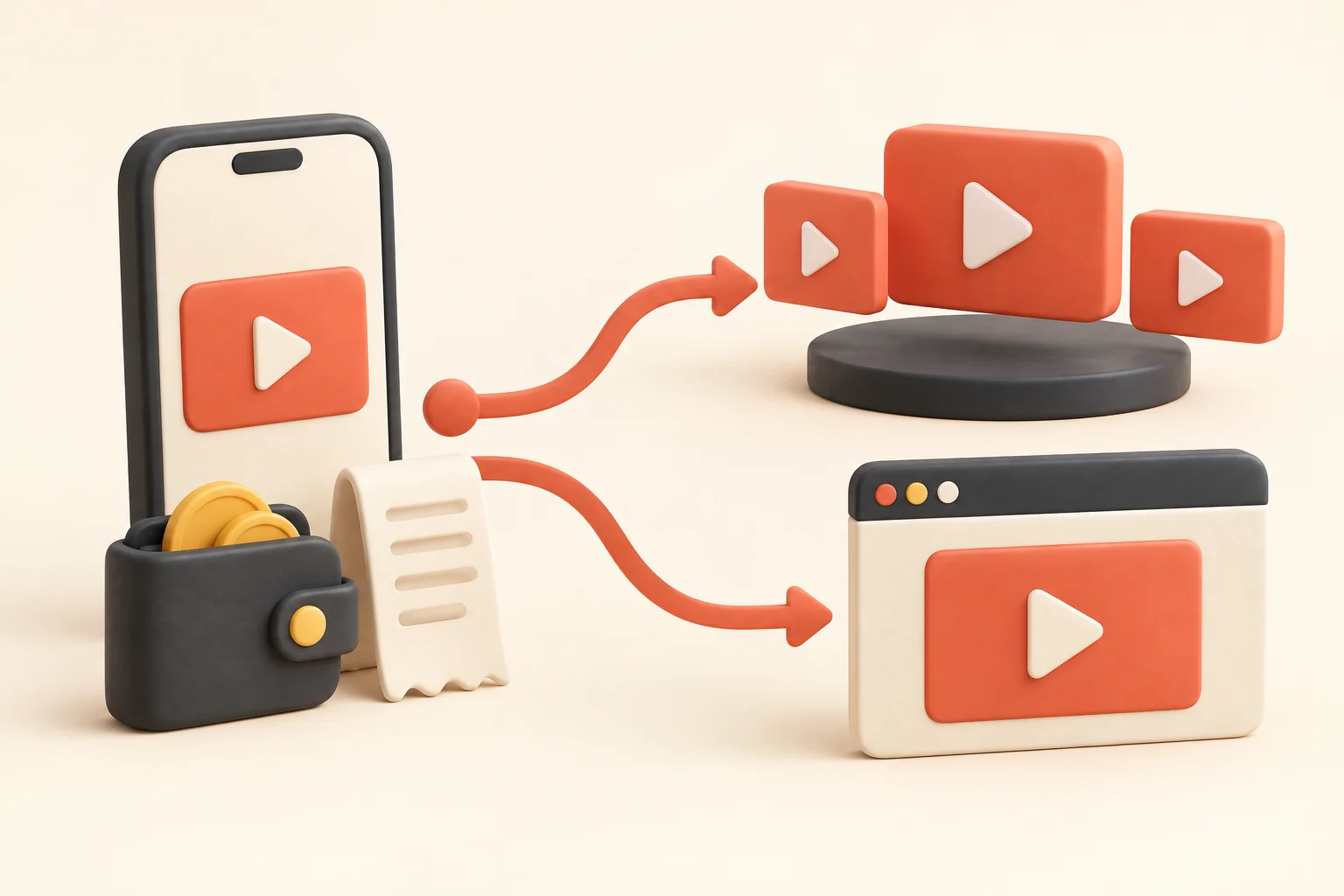
An app store submission checklist for creator apps starts with what a reviewer will see: the content category, how user posts are policed, how accounts and data are handled, and whether the reviewer can log in and test every role. Billing matters too, but it is a separate topic with its own guide.
This post sets out each check, what to decide before you build, and what to hand a reviewer. Rules below are quoted from the stores' own pages as of October 2026, and they change, so confirm them on the day you submit. This is business guidance, not legal advice.
If you are still choosing a product, a white-label OnlyFans clone comes with Android and iOS builds and a web app, so you can pick the store route and the web route independently. The checks below apply whichever software you run.
Why review readiness comes first
Most fans look for an app by name or category, and an installed icon brings repeat visits that a bookmarked website rarely does. A first submission for a platform with user uploads, chat and payments gets more scrutiny than a utility app, so a rejection is a normal event to plan for.
Review time is the other cost. Apple states that it typically reviews at least 50 percent of submissions in under 24 hours and 90 percent in under 48 hours. Google states that review can take up to seven days or longer in exceptional cases. Those are published typical figures, not promises, and a rejection restarts the clock. A realistic plan allows weeks, not days, between a finished build and a public listing.
| Question | Apple App Store | Google Play |
|---|---|---|
| Where the user-generated content rule lives | Guideline 1.2 | User Generated Content policy |
| Where sexual content is addressed | Guideline 1.1.4 | Sexual Content policy |
| Where the billing rule lives | Guideline 3.1.1 and the exceptions in 3.1.3 | Payments policy |
| Stated review speed | At least 50% in under 24 hours, 90% in under 48 hours | Up to seven days, longer in exceptional cases |
| After a rejection | Fix and resubmit, or one appeal per submission | Fix and resubmit, or appeal |
Content category and user-generated content rules
A creator platform is, from a reviewer's seat, a user-generated content app with payments. Both stores have specific duties for that.
What Apple asks for
Guideline 1.2 says apps with user-generated content must include four precautions:
- A filter that keeps objectionable material from being posted.
- A mechanism to report offensive content and respond to concerns in a timely way.
- The ability to block abusive users.
- Contact details that are published, so users can easily reach you.
Guideline 1.1.4 lists overtly sexual or pornographic material, which it defines as explicit descriptions or displays of sexual organs or activities intended to stimulate erotic rather than aesthetic or emotional feelings, as objectionable. That is the line that decides whether a platform is a candidate for the store at all.
What Google asks for
Google's user-generated content policy asks for ongoing moderation that fits the kind of content you host. In its words, apps need an in-app system for reporting and blocking objectionable content and users. Users must accept your terms or user policy before they create or upload content, and the policy must define objectionable behavior in line with Google Play's own rules. Apps that let users interact one to one must offer in-app blocking. Google also expects safeguards ensuring in-app monetization never encourages objectionable behavior, which is the clause a paid-content app should read twice.
On sexual content, Google's policy does not permit sexual content as the purpose of an app. It allows incidental sexual material in an app that is not built around it only when that material is hidden by default behind filters needing at least two user actions to reach, when children are explicitly kept out of the app, and when content ratings are accurate. It also warns against apps becoming known as places where such content thrives.
What this means for your category
| Platform type | Store route | What to expect |
|---|---|---|
| Fitness, music, cooking, education, regional or fan-club creators | Store apps are realistic | Full reporting, blocking and moderation evidence; normal review |
| Mixed general creator platform with age-gated mature content | Uncertain; depends on how the content is surfaced and filtered | Expect questions, tight defaults, and a possible rejection |
| Platform whose purpose is explicit material | Do not plan on a store listing | Launch on the web with your own billing and policy |
Moderation is the evidence reviewers ask about. A platform with territory blocking, age-gated flows, takedown records and review queues presents as a managed service. A platform without them presents as a content dump. Our guide to moderation and abuse-material detection on fan platforms sets out what a defensible setup contains, and the OnlyFans clone features page covers the trust and safety modules that ship with the platform. The app store review for user-generated content guide covers the reviewer side in more detail.
Account and data rules reviewers check
Two smaller rules catch many first submissions.
- Account deletion. Apple guideline 5.1.1(v) says that if your app supports account creation, you must offer account deletion within the app. Apple's account deletion page adds that the deletion option should sit in account settings, should remove the account record and the personal data tied to it unless the law requires you to keep it, and may be completed on a website if the app links straight to it. The deletion does not have to be instant if you tell the user the timeframe. For a subscription app, tell the user that a subscription billed through the store continues until they cancel it with the store.
- Data sharing. Guideline 5.1.2 says you must clearly state where personal data goes to third parties, third-party AI included, and obtain explicit permission first. If your platform sends fan chats to an AI persona provider, that disclosure belongs in the app and in your privacy label.
What reviewers ask for: a pre-submission checklist
Apple's guideline 2.1 asks you to give App Review full access to the app. If it has account-based features, that means an active demo account or a fully featured demo mode, plus anything else needed to review it. It also asks for detailed explanations of non-obvious features and in-app purchases in the review notes. Use that as the base and add what a creator platform needs:
- Demo accounts for each role. A fan with a funded wallet or test purchase path, a verified creator, and if the review needs it, a manager. Check that credentials work from a clean device.
- A one-page role map. Everyone begins as a fan, and creator tools only switch on once verification is complete. Say so, and say where the reviewer sees it.
- Purchase map. List each paid item, its price, the way it is billed in the app, and where the exception applies if you claim one.
- Moderation proof. Point to the report button, the block control, the screening step on uploads, the review queue and the contact details. Screenshots help.
- Age and content declarations. The age rating must match the content a reviewer can reach, not the content you hope they see.
- Privacy details. Privacy policy link, data collected, third parties that receive data, and the account deletion path.
- Terms acceptance. Terms and the user policy shown and accepted before a user can upload, which is also a Google requirement.
- Working links. Support, terms and privacy URLs live and consistent with the app text.
- Live backend. The server and the test content must stay up for the whole review window.
Build the pack once and keep it in version control. Our own delivery process includes help preparing store listings and submissions, and the platform ships with Android and iOS builds ready for that step. Each store decides whether it accepts a platform in your category, and that can change, which is why we describe our support as preparation, not approval.
A review pack laid out as a table
The checklist above is easier to keep current when each item has an owner and a home. The layout below is a template. Rename the owners to suit your team, and store the pack beside the build it describes.
| Pack item | Who keeps it current | Where it lives | When to re-check |
|---|---|---|---|
| Demo accounts per role | Engineer on release duty | Password manager, with the review notes pointing to it | Every build; test from a clean device |
| Role map and purchase map | Product owner | One page in version control | Whenever a paid item or role changes |
| Moderation evidence and screenshots | Trust and safety lead | A folder of dated screenshots | Every release that touches reporting, blocking or uploads |
| Privacy label and data list | Whoever owns the privacy policy | Policy page plus store forms | Whenever a new SDK or data flow is added |
| Terms and user policy text | Operator or counsel | The live site, linked from the app | Every edit; check that the app and the page agree |
| Backend and test content uptime note | Engineer on release duty | Release checklist | The day you submit and every day of the review window |
The point of the table is accountability. A pack that belongs to everyone is updated by no one, and the first sign is a demo login that stopped working the week before review.
Writing the review notes
Review notes are read by a person with a queue, so short and structured beats long and defensive. Open with one sentence saying what the app is: a creator platform where fans follow and pay creators, and creators publish after identity verification. Then give the reviewer what they need in the order they will need it.
- Sign-in details. Demo accounts per role, with the path from the login screen to each feature.
- Anything non-obvious. Apple asks for explanations of non-obvious features and purchases, so name the wallet, the tip flow and any gated area, and say where each lives.
- Safety controls. Where the report button, block control and published contact details are, written as screen paths.
- Who moderates. A sentence on your review queue and takedown process, with the contact route for your trust and safety team.
- What changed. On a resubmission, list the fix for each point the reviewer raised, in the reviewer's own order.
Keep one master copy per release and diff it against the last. A note that quietly went stale is a common reason a second review repeats the first rejection.
Why second reviews fail
A rejection you fixed can still come back as a rejection of the same kind. The patterns below explain most repeats.
- The fix is real but invisible. You added a report control, but the reviewer cannot find it from the demo account. Write the screen path in the notes.
- The build differs from the notes. The notes describe a flow that a late change removed. Diff the notes against the release candidate before every submission.
- The age rating moved. A new feature, such as a live room or a paid chat, changes what a reviewer can reach, so the declared rating no longer fits.
- Links broke. A terms or support page moved during a site update and now returns an error.
- Test content disappeared. A cleanup job removed the sample posts the reviewer relied on, so features look empty.
The cure for all five is the same habit: treat the review pack as part of the release, with a named owner and a short checklist the day you submit.
Example: a realistic path from finished build to listing
This is an illustration with illustrative timings, not a store statistic. Say your build is final on day 0. You spend days 1 to 3 assembling the review pack and testing the demo accounts from a clean device. You submit on day 3 and get a first rejection on day 5 because the report control sits two taps deep in one screen. You fix it, reply with what changed and resubmit on day 6, then get approval on day 8. Two reviews, eight days.
Now add a store with a slower queue, a second rejection over a privacy label mismatch and a weekend. The same plan stretches to three or four weeks. The lesson is to set your launch date with slack and to keep the fan-facing web app ready, so creators are not waiting on a store decision to start publishing.
Keep a simple log for each submission: the date, the build number, what you changed, the reviewer's reply and the outcome. After three or four rounds the log shows which kinds of finding keep coming back, and that tells you which part of the pack needs a stronger owner. It also gives a new teammate the history in ten minutes, and gives an adviser or a payment partner a dated record of how you handled each objection. A log costs a few lines per release and saves an hour of searching the next time a similar question arrives.
Plan staffing around the same dates. Whoever answers a reviewer should be reachable on the day a reply arrives, because a question left for a week holds up the whole release, and a creator launch that was announced publicly has to wait with it.
What if a submission is rejected?
Read the rejection reason as a specific instruction. Apple names the guideline number, and Google names the policy and shows details on the release page. Then take one of three paths:
- Fix and resubmit. For a missing demo login, a missing reporting control or a privacy label mismatch, this is quickest. Reply with what changed, not with an argument.
- Ask for clarification. If the reason is ambiguous, ask a precise question in the review thread and quote the guideline.
- Appeal. Apple allows an appeal to the App Review Board when you believe the app was misunderstood or treated unfairly, and asks you to give specific reasons the app complies, to submit one appeal per rejected submission and to answer any open information requests first. Google lets you fix and resubmit or submit an appeal.
Do not resubmit the same build unchanged and do not open multiple accounts to retry. Repeated attempts to get around a decision are a policy problem of their own. If the objection is the category itself, the practical answer is the web route, not a longer argument.
The web app as a fallback, not a failure
A browser route is a real product. A web app that fans add to their home screen as a PWA opens like an app, sends no commission to a store, uses whichever processor approves your business, and ships a fix in minutes. For categories that stores do not welcome, it is the primary route, and for others it is the way to prove demand while the store questions are settled.
The costs are specific, so write them down before choosing:
- No store search or featured placement, so every fan comes from your own marketing or from creators.
- Lower push notification reach on some devices than a native app can offer.
- Less habit: an icon that must be added by hand has lower retention than a store install.
- Payments and age checks are entirely yours. There is no store account system to lean on.
Our platform data notes that operators in sensitive categories commonly start with the web app and PWA, and we agree with that sequence. Launch where you control the rules, measure how many creators go live and how many fans return, then spend money on store submissions. If you also run a store app later, keep one checkout rule across both, so creators see one statement.
A scorecard for store-first or web-first
Founders often argue this choice from instinct. Score each line from 1 to 5 for your own platform and compare the totals. The lines are prompts, not measurements.
| Line | Leans store-first when | Leans web-first when |
|---|---|---|
| Content category | Mainstream topics with clear moderation evidence | Adult or borderline material a reviewer may question |
| Audience habit | Fans expect to find you by searching a store | Fans already follow creators from social links |
| Billing needs | You can live with store billing and its commission | You need your own processor and a lower fee |
| Speed of change | Releases are planned and tested in advance | You expect to change rules and prices weekly |
| Team capacity | Someone can own the review pack on every release | No one can spare the time for store paperwork |
If the totals are close, start on the web and add the store apps once creators are earning. The reverse order is harder, because a store launch that stalls leaves creators with nowhere to publish. Whichever way you lean, write the decision down with the date, so a later change in category or billing rules has a baseline to be compared against.
Billing, in one paragraph
Reviewers also check how you charge. In short, digital access sold inside a store app normally goes through the store's own purchase system (see the Apple review guidelines plus the Google Play payments policy), with narrow exceptions for things like physical goods and real-time person-to-person services, and the store keeps a commission that changes your creator payout math. Put a purchase map in your reviewer notes so each paid item has a stated route. The rules, the exceptions and a worked fee example are set out in the in-app purchase rules for both stores guide; our OnlyFans clone business model page covers how commission and wallet settings interact.
Before you submit a build: the calls only you can make
Write down the category line first: what your platform allows and what it removes, because if explicit material is the product, the web app is your launch route and the store apps follow later. Then assemble the review pack from the checklist above before the build is final, pick a billing route per product, and rewrite creator terms so store fees do not surprise anyone. The OnlyFans clone includes Android, iOS and web builds, and 60 days of technical support cover help with store submission, while the delivered OnlyFans clone gets bug fixes for six months and free updates for twelve months. To confirm how your category fits the scope, talk to us. The brand-safe influencer subscription platform guide shows how a policy-first setup supports both routes.
Policies in this post are drawn from the App Review Guidelines of Apple and the developer policies of Google Play, accessed in October 2026. They are not legal advice. When a rule affects a real decision, read the current page and ask the store or a lawyer who knows your market.
Questions and answers
Can an adult platform be in the app stores?
Apple's guideline 1.1.4 lists overtly sexual or pornographic material as objectionable, and Google Play prohibits sexual content as the focus of an app. Platforms with mainstream creator content can be listed. Platforms built around explicit material generally launch on the web instead. The stores decide each case, so check the current wording before you plan around a listing.
Do I have to use store billing for creator subscriptions?
For digital content and access sold inside the app, Apple guideline 3.1.1 requires in-app purchase, while the Google Play payments policy requires Play billing, with narrow exceptions and regional programs. Anything physical, or any service used outside the app, is treated differently. Read the exceptions against your exact products and ask the store if a case is unclear.
Is a web app enough to launch a creator platform?
Often yes. A web app installed as a PWA can take payments through your own processor, run your own content policy and ship updates the same day. You give up store search and the install habit. Many operators launch on the web first, prove creator and fan demand, then add native apps once billing and category questions are settled.
How long does app store review take?
Apple says it typically reviews at least 50 percent of submissions in under 24 hours and 90 percent in under 48 hours. Google says reviews can take up to seven days or longer in exceptional cases. Plan your launch date with slack for a first rejection and one resubmission, not around the best case.
Can I ship an Android app outside Google Play?
Technically an Android app can be distributed as a direct download, but users must allow installs from unknown sources, which loses most casual fans. Google Play also has its own rules for what it lists, so a rejected category does not become easy by going around it. Treat a direct APK as a niche channel, not a main one.
What should I put in the review notes?
Apple asks for full access to your app, including a demo account if sign-in is required, and detailed explanations of non-obvious features and purchases. Describe the fan and creator roles, how payments work, how reports and blocking work, and who moderates. Keep it factual and short, and include the contact route for your trust and safety team.
What belongs on an app store submission checklist for creator apps?
Cover the content category, reporting, blocking and filtering for user-generated content, published contact details, in-app account deletion, third-party data disclosures, demo accounts for each role, a purchase map and moderation proof. Add a live backend for the whole review window, then plan for one rejection and one resubmission.
Sources
- Apple: App Review Guidelines
- Apple: App Review process and appeals
- Apple: Offering account deletion in your app
- Google Play: Payments policy
- Google Play: User Generated Content and Sexual Content policy
- Google Play: App review time and appeals
Checked in October 2026. Rules, fees and programme terms change; confirm on the source before you rely on them.