How it works
How to Build a Recommendation Algorithm for a Short Video App
A recommendation algorithm for short video apps, step by step: the signals to log, a four-stage pipeline, cold start and the dials an operator should keep.
Short answer
To build a recommendation algorithm for a short video app, log viewer interactions, video details and device settings from day one, then run four stages: an eligibility gate, a candidate pool, ranking by completion, replay and share, and an exploration share for new clips. TikTok documents these signal families publicly; the exact weights stay private, so tune your own.
Key takeaways
- Log raw events from the first release: completion, replays, shares, follows, skips and not-interested taps cannot be recovered later.
- A workable first version has four stages: eligibility, candidate pool, ranking and exploration for new clips.
- TikTok documents three signal families and says strong signals outweigh weak ones; it does not publish weights or stages.
- Cold start needs interest picks, seeded broad-appeal clips and visible early results for new creators.
- Keep dials for recency, engagement, diversity, categories and regions, and change one at a time.
- For a regional or niche network, starting from a working feed gets real viewer feedback sooner than building a ranker from scratch.
On this page 11 sections
- Why the feed is the product in a short video app
- Signals to log from day one
- A four-stage recommendation algorithm for short video apps
- Cold start for viewers and for creators
- Build from scratch, buy a ranking service, or start from a working feed
- Dials an operator should keep
- How our platform handles the feed
- Measuring whether the feed works
- A twelve-week plan for the first feed
- Feed mistakes that sink small platforms
- See the feed running before you commit
If you are working out how to build a recommendation algorithm for your own short video app, start with what the biggest feed in the category tells the public. TikTok has published an explainer on its For You recommendations, and YouTube, Instagram and Snapchat have published similar ones. They agree on more than they differ, and the overlap is a usable blueprint for a founder who has to decide what to log, what to rank and what to let a human override.
This guide separates what TikTok documents from standard recommender practice, then turns both into build decisions: the signals to collect from day one, a four-stage pipeline, cold start for viewers and creators, the dials an operator should keep, and what it costs in team time to build the feed yourself instead of starting from a working one. Where we describe a product, it is ours, and we say so: it is the feed in our white-label short video platform.
Why the feed is the product in a short video app
A classic social feed is a filter on a follow graph: you follow accounts and see what they posted. A recommendation feed reverses that. The system looks at every eligible video, predicts which ones this viewer will want, and fills the screen with them. The follow graph becomes one input among several. TikTok has said in its published explainer that follower count and previous high-performing videos are not direct factors in its recommendations.
That design has a commercial consequence for an operator. In a follow-list product a new creator with no audience is invisible, so you must recruit people who already have followers elsewhere. In a recommendation product the first upload is already in the running, so a small creator can be shown to strangers and decide that staying is worth it. If the feed is dull, creators leave because nobody sees their work and viewers leave because nothing surprises them. The feed is the retention mechanism for both sides of the market.
Two feeds, two jobs
Most short video apps keep both a ranked For You feed and a Following feed. For You is for discovery. Following is for loyalty and is mostly a chronological view of accounts the viewer chose. Keep them separate in your own app. Mixing them confuses creators, who cannot tell whether a view came from a follower or a stranger, and it muddies your analytics.
Signals to log from day one
TikTok groups its inputs into three families: user interactions, video information, and device and account settings. It says strong signals, such as finishing a long video, count for more than weak ones, such as the viewer and creator sharing a country. TikTok does not publish the model, the exact weights or the size of any test audience, so any figure you see online for the watch time that makes a video "go viral" is a guess. Read the current explainer on TikTok's own site before relying on a detail, because the company can revise it.
For a founder the practical lesson is about instrumentation. You cannot rank on a signal you never recorded, and you cannot add history afterward. The table is a builder's reading of signals in general, not a description of TikTok's settings; the last column is advice for an operator.
| Signal | What it tells the system | How to weight it in your own app |
|---|---|---|
| Completion (share of the clip watched) | The clip held attention to the end | High weight, normalized by clip length so very short loops do not win by default |
| Rewatch or loop | The viewer wanted more | High weight, capped so a looping glitch cannot inflate it |
| Share or send to a friend | The viewer would stake their own reputation on it | High weight; the hardest signal to give by reflex |
| Follow after viewing | The creator, not just the clip, earned interest | Medium to high; also feeds creator-level ranking |
| Comment | The clip provoked a response, good or bad | Medium; check reports so outrage is not rewarded |
| Like | A cheap positive tap | Low to medium; easy to give by reflex |
| Swipe-away in the first seconds | The opening failed for this viewer | Medium negative, judged against the viewer's usual skip rate |
| Not interested or report | An explicit negative label | Strong negative, and a trigger for moderation review |
| Caption, sound, hashtags | What the clip is about before anyone watched it | Used to pick candidates and a first test audience, not as a quality score |
| Language, country, device | What the viewer can understand and play | Soft filters and tie-breakers; hard filters only for policy or rights |
Two details deserve a place in your first release. Include a not-interested action, because TikTok's Creator Rewards terms refer to viewers marking videos that way, which shows the signal exists, and because it is the cleanest negative label you can collect. And store the raw events rather than only counters, so that when you change the model next quarter you can replay history instead of starting blind.
What is documented and what is not
- From TikTok's published explainer: the three signal families, strong signals outweighing weak ones, follower count not being a direct factor, diversity in the feed, and filtering of duplicates, already-seen videos and spam.
- General recommender practice: candidate generation followed by ranking, exploration of new items, and completion and rewatch as quality evidence. YouTube describes viewing behavior, likes, dislikes and satisfaction surveys in its recommendations explainer, and Instagram describes separate ranking systems per surface in its ranking explainer.
- How our product behaves: the feeds and admin controls in the section on our platform below. These are facts about our software, not about TikTok.
A four-stage recommendation algorithm for short video apps
A workable first version is a pipeline with four stages. None of them needs a research team to start, and each can be improved on its own later.
- Eligibility. Decide which clips may be recommended at all: passed moderation, not a duplicate, not flagged for rights, not already seen by this viewer. TikTok has said new or under-review videos may not be eligible yet, which is the same idea. Treat eligibility as a gate in front of ranking, never a filter after it.
- Candidate pool. From everything eligible, pick a few hundred plausible clips for this viewer cheaply, using interest match, freshness, region and language.
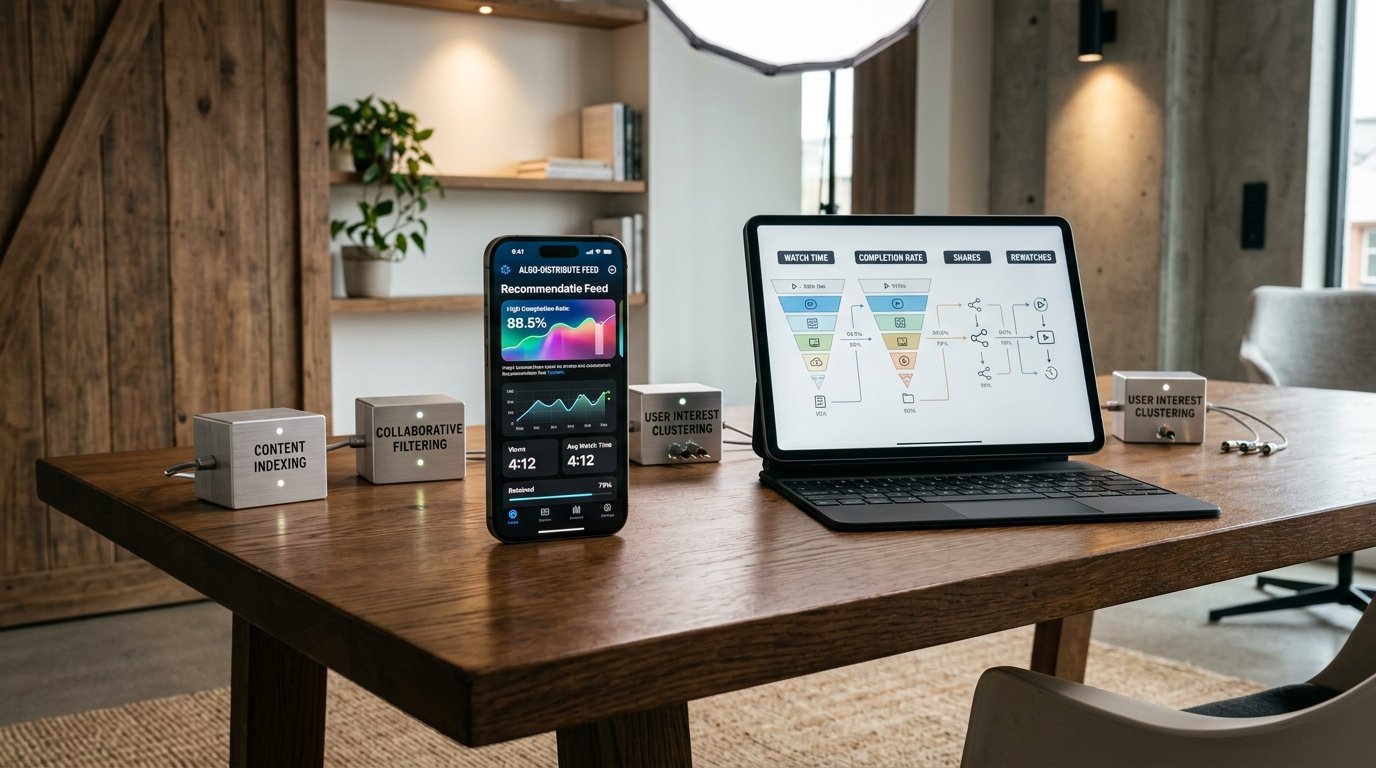
- Ranking. Score each candidate on how likely this viewer is to watch it, finish it, replay it, share it or skip it, then order the screen. A weighted sum of the signals in the table is a legitimate first model. Move to a learned model once you have enough logged events.
- Exploration. Reserve a share of every batch for clips the system is unsure about, mostly new uploads, so fresh content gets a test audience.
Test, read the response, widen
New videos have no history, so the pipeline has to create some. The usual answer is a staged release. A clip that passes eligibility is shown to a small group whose interests match its topic, sound and tags. The system reads completion, replays, shares, follows and early skips. A strong response widens the audience to the next ring of similar viewers; a weak response stops the spread. TikTok does not publish its stages, so treat this as standard practice. The effect for your creators is that one lucky upload cannot flood the feed on a single metric, and a first-time creator still gets seen.
Why completion and rewatch usually beat likes
A like is a reflex. Finishing a clip, or watching it twice, costs the viewer time, which is the one resource every viewer has in fixed supply. That is why most vertical feeds lean on completion, rewatch and share as their strongest quality evidence, and it matches TikTok's own example of a strong signal. Be careful with pure completion, though: it favors very short clips because they are easy to finish. Normalize by length or add a share and follow term so the feed does not collapse into six-second loops.
Cold start for viewers and for creators
A recommender learns from behavior, and on day one there is none. Cold start has two sides, and each needs its own plan.
The new viewer
TikTok's explainer says new users start from interests they pick at sign-up. A sensible first session for your app looks like this:
- Ask for language and two or three interests, skippable.
- Build the first batch from broad-appeal clips inside those interests, chosen for strong completion across many viewers, not random uploads.
- Put one or two fresh clips from new creators in every batch, which is the exploration share.
- Read the first ten swipes. Completion, replays and quick skips begin to separate real taste from declared taste.
- Shift weight from declared interests to observed behavior by the end of the session, and keep a small share of surprise so the feed does not narrow too early.
The new creator
A creator with no audience depends entirely on the test step, so make it visible. Show views, completion and the point where viewers dropped off within a day, so a weak result teaches something. If new creators see three views and no explanation they stop posting, and your supply dries up. Supply is handled in how to bring creators onto a new short video platform, and the cold start problem post explains why viewers and creators have to be grown together. Until a viewer has a few hundred plausible candidates, lean on editorial picks, categories and trending lists, and turn on personalization gradually.
Build from scratch, buy a ranking service, or start from a working feed
Founders usually end up choosing among three routes. The table compares them on what you have to staff and when you learn whether the product works.
| Route | What you have to do | Main risk |
|---|---|---|
| Build the feed yourself | Event logging, a candidate service, a ranking model, an experiment framework, and engineers who can run all four | Months of work before real viewers can judge the result, and nothing to rank until content exists |
| Rent a hosted recommendation service | Send it events and a catalog, then integrate results into your apps | Your rules live in someone else's settings, and short video eligibility and moderation gates still have to be built around it |
| Start from a platform with a feed already running | Rebrand, seed content, tune weights | You inherit its design, so check the dials you need are exposed before you commit |
For a regional or niche network the third route usually gets you to real viewer feedback fastest, and the feedback is what teaches you which signals matter in your market. A global model trained on thousands of engineers' work and years of data is a different product from a feed tuned for one language or one hobby, and a small network does not need to match it.
Dials an operator should keep
A feed you own is a set of dials. A rented feed is a black box. The table lists the levers worth keeping, what each does and the risk of misusing it.
| Lever | What it does | Risk |
|---|---|---|
| Recency weight | Favors new uploads over older proven clips | Too high and quality drops; too low and the feed feels stale |
| Engagement weight | Favors clips with strong completion, replay and share | Can reward bait and very short clips |
| Creator diversity | Limits how often one creator appears in a session | Too strong and viewers cannot find creators they love |
| Categories and featured trends | Steers discovery toward what you want to grow | Looks like favoritism if the rules are hidden |
| Regional feeds | Serves local language, creators and trends | Small regions run out of fresh content quickly |
| Brand-safety filters | Keeps sponsored placements away from rejected categories | Over-filtering shrinks ad inventory |
| Manual boost or suppress | Pushes or limits a video, tag or creator | Erodes trust if it becomes routine |
The discipline that matters more than any single dial is patience. Use a simple tuning routine:
- Write down the one outcome you want to improve, such as day-seven return visits or median watch time per session.
- Record a baseline over at least a week of normal traffic.
- Change one weighting, one category rule or one region setting.
- Wait several days, and never compare a weekday with a weekend.
- Check the outcome, then the side effects: creator concentration, new-creator reach, reports per thousand views.
- Keep the change, reverse it, or adjust by half the original step, and log the date, setting and result where your team can search it.
If one creator dominates, raise diversity. When viewers leave fast, look at whether onboarding interests are pointing them at content you do not have. Tell creators in plain language when a change affects their reach.
How our platform handles the feed
Our short video platform ships For You (Discover), Following and Nearby feeds, with prefetch so the next clip is ready, and like, save, share, not-interested and report actions on every post. Admins feature posts, mark them as trending and manage hashtags, sounds and live categories, which is how an operator shapes what a new viewer sees first. A ranking model built on the signals above, with recency, engagement and creator diversity weights, can be tailored to your market once we confirm the scope with you. On the safety side, an optional approval queue holds new posts for review, reports land in one admin list, and SightEngine scanning connects with your own key.
Around the feed sit the pieces a recommendation product needs to earn: coins and animated gifts, coin subscriptions with auto-renew, pay-per-view posts, tips, a Promote tool for creator advertising, AdMob and Pangle ads, a creator fund with an approval queue for withdrawals, a shop, and live streaming with guest seats and PK battles. The mobile apps are Flutter, the web app and the API use Laravel 10 on PHP 8.1 with MySQL or MariaDB, live rooms run on ZegoCloud or Agora, and FFmpeg handles media jobs. A one-time $4,899 buys the ready-made package, with full source code and a branded launch in 6 working days, and the first 60 days come with technical support, defects in the feed and app we deliver are covered by a six-month fix commitment, while updates are free for a year. Tailored work, for example a weighted ranking model or extra integrations, is a separate project of 2 to 8 weeks, scoped in writing first. You can read the details on the TikTok clone features page and the development cost page, which separates the one-time price from the running costs of video storage, delivery and moderation.
Measuring whether the feed works
A feed that feels good in a demo can still fail with real viewers, so pick a few measures before launch and look at them weekly. The measures below are ones an operator can compute from the events described earlier; the targets are for you to set from your own baseline, since no outside figure applies to your market.
| Measure | What it shows | Warning sign |
|---|---|---|
| Median watch time per session | Whether the feed holds attention | Falls while video count per session rises, which suggests viewers are skipping |
| Day-seven return rate | Whether viewers find a reason to come back | Flat after several tuning rounds |
| Share of views going to creators under 100 followers | Whether exploration works | Near zero, which means the test step is not releasing new clips |
| Share of views going to the top ten creators | Whether one voice dominates | Rising week on week |
| Reports per thousand views | Whether ranking is surfacing material people dislike | Rising after you raised the engagement weight |
| Creators posting a second time | Whether the test step teaches or discourages | Many first uploads and few second ones |
Pair numbers with a weekly viewing session. Have three staff members scroll a fresh account for fifteen minutes each and write down what bored them, what surprised them and what they would report. Numbers tell you something moved, and a human session tells you why.
A worked week for a niche feed
Here is an illustrative week for a feed serving one language community, with illustrative counts used only to show the reasoning. On Monday you have 400 eligible clips and 2,000 weekly viewers. You set the exploration share to one clip in five, so each viewer's first fifty swipes include ten from creators the system has little data on.
By Thursday the numbers show that new clips are finishing at about the same rate as established ones, which is a good sign that exploration is not hurting the feed. Yet the top ten creators take most views. You raise creator diversity one notch, wait until the next Monday, and compare like with like. The reports per thousand views stay flat and the share going to small creators grows. You keep the change and log it. That is the whole method, repeated: one change, a full week, a comparison on the same weekday, and a note.
A twelve-week plan for the first feed
Founders often ask when to turn on personalization. A workable order follows, with the caveat that your pace will differ.
- Weeks 1 to 2: seed supply. Recruit the first creators and load enough clips that a viewer can scroll for ten minutes without repeats. Use categories and editorial picks only.
- Weeks 3 to 4: log everything. Open to a private group, switch on event logging and the not-interested action, and ignore personalization while you check that the events are correct.
- Weeks 5 to 6: simple ranking. Turn on the interest-based For You feed with default weights and a visible exploration share. Read the measures above for the first time.
- Weeks 7 to 8: first tuning round. Change one dial, wait a full week and decide. Publish a plain note to creators describing what the feed looks at.
- Weeks 9 to 10: region and language. Add regional feeds or language filters if your audience spans more than one.
- Weeks 11 to 12: open wider. Remove the private-group limit only if return rates and report rates are acceptable, and write down the thresholds you used so the decision is repeatable.
Most of the value in the first quarter comes from steps one and two. A modest ranking formula on well-logged events beats a clever model on events nobody can trust.
Feed mistakes that sink small platforms
- Ranking before there is content. A model cannot rank six clips. Use editorial picks and categories first.
- No moderation gate before distribution. If a clip reaches the feed before anyone checks it, the harm is done by the time a report arrives. For the detail, see moderating a short video app.
- Opaque rules for creators. Creators invent theories when you say nothing. Publish a plain description of what the feed looks at and update it when you change weights.
- Retuning every day. Daily changes make results unreadable. Change one thing, wait, measure.
- Letting one metric run the feed. Completion alone favors loops, likes alone favor bait, followers alone bring back the follow-list problem. Blend signals and watch return visits as the check.
- Copying a global feed for a local market. A single city or language needs different diversity and freshness settings than a global network.
See the feed running before you commit
Open the TikTok clone page, try the live demo, scroll the feed, post a clip and read the admin panel's feature, trending and moderation controls against the table above. If the controls you need are there, the pricing page shows what the package includes, and the plan for starting a short video app covers seeding creators and content. When you have a market and a feed policy in mind, tell us about it and we will confirm scope for anything beyond the standard setup.
Questions and answers
How do I build a recommendation algorithm for my short video app without a data science team?
Start with a weighted score over logged signals: completion normalized by clip length, replays, shares, follows and skips. Add an eligibility gate and an exploration share for new clips. That is enough to learn from real viewers. Move to a learned model once you have enough logged events, and keep the raw events so you can replay history.
Does a new creator need followers to be shown?
Not in a recommendation feed. In its published explainer, TikTok has said that neither follower count nor previous high-performing videos are direct factors. A new account can be shown to strangers if viewers respond well. Followers still matter for the Following feed and repeat reach, but they are not a gate to discovery.
What should an operator be able to tune?
At minimum the balance of recency, engagement and creator diversity, plus categories, featured trends, regional feeds and brand-safety filters. In our product, admins already feature posts, flag trends and manage hashtags and live categories, and weighted ranking controls can be added on request, scoped with us. Change one at a time, wait several days of traffic, then look at watch time and return visits together before touching anything else.
How should a new viewer's first session work?
Ask for language and a few interests, skippable. Build the first batch from broad-appeal clips in those interests, add one or two fresh clips from new creators per batch, and shift weight from declared interests to observed behavior by the end of the session. Keep a small share of surprise so the feed does not narrow too early.
Why not rank on likes alone?
Likes are cheap and often given by reflex or to creators the viewer already knows. Finishing or replaying a clip costs time, so it is stronger evidence. Pure completion has its own bias toward very short clips, so normalize by length or add share and follow terms. Blend signals and use return visits as the check.
Do I need moderation before clips reach the feed?
Yes. Treat eligibility as a gate in front of ranking, so clips pass automated flags and, where flagged, a review queue before distribution. TikTok has said new or under-review videos may not be eligible yet. Moderating after a report arrives means the harm has already been seen by an audience.
How much does the feed cost if I start from your platform?
The ready-made short video platform, including For You, Following and Nearby feeds, costs $4,899 once and includes full source code; a branded launch takes 6 working days. Hosting, video delivery, moderation and payment fees are running costs paid to your own providers. Tailored work is scoped and confirmed with us first.
Sources
- TikTok Newsroom: How TikTok recommends videos for you
- TikTok Creator Rewards Program Terms (qualified views, not interested)
- YouTube: How YouTube recommendations work
- Instagram: Instagram Ranking Explained
- Snapchat Support: How content is ranked on Spotlight
Checked in November 2026. Rules, fees and programme terms change; confirm on the source before you rely on them.