Short video and live
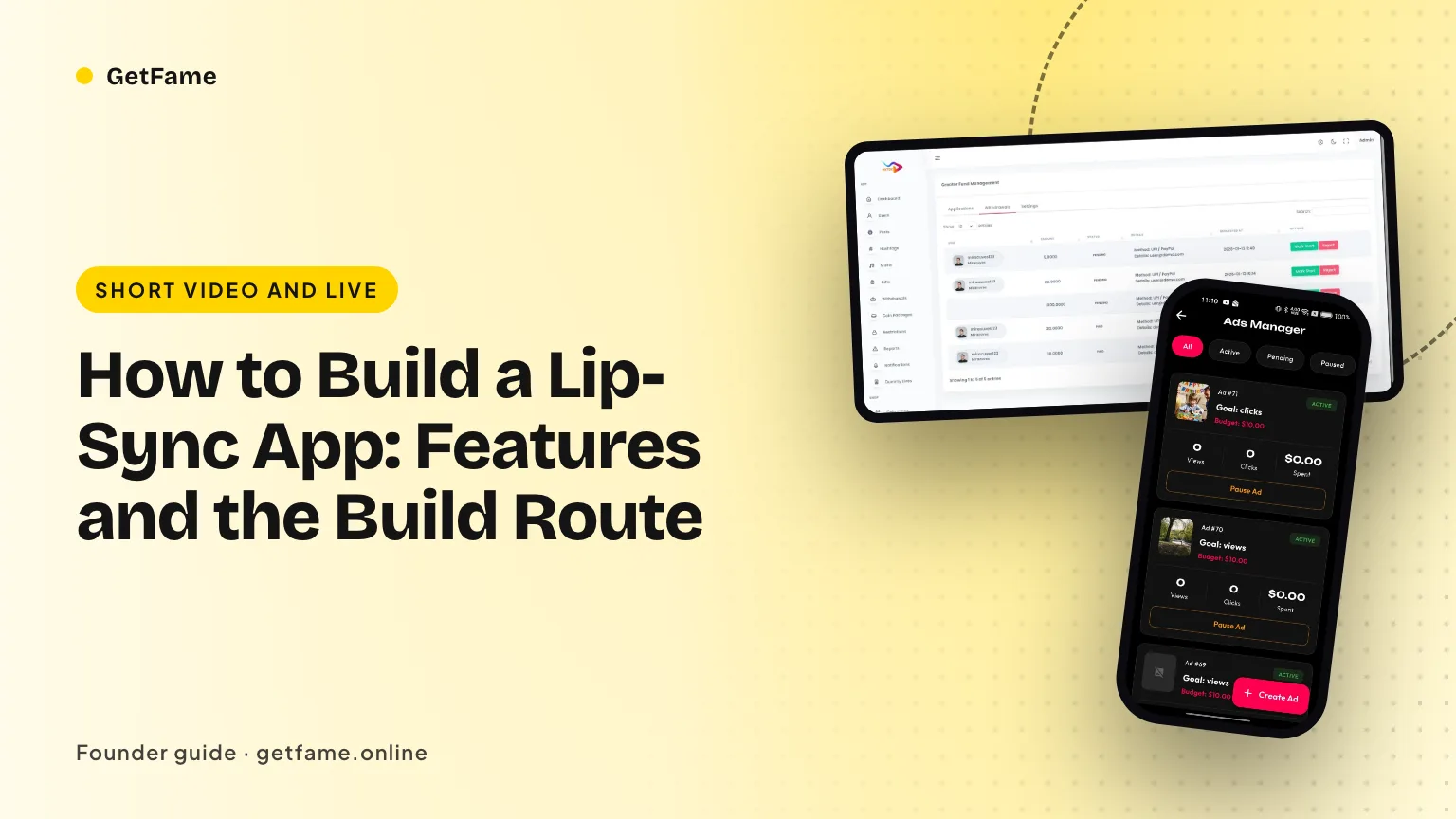
How to Build a Lip-Sync App: Features and the Build Route
How to build a lip sync app: the sound picker, synced recording, trimming and duets it needs, and whether to code it, adapt a script or start from source.
Short answer
To build a lip sync app you need four working parts: a sound picker backed by a rights-cleared library, a recorder that plays the audio while the camera runs and keeps both aligned, trim and speed tools, and a feed with sound pages and duets. The recorder is the hard part. Most founders start from existing source code instead of writing it.
Key takeaways
- A lip-sync app is a sound library plus a recorder; everything else is a feed and a back office around that pair.
- Recording quality depends on audio latency, so the app must measure and correct the gap between the track and the camera.
- Trimming to a single phrase and slowing the audio are what make a performance land, so they belong in the first release.
- Sound pages and a one-tap use-this-sound button turn each clip into a trail that leads to the next clip.
- Every sound in the picker needs a rights answer before launch, and the app store review will ask for it.
- Starting from tested source code saves the months that the recorder and the library tools otherwise take.
On this page 11 sections
- What a lip-sync app has to do in the first ten seconds
- The sound picker and the library behind it
- Synced recording: where the engineering effort goes
- Trim and speed: why the first release needs them
- Duets, stitch and sound pages: how one clip becomes a trail
- Rights and store review: the checks that arrive before launch
- How to build a lip sync app: the build route compared
- A first-release scope that fits a small team
- A test plan for sync on real phones
- Measuring the first month of a lip-sync app
- Putting it together with GetFame
When a founder asks how to build a lip sync app, the answer begins with one fact: the product is a short piece of audio and a person performing to it. A sound library, a recorder that keeps picture and track together, and a feed that connects clips made with the same sound are the whole core. Everything else, from gifts to live sessions, sits on top of that core.
This guide lists what the app has to contain, where the engineering effort really goes, and the three ways to get there. The ready-made route is a white-label lip-sync video app that you rebrand and extend, and later sections compare it with coding everything yourself. The app is described here as a category of product; the original service it echoes is covered in a separate post on why Dubsmash shut down.
What a lip-sync app has to do in the first ten seconds
A viewer who opens a lip-sync clip is judging one thing: does the mouth match the words. That judgment happens within seconds, so the product is built around making a match easy. The sequence has five steps, and each one maps to a screen you must design.
- Find a sound. Search or browse, preview a few seconds, and pick one.
- Cut it to a phrase. Most sounds are longer than the line a performer wants, so trimming comes before recording.
- Record with the track playing. The camera runs while the audio plays, and the performer mouths along.
- Review and retake. Several takes in a row, with the option to keep the best.
- Post and link. The clip is published and attached to the sound, so anyone can see the other takes.
Compare that with an ordinary short video app. A general app starts at the camera, and music is an optional extra. A lip-sync app starts at the sound, and the camera is the second step. That order changes the home screen, the navigation and the data model, so decide it before you write any code. It also explains why a generic short video app plan needs adjusting when the format is sound-led.
The sound picker and the library behind it
The picker is a search screen with audio previews, and its quality depends on the data underneath it. Each sound needs a title, a duration, a category, a source, a rights status and a count of clips made with it. Without the rights status field you cannot answer a takedown request quickly, and without the clip count you cannot rank sounds.
A sound can arrive from three places, and the app should treat them differently.
| Source | How it enters | What you control | Main risk |
|---|---|---|---|
| Staff import | Your team uploads audio and assigns categories in the admin panel | Full: you pick every sound and its license record | Rights must be cleared before upload |
| Royalty-free sources | You connect a library whose terms allow use inside user videos | High: terms are written down | Terms may cover some uses and not others |
| Creator audio | A member records or uploads a voice track; it becomes a reusable sound | Moderate: you review after the fact | The upload may contain someone else's audio |
Our product ships with all three routes: a categorized library, a staff import tool and reusable creator sounds, and a royalty-free source lets you stock the catalog before any rights deal closes. That gives a founder a safe opening catalog, then a way to grow it from the community. Rights for each sound stay with you as the operator, a point developed in the posts on licensing movie dialogue clips and the earlier post on clearing songs for short video.
Search is more than a text box
People remember lines, not titles. A user types half a quote and expects to find the sound. Searching by spoken words means each sound needs a transcript, which can be written by staff or produced by speech recognition and then checked. Search by spoken words is available from us, and we confirm its scope with you at kickoff. Until then, good titles and tags carry the load, so write them as people would say the line.
Synced recording: where the engineering effort goes
The recorder is the part that separates a lip-sync app from a slideshow with a song. Three things run at the same moment: the phone plays the track, the camera captures frames, and the microphone may capture the performer. Each path has its own delay, and the delays differ by phone model and by what the audio is playing through.
Android's audio documentation separates these delays into output latency, input latency and round-trip latency, and it sets the compatibility target for round-trip latency at 20 milliseconds or lower on devices that qualify for the professional audio feature. A lower bar applies to the general low-latency feature, which asks for continuous output latency of 45 milliseconds or less. The practical lesson is that phones vary, so an app that assumes one fixed delay will drift on some devices. The same document recommends asking the system for its optimal sample rate and buffer size rather than hard-coding values, and warns that input and output callbacks are not guaranteed to be synchronized.
A sync plan that holds up on real phones
- Play the track from a known start. Log the time the first audio buffer is queued and the time the first video frame is stamped, and keep both timestamps with the take.
- Keep the camera microphone out of the final mix. The finished clip uses the clean library segment, not the speaker sound leaking into the microphone.
- Store a per-device offset. Measure the gap once, for example with a calibration clap on first use, and apply the correction when the clip is rendered.
- Treat wireless headsets as a separate case. Their output path differs, so test them as their own device class and offer a re-sync step in the review screen.
- Render once, on the final timeline. Cut, speed change and mix are applied together, so the exported clip has one audio track and one video track that start together.
FFmpeg handles the rendering. Its audio delay filter takes values in milliseconds by default, or in samples when you add a suffix, which suits offset correction: at 48,000 samples per second, 480 samples equal 10 milliseconds. Our stack uses FFmpeg for media work, with Flutter on the phone and Laravel on the server, so the render step can sit where your cost and speed targets prefer.
Trim and speed: why the first release needs them
Few sounds are exactly the length of the joke. A thirty-second movie scene contains one line worth performing, so the app needs a trim bar with a waveform, handles that snap to silence, and a preview that plays only the chosen segment. Without trimming, performers record the whole sound and viewers scroll away before the line arrives.
Speed control matters for a second reason. Rapid lines are hard to mouth, so a slower practice mode helps performers learn the line, and the final clip then plays at normal speed. Build speed as a recording option and as an editing option, and decide whether the pitch of the track follows the speed. Most lip-sync apps keep pitch natural at reduced speed, because a deep-voiced slow track ruins the joke.
| Tool | What it solves | Edge case to test |
|---|---|---|
| Trim bar with waveform | Cuts a long sound to one phrase | Very short sounds, under two seconds |
| Speed control | Practice at slow speed, post at normal | Pitch change on slowed audio |
| Multi-take recording | Retakes without leaving the screen | Memory use after many takes |
| Offset correction | Fixes device delay | Wireless headsets |
| Countdown and timer | Gives the performer a start cue | Camera warm-up time |
Lines shown on screen in time with the sound are the next helper performers ask for. Our team can set this up, and its scope is confirmed with you before work starts, because it needs timed text for each sound.
Duets, stitch and sound pages: how one clip becomes a trail
The sound page is the growth mechanic of the format. It lists every clip made with one sound, so a viewer who likes a joke can see other takes and join in. Each clip should carry a use-this-sound button that opens the recorder with the audio already loaded. A founder who measures one number early should measure how many viewers press that button, since it shows whether the app produces performers or only audiences.
Duets and stitches add a second layer. A duet places two videos side by side, so the recorder must play the original clip while recording the second. A stitch joins pieces in sequence. The tricky part is audio: decide whether a duet uses the original clip's sound, the library track or both, and let the original creator switch duets off. Hashtag challenges then wrap a sound in a contest, with a banner on the feed and a simple action to copy. All of these are shipped features of the product, listed on the Dubsmash clone features page.
Rights and store review: the checks that arrive before launch
A lip-sync app lives on other people's audio, so rights questions come earlier than in most apps. Apple's review guidelines say an app should only include content its maker created or is licensed to use, and they bar protected third-party material used without permission. They also ask any app that carries user-generated content for screening, content reporting, user blocking and visible contact details. Those rules apply on day one, not after growth.
Put the following controls in place before submitting the app:
- A rights status on every sound, with a person named as responsible for it.
- A report button on clips, sounds and profiles, feeding one review queue.
- The ability to disable a sound so new clips cannot use it, while you decide what happens to old clips.
- A written rule for impersonation and parody, since clips in this format frequently contain another person's voice.
- A designated contact for rights holders, covered in the guide to audio fingerprinting for UGC apps.
Our admin panel includes copyright flags that mark probable matches for staff review, a report queue, and logged warnings, removals, strikes and bans. Obtaining licenses, and meeting legal duties in your countries, stays your responsibility. This is not legal advice; a copyright lawyer in each market is the right person to ask.
How to build a lip sync app: the build route compared
There are three ways to reach a working app, and the right one depends on your team and your date. The table compares effort in words, since actual costs depend on your hourly rates and your quality bar.
| Route | What you get | Effort to a first release | Where it hurts |
|---|---|---|---|
| Code everything yourself | Exact design, your own architecture | Long: recorder, library, feed, wallet, admin, two phone platforms | Sync and rendering bugs surface late and take specialists |
| Adapt a generic video script | A feed and profiles quickly | Medium, then long for the sound-led parts | The sound library and trim tools are usually missing and must be built |
| Start from lip-sync source code | Library, recorder, trim, duets, wallet and admin already working | Short: rebrand, connect payment and storage accounts, load sounds | You inherit the design and extend it with tailored work |
The third route is what we sell. Each module can be left as shipped, switched off or built further, and you receive every line of source for both phone apps, the browser version, the API layer and the admin tool. Hosting runs on your own cloud account, so you own the data. The published price is on the Dubsmash clone development cost page, and delivery comes with a 60-day technical support period, a separate 6-month window for bug fixes and 12 months of updates.
When coding it yourself is the better call
Writing the recorder from the ground up makes sense if the recorder itself is your product, for example an app with a new camera effect or a unique sync method. If your edge is the audience, the catalog or the community, building the standard parts again spends your runway on work that your users will not notice.
A first-release scope that fits a small team
A first release should prove that people will perform to your sounds, not that you can build every feature. The scope below keeps the loop and defers the extras.
- Library of a few hundred cleared sounds in five to ten categories that match your audience.
- Recorder with trim, speed and multi-take, tested on a spread of phones.
- Feed, profiles and sound pages, with a use-this-sound button on every clip.
- Report queue and sound disable switch for the moderator.
- One challenge per week around a featured sound, to give creators a reason to post.
- Gifts and coins switched on only when you have enough performers to reward.
The numbers above are illustrative starting points, not benchmarks. Adjust them to your market, and revisit the library size after you see which categories get used. Creator sounds will outgrow a staff catalog quickly if you allow them, so plan the review step before you open uploads.
A test plan for sync on real phones
Sync problems rarely show up on the phone in your pocket. They show up on a four-year-old budget Android with a Bluetooth earbud, which is exactly what a share of your audience will hold. Write the test plan before the recorder is finished, so the team knows what "good enough" means and when to stop tuning.
Build a clap track and measure it
Make a thirty-second test sound with a sharp click every two seconds. Record against it on each test phone, then open the finished clip in any editor and zoom in on the waveform. The distance between the click you played and the click the microphone heard is your offset. At 30 frames per second one frame lasts about 33 milliseconds, so an offset that stays under one frame is a sensible first target for a mouth-movement format. Repeat the run five times per device, because a recorder that is right once and wrong twice is worse than one that is steadily a little off and can be corrected.
The device and headphone matrix
| Setup | What to look for | Likely fix |
|---|---|---|
| Wired headphones or the speaker | Baseline offset with no radio delay | Store a per-device offset and apply it when the clip is exported |
| Bluetooth earbuds | Playback arrives late, so the performer mouths early | Warn the performer, or ask them to use the speaker or a wire for sync-critical takes |
| Low-memory Android phone | Dropped frames, audio that stutters in the preview | Lower the preview resolution while recording and encode at full quality afterward |
| Speed set to half or double | Pitch and timing both change, and the offset grows with the length of the clip | Re-encode the audio at the new speed before it is mixed with the video |
| A long take after trimming | Small drift accumulates toward the end | Anchor the audio to the video start time and compare it again at the end of the clip |
Keep the results in one sheet with the phone model, operating system version and headphone type. When a member writes in to say the audio feels late, support can match the report to a row instead of guessing.
Decide what you will not support
A first release does not need to be perfect on every phone ever sold. Pick a minimum operating system version and a short list of devices you test by hand, and say so in the store listing and the help page. Members forgive a clear limit far more readily than an unexplained glitch, and a short supported list keeps the weekly test run inside a single afternoon.
Measuring the first month of a lip-sync app
Once the recorder works, the next question is whether people use it the way you hoped. A sound-led app has a specific funnel, and each step points at a different part of the product. The admin reports show active users, popular sounds, leading creators and viewing time, which covers most of what you need. Add a plain notebook of your own observations.
- Sound opened to sound picked. If members browse and leave, the library is the problem: categories, previews or the first screen of sounds.
- Sound picked to first take recorded. A drop here usually points at permissions prompts, a slow camera start or an unclear record button.
- Takes per published clip. Several takes per clip is healthy and shows the trim and speed tools are earning their place. One take per clip across the board suggests the tools are hard to find.
- Recorded to published. Drafts that never ship tell you where people get stuck: captions, privacy choices or the export wait.
- Clips per sound. A sound with many takes is a candidate for a featured slot and a weekly challenge. A sound with none can be retired.
- Return in week two. The only number that proves the format has legs, because the novelty of the first recording is gone by then.
As an illustration only, suppose 1,000 people open the app in a week. If 400 pick a sound, 180 record and 90 publish, the biggest leak is between the picker and the camera, so you would spend the next sprint there and leave the library alone. The figures are an example for reasoning, not a forecast for your market.
Read sound pages as a product signal
Sort sounds by the number of clips made with them, then watch what the winners have in common. Length, language, mood and the clarity of the first second all repeat. Use those patterns to brief the next batch of sounds you license or import, and to write the weekly challenge. A catalog that follows what members actually perform grows more useful than one assembled from a guess.
Putting it together with GetFame
If you want the recorder, the library tools and the feed working before you spend on custom code, look at the Dubsmash clone solution, then open the live web demo and record a take yourself. The published price is listed under pricing. For timed line prompts, search by spoken words or other tailored work you want scoped before kickoff, write to us through contact. Expect a ready-made build to be live about six working days after kickoff; extras scoped with us add roughly two to eight weeks.
Questions and answers
What are the must-have features of a lip-sync app?
A searchable sound library, a recorder that plays the track while filming, trimming to one phrase, speed control, a feed, profiles, and a way to report clips. Duets, challenges, gifts and live sessions come later. Without the library and a recorder that stays in sync, nothing else matters, because the clip is the product.
Why does the audio drift out of sync when recording?
The phone plays the track through a speaker or headphones, which takes time, while the microphone and camera take their own time to deliver data. The delay differs by device and by output type. Android documents output latency and round-trip latency as separate measures, which is why a fixed offset fails on some phones. Measure and adjust per device.
Should the app record the audio track or only the voice?
Usually the app keeps the performer's video and either mutes the camera microphone or mixes it low, then attaches the library track when the clip is rendered. That way the final audio is clean and exactly the trimmed segment. If you also want the performer's voice, record it as a separate track and mix the two.
Can I build a lip sync app with Flutter?
Yes. Flutter works for the interface, and the camera, audio session and media encoding are handled through native plugins or channels. Our mobile apps are written in Flutter, with Laravel behind the web app and API. Heavy work such as trimming and mixing is done with FFmpeg, on the phone or on your server.
How long does it take to build a lip-sync app from scratch?
Plan in months, not weeks, for a custom build of the recorder, library, feed, wallet and admin tools on two phone platforms. A ready-made codebase shortens that: our package is ready about six working days after kickoff, and tailored work on top runs two to eight weeks, based on scope.
Do I need licenses before I launch?
Yes for any sound you put in the picker. A royalty-free library lets you open with cleared audio. For anything else, such as film lines or songs, you need permission from the owners. App stores ask you to include only content you made or are licensed to use. This is not legal advice, so check with a copyright lawyer.
How do I build a lip sync app that people keep using?
Keep the loop short: pick, perform, post, and see the same sound on other people's clips. Add sound pages, duets and challenges so each post gives other people a reason to join. Then measure how many viewers tap use this sound, because that number shows whether the app creates new performers or only viewers.
Sources
- Android NDK guide: Audio latency
- FFmpeg documentation: audio filters (adelay)
- Apple: App Store review rules for user content and intellectual property
- TechCrunch: Reddit acquires Dubsmash (December 2020)
- TechCrunch, November 2021: Dubsmash to close as Reddit folds its tools into the main app
Checked in October 2026. Rules, fees and programme terms change; confirm on the source before you rely on them.