Video and streaming infrastructure
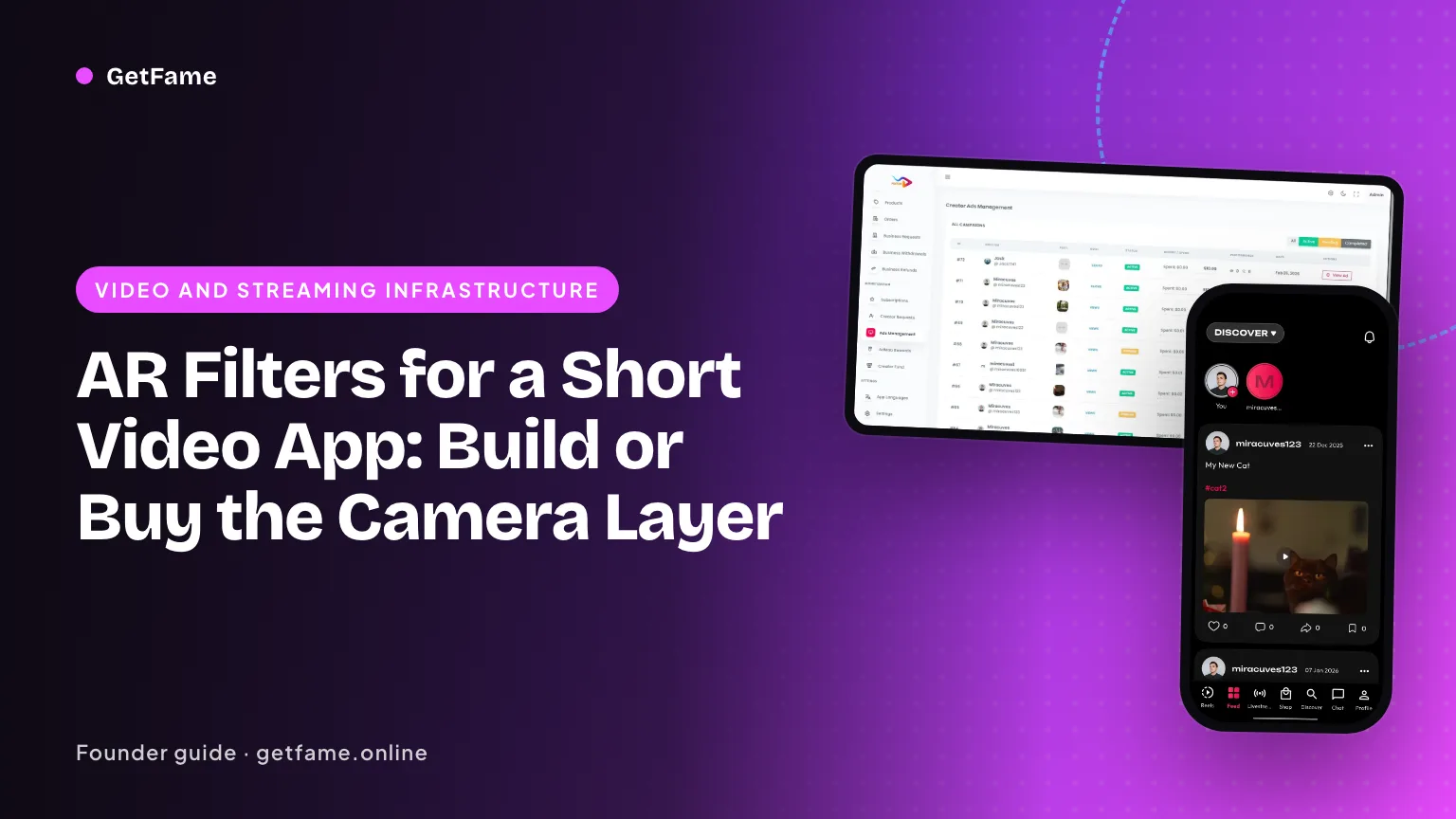
AR Filters for a Short Video App: Build or Buy the Camera Layer
AR filters for a short video app need a face tracker, a render loop and an effect library. Compare building, a camera SDK and a packaged app.
Short answer
AR filters for a short video app need three layers: a face tracker that finds landmarks on every camera frame, a renderer that draws the effect on top, and a library of effects you author and ship. You can build the layers yourself, license a camera SDK, or start from a packaged app. Device performance, not code volume, sets the real limit.
Key takeaways
- An AR filter is a pipeline of camera frames, face tracking, rendering and encoding, and every stage shares one frame budget.
- At 30 frames per second each frame gets about 33 milliseconds, so the cheapest phones in your market define what you can ship.
- Three routes exist: build on an open tracker, license a camera SDK, or start from a packaged app with effects included.
- The effect library is a content job as much as an engineering job, and it needs an owner, a review step and a refresh rhythm.
- Recording an effect on a clip is easier than running it on a live broadcast, so decide early whether live effects matter.
- Test on the oldest and cheapest devices your audience actually uses before you commit to a route.
On this page 11 sections
- What does adding AR filters for a short video app involve?
- How much time does each frame get?
- Which face tracking route should you start from?
- How do you plan for device performance?
- Who makes the effects, and how do they reach the camera?
- Recorded clips or live broadcasts: where do effects run?
- Build, license an SDK, or start from a packaged app?
- How does the GetFame platform handle the camera layer?
- Reading a bad camera experience: symptom, stage and first fix
- A one-week test plan before you commit to a route
- Taking an effects-led idea to a live demo
AR filters for a short video app are not one feature. They are a chain of four jobs that run on every camera frame: read the frame, find the face, draw the effect, and encode the result. The chain has to finish before the next frame arrives, on the phone your member actually owns. That single constraint decides most of the build-or-buy question.
This guide is for a founder or product lead who wants an effects-led app and needs to choose a route. It explains the pipeline, the three routes, the device limits and the content work that nobody budgets for. If you want the finished product view, the white-label Likee clone ships with a filter and lens library; the sections below show what sits underneath it.
What does adding AR filters for a short video app involve?
A member opens the camera, taps a look, and sees their face change in real time. Behind that tap, four stages run in a loop, and each one has an owner in your team or in a vendor.
| Stage | What it does | Typical owner | What breaks first |
|---|---|---|---|
| Capture | Reads frames from the front or rear camera at a set resolution and rate | Mobile engineers using the platform camera API | Odd behavior on specific phone models and operating system versions |
| Track | Finds the face and returns landmarks, pose and expression scores per frame | An open model, a camera SDK or an in-house model | Dim light, fast motion, glasses, dark skin tones in poor training data |
| Render | Draws masks, stickers, color grades and distortions anchored to the landmarks | A graphics engine or the SDK's renderer | Heat and dropped frames when an effect is heavy |
| Encode and publish | Writes the processed frames and audio to a video file or a live stream | Media engineers | Audio drift and out-of-sync effects after trimming |
Treat every row as a place where a fault shows up as a bad member experience, not a crash log. A slow track stage makes a mask lag behind a smile. A slow render stage makes the whole preview stutter. The member never sees the stage names; they see a camera that feels good or one that does not.
How much time does each frame get?
Video at 30 frames per second leaves about 33 milliseconds for each frame, since 1,000 divided by 30 is roughly 33. At 60 frames per second the budget halves to about 16 milliseconds. Capture, tracking, rendering and preview all draw from that one allowance, and the phone also has to run the rest of your app and keep itself cool.
A rough, illustrative split for a 30 frames per second camera shows why this is tight. These figures are for planning only and are not measurements:
- Camera capture and format conversion: about 4 milliseconds.
- Face tracking: about 8 milliseconds on a mid-range phone.
- Effect rendering: about 10 milliseconds for a medium effect.
- Preview, encode hand-off and app overhead: about 8 milliseconds.
That already uses 30 of the 33 milliseconds. A cheaper phone with a slower chip may run each stage twice as long, and the loop falls to 15 frames per second. This is why effects teams keep a tiered library: a light set for modest phones and a full set for flagships, with the camera choosing at runtime.
Heat is the second limit. A phone that runs the camera, a neural network and the graphics chip together for several minutes will slow itself down to protect the battery. A creator filming a ten-minute tutorial notices that long before a tester who records five seconds. Include a long-take test in your plan.
A worked example: one effect, three phones
Numbers make the tiering rule concrete. The frame times below are illustrative, chosen for the arithmetic, not measured on any real handset. Suppose a medium face mask takes 10 milliseconds to render on a flagship, 18 on a mid-range phone and 30 on your floor device, and that tracking takes 6, 10 and 20 milliseconds on the same three. Add 8 milliseconds of capture, preview and app overhead everywhere.
| Phone | Track + render + overhead | Total per frame | Result at a 33 ms budget |
|---|---|---|---|
| Flagship | 6 + 10 + 8 | 24 ms | Holds 30 frames per second with room to spare |
| Mid-range | 10 + 18 + 8 | 36 ms | Misses the budget slightly and drifts to roughly 27 frames per second |
| Floor device | 20 + 30 + 8 | 58 ms | Falls to roughly 17 frames per second, and the preview visibly stutters |
The same effect is a delight on one phone and a complaint on another. The fix is not to cut the effect for everyone. Mark it medium, gate it behind the short benchmark, and offer a lighter sibling, such as the same mask at lower mesh detail, to the mid-range and floor tiers. Re-run the table whenever the effect changes, because artists add layers over time and frame time creeps up without anyone deciding it should.
Which face tracking route should you start from?
You rarely need to invent a tracker. Three practical sources exist, and each trades control against effort.
An open tracker you assemble yourself
Google's MediaPipe is published under the Apache-2.0 license, and its documentation says processing for the Tasks runs on the device and is not sent to Google's servers. The Face Landmarker guide describes a face mesh of 478 three-dimensional landmarks per face, an optional set of 52 blendshape scores for expressions, and an optional transformation matrix that maps a canonical face model onto the detected face so an effect can be positioned. It offers image, video and live-stream running modes, and the project covers Android, iOS and the web, according to the project repository.
That is a strong starting point for tracking. It is not a camera feature. You still design the renderer, the effect format, the authoring workflow, the device tiers and the recording path. Teams that choose this route usually have mobile graphics engineers already, and they accept a long build in return for full control of the source.
A licensed camera SDK
Camera SDKs bundle tracking, rendering and an authoring tool. Snap's Camera Kit brings lenses made in Lens Studio into iOS, Android and web apps. Its FAQ states that Camera Kit supports one active lens at a time and that lenses are built in Lens Studio or Lens Web Builder. Its terms add conditions you should read before you plan around it: lenses must be developed with Snap's tools, Snap branding must appear in your application, and users must accept Snap's terms before accessing Camera Kit. Other vendors sell face and effects SDKs with their own authoring tools. The money side is covered in our guide to video effects SDK cost.
A packaged app with effects included
The third route is to start from a finished app whose camera, effect library and publishing flow already work together, then tailor the look. The cost you avoid is the time before the first clip, which for a from-scratch camera layer is measured in months.
How do you plan for device performance?
Pick your floor device before you pick your effects. A floor device is the cheapest and oldest phone you are willing to support in your launch market. If your audience is in a region where mid-range Android phones dominate, your floor is a mid-range Android phone, and no flagship demo changes that.
Platform tools help with part of the problem. Android's CameraX library is described by Google as giving a consistent API across most Android devices, supporting Android 5.0 (API level 21) and above, with an automated test lab that runs camera behavior tests across devices. It also offers an image analysis use case that passes frames to your own code. CameraX smooths out device differences in capture, but it does not make your effect cheaper to render. That part stays your job.
A tiering rule that works
- Classify each effect as light, medium or heavy by measuring its frame time on the floor device.
- Show light effects to everyone, medium effects to phones that sustain 30 frames per second in a short benchmark, and heavy effects only on devices that pass a longer one.
- Fall back to a lighter effect, not a frozen preview, when the frame rate drops during a take.
- Log the frame rate and device model for each published clip so you can see which effects hurt which phones.
App size is a separate cost. Snap's FAQ gives a roughly 12 MB increase on iOS for Camera Kit, and on Android about 400 kB with Play Feature Delivery or about 14 MB when full modules are bundled. Other SDKs have their own numbers. In markets where members install over slow mobile data, every extra megabyte costs some installs, so ask each vendor for platform figures in writing.
Who makes the effects, and how do they reach the camera?
An effects app is a content product. The code that draws a mask is the smaller half; the other half is the supply of looks that keep people opening the camera. A library that stops growing is a feed that stops changing.
| Step | Question to settle | Why it matters |
|---|---|---|
| Brief | What theme, season or campaign does the next pack serve? | Effects tied to a challenge or a sponsor give members a reason to post |
| Authoring | Who builds the effect and in which tool? | Tool choice fixes the file format and who can contribute |
| Device test | Does it hold the frame rate on the floor device? | A heavy effect that fails here is cut or tiered |
| Policy review | Could it be used to mock, harass or sexualize a person? | Face-distorting effects can be misused, and stores expect a moderation process |
| Release | Which regions, which app versions, and when does it expire? | Packs for a holiday should disappear on time |
| Measure | How many members try it, finish a take and post it? | Retire effects that people open but never post |
Start with a curated library from your own team or hired artists, and decide later whether to open authoring to outside creators. Opening it early multiplies the review load. The policy review step belongs with the wider rules in short video content moderation.
Recorded clips or live broadcasts: where do effects run?
The two cases differ in how forgiving they are. A recorded clip lets the app preview an effect, capture a take, and process or trim it afterward. A dropped frame can be hidden, re-rendered or re-encoded before the clip is published.
A live broadcast has no second chance. The phone tracks, renders, encodes and uploads in real time while the audience watches, and a stutter is public. Live effects also compete with the network for the phone's attention, so they are the first thing to drop on a weak connection.
- If your plan is effects on recorded clips first, you can launch sooner and learn which looks people use.
- If live effects are central to your niche, make them an explicit requirement, test them on floor devices early, and plan a lighter live-only tier.
- Whichever you pick, tell creators clearly which tools work where, so a host does not discover mid-show that a lens will not run.
The live side of an effects app is also a revenue side. If you plan gifting during broadcasts, see how contests and gifts reinforce each other in PK battles in live apps.
Build, license an SDK, or start from a packaged app?
The table below sets each route against the factors that usually settle the choice. It uses effort words, not prices, because costs depend on your scope; for the money view, see what a video effects SDK costs to run and license.
| Dimension | Build on an open tracker | License a camera SDK | Packaged app |
|---|---|---|---|
| Time to first working filter | Months of graphics and integration work | Weeks, plus vendor onboarding | Days, with a working library |
| Control of source | Full control of what you write | You depend on the vendor for the engine | Full source of the app is delivered |
| Effect authoring | You design the format and tools | The vendor's studio and file format | Library included; themed packs tailored with us |
| Ongoing cost shape | Engineers on staff | License fees that may track your user count | One-time platform price; hosting on your account |
| Device tuning | Entirely yours | Shared with the vendor | Test on your floor devices during rehearsal |
| Best fit | A team whose product is the camera | A team that has the app but wants proven effects | A founder who wants the whole app and a fast test |
A licensed SDK suits a team that already has an app and needs a proven effects engine. A packaged app suits a founder who needs the camera, feed, live rooms and admin all at once. Building from an open tracker suits a company whose competitive edge is the camera itself.
How does the GetFame platform handle the camera layer?
The Likee-style product from GetFame starts the creator in the camera. Over fifty filters, face effects, beauty modes, stickers and AR lenses apply live while recording, so a creator judges the look before pressing the button. Trim, cut, merge and speed controls, a sound library, and duet and stitch complete the creation flow. Themed lens packs for a festival, sponsor or campaign are available, with scope to be settled with us at kickoff. See the full list on the Likee clone features page.
Two points deserve plain statements. First, effects depend on hardware. Phone model lists are not something we publish, and our advice is to run the live demo on the oldest, lowest-cost handsets your audience owns. Second, the camera tools apply to recorded clips; effects during a live broadcast are something we scope with you, so tell us at kickoff if they are central to your plan.
What you receive is source for two Flutter mobile apps, a Laravel site with its API, and a staff control room. On support, you get 60 days of technical help, then bug fixes for 6 months (separate) and updates for 12 months. Hosting is billed to your own cloud account.
Reading a bad camera experience: symptom, stage and first fix
Members and testers describe problems in their own words. A short translation table lets a non-engineer on your team route a complaint to the right stage before anyone opens a profiler.
| What the tester says | Stage most likely at fault | First thing to try |
|---|---|---|
| The mask trails behind my face | Track | Test lower camera resolution for the tracker, or a lighter model on weak phones |
| The preview looks choppy | Render | Move the effect to a lighter tier, or reduce texture size |
| The phone gets hot after a few minutes | Track and render together | Cap the frame rate, and fall back to a light effect after a set time |
| The effect disappears after I trim | Encode and publish | Check whether effects are baked into the file or reapplied after editing |
| The sound is off by a beat in the saved clip | Encode and publish | Compare timestamps on the first and last frame; test on the floor device |
| It works at home but not at my desk | Track | Reproduce in dim light and with a bright window behind the subject |
| It crashes on one phone model only | Capture | Collect the model and operating system version, then test on that device |
Keep a running log of complaints by stage. After a month, the stage with the most entries tells you where to spend the next sprint, which is a better guide than the loudest opinion in the room. Share the log with whichever vendor or build partner owns that stage so fixes arrive with evidence.
Questions to ask a partner about the camera layer
- Which phone models and operating system versions do you test on before each release?
- How do you tier effects, and who sets the thresholds?
- What happens to a published clip if an effect is later retired?
- How are face data and camera frames handled, on the device and on servers?
- Who owns the effect files I author, and can I move them?
Write the answers beside the test results from the week-long plan below. A partner who answers clearly and in numbers is usually a safer choice than one with the longest effect list.
A one-week test plan before you commit to a route
Whatever route you lean toward, spend one week trying to break it. This plan is short enough to run before you sign anything.
- Collect devices. Gather five phones: your floor device, two mid-range models common in your market, and two recent flagships on different operating system versions.
- Run the same three effects everywhere. One light sticker, one medium face mask and one heavy distortion. Record frame rate for a one-minute take and a ten-minute take.
- Test hard conditions. Low light, a moving subject, glasses, a hat, and faces of different skin tones and ages.
- Check the recording path. Trim a clip, add a sound, export it and play it on another phone. Look for audio drift and missing effects.
- Measure app size and startup time. Compare a build with the camera layer against one without it.
- Read the legal terms. Check data collection, branding rules and your obligations as an operator. Our guide on biometric privacy laws for face filters lists the questions to put to a lawyer.
Repeat the benchmark after every major effect release and after each operating system update on your floor device. Camera behavior shifts with system versions, and a route that passed in spring can regress in autumn without any change on your side. Keep the first test results in the same folder as the later ones so the trend is visible, and assign one named person to own the device shelf, since shared hardware is the first thing a busy team stops maintaining.
Record results in one table and decide on the numbers. A route that passes on flagships and fails on your floor device has not passed.
Taking an effects-led idea to a live demo
Write down your floor device, your first three effect themes, and whether live effects are required. With those three lines, any vendor or build team can give you a straight answer about scope. If a packaged start fits, open the live demo, film a clip on a modest phone, host a short live show with one gift, and file a cash-out request, the same rehearsal we run at handover.
When you are ready, read how the Likee clone is put together, see what you would pay once on the pricing page, review what an owner pays over time in the Likee clone development cost breakdown, and send us a note about your niche and we will check any themed lens packs against your plan. Nothing here is legal advice.
Questions and answers
What does an AR filter need to run on a phone?
It needs a camera feed, a face or body tracker that outputs landmarks for every frame, a renderer that draws masks, stickers or color changes over the feed, and an encoder that records the result. All four run inside the same frame budget, so a heavy effect on a weak phone drops frames or overheats the device.
Can I build face tracking myself?
You rarely need to train a tracker from nothing. Google publishes MediaPipe under the Apache 2.0 license, and its Face Landmarker returns 478 landmarks per face on Android, iOS and the web. Building your own rendering, effect authoring and device tuning around it is still a large project, so most founders compare it with a licensed SDK.
Do AR filters work during a live stream?
They can, but live adds load. The phone must track, render, encode and upload at the same time, and a dropped frame is visible to the audience at once. Recorded clips can be processed more patiently. Decide whether you need live effects on day one, and test them on modest phones before you promise them.
How big does a camera SDK make my app?
It depends on the SDK. Snap documents about a 12 MB increase on iOS for Camera Kit, and on Android about 400 kB with Play Feature Delivery or roughly 14 MB when modules are bundled in full. Ask any vendor for these numbers per platform, because app size affects installs in markets with slow networks.
Who makes the effects, the platform or the creators?
Both models exist. You can ship a library made by your own team or by hired artists, you can open an authoring tool to outside creators, or you can mix the two. Each route needs a review step so a broken or offensive effect does not reach the camera screen. Start with a curated library and open up later.
What is the cheapest way to launch with AR filters for a short video app?
Begin with a ready-made app whose camera already includes looks, then add themed packs for your niche. Building a camera layer from scratch takes specialists months before the first clip is shared. A packaged build lets you test whether your audience cares about effects before you invest in a custom pipeline.
Do I need a privacy notice for face effects?
Yes, plan one. Face effects process images of faces, and some laws treat face geometry as biometric data. Say what is processed on the device, what your servers store and how a member deletes it. Our guide on biometric privacy laws for face filters covers the rules to ask a lawyer about.
Sources
- Google AI Edge: MediaPipe Face Landmarker guide
- MediaPipe on GitHub (Apache-2.0 license, platforms)
- Snap Camera Kit FAQ
- Snap Camera Kit Terms
- Android Developers: CameraX overview
- DeepAR SDK pricing
Checked in October 2026. Rules, fees and programme terms change; confirm on the source before you rely on them.