
Subscriptions and paywalls
Digital Movie Rental Platform: Windows, Pricing and DRM
Build a digital movie rental platform: set the start and watch windows, price rental against purchase, enforce expiry on the server and resolve plan overlap.
Short answer
A digital movie rental platform sells time-limited access with two timers: a window to press play and a second timer from first play that sets how long the viewer has to finish. As of October 2026, Apple TV and YouTube both state 30 days to start and 48 hours to finish. Enforce expiry on the server, not the app.
Key takeaways
- A rental is two timers, not one: the time to start a title and the time to finish it once started. Store the end time on the rental record.
- Apple TV, YouTube and Prime Video describe similar windows as of October 2026, but each says titles can differ, so make the window a per-title setting with a platform default.
- Enforce expiry at the play request and with a scheduled job; a clock on the viewer's device cannot be trusted.
- Small transactions suffer most from fixed processing fees, so test the real net per rental before launch and price the rental-to-purchase gap deliberately.
- Licensors can set windows, price floors, territories and DRM level, so read the license before you set any of them.
- The same viewer can have a plan, a rental and a purchase covering one title, so write a single rule for which right wins on each play.
On this page 11 sections
- Rent, buy or subscribe: what you sell
- The two rental timers: start window and watch window
- Expiry enforced on the server
- Devices, downloads and DRM
- Pricing rentals on a digital movie rental platform
- Licensing terms behind the windows
- When one viewer has a plan, a rental and a purchase
- Rental failure cases and what to do about them
- Launching a first rental catalog in four steps
- Build checklist for a movie rental store
- From rental rules to a live store
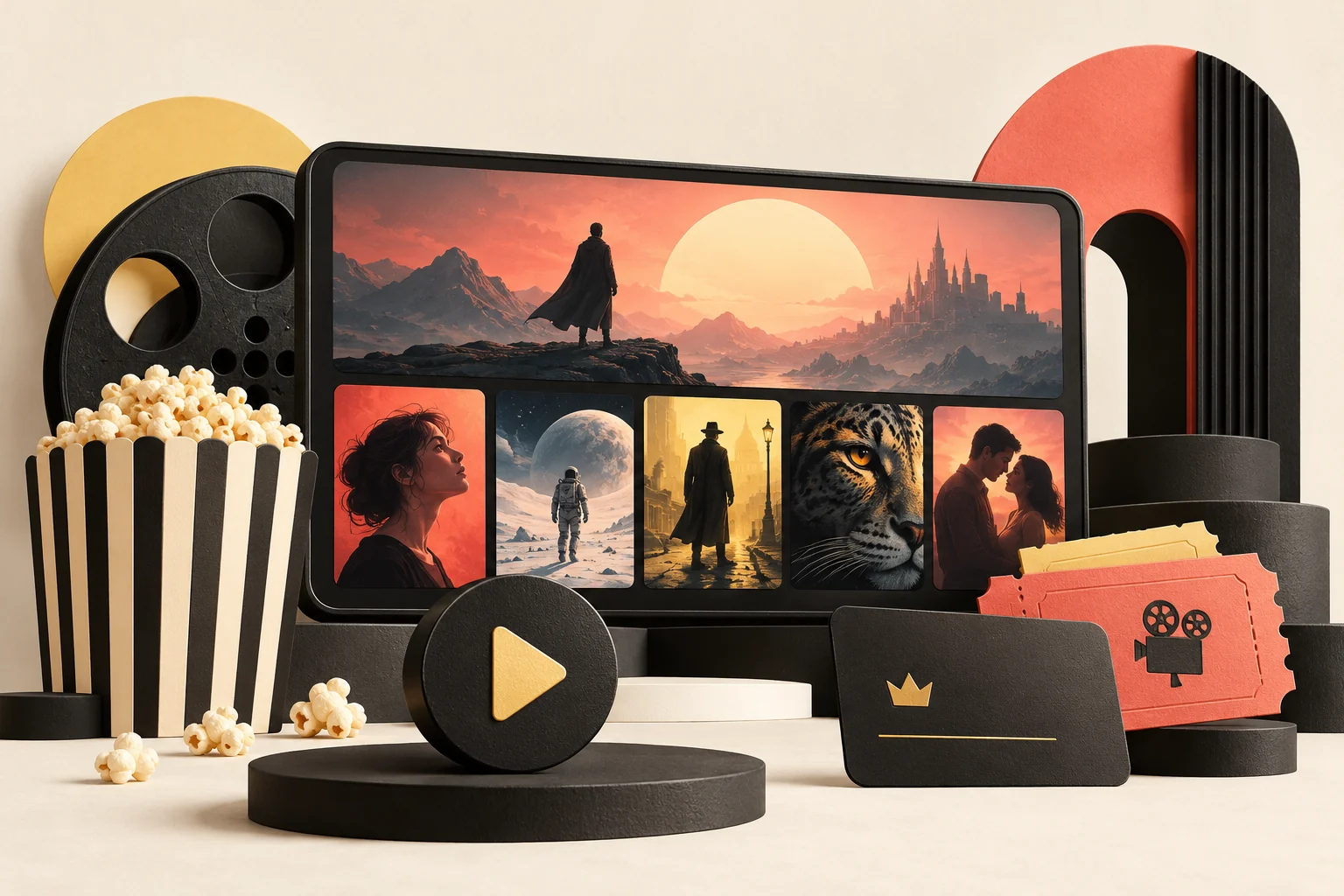
A digital movie rental platform sells permission to watch a title for a limited time, controlled by two timers. The first is the window in which the viewer must press play. The second begins at first play and sets how long they have to finish. As of October 2026, Apple TV and YouTube describe the same pattern, 30 days to start and 48 hours to finish, and Prime Video describes rented titles staying in the library for 30 days with at least 48 hours once playback begins.
That is what viewers see. For an operator the work sits underneath: how windows are priced, what the license behind them allows, and what the platform must build to enforce expiry honestly. A white-label Amazon Prime Video clone ships this logic as configurable settings, and the sections below describe what those settings have to do.
Rent, buy or subscribe: what you sell
Every video service sells one of three kinds of access, and a rental is the middle one. The difference is how long the right lasts and who decides when it ends.
| Access type | What the viewer holds | Who controls the end date | Typical use |
|---|---|---|---|
| Subscription | Access to a library while the plan is active | The viewer, by cancelling, and the service, by changing the library | Browsing and series |
| Rental | One title for a short window | The two timers set by the seller | New releases, one-time viewing |
| Purchase | One title with no end date set by the seller | The seller, only for licensing or similar limited reasons | Favorites, boxsets |
The Prime Video help page on renting and buying states the distinction plainly: buying adds a title to the library to stream or download, while renting adds it for a limited period. It also notes that purchased titles can become unavailable for licensing or other limited reasons. A purchase is durable but still a license, so word your product page so a viewer does not read "buy" as "own the file forever".
The pay-per-title model is usually called transactional video on demand. For the alternatives, see subscription video, ad-supported video, pay-per-title and free channels compared. For an operator, a rental earns from a release before it moves into a plan.
The two rental timers: start window and watch window
Every rental carries two independent clocks, and confusing them is the most common source of viewer complaints.
- The start window runs from the moment of purchase. If the viewer never presses play inside it, the rental lapses.
- The watch window starts at first play. When it ends, the rental is over whether or not the film was finished.
Here is what three major stores state on their own help pages as of October 2026.
| Store | Time to start | Time to finish once started | Notes from the help page |
|---|---|---|---|
| Prime Video | Rented titles stay in the library for 30 days from the date of rental | At least 48 hours after you press play | Some titles have longer viewing periods |
| Apple TV app | 30 days before the rental is deleted from the library | 48 hours | Compatible signed-in devices; simultaneous use depends on terms and device support |
| YouTube | 30 days to start viewing | Usually 48 hours; the last checkout page states the length | Unlimited replays until the period ends; select devices only |
Two details are worth copying into your own design. Prime Video says some titles run longer than the standard period, and YouTube says the last page of checkout shows the actual length. Both mean the window is a property of the title and the sale, not a constant of the platform. Show the exact numbers before payment and again on the title page afterward.
A rental traced day by day (illustrative example)
A viewer rents a film on day 1 under a 30-day start window and a 48-hour watch window. This is an example, not a quote from any store.
- Day 1, 20:00: the viewer pays. The start window runs to day 31 at 20:00.
- Day 9, 21:00: the viewer presses play. The start window stops mattering and the watch window runs to day 11 at 21:00.
- Day 9, 22:30: the viewer pauses at the 90-minute mark. The finish timer keeps running.
- Day 10, 19:00: the viewer resumes from the saved position and finishes.
- Day 10, 21:00: the viewer wants to watch again. It is still inside the window, so it plays. After day 11 at 21:00 it does not.
Step 3 surprises people: a paused rental is not frozen, and the window measures elapsed time rather than viewing time. A viewer who starts on day 9 and returns on day 12 finds the film gone.
Expiry enforced on the server
Expiry has four parts: the end event, the access change, the viewer's experience and the record kept.
The end event
For each rental, store a purchase time, a first-play time and an end time. The end time is the purchase time plus the start window before first play, and the first-play time plus the watch window afterward. Storing the end time on the record makes every later check a single comparison, and a later change to the global setting does not rewrite old rentals.
The access change
Enforce expiry where content is released, not in the interface. If the only enforcement is a hidden button, a viewer with an old link or a modified app keeps access. Two layers do the work.
- The play request. The server checks the entitlement every time a stream is requested and refuses once the end time passes. Signed media links with a short life limit what a copied link is worth.
- The scheduled job. A background task marks rentals as ended and removes them from the continue-watching row. In the GetFame Amazon Prime Video clone, expiry is scheduled work instead of a check made at play time, so access ends on schedule and the viewer sees an accurate countdown.
You need both. The job keeps the interface honest and the request check keeps the content protected.
The viewer's experience and the record
The end of a rental is a sales moment. Show the title page with the options: rent again, buy, or watch it inside a plan if it has been added to one. Keep the saved position and offer to continue from it. Keep the expired rental in purchase history with dates and price paid, because the history is how support answers "it ended too early" from facts instead of memory.
Devices, downloads and DRM
Windows are half of the rule. The other half is where the viewer can use the rental. The Apple TV rental help page explains compatible devices and says a downloaded rental on one device can be streamed on another at the same time. That is not an unlimited-stream promise, because regional service terms can impose a single-device limit. YouTube also limits supported devices and quality. Define the device matrix and concurrency limit before licensing content.
| Decision | Option A | Option B | What it changes |
|---|---|---|---|
| Simultaneous streams per rental | One | Several on one account | Account sharing, support load |
| Offline downloads | Not offered | Offered on some devices | Needs a license that expires on the device |
| Quality ceiling | One level for all | Higher level on capable devices | Delivery cost and device matrix |
| Where it plays | App and web | Also televisions | The number of app builds you maintain |
Downloads need the most care. A stream can be cut at the server, but a downloaded file lives on the device, so its end time has to travel with it. That is the job of the license in a DRM system. Microsoft's PlayReady documentation describes enforcing policies such as expiration dates, security levels and output restrictions, and Apple's FairPlay Streaming covers encrypted delivery and key exchange for Apple devices. Media is served from signed URLs behind server-side entitlement checks in our platform, and DRM is set up for your build, so decide early whether downloads are offered. The Widevine, FairPlay and PlayReady comparison covers that choice, and protecting a licensed catalog from piracy covers the wider controls.
Pricing rentals on a digital movie rental platform
A rental price is set against two things: what the viewer would pay for a purchase and what the title costs you. No store above states a standard ratio, so build the number from your own inputs.
Rental versus purchase
The purchase price pays for a durable right and the rental price for a short one. Use the gap to steer viewers. A small gap pushes them to buy, which earns more per customer. A large gap pushes them to rent, which brings more small sales and invites repeat rentals. Take an illustrative example: a film rents for 5 and sells for 15. A viewer who will watch it three times is better off buying, since three rentals cost 15, while a viewer who watches once saves 10 by renting. If your data shows most viewers rent a film once, the rental price carries the title and the purchase button is a convenience for fans.
The cost side of every sale
- The payment processor fee, a percentage plus a fixed amount, so small rentals suffer most.
- Delivery cost per stream, which a rental incurs more than once if the viewer replays it.
- The licensor's or partner's share, covered below.
- The store's share when the sale happens inside an iOS or Android app, explained in the Apple and Google rules for in-app purchases.
A rental or a purchase is a separate transaction, so against monthly plans you pay processing fees many more times. Before launch, send a small test payment through each provider to see the real net per rental.
Bundles, coupons and regional prices
Boxsets price several titles as one item, which works for series and franchises because the viewer makes one decision instead of eight. A coupon can carry a validity window and a usage cap, which lets you run a launch week without leaving a permanent discount; in the GetFame build, fixed or percentage coupons map to plans, titles or partner catalogs. The same film often sells at different prices in different countries, so set price, availability and model per territory and enforce them where the right is resolved. The Amazon Prime Video clone business model page shows how rentals, purchases, plans and partner revenue share fit together.
Licensing terms behind the windows
A rental window is a business setting on the surface and a contract term underneath. If you sell titles you do not own, the licensor decides more than you might expect. Put these questions to a licensor before you list a title.
- Is the title licensed for rental, purchase, plan inclusion, or several of these? A right to sell does not always include a right to rent.
- Does the contract limit the start window and the watch window?
- Are there price floors, ceilings or promotion limits?
- Which territories and dates are covered?
- Is a named DRM system or security level required?
- How is the licensor paid: a fixed fee, a share of each rental, or a share based on viewing?
Record the answers with the title, because the settings in your admin panel must match the contract. Holding the right to sell each title in each territory is the operator's job. Our guide to how to license content for streaming goes through the deal structures. One design consequence: store windows per title with a platform default as the fallback. A global-only setting forces you to apply the strictest rule to everything.
When one viewer has a plan, a rental and a purchase
Overlap is where rental systems break. A new release often starts as a rental or purchase and moves into a plan later, so overlap is normal.
| Viewer holds | Title is in the plan | Recommended result | Why |
|---|---|---|---|
| Plan only | Yes | Plays under the plan | The plan is the right they pay for |
| Plan and a live rental | Yes | Plays; do not start the rental clock | Starting it wastes a paid right |
| Rental only | No | Plays until expiry | The rental is the only right |
| Rental, then plan later adds the title | Yes | Plays under the plan after expiry; offer a credit if you choose | Avoids a viewer losing access they paid for |
| Purchase | Either | Plays permanently | The strongest right wins |
Two rules keep it fair. Show the cheapest route first, and never offer the same right at two prices in one territory. Then do the resolution on the server for every play request, not once at purchase. The entitlement engine in the GetFame build works out which of the four rights applies on each play, so a viewer with several rights at once never hits a conflict. If a viewer is about to rent while a plan already covers the title, warn them before payment.
Rental failure cases and what to do about them
Rentals produce a predictable set of complaints. Most are about time, so a clear rule written in advance turns a dispute into a lookup. The table pairs each case with a sensible default; the exact remedy is your policy and may be shaped by consumer law and by the store you sell through.
| Case | How to confirm it | Reasonable default |
|---|---|---|
| Playback failed on first try and the watch window started | Play log shows start with no sustained delivery | Restore the rental with a fresh watch window |
| Viewer rented a title already in their plan | Entitlement history shows plan access at purchase | Refund or credit the rental |
| Rented in error by a child or by accident | Viewer reports within hours, no playback recorded | Refund while no play has started |
| Title removed by the licensor mid-window | Catalog change record | Refund or extend elsewhere, as the contract allows |
| Window ended while the viewer was away | Timestamps show the clock ran as stated | Decline, but offer a rent-again price if you choose |
| Wrong region, title unavailable after payment | Territory rule mismatch in the log | Refund and fix the rule |
Support needs the data to apply these rules. Keep purchase time, first-play time, end time, device, territory and play-request outcomes on each rental record, so an agent can answer from facts. Give support a controlled override to restore a rental, with a reason field, and review the override log monthly: a spike in restored rentals on one device type usually means a playback bug, not a customer problem.
Store rules apply too. Apple documents its own refund request process for purchases made through it, and a sale inside an app may be refunded by the store without your involvement. Read your store agreements, and tell viewers on the order page where refund requests are handled.
Launching a first rental catalog in four steps
A new store should not start with a thousand titles. A small catalog with clean rules teaches you more, and the settings above are easy to change while few viewers depend on them.
- Choose a lane. A regional cinema, a documentary shelf, an independent film label or one language. A lane gives the store a reason to exist beside the large services and keeps licensing talks manageable.
- License twenty to fifty titles with rental rights. Record window, price, territory and DRM terms for each, and enter them in the admin panel the same day so the contract and the settings never drift apart.
- Test every path with real payments. Rent, play, pause, expire, rent again, buy, refund, and rent a title that is also in a plan. Do this on each device you intend to support, and note the real net per rental.
- Open to a small audience and read the logs. Look at how many rentals are started within a day of purchase, how many are finished inside the window and how many support messages mention time. Adjust window lengths and wording before adding titles.
An illustrative first-month readout
Say a store has 40 titles and records 500 rentals in its first month at an average price of 4. Gross is 2,000. If processing fees take about 8 percent on such small payments, 160 goes there, and if licensors take 50 percent of net, a sum near 920 is left for hosting, support and marketing. The point of the exercise is not the figures, which are examples only. It is to show how quickly the licensor share and the processing fee dominate a small rental, and why price floors and test payments belong in the plan before the first sale.
Track three numbers each week: rentals per active viewer, the share of rentals started within 24 hours of purchase, and the support contacts per hundred rentals. If the second is low, viewers buy and forget, so remind them before the start window closes. If the third is high, the wording or the expiry display needs work.
Build checklist for a movie rental store
Use this list when you scope a rental feature or review a vendor's.
Viewer-facing
- Window lengths shown before payment and the exact end time after first play.
- An "ends in" label on the library row and title page.
- Saved position that survives expiry for a rent-again offer.
- Clear wording that pausing does not stop the clock.
- A purchase history with dates, prices and invoices.
Operator-facing
- Per-title windows with a global default: separate start and finish timers, configurable per title or globally.
- Per-title rental and purchase prices, coupons with caps, and boxsets priced as one item.
- Territory rules for availability, price and model.
- Entitlement overrides for support cases, such as restoring a rental after a verified playback failure.
- Reports by revenue model, so you can compare rentals with plans and purchases.
Behind the scenes
- A server-side entitlement check on every stream request.
- Signed media links with a short life.
- A scheduled expiry job and an audit trail of start, first play and end events.
- A recorded decision on DRM and downloads, matched to the licensing contract.
The ready-made build covers the entitlement engine, rental windows, outright purchase, coupons and regional rules, at a published $3,699 one-time price with deployment in 6 working days (see Amazon Prime Video clone development cost). DRM, offline downloads, Smart TV apps and a refund workflow are set up around your plan, and the exact scope is pinned down with you in the kickoff call. The Amazon Prime Video clone features page has the full list.
From rental rules to a live store
Make five decisions in order. Choose the window lengths and write them next to the price. Set the rental-to-purchase gap from your cost per sale and test it. Write the overlap rules for plan, rental and purchase holders. Check your licenses for window, price and DRM conditions. Decide whether downloads are in scope, since they are what pull DRM into the project.
To compare what other services offer first, read apps like Amazon Prime Video, compared by pay model. If you are starting a store that sells partner titles, the next guide is how to start a video on demand store. When you want to see the rental flow working, open the demo from the Amazon Prime Video clone page, compare plans on pricing, or send your window and pricing plan through contact. This guide describes store practices and contract questions and is not legal advice.
Questions and answers
How long should a rental window be on a new movie rental platform?
The three large stores cited here use a start window of 30 days and a finish window of 48 hours or more once playback begins, so viewers expect something close to that. Your licensor may require different numbers. Store the windows per title with a platform default, show them before payment, and show the exact end time after first play.
Does pausing stop the rental clock?
On the large stores described here, no. The finish window measures elapsed time from first play, not viewing time. Say so on the title page and in the confirmation email, and show a countdown in the viewer's own time zone. Unexpected expiry is the most common rental complaint, and clear wording prevents most of those tickets.
Do I need DRM to rent movies?
Studio licenses often require a named DRM system such as Widevine, FairPlay or PlayReady, especially for higher quality or downloads. Streaming only can be protected with signed links and server-side entitlement checks, but a downloaded file needs a license that carries its expiry. Check the contract first, then decide whether downloads are in scope.
How do I price a rental against a purchase?
There is no standard ratio, so build it from your costs. A small gap pushes viewers toward buying, which earns more per customer. A large gap pushes viewers toward renting, which brings more small sales and repeat rentals. Subtract payment fees, delivery and the licensor share from each sale, then test two or three gaps with real viewers.
What happens if a viewer already has a subscription that includes the title?
Play it under the plan and do not start the rental clock. If a viewer is about to rent a title the plan already covers, warn them before payment. Resolve the strongest right on the server for every play request, not once at purchase, so a viewer holding more than one right never meets a conflict.
Can one platform sell the same movie as a rental, a purchase and a plan item?
Yes, provided your license allows each route in each territory. A new release often starts as a rental or purchase and moves into a plan later. The platform needs an entitlement engine that works out which right applies on every play. Never offer the same right at two prices in one territory.
What does a ready-made digital movie rental platform cost?
The GetFame Amazon Prime Video clone costs a published $3,699 once, and deploying under your brand takes 6 working days. It includes rental windows with separate start and finish timers, outright purchase, coupons and territory rules. Tailored work covers DRM, Smart TV apps and refund workflows, and we confirm the scope with you.
Sources
- Prime Video Help: Renting and buying Prime Video titles
- Apple Support: Rent movies, Apple TV app (rental periods and devices)
- YouTube Help: Buying or renting movies and TV shows on YouTube
- Microsoft Learn: PlayReady overview
- Apple Developer: FairPlay Streaming
- Apple refund requests
- Apple Media Services regional usage rules
Checked in October 2026. Rules, fees and programme terms change; confirm on the source before you rely on them.
Keep reading
 Amazon Prime VideoStreaming and OTT
How to Start a Video Store With Partner Catalogs and Channels
14 min read NetflixSubscriptions and paywalls
SVOD vs AVOD vs TVOD vs FAST: Which Streaming Model Fits?
14 min read NetflixSecurity and scaling