HeyGen Clone Development Cost: Platform Price and Render Minutes
For an AI video business the software price is not the number that decides profit. Every render consumes provider minutes you pay for, so the cost that matters is the one on the other side of your plans. This page gives the one-time price, what extra scope adds and how running costs behave.
- $3,699
- one-time platform price
- 6 days
- to a live platform
- None
- per-seat fee or revenue share
On this page11 sections
- What the platform price covers, and the cost it does not
- Ready-made, custom build or renting a SaaS to resell
- Inside the one-time price
- What can add to the figure
- The six-day HeyGen Clone launch, day by day
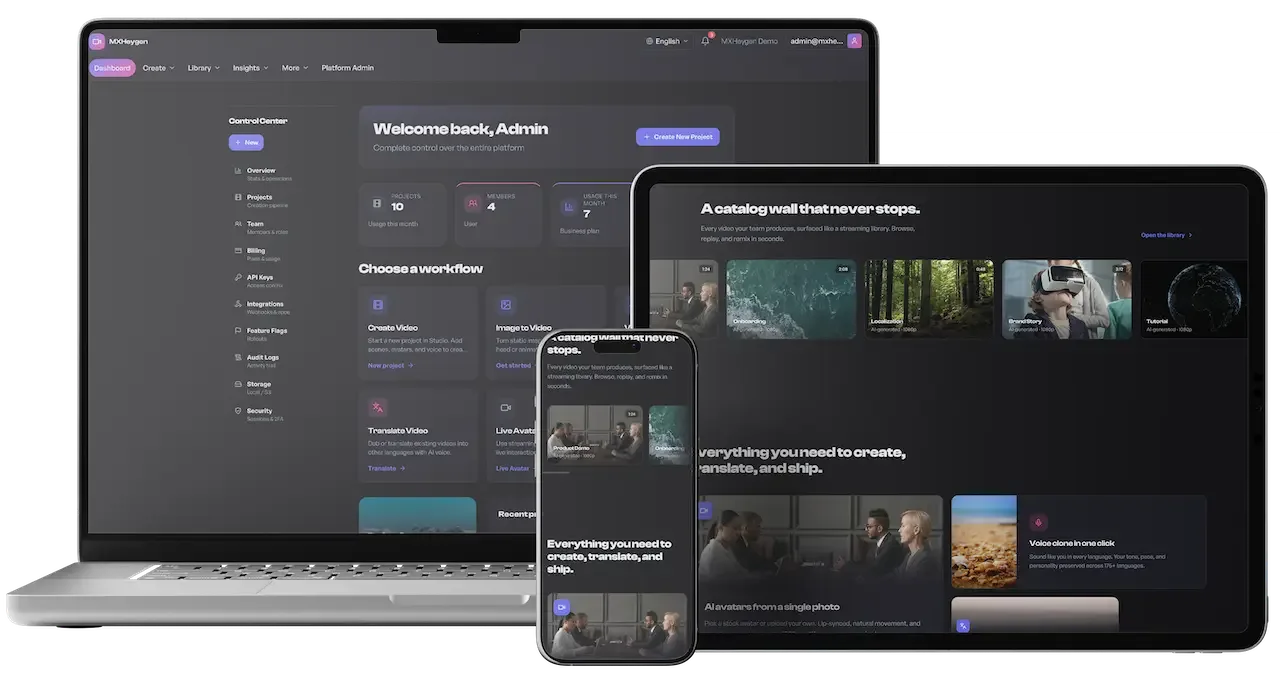
- The HeyGen Clone, on screen
- The costs you carry once customers arrive
- Why the price is fixed and not metered
- Try the live HeyGen Clone demo
- HeyGen Clone cost FAQs
- Explore the HeyGen Clone
What the platform price covers, and the cost it does not
The platform costs $3,699 once. It buys the web application, the API, the queue workers and the admin console, deployed to your infrastructure under your brand, with full source code and the documentation set. There is no per-seat fee, no license renewal and no share of your revenue, so adding customers does not raise what you owe us. Your first customer and your later ones cost us the same, which is why the payment is a fixed cost you can plan around and not a charge that follows growth.
It does not buy the compute behind each video. Rendering, voices and translation run on AI provider accounts that you open and pay for, and that spend scales with how much your customers produce. Plan limits are how you keep it predictable, so pricing and cost control are one design problem. Before you publish a price list, work out what a customer who uses a plan fully would cost in provider charges, and make sure the plan price clears it.
Ready-made, custom build or renting a SaaS to resell
Wiring a generation call into a page takes little time. The expense of an AI video business sits in the surrounding layer of tenancy, queues, plans and governance. This comparison is qualitative on purpose, because a build costs what your team, region and scope make it cost.
| Aspect | Ready-made with GetFame | Custom build | Renting a SaaS |
|---|---|---|---|
| Upfront cost | $3,699 one-time | A large budget that grows with each missing layer | Low to begin, billed again every period |
| Time to launch | 6 working days from kickoff | Many months before queues and billing agree | Immediate, under another company brand |
| Per-seat cost | None to us | None, once built | Grows with headcount |
| Provider choice | Configured at runtime and changeable | Depends on how you structure the integration | Locked to the vendor models and pricing |
| Reselling to others | Subscriptions, plan gating and white-label use | Billing is its own workstream | You rent features and do not resell them |
| Customer ownership | Customers sit in your own database | In your database once built | Accounts belong to the vendor |
| Source code | Full React, Express, PostgreSQL and worker code | Yours after delivery | Not available |
| Mobile apps | Web app ships, native builds available | Extra scope if wanted | Depends on the vendor |
Inside the one-time price
These items come with the payment. Extras we set up for your build are confirmed with us at kickoff, so treat this list as the baseline for comparing any other offer.
- Responsive web application for all four roles
- Express API with versioned REST, GraphQL and Swagger
- Queue workers for generation, translation, export and webhooks
- The eighteen-tab platform administration console for operators
- Workspace tenancy, roles, invitations and audit trail
- Plan entitlements and metered API keys
- Subscription billing flow that works with Stripe accounts
- Eight interface languages with runtime switching
- Rebranding of name, logo, colors and domain
- Deployment to your infrastructure and database migration
- Wiring of your provider accounts in the admin screens
- Documentation set including schema, API collection and security handbook
- Sixty days of support, six months of priority fixes and one year of updates
What can add to the figure
The platform as delivered suits a launch aimed at teams and agencies. Costs rise when you target buyers with stricter demands, and these are the common additions, each confirmed with us from a short brief.
Native mobile apps
The product ships as a web platform. Native iOS and Android builds are tailored work, scoped from the screens and features you want on a phone. Many operators find the responsive web platform enough for production work done at a desk. A phone companion for approvals and notifications is a smaller job than a full editor, and the brief should say which of the two you mean.
Enterprise single sign-on
Social sign-in connectors come included. SAML or OIDC for corporate identity providers is tailored work, and its scope depends on how many identity systems you must support and how users and roles are mapped from them. A single provider with a simple role mapping is quick; several providers with custom group rules take longer to build and to test with each customer's own directory.
Security hardening pack
Strict origin rules, a tight content security policy, secure cookie tokens, encrypted secrets at rest and hashed API keys are listed hardening items. They are configured against your real domains, and the price depends on how many you take before launch. Because customer scripts, voices and faces pass through the system, a platform opening to a corporate audience usually takes more of the list than one serving a private beta.
Uniform authorization guard
A central workspace-resource guard with cross-tenant regression tests closes uneven resource-level checks. Enterprise buyers who test tenancy will expect it, so it is worth taking if you sell upmarket. Scope depends on the number of route families. The regression tests are the lasting benefit, since each later change is checked against an attempt to reach another workspace's data.
Observability and alerting
A log sink, queue-lag monitoring and alerts on authentication anomalies, webhook failures and worker errors are set up for your hosting. The cost depends on the tools you already use and how many signals you want paged. Start with the signals that mean a customer is blocked, such as queue lag and failed webhooks, and add the rest as the team learns what actually wakes it up.
Retention and scale tuning
Retention windows, purge schedules and PII tagging, plus Redis scale-out and index tuning for your busiest filters, are additional work. They matter once you hold large libraries or serve privacy-sensitive customers. A customer asking how long you keep generated videos and scripts is the usual trigger, and having a written answer ready makes the conversation shorter.
The six-day HeyGen Clone launch, day by day
Launch takes six working days from kickoff. This is who does what on each day, so the schedule has no surprises on either side.
| Day | What we do | What you do |
|---|---|---|
| Day 1Scope and branding | We confirm identity, domain, launch languages and the plan structure you intend to sell, then begin rebranding. | Supply the name, logo, colors, typography and copy, and tell us which languages to promote first. |
| Day 2Provisioning | We provision the platform on your infrastructure, migrate the database and bring up the Redis queue setup. | Give us hosting access and decide whether media goes to local or S3-style storage. |
| Day 3Provider wiring | We connect your provider credentials to the generation, translation and export pipelines through the admin integration screens. | Open the AI provider accounts, which usually take the longest to approve, and send us the keys. |
| Day 4Plans and workspaces | We define generation and export entitlements per plan, configure API metering and seed the template library. | Decide plan names, limits and free allowances, and open your Stripe account if you will bill at launch. |
| Day 5Quality pass | We test the user, creator, manager and admin command center flows, including queues and translation. | Use the demo roles to run a script through to export and send your notes. |
| Day 6Handover | We hand over the running platform with full source code and the documentation set. | Complete the production hardening list, including secrets, CORS, CSP and monitoring, before going public. |
The HeyGen Clone, on screen
Real screens from the working product. Your platform ships rebranded with your name, logo and colors.
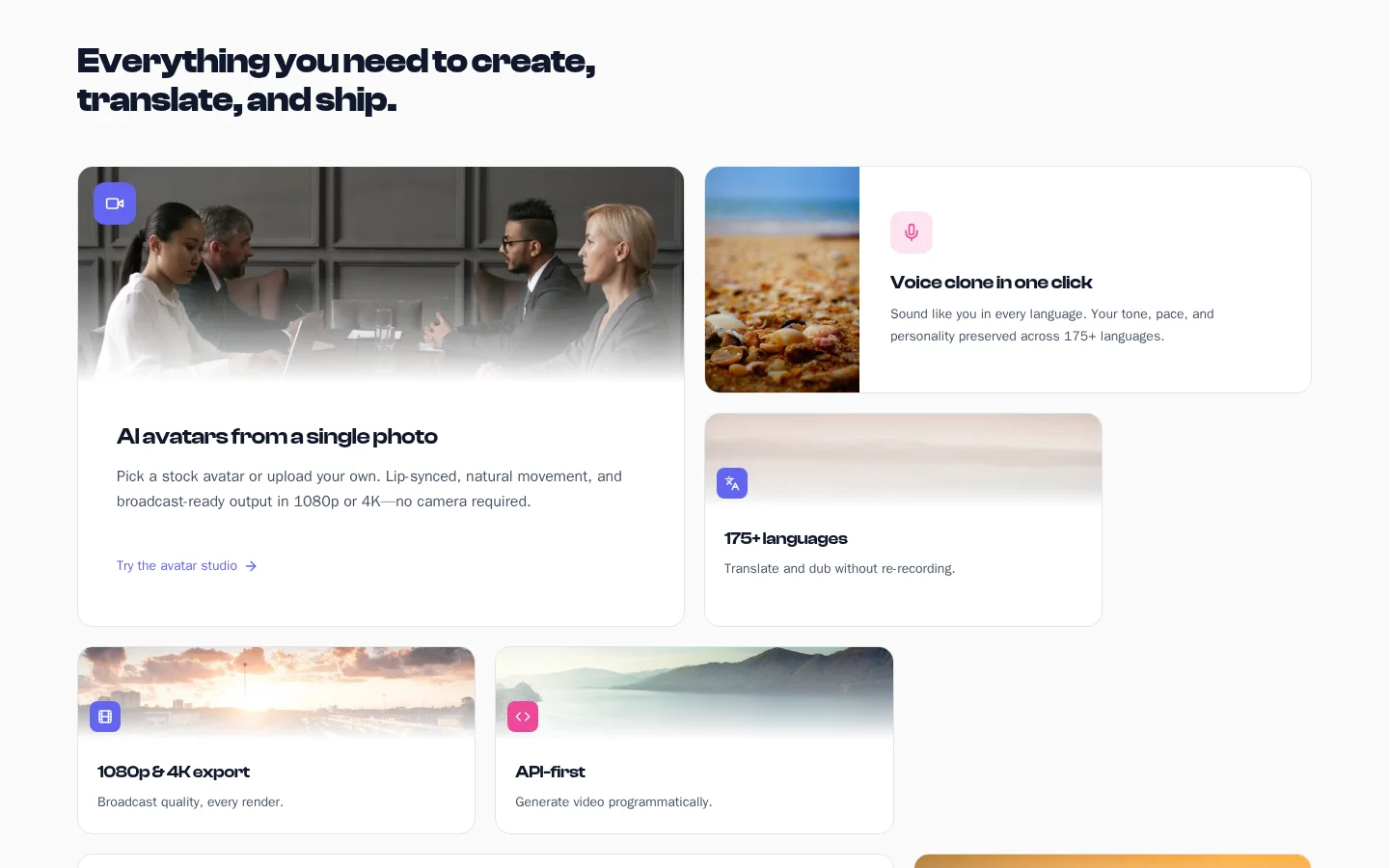
Overview 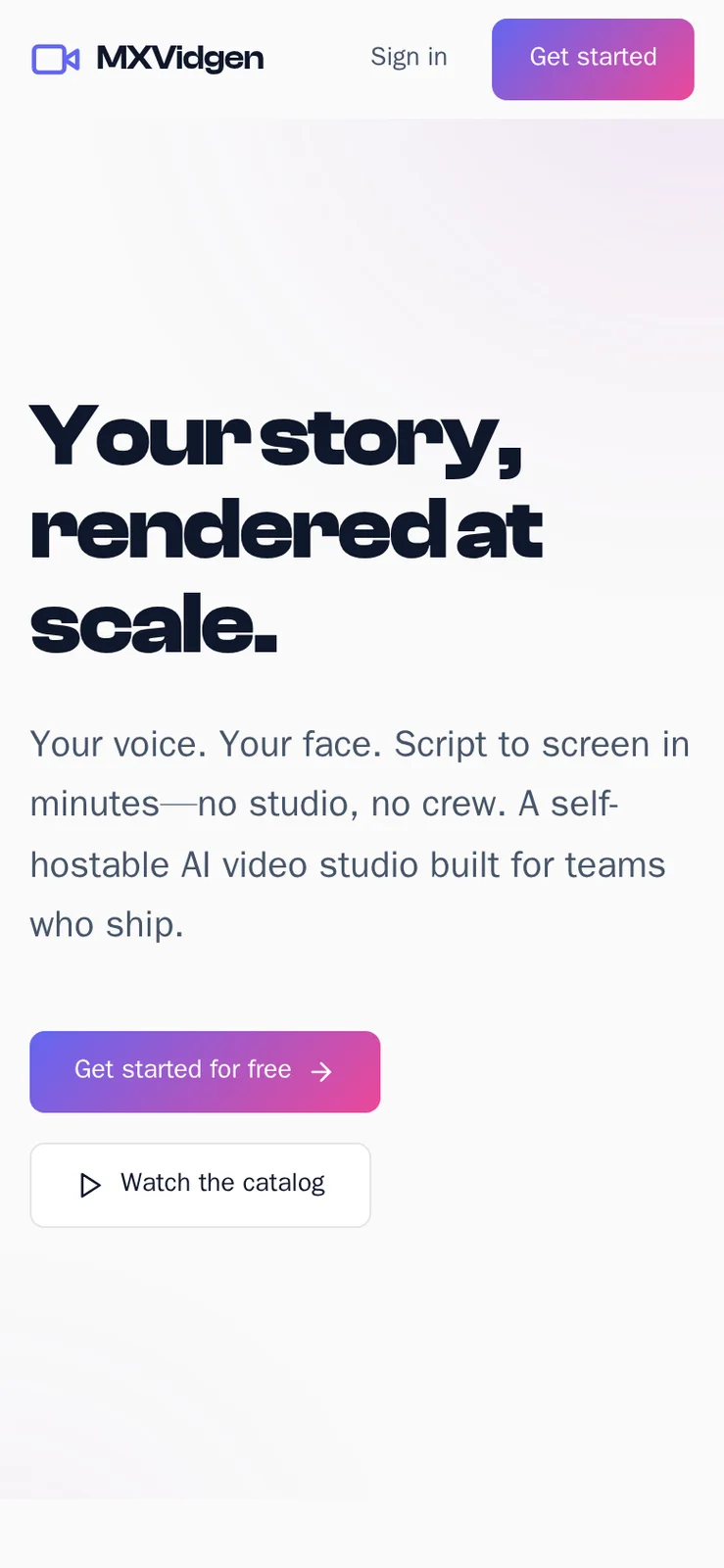
Overview 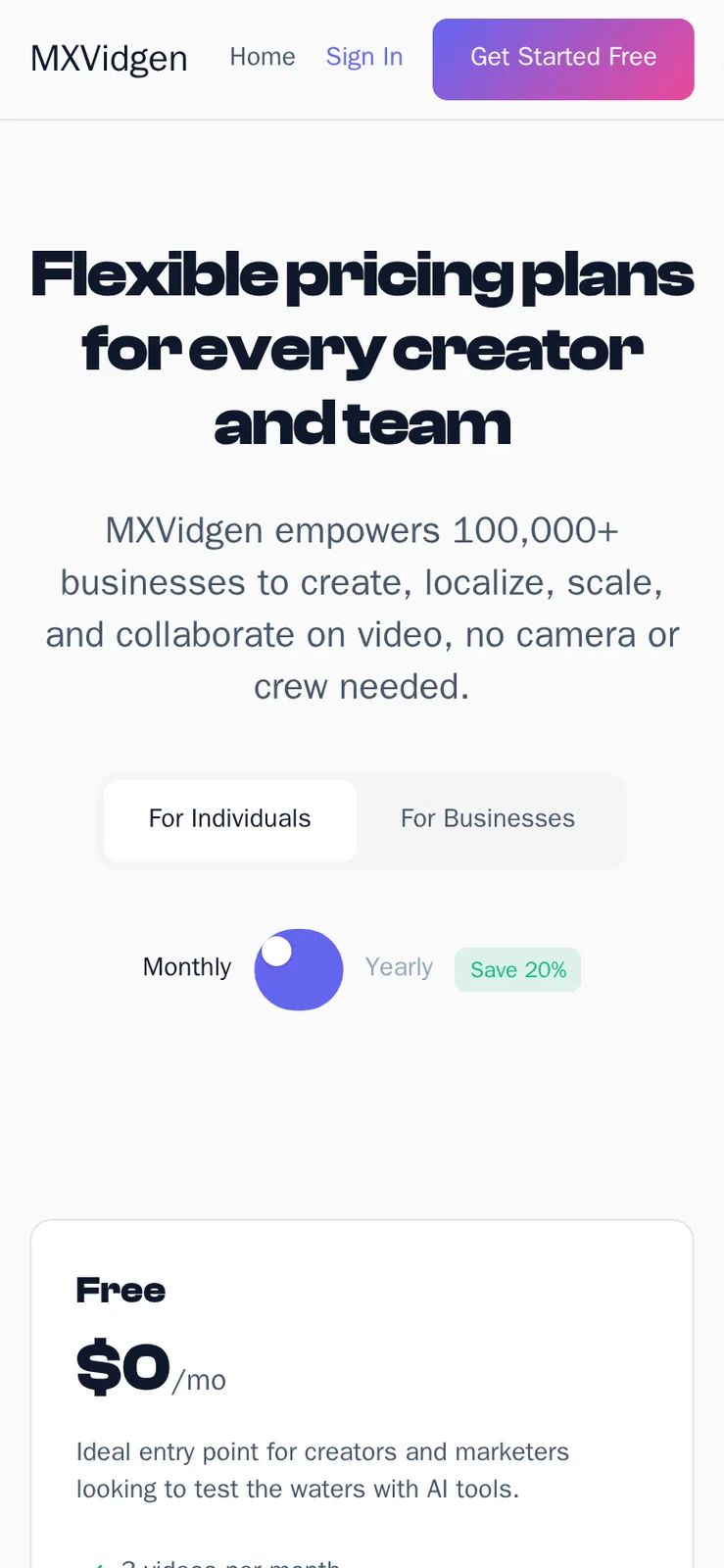
Web app Overview Web app
Why the price is fixed and not metered
Charging per seat or per video would tie our income to your success while adding nothing to the product, and it would turn every pricing experiment of yours into a conversation with us. A single payment keeps your plan design entirely your own. You can sell unlimited seats on a plan or none at all, and nothing changes for us.
In return we commit to the platform shown in the demo, delivered under your brand with the full source code and documentation, and to confirming the scope of anything beyond it in writing before work starts. Support runs for sixty days, priority fixes for six months and updates for a year, with no renewal required. If something you need is not in the demo, ask before you pay, and expect a written answer that says whether it is included, optional or custom.
Try the live HeyGen Clone demo
The demo has four live logins, one for each role the platform defines: viewer, creator, workspace manager and platform admin. Sign in as each and the interface changes to match what that role may do. It carries our demo branding and sample content, so judge the workflow rather than the output.
-
Viewer
Open the Viewer demo- Login
test@example.com- Password
password123
Worth trying
- Browse the videos shared with this account
- Open a finished video and read its detail page
- Switch the interface language and watch labels change
- Check which menu items this role does not see
-
Creator
Open the Creator demo- Login
creator@mxvidgen.com- Password
creator123
Worth trying
- Write a script and look at its version history
- Pick an avatar and a voice for the project
- Start a generation job and watch its status
- Open the translation options for a finished video
-
Workspace manager
Open the Workspace manager demo- Login
manager@mxvidgen.com- Password
manager123
Worth trying
- Open the team list and the invitation roles
- Read the plan and the limits shown against it
- Look at the API keys and webhook screens
- Open workspace analytics and the export options
-
Platform admin
Open the Platform admin demo- Login
admin@mxvidgen.com- Password
admin123
Worth trying
- Walk through the eighteen admin tabs in order
- Open the integration settings and their test buttons
- Read the audit log for recent actions
- Look at active sessions and the revoke control
HeyGen Clone cost FAQs
Do my customers pay me or you?
They pay you. Workspaces subscribe to the plans you design, through your own Stripe account, and we take no share. The platform records plans, status, billing cycle and usage, and it accepts billing events only with a valid signature. Connecting real money needs your merchant account and webhook setup, which we complete with you at launch.
How do I keep render costs under control?
Set generation and export limits per plan before you set prices, gate premium avatars and voices to paid plans, and keep the free allowance small. The platform checks limits before a job is queued, so overage cannot happen silently. Review usage per workspace in the admin console and adjust as your provider bills arrive.
Is there a free trial I can offer?
You can design a free plan with a small allowance, since limits and entitlements are settings. Treat it as marketing spend because every free render costs you provider minutes. Many operators limit trials by count of videos, resolution or premium features so that the trial is useful without being expensive.
What happens to costs if usage doubles?
Your provider and storage bills rise with it, while the platform price stays the same. Revenue rises too if plans are priced above cost. That is why plan limits and margins deserve attention early. Queue capacity may also need to grow, which is a hosting decision and not a license change.
Can I change AI providers later without a rebuild?
Yes for providers supported by the integration screens, which are editable at runtime with save and test buttons. Moving between supported providers needs no redeployment. Adding a further provider is tailored work we set up for you, with scope confirmed at kickoff.
Are the documents included?
Yes. You receive the product requirements, the feature catalogue, the entity diagram and schema notes, an API collection, a technical dossier, a security handbook, the security posture reference and an audit. Your own engineers can use them to operate or extend the platform without us.
Explore the HeyGen Clone
The overview and its companion pages answer the main questions in turn. Pick the one you need next.
-
HeyGen Clone
The overview: live demo, screens, price and everything in the box.
Back to the overview -
Features
Generating a clip is the easy part of an AI video product.
See the full breakdown -
Business model
An AI video business has a tidy cost structure: each render costs you provider minutes, and each customer pays a plan.
See the playbook -
Development company
Anyone can connect a generation API to a form.
Compare options
→Start here
Tell us what you want to launch.
Share the platform and your market. You get a walkthrough of the live demo, the exact scope of what ships, and a fixed price in writing. First response in under 2 hours, Monday to Saturday, 10:00 to 19:00 IST.
Trademark and independence notice
This page uses the name HeyGen to describe a type of platform. The product sold here is separate software, built independently, and HeyGen has no part in it.
Why this name
"HeyGen clone" is industry shorthand that founders use when searching for software with a comparable business model. It names a category of product, not a copy of HeyGen.
Who built this
The platform is an original product designed and written by Miracuves. It contains no code, design, graphics or content originating from the HeyGen website or applications, and it ships under your own brand.
Trademarks
HeyGen and its logos are trademarks of their respective owner and are named here for reference only. GetFame is not affiliated with, sponsored by or endorsed by HeyGen. Rights holders can write to legal@miracuves.com.
Operator responsibility. The operator of a launched platform is responsible for legal compliance in the markets it serves. Nothing on this page is legal advice.Read the full disclaimer