Bumble Clone Features for a Trust-First Dating Platform

In a dating product, safety features are not an extra: they decide whether members stay. This page follows one complaint from a member to a resolved case, then picks out the features that make moderation workable at scale, compares the build with the service people know, names the technology involved, and lists what we set up and what stays with you.

2
mobile apps
3
staff role types
6 days
to go live
On this page10 sections
  1. All 46 Bumble Clone features, by role
  2. One complaint from report to resolution
  3. The Bumble Clone, on screen
  4. Bumble clone capabilities that build trust
  5. How the service people know compares with this build
  6. The technology under the Bumble clone
  7. What we set up around the Bumble clone
  8. Try the live Bumble Clone demo
  9. Bumble Clone feature FAQs
  10. Explore the Bumble Clone

All 46 Bumble Clone features, by role

The complete list, grouped by the person who uses each feature. Nothing is hidden behind a plan tier: this is what ships in the platform.

Members

14 features
Flexible sign-up
Email, phone number or social accounts all work, so the first step is easy for anyone.
Google and Apple sign-in
Either provider creates an account automatically, with a random login the member can later change.
Phone login
Members can sign in by phone on Android and the web, which suits regions where phone is the main identity.
Profile building
Photos, a bio and interests give each profile enough substance to judge compatibility.
Short video clips
Members capture clips of 15 seconds, 30 seconds or 1 minute for a more personal introduction.
Preference-based matching
Matching uses location, stated preferences and behavior, so the people shown fit what a member asked for.
Distance and radius
Geolocation measures real-time distance and filters to a radius the member picks.
Filters for age, gender and interests
Match filters narrow the pool, and all of them are configurable by the operator.
Report from the app
Any member can flag another account, and the report reaches the staff who handle that area.
Block
Blocking ends contact with an account, which gives members control when a report is not enough.
Visibility controls
Privacy settings let members choose who sees their profile and who can reach them.
Chat with media
Real-time messaging supports photos and GIFs once two people are connected.
Video calls
Calls use the Agora SDK, so a first conversation can happen face to face without sharing a number.
Push alerts
Notifications about matches and messages come through Firebase Cloud Messaging.
Admins

14 features
Profile verification
Admins mark profiles as verified, which cuts down on fakes and strengthens the signal for honest members.
Account bans and suspensions
Rule-breaking accounts can be paused or removed, with the action under admin control.
User activity monitoring
Admins watch what members do, which helps spot patterns that need attention.
Automated content filtering
Automatic filters screen user-generated content before a person has to look at it.
Manual moderation tools
Staff can review flagged content directly and decide what stays and what goes.
Role and permission setup
Moderators, managers and support staff each get a defined set of things they may do.
Terms page editor
The Terms page is edited in an internal editor, so a legal change does not need a developer.
GDPR page editor
A GDPR page can be edited and kept in step with what the app really collects.
About and Privacy editors
The About and Privacy pages use the same editor, so all four public pages are managed together.
Real-time analytics
Live reporting on engagement, matches, revenue and performance supports fast decisions.
Plan and purchase management
Subscriptions, in-app purchases and ad placements are handled from the revenue area.
Fraud and security controls
Tools for data security and fraud prevention help keep members and money safe.
Match and search settings
Admins adjust match behavior, search parameters and premium offerings from the panel.
Banner ad identifiers
AdMob banner IDs are entered in the panel, with no code change needed.

Managers

9 features
Dedicated manager app
Managers work in a separate mobile app, so their tools never clutter the member experience.
Assigned region or category
Each manager is responsible for a defined territory or part of the community.
Complaint handling
Managers review member complaints and flagged content from their own dashboard.
Guideline enforcement
They apply community rules to cases in their area and escalate the serious ones.
Member communication
A manager can contact a member about a case when an explanation or follow-up is needed.
Area analytics
Reports cover user activity, match rates and growth for the manager territory.
Revenue for the territory
Managers watch revenue from their area while admins keep control of platform-wide pricing.
Local discounts
Discounts for a region are set by the manager to support a local campaign.
Local trial periods
Trial periods can be offered in a single area to encourage upgrades.

Premium members

9 features
Premium plans
Paid tiers add privileges beyond the free app, with freemium or premium structures both supported.
In-app subscriptions
Recurring plans are bought directly inside the mobile apps.
Virtual currency
A wallet of in-app currency that members buy and spend on features and gifts.
PayPal currency purchases
Virtual currency can be bought with PayPal on the Android app and the website.
Gift sending
Gifts give members a way to show interest that goes beyond a message.
Live streaming
Members can go live and watch others, adding a social layer beside one-to-one matching.
Boosts and highlights
In-app purchases can cover profile boosts, super swipes and highlights where the operator turns them on.
Ad-free browsing
Paying removes banner ads, which makes the free tier a clear step below.
AdMob for the free tier
Free members see banners, with a GDPR consent form supplied for AdMob.

One complaint from report to resolution

A trust-focused app is judged by what happens when something goes wrong. Following a single report shows which people, tools and records are involved, and where your own policy has to fill in the gaps.

  1. A member notices a problem

    Someone in a conversation receives a message that breaks your rules. Reporting and blocking are available directly inside the app, so the member does not need to leave, search for a contact page or write an email. Making the action quick is what turns uneasy members into useful sources of information.

  2. Blocking protects them at once

    Blocking takes effect immediately for the member who used it, so the person who made the report is not left waiting for staff to feel safe. The report itself is sent on, along with the content that caused it, to the people responsible for reviewing it.

  3. The report reaches the right manager

    Managers are assigned a region or a category, and flagged content for that area appears in their dashboard. This routing matters because the person reading a complaint should understand the local language and customs, and should be accountable for one patch of the community.

  4. The manager reviews and acts

    The manager reads the flagged material, decides whether it breaks your community guidelines, and takes action on inappropriate behavior. They can communicate with members from the same dashboard. Their decisions follow the guidelines you wrote, so keep those guidelines specific enough to be applied consistently.

  5. Serious cases go to an admin

    When behavior calls for a ban or a suspension, an admin applies it from the panel. Roles are separate, so a manager can review without being able to change platform settings. Keeping that line clear helps when a member disputes a decision and you need to explain who did what.

  6. Profile checks reduce repeats

    Admins can verify profiles, which gives members a signal about who is real. Verification will not stop every bad actor, but it raises the cost of creating throwaway accounts and gives your team an extra basis for judging reports about unverified people. The mark only helps if members understand what it means, so describe the check in plain words on the profile screen and in your guidelines.

  7. Policies are updated in place

    If a case shows that your rules were unclear, an admin can edit the Terms, GDPR, About and Privacy pages from an internal editor. There is no app release required, so your wording can be corrected the same day and members see the current version.

  8. Analytics show whether it works

    Engagement, match rates and growth are reported per region for managers and for the platform as a whole for admins. If a region shows rising complaints alongside falling activity, you can see it early and decide whether to add staff or tighten the rules there.

The Bumble Clone, on screen

Real screens from the working product. Your platform ships rebranded with your name, logo and colors.

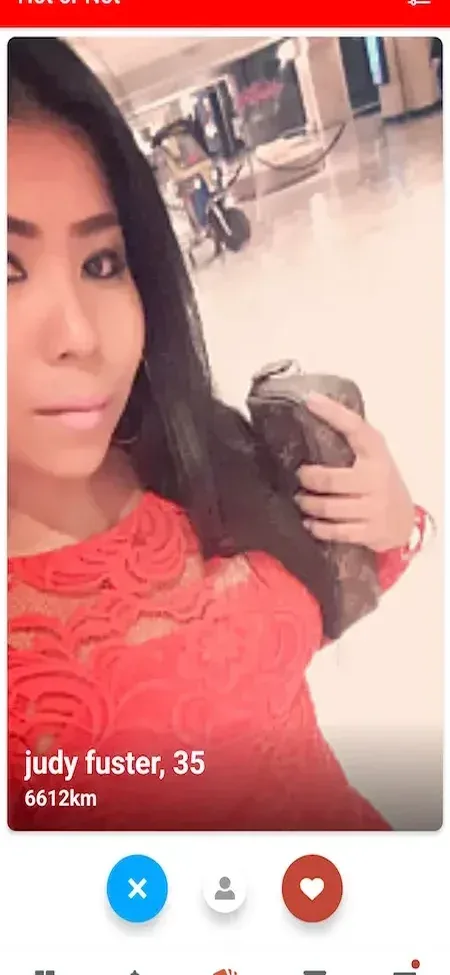
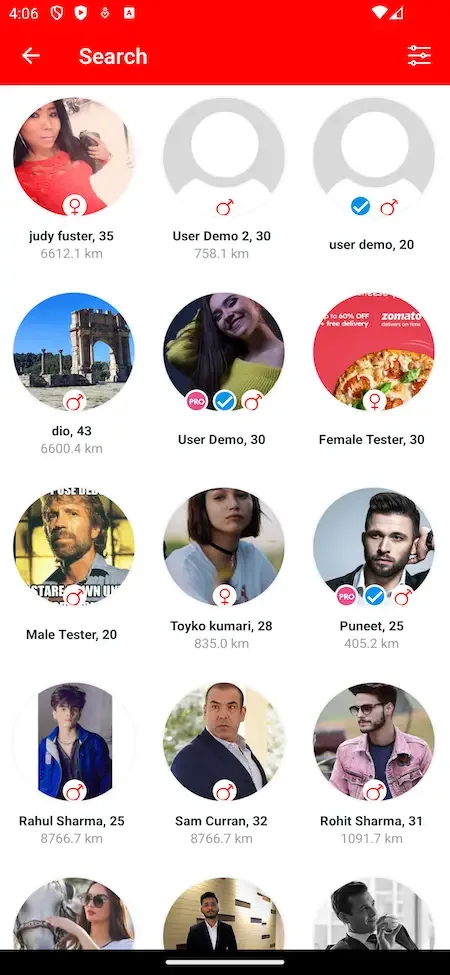
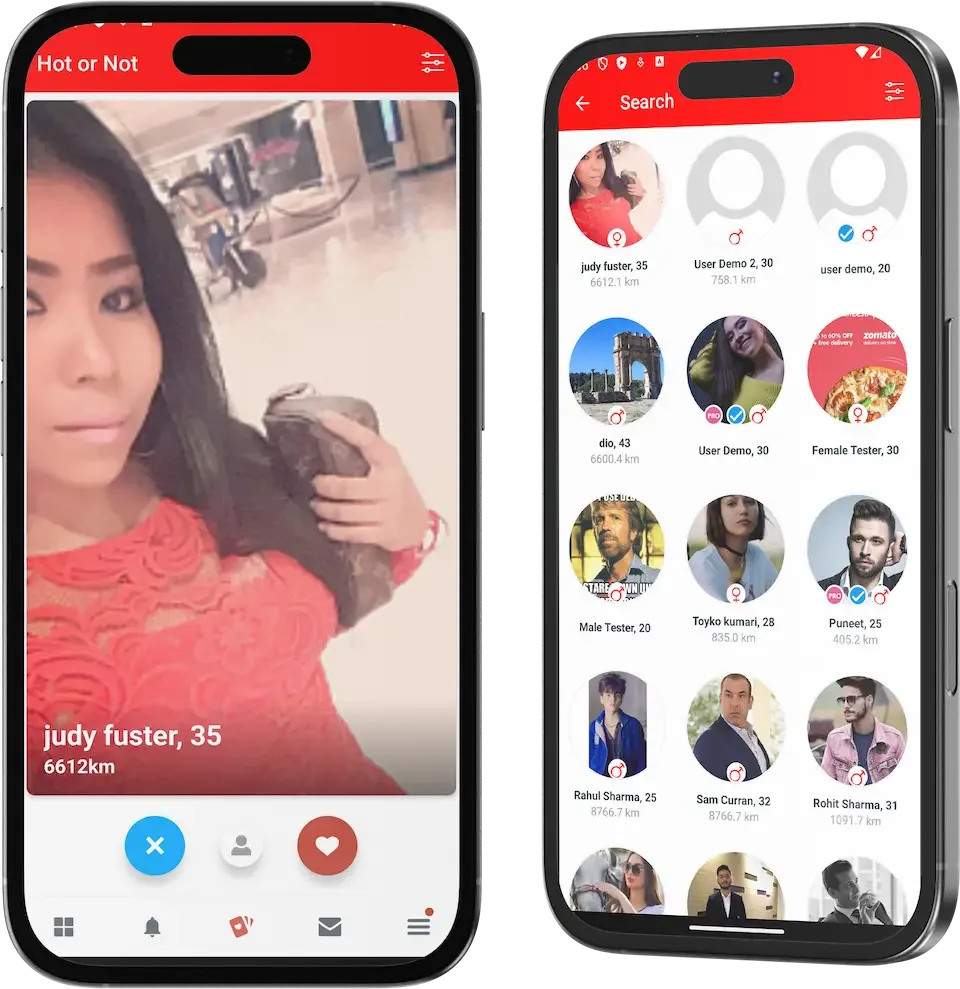
  • Two phone mockups showing a red swipe card with action buttons and a grid of profiles
    Overview
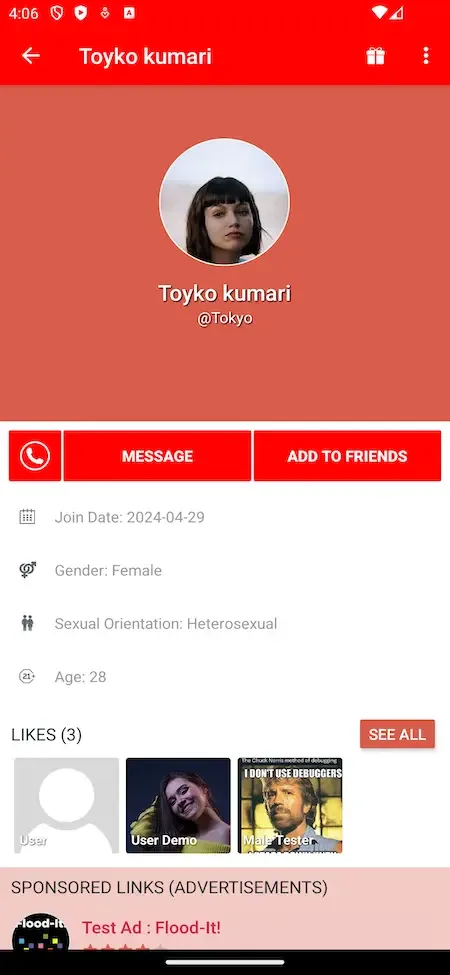
  • Phone member profile with photo, message and add friend buttons, join date and likes
    User app
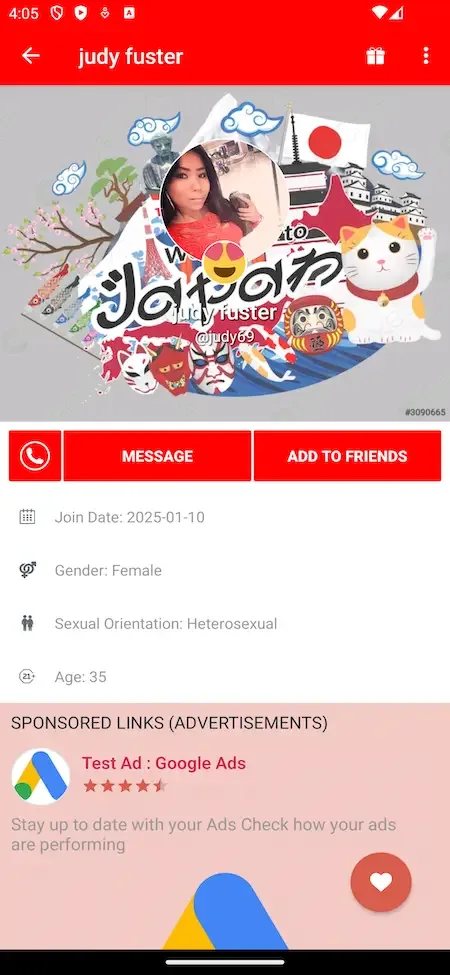
  • Phone profile with a collage cover photo, message button, details and a sponsored link
    User app
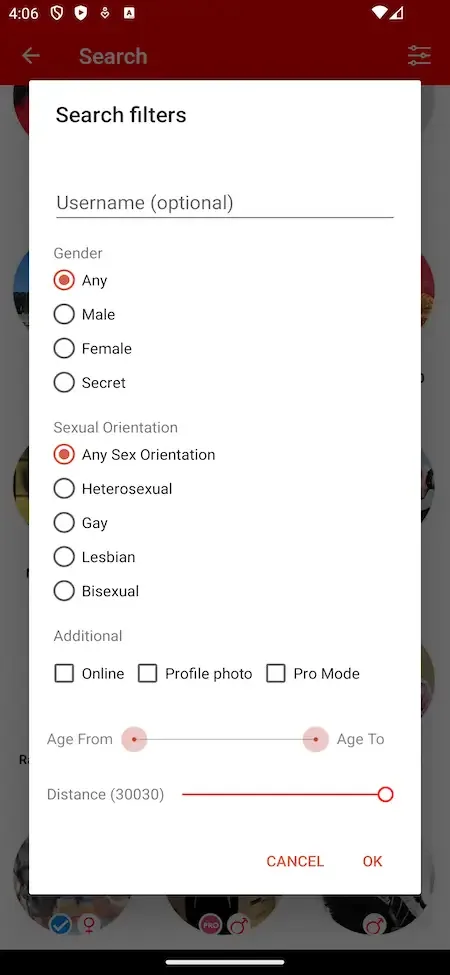
  • Phone search filters dialog with gender, orientation, age range and distance controls
    User app
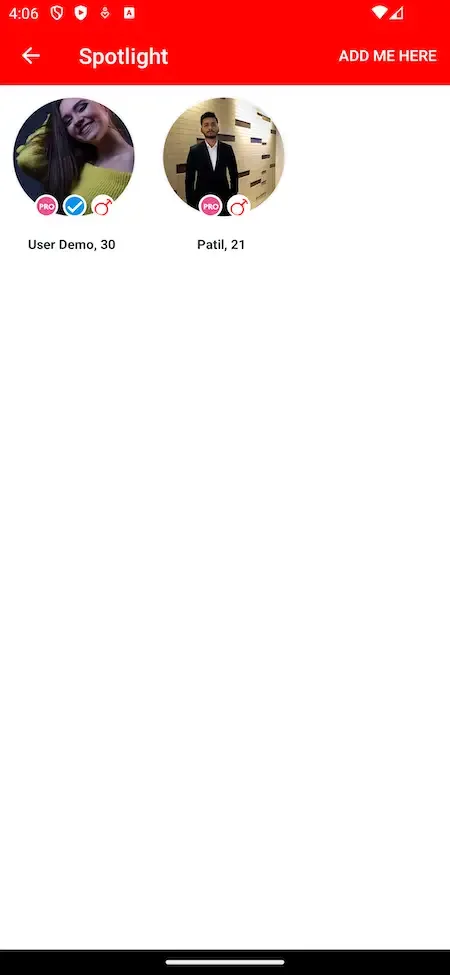
  • Phone spotlight screen with two featured round profile photos and an add me here button
    User app

Bumble clone capabilities that build trust

Any dating app can show a profile. The capabilities below are the ones that determine how safe the community feels and how few people your team needs to keep it that way.

  • Reporting and blocking in the app

    Members can flag behavior and block people without leaving a conversation. The reports feed into a review process run by your team. Low friction here is important, since members who find reporting hard simply delete the app and tell their friends why. A report that reaches a person within the same day tells the member the app listens, and a blocked profile vanishing at once ends the contact the member wanted to escape.

  • Admin-led profile verification

    Admins can verify profiles from the panel and handle bans or suspensions. A verified signal helps members decide whom to trust. More automated checks, such as photo matching, are tailored work we set up, and the ready-made build suits a community small enough for people to review. A suspension is a softer tool than a ban for a first offense, and it gives you a documented step before the permanent one.

  • A manager app for local oversight

    Each manager works from an app of their own, scoped to a region or category. They see complaints, analytics and offers for that area only. It lets you delegate moderation to local people while keeping the platform controls with the core team. A manager who knows the city can judge a local complaint better than a distant administrator, and can also try a regional offer without touching other markets.

  • Separate staff permissions

    Moderators, managers and support staff each have their own defined permissions. A support agent can help a member without editing plans, and a manager can review a case without changing platform settings. Clear roles also leave a cleaner record when you need to audit a decision. When someone leaves your team, removing one role is simpler and safer than changing a shared password.

  • Member privacy controls

    Members choose how visible they are and who may interact with them. These controls lower the chance of unwanted contact before it happens, which is cheaper than handling every complaint afterward. They also show members that the app takes their comfort seriously. A member who can hide from people they know, or limit who contacts them, is more willing to stay on the app and invite others.

  • Editable legal and policy text

    Terms, GDPR, About and Privacy sections are edited inside the admin panel, without developer time. When the law or your approach changes, the new wording can be live quickly. Legal accuracy remains the operator responsibility, and counsel should review the text. Having the pages editable also means your community guidelines can gain a new example the day a recurring problem appears.

  • Fraud and security settings

    The admin panel includes security and compliance settings and fraud prevention measures. A dating app attracts scammers who build fake profiles, so these controls give your team a place to respond rather than only to watch the problem grow. Pair them with sign-up limits and a habit of reviewing new accounts in the first weeks, when a new market is most attractive to people running scams.

  • Premium tools that fit the model

    Plans can lift limits on swipes, boost profiles and allow location changes, and credits, gifts and in-app purchases add smaller options. A safety-minded app can keep paid features about reach and comfort, not about removing protections, which helps preserve the trust you built. A boost that shows a profile to more people feels fair, while paying to avoid a block or a report would not.

How the service people know compares with this build

Bumble is widely known for letting women make the first move in a match and for its safety-minded reputation. This build supports the safety side directly. The first-move rule is added for your build as tailored work. The comparison covers the app model only, and the product is independent of the brand.

How the service people know compares with this build
AspectBumbleBumble CloneBuilding from scratch
Who writes first Women send the opening message in matches between men and womenMutual interest opens chat; a first-move rule is set up for youYou design and test whatever rule you want
Safety positioning A core part of how the service presents itselfVerification, reporting, blocking and staff roles are built inModeration tools are often left until after launch
Moderation structure Run centrally by the company, with no local control for outside operatorsRegional managers with a manager app, plus adminsUsually a single admin screen for everyone
Match expiry Matches can expire if nobody writes within a set period of timeTailored work we set up if you want itNeeds timers and rules designed and tested
Other modes Friendship and networking modes sit beside datingA dating build; extra modes are set up to your designEach mode is another product to specify and build
Policy changes Controlled by the company, with changes made on its own scheduleEditable in the admin panel without a releaseOften requires a developer and a new deployment
Code and member data Closed and held by the company, with no copy available to othersComplete source code and data stay with youYours, once a long build is complete
Time to first member Not available to an outside operator, who cannot run the original serviceDeployed in six working days from our sideMany weeks or months before members can join

The technology under the Bumble clone

The build uses mainstream tools that most development teams already know. The table lists the layers the product page names and avoids describing anything it does not state. Because each layer is widely used, your own developers or any agency can read, extend and maintain the code without needing us in the loop.

The technology under the Bumble clone
Mobile appsFlutter builds for Android and iOS, covering both the member app and the manager app from shared code.
Web and adminPHP with the Bootstrap framework and NodeJS, with MySQL storing members, reports, plans and staff roles.
Video callingThe Agora SDK supports calls between matched members inside the app.
NotificationsFirebase Cloud Messaging V1 delivers match and message alerts to both phone systems.
LocationGoogle Maps services help suggest nearby people and show distance between members.
Sign-in messagesTwilio supports phone number registration, alongside email, Apple and Google sign-in options.
Payments and adsA payment API with PayPal for credits on Android and web, and AdMob banners with a consent form.

What we set up around the Bumble clone

The package gives you a complete dating app with moderation tools, and certain pieces of the brand model and of running a safe community are set up around it for your build. Plan for these early.

  • The first-move rule

    The base app opens chat on mutual interest. Restricting who may send the opening message is a change to the matching flow, which we set up as tailored work with its own design, rules and testing.

  • Expiring matches

    Matches that lapse if nobody writes add urgency but need timers, notices and edge-case rules. We set them up for you, and you should decide whether they suit your audience first.

  • Automated photo verification

    Admins verify profiles by hand in the platform. An automated check that a photo matches the person needs a provider and an integration, and we set it up with your chosen service.

  • Friendship and networking modes

    Extra modes beside dating widen the audience but need their own design, filters and rules. We set them up for you, with scope confirmed with us.

  • Moderation staff and guidelines

    Managers and moderators are roles in the software. You must find the people, train them and write the guidelines they apply, and keep that work going every week.

  • Legal compliance

    Age limits, data protection, consumer terms and content rules differ by country. The operator is responsible for compliance, and we supply tools, not legal advice.

Try the live Bumble Clone demo

The demo is a running copy of the dating platform with demo branding and sample members, not your finished look. It includes a member app, a manager app, a member web panel and an admin panel. Because trust is the point of this build, open the manager app and the admin panel as well as the member app. The sample logins are public demo accounts.

  • Member app

    Open the Member app demo
    Login
    user@demo.com
    Password
    User_321

    Worth trying

    • Browse suggested profiles and open one to read it fully
    • Find the report and block options on a profile
    • Open privacy settings and see what a member can restrict
    • Match, then move into a conversation with a photo
  • Manager app

    Open the Manager app demo
    Login
    manager@demo.com
    Password
    Manager_321

    Worth trying

    • Open the dashboard for a region and read its complaint list
    • See how flagged content is reviewed and acted upon
    • Look at the analytics and offers available to a manager
  • Member web panel

    Open the Member web panel demo

    Worth trying

    • Read the public pages and the policy text shown to members
    • See how plans and credits appear on the website
    • Compare the web layout with the member app
  • Admin panel

    Open the Admin panel demo

    Worth trying

    • Open profile verification and the ban and suspension tools
    • Create or inspect a staff role and its permissions
    • Edit a policy page and see where the change appears
    • Check security settings and the revenue and analytics views

Bumble Clone feature FAQs

Can members hide from certain people?

Privacy settings let members control how visible they are and who is able to interact with them, and blocking removes a specific person from their experience. Combined, these give members practical control without needing staff to step in, which reduces the number of complaints your team must read.

What happens to a reported message?

The report reaches the manager responsible for that region, along with the flagged content. The manager reviews it against your guidelines, acts on the behavior and can contact the members involved from the dashboard. Serious cases can be escalated to an admin for a ban or a suspension.

Can managers see every region?

No. A manager is assigned to a region or a category and sees reports, analytics and offers for that area only. Admins keep the platform-wide view and the controls for plans, settings and staff roles, which prevents one manager from changing rules that affect everyone.

Do paid plans affect safety?

Plans in the platform lift limits such as swipes and allow boosts or location changes, and an ad-free experience can be included. Nothing in them removes reporting or moderation. Keeping safety tools available to every member is a policy choice, and it supports trust in the whole community.

Can I remove video calling?

Video calling and live streaming are features you can switch off if your community prefers a simpler app. Some safety-focused operators keep the app to profiles, matching and chat at first, then add calls once their moderation routine is steady.

Is there a web version of the app?

Yes. A member web panel sits beside the mobile apps, with the same policy pages and a way to buy credits, including through PayPal. It also gives you a public page that search engines can index, which helps new members find the service.

How do members sign up?

Members can register with email, phone number, Apple or Google. Social sign-in creates an account automatically, and push notifications announce matches and messages. Phone sign-in relies on a messaging service that charges per code, so it is a running cost to plan for.

→Start here

Tell us what you want to launch.

Share the platform and your market. You get a walkthrough of the live demo, the exact scope of what ships, and a fixed price in writing. First response in under 2 hours, Monday to Saturday, 10:00 to 19:00 IST.

We reply to every inquiry. No newsletters, no shared data. See our privacy policy.

Trademark and independence notice

This page uses the name Bumble to describe a type of platform. The product sold here is separate software, built independently, and Bumble has no part in it.

Why this name

"Bumble clone" is industry shorthand that founders use when searching for software with a comparable business model. It names a category of product, not a copy of Bumble.

Who built this

The platform is an original product designed and written by Miracuves. It contains no code, design, graphics or content originating from the Bumble website or applications, and it ships under your own brand.

Trademarks

Bumble and its logos are trademarks of their respective owner and are named here for reference only. GetFame is not affiliated with, sponsored by or endorsed by Bumble. Rights holders can write to legal@miracuves.com.

Operator responsibility. The operator of a launched platform is responsible for legal compliance in the markets it serves. Nothing on this page is legal advice.Read the full disclaimer