OnlyFans Clone Features for Fans, Creators and Operators

A creator subscription business is mostly plumbing: entitlements that expire correctly, wallets that balance, queues that someone can actually work. This page walks through what the OnlyFans clone does in each of those areas, how one creator journey crosses every module, and where the ready-made package stops so you can plan the rest.

1
app for both roles
6 days
to a live platform
$3,699
one-time, full source
On this page10 sections
  1. All 49 OnlyFans Clone features, by role
  2. One creator, traced from signup to payout
  3. The OnlyFans Clone, on screen
  4. Features that carry the commercial weight
  5. OnlyFans, this platform and a scratch build side by side
  6. Technology behind the OnlyFans clone
  7. What stays with you around the platform
  8. Try the live OnlyFans Clone demo
  9. OnlyFans Clone feature FAQs
  10. Explore the OnlyFans Clone

All 49 OnlyFans Clone features, by role

The complete list, grouped by the person who uses each feature. Nothing is hidden behind a plan tier: this is what ships in the platform.

Fans

12 features
Profile and category browsing
Explore featured creators, categories and search results with free and premium previews shown before any payment.
Plan choice
Subscribe on a free or paid plan, with renewal, expiry and lapse handled by the platform.
Single-item unlocks
Pay once for a locked post, reel, story, file or message and keep the entitlement on the account.
Stored wallet balance
Fund a balance once and spend it across tips, gifts, products and sessions without repeating checkout.
Saved cards and unlocked files
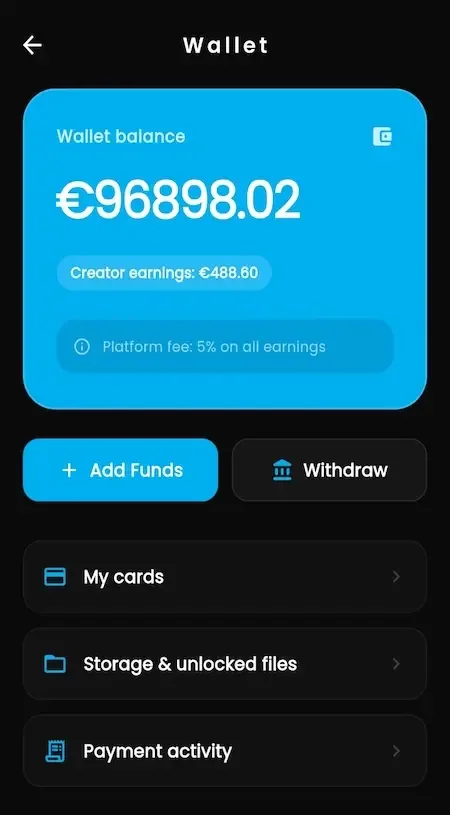
The wallet screen keeps saved payment cards and a store of files the fan has already unlocked.
Direct and group chat
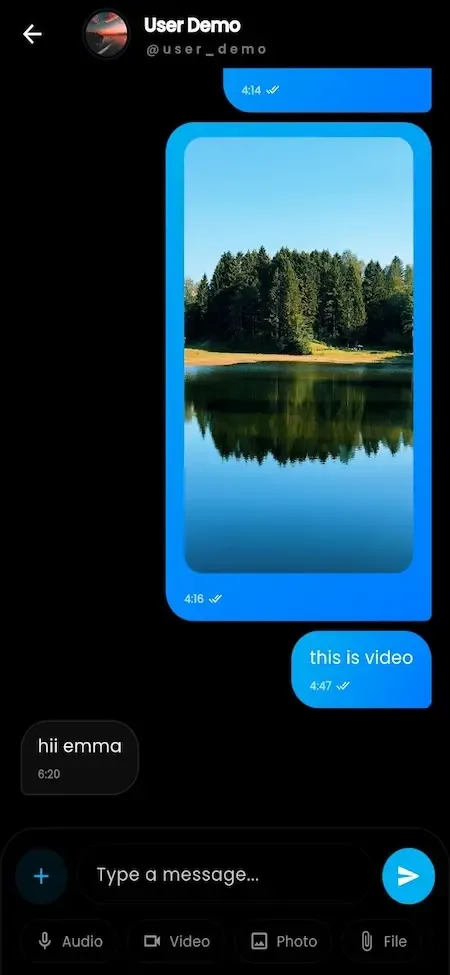
Message creators one to one or in groups, with media attachments and paid media messages.
Public and private live
Join public streams with live comments and likes, or request a private live session.
Paid calls
Book audio or video calls that a creator has priced, with session records for both sides.
Shop purchases
Buy digital products, physical merchandise or services from a creator storefront, with coupons applied at purchase.
Live auction bidding
Bid in real time on exclusive creator video content listed with a starting bid.
Campaign contributions
Back a creator fundraising campaign and watch the goal and amount raised update.
Sign-in choices
Register with email, phone OTP or social login, and add two-factor protection on the account.

Creators

13 features
Post composer
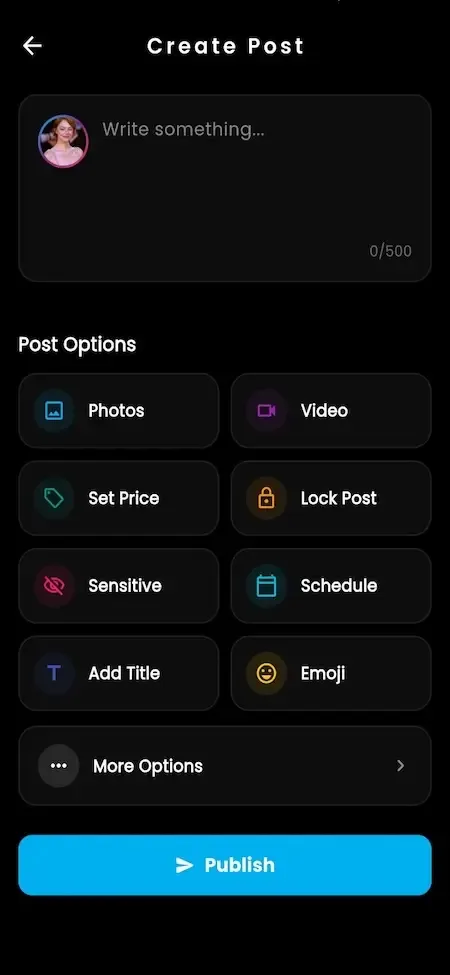
Write posts with text, photo and video, set a price, lock content and choose publishing options.
Stories and reels
Publish short-lived stories and reels next to the main feed, with comments, likes and bookmarks.
Duration-based pricing
Set subscription prices for weekly, monthly, three-month, six-month and annual periods, each switched on or off.
Creator vault
Upload, name, rename, price and organize media, then post it or send it inside messages.
Message templates
Save reusable replies so repeat conversations take seconds rather than minutes.
Custom fan lists
Group fans into lists and target a message or offer at one list only.
Mass and scheduled sends
Send one message to many fans now, or queue it for a time that suits the audience.
Live sessions
Broadcast publicly or privately and accept tips as the stream runs.
Call pricing
Set rates for audio and video calls and keep a record of each session.
Storefront and sales view
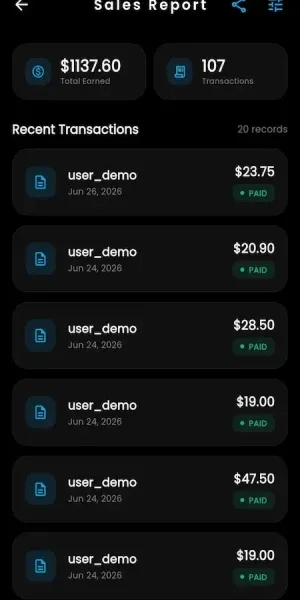
List products, set coupons, then follow buyers, delivery status and fulfillment from a sales dashboard.
Prize wheels
Build a wheel with a spin cost, weighted segments, colors and rewards as a gamified fan offer.
Fundraising campaigns
Run goal-based campaigns that show progress, status and audience response.
Profile customization
Edit cover, avatar, bio, username and display preferences, with a verification badge once approved.
Operators

12 features
Account management
Search fans and creators, change status, apply restrictions and control visibility.
Payment configuration
Set currency, platform commission, referral share, transaction limits and pricing rules for subscriptions, tips and unlocks.
Gateway control
Enable providers, store credentials and manage wallet funding and subscription settings.
Transaction visibility
Follow wallet movements, purchases and entitlement state across the platform.
Withdrawal approval
Review requests, check verification status and mark payout state with reconciliation records.
Live settings
Configure live provider credentials, token lifetime, price limits, duration limits and public or private broadcasts.
Media optimization
Set compression and optimization rules for images and video from general settings.
AI persona gallery
Create and manage AI characters with images, status, names and attributes.
AI voice settings
Configure voice providers, models, API access, token limits, temperature and pricing.
Version control
Require or suggest app updates and switch modules on or off per platform and region.
CMS and branding
Edit logo, colors, domain, public pages and marketing creatives from the panel.
Dashboard analytics
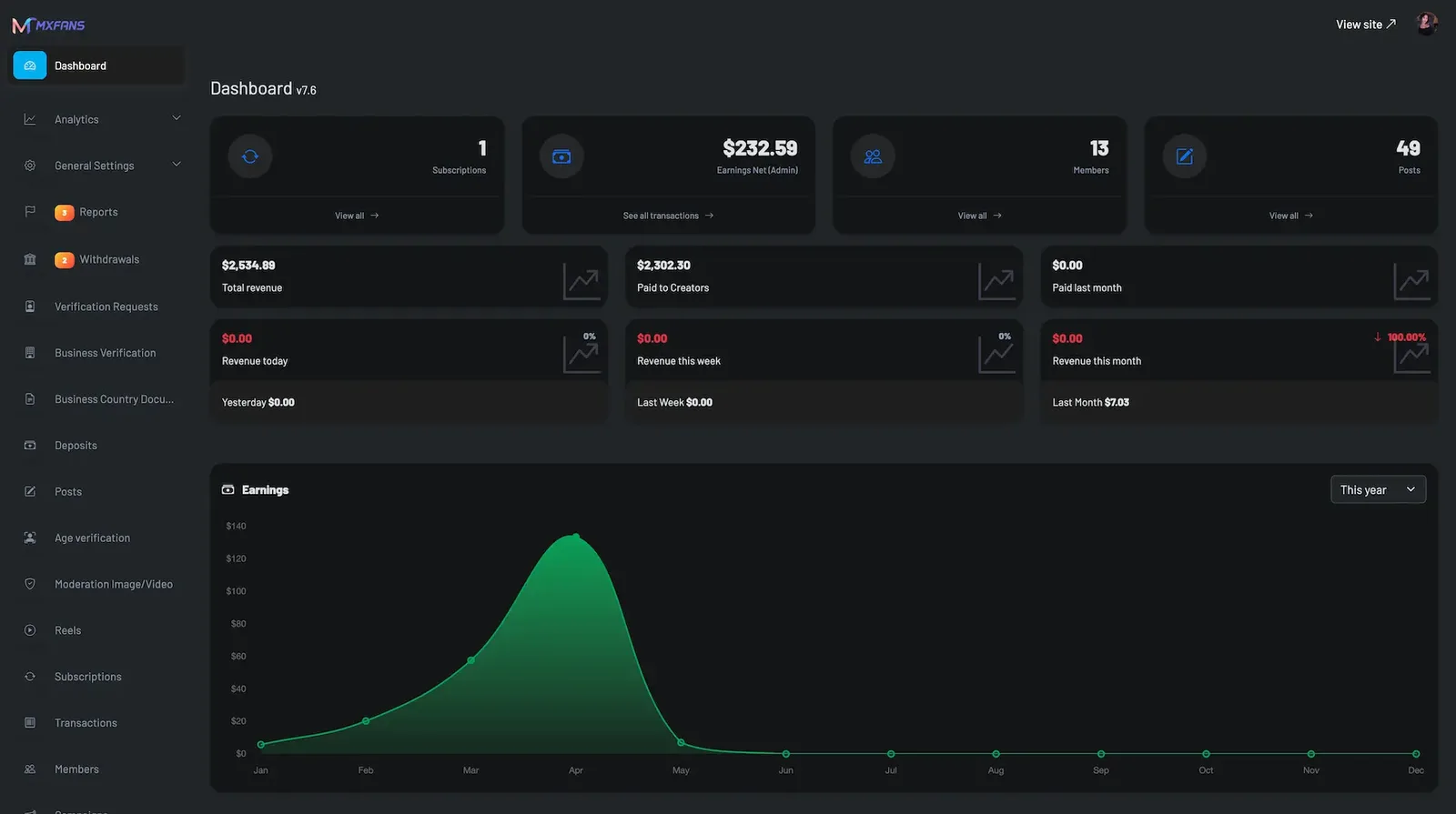
See subscriptions, earnings, members, posts, revenue trends, payouts and verification activity together.

Trust and safety

12 features
Creator verification queue
Review identity submissions, approve or reject creators and see provider callback status.
Business verification
Collect applicant, business type, address, country and documents for creators who work through a company.
Country document rules
Define which documents are required for each supported jurisdiction.
Age-gated flows
Restrict content behind age checks and connect a third-party age or identity provider.
Media screening
SightEngine is named for automated screening of uploads, with manual review queues behind it.
Reports and complaints
Fans and creators file reports that move through policy workflows to a recorded decision.
Takedown workflow
Remove content with a log of the reviewer, the reason and the time.
Territory blocking
Exclude a country, state, city or region where you are not ready to operate.
Account security
Two-factor authentication, OTP attempt limits and login throttling protect accounts.
Upload limits
Cap upload frequency and size to curb abuse and protect storage.
Privacy controls
Account deletion and deactivation, profile privacy and notification settings are built in.
Blocked users
Fans and creators block accounts, and operators see abuse signals across the platform.

One creator, traced from signup to payout

Reading a module list tells you little about how the pieces connect. Follow one creator and one fan through the platform and you see which screens touch money, which touch policy, and where an operator has to step in.

  1. A fan decides to publish

    Nobody downloads a second app. The creator tools sit behind the same login a fan already uses, and they appear once the operator has enabled the account. That keeps your most engaged subscribers close to the day they start posting, which is when they are most likely to become supply for your platform instead of leaving for another one.

  2. Verification comes before earning

    Before any price can be charged, the account passes creator checks, and a business check where the creator trades as a company. Documents attach to the decision rather than sitting in an inbox. Because this step happens before the first sale, your payment partner can be shown a recorded process instead of a promise, which is the evidence underwriters ask for.

  3. The creator sets the terms

    Subscription prices are set by duration, so a creator can offer weekly, monthly or longer periods and switch each on or off. Individual posts, messages and vault items get their own one-time price. Shop items, calls and shoutouts are priced separately. You set only the commission on top, so the number a fan sees stays in the creator hands.

  4. The fan pays in the way that suits the moment

    A subscription opens the feed, a single unlock opens one locked item, and the wallet sits underneath both so a tip during a stream is a tap, not a checkout. Saved cards and previously unlocked files live on one screen. Every purchase writes a transaction and an entitlement, which is what lets support settle an argument about what a fan bought.

  5. Conversation turns into repeat revenue

    Templates, fan lists, mass messages and scheduled sends let one creator talk to hundreds of subscribers without losing the personal tone. Media sent from the vault can be locked behind a price. Paid calls and shoutouts convert the fans who want direct attention, and they are priced by the creator, not by a flat platform rule.

  6. Safety work runs in parallel

    While money moves, reports arrive. Fans and creators flag posts, comments and messages, and each flag becomes a queue item that a moderator resolves with a recorded decision. Age-gated flows and territory blocks apply at the edge. None of this waits for a quiet moment, because the platform keeps selling while the queue fills.

  7. Commission splits and the creator withdraws

    At the point of purchase the platform share is separated using the rate you configured for that creator and revenue type. The creator balance grows, earnings screens show where it came from, and a withdrawal request lands in the admin queue with verification status beside it. You approve, the payout is recorded, and the ledger stays reconcilable.

The OnlyFans Clone, on screen

Real screens from the working product. Your platform ships rebranded with your name, logo and colors.

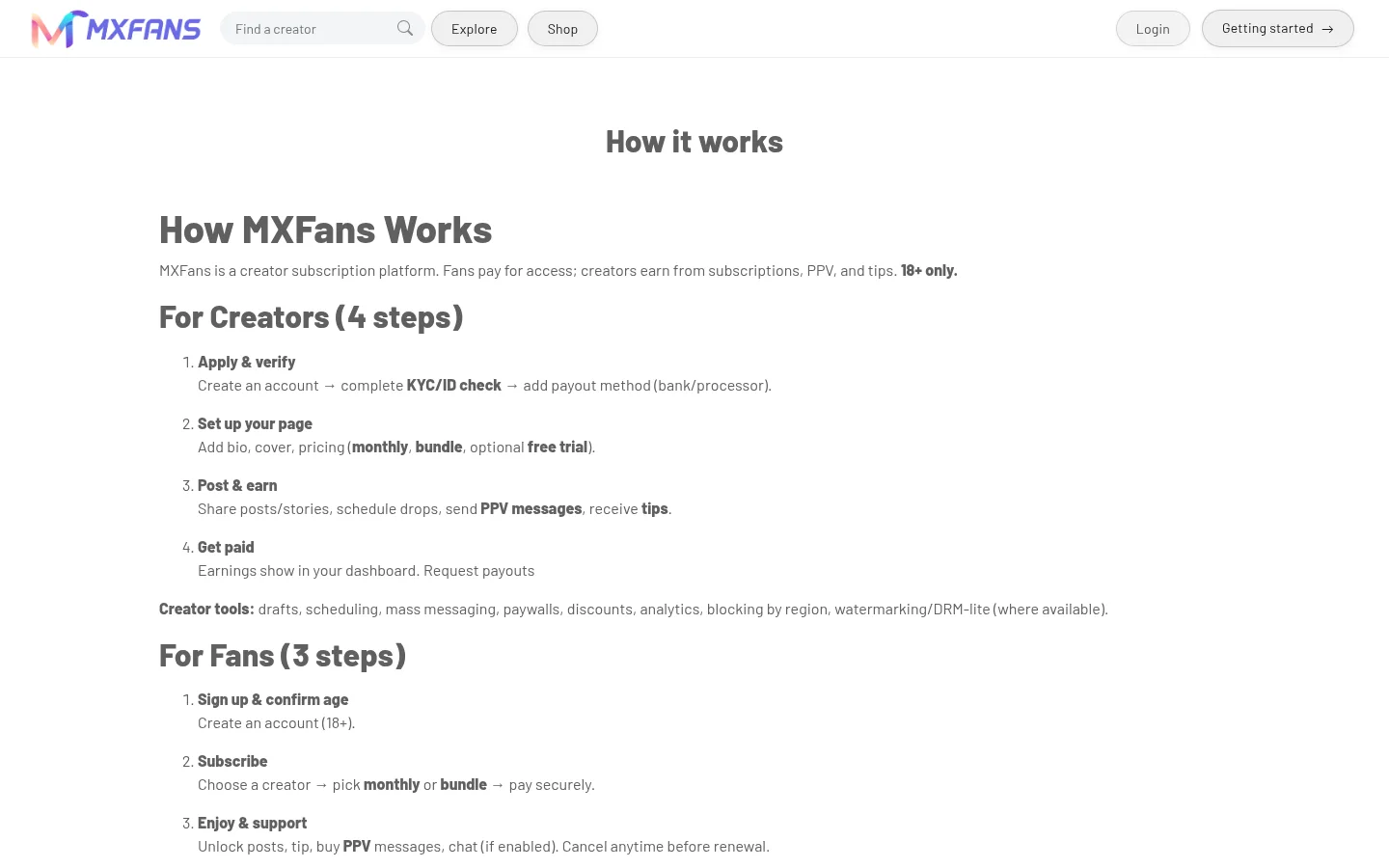
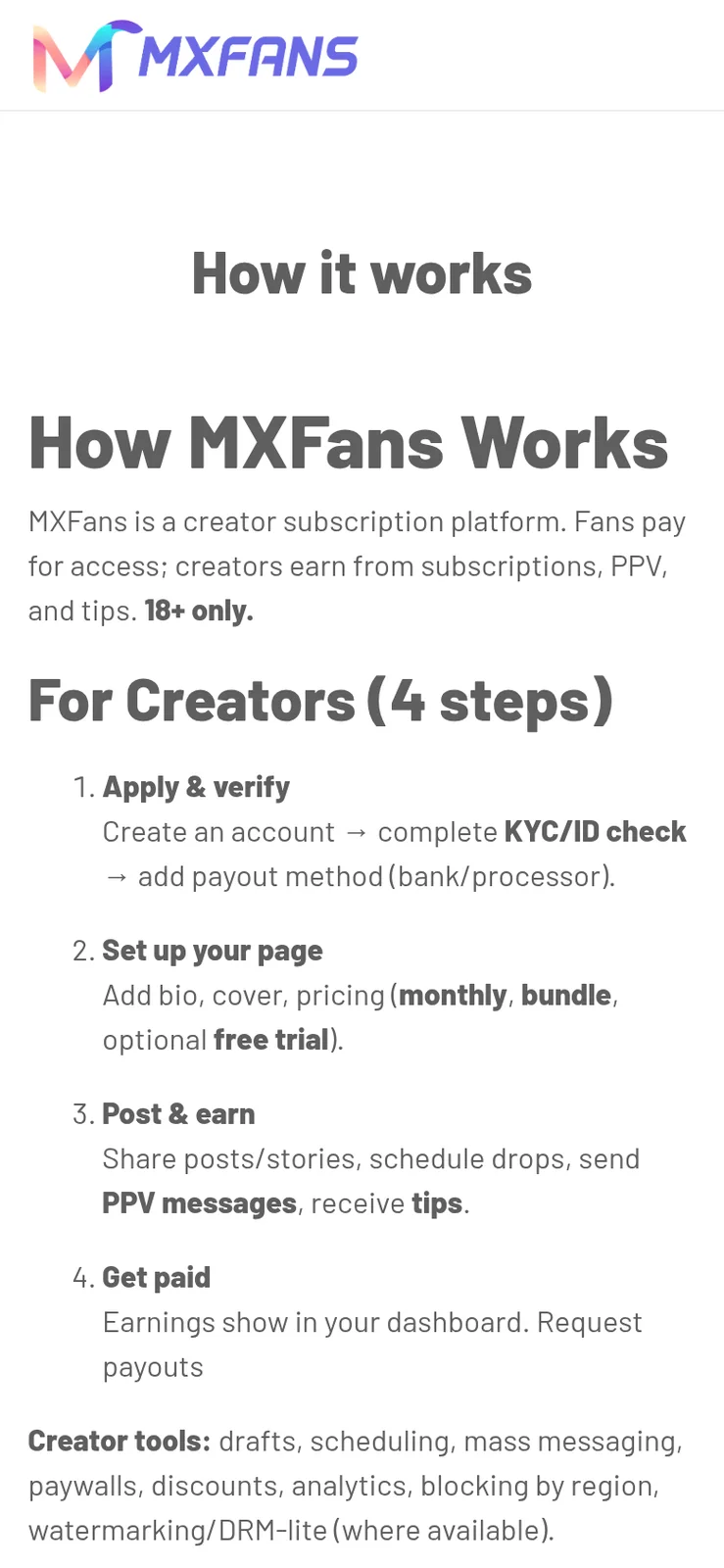
  • How it works page listing steps for creators and steps for fans
    Web app
  • Phone create post form with a text box and photo, video, price options
    Creator studio
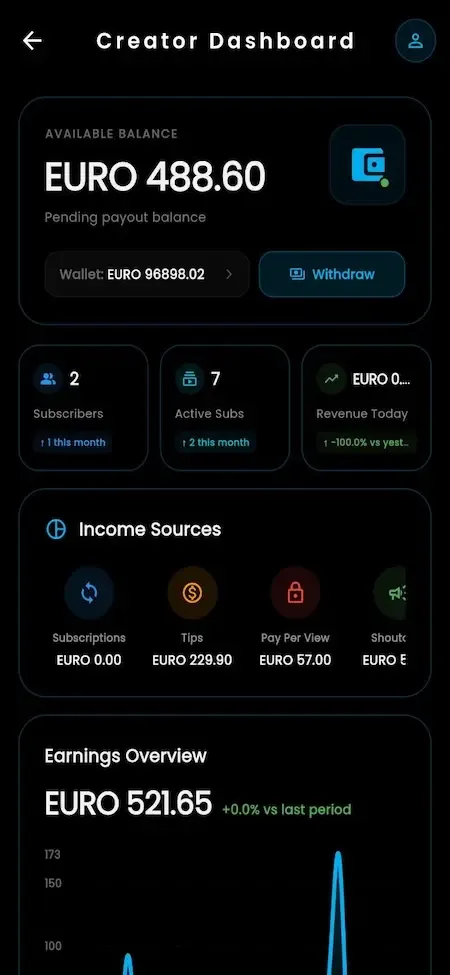
  • Phone creator dashboard with an available balance, subscriber counts, income sources and an earnings chart
    Creator studio
  • Phone sales report with a total earned amount and a list of paid orders
    Creator studio
  • Phone view of the how it works page with numbered creator steps
    Web app

Features that carry the commercial weight

Any catalogue is long. These are the capabilities that decide whether a creator platform earns, passes a payment review and stays manageable for a small team, so they are worth testing hardest in the demo.

  • Duration-based subscription pricing

    Creators can price access for different periods and turn each period on or off, rather than choosing one monthly number. That gives them room to run a short promotion or reward long commitments without a support ticket to you. For the operator it means renewal revenue becomes more predictable as longer plans catch on.

  • Creator vault

    A private library where creators upload, name, price and organize media, then post it or send it in a message. It turns a pile of files into inventory that can be sold more than once. Commercially it matters because creators with a tidy vault send more paid messages, and paid messages are commission you earn without extra acquisition cost.

  • Fan lists and mass messaging

    Fans can be grouped into custom lists, and offers can be sent to one list or scheduled for later. A creator can reward top spenders, win back lapsed subscribers or announce a live session to the right audience only. It is the feature that lets a single creator operate like a small studio instead of answering every chat by hand.

  • Wallet with saved cards

    Fans fund a balance once and spend it across tips, gifts, products and sessions. Fewer checkouts means fewer abandoned payments and fewer small card transactions to pay fees on. It also gives you a clear view of money held on behalf of fans, which finance will want separated from creator earnings.

  • Live auctions and campaigns

    Creators can list exclusive video with a starting bid, and run fundraising campaigns with a visible goal. These give fans a reason to return on a schedule and give creators a way to earn from a moment, not only from a standing subscription. They also create content around your platform that is worth sharing.

  • Delegated manager access

    A manager can run a creator account under scoped permissions, which suits agencies and talent networks. The creator keeps ownership, while a team handles scheduling, messaging and reporting. If you plan to recruit through agencies rather than one creator at a time, this is the capability to examine first.

  • Per-creator commission control

    The platform share is configurable by creator and by revenue type. A large earner can sit on negotiated terms, and tips can carry a lighter rate than subscriptions. Commission is your only core income line, so being able to adjust it without side contracts or manual payout sheets protects both margin and recruiting.

  • AI personas

    Creators can offer chat with AI personas, using a choice of AI providers and per-user preferences. It extends a creator availability beyond the hours they can type. You carry the provider usage cost and decide how personas are disclosed to fans, so it earns when credits are priced above that cost.

OnlyFans, this platform and a scratch build side by side

The first column describes the well-known marketplace only at the level of its public model. The second shows what you receive. The third shows what an in-house team would need to design before the first subscription is sold. Treat it as a map of effort, not a ranking of brands.

OnlyFans, this platform and a scratch build side by side
AspectOnlyFansOnlyFans CloneBuilding from scratch
Who operates it One company runs a single global marketplace for every creatorYou run your own branded marketplace on your own serversYou run it, after building every part yourself
Pricing control Creators set subscription prices inside the marketplace rulesCreators set prices by duration, per item and per serviceWhatever you design, including every edge case of expiry
Commission setting The marketplace sets its own share of creator earningsYou set the share per creator and per revenue typeA ledger and split logic you must design and test
Extra revenue paths Subscriptions, paid posts, paid messages and tipsAdds live, calls, a shop, auctions, campaigns and AI personas on topEach additional path is another build with its own payment flows
Verification tooling Creators go through the marketplace own checksCreator and business checks run as reviewed workflows in your adminOften postponed until a processor asks for it
Moderation records Handled by the company internal teams using its own staff and established processesQueues, reports and takedowns with a recorded decision trailUsually a delete button until the first incident
Source code Not available to outside buyers who want to run their own marketplaceComplete Laravel source delivered at handover so your own developers can extend itYours, once someone has written it after a whole team has finished building it
Time to first sale Not applicable, the marketplace already exists because it launched long agoSix working days for the ready-made platformMany months of work across several product areas

Technology behind the OnlyFans clone

The stack is deliberately mainstream so that the developers you hire after handover already know it. Nothing here needs a specialist language or a proprietary runtime, and each layer can be hosted on infrastructure you choose and control directly.

Technology behind the OnlyFans clone
Mobile appsOne unified Android and iOS app carries fan and creator roles, with creator tools unlocked per account.
Web appBlade and Livewire web app, usable as a PWA for mobile-first audiences who skip store installs.
Backend and APILaravel 12 on PHP 8.2 or newer, with Sanctum-protected REST APIs serving apps, web and admin.
DatabaseMySQL or MariaDB holding users, subscriptions, posts, messages, wallets and transactions.
Real timeWebSockets carry messaging, live chat and in-stream tips so updates reach screens without delay.
Live and callsProvider integrations such as Agora or Zego, billed to your own account.
Media storageS3-compatible object storage with CDN-ready delivery for images, video, audio and files.
HostingAWS, GCP or DigitalOcean with Redis and queue workers for notifications and background jobs.

What stays with you around the platform

The ready-made platform is complete as a product, and several things around it are still your job. Knowing the edges before you buy is cheaper than discovering them in the middle of launch week, so here they are in plain terms.

  • Payment approval

    Gateway integration is in the package. Getting a processor to accept your business is not, and in this category approval can be slow, conditional and reviewed again later. Start that conversation before development begins, because no software can secure it for you.

  • Moderation staff

    The queues, reports and takedown workflows ship, but people have to work them. Automated screening can sort uploads, and rules tuned to your own policy or deeper classification are something we set up with you. Budget moderator hours from the first week.

  • Legal and policy work

    Terms of service, creator agreements, record keeping and territory rules are yours to write with your own advisers. We supply age and identity tooling, and we do not give legal advice. Operators of adult content carry compliance responsibility in every market they serve.

  • Store acceptance

    We prepare builds and listings and support submission. Whether Google Play or the App Store accepts a platform in your category is their decision and can change. Many operators in this space launch on the web app first for that reason. A web-first launch keeps you moving while a store decision is pending.

  • Advanced KYC and AML

    Age gates and creator verification work with the provider you contract. Deeper identity screening and anti-money-laundering integration is something we set up around your plan, with scope confirmed against your market and provider.

  • Third-party usage fees

    Live streaming, calls, SMS codes, AI replies, verification checks and storage bandwidth are billed by their providers to your accounts. They scale with activity, so model them against expected creator and fan volume before you set your commission.

  • Tailored creator workflows

    Agency rosters with team dashboards, four-eyes payout approval or live shopping drops are available as tailored work we scope with you, usually 2 to 8 weeks depending on what you ask for.

Try the live OnlyFans Clone demo

The demo shows the platform as delivered, with the vendor demo branding still in place, before your name, logo and colors are applied. You can open the Android build, the browser app and the admin panel, and sign in with the public sample accounts below to follow one creator business from both sides.

  • Fan app

    Open the Fan app demo
    Login
    user@demo.com
    Password
    User_321

    Worth trying

    • Browse creator profiles and open a locked post preview
    • Fund the wallet, then unlock a single post
    • Send a message and open a paid media reply
    • Join a live session and leave a tip
  • Creator web app

    Open the Creator web app demo
    Login
    creator@demo.com
    Password
    Creator_321

    Worth trying

    • Compose a post and set a one-time price
    • Open the creator vault and organize media
    • Check the earnings screen and request a withdrawal
    • Set subscription prices for different durations
  • Admin panel

    Open the Admin panel demo
    Login
    admin@demo.com
    Password
    Admin_$321

    Worth trying

    • Review a creator verification request
    • Change the commission setting and see where it applies
    • Work a reported item through the moderation queue
    • Approve a withdrawal and check the transaction record

OnlyFans Clone feature FAQs

Can a creator offer different subscription lengths?

Yes. Creators price access by period, such as weekly, monthly, three months, six months or a year, and each period can be switched on or off. That lets one creator run a short promotional plan beside a standard one. Renewal and lapse handling are done by the platform, so you do not manage expiry dates by hand.

What is the creator vault used for?

It is a private media library inside the creator account. Creators upload files, name and rename them, give them a price and organize them, then reuse the same item in a post or a message. It saves re-uploading and makes paid messages quicker to send, which matters because messaging is where many creators earn most.

Can fans bid on content?

Yes. A creator can list exclusive video content as an auction with a starting bid, and fans bid in real time. It suits scarce or one-off material that would be underpriced as a standard unlock. The auction sits alongside subscriptions and pay-per-view rather than replacing them, and it earns commission like other sales.

How do agencies manage several creators?

A manager role gives an agency delegated access to a creator account with scoped permissions, so scheduling, messaging and reporting can be handled by a team while the creator keeps the account. Larger roster tooling, such as portfolios and team dashboards, is something we set up for networks that need it.

Does the platform support paid shoutouts and boosts?

Creators can accept paid shoutout requests, run donation campaigns, boost posts and buy ads inside the platform. Each of these is a priced service with a record, so it appears in earnings and in your commission figures. You decide which of them are visible to creators at launch.

Can I hide features I do not want yet?

Yes. Modules are switched on, off or extended from the admin, and feature flags can differ by platform and region. Many operators open subscriptions, pay-per-view and messaging first, then add live, calls, shop and AI once creators are earning and the support routine is steady.

How are withdrawals handled?

Creators request a withdrawal from their earnings screen. The request queues in the admin panel with payout status and the verification state of the account beside it. You approve it, the payout is recorded, and the entry can be reconciled later, so finance and support read the same history when a question comes up.

→Start here

Tell us what you want to launch.

Share the platform and your market. You get a walkthrough of the live demo, the exact scope of what ships, and a fixed price in writing. First response in under 2 hours, Monday to Saturday, 10:00 to 19:00 IST.

We reply to every inquiry. No newsletters, no shared data. See our privacy policy.

Trademark and independence notice

This page uses the name OnlyFans to describe a type of platform. The product sold here is separate software, built independently, and OnlyFans has no part in it.

Why this name

"OnlyFans clone" is industry shorthand that founders use when searching for software with a comparable business model. It names a category of product, not a copy of OnlyFans.

Who built this

The platform is an original product designed and written by Miracuves. It contains no code, design, graphics or content originating from the OnlyFans website or applications, and it ships under your own brand.

Trademarks

OnlyFans and its logos are trademarks of their respective owner and are named here for reference only. GetFame is not affiliated with, sponsored by or endorsed by OnlyFans. Rights holders can write to legal@miracuves.com.

Operator responsibility. The operator of a launched platform is responsible for legal compliance in the markets it serves. Nothing on this page is legal advice.Read the full disclaimer