TikTok Clone Features: Feed Engine, Studio and Live Tools

This page follows one video through the whole platform, from the moment a creator hits record to the moment an operator reads the revenue report. It also shows what makes the product stand apart commercially, how it compares with the original app and a ground-up build, what runs under the hood, and what we set up around it.

4
user roles covered
6 days
to a live launch
100%
source code ownership
On this page10 sections
  1. All 49 TikTok Clone features, by role
  2. One clip, from camera to payout
  3. The TikTok Clone, on screen
  4. The modules that decide whether this app earns
  5. TikTok versus this platform versus a ground-up build
  6. What runs under the hood
  7. What we set up around the platform
  8. Try the live TikTok Clone demo
  9. TikTok Clone feature FAQs
  10. Explore the TikTok Clone

All 49 TikTok Clone features, by role

The complete list, grouped by the person who uses each feature. Nothing is hidden behind a plan tier: this is what ships in the platform.

Viewers

13 features
Full-screen vertical player
Each clip fills the screen and advances with a swipe, so watching takes no learning and no taps.
Behavior-based For You feed
Ranking starts from the interests picked at signup, then adapts to watch time, replays, likes and shares as the viewer scrolls.
Explore by category
A browse tab organized by category, hashtag and creator lets viewers hunt for content instead of waiting for the feed.
Shareable video pages
Every video, profile and hashtag has its own link that opens on the web with preview tags for social sharing.
Duet and react
Viewers answer a clip with a side-by-side duet or a picture-in-picture reaction without leaving the player.
Follow and save
Likes, comments, shares, saves and follow or unfollow controls give the ranking its signals and give viewers a personal library.
Video replies and mentions
A comment can be answered with a new clip, and mentions pull other members into the thread.
Live room viewing
One-to-many streams include live chat, reactions and the ability to send gifts, coins or stickers during the show.
Coin wallet
Viewers buy virtual coins once and spend them on gifts across videos and live sessions.
Captions and languages
Closed captions and a multi-language interface help viewers who watch with sound off or in another language.
Themes and regional copy
Light and dark themes, plus region-specific recommendations and interface text, adapt the app to local audiences.
Smart notifications
Push alerts cover new followers, likes, comments and live starts, with campaign nudges that bring lapsed viewers back.
Flexible sign-in
New members join with a phone number, email, Google or Apple, then set interests and optional age and region.

Creators

14 features
Two-camera capture
Record with the front or rear camera, add several takes to one video and change playback speed.
Trim, cut and merge
Basic editing happens inside the app, so a creator can finish a clip without exporting to another tool.
Drafts and re-edit
Unfinished clips are saved as drafts and can be reopened and changed before anything goes public.
Filters and beauty modes
More than fifty in-app filters, face effects, stickers and smoothing options are available while recording.
AR lens packs
Trending lenses ship with the app, and themed packs for festivals or campaigns can be customized for your brand.
Categorized sound library
Music is grouped by trend, mood and genre, drawing on global and local catalogs you connect.
Reusable original sounds
The audio from any clip can become a sound that other creators pick, which spreads a trend from one upload.
Stitch several clips
Multi-clip stitching lets a story be told in parts, with each part linked back to its source.
Caption, privacy and cover
Before posting, creators write captions and hashtags, choose a thumbnail and set the clip to public, followers or private.
Challenge entries
Contest-style uploads attach to a hashtag challenge and can be tied to a reward set by the operator.
Profiles and playlists
A public profile shows bio, links, video grid, playlists and the follower, view and like counts.
Per-video analytics
Creators see views, watch time and retention, plus a revenue breakdown by video, campaign and period.
Earnings wallet
Coins, gifts, subscriptions and withdrawals appear in one wallet, with requests flowing to the operator for approval.
Go live
Any approved creator can start a one-to-many stream with chat, reactions and gifting from the same app.

Brands and sellers

10 features
Marketplace storefront
A shop tab with category search and featured products turns the app into a place to browse and buy.
Product detail pages
Each listing carries a gallery, color options, price, stock count, reviews and a link to the seller storefront.
Seller dashboard
Sellers manage listings and orders from a business dashboard reached through the app settings.
Product tags in video
Links and offers attach to a clip so a viewer can go from watching to buying in two taps.
Live selling
Hosts show products during a stream and run limited-time offers while viewers watch and buy.
Creator ad campaigns
Campaigns are set up with a goal and budget, then show views, clicks and spend and can be paused at any point.
Sponsored challenges
Brands sponsor a hashtag challenge and receive a featured banner on the feed and explore tab.
Brand collaborations
Structured sponsorship slots give brands and creators a managed route to paid partnerships.
Campaign reporting
Reach, completion rate and click-through are reported per campaign so brands can compare placements.
Brand-safety controls
Category exclusions and moderation-tier targeting keep sponsored content away from material the brand rejects.

Operators

12 features
Account management
Search users and creators, edit roles, and change account status from a single screen.
AI-flagged moderation queue
Likely nudity, violence and copyright matches are flagged for human review ahead of wide distribution.
Report handling
Viewer reports on videos, comments, profiles and live sessions land in one queue for review.
Graduated enforcement
Warnings, content removal, account restriction, strikes and bans are applied from the same screen.
Decision logs
Moderation decisions, reports and sensitive admin changes are recorded for later review.
Verification workflows
Optional KYC and badge review for creators, brands and sellers keeps a verified tier trustworthy.
Wallet and payout control
Track gifts, coin balances and withdrawal requests, including the creator fund queue that admins approve.
Refund queue
Orders, customers, stores, amounts, payment methods and reasons are listed so refunds are processed centrally.
Music import
Search an external catalog from the admin panel, preview tracks and import them with a category attached.
Trend and category control
Curate hashtags, categories and featured trends to steer what viewers discover.
Platform analytics
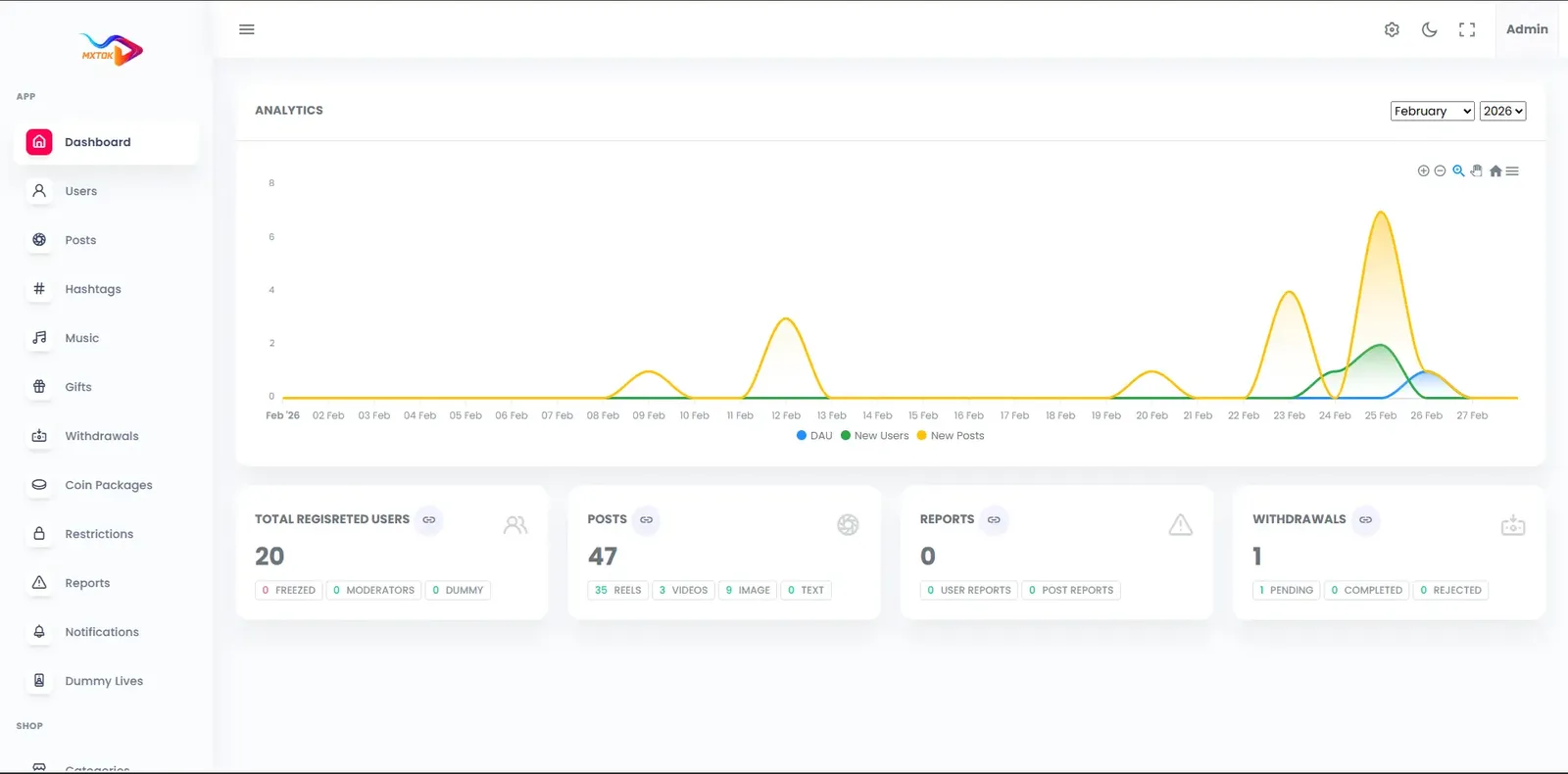
Daily and monthly active users, watch time, top creators and revenue appear on one dashboard.
Release control
Announce versions, make updates mandatory or optional, flip feature flags and set region-wise availability.

One clip, from camera to payout

Features only make sense once you see how they hand work to each other. This is the path a single video takes across a viewer, a creator, an advertiser and the admin team, and the signals each step passes to the next.

  1. A creator captures and edits

    The creator opens the in-app camera, records one take or several, adjusts the speed, trims the result and layers a filter or a lens over it. A sound is chosen from the catalog or lifted from another clip. Nothing leaves the app, so the effort between idea and finished clip stays small enough to repeat daily.

  2. The upload is prepared for delivery

    After the creator sets a caption, hashtags, a cover frame and a privacy level, the file is uploaded and converted into several playback sizes, with a thumbnail generated alongside. Viewers on a weak connection get a lighter rendition automatically, so the same clip plays smoothly on a cheap phone and on fast broadband.

  3. Moderation looks before the crowd does

    The clip passes an automated check that flags likely nudity, violence and copyright matches, and anything flagged waits in a review queue for a person. Reports from viewers add a second path. The purpose is to catch a problem before the video reaches the main feed, not to answer complaints after it spread.

  4. The feed tests the video on a small audience

    The ranking engine shows the clip to a limited group first and reads how it performs: how often people finish it, replay it or share it. Strong early signals widen the audience step by step, weak ones stop it. This is why a first-time creator can still be seen, and why the operator can tune how generous the test is.

  5. Viewers react in ways that feed the ranking

    Likes, comments, saves, shares, duets and video replies each count as a signal. A viewer can answer with a side-by-side duet, a picture-in-picture reaction or a stitched clip, which creates new inventory from the original. The same actions that give a creator pride also steer who sees the next upload.

  6. Live rooms turn attention into coins

    When a creator goes live, viewers chat, react and send gifts bought with coins. Gift value moves into the creator wallet after the platform commission, in step with what happens on screen. A creator who built an audience through short clips now has a place to earn from it in real time.

  7. Brands and sellers buy into the audience

    Advertisers build campaigns with a goal and a budget, sponsor a hashtag challenge or place products inside videos and streams. Results come back as reach, completion and clicks per campaign. A seller can run a storefront next to the content, so discovery and checkout share one feed.

  8. The operator reads and acts on the whole loop

    From the web admin panel the team works the moderation queue, applies warnings or bans, approves withdrawals, curates trending hashtags and categories and watches revenue. Every sensitive step is logged. The loop closes when what the admin learns changes the ranking weights, the featured trends and the payout rules.

The TikTok Clone, on screen

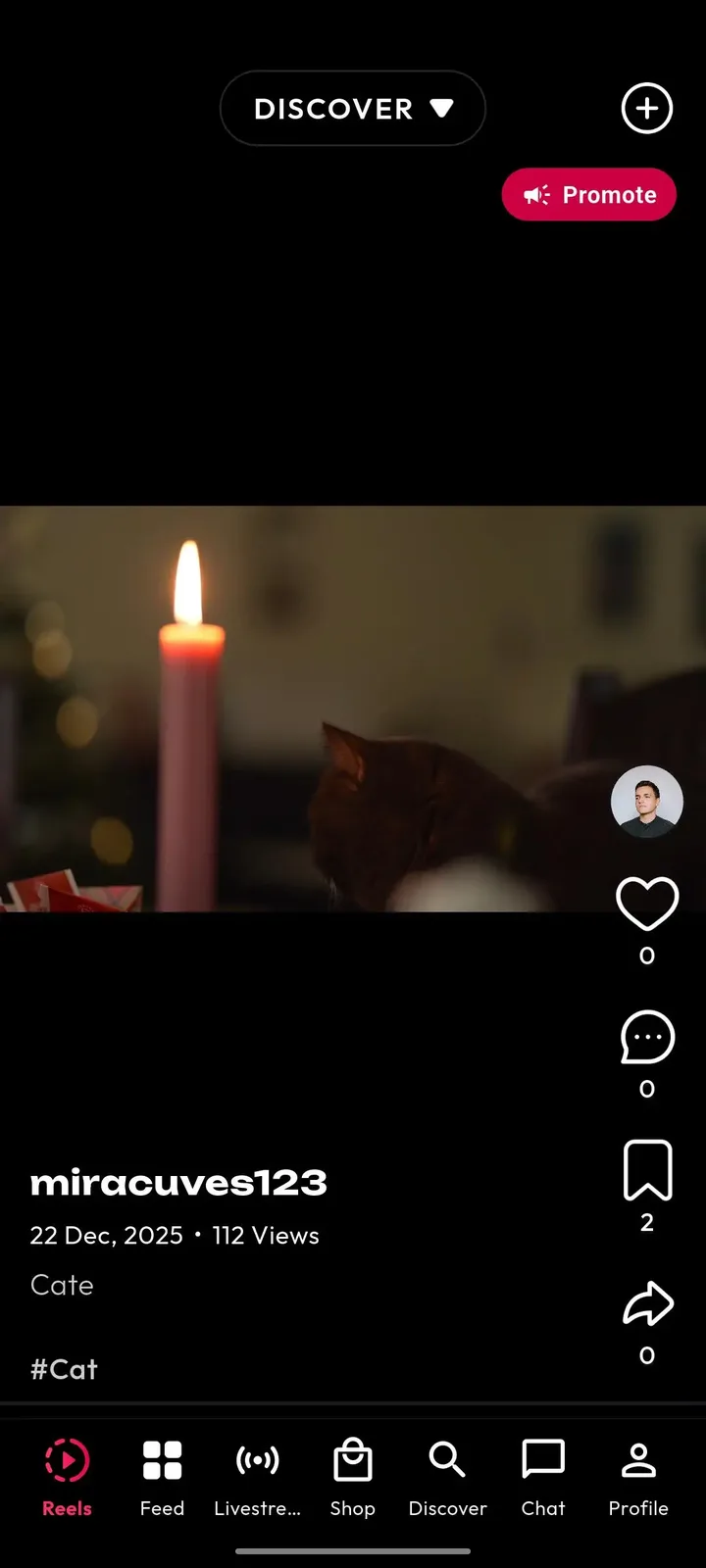
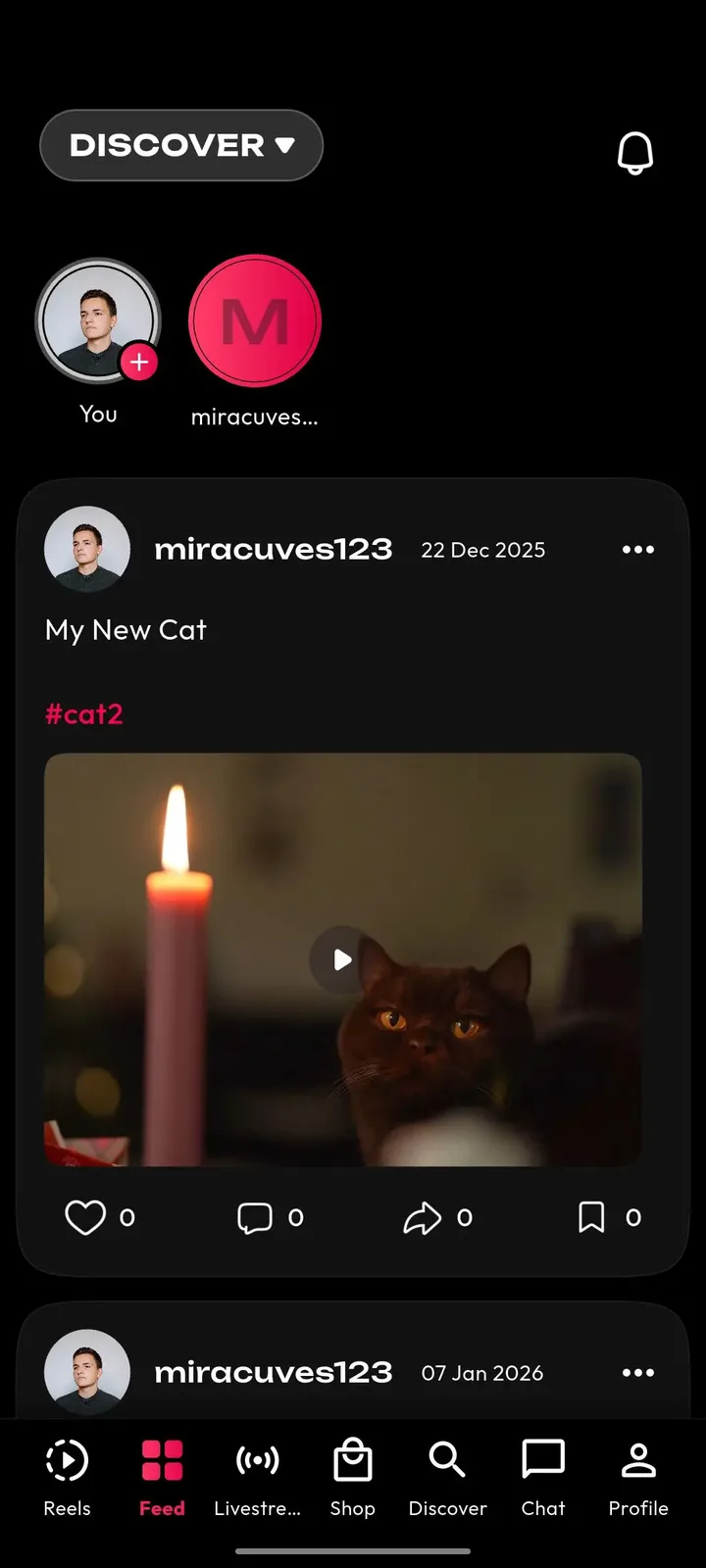
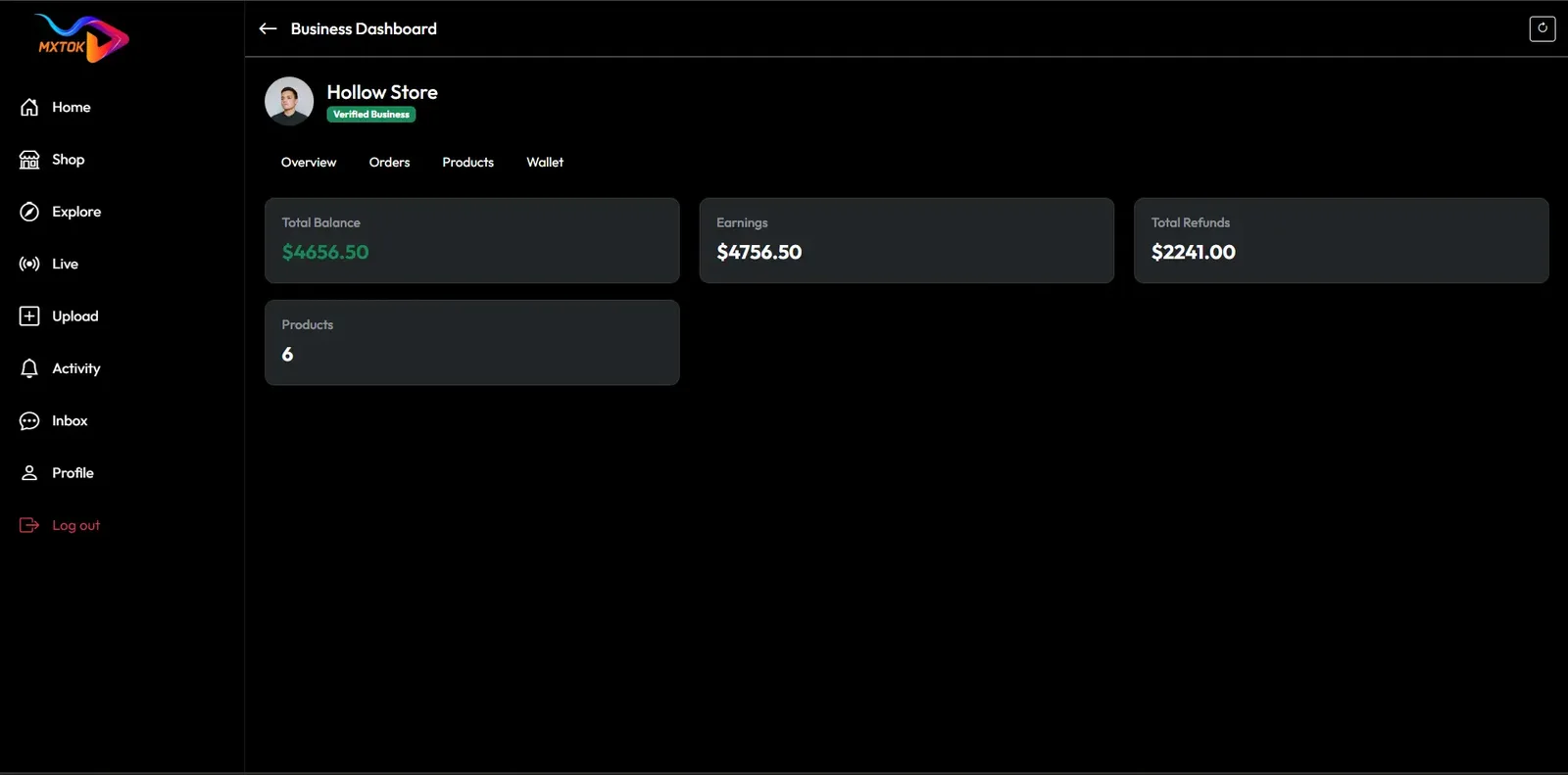
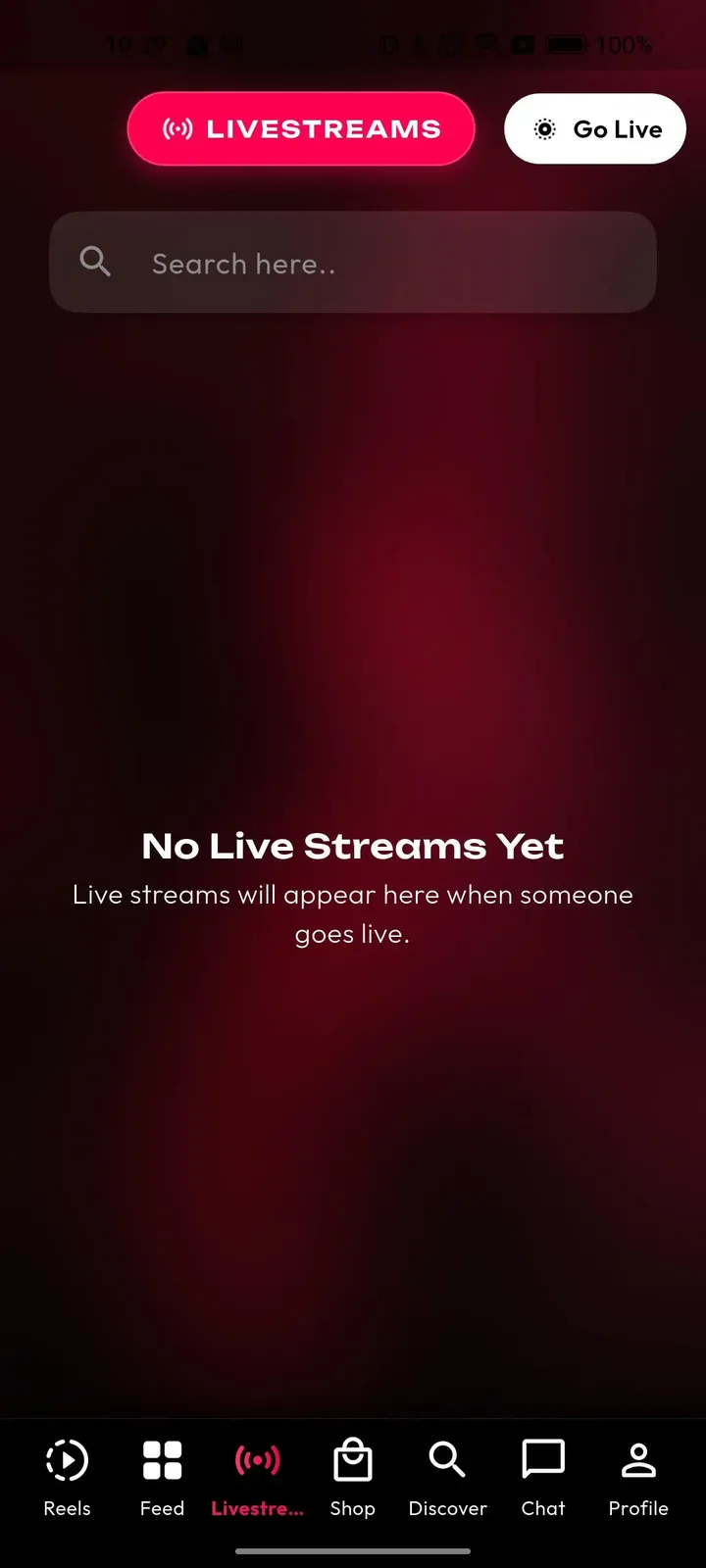
Real screens from the working product. Your platform ships rebranded with your name, logo and colors.

  • Dark web business dashboard with a store header, balance tiles and a left menu
    Web app
  • Phone livestreams tab with a search box, a Go Live button and an empty state message
    User app
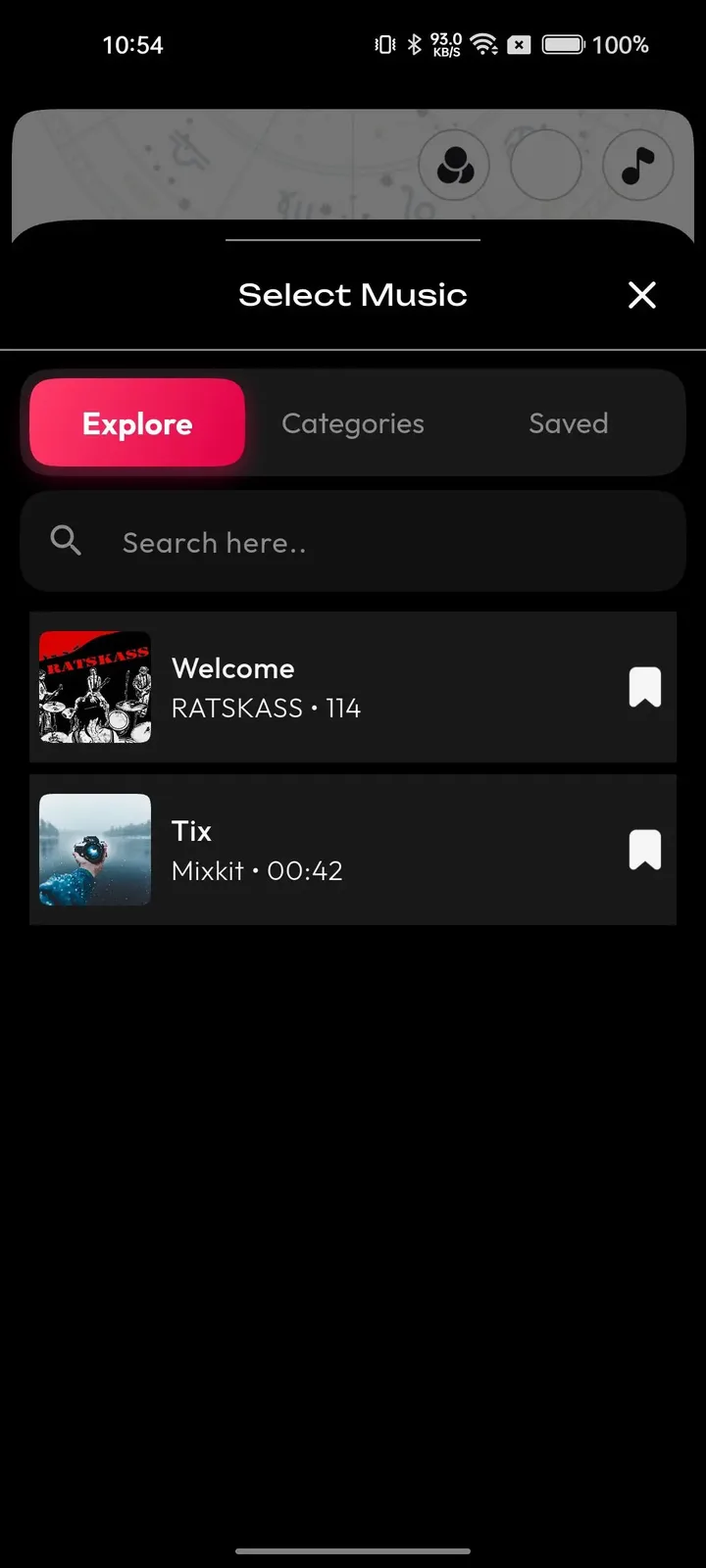
  • Phone music picker sheet with explore, categories and saved tabs and a list of tracks
    User app
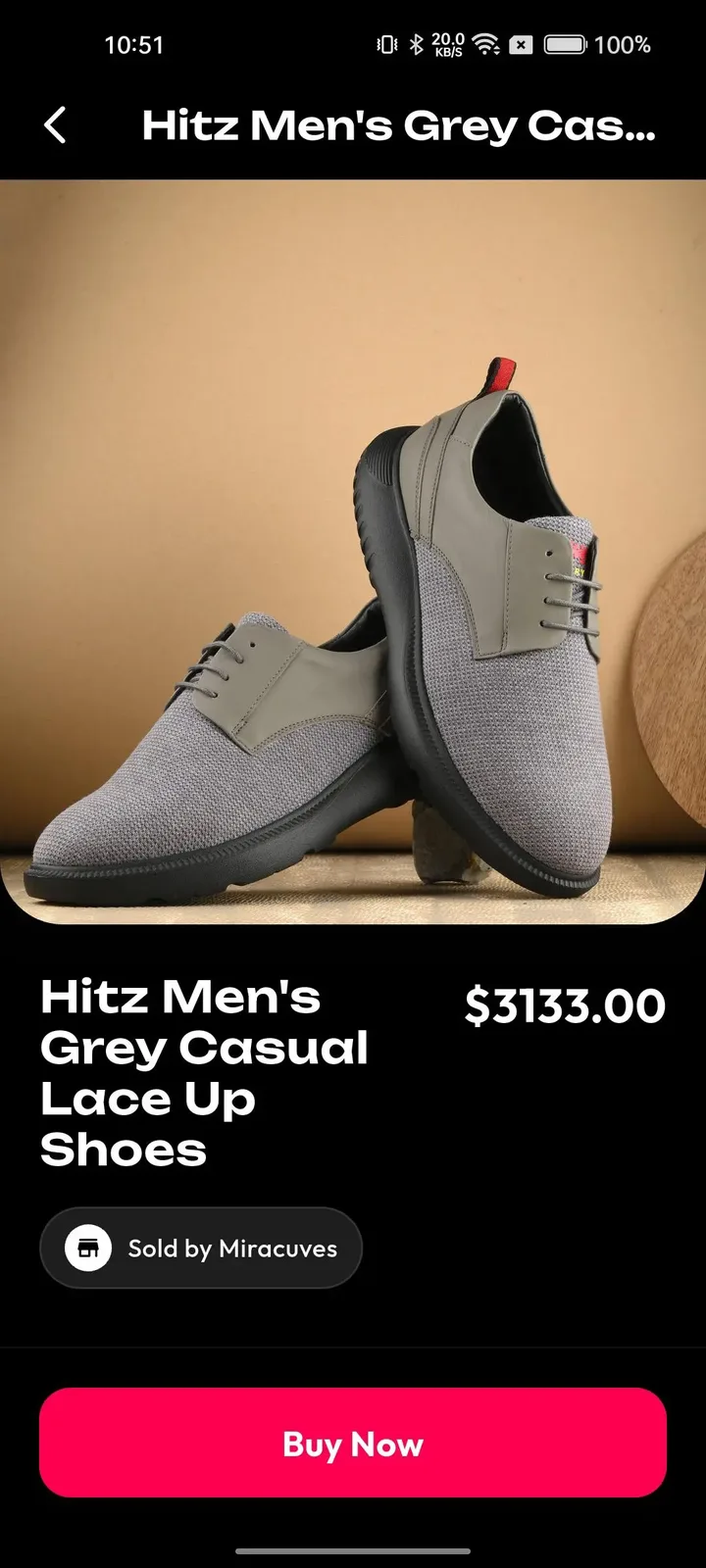
  • Phone product page with a large photo, price, seller name and a pink buy now button
    User app
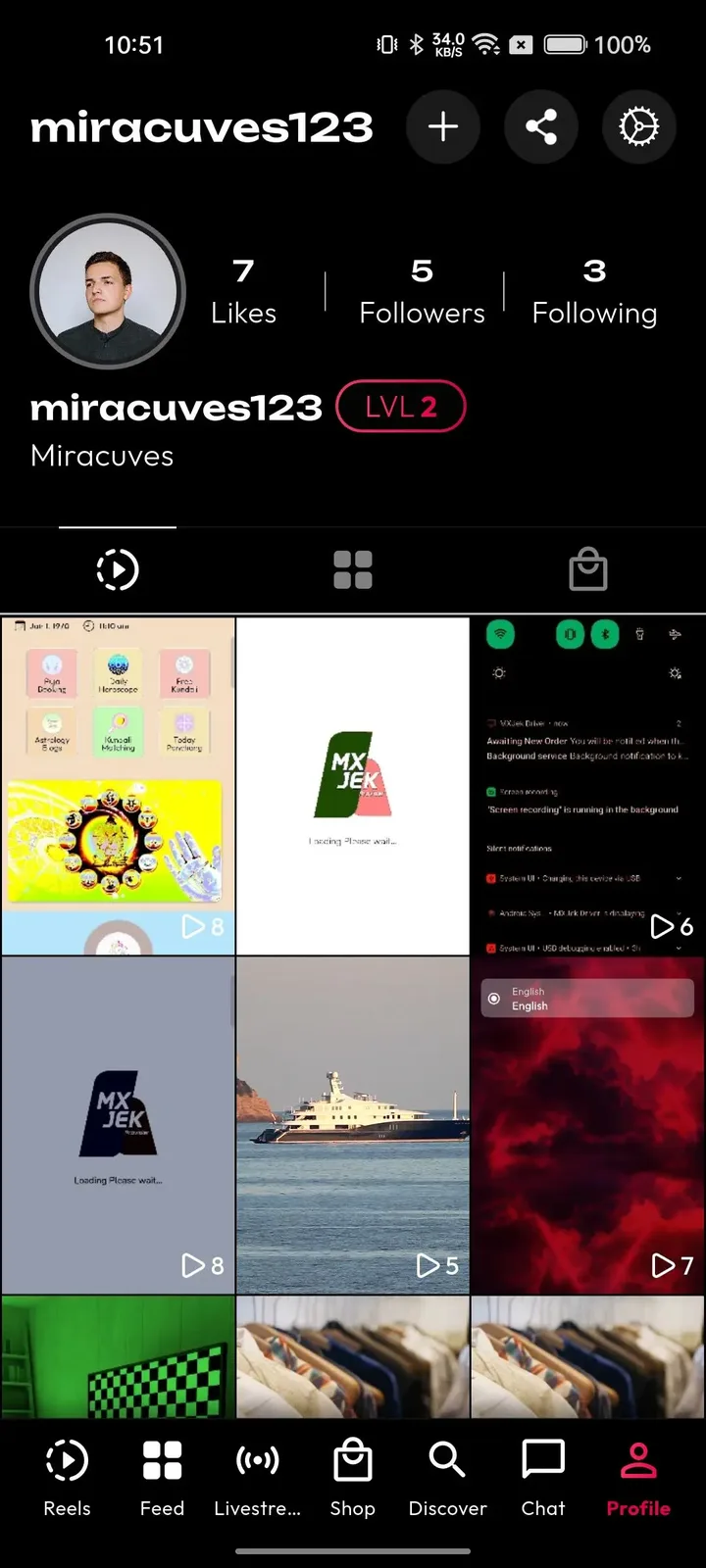
  • Phone profile with follower counts, a level badge and a grid of video thumbnails
    User app

The modules that decide whether this app earns

Most of the catalogue is table stakes for any vertical video app. These are the pieces that change how the business performs, because they control reach, income and risk. Weigh them first when you compare this product with a bare upload-and-scroll build.

  • Tunable ranking engine

    The recommendation feed ships ready, and its weighting between recency, engagement and creator diversity can be adjusted. For an operator this is leverage: a niche network can favor local creators, a brand hub can favor fresh uploads, and nobody has to accept a ranking they cannot see or change.

  • Reusable original sounds

    Any clip can turn its audio into a sound that other creators select. That single mechanic is how a trend spreads from one upload to thousands, and it gives you a content flywheel without paying for a catalog. Licensed tracks you import sit beside it, sorted into categories you control.

  • Duet, react and stitch

    Collaboration formats let a viewer become a creator in one tap, using the original video as raw material. Each response is new content tied back to its source, which keeps people on the platform longer and rewards creators whose clips invite replies. A small creator can ride a popular clip this way, so the operator should decide whether remixing is on by default or opt-in per creator, since that setting protects people who do not want their work reused.

  • Coin wallet and gift economy

    Viewers buy coins once and spend them across videos and live sessions, and the creator wallet tracks coins, gifts, subscriptions and withdrawals together. Because the platform holds back a commission before credit lands, revenue starts the moment the first engaged creator has an audience. Set coin bundle sizes and gift prices deliberately, because they decide how easily a casual viewer makes a first purchase, and a clear balance screen is what brings people back to spend the remainder.

  • Hashtag challenges with sponsorship

    A challenge pulls contest uploads under one tag, can carry a reward, and can sit behind a featured banner. You use it to seed content in a new niche, and a brand can pay to sponsor it, which turns a community tool into a sellable placement. Pick a tag built around a single idea, such as a dance move or a local joke, so entries are easy to copy. A vague tag collects nothing, while a clear one gives you weeks of fresh uploads.

  • Creator fund queue

    Qualified views feed a fund dashboard that shows estimated earnings, and withdrawals wait in an approval queue the operator controls. It is a deliberate budget lever: you decide who gets paid, how often and under what checks, so creator supply grows without an open-ended liability. Ignore it and early creators drift toward platforms that pay on a schedule they can predict, so even a modest, well-communicated payout calendar does more for retention than a larger but irregular one.

  • Role-based admin with logs

    Moderators, finance staff and analysts each get their own permission layer, and each sensitive action leaves a record. A small team can run the platform without sharing one superuser login, and the log is there when a creator disputes a ban or a payout. Without it, the owner login ends up shared across devices, and a moderator who leaves keeps access until someone remembers to change the password. Separate accounts remove that risk and make training easier.

  • Release and region control

    The admin panel manages app versions, mandatory or optional updates, feature flags and region-wise availability. You can ship a module to one market first, force an update when a fix matters and switch a feature off without waiting for store review. A common use is soft-launching live rooms in one country to watch the moderation load before opening them everywhere, or pausing a faulty release while a corrected build waits for store approval.

TikTok versus this platform versus a ground-up build

The original app is a closed global service, a custom build is yours but slow, and this product sits between them: the working parts exist, and you own and shape them. The table compares well-known model differences, not claims about any company business.

TikTok versus this platform versus a ground-up build
AspectTikTokTikTok CloneBuilding from scratch
Recommendation feed A proprietary ranking nobody outside the company can tuneA ready engine with weighting you can adjustNeeds a ranking team and training data before it feels good
Duet and stitch Built in as signature formats that the whole app encourages people to useIncluded, with side-by-side and picture-in-picture replies you can switch on or offCustom video compositing to design, build and test
Live and gifting Live rooms with virtual gifts under platform rulesLive rooms with coins, gifts and a creator wallet you configureReal-time streaming and a wallet built as separate projects
Moderation approach Run by the owning company with its own policyAI-flagged queue and enforcement tools, with your policyA vendor integration or an in-house system to assemble
Ownership of the code Closed software, with no access to the code for outsiders or buyersFull source code handed over, so your team can read, change and host itYours, because you wrote it, though you also carry all of its maintenance
Brand identity Everything runs under the platform own brand, with no room for yoursFully white-labeled under your name and domainWhatever you design, after you design it
Time to market Not applicable, it is not for saleA live launch in 6 working daysOpen-ended, counted in many months, and it slips whenever the scope changes
Room to customize None, apart from the few settings the platform chooses to offer its usersModules can be switched on, off or extendedUnlimited in principle, but slow and expensive for every change you request

What runs under the hood

You inherit a conventional, widely understood stack rather than an exotic one, so almost any web and mobile team can extend it later. These are the layers of the delivered system and the technology each one uses.

What runs under the hood
Mobile appsFlutter builds for Android and iOS from one codebase, prepared with your icon and splash screen.
Web appPHP and Laravel, with search-friendly video, profile and hashtag pages and an optional installable web app.
Backend and APILaravel serves the API used by the mobile apps, the web app and the admin panel.
DatabaseMySQL or MariaDB holds profiles, videos, comments, wallets and transactions.
Video processingFFmpeg converts uploads into several renditions and thumbnails before they are delivered.
Live streamingAgora, Wowza and WebRTC carry one-to-many sessions with chat and gifting.
HostingAWS, GCP or DigitalOcean, set up on your own cloud account.
Delivery and protectionCloudflare or Akamai serve video from edge locations and add attack protection.
Sign-in and sessionsJWT and OAuth2 sessions, with optional two-factor sign-in for admins.

What we set up around the platform

A fair feature page says where the edges are. These items are either set up for you, with scope confirmed with us, or sit outside software altogether, so you can budget and plan for them before launch instead of discovering them afterward.

  • Custom lens design

    The standard filter and lens library ships with the app. Brand-specific augmented reality effects, such as a festival lens or a campaign mask, are a design job we take on against your brief, with scope confirmed with us.

  • Major-label music deals

    You can upload licensed or royalty-free tracks and sort them into the sound library. Negotiating commercial licenses with big music companies is a legal and commercial task that no software package can complete for you.

  • Multi-host live rooms

    The standard live room has one host with a crowd. Several hosts on screen together, for talk shows or debates, is something we set up for you, so mention it early if co-hosted shows are central to your plan.

  • Regional infrastructure

    Delivery runs through a global CDN setup. If a market requires data to stay in a specific country, dedicated regional infrastructure is something we plan with you, as are very high concurrency targets.

  • Moderation staff and policy

    We supply the queue, the flags and the enforcement tools. Writing your content policy, hiring reviewers and answering rights holders and regulators remain your responsibility as the operator.

  • Store acceptance and accounts

    We prepare builds and help with submission, but Apple and Google decide whether the app is approved, and their developer accounts and in-app purchase rules are outside the platform price.

  • Importing an existing audience

    The platform ships fresh. Moving accounts, videos or follower graphs from another system is integration work we handle for you, scoped against a sample of your data.

Try the live TikTok Clone demo

The demo is a running copy of the short video platform with our demo branding, not a slideshow. Open the web app and the admin panel in a browser, or install the Android build, and sign in with the public demo accounts below to watch the feed, post a clip, open a live room and see how an operator reviews it.

  • Web app

    Open the Web app demo
    Login
    miracuves@yopmail.com
    Password
    User_321

    Worth trying

    • Scroll the web feed and open a single video page
    • Visit a creator profile and a hashtag page
    • Look at the install prompt for the web app
    • Check how a video link would preview when shared
  • Android app

    Open the Android app demo
    Login
    miracuves@yopmail.com
    Password
    User_321

    Worth trying

    • Swipe through the For You feed
    • Open the Create screen and browse filters and sounds
    • Enter a live room and look at the gift tray
    • Open the profile and the coin wallet
  • Admin panel

    Open the Admin panel demo
    Login
    admin
    Password
    Admin_$321

    Worth trying

    • Open the dashboard and read the platform totals
    • Browse the user list and open one account
    • Review the video list and the moderation actions
    • Find the revenue and payout screens

TikTok Clone feature FAQs

Does the feed come with the product or must I build the ranking myself?

The ranking engine ships inside the platform, so a new account sees a working feed on day one. It starts from the interests chosen at signup, then learns from completion, replays and shares. You adjust the balance between recency, engagement and creator diversity, and you can steer discovery further with categories and featured trends.

Can a viewer reply to a video with another video?

Yes. A viewer can answer a clip with a side-by-side duet, a picture-in-picture reaction or a video reply to a comment, and creators can stitch several clips into one story. Each response links back to the source, which keeps conversation inside the app and gives the original creator extra reach.

How are sounds handled, and who owns the music rights?

The sound library is grouped by trend, mood and genre. It holds tracks you upload or connect, plus original sounds taken from creator clips. The software handles organization and reuse. Securing the rights to commercial music is your job as operator, and deals with large labels are negotiated outside the package.

What can a brand do on the platform without my staff stepping in?

A brand can build a campaign with a goal, a budget and pause controls, sponsor a hashtag challenge and read reach, completion and click results. Category exclusions and moderation-tier targeting protect brand safety. Your team still approves who may advertise and sets the prices you charge for placements.

Can I show different feeds or trends in different countries?

Region-specific recommendations and region-wise feature availability are part of the admin controls, so you can launch in one market and open others later. Separate trending sections by country or city, plus pushing or limiting content by geography, are available for your build.

Is there a way to give creators a sense of progress and earnings?

Creators have analytics showing views, watch time, retention and revenue per video, and a wallet that tracks coins, gifts, subscriptions and withdrawals. Together they show what a clip earned and what to make next, which matters for keeping creators posting regularly.

Can the web app rank in search, or is it only for logged-in users?

Videos, profiles and hashtags each have their own web pages with preview tags for social sharing, so public content can be discovered and linked from outside the app. An optional installable web app version is available for people who prefer not to download from a store.

→Start here

Tell us what you want to launch.

Share the platform and your market. You get a walkthrough of the live demo, the exact scope of what ships, and a fixed price in writing. First response in under 2 hours, Monday to Saturday, 10:00 to 19:00 IST.

We reply to every inquiry. No newsletters, no shared data. See our privacy policy.

Trademark and independence notice

This page uses the name TikTok to describe a type of platform. The product sold here is separate software, built independently, and TikTok has no part in it.

Why this name

"TikTok clone" is industry shorthand that founders use when searching for software with a comparable business model. It names a category of product, not a copy of TikTok.

Who built this

The platform is an original product designed and written by Miracuves. It contains no code, design, graphics or content originating from the TikTok website or applications, and it ships under your own brand.

Trademarks

TikTok and its logos are trademarks of their respective owner and are named here for reference only. GetFame is not affiliated with, sponsored by or endorsed by TikTok. Rights holders can write to legal@miracuves.com.

Operator responsibility. The operator of a launched platform is responsible for legal compliance in the markets it serves. Nothing on this page is legal advice.Read the full disclaimer