
OnlyFans Clone Development Cost: What You Really Pay
The software price is the easy number to find and the least important one to a creator platform. This page separates the fixed purchase from custom scope and from the costs that arrive after launch, so you can budget the whole business instead of the license alone and compare quotes on equal terms.
- $3,699
- one-time platform price
- 6 days
- ready-made launch
- None
- revenue share to us
On this page11 sections
- What the OnlyFans clone price actually buys
- Ready-made, custom build or rented SaaS
- Included in the one-time price
- What pushes the figure above the published price
- The six-day OnlyFans Clone launch, day by day
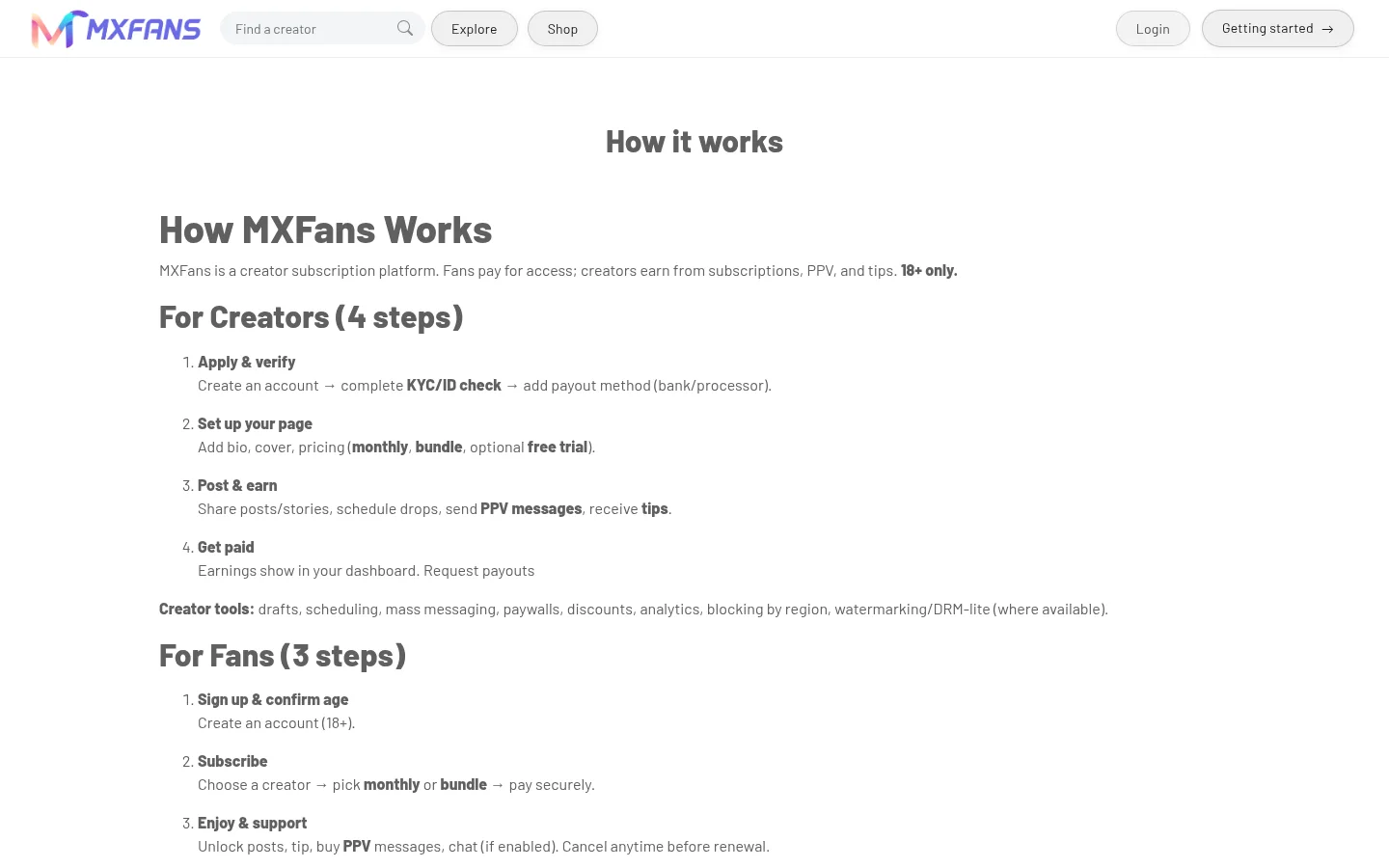
- The OnlyFans Clone, on screen
- Running costs no development quote includes
- Why the OnlyFans clone price stays fixed
- Try the live OnlyFans Clone demo
- OnlyFans Clone cost FAQs
- Explore the OnlyFans Clone
What the OnlyFans clone price actually buys
The ready-made platform costs $3,699, paid once. For that you receive the full source code, the unified Android and iOS app, the web app, the admin panel and our help to deploy it on your own servers under your brand. There is no monthly license and no percentage of what your creators earn comes to us. The price is the same whether you launch with two revenue paths or all of them, and it does not change with the number of creators or fans you eventually serve.
It is a purchase of a working product, not a deposit against a project. Branding, hosting setup and handover are part of the deal, and so are 60 days of technical support and a year of free updates. Work beyond that scope is scoped on its own merits, which keeps the price stable instead of drifting upward as requests arrive. Because the scope is visible in the live demo before you pay, you can check each item against your own requirements first.
Ready-made, custom build or rented SaaS
Operators usually weigh three routes to the same creator marketplace. They differ less in headline price than in who carries the risk, who owns the result, and what happens to your margin once creators start earning. The rows below compare them on the points that tend to decide the choice.
| Aspect | Ready-made with GetFame | Custom build | Renting a SaaS |
|---|---|---|---|
| Upfront cost | $3,699 one-time | A large engineering budget, committed before any revenue | A low entry fee, but you never own anything |
| Time to launch | 6 working days from kickoff | Many months, with compliance tooling often arriving last | Quick, on the vendor timetable |
| Recurring platform fee | None from us | None, but you carry maintenance staff | A monthly charge that rises with usage |
| Share of creator revenue | No share, your commission is entirely yours | None | Often a cut taken on top of your own commission |
| Source code | Complete code delivered at handover | Yours once written | Not available |
| Content policy | You set it and apply it with the moderation tools | You set it, after building the tools | The vendor sets it and can change it |
| Level of customization | Custom additions quoted on their own, from 2 to 8 weeks | Unlimited, at your own cost and pace | Limited to the vendor settings |
| Where data lives | On servers you choose and control | On servers you choose and control | With the vendor |
Included in the one-time price
Check this list against any competing quote line by line. Gaps at this price tend to appear in the safety and payout areas, which are exactly the parts a payment partner looks at.
- Complete source code, owned outright with no license callback
- Unified Android and iOS app ready for store submission
- Browser web app that also works as a PWA
- Admin panel with role-based access for your staff
- Rebranding of name, logo, colors, icons and splash screens
- Subscriptions, pay-per-view, tips, paid messages, live and calls
- Creator shop, campaigns, shoutouts and AI persona tools
- Creator verification, moderation queues and geo-blocking
- Wallet, commission settings and withdrawal approvals
- Cloud setup on AWS, GCP or DigitalOcean with documentation
- Help preparing Play Store and App Store submissions
- 60 days of technical support and 1 year of free updates
What pushes the figure above the published price
The ready-made price does not stretch. Any increase comes from extra scope that you choose to add, and each item is scoped once we understand it. These are the additions operators in this category ask about most often.
Specialist payment routing
Standard gateway configuration is covered. Routing by region, a second processor that takes over when one account is declined, payout rules, tax logic and fraud review rules are custom payment work. In this category a backup processor is often a continuity question rather than a luxury, so it is worth scoping early. Ask for a written scope per connection.
Deeper identity and AML checks
Age gates and creator verification ship. Connecting a specialist verification provider, or adding anti-money-laundering screening beyond those flows, is a paid integration. The effort depends on the provider API and on how many document types and countries you support at launch. Expect the quote to reflect how many document types and countries you want covered.
Advanced moderation suite
Basic queues, reports and takedowns are included. Escalation rules, transparency reports, moderation analytics and policy-specific queues are added work. They become valuable once volume grows and several moderators need clear routing and a consistent record of their decisions. Ask your moderators what routing they would want before you scope it.
Agency and roster tooling
Delegated manager access ships. Creator portfolios, permission scopes per team member, agency dashboards and four-eyes payout approval extend it. If you plan to recruit through agencies, scope this before launch, because retrofitting permissions into live accounts is harder than starting with them. The right design depends on whether agencies or individuals will be your main source of creators.
Custom app experience
Rebranding is included. Redesigning onboarding, discovery, navigation and notification flows around a distinctive concept is a larger design and build exercise, and its size depends on how far you depart from the delivered screens. A fully custom concept also needs time for design review and testing across Android, iOS and the web app.
Live commerce and analytics
Selling during streams, timed offers, product drops and cohort or retention reporting are additional modules. They suit operators who already have a creator base and want to raise revenue per fan instead of adding more fans. Quotes depend on which analytics questions you want answered and how much history there is to work with.
Integrations with your own systems
Connecting a CRM, single sign-on, marketing automation or a proprietary verification tool is quoted per connection. Cost depends on the quality of the other system API and on how much data has to flow in each direction. Start by listing which systems should send data and which should receive it.
The six-day OnlyFans Clone launch, day by day
Launch takes six working days from kickoff. This is who does what on each day, so the schedule has no surprises on either side.
| Day | What we do | What you do |
|---|---|---|
| Day 1Kickoff and policy decisions | We confirm scope, collect brand assets and walk through the settings that shape deployment, such as modules, territories and verification standard. | Decide which revenue paths open at launch and what your content policy allows. |
| Day 2Environment and database | We provision the cloud environment, deploy the Laravel application, create the database and configure queues, WebSockets and object storage. | Provide cloud account access and your domain details. |
| Day 3Verification and moderation | We configure creator and business verification, moderation queues, staff permissions, age-gated flows and territory blocking. | Name your verification provider and the staff who will work the queues. |
| Day 4Branding | We apply your name, logo, colors, splash screens and icons to the apps and web app, and set up branded email and CMS pages. | Approve the branded builds and the public pages. |
| Day 5Payments and commission | We install and test gateway credentials, set commission, wallet funding and withdrawal methods, and switch on the paths you chose. | Supply approved gateway credentials and your payout thresholds. |
| Day 6Walkthrough and handover | We trace a creator from verification to earning and withdrawing, transfer the repository and start app store submission support. | Test the flows as a fan and a creator and sign off. |
The OnlyFans Clone, on screen
Real screens from the working product. Your platform ships rebranded with your name, logo and colors.
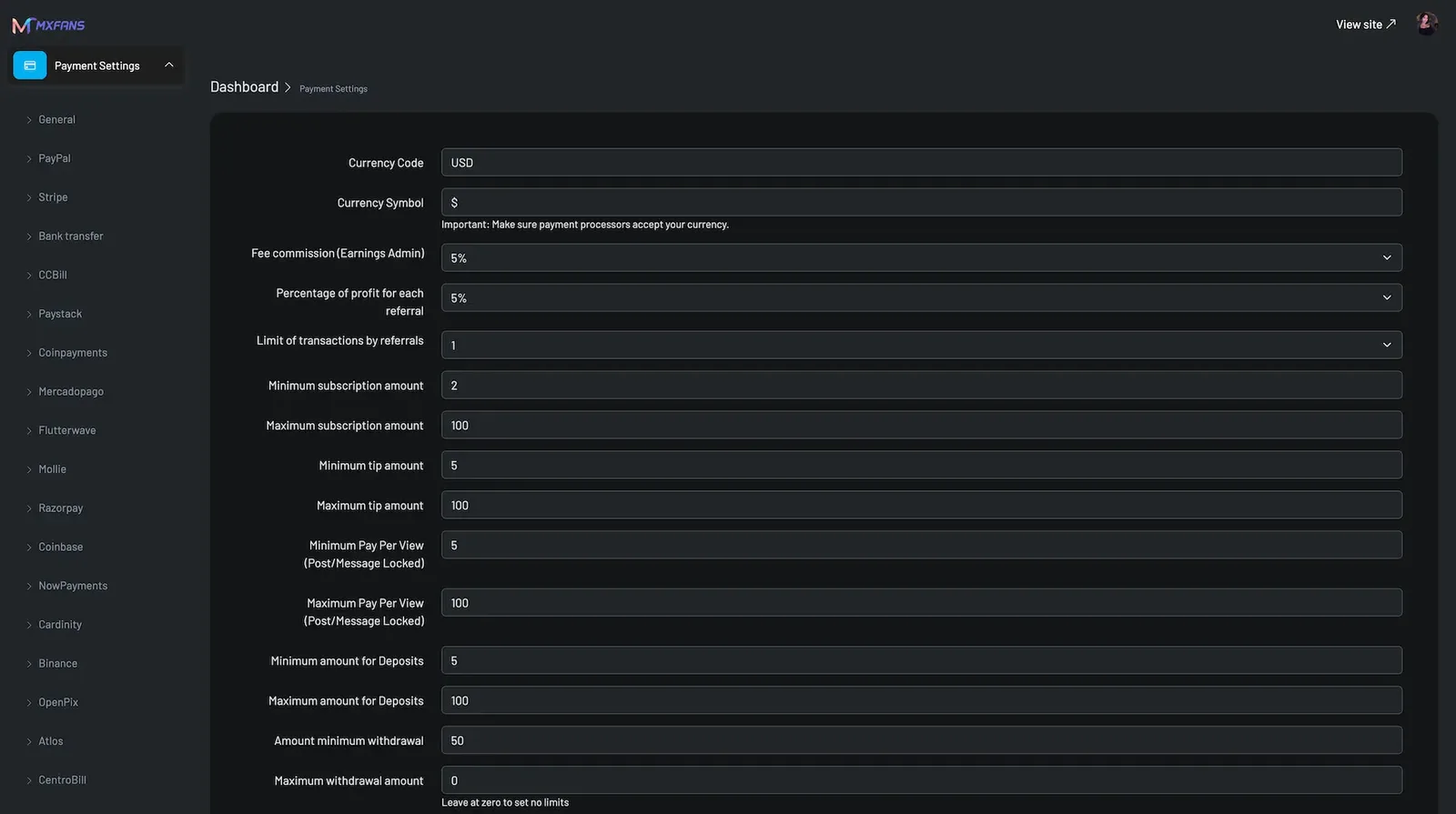
Admin panel 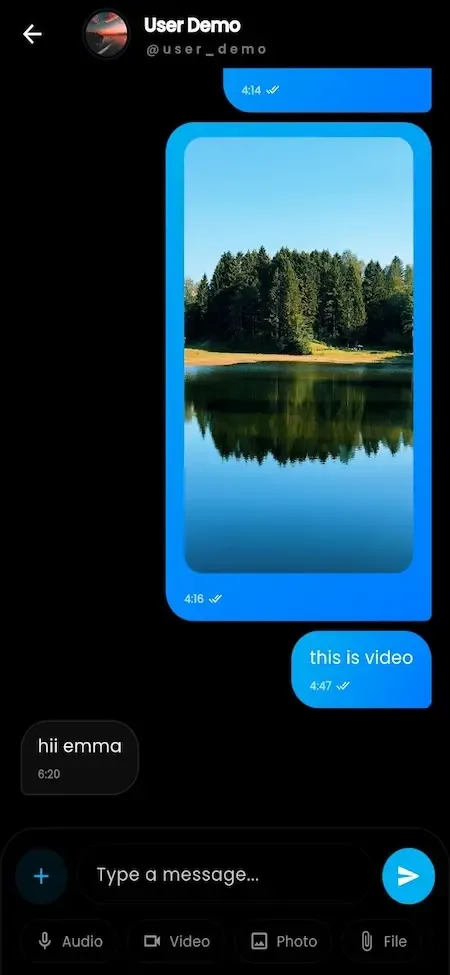
Fan app 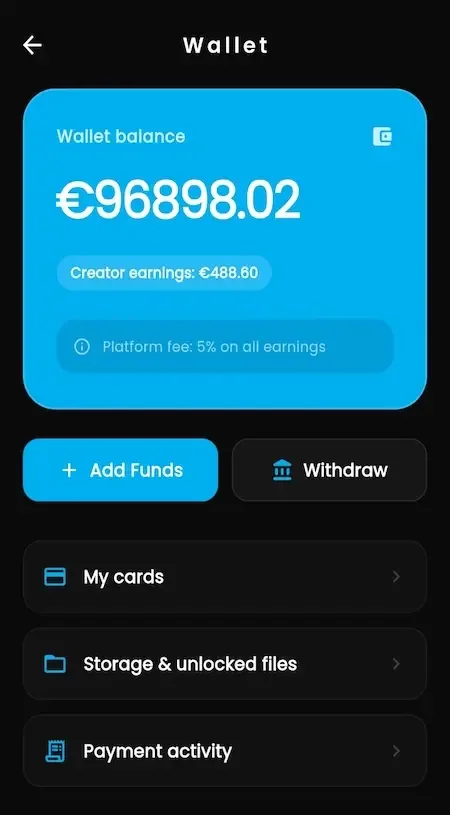
Fan app 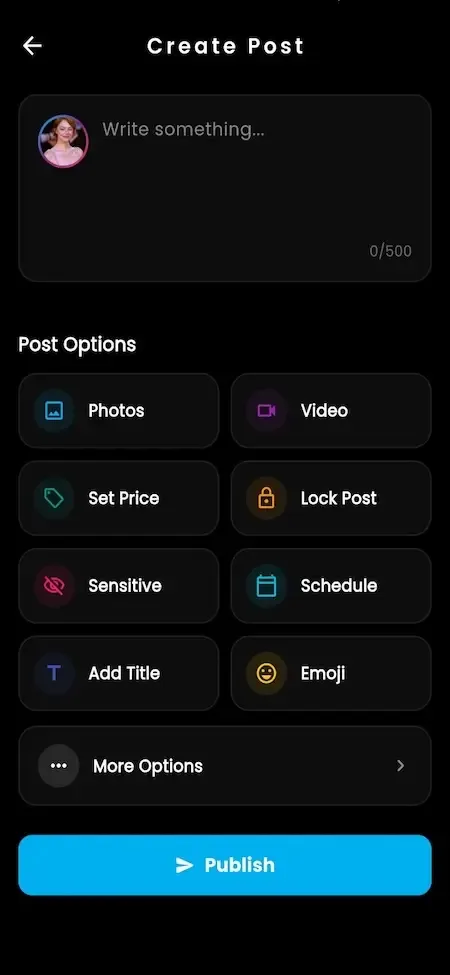
Creator studio 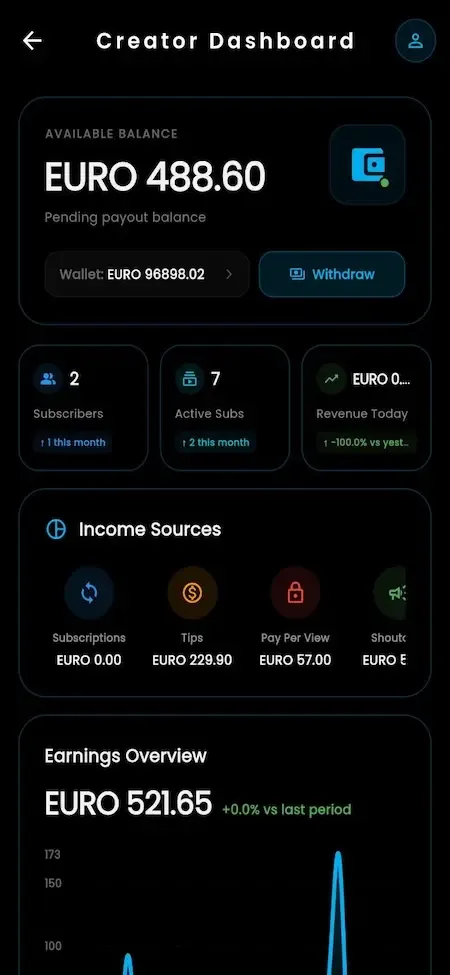
Creator studio
Why the OnlyFans clone price stays fixed
A fixed price works because the scope is the product you can open today. The apps, the web app, the admin panel and the revenue paths in the demo are what we deploy, and configuring your commission, territories, verification standard and launch settings counts as deployment work, not as a change request. You are never billed for turning on something that already exists.
It also commits us to a clear boundary. Anything beyond the package is listed before you buy and scoped against real needs, and there is no revenue share, per-transaction fee or license callback hiding behind the price. You get the code and the freedom to run the platform without us, which is the point of buying instead of renting.
Try the live OnlyFans Clone demo
The demo shows the platform as delivered, with the vendor demo branding still in place, before your name, logo and colors are applied. You can open the Android build, the browser app and the admin panel, and sign in with the public sample accounts below to follow one creator business from both sides.
-
Fan app
Open the Fan app demo- Login
user@demo.com- Password
User_321
Worth trying
- Browse creator profiles and open a locked post preview
- Fund the wallet, then unlock a single post
- Send a message and open a paid media reply
- Join a live session and leave a tip
-
Creator web app
Open the Creator web app demo- Login
creator@demo.com- Password
Creator_321
Worth trying
- Compose a post and set a one-time price
- Open the creator vault and organize media
- Check the earnings screen and request a withdrawal
- Set subscription prices for different durations
-
Admin panel
Open the Admin panel demo- Login
admin@demo.com- Password
Admin_$321
Worth trying
- Review a creator verification request
- Change the commission setting and see where it applies
- Work a reported item through the moderation queue
- Approve a withdrawal and check the transaction record
OnlyFans Clone cost FAQs
Is the price per app or for the whole platform?
It covers the whole ready-made platform: the unified Android and iOS app, the web app and PWA, and the admin panel, along with the source code for each. You do not buy a fan app and a creator app separately, because both roles live in the same app and the same web login.
Do you charge a percentage of what my creators earn?
No. We take no revenue share and no per-transaction fee. Your commission on creator earnings is the core income of a platform like this, and every unit of it stays with you. The only costs that scale with activity are the third-party services you contract, such as hosting and live streaming.
What happens after the 60 days of support?
The platform keeps running on your servers, and you keep the code. Free updates continue through the first year. After that you can maintain it with your own developers, since the stack is common web technology, or ask us for extended support and further tailored work.
Can I start small and add features later?
Yes. You can open with a few revenue paths and switch others on as creators settle in. Modules that are already in the platform cost nothing extra to enable. Tailored additions are scoped when you need them, so there is no obligation to buy depth you will not use in the first months.
Why compare against renting a hosted platform?
Because renting looks cheaper at the start and works differently afterward. You pay a recurring fee, you cannot export the code, and the vendor controls the content rules your creators live under. Buying costs more on day one and leaves you with an asset, your own policy and your own data.
Does the price include getting a payment processor?
No. We integrate the gateways you choose and test them during launch week, but approval is decided by the provider reviewing your business. Open that conversation first, keep it moving while we configure the platform, and consider a second processor for continuity if your volume depends on a single account.
Are Apple and Google fees included?
No. The developer accounts are registered in your name and billed to you by each store. We prepare the builds and support the submission, but a store can decline an app in sensitive categories, which is why some operators launch with the web app and add the store builds later.
Explore the OnlyFans Clone
The overview and its companion pages answer the main questions in turn. Pick the one you need next.
-
OnlyFans Clone
The overview: live demo, screens, price and everything in the box.
Back to the overview -
Features
A creator subscription business is mostly plumbing: entitlements that expire correctly, wallets that balance, queues that someone can actually work.
See the full breakdown -
Business model
A creator subscription platform has one core income line, a share of what creators earn, and everything else is about making that line larger and keeping it.
See the playbook -
Development company
Plenty of developers can build a feed with a subscribe button.
Compare options
→Start here
Tell us what you want to launch.
Share the platform and your market. You get a walkthrough of the live demo, the exact scope of what ships, and a fixed price in writing. First response in under 2 hours, Monday to Saturday, 10:00 to 19:00 IST.
Trademark and independence notice
This page uses the name OnlyFans to describe a type of platform. The product sold here is separate software, built independently, and OnlyFans has no part in it.
Why this name
"OnlyFans clone" is industry shorthand that founders use when searching for software with a comparable business model. It names a category of product, not a copy of OnlyFans.
Who built this
The platform is an original product designed and written by Miracuves. It contains no code, design, graphics or content originating from the OnlyFans website or applications, and it ships under your own brand.
Trademarks
OnlyFans and its logos are trademarks of their respective owner and are named here for reference only. GetFame is not affiliated with, sponsored by or endorsed by OnlyFans. Rights holders can write to legal@miracuves.com.
Operator responsibility. The operator of a launched platform is responsible for legal compliance in the markets it serves. Nothing on this page is legal advice.Read the full disclaimer