YouTube Clone Features: Channels, Shorts, Live and Payouts

A video platform is several products at once: a library, a social network, a live stage and a small advertising business. This page follows a video through the platform from upload to payout, picks out the capabilities that matter commercially, compares the package with the alternatives and states plainly what stays with you as the operator.

3
apps: web, admin, mobile
4
video privacy levels
6 days
to launch
On this page10 sections
  1. All 48 YouTube Clone features, by role
  2. One video from upload to creator payout
  3. The YouTube Clone, on screen
  4. The capabilities that carry the business
  5. YouTube, YouTube Clone and building a video site yourself
  6. What the platform is built on
  7. What stays with you as the operator
  8. Try the live YouTube Clone demo
  9. YouTube Clone feature FAQs
  10. Explore the YouTube Clone

All 48 YouTube Clone features, by role

The complete list, grouped by the person who uses each feature. Nothing is hidden behind a plan tier: this is what ships in the platform.

Viewers and creators

14 features
Email-verified accounts
Users register and confirm an email address before they can upload or interact.
Banner and avatar branding
Each channel carries a profile picture, a banner image and a bio to give it identity.
Category browsing
Videos are grouped by category so viewers can explore a subject without searching.
Trending feed
A trending view surfaces videos that are gaining attention across the platform.
Advanced search filters
Search combines keywords and filters to narrow results when the library is large.
Playback controls
Viewers use standard playback controls and adjust video quality to match their connection.
Reactions and comments
Viewers like, dislike and comment, giving creators direct signals about their work.
Social sharing
Videos can be shared on other platforms to bring new viewers to your site.
Channel subscriptions
Viewers subscribe to channels and are notified when new content appears.
Playlist building
Users curate playlists that can be reopened later or shared with others.
Upload metadata
Titles, descriptions, tags and thumbnails are set when a video is uploaded and can be edited afterwards.
Video organization
Creators edit and organize their uploads from a management screen rather than one by one.
Four privacy settings
A video can be public, unlisted, private or restricted to members only.
Personalized suggestions
AI-based recommendations draw on watch history, likes and engagement to propose what to watch next.

Live and short video

12 features
Shorts feed
Short vertical clips are supported for quick viewing and for creators who prefer brief formats.
Live broadcasting
Creators stream in real time and talk with the audience while the event runs.
Live comments
Viewers send comments during a broadcast, which gives a live event its sense of presence.
Live donations
Audience members can donate during a stream as a direct form of support.
Super chats
Paid messages stand out during a live stream and add a revenue source for the creator.
Mobile live start
Creators begin and manage a broadcast straight from the app.
Basic in-app editing
Users trim a video, add filters and improve it before uploading.
Offline downloads
Viewers save videos to watch later without a connection.
Automatic subtitles
Subtitles can be generated and displayed in several languages to widen the audience.
360-degree playback
Interactive 360-degree video is listed among the platform capabilities.
AR filters
Augmented reality filters are listed for creative video enhancement and user-generated effects.
Creator analytics dashboard
In-depth insights into video performance and audience demographics help creators decide what to make next.

Admins

14 features
Pre-publication approval
Admins review and approve videos before they are published, to ensure compliance with guidelines.
Account bans
Problem users can be banned, with the admin overseeing the content they produced.
User administration
Accounts are managed centrally, so support and moderation work from the same list.
Advertising controls
Ad settings are managed from the panel, giving the operator a say in how ads appear.
Subscription model setup
Subscription and membership models are configured as part of monetization management.
Revenue sharing
The panel controls how revenue is shared with creators.
Commission rates
Separate commission percentages can be set for content creators and for advertisers.
Ad placement management
Admins decide where ads appear on the platform, and can change layout and branding.
DMCA takedown handling
The panel includes tools for processing takedown requests from rights holders.
Copyright strikes
Strike management lets the operator apply escalating consequences to repeat infringers.
Dispute resolution
When a creator contests a takedown, the dispute can be reviewed from the same place.
Platform analytics
Real-time reports cover revenue, engagement, ad performance and storage usage.
Security and privacy controls
Measures for data protection, user privacy and account security are part of the admin setup.
Multi-language and currency
The platform supports several languages and currencies for global audiences.
Mobile app

8 features
Responsive layouts
The interface adapts to a range of screen sizes.
Push notifications
Instant alerts about new videos, comments and interactions bring viewers back.
Offline viewing
Downloaded videos stay watchable without a network.
Phone-side editing
Trim, filter and enhance before upload, without a separate editing app.
Mobile live streaming
Creators start and manage streams from the phone.
Geolocation features
Location data supports recommendations, trends and content discovery tied to place.
Android and iOS coverage
Android uses Java and Kotlin and iOS uses Flutter, both with full components and the latest dependencies.
Store publishing
We publish the app to both stores through your developer accounts.

One video from upload to creator payout

Follow a single video through every role on the platform. The path shows how channels, moderation, audience tools and money connect, and why a video site works better as one product than as separate services joined later.

  1. A creator opens a channel

    The creator registers, verifies an email address and sets up a channel with a picture, a banner and a bio. This page is what viewers will subscribe to later, so it carries the identity of everything uploaded afterwards and is the anchor for playlists, memberships and analytics.

  2. The video is uploaded and described

    From a phone or a desktop, the creator picks a file, adds a title, a description, tags and a thumbnail, chooses a category and sets privacy to public, unlisted, private or members-only. Good metadata matters because search and recommendations depend on it. A clear title and a thumbnail that matches the video are what a viewer sees first, so creators who skip them tend to stay unseen however good the clip is.

  3. The admin decides what goes public

    If you enable pre-publication approval, the video waits in a review queue until an administrator releases it. New platforms often start with approval switched on for every upload and relax it for trusted accounts as they build a record. A practical routine is to approve every new channel's first uploads, then switch to spot checks once a record exists, which keeps review work from growing as fast as the catalog.

  4. Viewers discover and watch it

    The video appears in its category, in trending feeds and in search, and is suggested to viewers whose history and likes resemble its audience. Playback lets viewers pick a quality level, and subtitles can appear in several languages for wider reach. Because tags, category and watch history all feed discovery, a video that is filed correctly can reach viewers who never searched for it, while a poorly labeled one is found only by people who already know the channel.

  5. Viewers respond and subscribe

    Viewers like, comment, share and save the video to a playlist. A viewer who enjoys it subscribes to the channel, and from then on new uploads trigger notifications. This loop of watching and returning is what turns one upload into a growing audience. Notifications bring subscribers back at the moment of publication, and playlists keep them watching one clip after another, so a single upload can lift the views of older videos on the same channel.

  6. Money arrives in several forms

    Ads shown around the video, memberships unlocking members-only content, one-off purchases and live donations all feed the same earnings view. The administrator sets commissions, so you decide how revenue is divided between the creator and the platform. A creator can see which source earned what, for example a members-only series against a live donation, and that shapes what they make next. Anything you pay out later is checked against this view.

  7. The creator reads the numbers

    Analytics show how the video performed and who watched it, helping the creator decide what to make next. Meanwhile the admin dashboard tracks revenue, engagement, advertising and storage use, so the operator sees the health of the whole service. Storage use sits beside engagement in the admin view for a reason: a video catalog is heavy, and watching what is uploaded against what is watched tells you when to set limits or add capacity.

The YouTube Clone, on screen

Real screens from the working product. Your platform ships rebranded with your name, logo and colors.

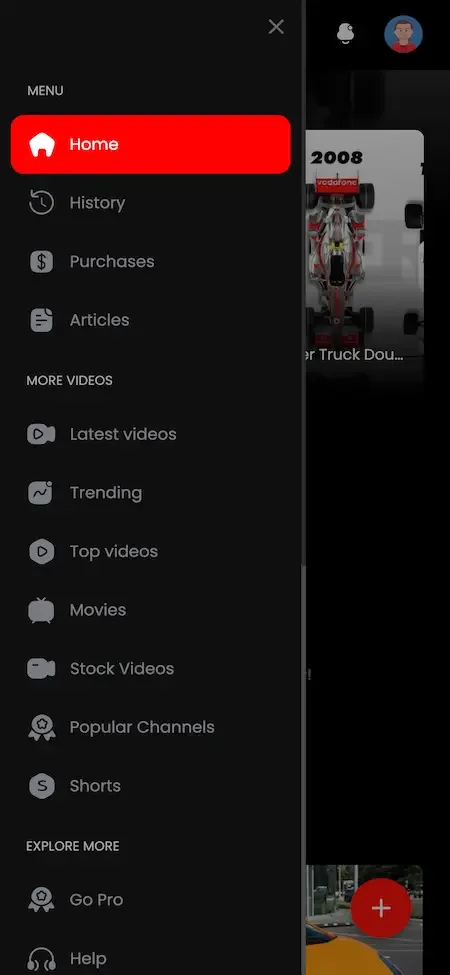
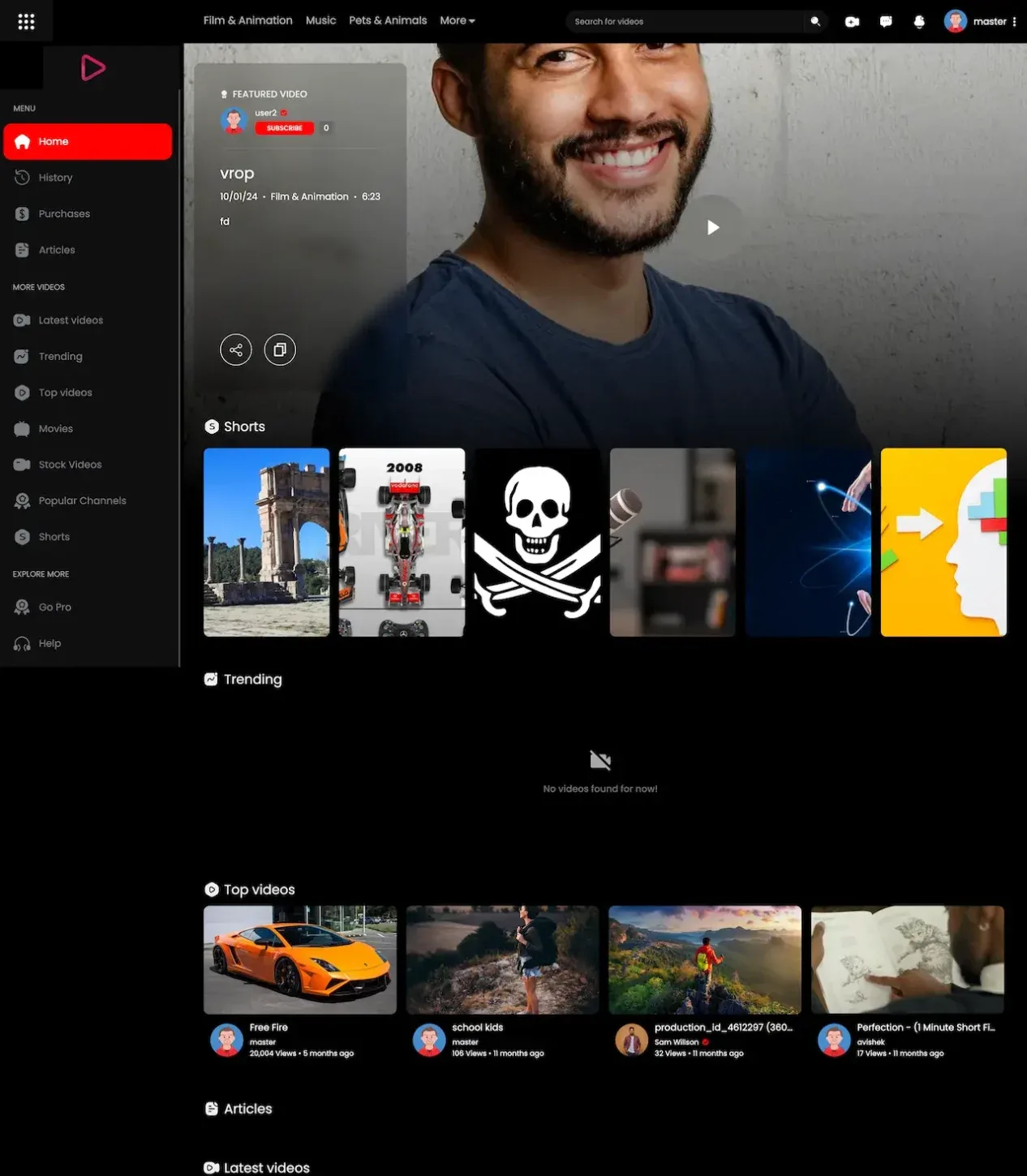
  • Dark web home with a side menu, a creator banner photo and rows of video thumbnails
    Web app
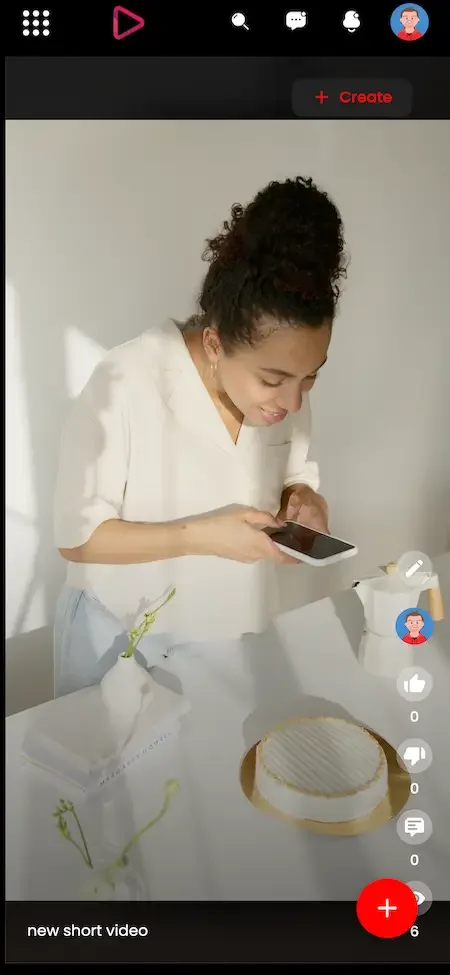
  • Phone short video recording screen with a vertical photo, a caption and a floating add button
    Creator studio
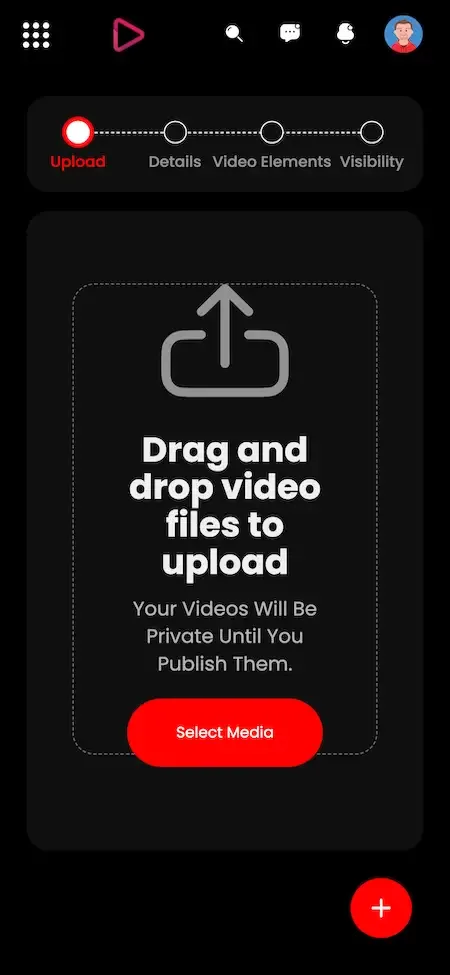
  • Phone upload wizard with four steps and a drag and drop upload area
    Creator studio
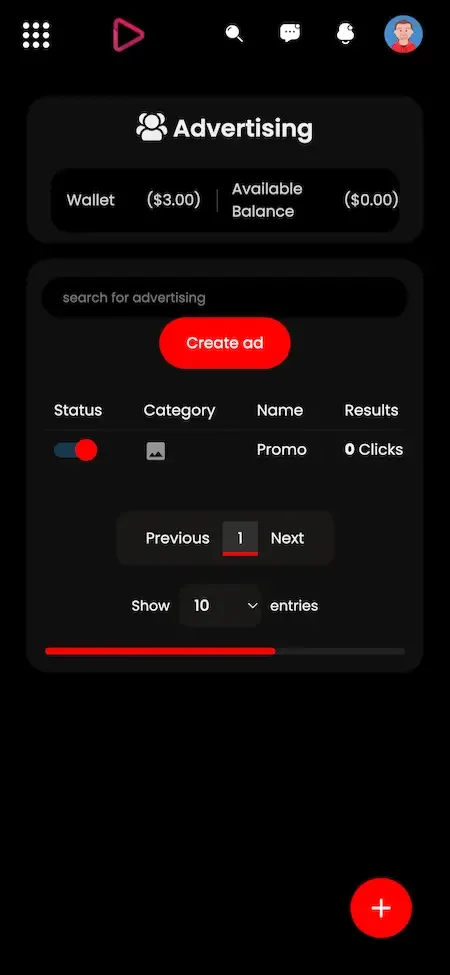
  • Phone advertising screen with wallet balance, a create ad button and a campaign table
    Creator studio
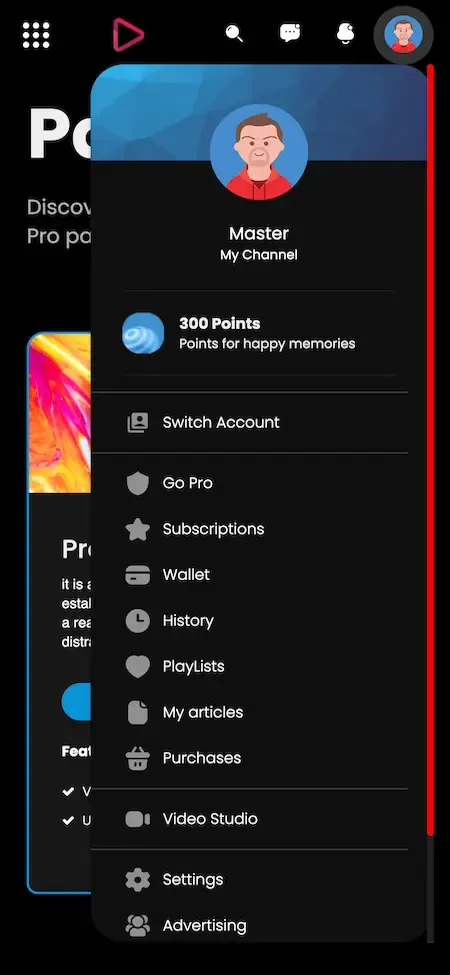
  • Phone account panel with points, switch account, subscriptions, wallet, playlists and video studio links
    User app

The capabilities that carry the business

Many video sites can play a file. These are the components that take the longest to build well, and the ones that decide whether creators stay, advertisers pay and the operator keeps control of what appears on the service.

  • Channel system

    Every creator gets a branded home with banner, bio, playlists and a subscribe button. Channels give viewers a reason to come back for a person rather than a single clip, and they give you a clean unit for memberships, analytics and revenue sharing as the catalog grows. Channel pages are also where copyright and moderation actions land, so a strike against one channel never touches another, which protects honest creators from a neighbor's mistakes.

  • Four privacy levels

    Public, unlisted, private and members-only cover almost every publishing case, from a draft shared with a colleague to a paid series. Members-only is the one with commercial weight, because it ties an individual video to a recurring payment from the viewers who value the channel most. An unlisted video suits a client preview, a private one suits a draft, and a members-only one suits a premium series; having all four in one upload form saves creators from managing separate tools.

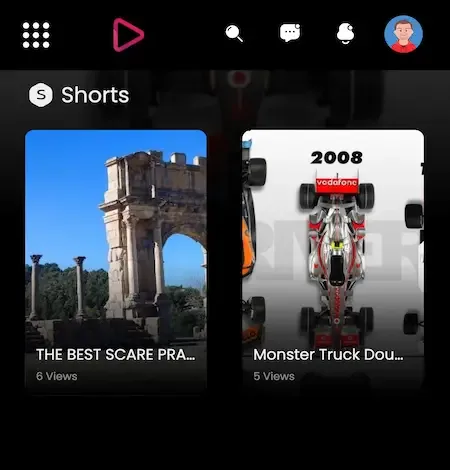
  • Shorts beside long video

    Short clips and full-length uploads live on the same platform and the same channels. Short video is how new audiences find a creator, and long video is where they settle, so offering both lets a channel grow without leaving your service for another to reach new people. A short clip can also point toward a longer video on the same channel, and tracking which route viewers took teaches you what kind of content converts casual watchers into subscribers.

  • Live with super chats

    Creators start broadcasts from the web or from the phone, and viewers react in real time with comments, donations and highlighted paid messages. Live events concentrate attention and spending into a short window, which is why they often produce a channel's strongest earning moments. A scheduled stream with a countdown works as an event: subscribers are notified in advance, the chat fills during the broadcast, and the recording remains on the channel afterwards.

  • Recommendation engine

    Suggestions draw on a viewer's watch history, likes and engagement, alongside category pages, trending lists and filtered search. Good discovery is what turns a library into a habit, and it spreads views across more of your catalog instead of leaving most videos unseen. Filtered search lets a viewer narrow by category or date instead of scrolling, and trending lists give a new channel a place to be seen before it has any subscribers of its own.

  • Copyright and review tools

    Takedown notices, dispute resolution and strike tracking sit in the admin panel next to pre-publication approval and user bans. A public video site will receive claims, and having a process and a record in the same place as your moderation makes them manageable. Keeping strikes next to approval means you can tell at a glance whether a channel with repeated claims is also one you let upload without review, and tighten that rule in a few clicks.

  • Commission settings

    Separate percentages for creators and advertisers let you reward the behavior you want, such as a generous share for early channels, and change it later as the platform matures. Revenue rules held in settings rather than code can be adjusted without a developer. A launch-year campaign might give creators a larger share to attract channels, then lower it later to fund moderation and storage, and the advertiser percentage can be tuned separately.

YouTube, YouTube Clone and building a video site yourself

The original service is free to watch but not something you can buy, host or rebrand, so the practical comparison is between the second and third columns. The first describes the shape of the category as it is generally understood, to show what changes when you own the platform.

YouTube, YouTube Clone and building a video site yourself
AspectYouTubeYouTube CloneBuilding from scratch
Who runs it The company behind the service, under its own rulesYou, on your own servers under your own brandYou, after designing and building every piece
Audience ownership Viewers and creators belong to the serviceThey belong to your platform and your brandThey belong to you, once the product exists
Content rules Set for a worldwide audience, with rules written by the ownerSet by you for a particular communityWhatever you write, after the tools are built
Revenue division Set by the terms of the serviceCommission percentages you control in the admin panelDesigned by you, with ads and payments built first
Time to launch Not applicable, since it cannot be boughtSix working days for the ready-made platformA long program with many systems to integrate
Custom changes Not possible for anyone outside the companyFull source code allows any change you scopeUnlimited, at the cost of every hour spent
Mobile apps Polished apps built and maintained by the owner itselfAndroid and iOS apps included with the packageSeparate builds that need their own budget
Copyright tooling Handled inside the service on its own termsTakedown, dispute and strike tools included in the admin panelOften added late, after the first claim arrives

What the platform is built on

The stack is documented openly because your engineers or a technical reviewer will want to know it. The package names the technologies below, and we describe only those, since claiming more would mean guessing at details the product page does not state.

What the platform is built on
Web and adminPHP with the Bootstrap framework and NodeJS, serving both the viewer web panel and the administrator panel.
DatabasesMySQL and MongoDB, which together hold accounts, video records, subscriptions and activity data.
Android appWritten in Java and Kotlin as a full-component app, built with current dependencies at delivery.
iOS appBuilt in Flutter as a full-component app, also using current dependencies at delivery.
Messaging and pushFirebase for notifications and Twilio for SMS, both configured against accounts that belong to you.
Maps, payments and translationGoogle Maps for location features, a payment API with the supported gateways, and a translation service for multiple languages.

What stays with you as the operator

A ready-made platform is a starting point, and a video service has several costs and duties around it. We list them here so you can plan for them before launch, and not discover them in the week you want to open to the public.

  • Storage and delivery

    Video files are large, and storing and streaming them costs money that grows with your catalog and audience. Capacity, and any content delivery network you decide to add, is arranged on your own hosting account, and the admin analytics help you watch usage.

  • Separate creator app

    There is one app for viewers and creators, with creator tools inside it, plus an admin panel for staff. A distinct creator studio application is available, and we scope it with you if you want one.

  • Advertiser relationships

    The platform manages ad settings and placements, but it does not bring advertisers or an ad network. Finding sponsors and agreeing prices is a commercial task for your team, and sponsorships on the platform are approved by an administrator.

  • Moderation team and rules

    Approval queues, bans and strike tools are provided. Writing community guidelines, answering takedown notices on time and employing the people who review uploads remain your duties as the operator of a public video service.

  • Legal and store decisions

    Copyright law, data protection and child safety rules differ by market, and we do not give legal advice. We help submit the app, but Apple and Google decide whether it is accepted.

  • Extra features

    Interactive polls, ticketed virtual events, collaborative creation and shopping overlays are extras we set up for you. Each is scoped with you if you want it, and typical tailored work runs two to eight weeks.

Try the live YouTube Clone demo

The demo is a running copy of the platform with demo branding. The viewer web app and an Android build use a shared sample account, so you can watch, search, subscribe and open the creator tools yourself. The admin panel is linked from the same demo site, and you can ask us for administrator access if you want to test approvals and commissions.

  • Viewer and creator web app

    Open the Viewer and creator web app demo
    Login
    user@demo.com
    Password
    User_321

    Worth trying

    • Browse categories and the trending view
    • Search for a video and apply the filters
    • Subscribe to a channel and open its playlists
    • Open the upload screen and look at privacy options
  • Admin panel

    Open the Admin panel demo

    Worth trying

    • Look at video approval and user management
    • Open commission and monetization settings
    • Read the analytics and storage figures
  • Android app

    Open the Android app demo
    Login
    user@demo.com
    Password
    User_321

    Worth trying

    • Install the app and sign in
    • Play a video and change the quality
    • Check notifications and the downloads screen

YouTube Clone feature FAQs

Can viewers download videos to watch offline?

Yes, the mobile app lets viewers save videos for watching without a connection. This helps audiences who travel or have unreliable data, and the saved videos remain tied to the member's account so you keep control over which content can be downloaded.

How do subtitles work?

Subtitles can be displayed in several languages, which widens the audience of a video beyond its original language. Combined with support for multiple site languages and currencies, this helps a platform serving more than one country feel local to each of its viewers.

Can creators edit videos inside the app?

The mobile app includes simple in-app editing, such as trimming and filters, before upload. It is meant for quick fixes on a phone, not for full production work, so serious creators will still edit elsewhere and use the upload screen to publish.

What do location features do?

The mobile app can use the member's location to suggest nearby or regionally trending content. It uses Google Maps services under your own account, and it is useful for city networks or regional entertainment sites where where a viewer is matters.

Can one account both watch and create?

Yes. Viewers and creators use the same account and app, and creator tools such as uploading, live streaming and analytics appear inside it. This keeps the product simple for members who start as viewers and later decide to publish.

Is the code protected or encrypted?

No. You receive the full source code without encryption, so your own developers can read, change and extend it. That is what makes custom features, new integrations and moving to another host possible without asking us for permission.

How are notifications handled?

Push notifications alert members to new uploads from subscribed channels, comments and other interactions, using Firebase on your account. Operators can also send their own messages, which is useful for announcing live events or new features.

→Start here

Tell us what you want to launch.

Share the platform and your market. You get a walkthrough of the live demo, the exact scope of what ships, and a fixed price in writing. First response in under 2 hours, Monday to Saturday, 10:00 to 19:00 IST.

We reply to every inquiry. No newsletters, no shared data. See our privacy policy.

Trademark and independence notice

This page uses the name YouTube to describe a type of platform. The product sold here is separate software, built independently, and YouTube has no part in it.

Why this name

"YouTube clone" is industry shorthand that founders use when searching for software with a comparable business model. It names a category of product, not a copy of YouTube.

Who built this

The platform is an original product designed and written by Miracuves. It contains no code, design, graphics or content originating from the YouTube website or applications, and it ships under your own brand.

Trademarks

YouTube and its logos are trademarks of their respective owner and are named here for reference only. GetFame is not affiliated with, sponsored by or endorsed by YouTube. Rights holders can write to legal@miracuves.com.

Operator responsibility. The operator of a launched platform is responsible for legal compliance in the markets it serves. Nothing on this page is legal advice.Read the full disclaimer