HeyGen Clone Features: Production Pipeline and Governance Layer

Generating a clip is the easy part of an AI video product. The work that decides whether a business can run on it is everything around the clip: who owns it, which version is current, how a translation fails safely, what a plan allows and who can see an audit trail. This page walks through those parts, role by role.

4
roles, viewer to platform admin
18
admin console tabs
8
interface languages
On this page10 sections
  1. All 50 HeyGen Clone features, by role
  2. One video from workspace to measured result
  3. The HeyGen Clone, on screen
  4. Capabilities that decide whether an AI video business holds together
  5. HeyGen, this platform and a from-scratch build, capability by capability
  6. The stack behind the pipeline
  7. What to settle before launch
  8. Try the live HeyGen Clone demo
  9. HeyGen Clone feature FAQs
  10. Explore the HeyGen Clone

All 50 HeyGen Clone features, by role

The complete list, grouped by the person who uses each feature. Nothing is hidden behind a plan tier: this is what ships in the platform.

Creators

14 features
Immutable script snapshots
Each saved revision is kept as a snapshot, never overwritten, so editorial history survives every edit.
Version rollback
A creator can return to any earlier script revision when a client asks to go back.
Per-project avatar choice
An avatar is assigned to each project from a searchable library with detail views.
Language-filtered voices
The voice library can be filtered by language so creators find a fitting voice quickly.
Voice cloning upload
A creator uploads a sample for voice cloning, and the upload is validated before it is accepted.
Template catalogues
Public templates and workspace templates sit in separate catalogues, with import, export and apply actions.
Scene-level composition
Templates are built from scenes, so a creator edits one part without rebuilding the whole video.
Queued generation
Rendering runs on workers, so long jobs never block a request or disappear silently.
Explicit job states
Every generation shows pending, processing, completed, failed or cancelled rather than a vague spinner.
Attempt records
Each generation attempt is stored with the provider and configuration used, which helps diagnose failures.
Translation jobs
Localization runs as its own job with a target language, voice and subtitle options chosen per job.
Independent translation status
A translated version succeeds, fails or retries without touching the source video.
Export presets
Format and resolution presets fix the output for each destination.
Export history
An export queue records requests and the download lifecycle, so earlier outputs can be found again.

Workspace managers

12 features
Workspace creation at signup
A new user gets a workspace and becomes its owner in the same transaction.
Email verification
Sign-up includes verification of the email address before the account is used.
Role-based invitations
Members are invited with an owner, editor or viewer role, with the full invite lifecycle available.
Cancelable invites
Pending invitations can be listed and cancelled before they are accepted.
Plan and billing view
One active subscription per workspace stores plan, status and billing cycle.
Usage against limits
Generation and export limits are shown against what the plan permits.
Workspace asset library
Media is stored with folders and tags, and bulk delete and bulk tag actions save time.
Upload validation
Files are checked for extension, MIME type and size before they enter the library.
Analytics by dimension
KPIs and per-video detail cover country, device and event-level dimensions.
CSV and JSON reports
Analytics export in two formats for stakeholder review or further processing.
Notifications
Users are notified when jobs complete, so a long render does not need watching.
Eight-language interface
English, Spanish, French, German, Hindi, Arabic, Chinese and Portuguese, with 156 keys per locale.

Developers

10 features
Versioned REST API
Routes are versioned under a stable path with a backward-compatible mirror.
GraphQL endpoint
A GraphQL option with query complexity limits and introspection disabled in production.
Swagger documentation
A documentation surface lets developers explore routes without reading the source.
Workspace-scoped API keys
Each key belongs to one workspace, so usage and billing attribute cleanly.
Per-endpoint metering
Calls are counted per endpoint per day, which supports a metered developer tier.
Webhook subscriptions
Event callbacks tell a customer system when a render, translation or export finishes.
Delivery history and retries
Each webhook delivery is recorded with status, retries and response codes.
Secret rotation
Webhook secrets can be rotated without recreating the webhook.
Callback URL checks
Webhook URLs are validated against localhost, private ranges and cloud metadata endpoints.
Zod request validation
Schemas reject malformed input at the route boundary before any logic runs.

Platform admins

14 features
Workspace suspension
Suspending a workspace blocks every user in it from authenticated endpoints.
Workspace owner and plan changes
Admins change an owner or a plan and inspect usage and API keys per account.
User suspension and deletion
Accounts can be suspended or deleted from the command center.
Admin promotion
Users can be promoted to or demoted from platform admin, controlled by a super-admin flag.
Support impersonation
Staff can sign in as a user to reproduce a problem, and impersonation is limited to platform admins.
Project lifecycle controls
Projects are archived, restored, deleted or reassigned across workspaces without database access.
Platform-wide content CRUD
Avatars, voices, templates, assets and webhooks are managed across the deployment, with scene preview.
Session control
Active sessions are listed, and one or all can be revoked for any user.
Runtime integration config
Nine integration sections are edited with Save and Test buttons, without a redeploy.
Runtime settings
Storage mode, the Redis toggle, feature flags, email, LLM model and billing plans are adjustable at runtime.
Broadcast messages
A platform-wide notification reaches every user from one screen.
Cross-workspace analytics
Analytics span all workspaces with a period selector, plus oversight of translations and exports.
Audit log viewer
A platform-wide trail records the actor, action and resource of security-sensitive events.
Separate admin authorization
Every command center route checks the super-admin flag and returns 403 to everyone else.
One video from workspace to measured result

The product is easiest to understand by following a single piece of work through it. These steps cross the creator view, the manager view and the admin console, and show where each stage is recorded and controlled.

  1. A workspace is created first

    A person signs up and a workspace is made for them, with that person as owner. Projects, assets, templates, webhooks, keys and subscriptions all hang from it. Creating the boundary first is deliberate, since adding tenancy to a product built around single users later means rewriting it, not extending it.

  2. The script is written and kept

    A project holds the creative intent and a script holds the words. Each revision is saved as a snapshot rather than overwriting the last, so an editor can restore an earlier version when a client changes their mind twice. Version history is what agencies and marketing teams actually ask about in a first meeting.

  3. An avatar and a voice are assigned

    The creator searches an avatar catalog and filters a voice library by language, then assigns both to the project. A creator can also upload audio for voice cloning, validated on the way in. Which avatars and voices a plan may reach is an entitlement setting, so premium choices can be reserved for paying workspaces.

  4. Generation is queued, not blocking

    The limit for the plan is checked before the job enters the queue, then a worker takes it through pending, processing and completed, with failed and cancelled as other end states. Each attempt records its provider and configuration. A failure is therefore a visible state with a retry, and not a spinner that never stops.

  5. Translation runs as a separate job

    A localized version is its own job with a target language, a voice choice and subtitle options, and its own status and worker. If the Spanish version fails, the English video is untouched and the Spanish job can be retried alone. For customers who sell in several markets, this independence is the whole point.

  6. Export follows the plan

    The export service decides which formats and resolutions a workspace may download, from the plan it holds. Presets keep common choices one click away, and an export queue keeps history. Because the check is made in the service and not only in the interface, an upgrade lever really exists and cannot be bypassed by a clever request.

  7. Analytics and audit close the loop

    Workspace analytics report on videos by country, device and event, exportable as CSV or JSON, and an audit trail records actor, action and resource for sensitive actions. The first gives a marketing lead something to defend at budget time, and the second gives a security reviewer something to inspect.

The HeyGen Clone, on screen

Real screens from the working product. Your platform ships rebranded with your name, logo and colors.

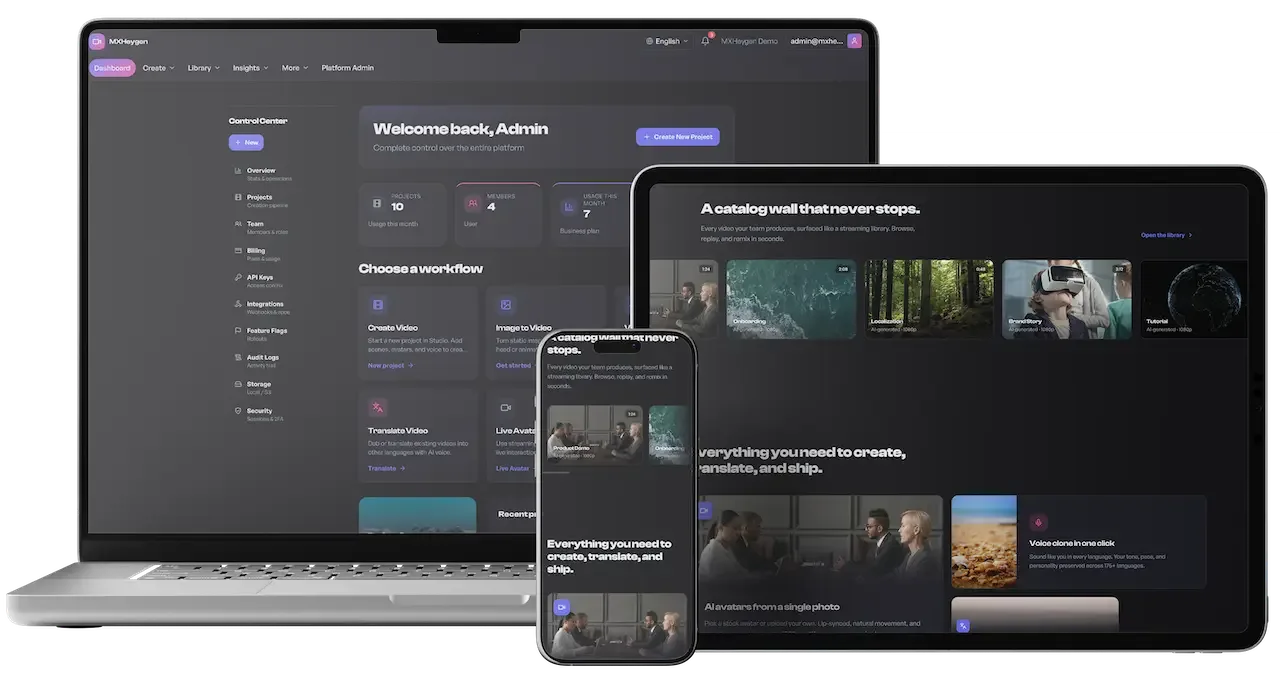
  • Laptop, tablet and phone mockup showing the dark video studio dashboard and catalog wall
    Overview
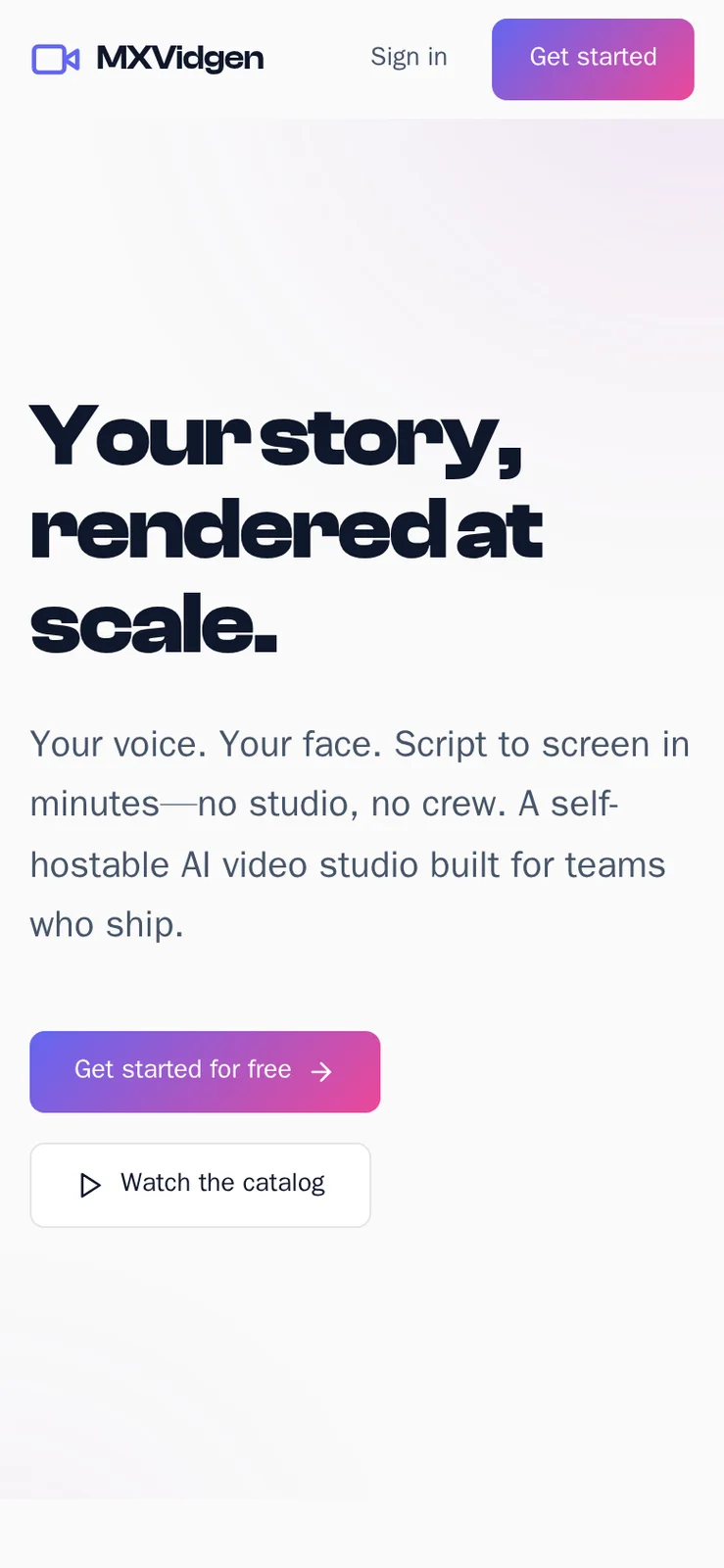
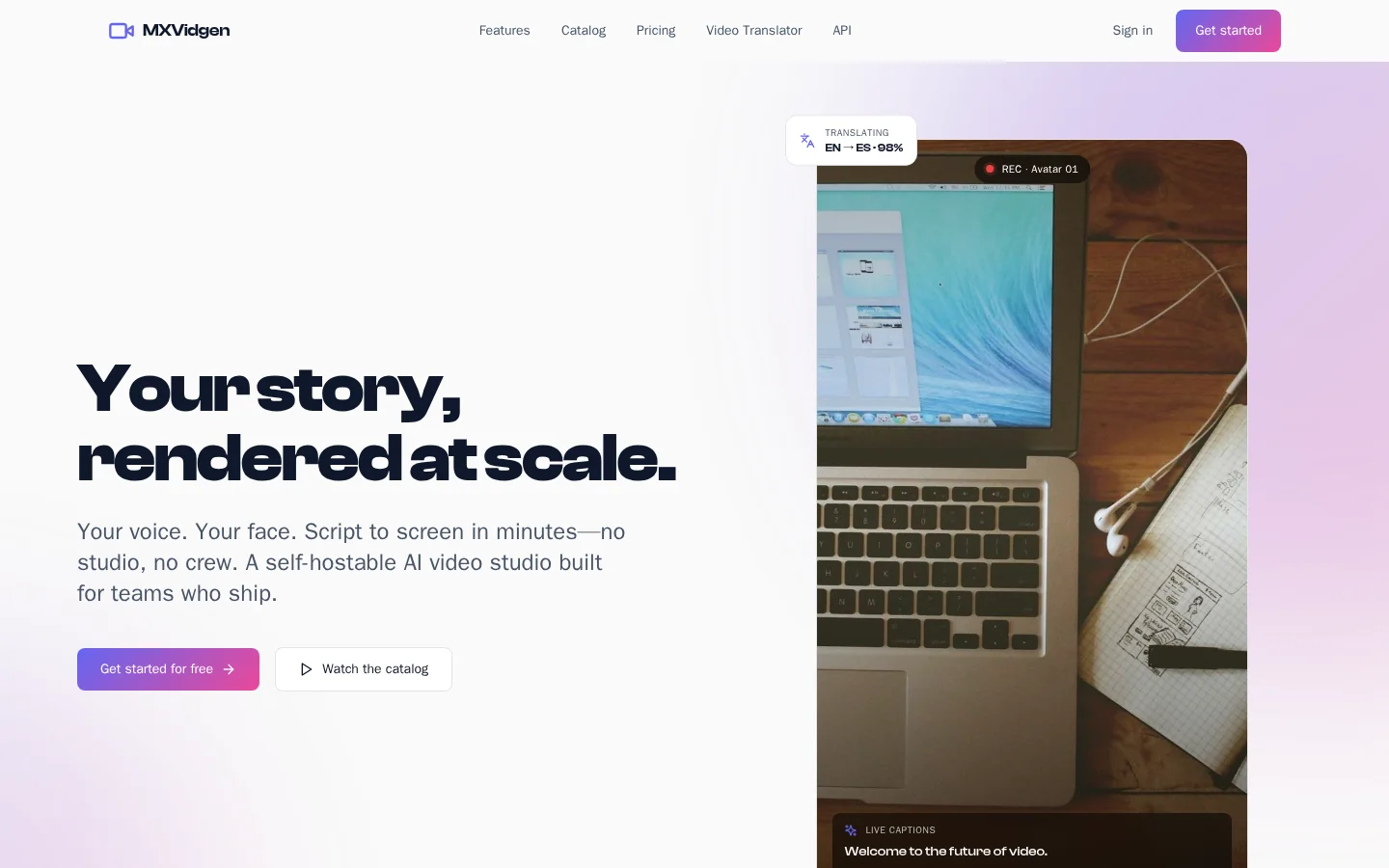
  • Phone landing screen with headline, get started button and watch the catalog button
    Overview
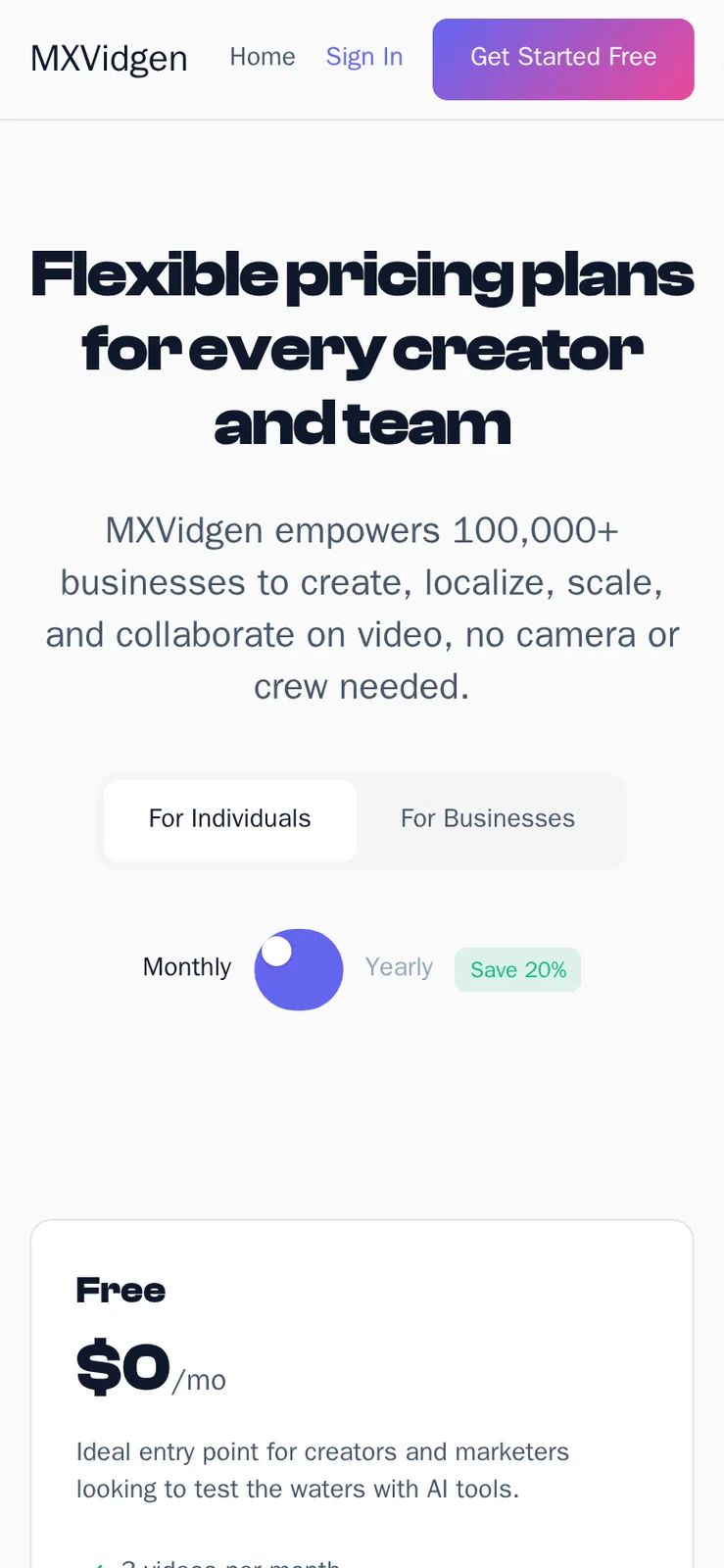
  • Phone pricing page with audience tabs, billing toggle and the Free plan card
    Web app
  • Phone landing screen with headline, get started button and watch the catalog button
    Overview
  • Phone pricing page with audience tabs, billing toggle and the Free plan card
    Web app

Capabilities that decide whether an AI video business holds together

Plenty of products can call a generation provider. These capabilities are the operating layer around it, and each exists because leaving it out causes a specific commercial problem a few months after launch.

  • Plan limits checked before queueing

    Every render consumes provider minutes you pay for. Checking the allowance before a job is queued means overage is prevented and not invoiced after the fact. You never pay a provider for a render you cannot bill, which is the control that keeps a free tier from becoming a monthly surprise.

  • Workspace tenancy across every table

    Projects, assets, templates, subscriptions, keys and webhooks are all scoped to a workspace. That makes per-workspace pricing, seats and isolation of clients straightforward. An agency can keep many clients on one install without their material mixing, and you can suspend or reassign a workspace without touching the database.

  • Translation as a first-class stage

    Localization has its own entity, status and worker, with options for language, voice and subtitles. This lets a customer order several languages from one script and see each progress independently. It also lets you sell translation as a separate line with its own limits, since it has its own provider cost.

  • Immutable script history

    Snapshotted revisions mean the record of who wrote what, and when, survives editing. Restoring is a click. For regulated or brand-sensitive teams this history is a working requirement, and it cannot be rebuilt afterward from a single overwritten field. If a client disputes the wording of a published video, you can show the script as it stood when it was approved and return to that version before the next render.

  • Metered keys and webhooks

    Workspace-scoped API keys record usage per endpoint per day, and webhooks carry delivery history, retries and secret rotation. Together they let you offer a developer tier billed by use. Webhook addresses are checked so callbacks cannot reach local or private network ranges, which closes a common abuse path.

  • Role-aware navigation

    Viewer, creator, manager and admin each see a different interface, and workspace members carry owner, editor or viewer rights. People are not shown screens that would refuse them. This reduces support questions and lets you hand a limited login to a prospect or a client reviewer safely. A reviewer who can watch and comment but not render or delete is a login you can give out without a second thought.

  • An admin command center

    Eighteen tabs let an operator manage workspaces, users, projects, content, sessions, integrations and broadcasts. Support staff can impersonate a user to reproduce a problem and revoke any session. For enterprise buyers this surface is often the deciding factor, since it shows how the deployment is governed. A buyer's security team will usually ask who can see customer scripts, and the console is where you answer that with evidence.

  • Providers changed at runtime

    Integration settings are edited in the admin console with save and test buttons, so switching a generation, translation or storage provider needs no redeployment. If a provider changes its prices or has an outage, you can move without waiting for a developer. The test button matters as much as the save button, because it tells you the new credentials work before a paying customer's render fails on them.

HeyGen, this platform and a from-scratch build, capability by capability

The first column describes the widely known pattern of a vendor-run AI video service, not its private systems. The others show what you receive here and what your own team would have to design, test and keep running.

HeyGen, this platform and a from-scratch build, capability by capability
AspectHeyGenHeyGen CloneBuilding from scratch
Script to video Type a script, pick a presenter, receive a videoVersioned scripts with avatar and voice assigned per projectA generation call wrapped in a form, without history
Translation handling Offered as a feature of the serviceIts own job with status, worker and retryOften a re-render that fails with the original
Team separation Team accounts as the vendor defines themWorkspace tenancy applied across every business table, not added laterA rewrite if the product started user-scoped
Plan enforcement Plans and usage set by the vendorLimits checked before queueing and again at exportHonor-system limits that leak provider spend until someone fixes them
Developer access Offered on the vendor's own terms, with no source and no hosting choiceREST, GraphQL, Swagger, metered keys and webhooksA second product to design and bill separately
Operator console Not exposed to customers or to anyone licensing the productEighteen tabs with audit, sessions and impersonationGrows ticket by ticket after launch as support needs arise
Choice of AI providers Chosen and changed by the vendor, with no say from the customerConfigured at runtime in the admin consoleFixed in code unless you plan for change
Source code Not offered for purchase to outside operatorsFull code for web app, API and workersYours, after the whole product is written

The stack behind the pipeline

The platform is conventional on purpose, since a business that runs on it needs engineers who can be hired. Rendering work runs off the request path on queue workers, which is the main thing to size when you plan hosting.

The stack behind the pipeline
Web applicationReact, TypeScript and Vite with route-level separation and navigation that changes by role.
APINode.js with Express and TypeScript, validating input with Zod and serving versioned REST plus a GraphQL endpoint.
DatabasePostgreSQL through Drizzle ORM, with sequential migrations and workspace scoping throughout.
Queues and workersBull on Redis in four domains: generation, translation, export and webhooks, with an inline fallback for small installs.
StorageLocal or S3-style storage, chosen at runtime in the admin integration settings.
AuthenticationJWT tokens pinned to HS256, optional TOTP two-factor, session listing and revocation, and social sign-in connectors.
Delivery toolingMulti-stage Docker builds, CI workflows for test, build, scanning and deploy, and liveness and readiness endpoints.

What to settle before launch

AI products attract grand claims, so the details matter. These are the points to settle before planning a launch, along with items the documentation itself lists as hardening work that we set up for you.

  • Native mobile apps

    The product is a responsive web platform that suits production work at a desk. We can build native iOS and Android apps around your plan.

  • Cloned-voice quality is the provider

    The platform accepts and validates an audio upload, but how good the cloned voice sounds depends on the provider you connect. Consent and its records are your process.

  • Authorization applied unevenly

    Resource-level checks differ between route families, and a uniform workspace guard with cross-tenant regression tests is available and we set it up for your build. Sell to enterprises only after it is in place.

  • Secrets and tokens need hardening

    API keys are stored unhashed and browser tokens sit in storage. Encrypting secrets at rest and tightening cookies and origins is configuration work done at deployment.

  • Enterprise single sign-on

    Social sign-in connectors are included and can be configured at runtime. SAML or OIDC for corporate identity providers is available as tailored work, so raise it early if enterprise buyers are your target.

  • Monitoring is yours to wire

    Health endpoints exist, but a log sink, queue-lag alerts and anomaly alerts must be set up. A backlog found through a customer email is the usual failure without them.

Try the live HeyGen Clone demo

The demo has four live logins, one for each role the platform defines: viewer, creator, workspace manager and platform admin. Sign in as each and the interface changes to match what that role may do. It carries our demo branding and sample content, so judge the workflow rather than the output.

  • Viewer

    Open the Viewer demo
    Login
    test@example.com
    Password
    password123

    Worth trying

    • Browse the videos shared with this account
    • Open a finished video and read its detail page
    • Switch the interface language and watch labels change
    • Check which menu items this role does not see
  • Creator

    Open the Creator demo
    Login
    creator@mxvidgen.com
    Password
    creator123

    Worth trying

    • Write a script and look at its version history
    • Pick an avatar and a voice for the project
    • Start a generation job and watch its status
    • Open the translation options for a finished video
  • Workspace manager

    Open the Workspace manager demo
    Login
    manager@mxvidgen.com
    Password
    manager123

    Worth trying

    • Open the team list and the invitation roles
    • Read the plan and the limits shown against it
    • Look at the API keys and webhook screens
    • Open workspace analytics and the export options
  • Platform admin

    Open the Platform admin demo
    Login
    admin@mxvidgen.com
    Password
    admin123

    Worth trying

    • Walk through the eighteen admin tabs in order
    • Open the integration settings and their test buttons
    • Read the audit log for recent actions
    • Look at active sessions and the revoke control

HeyGen Clone feature FAQs

Can a viewer-role user create videos?

No. The viewer role is for watching and reviewing, and the interface shows only what that role may do. Creators produce, managers govern a workspace, and platform admins run the deployment. The same separation holds on the server for the routes that are protected, so a hidden button is never the only barrier to an action.

What do member roles inside a workspace allow?

Invitations carry owner, editor or viewer rights. Owners manage the plan and keys, editors work on projects and assets, and viewers look. Managers can invite, change roles and handle the invite lifecycle. The audit trail records the actor, action and resource for security-sensitive steps, which helps when a client asks who changed something.

How does the template library work?

Templates can be public across the platform or private to a workspace, with scene-level composition. A user can apply one to a project, and templates can be imported and exported. Managers use them to keep brand output consistent, and an admin can curate the public set platform-wide from the content tabs.

Can customers bring their own assets?

Yes. An asset library supports folders, tags, bulk tagging and bulk deletion, with uploads validated by extension and type and with sanitized filenames. Assets belong to a workspace and cannot be seen by another. Note that content signature checks on upload are not implemented, which the security audit lists as a hardening item.

What are export presets?

Presets bundle a format and a resolution so common choices take one click. What a workspace may choose depends on its plan, and the export service enforces that. Exports run through their own queue with a history and a download lifecycle, so a large export does not block other work.

What does a user see when a job fails?

A clear failed state rather than a stalled screen, with notifications when renders, translations and exports finish. Each attempt records its provider and configuration, and jobs can be retried without redoing finished stages. Admins can read the queue and integration status to see whether the cause is a provider or a worker.

Is the interface available in several languages?

Yes. Eight locales ship, covering English, Spanish, French, German, Hindi, Arabic, Chinese and Portuguese, with runtime switching and a language preference saved per user. These apply to the product interface and not to video output, which is governed by the translation pipeline and your connected providers.

→Start here

Tell us what you want to launch.

Share the platform and your market. You get a walkthrough of the live demo, the exact scope of what ships, and a fixed price in writing. First response in under 2 hours, Monday to Saturday, 10:00 to 19:00 IST.

We reply to every inquiry. No newsletters, no shared data. See our privacy policy.

Trademark and independence notice

This page uses the name HeyGen to describe a type of platform. The product sold here is separate software, built independently, and HeyGen has no part in it.

Why this name

"HeyGen clone" is industry shorthand that founders use when searching for software with a comparable business model. It names a category of product, not a copy of HeyGen.

Who built this

The platform is an original product designed and written by Miracuves. It contains no code, design, graphics or content originating from the HeyGen website or applications, and it ships under your own brand.

Trademarks

HeyGen and its logos are trademarks of their respective owner and are named here for reference only. GetFame is not affiliated with, sponsored by or endorsed by HeyGen. Rights holders can write to legal@miracuves.com.

Operator responsibility. The operator of a launched platform is responsible for legal compliance in the markets it serves. Nothing on this page is legal advice.Read the full disclaimer