Netflix Clone Development Cost: What You Pay and When
The price of the platform is the smaller part of a streaming budget, and the part you can settle on day one. This page states what the one-time price is, compares it with building or renting, lists what it includes, shows what moves it upward, and is blunt about the recurring costs that sit outside it.
- $3,699
- one-time platform price
- 6 days
- to go live
- 1 year
- of free updates
On this page11 sections
- What the Netflix clone price actually buys
- Three routes to a streaming platform, priced side by side
- What is included in the one-time price
- What pushes the Netflix clone cost above the published price
- The six-day Netflix Clone launch, day by day
- The Netflix Clone, on screen
- Streaming costs that sit outside the platform price
- Why the Netflix clone price stays fixed
- Try the live Netflix Clone demo
- Netflix Clone cost FAQs
- Explore the Netflix Clone
What the Netflix clone price actually buys
The price is $3,699, paid once, and it buys the ready-made streaming platform: the viewer apps, the web platform, the admin console, the producer panel and the Laravel backend, with the complete source code handed over at the end. There is no monthly license and no share of your subscriptions or rentals goes to us. Nothing is metered either, so a quiet month and a month with a hit premiere cost you the same in platform terms.
It is a software cost, which is a different kind of cost from the two that dominate a streaming business. Content and video delivery both continue for as long as you operate and both grow with success. The platform price does not change with your audience size, so it is the one line you can fix and stop worrying about. Think of it as buying the building, while content and bandwidth are the running costs that follow how many people walk through the door.
Three routes to a streaming platform, priced side by side
Founders usually weigh three paths: buying a finished codebase, commissioning something custom, or renting a hosted OTT service. The rows below compare the shape of each cost rather than quoting figures, because the shape is what decides the decision.
| Aspect | Ready-made with GetFame | Custom build | Renting a SaaS |
|---|---|---|---|
| Upfront cost | $3,699 one-time | A large project budget before any viewer arrives | Low at the start, then charged every month |
| Time to first stream | Six working days | Several quarters of planning, build and testing | Quick, on the vendor terms |
| Share of your revenue | None goes to us | None, but you carry all the engineering risk | Often a percentage or a per-stream fee |
| Producer payouts | Minute logs and payout requests included | Designed and built from nothing | Rarely offered at all |
| Source code | Complete code transferred to you | Yours once delivered | Rented and never owned |
| Where video is stored | Your own cloud and CDN accounts | Your own cloud and CDN accounts | The vendor, usually with a margin on delivery |
| Cost of leaving | Nothing to leave; it runs on your servers | Nothing to leave | Moving a catalog and subscribers is painful |
| Changing the product | Extend the code or ask us to scope it | Anything, at the pace of your team | Only what the vendor chooses to offer |
What is included in the one-time price
Every item below is part of the ready-made delivery. None of it is billed as an extra once the order is placed. That covers the apps, the panels and the backend, as well as the deployment work and the documentation your own developers will rely on later.
- Complete source code for apps, web platform and backend
- Branded Android viewer app ready for Play Store submission
- iOS viewer app with the same core experience
- Web app that can run as a progressive web app
- Admin console with role-based access, reports and settings
- Separate producer login with submissions, minute analytics and payouts
- Rebranding of name, logo, colors, splash screens and banners
- Cloud deployment and handover documentation
- Help with Play Store and App Store submission
- Subscription, rental, pay-per-view and coupon modules
- Sixty days of technical support after handover
- One year of free updates, with full white-labeling
What pushes the Netflix clone cost above the published price
The ready-made price covers the platform as listed. Extras we set up around it are scoped in writing before they start and typically run two to eight weeks, depending on how much there is.
DRM integration
Studios often name the protection system they require in their contracts. Connecting a DRM vendor with license URLs and secure playback workflows is something we set up, scoped per deployment, and its size depends on the vendor you or your rights holders choose. Ask each rights holder for the exact system and security level they expect before you sign, since it can change the player and the timeline.
Smart TV applications
Every television platform has its own store process, remote-control interface and testing needs. Apps for Android TV, Apple TV, Fire TV, Roku, Samsung or LG are each scoped by platform, so the cost grows with the number of screens you want to reach. A living-room audience makes them worth doing, but a mobile and web launch first shows what people actually watch, so the TV apps can be built around the catalog you really have.
Recommendation engine
Hand-curated shelves are enough while the library is small. A machine-learning recommender using watch history and viewing patterns becomes worthwhile later and we build it around your plan, since it depends on how much viewing data you actually collect. Until then, an editor who rotates banners and shelves every week usually beats a model trained on thin data, and the engine only pays for itself once there are more titles than a person can arrange.
Provider catalog integrations
The platform supports API-based content acquisition. Connecting a specific provider directly, with its keys, metadata mapping and status flows, is scoped per provider because each one structures its data differently. Ask the provider for sample metadata and a delivery specification early, because artwork formats and the way availability windows are expressed decide how much work sits between their feed and your shelves.
A fuller producer marketplace
The standard panel handles submissions, minute analytics and payout requests. Extended contracts, automated statements, licensing terms and more complex payout rules for many partners are an upgrade, priced after we understand your deal structure. If you have only a few partners on simple terms the standard panel is plenty, and writing the deal terms down first makes the scope of any upgrade clear.
Ad-supported viewing
Optional ad access works for free tiers and sponsors, but a full advertising module with video ad standards and sponsor placements is something we scope with you, because it touches the player and your ad partners. A free tier only makes sense if ad income per hour watched exceeds the delivery cost of that hour, so model that before building ad slots. Sponsors also expect reporting on reach, which is part of the scope discussion.
Advanced 360 VR playback
The player is VR-ready for suitable content. A richer immersive browsing and playback experience for a library with many such titles is a custom item with its own testing across devices. Headset and phone support varies, so each device you care about is tested on its own, and the item earns its cost only when a large share of your viewing is expected to happen in 360.
The six-day Netflix Clone launch, day by day
Launch takes six working days from kickoff. This is who does what on each day, so the schedule has no surprises on either side.
| Day | What we do | What you do |
|---|---|---|
| Day 1Model and scope | Decide which unlock paths open on day one and whether producers join, then flag DRM or TV needs that change the tier. | Share your content plan, target markets and any studio licensing requirements. |
| Day 2Infrastructure and media path | Provision the cloud, deploy the Laravel application and database, then wire storage and CDN for video. | Open a cloud account and pick storage and CDN vendors. |
| Day 3Catalog and playback | Configure genres, categories and content types, and verify HLS or MP4 playback on real devices. | Provide sample titles with artwork and metadata for testing. |
| Day 4Branding | Apply name, logo, splash screens and colors to the apps and web surfaces, brand email templates and set your domain. | Send brand assets and confirm the domain. |
| Day 5Payments and producers | Install and test gateway credentials, price plans and rentals, set coupons and create producer accounts under your terms. | Open merchant accounts and agree plan prices, rental windows and the producer payout rule. |
| Day 6Walkthrough and handover | Trace one title from submission to approval, unlock, playback and payout request, then transfer the repository. | Bring operators and a finance contact, and start store account setup. |
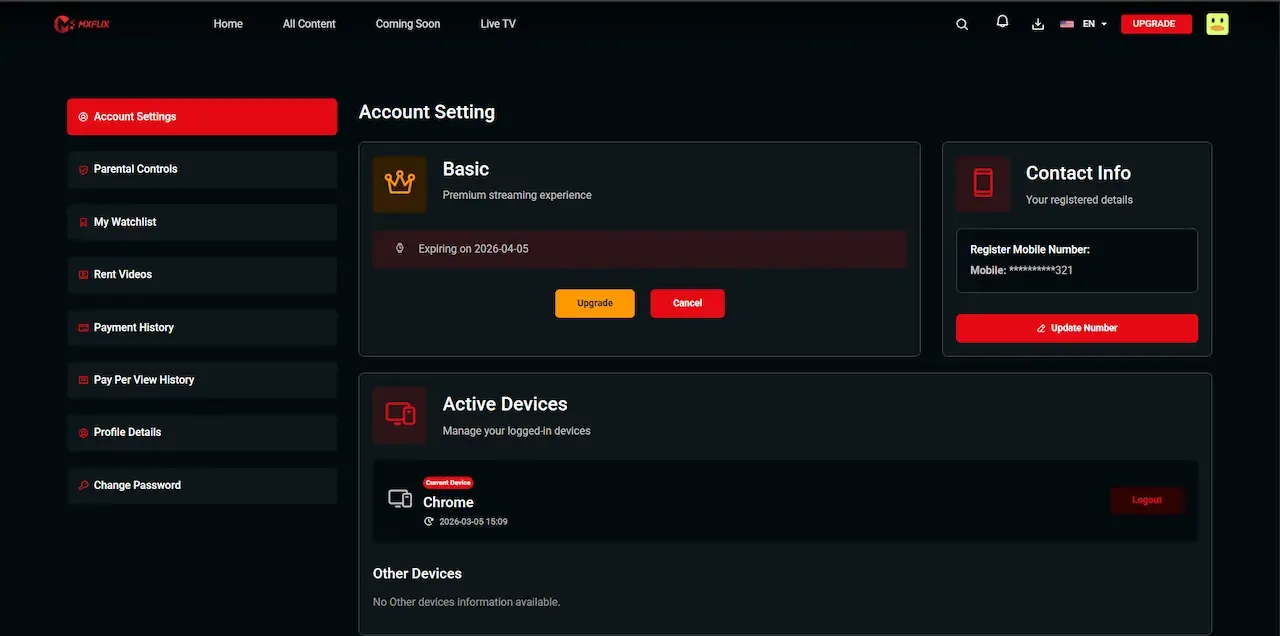
The Netflix Clone, on screen
Real screens from the working product. Your platform ships rebranded with your name, logo and colors.
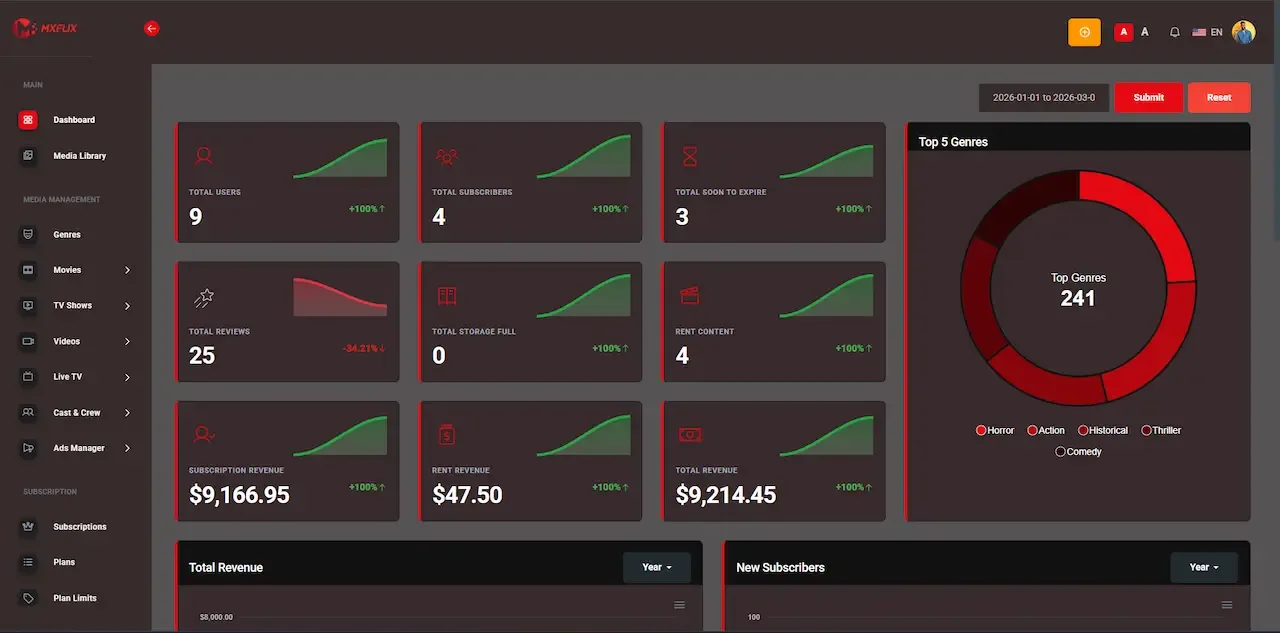
Admin panel 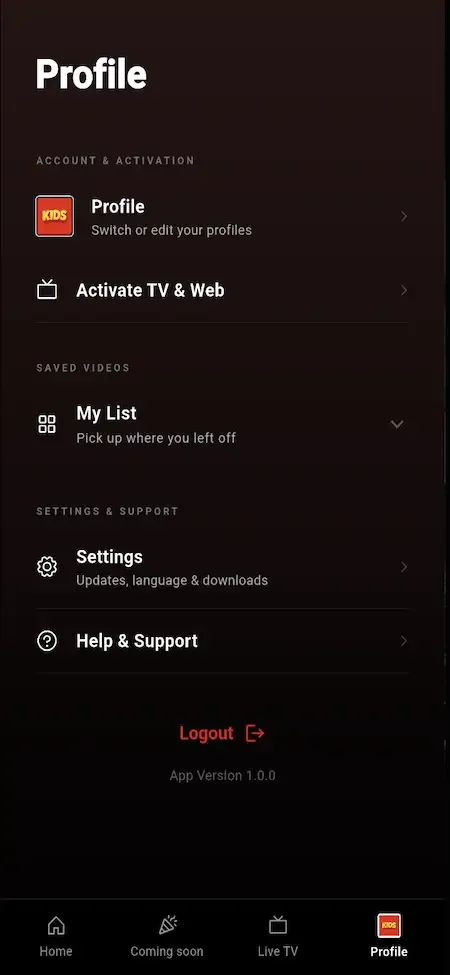
User app 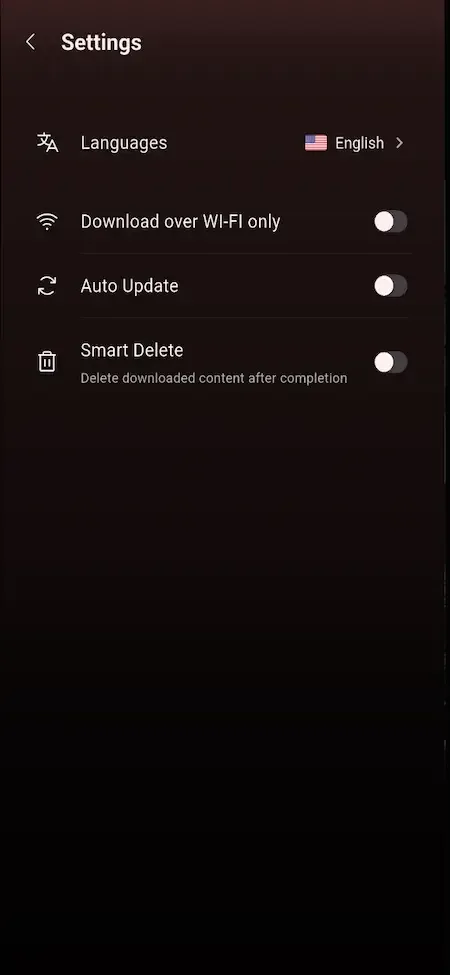
User app 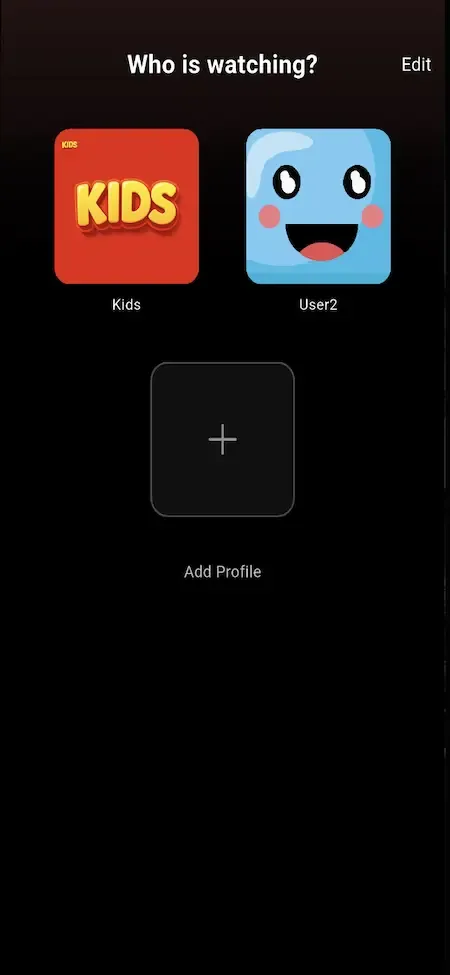
User app 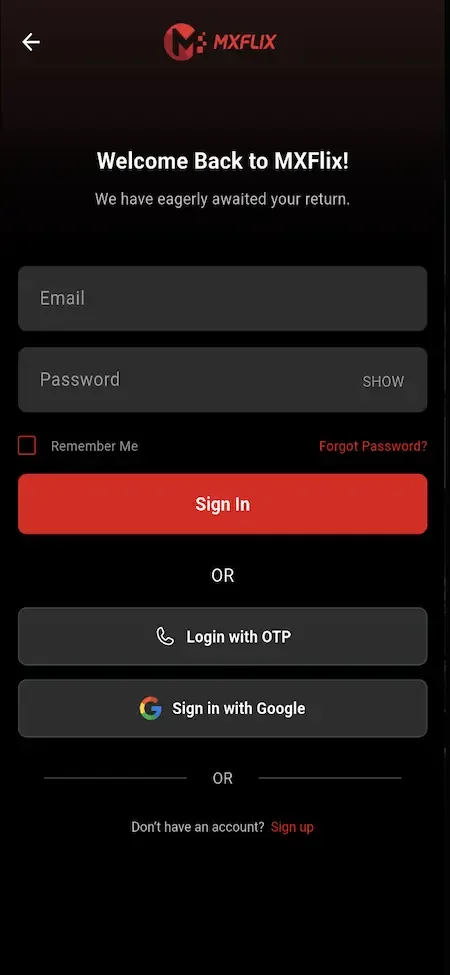
User app
Why the Netflix clone price stays fixed
A percentage fee or a per-stream charge lands hardest on the viewing that already costs you the most to serve. If someone watches every evening, bandwidth rises for you, and a revenue share would take more from us on top. A single payment avoids that trap, so the price does not move as your audience grows.
The commitment on our side is plain. You receive the complete source code, you own the deployment, and you are not billed monthly for a license. We include sixty days of technical support and a year of free updates, answer first messages within two hours on working days, and quote tailored work in writing before it begins.
Try the live Netflix Clone demo
The demo is a working copy of the streaming platform carrying demo branding and sample titles, so nothing in it is your final look. Open the viewer web app, then sign in to the producer panel and the admin console to follow one title from submission to playback. The sample logins below are public demo accounts.
-
Viewer web app
Open the Viewer web app demo- Login
user@demo.com- Password
User_321
Worth trying
- Open a title page and read how access is labeled
- Switch to a kids profile and look at what disappears
- Start a video, leave, and return through Continue Watching
- Walk through a plan purchase and open the invoice
-
Viewer Android app
Open the Viewer Android app demo- Login
user@demo.com- Password
User_321
Worth trying
- Install the APK and browse the home screen shelves
- Add a title to the watchlist from a detail page
- Check the download option on a series episode
- Compare the subtitle and quality choices in the player
-
Producer panel
Open the Producer panel demo- Login
producer@demo.com- Password
Producer_321
Worth trying
- Open a content proposal and see which documents it carries
- Read the views and watch minutes for a single title
- Look at the revenue share figures and the payout request screen
-
Admin console
Open the Admin console demo- Login
admin@demo.com- Password
Admin_$321
Worth trying
- Find the producer approval queue and review a submission
- Open the plan and rental settings for a title
- Create a coupon and see which plans it can attach to
- Scan the reports and the app control screens
Netflix Clone cost FAQs
Is the price really paid only once?
Yes. The ready-made platform is a one-time purchase with no monthly license and no share of your plans or rentals. Support for sixty days and updates for one year are included. After that you can run the code as it stands or arrange extended maintenance with us.
Does the price include hosting?
No. You host on a cloud account you control, such as AWS, GCP or DigitalOcean, and pay that provider directly. We deploy the application during launch week and help you choose storage and delivery, but the infrastructure bills come from the provider to you.
Will I pay more if my audience grows?
The platform price does not change with audience size. What grows is your own cloud and delivery bill, because bandwidth follows minutes watched, and possibly your support and moderation staffing. Those are operating costs between you and your providers.
How is tailored work priced?
We scope it first, in writing, and confirm the figure with you. Typical tailored projects run between two and eight weeks depending on size. Smart TV apps, DRM and direct provider integrations are the common examples, and none is billed until you agree the scope.
Do I pay extra to rebrand the apps?
No. Rebranding is part of the delivery: your name, logo, colors, splash screens and banners are applied to the apps and web surfaces. Complete white-labeling is included, so viewers see your brand throughout, including the admin and producer screens.
Can I begin with fewer features and expand?
Yes. You can switch off modules you do not need at launch, such as live channels or producer submissions, and enable them later from the console. Because you hold the source code, you can also commission additions whenever the business is ready for them.
What happens to costs if I leave our support period behind?
Nothing forces a recurring fee. The code runs on your servers and keeps working. Support beyond the included period is optional, and extended maintenance is something we discuss with you once your platform is stable and you know what help you actually want.
Explore the Netflix Clone
The overview and its companion pages answer the main questions in turn. Pick the one you need next.
-
Netflix Clone
The overview: live demo, screens, price and everything in the box.
Back to the overview -
Features
A streaming product is judged on what happens between pressing play and getting paid.
See the full breakdown -
Business model
Streaming economics run on minutes, not on sign-ups.
See the playbook -
Development company
Anyone can show you a video playing in an app.
Compare options
→Start here
Tell us what you want to launch.
Share the platform and your market. You get a walkthrough of the live demo, the exact scope of what ships, and a fixed price in writing. First response in under 2 hours, Monday to Saturday, 10:00 to 19:00 IST.
Trademark and independence notice
This page uses the name Netflix to describe a type of platform. The product sold here is separate software, built independently, and Netflix has no part in it.
Why this name
"Netflix clone" is industry shorthand that founders use when searching for software with a comparable business model. It names a category of product, not a copy of Netflix.
Who built this
The platform is an original product designed and written by Miracuves. It contains no code, design, graphics or content originating from the Netflix website or applications, and it ships under your own brand.
Trademarks
Netflix and its logos are trademarks of their respective owner and are named here for reference only. GetFame is not affiliated with, sponsored by or endorsed by Netflix. Rights holders can write to legal@miracuves.com.
Operator responsibility. The operator of a launched platform is responsible for legal compliance in the markets it serves. Nothing on this page is legal advice.Read the full disclaimer