Netflix Clone Development Company: How to Choose One
Anyone can show you a video playing in an app. What separates providers is the machinery behind the player: where watch minutes are kept, what happens when a rental ends, and whether a partner can see their own earnings. This page compares the routes, lists what to ask, shows our process, and states what we do not cover.
- 2010
- building since
- 9,000+
- projects delivered
- 6 days
- to go live
On this page10 sections
- How to pick a partner for a streaming build
- Agency, freelancer or GetFame for a Netflix clone
- Questions to put to any streaming provider
- The Netflix Clone, on screen
- How a GetFame streaming launch runs
- Warning signs when hiring for an OTT build
- What we do not do for your streaming platform
- Try the live Netflix Clone demo
- Netflix Clone development company FAQs
- Explore the Netflix Clone
How to pick a partner for a streaming build
A streaming platform has more moving parts than it appears to, and the demo rarely shows them. Judge a provider on the unglamorous mechanics: entitlement checks, expiry handling, per-profile history, partner reporting and payout logic. A polished player on top of weak back-end logic produces disputes the first time money moves. Ask them to expire a rental, cancel a plan and refund a purchase in front of you, because those edge cases are where angry support tickets begin.
Also decide what you are really buying. A codebase you own, a custom project, and a hosted service carry very different long-term obligations. The right choice depends on how soon you need to launch, how much control you want over video delivery, and whether your team can maintain what it receives. Ask too who will fix a playback fault at an awkward hour, since video problems feel urgent to viewers even when the cause is a storage setting and not the app.
Agency, freelancer or GetFame for a Netflix clone
Each route can work for the right buyer. The comparison focuses on the things that matter for a video platform, such as who holds the cloud account, who writes producer tools and what happens after delivery.
| Aspect | Agency | Freelancer | GetFame |
|---|---|---|---|
| Starting point | A blank brief and a discovery phase | Whatever the individual has built before | A finished platform you can open in a demo today |
| Time to first stream | Several quarters of build and testing | Months, depending on availability | Deployed in six working days |
| Producer tooling | Quoted as an extra module | Often left out to save effort | Producer panel and payout requests in the platform |
| Source code | Usually handed over at the end | Varies with the agreement | Complete code transferred at handover |
| Cloud account ownership | Sometimes held by the agency | Frequently the freelancer own account | Your account from the first day |
| Cost shape | A large project fee plus change requests | Hourly or fixed, with key-person risk | One-time $3,699 for the ready-made tier |
| After delivery | A retainer or maintenance contract | Depends on one person being available | Sixty days of support and a year of free updates |
| Custom additions | Quoted as new projects | Possible, but capacity is limited | Scoped in writing, typically two to eight weeks |
Questions to put to any streaming provider
Ask these of us and of everyone else you consider. Most are answered by opening a console and trying something, rather than by reading a slide.
Show me where watch minutes are stored
Minutes should be recorded per title and per viewing session, not just views. Without that log, producer sharing has nothing defensible to calculate from, and every payout becomes a negotiation. A good answer is a screen or table you can inspect.
Rent a title and let it expire
Watch what the player does after the window closes. If the expiry is stored but never enforced, you are selling permanent access at a rental price. A good provider lets you test this live and shows the invoice that remains.
Is Continue Watching per profile?
A household shares one login, so resume points kept per account overwrite each other. Per-profile history is what keeps the feature useful. Ask to see two profiles on one account diverge, then open the kids profile with its PIN and check that adult shelves and history stay out of sight. A provider who has to hunt for the setting probably has not built it.
Log in as a producer, not an admin
You should be able to see the partner view: their titles, their minutes, their share and their payout request. If producers exist only as rows in an admin table, you cannot run a content network. A good demonstration shows a submission moving from proposal to approval, and the minutes then appearing on the producer screen, without anyone editing a database row.
Whose cloud account holds the video?
If the provider holds it, you pay their margin on every gigabyte served and moving later means moving a catalog under pressure. A good answer is that the accounts are yours from day one. Ask also who can switch storage or CDN vendors later and where the keys are kept, because hosting under the provider's name is convenient early and awkward after the catalog has grown.
What happens if DRM is required?
Rights holders often name a protection system in their contracts. A trustworthy provider tells you plainly whether integration is possible, how it is scoped and what it changes about the timeline. Ask them to describe the vendors they have worked with and which parts of the player had to change, rather than accepting a general yes that cannot be checked.
How are app updates handled?
Streaming apps need new builds as devices change. Ask how updates are delivered, whether you can force an upgrade from the console, and how long free updates last. Store rules also change over time, so a clear update path matters as much as the first release. Ask what you receive when a device or store policy shifts during the free update period.
Who owns the source code?
You should receive the full code, including the mobile apps, the backend and the panels, with documentation. Anything less leaves you dependent on the provider for every future change. Ask to see the folder structure and the build instructions, and whether the repository moves to an account you control instead of arriving once as an archive. A repository you can build without the provider is the real test.
What support do I get after launch?
Ask for the length of support, the response time and the hours. Vague promises of help are not an answer; a stated period and a stated first response are. Also ask what falls outside support, such as new features or content problems, so you know when a request becomes a quote. Test it during the sales process, because the speed of an answer now previews the speed later.
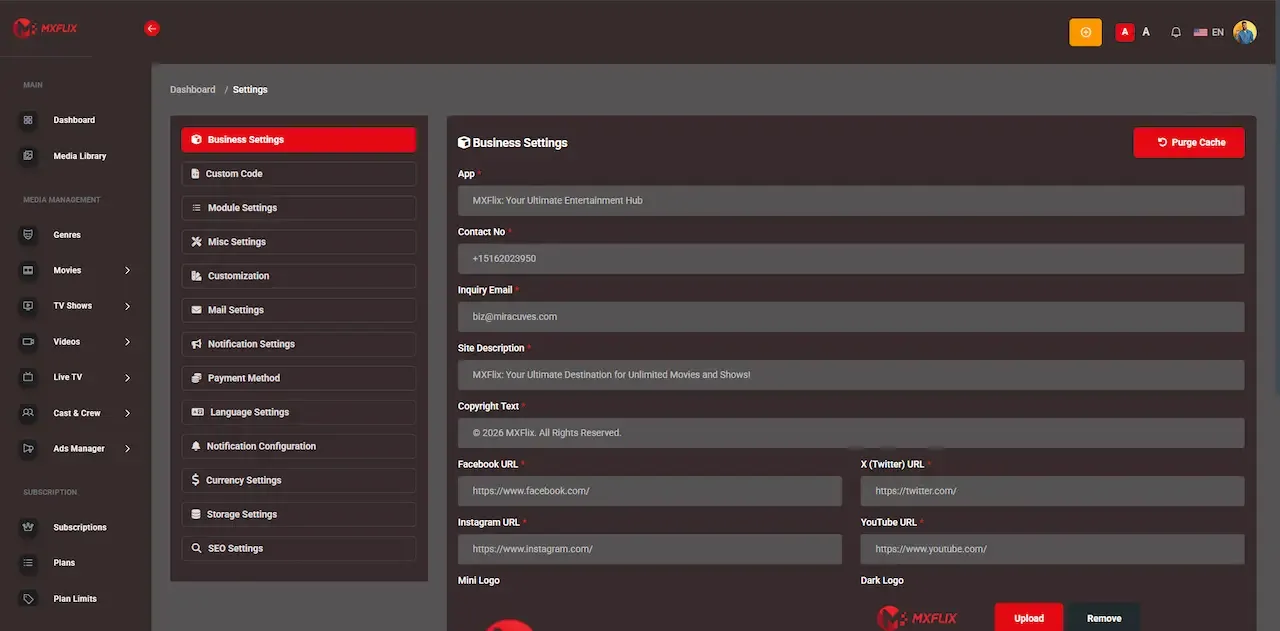
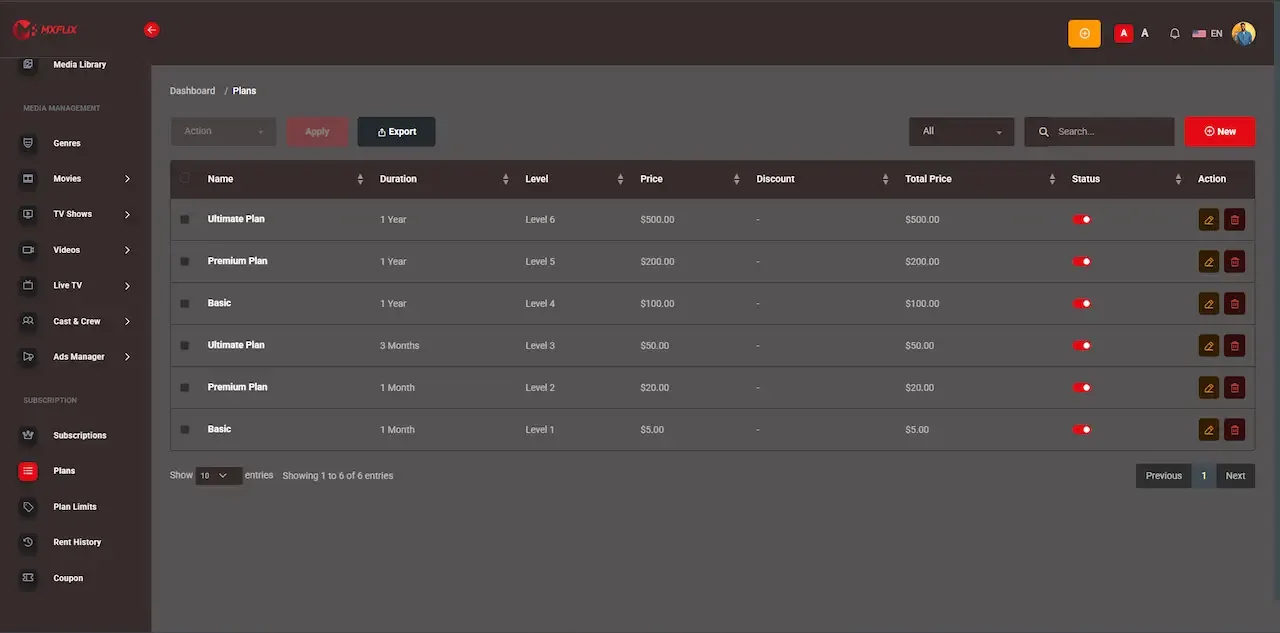
The Netflix Clone, on screen
Real screens from the working product. Your platform ships rebranded with your name, logo and colors.
Admin panel 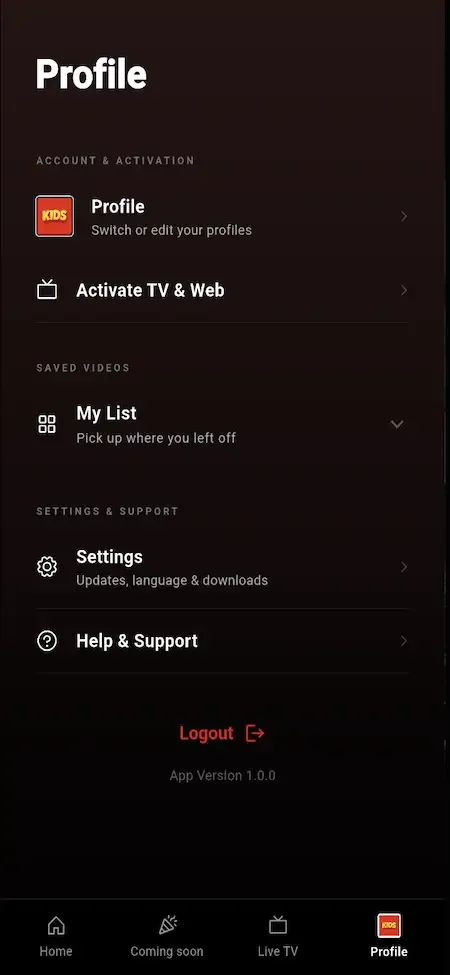
User app 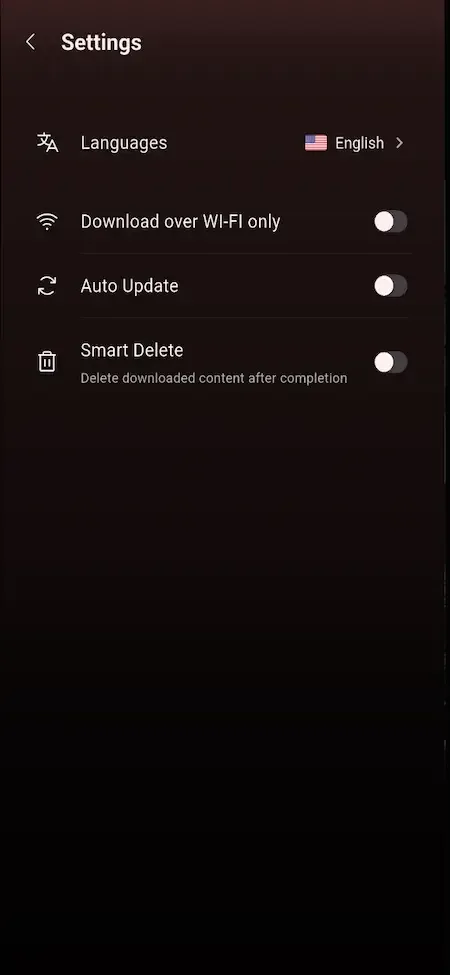
User app 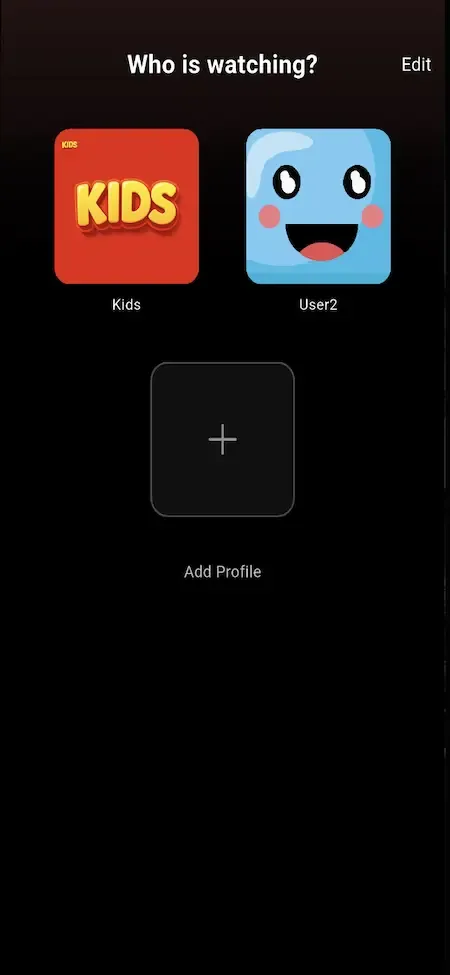
User app 
User app
How a GetFame streaming launch runs
A standard deployment takes six working days. Content preparation runs alongside it and depends on you, so use the week to line up titles, artwork and producer terms.
-
Scope the model and the content
We decide which unlock paths open on day one, whether producers join at launch, and whether DRM or television apps change the picture. You share your content plan, your markets and any licensing requirements that affect scope.
-
Stand up cloud and media path
We provision the infrastructure on your account, deploy the application and database, and connect storage and delivery for video. You open the cloud account and choose the storage and CDN vendors with our guidance. Tell us your expected traffic pattern, such as steady evening viewing or sharp event peaks, so storage and delivery are chosen to fit it.
-
Configure the catalog and playback
Genres, categories and content types are set up, and playback is checked on real devices in the formats you will use. You supply sample titles with artwork and metadata so the checks reflect your real library.
-
Apply your branding
Your name, logo, colors and splash screens go onto the apps and web surfaces, email templates are branded and your domain is connected. You send the brand assets and confirm the domain. Review the apps on real devices before approving them, since a logo that looks fine in a desktop mockup can be unreadable on a phone splash screen.
-
Connect payments and producers
Gateway credentials from your merchant accounts are installed and tested, plans and rentals are priced, coupons are set and producer accounts are created under your terms. You agree prices, windows and the payout rule. Make a test purchase for each product type, plan, rental and event, so you see the invoice and the unlock before a real viewer does.
-
Walk through and hand over
We trace one title from submission through approval, unlock, playback and payout request, then transfer the repository and documentation. You bring your operators and a finance contact, and begin store account setup. Keep a note of anything you want changed afterward, sorted into settings and genuine tailored work, so the next conversation starts from a list.
Warning signs when hiring for an OTT build
These patterns show up often in weak proposals. Any one of them is a reason to ask harder questions before you sign. Ask for each point to be answered in writing, because a vague reply during the sales process is the best preview of how problems will be handled after payment.
- A demo that shows only the player, with no producer view and no admin console to open
- No clear statement of who owns the source code and the cloud accounts at the end
- Rental expiry or resume points described as planned features rather than shown working
- A price that quietly leaves out video storage, delivery and transcoding assumptions
- A revenue share or per-stream fee charged on your viewers for the life of the platform
- Promises of DRM, television apps and ads with no explanation of scope or timeline
- No named period of support after launch and no stated first response time
- Pressure to skip a written scope for custom work before any money changes hands
What we do not do for your streaming platform
Being clear about limits is part of choosing well. These are the areas that remain with you or with third parties, even after a smooth launch.
We do not supply content
The platform launches without any titles. Finding, licensing or commissioning content, and holding the right to show it in each territory, is your responsibility and the core of the business you are starting.
We do not approve payments or stores
Merchant accounts and app store listings are approved by the providers, not by us. We help with setup and submissions, but we cannot guarantee a decision or speed up a review. Plan your launch date around that uncertainty, because a rejected build or a pending merchant check can add days that no developer controls.
We do not run your moderation
Reviewing producer uploads, classifying titles by maturity and answering viewer complaints needs people on your side. The tools support those people; they do not replace them. On launch day that means someone watching the queue, and as the producer network grows, more than one person. A reviewer who knows your audience matters more than any tool.
We do not give legal advice
Contracts with producers, consent notices, age rules and takedown procedures depend on where you operate. You are responsible for compliance in your market and should take advice from qualified counsel. That includes whether a given kind of content needs a license in your region. Counsel can tell you what applies, and we can adjust settings once you know.
We do not host your video for free
Storage and delivery are billed by your cloud and CDN providers to your accounts. We deploy and configure them, but we do not absorb their charges. Ask each provider for a rate card and model it against your expected minutes watched before you set plan prices.
We do not promise audience results
We build and hand over a working platform. How many people watch, subscribe or rent depends on your content, pricing and marketing, and nobody can guarantee it. A catalog people want, priced sensibly and promoted steadily, is what builds an audience, and the platform's job is to make each of those steps possible.
Try the live Netflix Clone demo
The demo is a working copy of the streaming platform carrying demo branding and sample titles, so nothing in it is your final look. Open the viewer web app, then sign in to the producer panel and the admin console to follow one title from submission to playback. The sample logins below are public demo accounts.
-
Viewer web app
Open the Viewer web app demo- Login
user@demo.com- Password
User_321
Worth trying
- Open a title page and read how access is labeled
- Switch to a kids profile and look at what disappears
- Start a video, leave, and return through Continue Watching
- Walk through a plan purchase and open the invoice
-
Viewer Android app
Open the Viewer Android app demo- Login
user@demo.com- Password
User_321
Worth trying
- Install the APK and browse the home screen shelves
- Add a title to the watchlist from a detail page
- Check the download option on a series episode
- Compare the subtitle and quality choices in the player
-
Producer panel
Open the Producer panel demo- Login
producer@demo.com- Password
Producer_321
Worth trying
- Open a content proposal and see which documents it carries
- Read the views and watch minutes for a single title
- Look at the revenue share figures and the payout request screen
-
Admin console
Open the Admin console demo- Login
admin@demo.com- Password
Admin_$321
Worth trying
- Find the producer approval queue and review a submission
- Open the plan and rental settings for a title
- Create a coupon and see which plans it can attach to
- Scan the reports and the app control screens
Netflix Clone development company FAQs
Do I get the full source code?
Yes. You receive the complete code for the Flutter mobile apps, the Laravel web platform and backend, and the admin and producer panels, with handover documentation. The platform is yours to modify, host and extend, and it carries no monthly license.
Can you help publish the apps to the stores?
We prepare the Android and iOS builds and support the submission and listing process. The developer accounts are opened in your name and the stores make the final decision, so timing for approval is outside our control. We guide you through typical review issues.
How quickly will you reply to a question?
Our first response comes within two hours, Monday to Saturday, between ten in the morning and seven in the evening India Standard Time. During the sixty-day support period technical questions are handled in that window, and longer issues are tracked until resolved.
Can my own developers take over the code?
Yes. The stack is conventional: Flutter for the apps, Laravel for the web platform and API, and MySQL or MariaDB for data. Any team familiar with those can extend it, and the documentation we hand over is written so a new developer can find their way around.
What if I need something beyond the package?
We scope tailored work in writing before starting, and it typically takes two to eight weeks depending on size. Television apps, DRM and provider integrations are the usual requests. You approve the scope and the quote first, and the new code joins the repository you own.
Do you operate the platform for me afterward?
We hand over a working deployment rather than running your business. You host it and operate it, with support for the first sixty days and free updates for a year. If you want longer maintenance later, we can discuss an arrangement once your platform has settled.
Can I see a similar platform running first?
Yes. The live demo has a viewer web app, an Android build, a producer panel and an admin console, and the sample logins are published on this page. You can follow a title from submission to playback before deciding anything, and ask us for a guided walkthrough.
Explore the Netflix Clone
The overview and its companion pages answer the main questions in turn. Pick the one you need next.
-
Netflix Clone
The overview: live demo, screens, price and everything in the box.
Back to the overview -
Features
A streaming product is judged on what happens between pressing play and getting paid.
See the full breakdown -
Development cost
The price of the platform is the smaller part of a streaming budget, and the part you can settle on day one.
See exact pricing -
Business model
Streaming economics run on minutes, not on sign-ups.
See the playbook
→Start here
Tell us what you want to launch.
Share the platform and your market. You get a walkthrough of the live demo, the exact scope of what ships, and a fixed price in writing. First response in under 2 hours, Monday to Saturday, 10:00 to 19:00 IST.
Trademark and independence notice
This page uses the name Netflix to describe a type of platform. The product sold here is separate software, built independently, and Netflix has no part in it.
Why this name
"Netflix clone" is industry shorthand that founders use when searching for software with a comparable business model. It names a category of product, not a copy of Netflix.
Who built this
The platform is an original product designed and written by Miracuves. It contains no code, design, graphics or content originating from the Netflix website or applications, and it ships under your own brand.
Trademarks
Netflix and its logos are trademarks of their respective owner and are named here for reference only. GetFame is not affiliated with, sponsored by or endorsed by Netflix. Rights holders can write to legal@miracuves.com.
Operator responsibility. The operator of a launched platform is responsible for legal compliance in the markets it serves. Nothing on this page is legal advice.Read the full disclaimer