Tinder Clone Features for a Swipe-First Dating App

A swipe app lives on speed: a profile, a decision, and a conversation as soon as both sides agree. This page follows one member from the first screen to a paid action, then picks out the features that give the app a spending loop, compares the build with the app people know, names the technology under it, and lists what we set up around it.

2
mobile apps
2
web panels
6 days
to go live
On this page10 sections
  1. All 47 Tinder Clone features, by role
  2. One member from sign-up to first purchase
  3. The Tinder Clone, on screen
  4. Tinder clone capabilities that drive the business
  5. How the swipe app people know compares with this build
  6. The technology behind the dating app
  7. What we set up around the Tinder clone
  8. Try the live Tinder Clone demo
  9. Tinder Clone feature FAQs
  10. Explore the Tinder Clone

All 47 Tinder Clone features, by role

The complete list, grouped by the person who uses each feature. Nothing is hidden behind a plan tier: this is what ships in the platform.

Members

15 features
Swipe to like or pass
The core gesture: a right swipe signals interest and a left swipe dismisses a profile.
Mutual match
When two people like each other the app announces it and opens the door to a conversation.
Encounters
A discovery mode that serves up one profile after another for quick decisions.
People nearby
Members see others close to them using GPS, with real-time distance calculation.
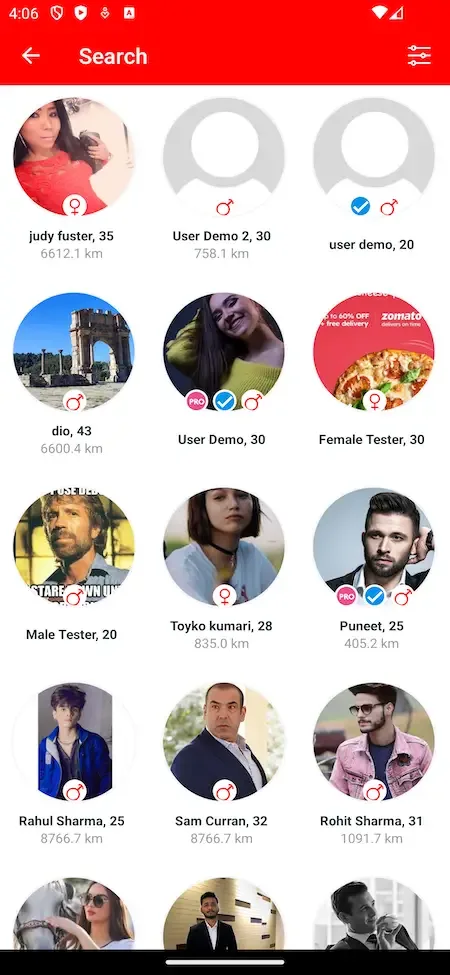
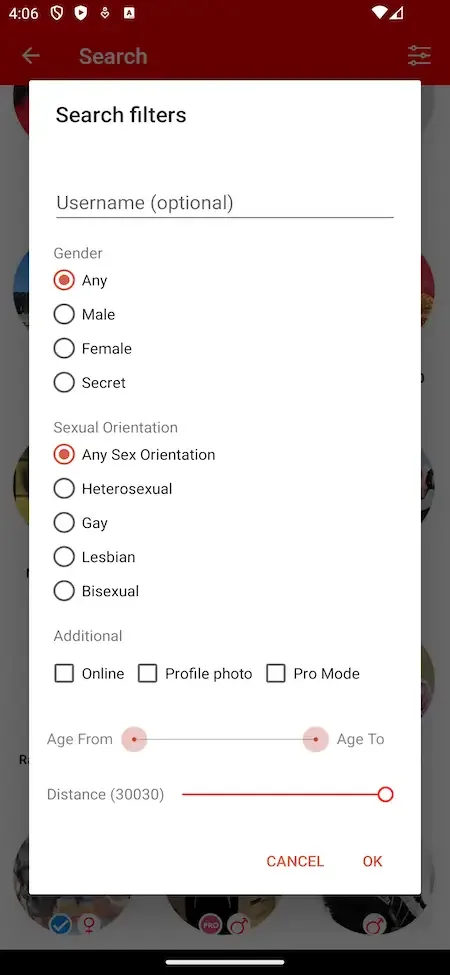
Search filters
Refine who appears by age, location, interests and more, so the stack suits the person swiping.
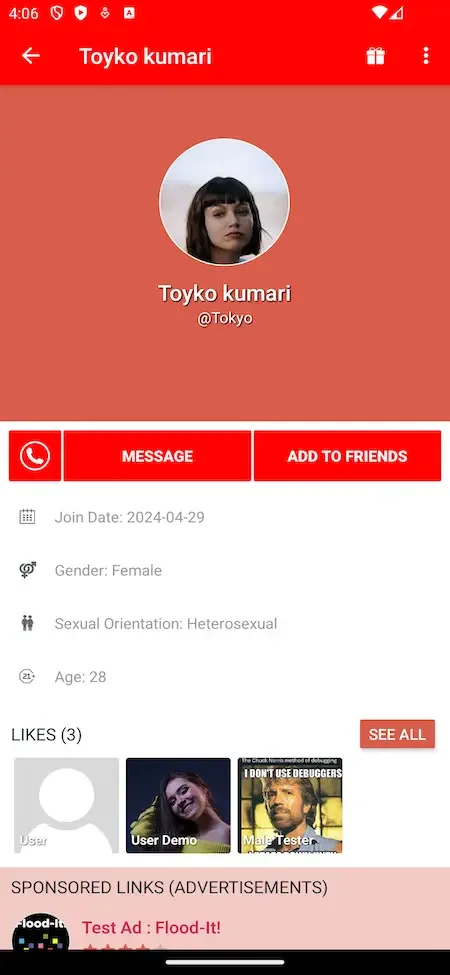
Photo and bio profile
Profiles carry photos, a bio and interests that members edit whenever they like.
Video clips on profiles
Members record 15-second, 30-second or 1-minute clips from the camera and publish them to their gallery.
Upload progress and compression
Image and video uploads show a percentage and a progress bar, with video compression before sending.
Real-time chat
Matched members message instantly and exchange photos and GIFs.
Video calls
Calls run through the Agora SDK, and the Android app gained video calling in version 6.7.
Phone login
Members can sign in with a phone number on Android and on the web.
Google and Apple sign-in
Signing in with either creates an account automatically, with a random login the member can change later.
Privacy controls
Members decide how visible they are and who can interact with them.
Push notifications
Alerts for matches and messages arrive through Firebase Cloud Messaging, and Android 13 permission prompts are handled.
Grid lists
Search and likes lists show three columns in portrait and five when the phone is turned.

Premium members and gifters

11 features
Premium subscriptions
Paid tiers raise limits, with unlimited swipes, advanced analytics and stronger profile visibility.
Profile boosts
Premium plans can include boosts that push a profile in front of more people.
Location changes
Paying members can set a different location, which suits travel and planning a move.
Credits system
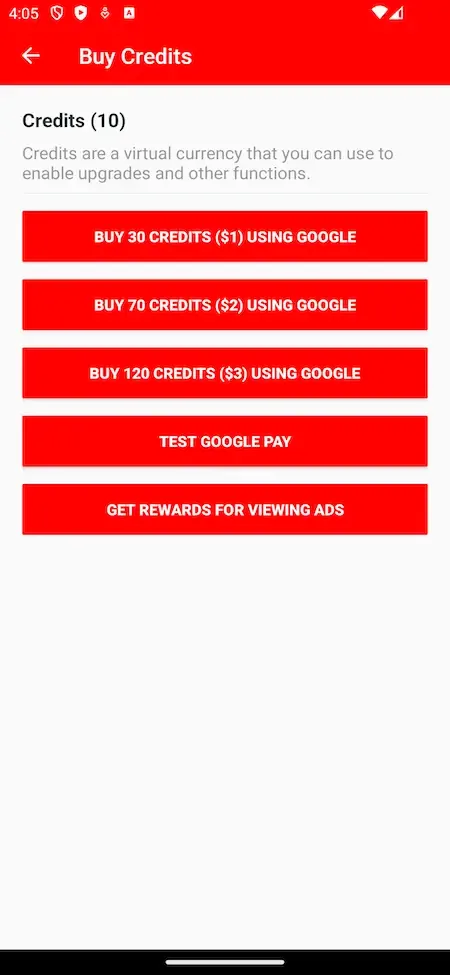
An in-app virtual currency that members buy and spend on features and gifts.
PayPal credit purchases
Credits can be bought with PayPal on the Android app and the website, as of version 7.0.
Virtual gifts
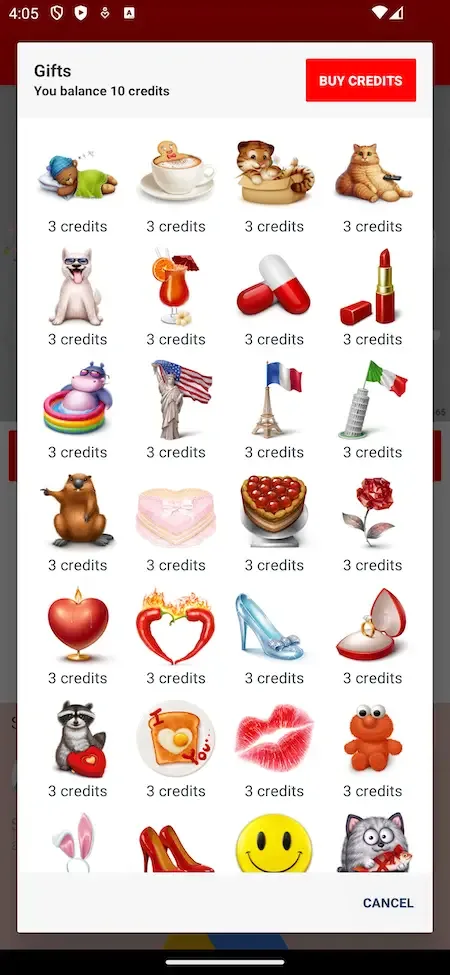
Members send gifts to each other, which adds a spending reason beyond subscribing.
Live streaming
Members broadcast live moments, and viewers can respond with gifts.
In-app purchases
Premium features and virtual items are sold inside the app through store billing.
In-app subscriptions
Recurring plans are offered inside the mobile apps as a subscription.
Ad-free tier
A paid plan removes advertising, which gives free members a reason to upgrade.
AdMob banners for free users
Free members see banner ads, with IDs set in the admin panel and a GDPR consent form for AdMob.

Regional managers

9 features
Manager app
Managers get their own mobile app on both platforms, apart from the member app.
Region or category oversight
A manager watches a specific territory or part of the community, not the whole platform.
Report handling
Managers review flagged content and reports from members in their area.
Content moderation in scope
They act on inappropriate material within their territory and support the guidelines.
Member communication
Managers contact members about complaints from their dashboard when needed.
Local analytics
Reports for the manager area cover user activity, match rates and growth metrics.
Regional revenue view
Managers track revenue generated in their area without controlling global monetization.
Localized discounts
A manager can offer discounts for their region to support a local push.
Trial periods
Managers can grant trial periods in their area to win over new members.

Administrators

12 features
User management
Admins monitor activity and handle individual accounts across the platform.
Profile verification
Admins verify profiles to cut down on fakes and give honest members a stronger signal.
Bans and suspensions
Admins remove or pause accounts that break the rules.
Content filtering and review
Automated filtering and manual moderation keep user-generated content appropriate.
Roles and permissions
Admins assign moderator, manager or support roles and define what each can do.
Subscription and purchase management
Premium plans, in-app purchases and ad placements are managed from one revenue area.
Real-time analytics
Live reporting on engagement, matches, revenue and app performance supports quick decisions.
Match and search settings
Admins control app behavior, including match logic, search parameters and premium offerings.
Editable policy pages
Terms, GDPR, About and Privacy are edited in an internal editor in the admin panel.
Banner ad IDs
Advertising banner identifiers are entered in the panel with no code change.
Fraud and security tools
Controls for data security and fraud prevention help protect members and revenue.
Languages and currencies
The app can be set up for several languages and currencies for a wider market.

One member from sign-up to first purchase

Follow a single new member through the app and you see where each feature sits, who maintains it and where money enters. The route also shows why the staff side matters as much as the swipe.

  1. Sign up in a few taps

    The member registers with email, phone number, Apple or Google. A social sign-in creates the account automatically, and the person can set their own login afterward. Short onboarding keeps the first minute free of forms, which matters when most new members will leave if asked for too much.

  2. Build a profile with life in it

    Photos, a short bio and interests make the basic card. A video clip adds personality that a static picture cannot, and the member decides how visible they want to be. A fuller profile gives the matching filters something to work with and raises the odds of a mutual like.

  3. Set preferences and see who is near

    Filters for age, location and interests narrow the stack, and the phone location supplies nearby suggestions with live distance. The first set of cards a member sees is the most important screen in the app, so the preferences behind it deserve attention in your configuration.

  4. Swipe and wait for a match

    Swiping right shows interest and swiping left passes. Nothing happens until both people have liked each other, and then the app announces the match. That mutual step is the heart of the experience, since it removes the fear of unwanted messages from the start.

  5. Start talking after a match

    A match opens real-time chat with text, photos and GIFs. Push notifications bring a member back when a message arrives. When words are not enough, the pair can move to a video call, which is the natural step before meeting in person and a reason to stay in the app.

  6. Spend to stand out

    A member who wants more can buy credits, send a gift, go live in front of an audience or take a premium plan. These purchases sit inside the conversation and discovery screens, close to the moment a member feels the wish for them, which is where in-app spending works best.

  7. A manager watches the community

    Reports from members reach a manager responsible for that region, who reviews the content, speaks to the person involved and enforces your rules. Admins step in on bans and suspensions. Without this layer, a dating app loses trust quickly, however good the swipe feels.

  8. The operator reads the numbers

    In the admin panel, engagement, matches and revenue appear together. You see whether free members are turning into paying ones, which offers work, and where a region is falling behind. Plans and prices can be adjusted there without a release of the app. A falling match rate in one city is the cue to push local recruiting, and a weak conversion rate is the cue to revisit what the plan offers.

The Tinder Clone, on screen

Real screens from the working product. Your platform ships rebranded with your name, logo and colors.

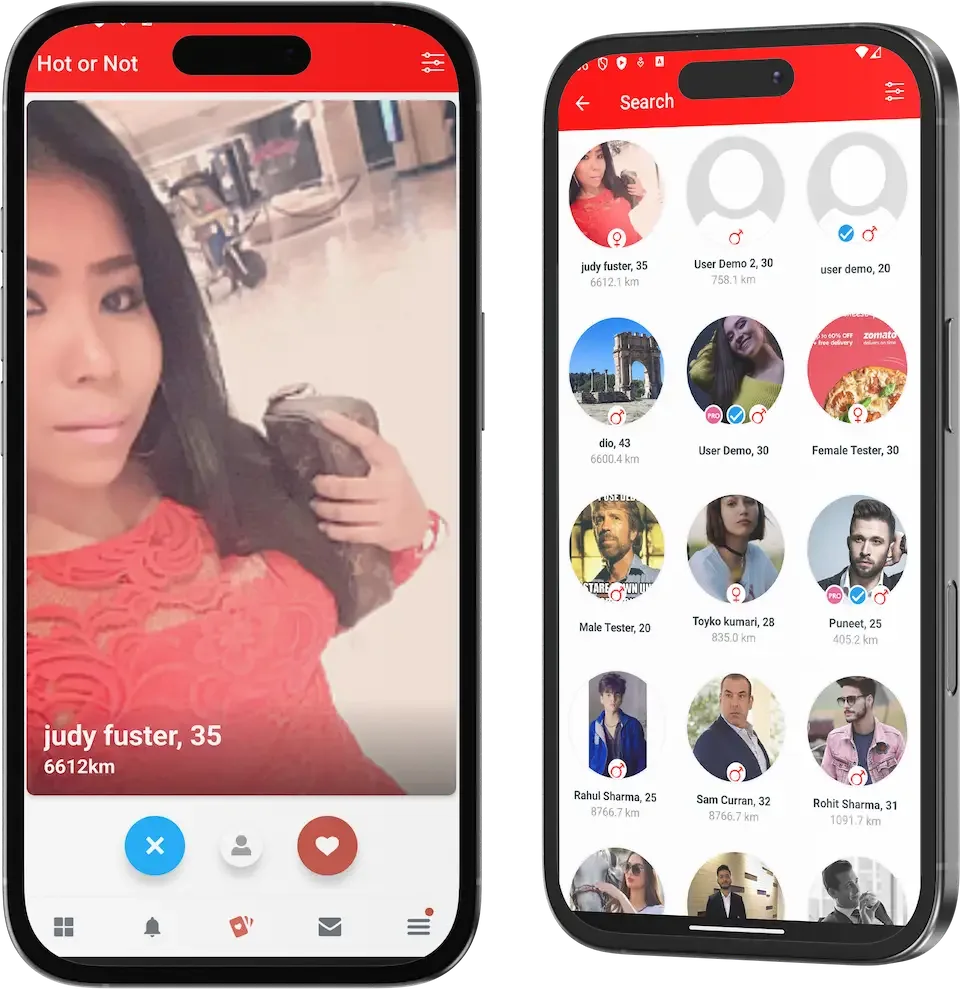
  • Two phone mockups showing a red swipe card and a grid of profiles
    Overview
  • Phone search filters dialog with gender, orientation, online, age range and distance controls
    User app
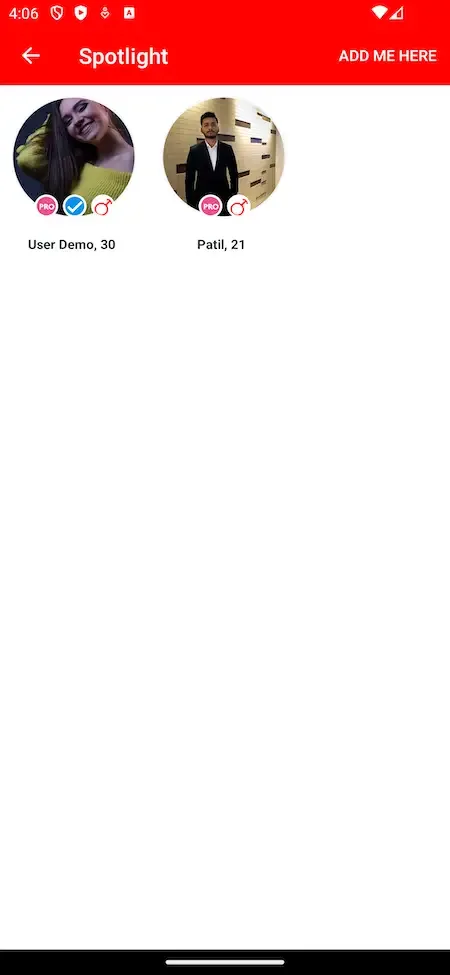
  • Phone spotlight screen with a red header and two featured round profile photos
    User app
  • Phone gifts screen with a credit balance, buy button and virtual gift grid
    User app
  • Phone buy credits screen with three purchase buttons and a watch ads option
    User app

Tinder clone capabilities that drive the business

Swiping and chatting are table stakes. The following capabilities are the ones that decide how the app earns, stays safe and scales across places.

  • A spending loop beyond subscriptions

    Credits, virtual gifts and live streaming give members several things to pay for, not just a plan. Someone who would never subscribe may still buy a gift in a good conversation. Mixing these streams reduces dependence on any single paid product and gives you more to test. If plan sales stall in one market, gifts or credits may still carry revenue while you adjust the offer.

  • A separate manager app

    Managers get an app of their own, with a dashboard for their region or category. They handle complaints, see local analytics and create local offers. It lets a small core team delegate moderation to people who know a market, and keeps their access limited to their area. A manager who speaks the local language judges a borderline report better than a distant administrator reading a translation.

  • Video clips on profiles

    Members can record short clips to introduce themselves. Video tells more than a bio does, and it makes fake profiles harder to maintain. For the operator, richer profiles tend to produce better conversations, which is what keeps members from deleting the app. A member who can see and hear a match before messaging is more likely to open a conversation and keep it going.

  • Video calling inside the app

    A call powered by an established real-time video service lets matches meet before they meet. It keeps the relationship in your app for longer and gives members a safer step than sharing a phone number. It is also a feature that rivals with only chat cannot match. Because calls bill by usage, you can decide whether they belong to every member or only to a paid plan.

  • Live streaming with gifts

    Members can go live and viewers respond with gifts. This turns a one-to-one product into something more social, and it creates income from people who would not otherwise pay. Sharing gift income with hosts is something we can set up for your build. A popular host can also bring their own audience to the app, which helps with the member density that a dating product needs.

  • Editable policy pages

    Terms, privacy, GDPR and About text can be changed in the admin panel without a developer or a new app release. When regulations or your own rules change, you can update the wording the same day and keep members informed. For an app that handles photos, location and private conversations, being able to correct legal text quickly is a practical safeguard rather than a convenience.

  • Role-based staff access

    Moderators, managers and support staff each get defined permissions. A support agent can answer members without being able to change plans, and a moderator can act on reports without seeing revenue. As the team grows, that separation limits mistakes. It also limits exposure, since fewer people can read member data, and that matters when a dating app holds location and conversations.

  • Ad banners with consent

    AdMob banners monetize free members, and the setup includes a consent form for ads. The banner identifiers are set in the admin panel. Premium plans can remove the ads, which gives free members a visible reason to upgrade. The consent form matters because ads that run without it can cause problems with the ad network, so it is part of the setup rather than an afterthought.

How the swipe app people know compares with this build

Tinder is widely known for the swipe, the mutual match and a free tier supported by paid upgrades. This build keeps that rhythm and adds extra tools for gifts, live content and delegated moderation. The comparison covers the app model only, and the product is independent of the brand.

How the swipe app people know compares with this build
AspectTinderTinder CloneBuilding from scratch
Core interaction A swipe gesture where a rightward flick shows liking and a leftward one rejectsThe same swipe, with a match only when both people likeYou design and test the gesture and the matching rules
How it earns Free use with paid upgrades and one-off boostsPremium plans, credits, gifts, purchases and ad bannersEach payment path is a separate project with its own risks
Live and social features Mainly profiles, matches and chat, with other formats added over timeLive streaming and gifts alongside the matchesUsually left out of a first version for lack of time
Moderation structure Run centrally by the company, with no outside managers involvedManagers per region plus admins, each with separate permissionsOften just an admin screen added at the end
Video features Video options added over time as the service evolves and growsProfile clips and in-app video calls from the startReal-time video needs an outside service and testing
Where members live A global audience on one service, with no room for local focusYour choice of city, country or communityEntirely yours to decide and to build for
Source code and data Closed and held by the company, never visible to an outside operatorComplete source code and member data stay with youYours, once a long build is finished
Time to first member Not applicable to an outside operator, who cannot launch itDeployed in six working days from our sideSeveral months of design, build and testing

The technology behind the dating app

The stack uses well-known tools, so your own engineers or any hired team can read and extend it. The table lists the pieces that the product page names, and it does not claim anything beyond them.

The technology behind the dating app
Mobile appsFlutter builds for Android and iOS, both for the member app and the manager app, from shared code.
Web and adminPHP with the Bootstrap framework and NodeJS, with MySQL as the database behind both panels.
Video callingThe Agora SDK handles real-time video between matched members inside the app.
Maps and locationGoogle Maps services support nearby discovery and distance between members.
Messages and codesTwilio supports phone-based sign-in, and Firebase Cloud Messaging delivers push notifications.
AdvertisingAdMob banners for free members, with a consent form and banner identifiers set in the admin panel.
Payments and translationA payment API with PayPal for credits on Android and web, and a translation service for text.

What we set up around the Tinder clone

The package is a working dating app, but a dating business has parts no codebase can supply. Plan for the following early so that your launch date stays realistic.

  • Advanced matching and AR

    AI-driven matching, face verification, live chat translation, timed swipe events and augmented reality dates are advanced capabilities. Check the demo for what runs today, and we set up anything not yet running, with its own timeline confirmed with us.

  • Host payouts for gifts

    Members can receive gifts when they go live, but turning gift income into payouts to hosts is something we set up for your build. If your model depends on it, we agree the rules and the payout flow together.

  • Identity and age checks

    Admins can verify profiles, and members can report problems. Stronger identity or age checks, such as document or selfie matching, are something we tailor, depending on your market and your chosen provider.

  • A crowd of active members

    A dating app is only useful when there are people to meet. Attracting the first members in each city, and balancing who joins, is a marketing task no software solves for you.

  • Store and payment approvals

    Developer accounts, store review and payment provider approval depend on third parties. We assist with the work, but we cannot control their decisions or timing.

  • Moderation people and policy

    Managers and moderators are tools, and you still need people to fill the roles and written guidelines for them to follow. Legal compliance in each market remains the operator duty.

Try the live Tinder Clone demo

The demo is a running copy of the swipe dating platform with demo branding and sample members, so the look is not your final one. There is a member app, a manager app, a member web panel and an admin panel. Sign in as a member first, then open the manager app to see how reports reach your team. The sample logins are public demo accounts.

  • Member app

    Open the Member app demo
    Login
    user@demo.com
    Password
    User_321

    Worth trying

    • Swipe through nearby profiles and make a match
    • Open a chat and send a photo or a GIF
    • Look at the gift and credit screens inside a conversation
    • Check the privacy settings and the report option
  • Manager app

    Open the Manager app demo
    Login
    manager@demo.com
    Password
    Manager_321

    Worth trying

    • Open the dashboard for the region assigned to the manager
    • Find the list of flagged content and complaints
    • Look for the local offers and the regional analytics
  • Member web panel

    Open the Member web panel demo

    Worth trying

    • Browse the public pages of the member website
    • See how credits and premium plans are presented to members
    • Compare the web layout with the mobile member app
  • Admin panel

    Open the Admin panel demo

    Worth trying

    • Look at user management and verification tools
    • Open the plans, purchases and advertising settings
    • Find roles and permissions for moderators and support staff
    • Check the editable policy pages and the analytics views

Tinder Clone feature FAQs

Is a swipe the only way to find people?

No. Members can also browse by location and narrow results with filters for age, location and interests, so those who prefer to scan a list are not forced into the stack. The swipe is the main gesture, but filters and distance shape what appears in it.

Can members control who sees them?

Yes. Privacy settings let a member decide how visible they are and who may interact with them, and they can report or block anyone from within the app. These controls matter for trust, so make sure your onboarding points members toward them early.

Do notifications work on both phone types?

Push notifications use Firebase Cloud Messaging and reach members on Android and iOS. They announce matches, messages and updates, which is how most returning visits begin. You can adjust what is sent, so avoid noisy alerts that push members to switch them off.

Can I run the app in more than one language?

The build integrates a translation service, and the member panel and apps can carry text for different markets. Live chat translation between members is listed as an advanced capability to confirm against the demo, so ask us if your plan depends on it.

How do video calls start?

A matched pair can start a call from the conversation using the Agora video service. Call quality depends on both members network, and the cost of the service grows with usage, so include it in your running costs rather than assuming it is free.

Can managers set prices?

Managers can create local discounts and trial periods for their region and watch the resulting revenue. Overall pricing, plans and purchases stay under admin control, which keeps the offer consistent while allowing local experiments. A manager in one city can try a cheaper first month, compare the conversion with other regions and report back, without ever being able to change the global price list.

Is there a web version for members?

Yes. A member web panel sits beside the mobile apps, and members can buy credits there, including through PayPal. It also gives you a public page that search engines can find, which helps new people discover the app.

→Start here

Tell us what you want to launch.

Share the platform and your market. You get a walkthrough of the live demo, the exact scope of what ships, and a fixed price in writing. First response in under 2 hours, Monday to Saturday, 10:00 to 19:00 IST.

We reply to every inquiry. No newsletters, no shared data. See our privacy policy.

Trademark and independence notice

This page uses the name Tinder to describe a type of platform. The product sold here is separate software, built independently, and Tinder has no part in it.

Why this name

"Tinder clone" is industry shorthand that founders use when searching for software with a comparable business model. It names a category of product, not a copy of Tinder.

Who built this

The platform is an original product designed and written by Miracuves. It contains no code, design, graphics or content originating from the Tinder website or applications, and it ships under your own brand.

Trademarks

Tinder and its logos are trademarks of their respective owner and are named here for reference only. GetFame is not affiliated with, sponsored by or endorsed by Tinder. Rights holders can write to legal@miracuves.com.

Operator responsibility. The operator of a launched platform is responsible for legal compliance in the markets it serves. Nothing on this page is legal advice.Read the full disclaimer