Ready-made, one-time
$2,799
YouTube Clone
Live in 6 working days from kickoff
- Full source code
- White-label under your brand
- 60 days of technical support
- 1 year of free updates
- App publishing support
Video sharing platform
Your own video platform, from upload to payout
A ready-made video sharing platform with channels, uploads, Shorts, live streaming, subscriptions, playlists and creator monetization. It comes with a user web panel, an admin panel and a mobile app for iOS and Android, rebranded with your name and delivered with full source code so you control the roadmap.
The facts a buyer checks first, in one place. Everything on this page is the product as it ships.
| Product type | Video sharing platform with channels, Shorts, live streaming and monetization |
|---|---|
| Price | $2,799, one-time |
| Launch time | 6 working days from kickoff |
| Apps included | User app for Android and iOS |
| Web panels | User web panel and admin panel |
| Source code | Complete, no encryption |
| Payment gateways | Stripe, Razorpay, PayPal and others |
| Video privacy levels | Public, unlisted, private and members-only |
| Support | 60 days of technical support, first response under 2 hours Mon-Sat 10:00-19:00 IST |
| Updates | 1 year of free updates |
A YouTube clone is a ready-made video streaming platform where users upload, watch, share and monetize videos. Viewers browse by category and trending feeds, search, like, comment and subscribe to channels. Creators manage videos, thumbnails, playlists and analytics, and can go live. The platform also supports short-form video and an AI-based recommendation system.
We supply the complete product: the user web panel, the admin panel and a mobile app for Android and iOS. The web and admin layers run on PHP with Bootstrap, NodeJS, MySQL and MongoDB. Android uses Java and Kotlin, and iOS uses Flutter. We rebrand all of it with your logo, icons and colors and deploy it for you.
It suits founders who want a niche video site, such as education or a regional entertainment network, as well as businesses hosting their own video library. Admins decide commissions, approve videos before they publish and manage copyright claims, so you stay in control of what appears on your platform.
YouTube is a video-sharing service where anyone can open a channel, upload videos and build an audience, and where viewers watch for free. Its income comes mainly from advertising shown around videos, with paid memberships, subscriptions and other fan payments alongside. Creators who qualify receive a share of what their videos earn. The service also runs a recommendation system that decides what each viewer sees next.
A clone is not a copy of that service or its audience. It is a video platform of your own with the same building blocks: channels, uploads, a watch page, comments, subscriptions, live streams, short videos and creator payments. People usually build one for a niche that the giant does not serve well, such as a school, a faith group, a hobby, a regional language or a company.
Each role works in its own side of the same product. The screens come from the working demo.
On a video platform most people are viewers first and creators later, so the same account does both jobs. The user panel and app let someone watch, react and subscribe, then upload their own work and open the monetization and analytics tools when they are ready.
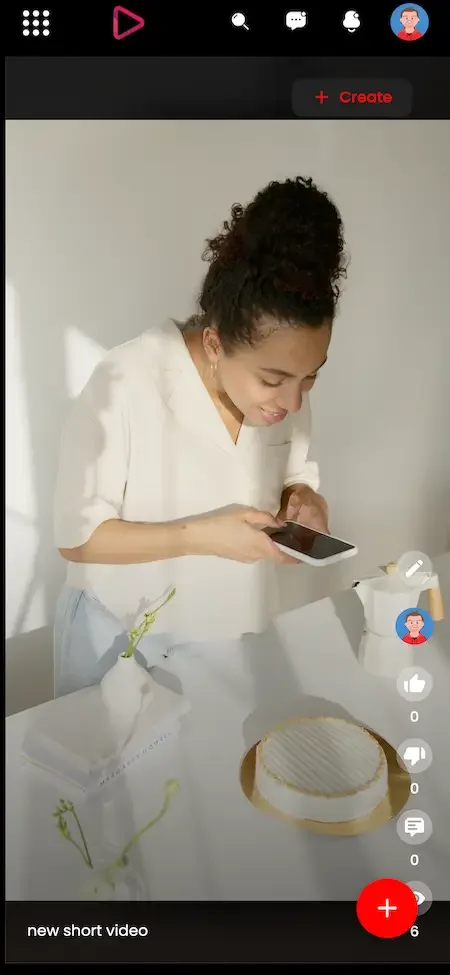
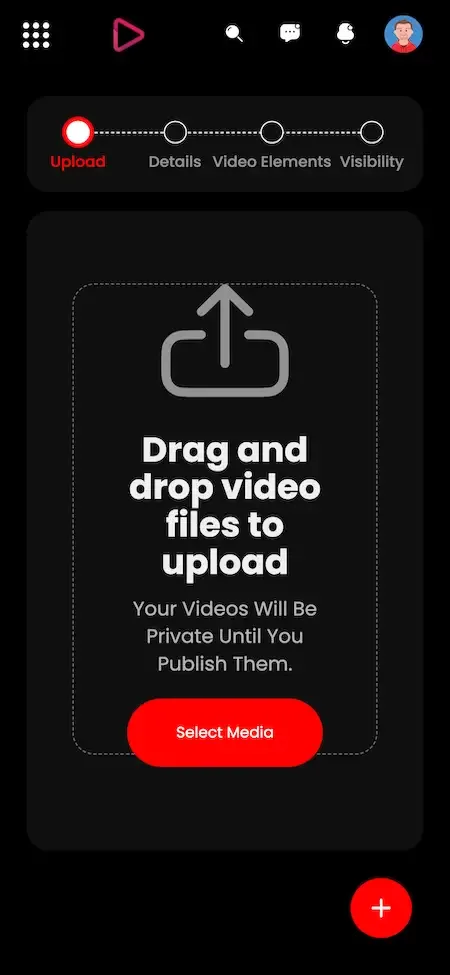
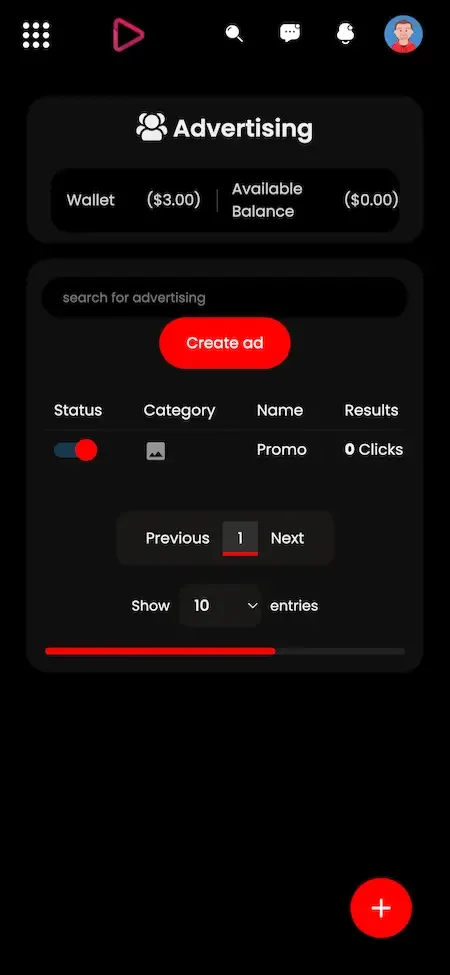
Short clips and live broadcasts bring people back more often than long uploads alone. Both are part of the platform, so a channel can post a vertical clip in the morning and run a live event in the evening without leaving your service.
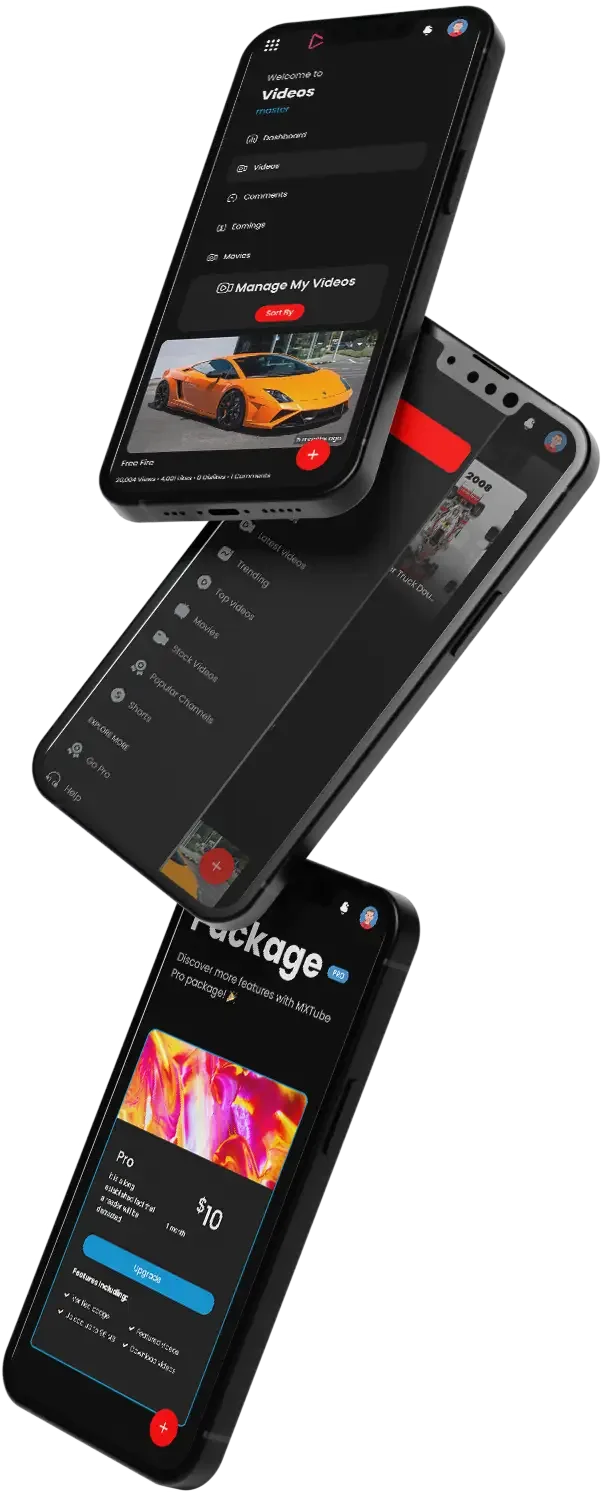
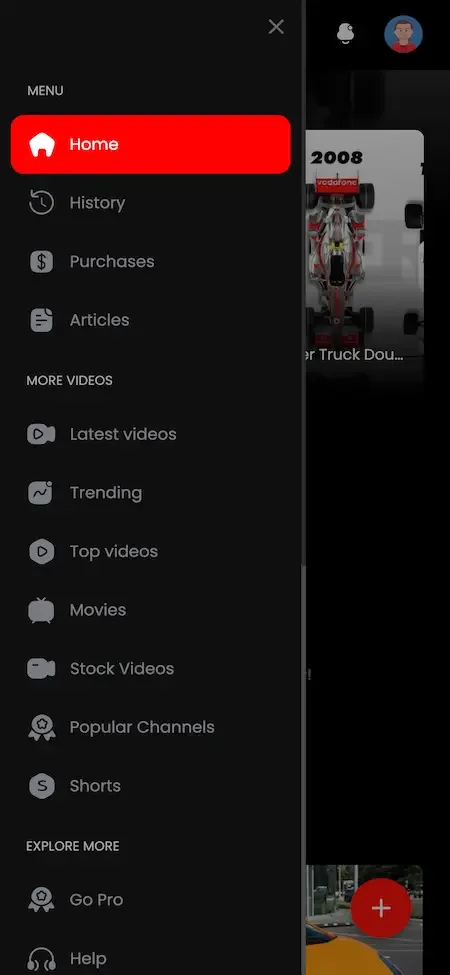
A video platform exists or fails on its operator controls. The admin panel handles what may be published, how revenue is shared, what happens when a rights holder complains and how the storage and ad systems are running, all from a single login.
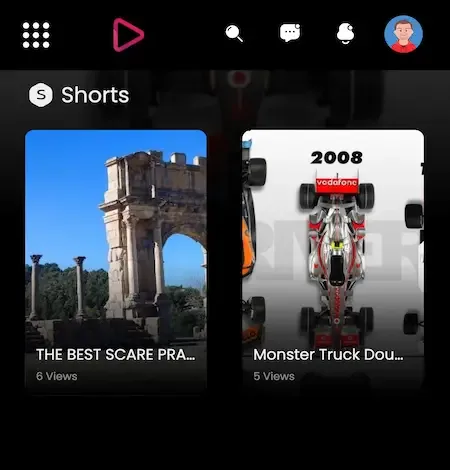
Video is a mobile habit. The user app for Android and iOS carries the viewing, live and notification features, and adds creator tools such as in-app editing. You publish it under your name, with our help through store approval.
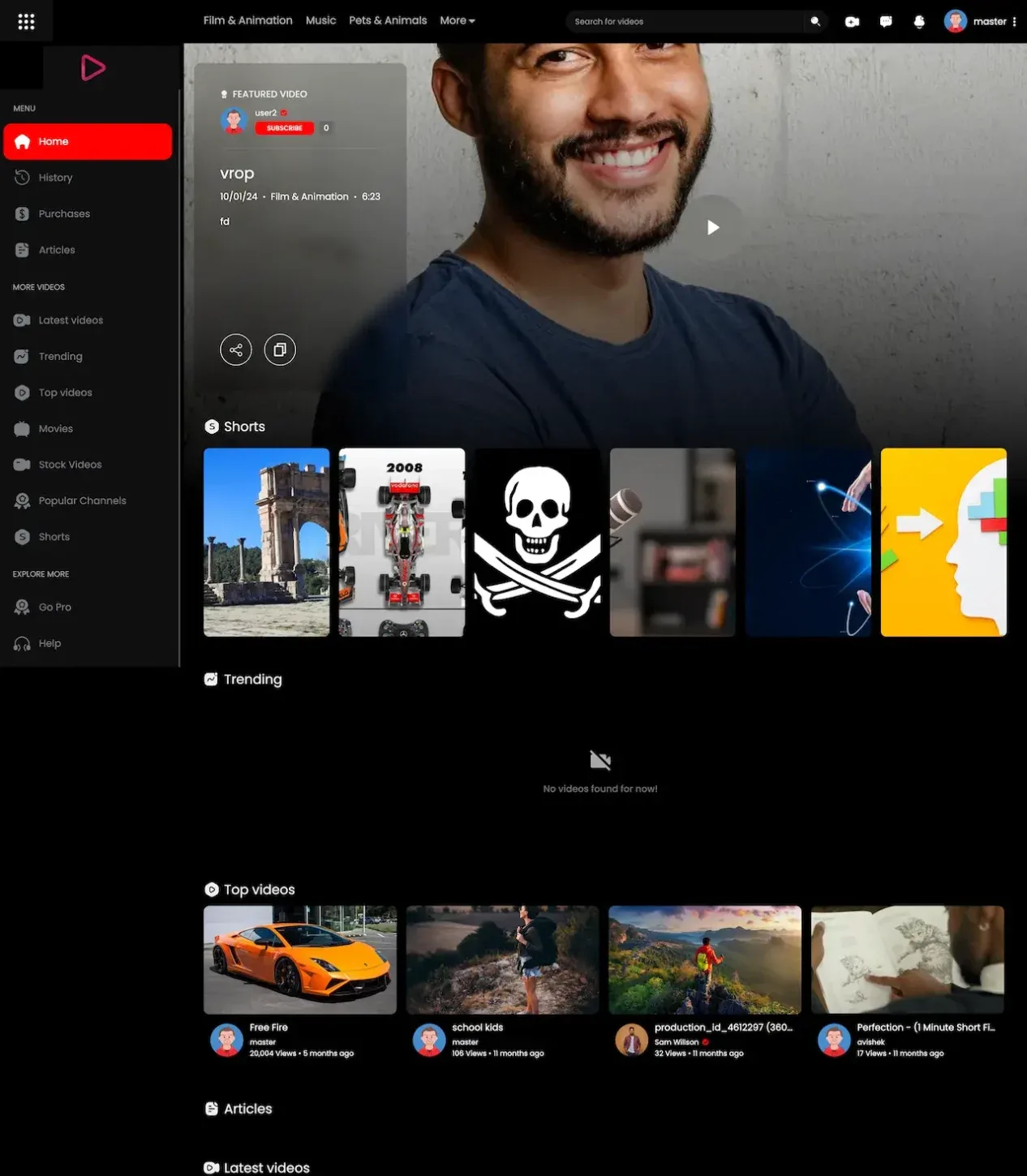
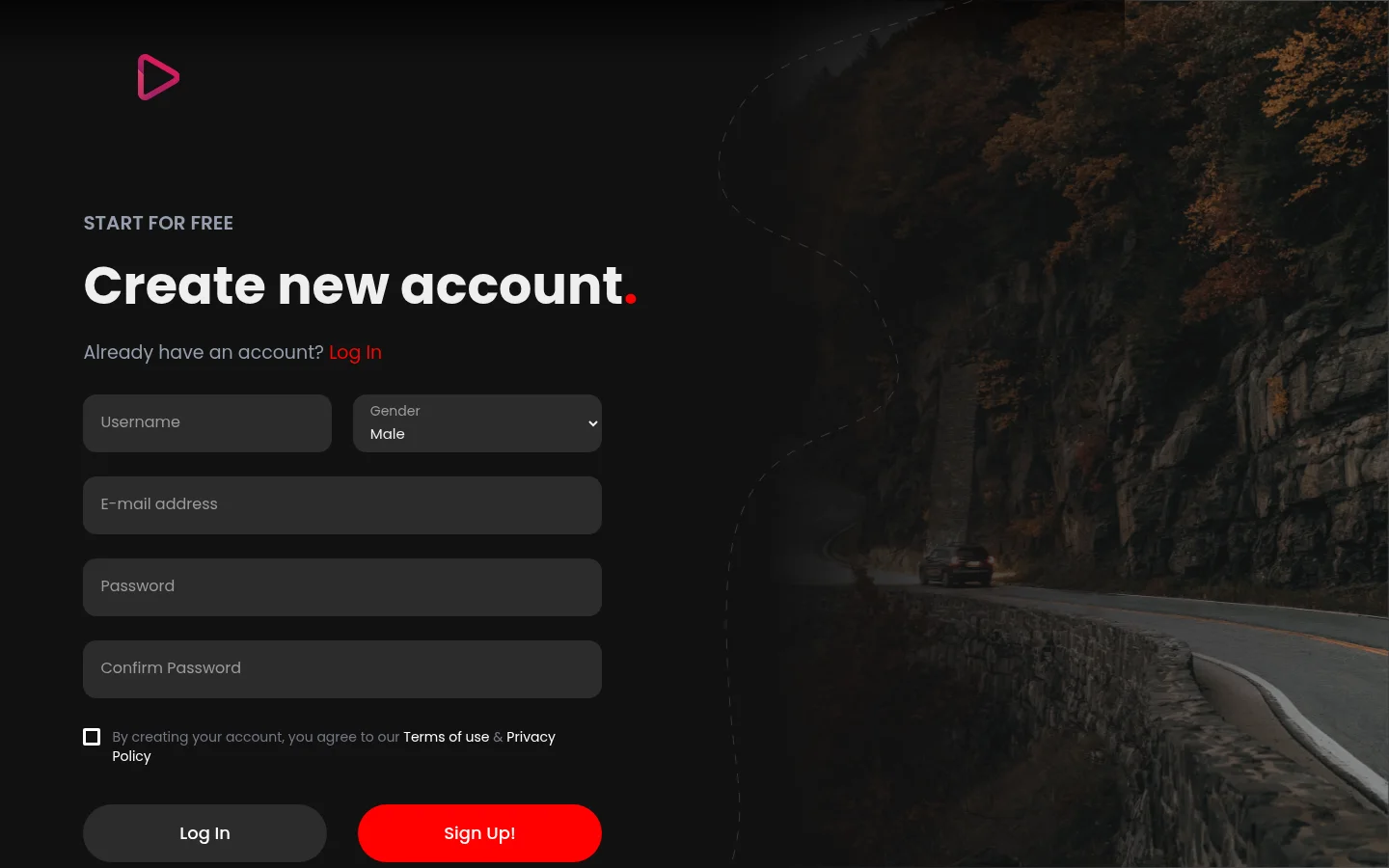
14 screens from the working demo, grouped by where they live. Your platform ships rebranded with your name, logo and colors.
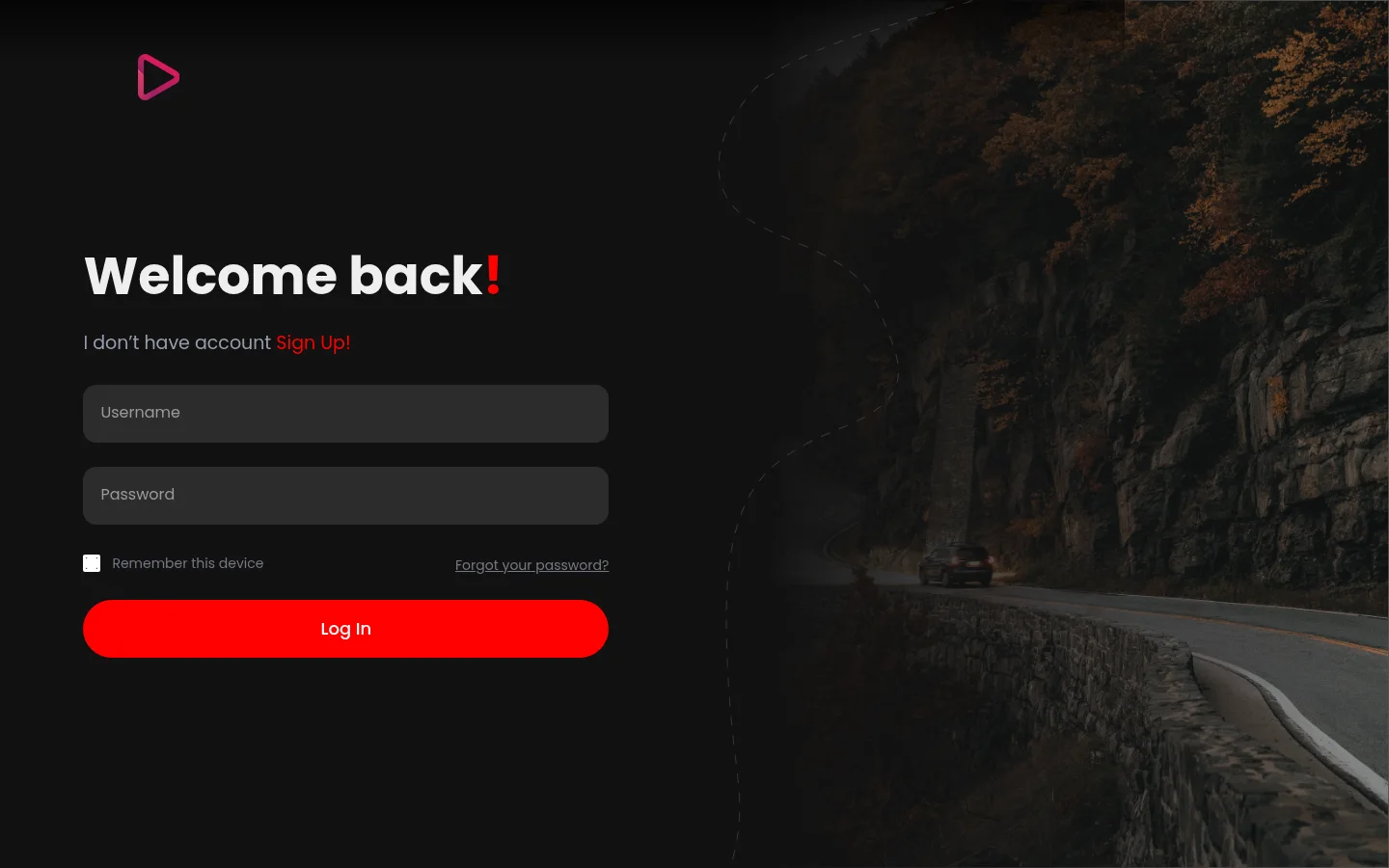
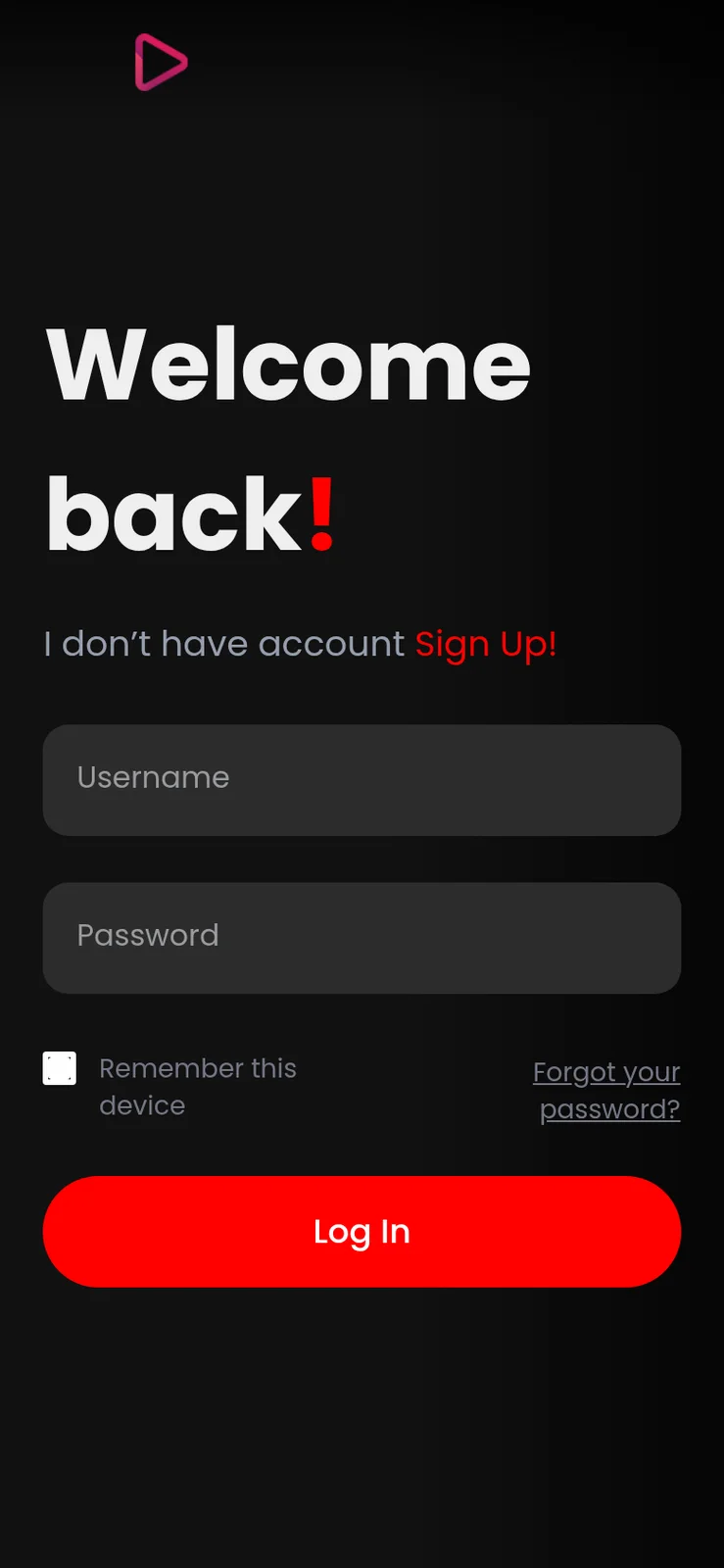
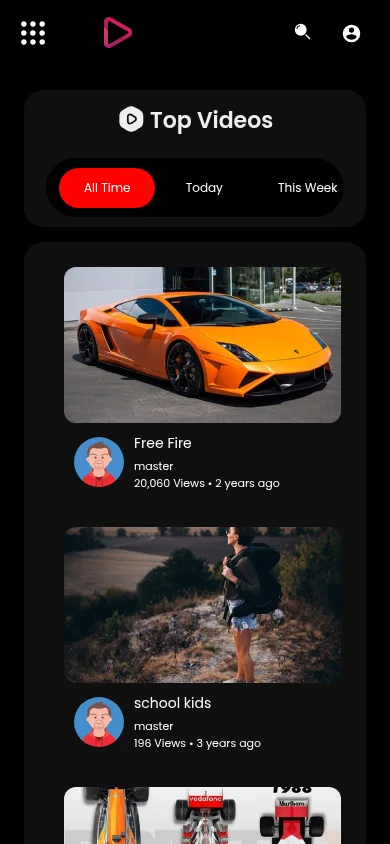
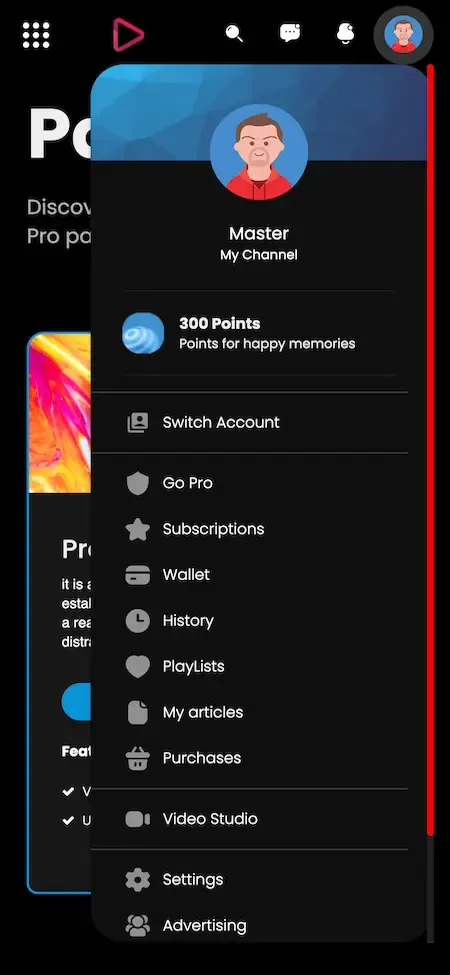
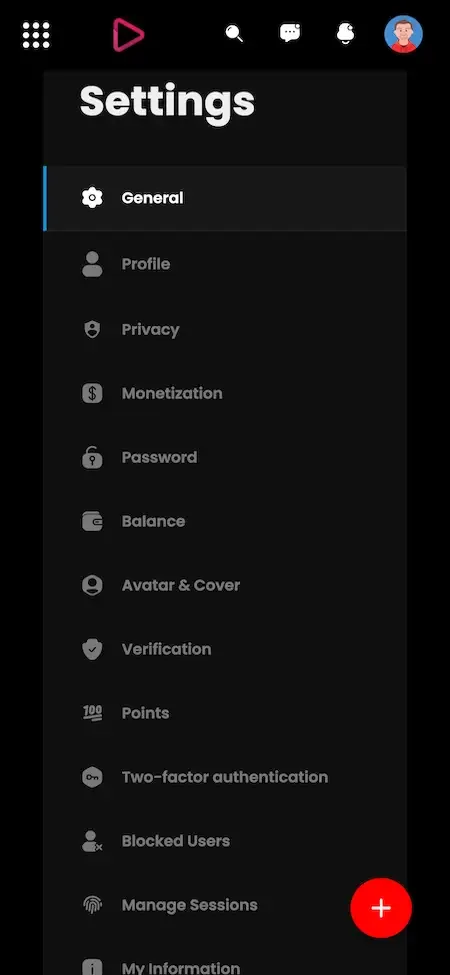
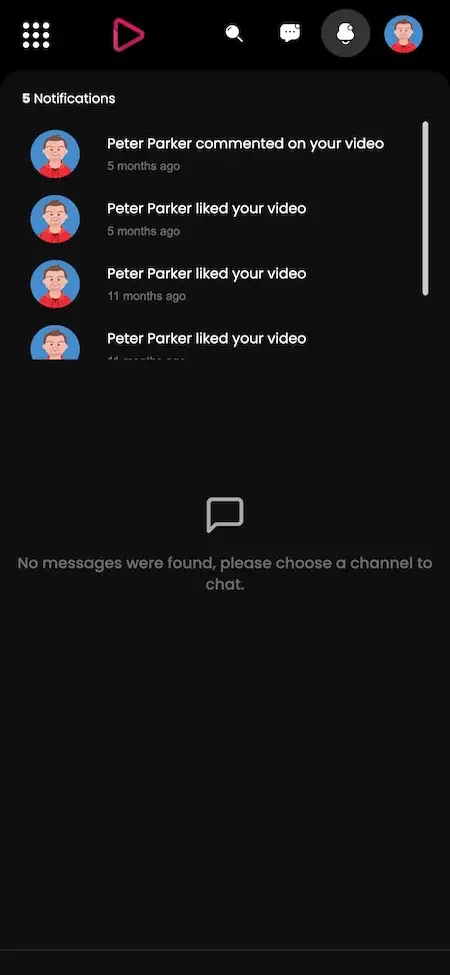
The demo is a running copy of the platform with demo branding. The viewer web app and an Android build use a shared sample account, so you can watch, search, subscribe and open the creator tools yourself. The admin panel is linked from the same demo site, and you can ask us for administrator access if you want to test approvals and commissions.
user@demo.comUser_321user@demo.comUser_32148 features across 4 roles. The first six of each role are here and the full list is one click away. Nothing is held back for a sales call.
Users register and confirm an email address before they can upload or interact.
Each channel carries a profile picture, a banner image and a bio to give it identity.
Videos are grouped by category so viewers can explore a subject without searching.
A trending view surfaces videos that are gaining attention across the platform.
Search combines keywords and filters to narrow results when the library is large.
Viewers use standard playback controls and adjust video quality to match their connection.
8 more Viewers and creators features are in the full list.
Short vertical clips are supported for quick viewing and for creators who prefer brief formats.
Creators stream in real time and talk with the audience while the event runs.
Viewers send comments during a broadcast, which gives a live event its sense of presence.
Audience members can donate during a stream as a direct form of support.
Paid messages stand out during a live stream and add a revenue source for the creator.
Creators begin and manage a broadcast straight from the app.
6 more Live and short video features are in the full list.
Admins review and approve videos before they are published, to ensure compliance with guidelines.
Problem users can be banned, with the admin overseeing the content they produced.
Accounts are managed centrally, so support and moderation work from the same list.
Ad settings are managed from the panel, giving the operator a say in how ads appear.
Subscription and membership models are configured as part of monetization management.
The panel controls how revenue is shared with creators.
8 more Admins features are in the full list.
The interface adapts to a range of screen sizes.
Instant alerts about new videos, comments and interactions bring viewers back.
Downloaded videos stay watchable without a network.
Trim, filter and enhance before upload, without a separate editing app.
Creators start and manage streams from the phone.
Location data supports recommendations, trends and content discovery tied to place.
2 more Mobile app features are in the full list.
The path through the product, in the order it happens for the people using it.
Users create an account, verify email and explore categories, trending feeds and search.
Playback controls and quality adjustment, plus likes, comments and sharing.
Viewers follow channels and receive updates on new content.
Creators upload videos with titles, descriptions, tags and thumbnails, and personalize their profile.
Creators open monetization options and read performance and revenue analytics.
Every earning route built into the product you receive: how it works, who pays and where the operator earns.
| Revenue model | How it works | Who pays | How you earn |
|---|---|---|---|
| Advertising | Ads run on videos, and the admin controls ad settings and where they are placed. | Advertiser | Share of ad revenue after creator payments, with commission set for advertisers |
| Channel memberships | Viewers pay recurring fees to join a channel and unlock members-only videos. | Viewer | Platform commission on recurring creator income |
| Pay-per-view | Individual videos are sold for a single payment instead of a subscription. | Viewer | Commission on each purchase |
| Super chats and donations | Viewers pay to highlight messages or support a creator during live streams. | Viewer | Share of live-stream payments, adjustable through commission settings |
| Sponsorships | Brands sponsor creators, with approval by the admin before the sponsorship goes live. | Brand | Fees or commission on sponsored content that you approve |
| Merchandise shelves | Creators show products beside their videos so viewers can buy from the channel. | Viewer | Commission on sales, or listing arrangements you define |
| Platform commission | The admin defines commission percentages for creators and advertisers across revenue types. | Creators and advertisers | A consistent cut that works across ads, memberships and live income |
The flow of money, the gateways you can connect and how payouts are handled.
A video platform has several money flows, and the platform keeps them distinct. Viewers pay for memberships, pay-per-view videos and live-stream support. Advertisers pay for ad placement. The admin panel controls revenue sharing and sets commission percentages for creators and advertisers, so each stream is split the way your policy says. Creators earn through ads, channel memberships and sponsorships, with sponsorships subject to admin approval. Multi-currency support lets viewers pay in their own currency.
| Gateway | What it covers |
|---|---|
| Card | |
| Stripe | Named as a supported gateway for card payments on memberships and purchases. |
| Braintree | Listed as added in a published product update. |
| Regional | |
| Razorpay | Named as a supported gateway, suited to operators serving its supported markets. |
| PayFast | Listed as added in a published product update. |
| Wallet | |
| PayPal | Named as a supported gateway for wallet payments. |
You operate the platform, so legal compliance in each market you serve is yours. This is the tooling that ships in the product. It is not legal advice.
Takedown processing, dispute review and strike tracking are all handled from the admin panel. A video site is exposed to copyright claims from its first week, so decide in advance who handles notices, how fast you respond and what happens at each strike. Publish a copyright policy and a contact route for rights holders before launch.
Admins can review and approve videos before they are published. Pre-approval is the safest setting for a new platform and a poor fit for a busy one. Many operators start with full review, then move trusted creators to automatic publishing and review only reported content. The setting is yours, and so is the staffing it needs.
Creators choose between public, unlisted, private and members-only for each video. Explain these four options in your help pages, because a creator who thinks a video is private when it is merely unlisted can cause a real problem. Members-only videos also connect to your revenue model, so they should be easy to understand.
Viewer payments pass through gateways such as Stripe, Razorpay and PayPal, so card details stay with the gateway. Advertising and sponsorship add commercial relationships of their own, including contracts and invoices that sit outside the software. Make sure your terms cover creator earnings, ad rules and what happens when a payment is reversed.
The admin setup covers data protection, user privacy and account security measures, and the admin can ban accounts that break the rules. Since you host the platform, you also choose the server protections around it. Meeting the data laws of the countries you serve is the operator's responsibility, and we supply tooling, not legal advice.
Public video attracts spam, abuse and harmful uploads. Write community guidelines that say what is not allowed, and tell creators how appeals work. Use approval, reports and bans consistently, and give users a way to contact you. Consistency matters more than strictness, because uneven enforcement draws more complaints than a clear, firm rule.
The layers of the product as delivered. You receive the full source code for every one of them.
| Layer | Built with | Hosting note |
|---|---|---|
| Web and admin | PHP with Bootstrap framework, NodeJS, MySQL and MongoDB | PHP with the Bootstrap framework and NodeJS serve the user panel and admin panel. |
| Android app | Java and Kotlin, full-component app with latest dependencies | Java and Kotlin full-component app with the latest dependencies. |
| iOS app | Flutter, full-component app with latest dependencies | Flutter full-component app with the latest dependencies. |
| Third-party APIs | Google Maps, Twilio, Firebase, Pay API, translation | |
| Databases | MySQL and MongoDB are both listed in the platform stack. | |
| Push and messaging | Firebase and Twilio appear among the third-party APIs. | |
| Maps and translation | Google Maps and translation services are listed as third-party APIs for location and language features. | |
| Storage monitoring | The admin analytics report storage usage next to revenue, engagement and ad performance. | |
Video is the heaviest workload in this product line, and hosting is the first thing to plan. The platform is deployed on servers you control, and the admin analytics include storage usage so you can see the library growing. Budget for storage and bandwidth in proportion to uploads and viewing, and consider a content delivery network once audiences spread across regions.
Competing guides often name tools without explaining the journey. This table follows one video through the stages every video platform needs, says what drives cost at each stage and states what we can support from product documentation. Where a stage depends on your hosting choices, it says so.
| Stage | What happens | What drives cost and what we know |
|---|---|---|
| Upload | The creator sends the original file and fills in title, tags and thumbnail | File size and number of uploads; limits are configurable and unlimited size is a setting |
| Conversion | The original is converted into formats that play on phones and browsers | Processing time per video; release notes describe a scheduled job that converts uploads |
| Review | An admin may approve the video before it becomes public | Staff time, not machine time; approval is a built-in setting |
| Storage | Originals and converted files are kept until deleted | Total library size; release notes name Google Cloud Storage and Yandex Cloud storage options |
| Delivery | The viewer fetches the file from your servers or a delivery network | Every minute watched moves data out; a delivery network is billed by its provider |
| Playback | The player requests the video, with quality choices on the watch page | Device and connection; the player offers quality adjustment for viewers |
| Clean-up | Dead videos and unused thumbnails are removed | Saves storage; a clean-up job is described in release notes |
| Live | A live stream is carried in real time to chat viewers, then saved if you choose | Concurrent viewers; confirm the live service you will connect before launch |
A video site has two kinds of cost. Some are paid once when a video is uploaded, and some are paid again every time someone watches. Understanding which is which is the difference between a business and a hosting bill. We give no prices here because they depend on your provider and region.
Large video sites took years to reach their current scope. A new operator does not need every feature on day one, and trying to launch them all invites a thin catalog and a heavy bill. This sequence reflects how the product can be switched on in stages.
One fixed price for the ready-made platform, published here so you can plan before you talk to us.
Ready-made, one-time
$2,799
Live in 6 working days from kickoff
The engineers who deploy your platform stay with it once it is live.
Need more? We tailor the platform to your plan, typically in 2-8 weeks, and confirm the scope with you before work starts. App store review times are set by Apple and Google.
Everything here is available around the ready-made YouTube clone. We confirm the scope with you before any price is agreed.
Polls and challenges inside videos give creators instant feedback and raise participation.
Confirm with usCreators host workshops, exclusive premieres or virtual events with ticket sales, which adds a revenue stream.
Confirm with usSeveral creators contribute footage to one project, encouraging cross-promotion between channels.
Confirm with usAR overlays clickable product links in videos, linking content to affiliate sales and direct purchases.
Confirm with usTailored development for further screens or app targets beyond the ready-made mobile apps.
Confirm with usTailored ad rules or recommendation changes built on the source code, usually scoped at 2-8 weeks.
Confirm with usRather than selling three bundles with a feature count, this matrix says plainly where each capability stands. Most of the platform ships ready, and the rest is set up around your plan, with scope confirmed with us.
Creators upload from desktop or phone with titles, descriptions, tags, categories and thumbnails.
Profiles with banners, subscribe buttons and notifications when a followed channel posts.
Public, unlisted, private and members-only, set per video by the creator.
Short vertical videos sit beside long-form uploads on the same platform.
Creators go live with chat, donations and super chats from web or mobile.
Viewers curate playlists and the platform uses viewing behavior for suggestions.
Standard engagement tools on every watch page, including sharing to other networks.
Suggestions based on watch history, likes and engagement.
Admins can approve videos before they appear to the public.
Takedown handling, dispute resolution and strike management in the admin panel.
Creators monetize through several tools, with admin approval and commission rates you set.
Withdrawal methods, minimum withdrawal setting and an affiliate system appear in release notes.
Stripe, Razorpay, PayPal, Braintree and PayFast, with others added over releases.
The interface and prices can serve several languages and currencies.
Authenticator-based sign-in that can be switched on or off.
Admin dashboards cover revenue, engagement, ad performance and storage usage.
Mobile apps with push notifications, offline viewing and basic in-app editing.
Interactive polls, ticketed virtual events and shared video projects are extras we set up for you.
Product links overlaid in video, an extra that links content to commerce, and we set it up for you.
We can build extra app targets beyond web and phones, with scope confirmed with us.
We set up a content delivery network and cloud streaming services; their usage fees are billed by the providers.
Your own ad auction or recommendation rules, which we design and build with you.
Possibilities we can build; confirm scope with us before relying on them.
Four pages go deeper on the questions buyers ask most about the YouTube Clone. This page stays the overview.
A video platform is several products at once: a library, a social network, a live stage and a small advertising business.
See the full breakdownA video platform has two cost stories: the price of the software and the cost of serving video.
See exact pricingA video platform earns by turning attention into several kinds of payment, and the mix matters more than any single line.
See the playbookA video platform is bandwidth-hungry, moderation-heavy and full of payment flows, so the team you choose matters more than the demo you see.
Compare optionsFrom kickoff to a live YouTube clone under your brand: what we do each day, and what we need from you.
1Day 1
2Day 2
3Day 3
4Day 4
5Day 5
6Day 6
Video platforms have a reputation for expensive builds, and the reason is the number of systems they require at once. A working service needs uploads, processing, playback, search, recommendations, comments, subscriptions, live streaming, short video, monetization, copyright handling, analytics and an admin panel, plus apps. The development bill is only the first cost. The ongoing bills, storage and bandwidth, scale with how much your users upload and watch. A ready-made platform removes the development risk and leaves you to manage the operating costs. Comparing routes qualitatively is more honest than quoting a figure, since results depend on team, region and scope.
| Factor | Build from scratch | Rent a SaaS | Own it with GetFame |
|---|---|---|---|
| Time to launch | Many systems to build and integrate before a first public upload | Fast to start, but you adopt a third-party service and its limits | 6 working days to a branded platform on your servers |
| Monetization | Ads, memberships and live payments each need design | Depends on what the vendor allows you to charge | Ads, memberships, pay-per-view, super chats and sponsorships supported |
| Copyright tooling | Takedown and strike workflows built from scratch | Handled by the vendor on their terms | DMCA, dispute and strike tools in the admin panel |
| Storage and bandwidth | Yours to size and pay for | Priced into usage plans that grow with traffic | Yours to size and pay for, monitored through admin analytics |
| Factor | Build from scratch | Rent a SaaS | Own it with GetFame |
|---|---|---|---|
| Source ownership | Yours after delivery | Rented access | Complete unencrypted source code |
| Platform commission | Designed by you | Typically set by the provider | Percentages for creators and advertisers set in the admin panel |
| Changes after launch | Paid developer hours | Limited to vendor settings | Tailored work scoped at 2-8 weeks, or in-house developers |
Running costs. The platform price does not cover the running costs of a video service. Storage and bandwidth grow with your catalogue and your audience, so they usually become the largest line over time. Add payment gateway fees, the Apple and Google developer accounts, third-party service keys and moderation time. Extras we set up and tailored features are confirmed with us.
Playing a video is the easy part. The effort sits in getting uploads processed, deciding who may publish, paying creators and surviving a bad month of storage bills. This table compares the two routes module by module, in effort words rather than invented figures.
Build it yourselfLarge file uploads, resumable transfers, format checks and progress feedback, easy to get wrong at scale.
Ready-madeUpload flow for desktop and mobile already built, with metadata and thumbnail fields.
Build it yourselfA processing queue that converts each upload to playable formats and recovers from failures.
Ready-madeA scheduled conversion job and clean-up of dead videos described in the release notes.
Build it yourselfProfiles, subscriptions, notifications and a home feed that feels alive, a product by itself.
Ready-madeChannel pages, subscriptions and notifications included.
Build it yourselfCollecting behavior and ranking suggestions, a specialist task that improves only with real traffic.
Ready-madeSuggestions driven by history, likes and engagement from the first day.
Build it yourselfIngest, chat, donations and moderation for live events, often a second project after launch.
Ready-madeLive streaming with chat and super chats included beside on-demand video.
Build it yourselfAds, memberships, pay-per-view and commission accounting that agree with each other.
Ready-madeSeveral revenue tools with commission settings in the admin panel.
Build it yourselfClaim intake, takedown, counter-notice and strike logic designed with legal input.
Ready-madeTakedown, dispute and strike tooling ready for your policy to drive.
Build it yourselfAndroid and iOS clients with playback, offline mode and upload, usually a team for several months.
Ready-madeBranded Android and iOS apps, with publishing help.
Build it yourselfDashboards for revenue, engagement and storage that operators actually trust.
Ready-madeAdmin panel with analytics, user management and video approval.
Build it yourselfTranslation workflows, right-to-left layouts and per-region currencies.
Ready-madeLanguage and currency switching ship in the product.
YouTube is widely known as a free-to-watch video service where anyone can open a channel, and where creators earn through ads, memberships and other features. The table compares that general model with running a video platform of your own. It makes no claim about the figures or internal policies of any company, and the software here is independent of it.
| Aspect | The YouTube model | This platform |
|---|---|---|
| Who owns the audience | Creators and viewers belong to the service | Creators and viewers belong to your platform |
| Content rules | Set by the service for a global audience | Set by you for a specific community |
| Revenue split | Determined by the service terms | You define commission for creators and advertisers |
| Ad control | Ads follow the service ad system | You control ad settings and placement |
| Focus | Every subject at once | A niche such as education, corporate video, a region or a live community |
| Branding | The service brand is dominant | Your logo, colors and layout throughout |
| Customization | Not possible | Full source code lets you change features and flows |
The founders and teams this product fits most directly, one line each. The launch ideas that follow turn these audiences into a first-week plan.
A topic-focused video site with its own channels, rules and audience.
Lessons and talks organized in channels and playlists, with members-only access.
An operator who recruits creators and shares ad and membership revenue.
Businesses hosting training or marketing videos on a branded platform.
Broadcast-first services where super chats and donations fund creators.
The smartest video platforms do not try to be everything. They choose a community that is poorly served elsewhere. Here are directions that suit channels, uploads and creator payments, with what to configure before the first video goes public.
Congregations and community groups that want sermons, events and archives under their own roof. Viewers pay through donations or memberships. Start with approved uploaders only, use members-only privacy for private groups and write simple rules about what may be posted.
Audiences who want shows and creators in their own language, away from global feeds. Revenue can come from ads, memberships and pay-per-view. Recruit a few well-known local creators first, translate the interface and pick payment methods that people in that country already use.
Teachers and institutions who publish lessons to students. Subscriptions or pay-per-view fit courses, while private and unlisted videos handle class-only material. Set admin approval for new teachers, organize content into playlists by subject and decide how comments are moderated.
Cooking, fitness, repair, music or gaming communities that want depth over reach. Memberships and super chats suit loyal fans. Seed the catalog with a dozen strong channels, offer creators a generous revenue share early and keep categories narrow so viewers find their interest quickly.
Businesses sharing product demos, onboarding and internal talks. Private and unlisted videos protect material, and analytics show who is watching. Decide who may upload, connect sign-in policies, and keep storage planning realistic because training libraries tend to grow steadily.
Neighborhood reporters, sports clubs and event organizers who stream and archive what happens nearby. Live streaming with chat and donations does the work. Agree a review process for sensitive footage, check what rights you hold for every clip and plan staffing for busy event days.
Searchers weighing a clone usually meet four kinds of option: a hosted video service, an open-source script, a federated network and a ready-made white-label platform. They solve different problems. This neutral comparison names a few well-known ones and the trade-off in each.
Hosted video network
Creators who want the largest existing audience and a hosting bill of zero.
Your channel, rules, ads and recommendations belong to the service rather than to you.
Hosted video for business
Teams and creators who want clean playback and control of embedding.
You rent features per plan, and the community and revenue model are not yours.
Open-source federated network
Technical teams who value open standards and linking servers together.
You run and moderate it yourself, and it is not built around creator payouts.
Open-source scripts
Developers who want a free base to adapt and are comfortable maintaining it.
Support, hardening and mobile apps are on you, and licenses differ between projects.
Video infrastructure service
Companies embedding private or training video inside an existing product.
Usage-based fees grow with viewing, and there is no public community or creator economy.
A white-label platform is the middle path between renting a hosted network and assembling an open-source script. You own the source, the audience and the revenue rules, and begin with channels, live, shorts, review and payouts already working. The price you pay is responsibility: you carry the hosting bill, the moderation and the copyright process that a large service otherwise carries for its users.
Longer answers to the questions buyers of this model ask before they commit.
The first decision is what kind of video site you are building. An open site that accepts anyone invites volume and moderation workload. A curated site for a single subject, a school, a company or a language community is easier to run and easier to market. Choose which you are before you pick features, since the answer changes how you set approval, privacy and monetization.
Seed the catalogue before you invite viewers. A visitor who lands on an empty video grid leaves immediately. Upload or recruit enough content to fill categories and the trending view, and make sure the first dozen videos are good. If you have partners or contributors, ask them to publish a first batch the week before launch.
Work through the operator checklist. Write community guidelines and a copyright policy, decide whether videos need approval before they publish, set commission for creators and advertisers, connect a payment gateway, and test a live stream. Plan storage and bandwidth for the first six months with a margin, because video usage often grows faster than expected once a community takes hold.
There are three broad income types: advertising, direct payments and commerce. Advertising pays by attention and works best at scale. Direct payments include channel memberships, pay-per-view videos, donations and super chats, which work with smaller but committed audiences. Commerce covers sponsorships and merchandise shelves, where a creator sells products next to their videos. The platform supports all three.
For a new site, direct payments usually come first. You do not need a large audience to sell a members-only series to a few hundred committed viewers. Advertising demands volume and advertiser relationships you may not have yet. Start with memberships and live support, add sponsorships after you have creators with real audiences, and open ads when traffic justifies it.
Commission ties it together. Because the admin can set commission percentages for creators and for advertisers, you can share revenue in a way that rewards the behavior you want. A generous share for early creators is a recruitment tool. Review the numbers every quarter, using the revenue and engagement analytics, and adjust as your costs and your creator base change.
Creators move where they can earn and be found. Offer them both. Show the monetization options, the analytics dashboard and the channel tools, then explain your commission clearly. If you can promise something larger platforms cannot, such as featured placement, direct contact with you or a smaller field of competitors, say so plainly.
Target creators who are already unhappy with where they publish. Educators who want their own library, community channels that need rules suited to them, and local-language creators who struggle to be discovered are natural candidates. Help them bring existing videos across, set up their channel banner and bio, and write a first set of tags.
Reward activity in the early months. Use playlists and category pages to give new channels visibility, and use the admin tools to highlight good work. Ask creators for feedback on the upload flow and the analytics, since they will notice friction you do not. A creator who feels heard becomes your strongest recruiter.
Treat copyright as an operating process, not a legal footnote. Appoint a person to receive takedown notices, set a target response time and write down the steps. The admin panel provides DMCA takedown tools, dispute resolution and strike management, but someone has to use them promptly. Tell creators in your terms that repeat infringement leads to removal.
Moderation is a staffing question. Pre-publication approval stops problems early and costs reviewer time. Reports from users catch what reviewers miss. A common approach is to review every upload from new accounts, then ease the rule as an account builds a clean record. Whatever you choose, tell creators how long a review takes so they know what to expect.
Be consistent and keep records. When you remove a video, note why. When a creator disputes it, review the case against your written guidelines. Over time the record shows which rules are unclear and which users cause repeat issues. Clear guidelines, quick answers and visible enforcement together protect both the creators and your business.
Open the demo and play with it as a viewer and as an admin. Upload a video, watch it, comment, subscribe, then switch to the admin panel and look at approval, monetization and analytics. A few minutes with the real screens tells you more than any feature list, and it shows whether the flow suits your audience.
Check exactly what is in the package. For this platform it is the user app for iOS and Android, the user web panel, the admin panel, rebranding, deployment on your servers, unencrypted source code, app publishing support, 60 days of technical support and a year of free updates. Notice that there is one app, for viewers and creators together, and plan accordingly.
Talk about scale early. Ask how video is stored and delivered, and what you would need to add as audiences grow, such as extra storage or a content delivery network. Those are infrastructure decisions on your side, and we scope any engineering needed with you. Knowing this now prevents a surprise bill after launch.
The ready-made platform costs $2,799. We rebrand and deploy it in about 6 working days, and the price includes the web panel, admin panel, mobile app and full source code. Tailored work beyond that is available, with scope confirmed with us, and typically takes 2 to 8 weeks, depending on scope.
Yes. Creators can go live from web or mobile, and viewers interact through comments, donations and super chats. Short-form video is part of the product as well, so users can create and watch bite-sized clips alongside long-form uploads on the same platform.
Creators can earn from ad revenue, channel memberships and sponsorships, with sponsorships subject to admin approval. Live streams add donations and super chats. Admins control advertising settings, subscription models and revenue sharing, and can set commission percentages for creators and advertisers.
Each video can be set to public, unlisted, private or members-only. Users choose categories and privacy when uploading from their mobile or desktop device, and admins can still review and approve videos before they publish, to keep content aligned with your guidelines.
The platform uses AI-based algorithms to suggest videos from a viewer's watch history, likes and engagement. Viewers can also find content through categories, trending feeds and advanced search filters, while creators see audience demographics and performance in their analytics.
The admin panel includes tools for DMCA takedowns, dispute resolution and copyright strike management. Admins can also ban users, approve videos and read real-time reports on revenue, engagement, ad performance and storage usage. Your own legal terms and local requirements remain yours to define.
Web and admin use PHP with Bootstrap, NodeJS, MySQL and MongoDB. The Android app is written in Java and Kotlin and the iOS app in Flutter. Third-party services include Google Maps, Twilio, Firebase, a payment API and translation. You receive the complete source code without encryption.
Yes. The platform supports multiple languages and currencies, and subtitles can be displayed in several languages. Payment gateways including Stripe, Razorpay and PayPal are supported, with others we can integrate for you, which helps if your audience spans several countries. Admins also decide commissions and approve videos before they publish.
No. We have no connection to YouTube, and the platform contains none of its code or design. "YouTube clone" is a descriptive term for a video sharing platform and is how buyers search for it. The product launches under your own brand with 60 days of technical support and 1 year of free updates, and you keep the complete source code.
No. The package includes a user app for Android and iOS, a user web panel and an admin panel. Viewers and creators share the same account and app, and creator tools such as uploading, editing, live streaming and analytics appear for people who publish. We can build a separate creator app as tailored work.
It depends on your uploads, video length and audience, and it is paid to your hosting provider rather than to us. Storage and bandwidth usually grow faster than expected. The admin analytics report storage usage, so you can watch the trend and plan capacity or add a content delivery network.
Yes. Creators can set each video to public, unlisted, private or members-only. Members-only videos connect to channel memberships, so viewers pay a recurring fee for access. How much creators charge and what the platform keeps are controlled through your commission settings and the creator tools.
Creators can earn from ad revenue, memberships and sponsorships, with sponsorships subject to admin approval. Ad settings and placements are managed from the admin panel. The commercial side, such as contracts with advertisers and brands, sits outside the software, so you will need your own process for it.
Yes. The same software suits corporate video hubs, educational libraries and niche communities, using privacy settings and approval to control who sees what. We can set up single sign-on or other organization features, which we scope with you, usually at 2-8 weeks.
Yes. The platform supports multiple languages and currencies, so you can serve audiences in different countries and accept payments in their own currency. Automatic subtitles in several languages also widen reach. You choose which languages and currencies to switch on, and translation services are listed among the third-party APIs.
The operator. You decide what may be uploaded, how copyright claims are handled and how personal data is protected in your markets. The admin panel provides takedown, strike and approval tools, but we supply software, not legal advice. Have a local adviser review your terms and policies before launch.
Hosting, storage and bandwidth, payment gateway fees, the Apple and Google developer accounts and third-party service keys are your costs. Extras such as polls, ticketed events, collaboration and AR shopping are available, as is tailored development, with scope confirmed with us. Support covers 60 days and updates run for one year.
It depends on how much is uploaded and how much is watched, not on the software. Storage grows with your library, and delivery grows with minutes watched. We give no figure because providers and regions differ. Use the storage view in the admin panel, start with upload limits, and forecast delivery from the audience you expect.
Open-source scripts are free to download and good for developers who want to tinker, but support, security updates and mobile apps are your job, and licenses differ. A ready-made platform gives you maintained source, branded apps, support and updates for a one-time price. Choose by who will maintain it.
Yes. Admins can review and approve videos before they go public and manage user accounts, which lets you open the platform to a small group first. Combine that with members-only and unlisted privacy for early testing, and relax review only after your moderation process has proved itself.
Release notes describe a scheduled job that converts uploaded videos, and the player lets viewers adjust quality. How many renditions you produce and where they are stored depends on your servers and storage choice. Ask us to confirm the setup for your expected audience before launch.
Not at the start. A modest audience can be served from your own servers. As traffic grows and viewers spread across regions, a delivery network keeps playback smooth and lowers load on your origin. It is billed by its provider, so plan for it when audience numbers justify it.
Invite a small set of people who already have an audience and offer them better terms than they get elsewhere, such as a generous revenue share, early features and visible placement. Give them tools that work, keep payouts accurate and ask for feedback. A dozen committed channels do more than hundreds of idle accounts.
Yes, an authenticator-based two-factor sign-in is included and can be switched on or off. Combined with email verification and admin controls over accounts, it gives members a stronger option. It is a platform setting, so decide whether to require it for creators who handle payouts.
Release notes describe import tools, including stream playlist links and automatic imports from other video services. Use them only for content you own or have permission to publish. Importing material that belongs to someone else exposes you to takedown claims, and the copyright tools do not remove that responsibility.
Yes. Most operators switch on a few features first, such as uploads, channels and one revenue tool, then add live, shorts and extensions as the community grows. Launching in stages keeps moderation manageable and the hosting bill closer to revenue. Extensions can be quoted when you need them.
Yes. Withdrawal methods and a minimum withdrawal amount are settings, and an affiliate system is part of the product. You decide commission rates and approve monetization requests. Pay creators on a clear schedule and publish the rules, because late or unclear payouts are the quickest way to lose them.
→Start here
Share the platform and your market. You get a walkthrough of the live demo, the exact scope of what ships, and a fixed price in writing. First response in under 2 hours, Monday to Saturday, 10:00 to 19:00 IST.
This page uses the name YouTube to describe a type of platform. The product sold here is separate software, built independently, and YouTube has no part in it.
"YouTube clone" is industry shorthand that founders use when searching for software with a comparable business model. It names a category of product, not a copy of YouTube.
The platform is an original product designed and written by Miracuves. It contains no code, design, graphics or content originating from the YouTube website or applications, and it ships under your own brand.
YouTube and its logos are trademarks of their respective owner and are named here for reference only. GetFame is not affiliated with, sponsored by or endorsed by YouTube. Rights holders can write to legal@miracuves.com.
Operator responsibility. The operator of a launched platform is responsible for legal compliance in the markets it serves. Nothing on this page is legal advice.Read the full disclaimer
First response under 2 hours, Mon-Sat 10:00-19:00 IST
India+91 98300 09649 United States+1 516 202 3950