Clapper Clone Features for a Live-First Video Community

In a community app the clip is the invitation and the live room is the event. This page follows a member from first sign-up to a paid fan club, shows which modules carry the community, compares the product with the original app and a ground-up build, lists the technology underneath and is open about what we set up around the platform.

4
user roles served
6 days
to a live launch
100%
source code ownership
On this page10 sections
  1. All 45 Clapper Clone features, by role
  2. From first sign-up to a paying regular
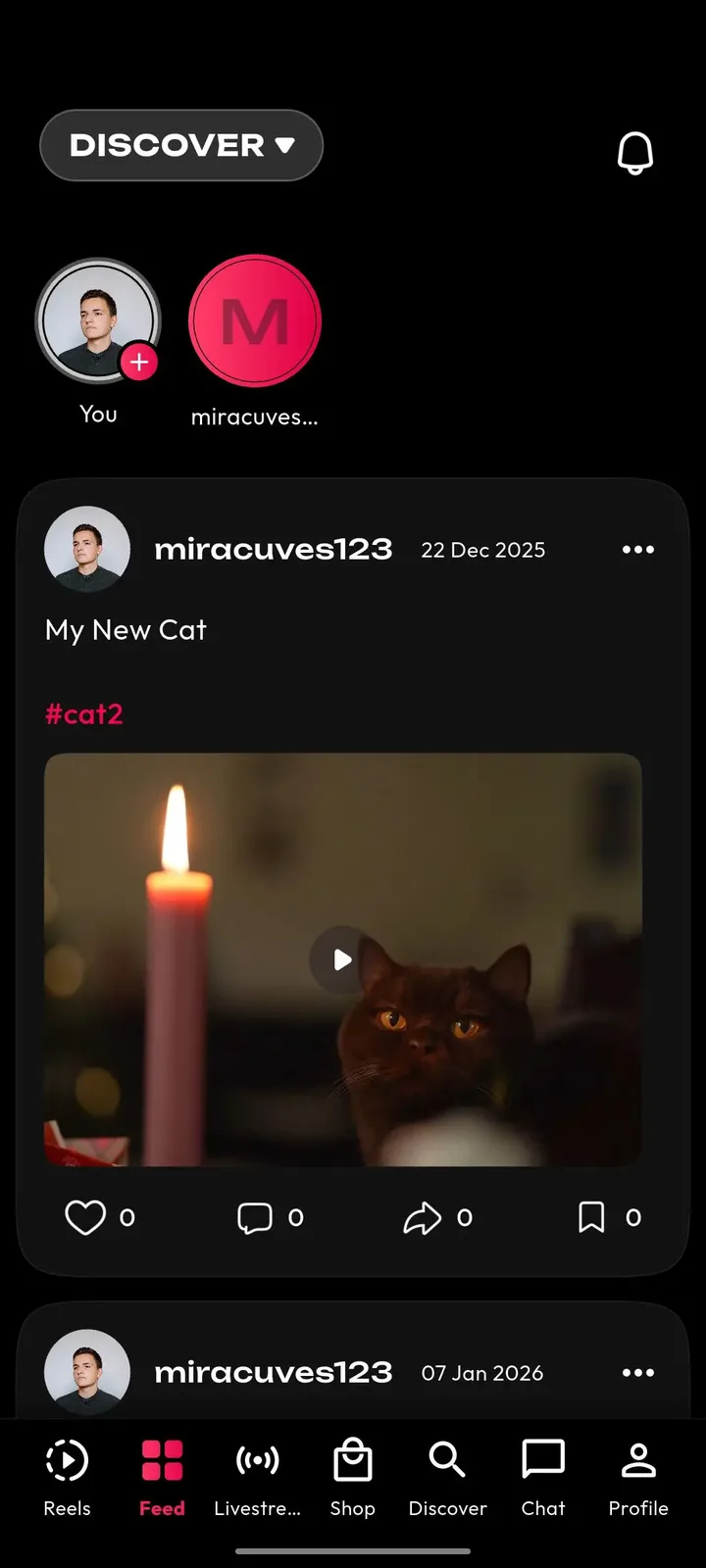
  3. The Clapper Clone, on screen
  4. The modules that make a community app work
  5. Clapper versus this platform versus a ground-up build
  6. The technology underneath the rooms and clips
  7. What we set up around the platform
  8. Try the live Clapper Clone demo
  9. Clapper Clone feature FAQs
  10. Explore the Clapper Clone

All 45 Clapper Clone features, by role

The complete list, grouped by the person who uses each feature. Nothing is hidden behind a plan tier: this is what ships in the platform.

Live and conversation

12 features
One-to-many live rooms
A host broadcasts to a room of viewers who can watch from the app or the web.
Real-time chat
Viewers talk to the host and each other during the show, so the room feels like a conversation.
Reactions
Quick reactions let a crowd respond without typing, which keeps busy rooms readable.
Gifts in the room
Gifts, coins and stickers can be sent during a session, with value passed to the host wallet.
Go-live alerts
Followers receive push alerts the moment a host starts, which helps fill a room quickly.
Video replies
A comment can be answered with a short clip, carrying a thread from chat into the feed.
Mentions and tags
Mentioning a member or guest draws them into a clip or a thread and notifies them.
Comments and follows
Standard comments, follow and unfollow controls build the relationship graph that drives the feed and alerts.
Direct messages
Members can message each other, which supports community building beyond public rooms.
Paid sessions
A host can put a show behind payment, turning a talk, class or event into ticketed access.
Premium replays
Recorded sessions can be offered as premium replays for fans who missed the original show.
Live showcase
Hosts present products during a stream and run limited-time offers for viewers in the room.

Hosts and creators

12 features
Public profile
A profile page carries bio, links, stats and a grid of clips, so newcomers can learn who a host is.
Fan clubs
Hosts offer recurring membership to their strongest supporters, priced in coins.
Premium access tiers
Exclusive content and sessions can be gated for subscribers, giving hosts a steady base of income.
Earnings wallet
Gifts, subscriptions and withdrawals are tracked in one place, with requests passed to the operator.
Audience analytics
Views, watch time, retention and revenue by period show what keeps a community engaged.
In-app recording
Front and rear cameras, multiple takes and speed control support quick clips between shows.
Trim and merge
Cut, trim and merge tools keep editing inside the app and drafts can be reopened.
Filters and effects
A set of filters, stickers and beauty modes helps hosts look their best on camera.
Sound library
Categorized music and reusable creator audio add atmosphere to clips and intros.
Duet and stitch
Hosts can respond to another creator side by side or combine clips into one piece.
Playlists
Clips can be grouped into playlists, such as a series of interviews or a regular segment.
Privacy and captions
Before posting, hosts add captions and hashtags, pick a thumbnail and choose public, followers or private.

Members

9 features
Interest-based feed
The For You feed mixes trending clips, new creators and videos matched to what the member watches.
Topic exploration
The explore tab groups clips by category, hashtag and creator for members who want to look around.
Hashtag challenges
Community challenges give members a theme to respond to, with contest uploads and featured banners.
Onboarding choices
New members choose language and interests, and may add age and region, to shape recommendations.
Flexible sign-in
Phone, email, Google or Apple sign-in lowers the barrier for joining a room.
Language and theme
Multi-language labels with light and dark themes make the app comfortable across regions.
Saves and shares
Members save clips and share them as web links to bring friends into the community.
Block and report
Members can block accounts and report videos, comments, profiles and live sessions.
Notification control
Alerts for followers, comments, likes and live starts keep members connected to the people they follow.

Operators

12 features
Report queue
Reports on clips, comments, profiles and live sessions arrive in one review queue.
Content and comment moderation
Reviewers remove material that breaks policy and keep the community tidy.
Enforcement steps
Warnings, content removal, account restrictions, strikes and bans are available with logged reasons.
Account administration
Manage users, hosts, roles, access and status from a single screen.
Host verification
Optional KYC and verification workflows mark trusted hosts, brands or sellers.
Payment and payout oversight
Gift, coin and wallet activity and withdrawal approvals are visible to finance staff.
Revenue and activity analytics
Daily and monthly active users, watch time, top creators and revenue are reported together.
Ads and campaigns
Branded placements and campaign-level visibility are managed from the same panel.
Trend and category control
Curate categories, hashtags and featured trends to steer where members look.
Permission layers
Separate roles for content review, payments and analytics limit what each team member can see and change.
Audit-friendly logs
Moderation decisions, wallet activity and sensitive admin changes are logged for accountability.
Release and region settings
Announce updates, set forced or optional upgrades, toggle modules and vary availability by region.
From first sign-up to a paying regular

A community grows through a sequence of small commitments: joining, watching, talking, giving and finally belonging. This is how that sequence plays out in the product, and which module carries each step, from the member side through to the people running the platform.

  1. A member joins with little friction

    New members sign in with a phone number, an email address, Google or Apple, then choose a language and some interests, and may add an age and a region. Those choices shape what the first screen shows, so a newcomer sees people and rooms that feel relevant instead of an anonymous stream of clips.

  2. The feed points toward live hosts

    The recommendation feed mixes trending clips, newer creators and videos matched to what the member watches, and it surfaces hosts who are broadcasting right now. Follower alerts announce a show the moment it starts, which is how a room fills before the conversation has even begun.

  3. The live room becomes the conversation

    Inside a room, one host speaks to many viewers while chat and quick reactions run alongside. The reactions let a large crowd respond without drowning the chat, and the room can be watched from the app or the web. It feels like a place with people in it rather than a video with comments.

  4. Members reply, mention and message

    A comment can be answered with a short video, a mention pulls another member into a clip, and direct messages let people continue a conversation privately. Each of these moves talk from the room into the feed and back, so the community lives across several surfaces instead of one.

  5. Gifts turn attention into support

    Viewers buy coins and send gifts and stickers during a show. The value passes to the host wallet after the platform commission, in time with what the room sees. A host can read the effect of a good night immediately, which encourages them to schedule the next one.

  6. Regulars step up to a fan club

    The members who keep returning can join a host fan club, a recurring membership priced in coins, and unlock premium access such as exclusive sessions. Hosts can also put a show behind a ticket or sell the recording afterward, so a single night keeps earning after the stream ends.

  7. Hosts read their audience

    Between shows, a host opens the analytics to see views, watch time, retention and revenue by period, and records short clips to keep followers warm. Playlists group recurring segments such as interviews, so new members can catch up on what the community is about.

  8. Operators keep the room safe and funded

    Reports on clips, comments, profiles and live sessions land in one queue, and reviewers apply warnings, removals, strikes or bans with logged reasons. The same admin panel approves withdrawals, verifies trusted hosts, curates categories and shows revenue, so safety and money are managed together.

The Clapper Clone, on screen

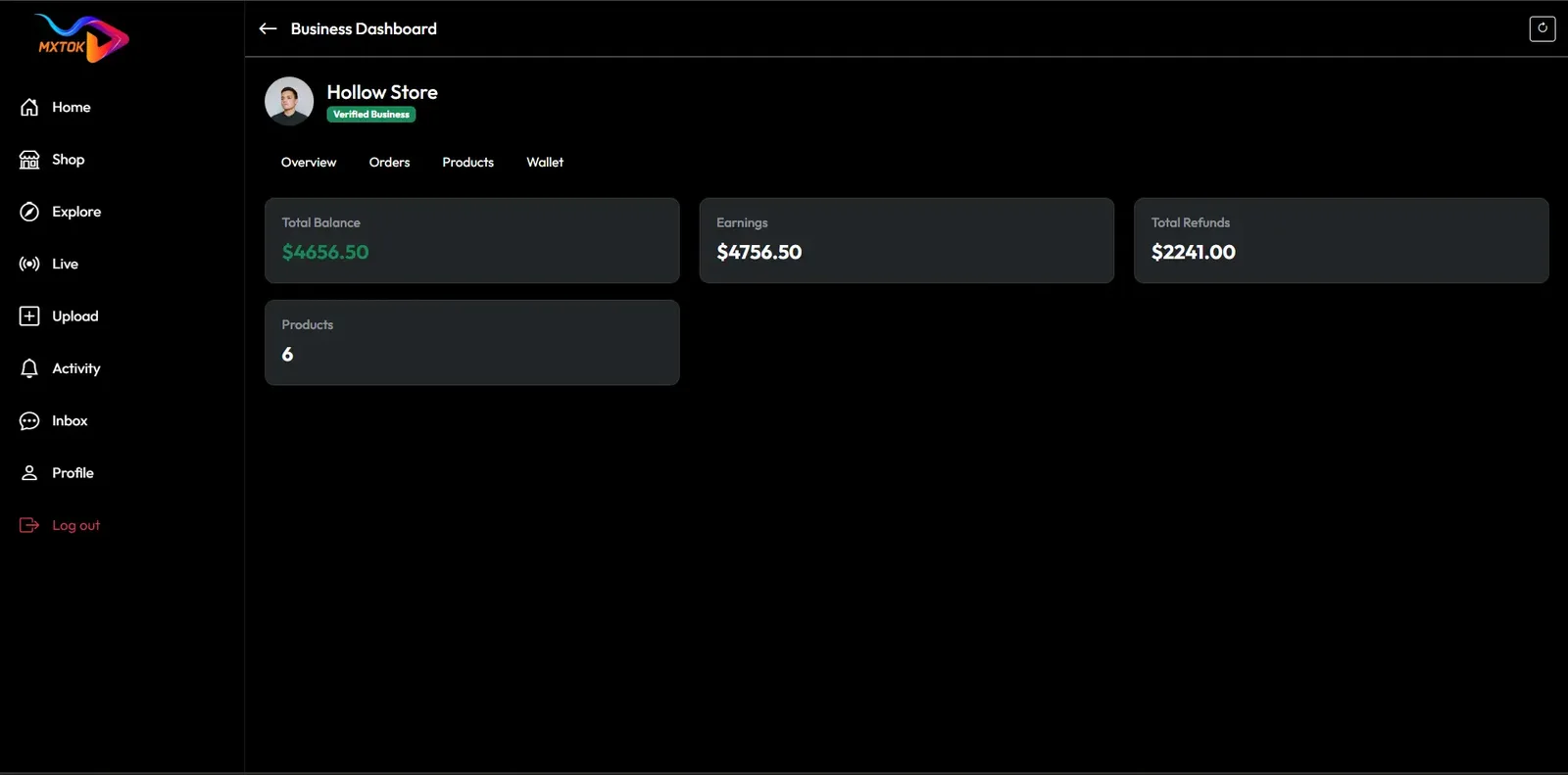
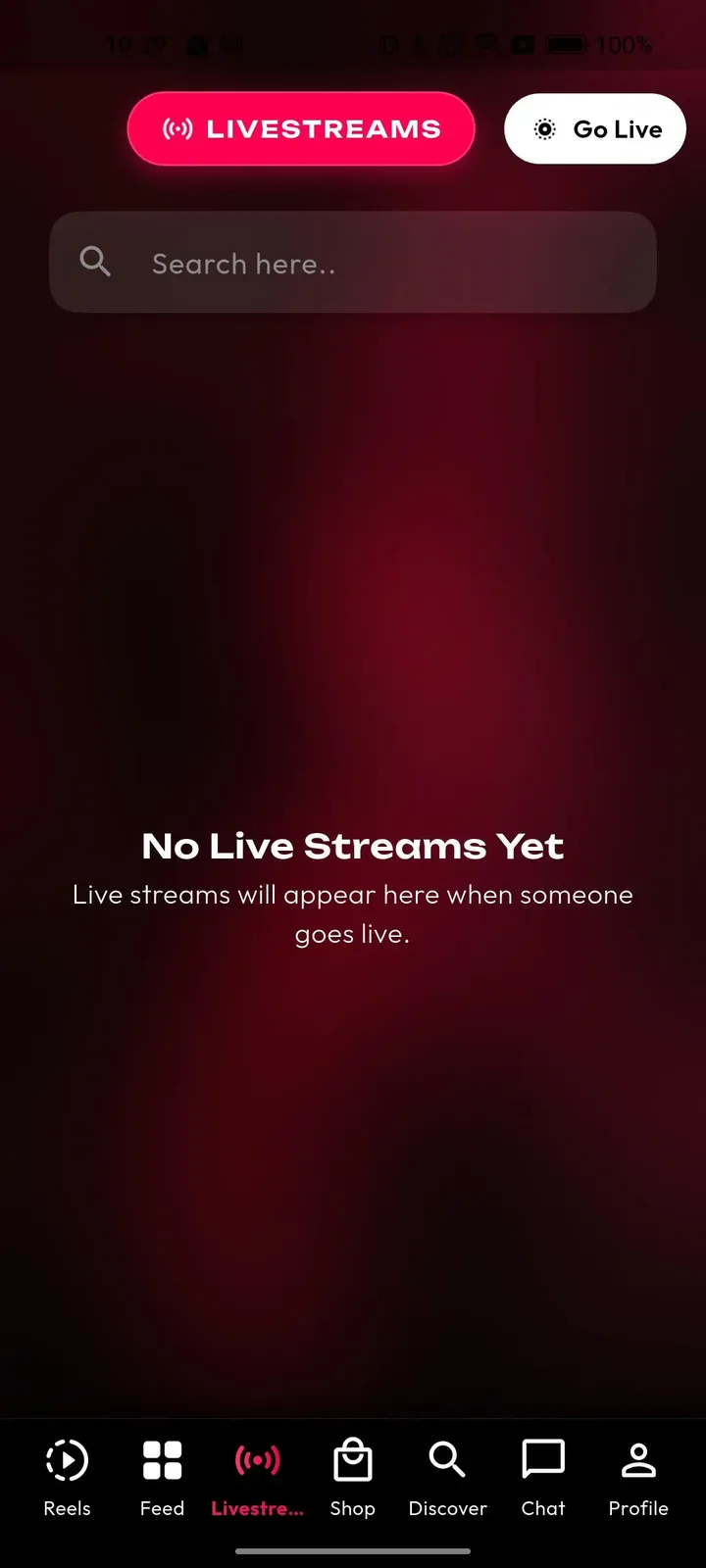
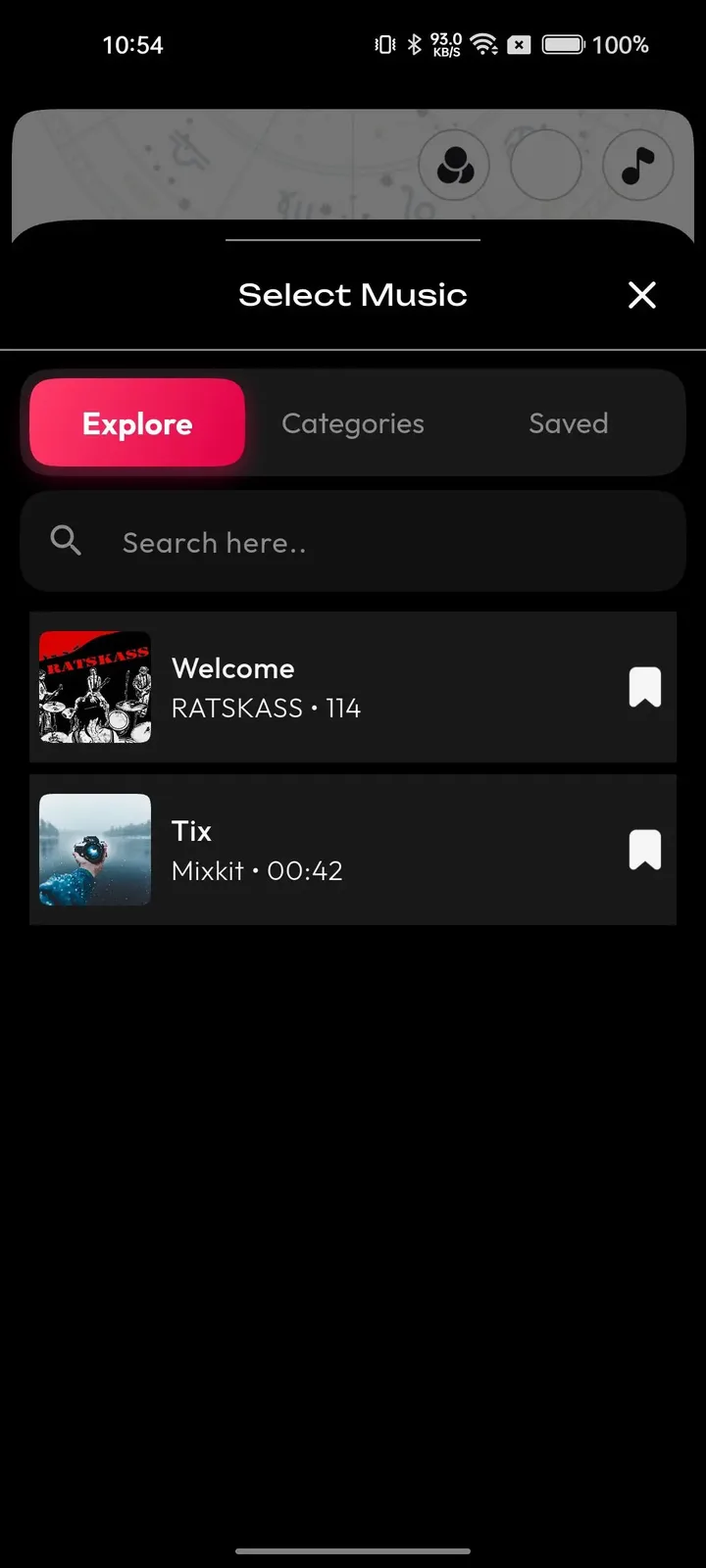
Real screens from the working product. Your platform ships rebranded with your name, logo and colors.

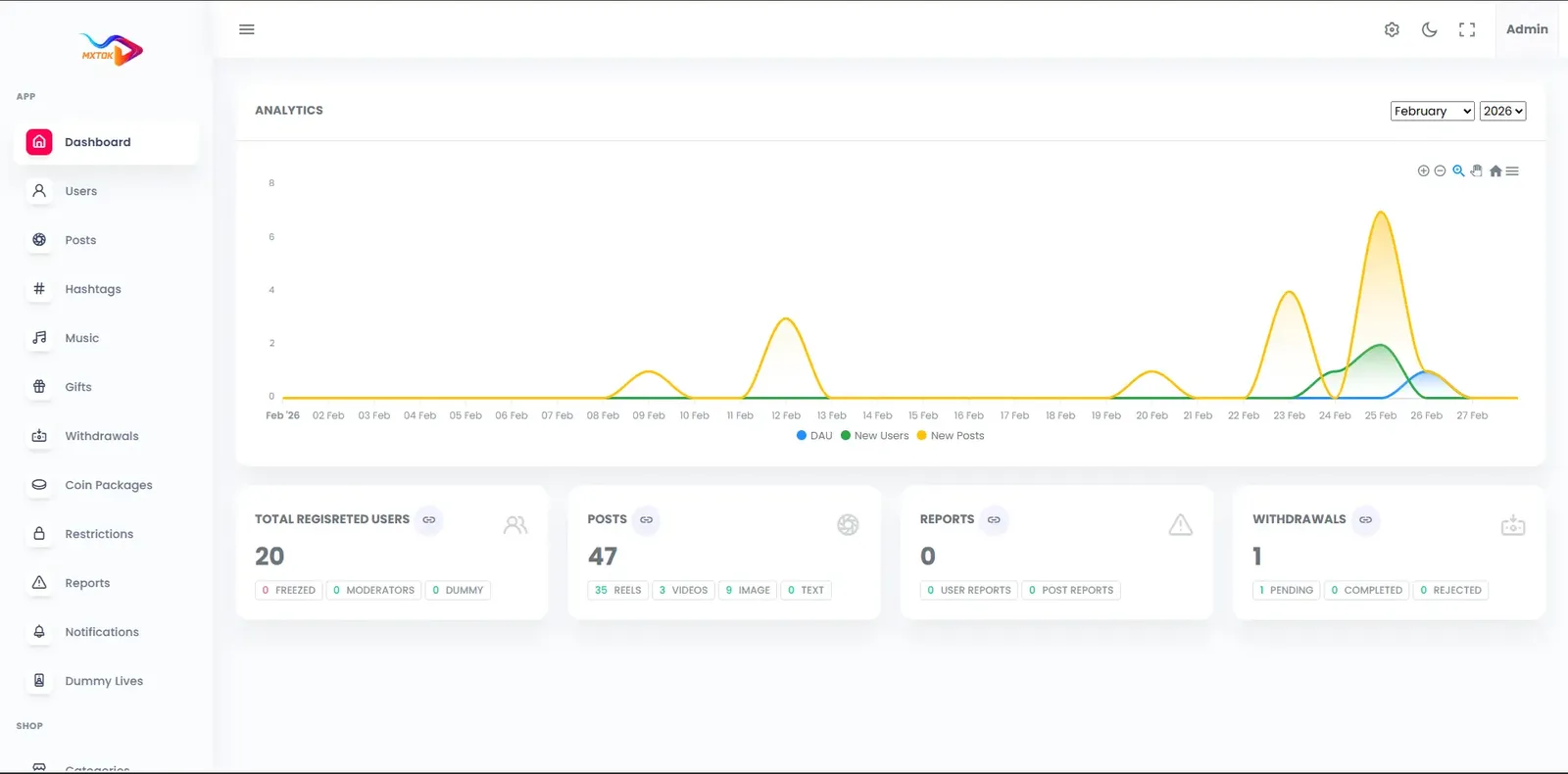
  • Dark web business dashboard with a store header, balance tiles and a left menu
    Web app
  • Phone livestreams tab with a search box, a Go Live button and an empty state message
    User app
  • Phone music picker sheet with explore, categories and saved tabs and a list of tracks
    User app
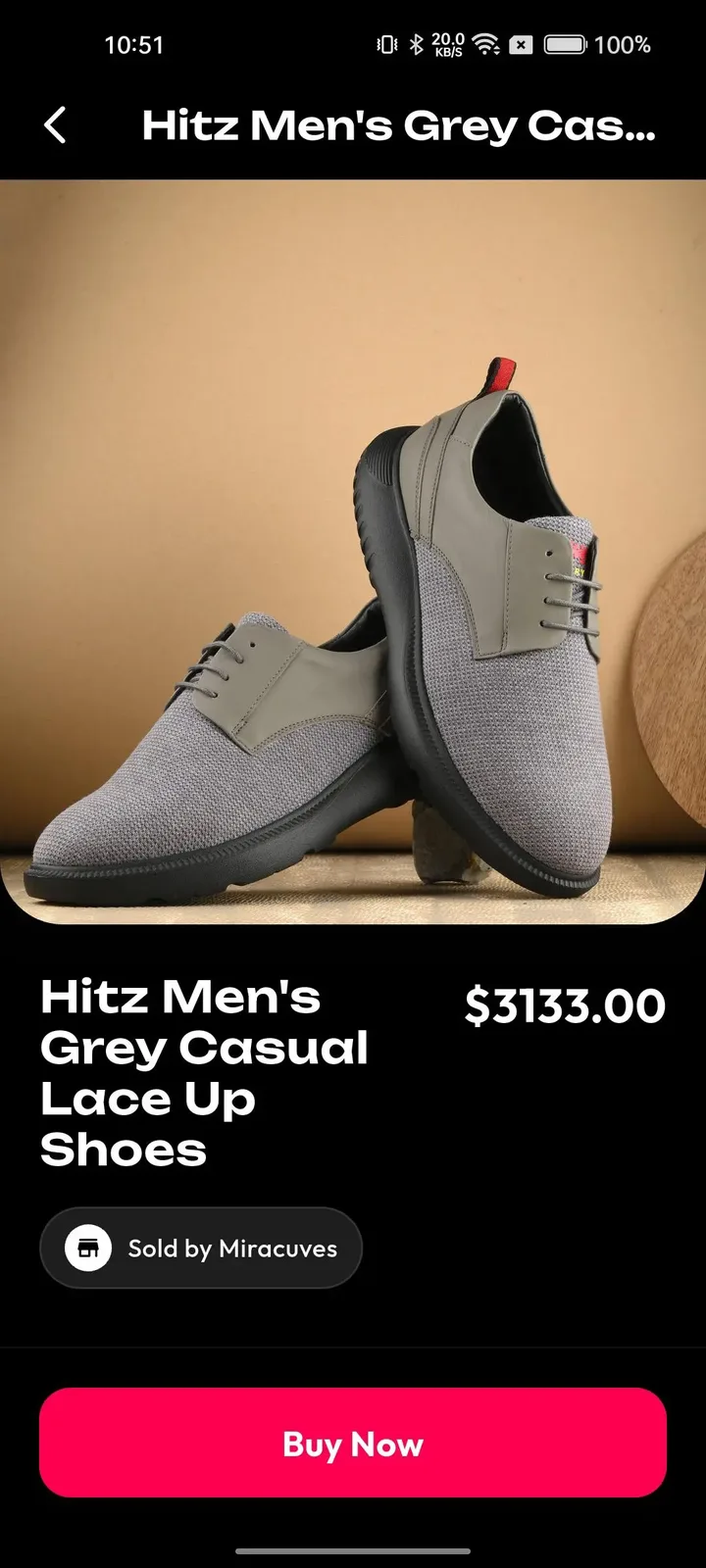
  • Phone product page with a large photo, price, seller name and a pink buy now button
    User app
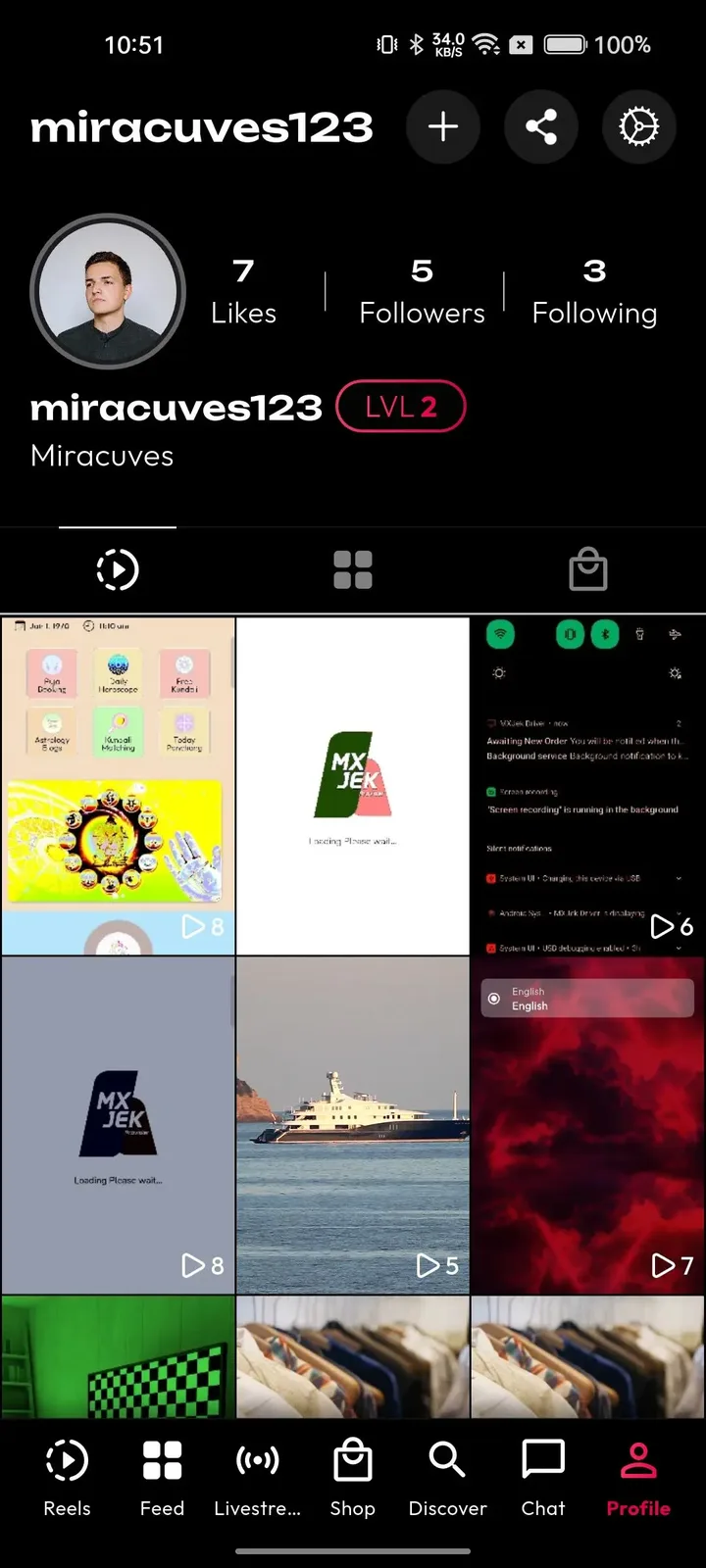
  • Phone profile with follower counts, a level badge and a grid of video thumbnails
    User app

The modules that make a community app work

Cameras and feeds are common to every video app. These are the parts that decide whether people stay, talk and pay in a community-led product, and they are the ones to inspect first when you compare vendors for this kind of platform.

  • Go-live alerts

    Followers receive a push alert the moment a host starts a show, which is how a room fills quickly. For an operator it is the difference between a live feature that exists and one that works, because an empty room discourages the host from ever trying again. Hosts can build a habit around it.

  • Chat with reactions

    Live chat lets viewers talk to the host and each other, while one-tap reactions let a big crowd respond without flooding the conversation. Together they keep a busy room readable, and a readable room keeps people in it long enough for a gift to feel natural, which is where the money starts.

  • Video replies

    A comment can be answered with a short clip, carrying a thread from text into the feed. That small mechanic converts passive viewers into creators and produces new content from existing conversations, so the community generates its own material and the feed stays alive between live shows. A host can answer the best question of the week with a clip and pin it, which tells newcomers what the community cares about and rewards the member who asked.

  • Direct messages

    Members can message each other privately, which supports friendships and groups that grow outside the public rooms. For operators this is retention in its plainest form, since people who have private conversations in an app have more reasons to open it daily and less reason to leave. Pair this with notification settings members can control, because a private chat that becomes noisy is muted, and a muted app is half way to being deleted.

  • Fan clubs and access tiers

    Hosts offer recurring membership priced in coins, and can gate exclusive content or sessions behind it. It gives a host a steady base of income that does not depend on any single night, and it gives you a recurring revenue share that grows as communities mature. Start with a single tier and a clear promise, such as weekly members-only rooms, and add more only when hosts show they can keep each one supplied.

  • Paid sessions and premium replays

    A host can sell entry to a show or offer the recording afterward to fans who missed it. A talk, class or event becomes a product with a price and a second life, which suits coaches, experts and entertainers who run scheduled programs for a loyal audience. Pricing is the host decision to watch: a ticket set too high empties the room, and one set too low teaches fans that the content is not worth much.

  • Live showcase for products

    Hosts can present products during a stream and run limited-time offers for viewers in the room. Shopping happens in the middle of a conversation people already trust, which is a very different setting from a banner ad, and it gives hosts a source of income beyond gifts. A cooking class, a gadget review or a fitness demonstration all fit, since the host can answer questions and close the sale in the same breath, and you earn a share of what sells.

  • Permission layers and logs

    Content reviewers, finance staff and analysts each get their own access, and moderation decisions, wallet movements and sensitive changes are logged. Live moderators can be given the review panel alone while payout approval stays with a smaller group, which is how a growing team stays safe. Without this, one shared login ends up on many phones, and nobody can say who approved a payout. With it, a dispute becomes a question you can answer from the record.

Clapper versus this platform versus a ground-up build

The original app is a closed product with its own rules and audience positioning. This platform gives you a comparable community and live experience that you own, and a custom build gives you freedom at the cost of time. These are model differences, not statements about any company figures.

Clapper versus this platform versus a ground-up build
AspectClapperClapper CloneBuilding from scratch
Core experience Short clips and live conversation inside a single appBoth, with live rooms placed at the center of the productBoth must be designed and engineered one after the other
Audience positioning Marketed toward adults rather than a teenage crowdYou decide the audience, with stricter age checks set up for your marketYou define the audience and build every check yourself
Host earnings terms Written by the platform for every host alikeWritten by you, with your own commission and withdrawal rulesWritten by you, once the wallet system has been built
Community rules Enforced by the owning company and its teamEnforced by your team using the report queue and logged stepsEnforced by your team using tools you must assemble first
Brand identity Everything runs under the platform name and identityFully white-labeled under your name, logo and domainWhatever identity you design and register yourself
Member data Kept inside the company systems, outside your reachStored in your own database, under your controlStored in your own database after you have built it
Niche focus A general community without a narrow subjectCan be narrowed to a topic, a region or a languageCan be anything, but only after a long build
Source code and time Closed software that is not available to youFull source code and a launch in 6 working daysYours, but open-ended and counted in many months

The technology underneath the rooms and clips

Live video is heavier than stored video, so the stack matters more here than in most apps. The table names each layer and the technology the delivered system uses, so your own team or a future vendor knows exactly what it is inheriting.

The technology underneath the rooms and clips
Mobile appsFlutter builds for Android and iOS from one codebase, prepared with your icon and splash screen.
Web appPHP and Laravel, with search-friendly video and profile pages and an optional installable web app.
Backend and APILaravel provides the API behind the mobile apps, the web app and the admin panel.
DatabaseMySQL or MariaDB holds profiles, clips, chat metadata, wallets and transactions.
Live streamingAgora, Wowza and WebRTC carry one-to-many sessions with low delay, so chat and gifts feel immediate.
Recordings and clipsFFmpeg converts uploads and recordings into several resolutions and creates thumbnails.
HostingAWS, GCP or DigitalOcean on your own cloud account, with room to scale at peak show times.
Delivery and protectionCloudflare or Akamai serve media from the nearest edge location and absorb hostile traffic.
Sign-in and sessionsJWT and OAuth2 sessions, with optional two-factor sign-in for admins.

What we set up around the platform

A community platform has edges that matter for safety and format. These are the items to plan for with us, so there are no surprises when the first shows go live.

  • Strict age-gating

    Onboarding offers optional age and region selection. A hard check that limits the app to adults, or parental controls, is available, and we tailor it to your market. Your advisers should define the exact rule first.

  • Co-hosted live rooms

    The base room is one host speaking to many viewers. Interviews, debates and panels with several hosts on screen together are available as multi-host rooms, which should be part of your scope from the start if the format matters.

  • Invite-only networks

    The platform is an open community with public profiles and privacy settings on individual clips. A closed network or private rooms are available as tailored work, with scope confirmed with us around how access is granted and withdrawn.

  • Automatic captions and subtitles

    A multi-language interface and closed captioning are included. Speech-to-text captions and translated subtitles for viewers who read another language are available too. Plan for this if your hosts speak in more than one language, since an interface in several languages does not translate what is said in the room.

  • Live moderation staff

    We supply the report queue and enforcement tools, but live conversation moves faster than any queue. Staffing moderators for peak show times, and setting house rules for hosts, is your job as the operator.

  • Store acceptance and legal duties

    We prepare the builds and support submission, but Apple and Google decide on approval, and you remain responsible for legal compliance in each market you serve.

Try the live Clapper Clone demo

A Clapper-style community app runs on the same short video and live platform as our TikTok product, so the demo below is that shared build, carrying our demo branding. Open the web app or admin panel in a browser, install the Android build, sign in with the public demo accounts and look at the live room, the feed and the moderation tools.

  • Web app

    Open the Web app demo
    Login
    miracuves@yopmail.com
    Password
    User_321

    Worth trying

    • Open a creator profile and read its clip grid
    • Browse the explore tab by category and hashtag
    • Open a single video page and its comments
    • Check the install prompt for the web app
  • Android app

    Open the Android app demo
    Login
    miracuves@yopmail.com
    Password
    User_321

    Worth trying

    • Join a live room and watch the chat move
    • Open the gift tray and the coin wallet
    • Reply to a comment with a video
    • Look at the notification settings and the profile
  • Admin panel

    Open the Admin panel demo
    Login
    admin
    Password
    Admin_$321

    Worth trying

    • Open the dashboard and read the activity totals
    • Look at the user list and account status controls
    • Review reported videos and the enforcement options
    • Find the payout and revenue screens

Clapper Clone feature FAQs

Can members watch a show on the web without installing an app?

Yes. A host broadcasts to a room of viewers who can join from the mobile apps or from the web app. That lowers the barrier for newcomers who follow a link from a social post, and the optional installable web app gives repeat visitors a home-screen shortcut without a store download.

What stops a busy room from becoming unreadable?

One-tap reactions let a crowd respond without typing, so the chat is left for real conversation. Members can block accounts and report live sessions, and reviewers can act on those reports. For busy shows, schedule moderator coverage, because no tool replaces a person watching the room.

Can a host answer a comment with something other than text?

Yes. A comment can be answered with a short video, and mentions pull other members into a clip or a thread and notify them. This carries a conversation from chat into the feed, and it gives a host material to post between live sessions.

Can recordings be organized into series?

Clips can be grouped into playlists, such as a run of interviews or a regular weekly segment, and recorded sessions can be offered as premium replays. Whether a replay is public, subscriber-only or paid is a setting you and your hosts choose.

How does a member control what alerts they receive?

Members manage notifications for followers, comments, likes and live starts, so they stay in touch with the hosts they follow without being flooded. You can also run campaign nudges from the admin panel to bring lapsed members back to a show.

Can I see which hosts are worth supporting?

Admins read daily and monthly active users, watch time, top creators and revenue together in one report, and hosts see their own views, retention and earnings. Together they show where activity concentrates, which helps you decide whom to verify, promote or feature.

Can hosts sell products during a stream?

Yes. A host can showcase products in a live session and run limited-time offers for viewers in the room, with the marketplace, product pages and seller dashboard behind it. Fulfillment, returns and consumer rules remain your responsibility as operator.

→Start here

Tell us what you want to launch.

Share the platform and your market. You get a walkthrough of the live demo, the exact scope of what ships, and a fixed price in writing. First response in under 2 hours, Monday to Saturday, 10:00 to 19:00 IST.

We reply to every inquiry. No newsletters, no shared data. See our privacy policy.

Trademark and independence notice

This page uses the name Clapper to describe a type of platform. The product sold here is separate software, built independently, and Clapper has no part in it.

Why this name

"Clapper clone" is industry shorthand that founders use when searching for software with a comparable business model. It names a category of product, not a copy of Clapper.

Who built this

The platform is an original product designed and written by Miracuves. It contains no code, design, graphics or content originating from the Clapper website or applications, and it ships under your own brand.

Trademarks

Clapper and its logos are trademarks of their respective owner and are named here for reference only. GetFame is not affiliated with, sponsored by or endorsed by Clapper. Rights holders can write to legal@miracuves.com.

Operator responsibility. The operator of a launched platform is responsible for legal compliance in the markets it serves. Nothing on this page is legal advice.Read the full disclaimer