Triller Clone Features Built Around the Song and the Performance

A music video app lives or dies on how easily a clip can be fitted to a track. This page walks through what that takes: how a performance goes from picking a song to earning from fans, which modules matter most for artists and labels, how the product compares with the original app and a ground-up build, and what stays with you as the operator.

4
user roles served
6 days
to a live launch
100%
source code ownership
On this page10 sections
  1. All 47 Triller Clone features, by role
  2. From a song choice to a fan payment
  3. The Triller Clone, on screen
  4. The modules that matter most for a music video app
  5. Triller versus this platform versus a ground-up build
  6. The technology behind the music and video
  7. What stays with you as the operator
  8. Try the live Triller Clone demo
  9. Triller Clone feature FAQs
  10. Explore the Triller Clone

All 47 Triller Clone features, by role

The complete list, grouped by the person who uses each feature. Nothing is hidden behind a plan tier: this is what ships in the platform.

Music and sound

10 features
Library by mood and genre
Sounds are grouped by trend, mood and genre, so a performer can find a fitting track in a few taps.
Global and local catalogs
The library can draw on international and regional music sources, which matters when your audience listens to local artists.
Royalty-free tracks
A royalty-free option lets creators publish with music that does not depend on a separate rights arrangement.
Reusable original sounds
Audio recorded in one clip can be picked by anyone else, which is how a new sound starts to trend.
Trending sound discovery
Viewers and creators can browse sounds that are rising, rather than searching for each track by name.
In-app music picker
Tracks are selected inside the recording screen, so there is no jump to another app to find a song.
Cut to a section
Trim and cut tools let a performer take just the chorus or the drop and match the clip length to it.
Speed control
Speed changes slow a take for effect or speed it up to sit on the beat of a faster track.
Admin catalog import
Operators search an external music source, play a preview and import the track with its artwork, artist name and duration.
Category assignment
Each imported track is placed in a category when it is added, so new releases appear where fans expect to find them.

Performers and creators

14 features
Front and rear camera
Switch cameras while recording, which suits both solo lip-syncs and shots of a band or crowd.
Multi-take clips
Several takes can be combined into one video, giving a performer room to rehearse moves and keep the best parts.
Merge and re-edit
Takes are merged on a timeline, and drafts can be reopened for another pass before publishing.
Fifty-plus filters
A deep filter set and beauty modes give performers a polished look without a separate editing tool.
AR lens packs
Lenses ship with the app, and customized packs can be built around a tour, an album or a festival.
Duet beside a performance
A duet plays another clip next to a new take, so a verse or a dance can be answered side by side.
Reaction overlay
A picture-in-picture reaction lets a creator respond to a performance while it plays.
Stitch in parts
Multi-clip stitching assembles a longer piece from several short ones, linked back to the original uploads.
Challenge entries
Contest uploads tied to a hashtag challenge can carry rewards defined by the operator.
Caption and privacy
Creators add captions, hashtags and a thumbnail, then choose between public, followers only and private.
Profile with playlists
A profile page shows the performer bio, links, clips, playlists and live engagement numbers.
Performance analytics
Views, watch time and retention show which songs and styles hold attention, and revenue is broken down by clip and period.
Creator wallet
Gifts, coins, subscriptions and withdrawal requests are visible in one balance.
Live performance
A one-to-many live room carries chat, reactions and gifting for performances, rehearsals and Q&A.
Fans

12 features
Taste-led feed
The For You feed learns from what a fan finishes and replays, mixing familiar creators with new performers.
Category browsing
The explore tab groups clips by category, hashtag and creator, so fans can look for a genre directly.
Likes, comments and saves
Standard engagement tools double as ranking signals and let fans keep favorites for later.
Follow performers
Following a creator feeds their new clips and live starts into notifications and the feed.
Video replies
A comment can be answered with a clip, which suits musical call-and-response between performers and fans.
Live show access
Fans watch live sessions with chat and reactions and can join as they would a small gig.
Gifts and stickers
Coins buy gifts and stickers that appear during videos and live shows, with value passed to the performer wallet.
Push alerts
Notifications cover new followers, likes, comments and live starts, plus campaign messages for new tracks or challenges.
Language and theme
Multi-language labels and light or dark modes keep the app comfortable for fans in different countries.
Shareable pages
Videos, profiles and hashtags open as web pages, so a performance can be shared outside the app.
Coin wallet
Fans buy coins once, see their balance and spend it on gifts across clips and live shows.
Duet from the feed
A fan who loves a performance can start a duet or reaction straight from the player.

Operators

11 features
Copyright-aware moderation
Uploads are screened for likely nudity, violence and copyright matches, and flagged clips wait in a review queue.
Report queue
Reports on clips, comments, profiles and live sessions arrive in one place for review.
Warnings, strikes and bans
Enforcement ranges from a warning to a ban, with each action recorded against the account.
Artist verification
An optional KYC and badge workflow lets you mark real artists, labels and sellers apart from fan accounts.
Trend and banner control
Feature challenges, categories and hashtags so a new release or event is promoted where fans already look.
Coin and payout tracking
Gift and wallet activity and withdrawal requests are visible to finance staff, with approval before payout.
Campaign tools
Run branded placements and track campaign visibility from the same admin panel.
Audience analytics
Daily and monthly active users, watch time, top creators and revenue show which sounds and performers drive the platform.
Push campaign builder
Announce a new challenge, track or event to chosen audiences without engineering help.
Version and region control
Announce updates, force or suggest upgrades, toggle features and limit modules by region.
Role-based permissions
Catalog managers, moderators, finance and analytics staff each get only the panels their job requires.

From a song choice to a fan payment

In a music-first app the track comes before the camera. Follow one performance clip from the moment a creator selects a song through discovery, response and earnings, and see which part of the platform handles each hand-off.

  1. The creator starts from a track

    Before recording, the creator opens the music picker and chooses from the library, which is sorted by trend, mood and genre, or reuses the original audio of another performance. Picking the sound first means the whole clip is planned around the rhythm instead of having a song pasted over it afterward.

  2. The take is fitted to the music

    The creator records one take or several, then trims, cuts and merges them against the section of the song they want. Speed control helps a move land on a beat. Drafts are saved automatically, so an unfinished performance can be reopened and refined later without starting over.

  3. Effects add the finishing look

    Face filters, beauty modes, stickers and augmented reality lenses are applied while recording, and the finished clip can carry a theme that matches a song or an event. A performer can make a clip look like a small production without leaving the app or paying for outside editing software.

  4. Publishing prepares it for every screen

    The creator writes a caption, adds hashtags, chooses a cover frame and sets the clip to public, followers only or private. On upload it is converted into several playback sizes and delivered through a content network, so the performance plays smoothly for fans on slower connections as well.

  5. The sound page spreads the track

    Every clip links to its sound, and each sound has its own page listing the performances built on it. A listener who likes the song taps through to see more, then makes their own version. This is how a single track turns into a wave of clips, which is exactly what artists and promoters want.

  6. Fans respond with duets and challenges

    Viewers answer with a side-by-side duet, a picture-in-picture reaction or a stitched part two, and creators can enter a hashtag challenge built around the song. Each response is new content tied back to the original, which keeps fans active and gives the performer further reach.

  7. Live shows convert fans into support

    A performer goes live to sing, play or dance for a crowd, with chat and reactions running throughout. Fans send gifts bought with coins, and the value arrives in the performer wallet after your commission. The short clips become the trailer for a paid, real-time show.

  8. The operator manages rights and results

    Back in the web panel, staff import tracks into the sound library, work the moderation queue for reposts and reports, verify artists, feature a sound or banner on the feed and read the revenue reports. What they learn decides which song, artist or campaign gets promoted next.

The Triller Clone, on screen

Real screens from the working product. Your platform ships rebranded with your name, logo and colors.

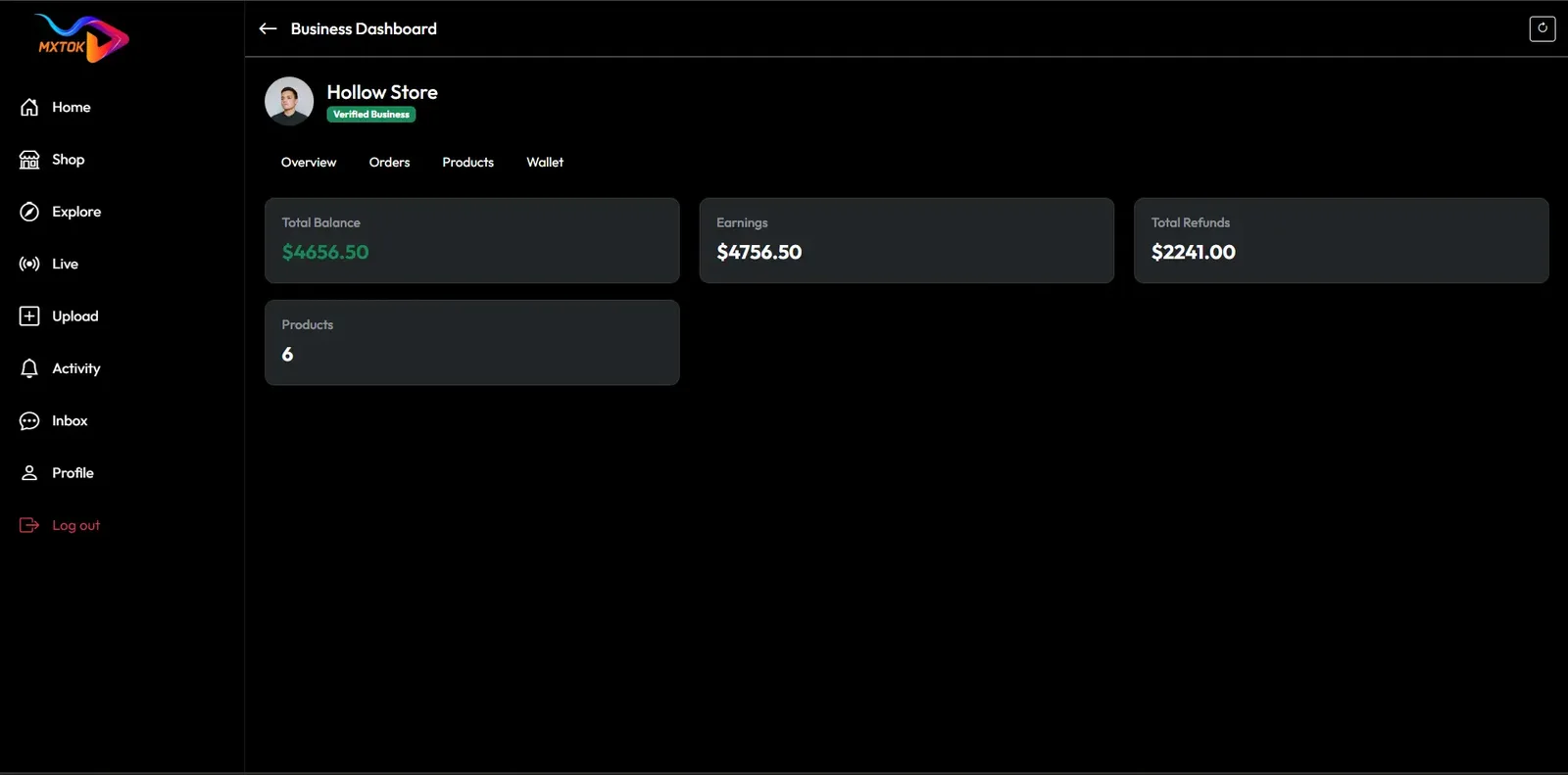
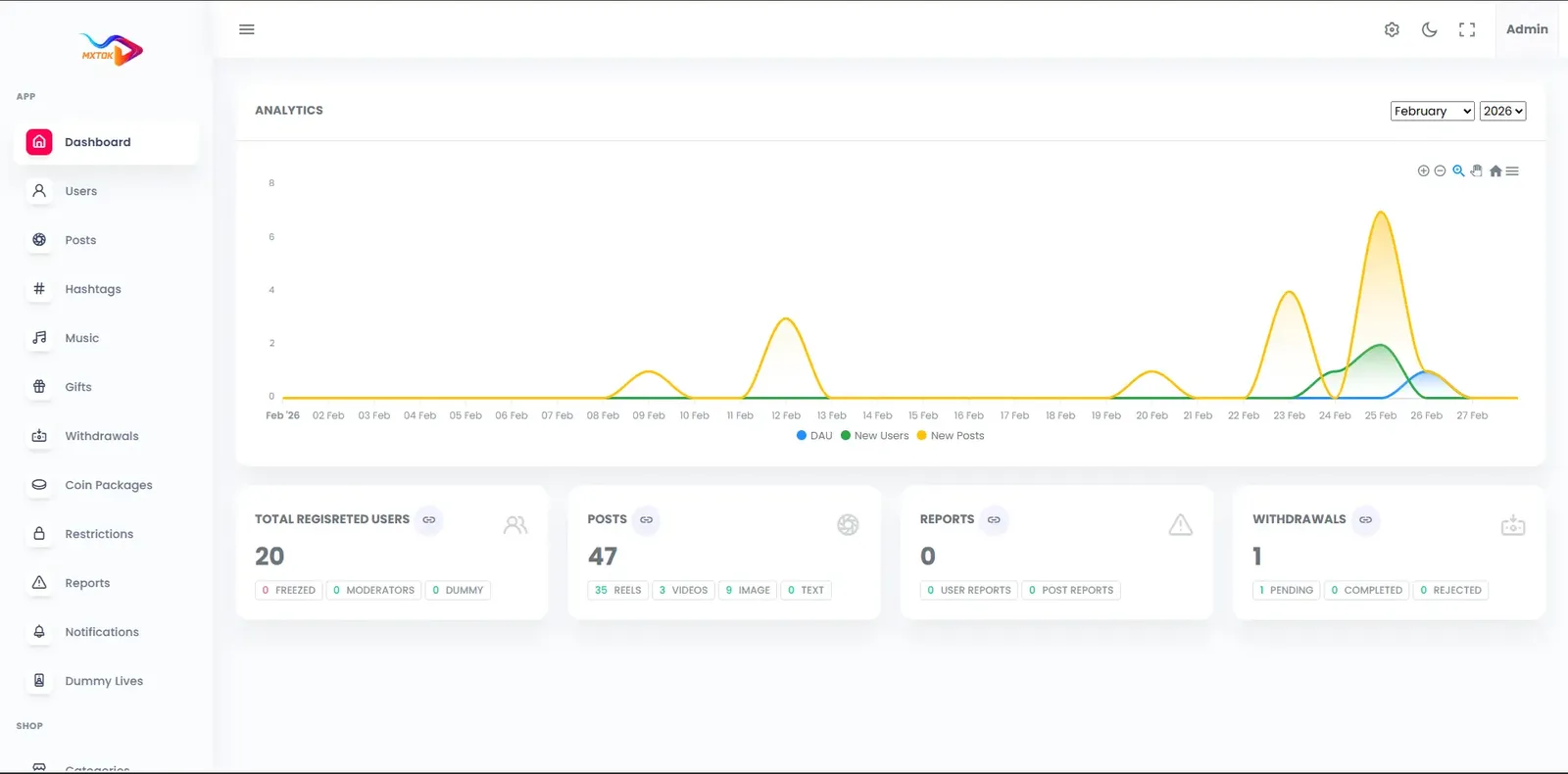
  • Dark web business dashboard with a store header, balance tiles and a left menu
    Web app
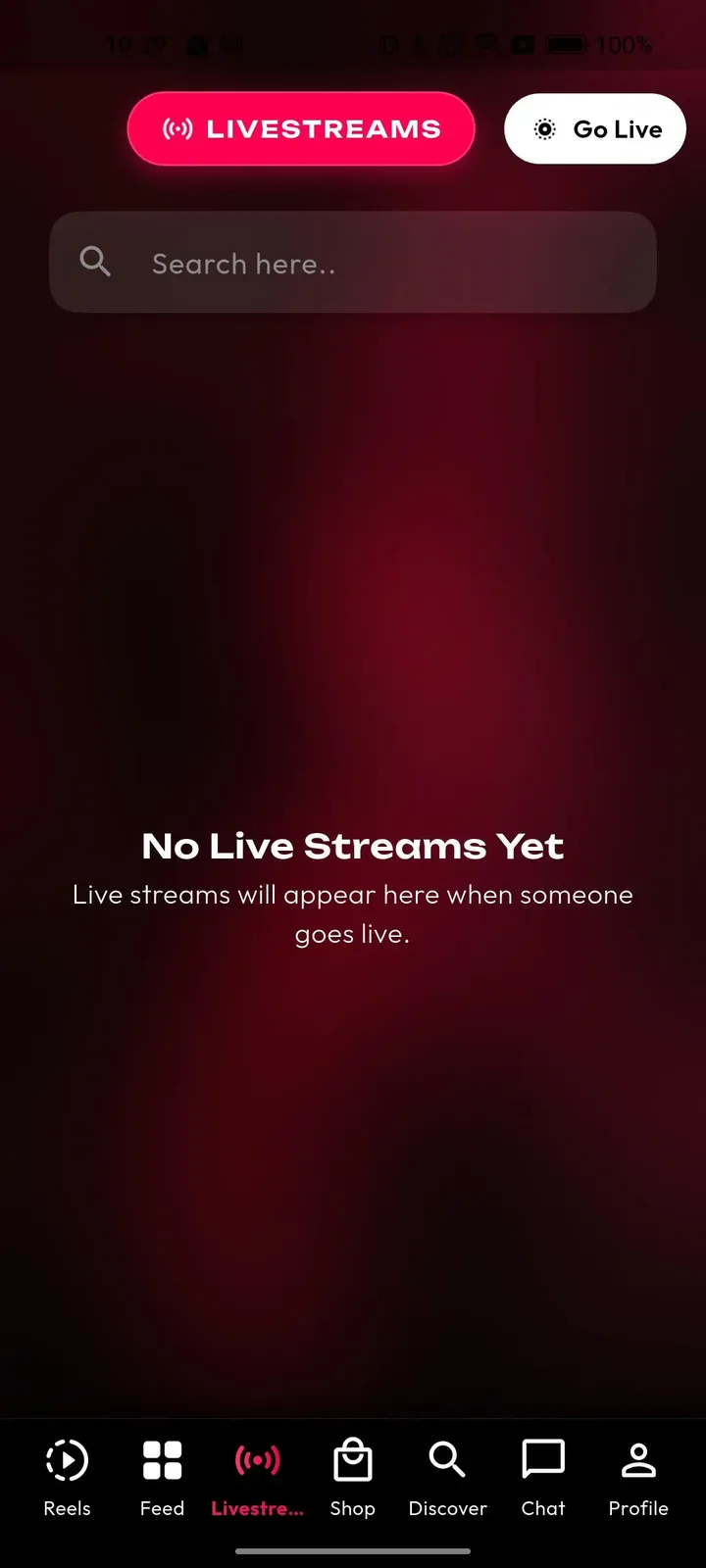
  • Phone livestreams tab with a search box, a Go Live button and an empty state message
    User app
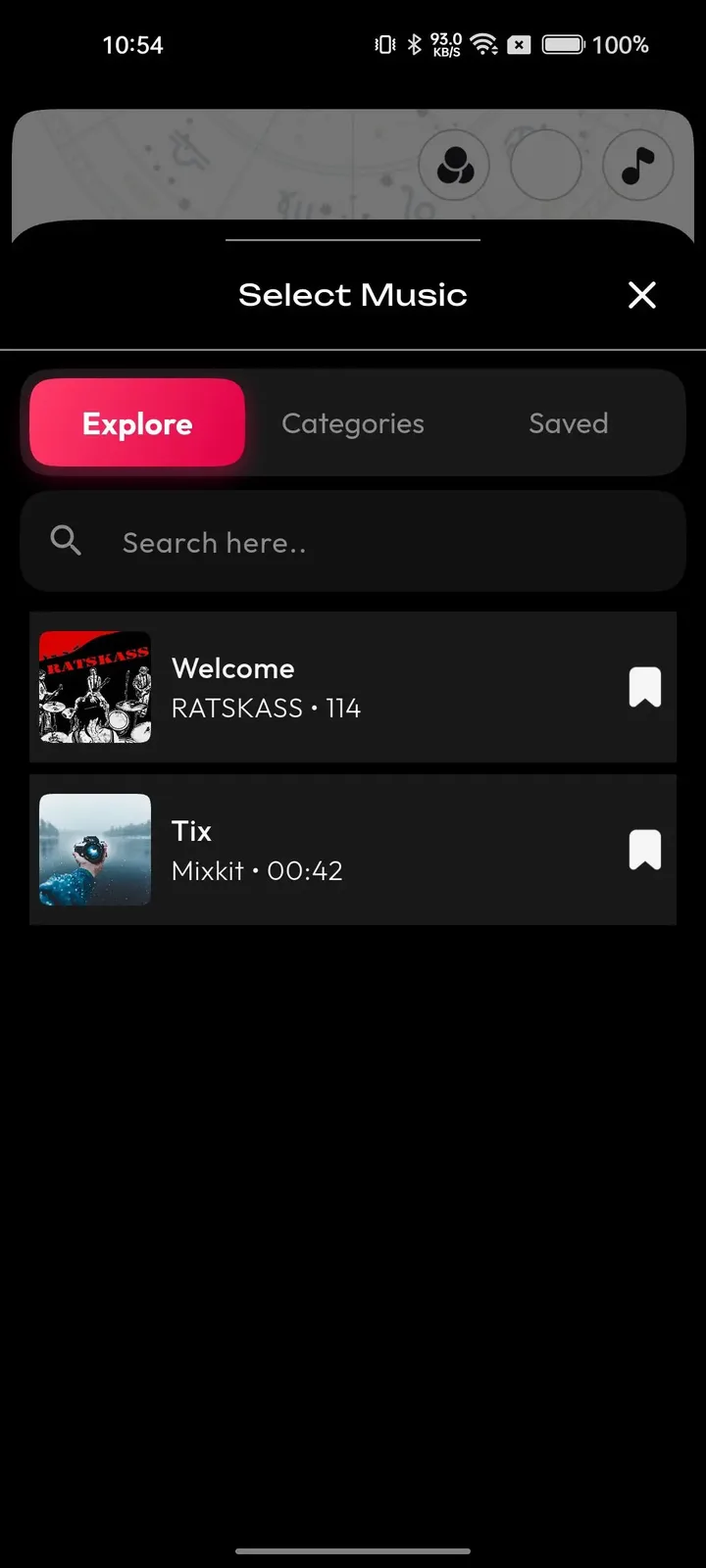
  • Phone music picker sheet with explore, categories and saved tabs and a list of tracks
    User app
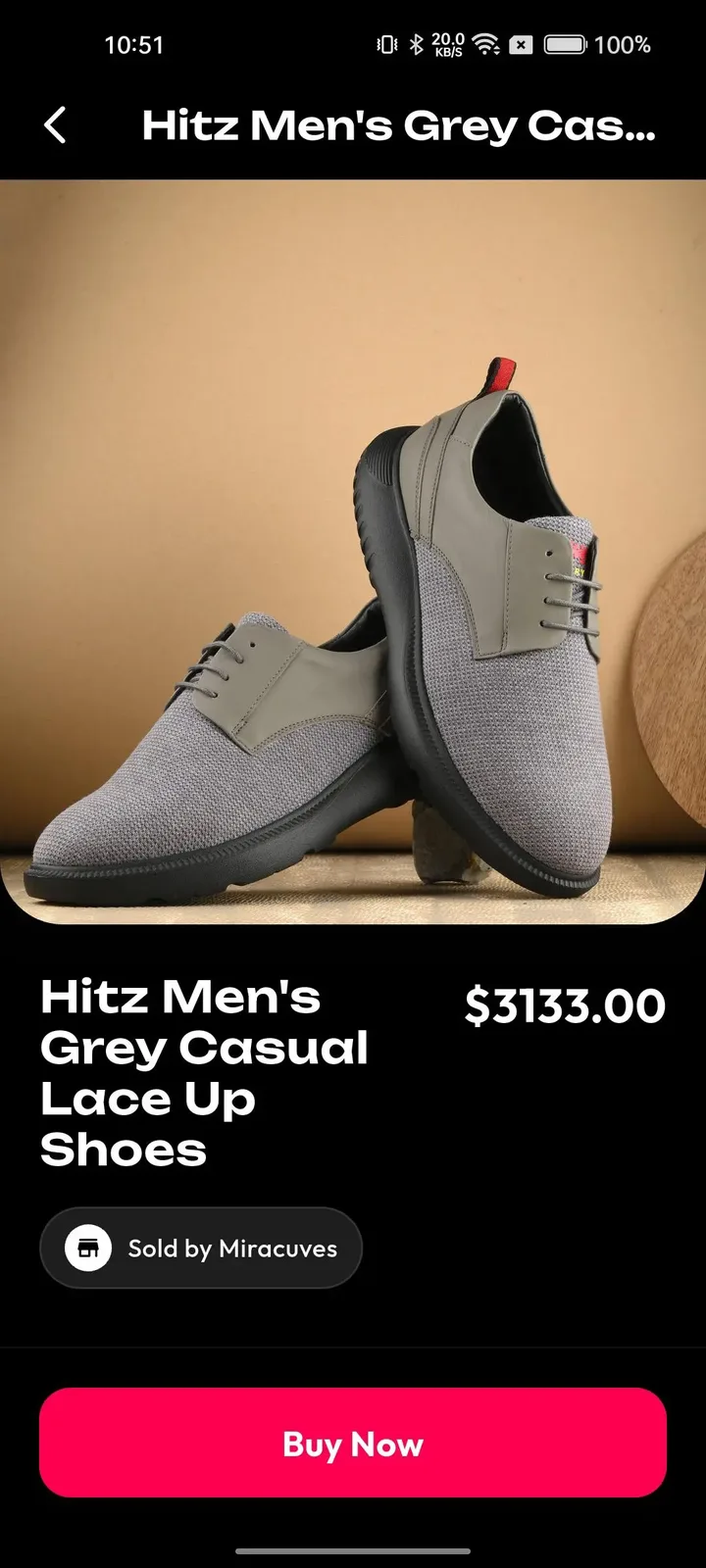
  • Phone product page with a large photo, price, seller name and a pink buy now button
    User app
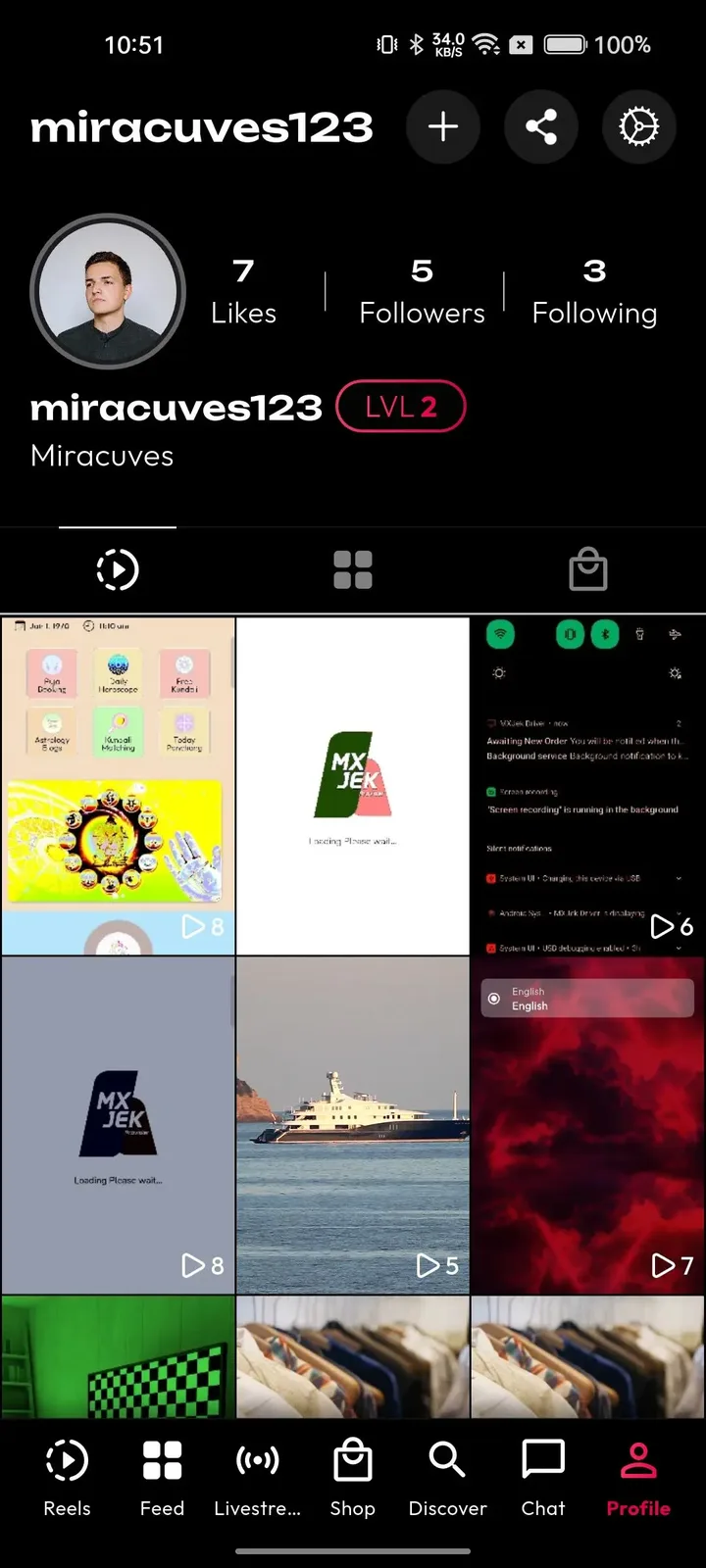
  • Phone profile with follower counts, a level badge and a grid of video thumbnails
    User app

The modules that matter most for a music video app

The usual camera and feed features are the entry fee. These are the parts that make a music-led network different from a general video app, and the ones that artists, labels and promoters will check before they join.

  • Categorized sound library

    Music is organized by trend, mood and genre, so a creator finds a fitting track in seconds and a listener can browse by taste. The operator controls the categories and the featured selections, which means you can decide which sounds are visible and promote the releases that matter to your community.

  • Admin track import with preview

    Staff can load tracks into the library from the admin panel, preview them and assign categories without involving a developer. It lets a small team keep the catalog fresh, add a new release the day it drops and remove a track quickly if a rights question arises. Keep a spreadsheet of where each track came from and its terms, so removing one is a ten-minute job rather than an investigation.

  • Reusable original sounds

    The audio of any clip can become a sound that other creators pick. For an unsigned artist this is powerful, because one performance can seed a trend around their own work. For you it is free content supply that grows with the community and costs nothing to license.

  • Trim, cut and speed control

    Creators can choose the section of a song they want, cut takes to it and slow down or speed up a move to hit the beat. These are the controls that make clips feel intentional, and they reduce the number of people who give up halfway through editing.

  • Duet beside a performance

    A viewer can sing or dance next to an existing clip, which turns every popular performance into an invitation. The format is natural for covers, harmonies and dance tutorials, and each duet carries the original creator and sound back into the feed. Duets work best when the original has a clear part to answer, such as a verse left open or a dance with a missing partner, and you can feature the strongest ones on the home feed.

  • Sound-based challenges

    A hashtag challenge can be built around one track, with contest uploads, a reward and a featured banner. Artists use it to launch a release, brands sponsor it, and you get a sellable placement that also keeps creators posting new clips on a schedule. Choose a hook people can reproduce in fifteen seconds without equipment, because a challenge that needs a studio only attracts professionals and leaves the rest of your audience watching.

  • Artist verification

    Optional verification marks real artists, labels or brands so fans know who is official. It protects against impersonation and gives promoters confidence to run campaigns, and the admin workflow keeps the checking process inside your own control. A badge is also a commercial promise: promoters will pay to reach audiences that follow verified artists, and fans stop wondering whether a popular account is a fan page. Decide your criteria in advance and apply them evenly, because favoritism in who gets a badge is noticed quickly.

  • Live shows with gifts

    Performers can host live sessions with chat, reactions and gifts, so a clip audience can become a paying concert audience. Because the wallet and withdrawal queue are built in, a performer can see what a night earned and ask to be paid. A good first test is a small album-listening night with one artist, with gifts switched on, so you learn how chat moderation and payout approvals behave before bigger shows arrive.

Triller versus this platform versus a ground-up build

The original app is a closed, licensed-music product controlled by one company. This platform gives you a comparable experience that you own and tune, and a custom build gives you total freedom at the cost of time. These are model differences, not statements about any company figures.

Triller versus this platform versus a ground-up build
AspectTrillerTriller CloneBuilding from scratch
Music catalog Songs licensed under deals that the owning company negotiates for its own catalogYour own mix of royalty-free, imported and original soundsYou assemble every catalog relationship from nothing
Core content Lip-syncs, performances and edits that are cut to a chosen songComparable formats, with room for any niche you decide to hostWhatever you design after months of building
Fitting clip to song Built into the product by the companyTrim, cut, merge and speed control includedVideo editing tools to design and test yourself
Promoting a release Arranged by negotiating with the company under its commercial termsYou feature sounds, challenges and banners directlyRequires building campaign tools before you can sell any placement
Creator terms Written by the platform and applied to every creator alikeSet by you, including gift commission and withdrawalsSet by you once the wallet is built
Brand and domain Every creator and promoter works under the platform own nameFully white-labeled under your name and domainWhatever name you choose, create and register yourself
Audience data Kept inside the company systems, out of your reachStored in your own database, which you control fullyStored in your own database, once you have built the system
Source and time Closed software on its own servers, not available to buyFull source code and a launch in 6 working daysYours, but open-ended and counted in many months

The technology behind the music and video

The stack is conventional and widely supported, so most mobile and web developers can pick it up. The table lists each layer and the technology the delivered system uses for it, including the media services that carry video and live audio.

The technology behind the music and video
Mobile appsFlutter builds for Android and iOS from one codebase, prepared with your icon and splash screen.
Web appPHP and Laravel with search-friendly video, profile and hashtag pages and an optional installable web app.
Backend and APILaravel provides the API behind the mobile apps, the web app and the admin panel.
DatabaseMySQL or MariaDB stores profiles, videos, sounds, comments, wallets and transactions.
Video processingFFmpeg converts uploads into several renditions and produces thumbnails for delivery.
Live streamingAgora, Wowza and WebRTC carry live shows with chat and gifting.
HostingAWS, GCP or DigitalOcean on your own cloud account.
Delivery and protectionCloudflare or Akamai serve media from edge locations and add attack protection.

What stays with you as the operator

A music product raises questions that software alone cannot answer. These are the parts that stay with you, so that artists, labels and your own team are not surprised after launch.

  • Music licensing

    The library supports royalty-free sources and tracks you import yourself. Securing the rights to commercial music, and settling terms with labels, publishers or collecting societies, is a legal and commercial task that remains yours as the operator.

  • Beat-matched automatic editing

    Creators fit clips to a song by hand with trim, cut and speed controls. Automatic cutting to the rhythm of a track is available as tailored work, with scope confirmed with us against your brief.

  • Multi-host live rooms

    The base live room has a single host. Duets, battles or interviews with several performers on screen together are available as a module we set up, and should be raised at the start of the project.

  • Branded lens packs

    The standard filter and lens library ships with the app. A themed pack built around an album, a tour or a festival is a design job we take on, with scope confirmed with us.

  • Rights-holder reporting

    Moderation tools flag and remove content and keep logs. Producing reports for rights holders or answering takedown requests under your local law is a process you design with your own advisers.

  • Store acceptance

    We prepare the builds and support submission, but Apple and Google decide on approval. Their developer accounts and in-app purchase rules sit outside the platform price.

Try the live Triller Clone demo

Triller-style music clips run on the same short video platform as our TikTok product, so the live demo below is that shared build, shown with our demo branding. Open the web app, the admin panel or the Android build, sign in with the public demo accounts, and look at the sound picker, the feed and the operator tools.

  • Web app

    Open the Web app demo
    Login
    miracuves@yopmail.com
    Password
    User_321

    Worth trying

    • Open a video page and see its attached sound
    • Browse hashtag pages for challenge-style grouping
    • Visit a creator profile and its video grid
    • Check the install prompt for the web app
  • Android app

    Open the Android app demo
    Login
    miracuves@yopmail.com
    Password
    User_321

    Worth trying

    • Open the Create screen and browse the sound picker
    • Apply a filter and adjust speed on a take
    • Watch the feed and reuse a sound from a clip
    • Enter a live room and look at the gift tray
  • Admin panel

    Open the Admin panel demo
    Login
    admin
    Password
    Admin_$321

    Worth trying

    • Open the dashboard and check platform totals
    • Look through the video list and moderation actions
    • Find where trends and categories are curated
    • Open the revenue and payout screens

Triller Clone feature FAQs

Can a creator use a song that is not in the library?

Creators can reuse the original audio of another clip, and your team can import tracks into the library from the admin panel. Uploading an arbitrary commercial song is a rights question rather than a technical one, so decide your policy first and set it out clearly in your creator terms.

Does every clip link back to its sound?

Yes. A clip carries its sound, and others can pick that same sound for their own clips, which is the mechanism that spreads a track. Trending sound discovery and category browsing help new listeners find it, and operators can feature chosen sounds so promotions reach the feed.

Can I cut a clip to a specific part of a song?

Yes. Creators can select the section of a track they want, then trim, cut and merge takes against it and adjust speed to land a move. What the product does not do in its base form is cut automatically to the beat, which is a custom option.

How would an artist prove they are the real artist?

The operator can run optional verification for creators, brands and sellers from the admin panel, and verified accounts are marked as such. You set the evidence you require and who approves it, which keeps the decision with your own team.

Can a label run a campaign for a new release?

A label or promoter can sponsor a sound-based hashtag challenge with a reward and a featured banner on the feed and explore tab. Reach and engagement come back as campaign results. Your team approves who may run campaigns and sets the fee you charge.

What happens when someone reposts another performer clip?

Viewers can report it, and AI-assisted checks flag likely copyright matches into a review queue. Admins then remove content or apply warnings, strikes or bans, with each action logged. You define the policy and staff the queue, since no automated filter catches everything.

Can fans watch a live concert from the same app?

Yes. Performers can host one-to-many live sessions with chat, reactions and gifts, and paid sessions or premium replays can be offered to selected fans. Streaming uses Agora, Wowza and WebRTC, with the service usage billed by your providers.

→Start here

Tell us what you want to launch.

Share the platform and your market. You get a walkthrough of the live demo, the exact scope of what ships, and a fixed price in writing. First response in under 2 hours, Monday to Saturday, 10:00 to 19:00 IST.

We reply to every inquiry. No newsletters, no shared data. See our privacy policy.

Trademark and independence notice

This page uses the name Triller to describe a type of platform. The product sold here is separate software, built independently, and Triller has no part in it.

Why this name

"Triller clone" is industry shorthand that founders use when searching for software with a comparable business model. It names a category of product, not a copy of Triller.

Who built this

The platform is an original product designed and written by Miracuves. It contains no code, design, graphics or content originating from the Triller website or applications, and it ships under your own brand.

Trademarks

Triller and its logos are trademarks of their respective owner and are named here for reference only. GetFame is not affiliated with, sponsored by or endorsed by Triller. Rights holders can write to legal@miracuves.com.

Operator responsibility. The operator of a launched platform is responsible for legal compliance in the markets it serves. Nothing on this page is legal advice.Read the full disclaimer