Amazon Prime Video Clone Development Cost for Operators
A storefront with several pricing models costs more to design than a plain subscription app, and that design effort is what a finished codebase saves you. This page sets out the one-time price and what it buys, compares the three ways to get a platform, lists the extras that raise the figure, and describes the costs that continue after launch.
- $3,699
- one-time platform price
- 60 days
- of technical support
- No share
- of your revenue taken
On this page11 sections
- What the Prime Video clone price covers
- Ready-made, custom or rented: how the costs differ
- What the one-time price includes
- What raises the Prime Video clone cost
- The six-day Amazon Prime Video Clone launch, day by day
- The Amazon Prime Video Clone, on screen
- Costs a storefront owner still carries after launch
- Why the platform price does not change
- Try the live Amazon Prime Video Clone demo
- Amazon Prime Video Clone cost FAQs
- Explore the Amazon Prime Video Clone
What the Prime Video clone price covers
The price is $3,699, paid once. It covers the whole ready-made storefront: Android and iOS viewer apps, the web platform, the admin platform, the partner console and the Laravel backend with its entitlement engine. You receive the complete source code, and the platform is rebranded and white-labeled under your name. There is nothing to unlock later, because the product you see in the demo is the product that is delivered.
It is the cost of software, and nothing in it repeats. You are not charged monthly, and we take no part of the rentals, purchases or plans that you sell. The costs that continue in a streaming business, content and video delivery, sit with your own providers, and the price does not change as your audience grows. That makes the platform the easiest line in your budget to forecast, which is useful when everything else moves with demand.
Ready-made, custom or rented: how the costs differ
A multi-model storefront can be bought as finished code, commissioned from a team, or rented as a hosted service. The comparison below is about how each cost behaves over time, since that matters more than any single number.
| Aspect | Ready-made with GetFame | Custom build | Renting a SaaS |
|---|---|---|---|
| Upfront cost | $3,699 one-time | A large budget before the first rental is sold | Small at first, then a fee every month |
| Entitlement engine | Built and included in the source code | Designed and tested by your team at your cost | Limited to whatever models the vendor supports |
| Time to go live | Six working days from our side | Several quarters of design and development | Fast, but inside the vendor restrictions |
| Share of your sales | None taken by us | None, but you bear every risk | Often a percentage or a charge per stream |
| Partner settlement | Watch-minute statements and payout approval included | A system you design from nothing | Rarely available at all |
| Regional pricing | Per-territory rules in the standard build | A rights model built before first launch | Depends on the vendor plan you choose |
| Code ownership | Complete source code is yours | Yours after delivery | Rented and never owned |
| Leaving later | Nothing to leave; it runs on your servers | Nothing to leave | Migrating titles and viewers is slow and risky |
What the one-time price includes
These items arrive with the standard delivery. Anything beyond the list is tailored work we confirm with you in writing before it begins. The list covers the viewer apps, both consoles, the backend and the work needed to put them on your own servers under your own name.
- Complete source code, including the entitlement engine
- Android viewer app covering plan, rental and purchase checkout
- iOS app with the same viewer experience
- Web app with indexable title pages
- Admin platform for catalog, pricing, partners and reports
- Partner console for submissions, performance and payouts
- Plan builder, rental windows and coupon settings
- Territory rules for availability, price and model
- Branding across the apps and web surfaces
- Cloud setup and handover documentation
- Play Store and App Store submission support
- Sixty days of support and one year of free updates
What raises the Prime Video clone cost
The ready-made price assumes the standard build. Work beyond it is tailored to your plan, with scope confirmed with us, and typically takes two to eight weeks, depending on how much of it there is.
DRM for licensed studio content
Studio contracts commonly name the protection system they will accept. Connecting one involves license servers, player changes and testing on every device, so the cost depends on the system required and the number of platforms you must support. Get the requirement from the studio in writing at the start of the negotiation, because discovering it after signing is the expensive way to learn.
Native television apps
Each television platform has its own interface rules, remote-control behavior and store review. Apps for Fire TV, Android TV, Roku and Apple TV are built individually, so the total grows with each additional screen you decide to reach. A sensible order is phone and web first, then the one television platform your early viewers already own, rather than every device at once.
A channel model
Selling another provider channel as an optional extra needs its own billing, entitlement and settlement logic beyond partner catalogs. It is a different commercial structure, and we confirm scope once we understand the agreements involved. The contract with the channel owner decides who bills the viewer, who handles refunds and who is paid first, and those answers shape the work.
Special settlement formulas
The platform settles partners on watch minutes under agreed terms. Tiered splits, minimum guarantees or blended formulas across territories need extra logic and reporting, which we set up once the rules are written down. A partner who wants a guaranteed floor or a different share in each country is asking for a calculation engine, so bring the draft agreement to the kickoff call.
A full advertising module
The ad-supported tier exists in the backend. Wiring an ad server, standard video ad formats and sponsor placement tools into the player is further work we set up, because it involves third parties and extra testing. Each ad partner has its own technical requirements, so name the partner you expect to use, and the scope becomes a defined list rather than an open question.
Recommendation features
Curated rails are enough early on, while the catalog is small enough for an editor to arrange by hand. A recommendation engine trained on viewing history becomes worthwhile once there is enough data to learn from, and its cost depends on the amount of data and on the quality target you set for it.
The six-day Amazon Prime Video Clone launch, day by day
Launch takes six working days from kickoff. This is who does what on each day, so the schedule has no surprises on either side.
| Day | What we do | What you do |
|---|---|---|
| Day 1Brief and brand handover | Collect your name, identity, theme, domain and content policy, and treat rebranding as configuration instead of code changes. | Send brand files, the domain and a short statement of your content policy. |
| Day 2Deployment on your cloud | Install the application on your servers, storage and CDN, so it runs on your infrastructure from the start. | Provide cloud access and choose where storage and CDN will live. |
| Day 3Catalog ingest | Load titles, metadata, artwork and territory rights through the acquisition API instead of manual uploads. | Prepare files, metadata, artwork and rights details, which is usually the longest task. |
| Day 4Pricing per model | Set plan tiers with limits, rental windows and prices, purchase prices, ad-tier rules and the model each title uses per territory. | Decide prices and which titles sit in which model. |
| Day 5Partners and payment providers | Configure partner terms and settlement basis, then wire payment providers for each market to your merchant accounts. | Open the merchant accounts and agree commercial terms with partners. |
| Day 6Handover | Hand over source, documentation, a walkthrough and full credentials, then start the support window. | Bring operations staff and begin your store account submissions. |
The Amazon Prime Video Clone, on screen
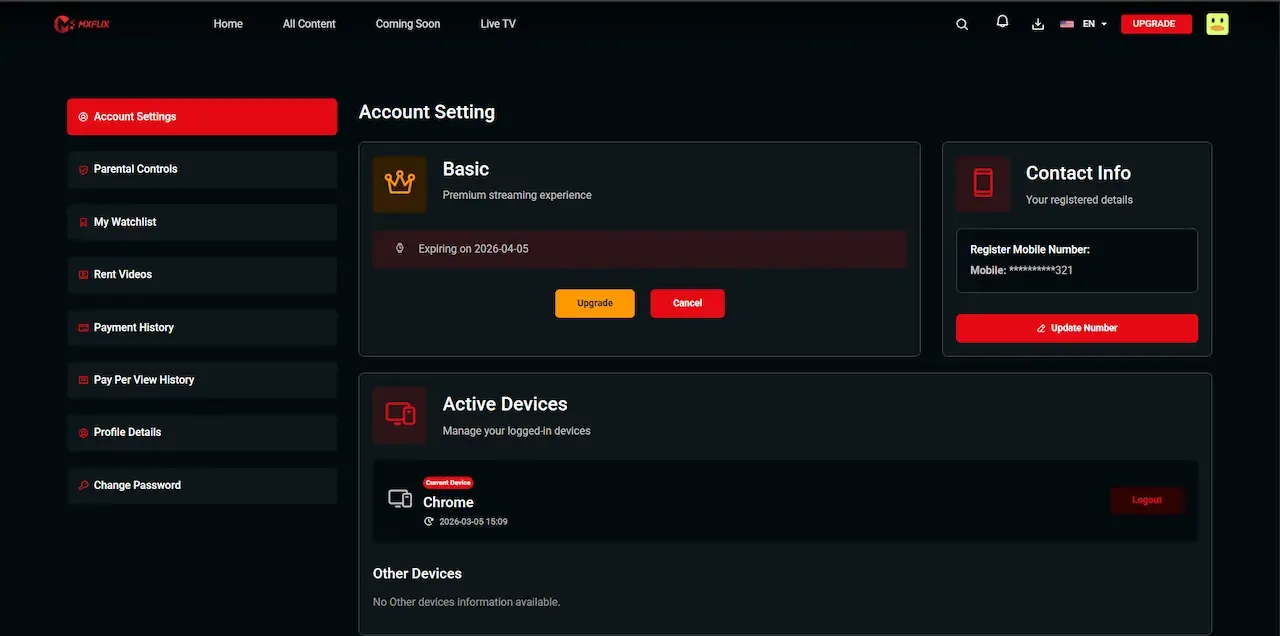
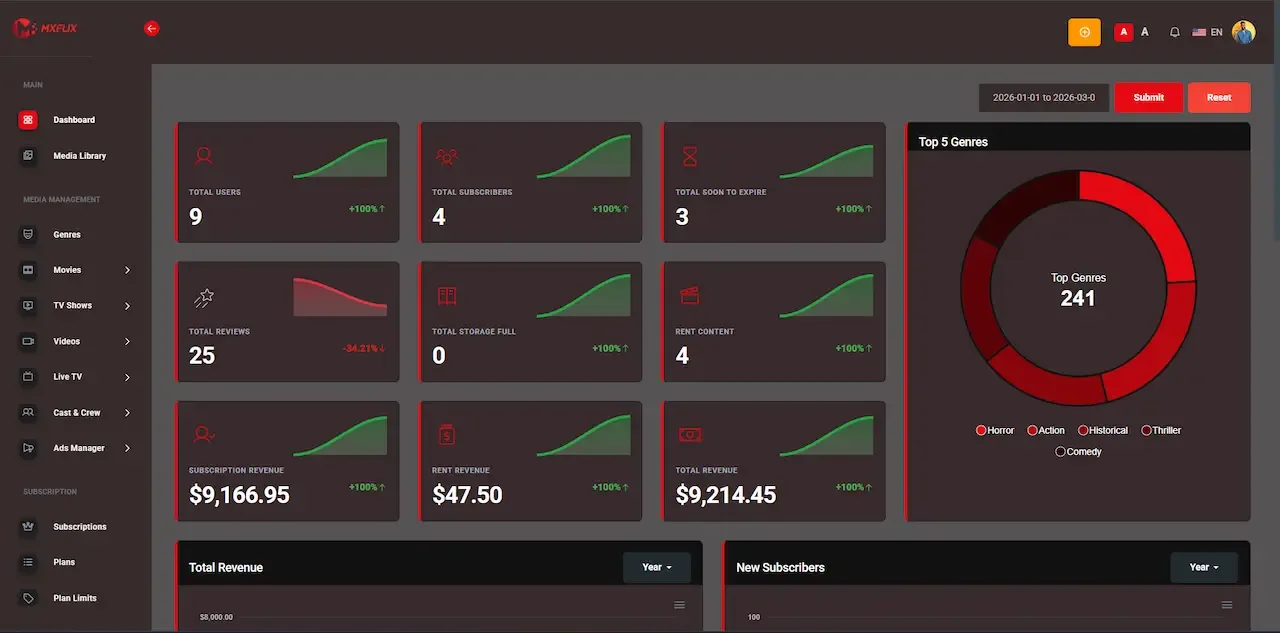
Real screens from the working product. Your platform ships rebranded with your name, logo and colors.
Admin panel 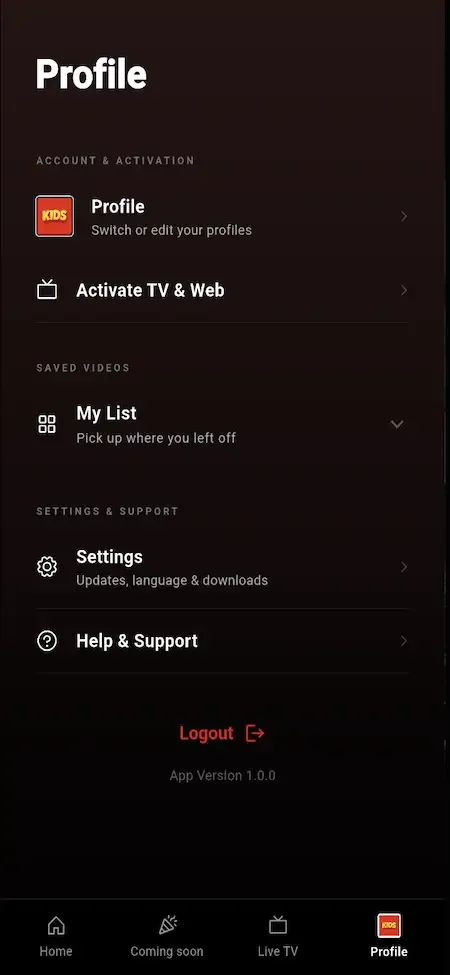
User app 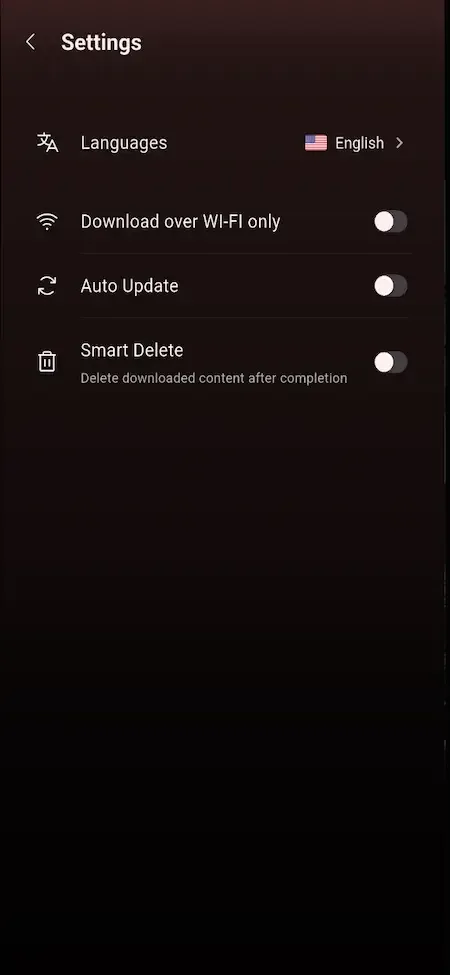
User app 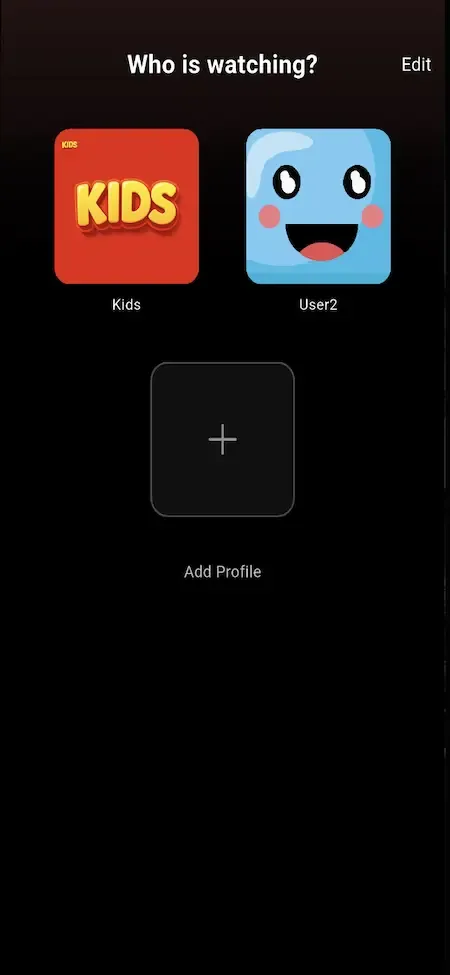
User app 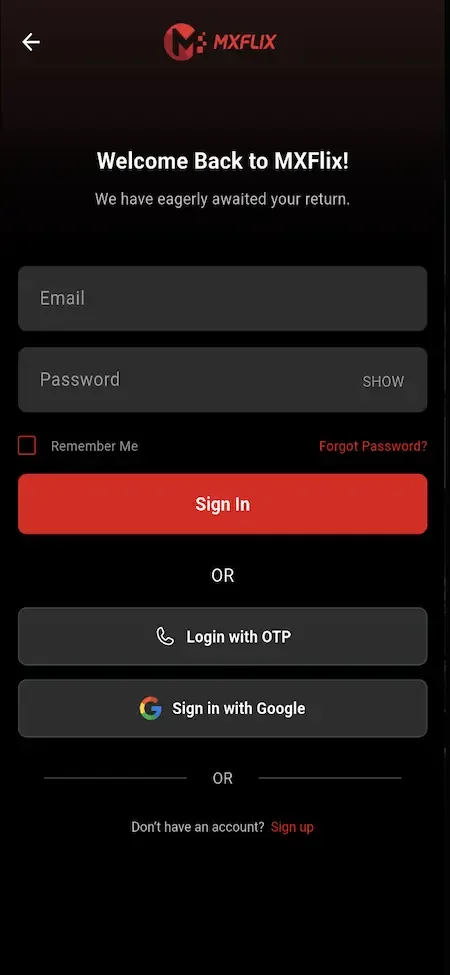
User app
Why the platform price does not change
Charging a share of each sale would penalize the storefront model that this product is built around. The more titles you rent, sell and settle, the more complex your accounting becomes, and a revenue share would grow with every one of those transactions. A single payment keeps the platform cost predictable while the business becomes busier.
In return we commit to a short list. You get the complete source code and the right to rebrand and white-label it, help publishing the apps, sixty days of technical support and a year of free updates. First responses arrive within two hours on working days, and tailored work is confirmed in writing before it starts.
Try the live Amazon Prime Video Clone demo
The demo is a live deployment of the OTT storefront with demo branding and sample titles, not your final look. Four logins are open: a viewer on web and Android, a content partner, and an administrator. Rent something as the viewer first, because the way a rental window behaves is the quickest test of the platform.
-
Viewer web app
Open the Viewer web app demo- Login
user@demo.com- Password
User_321
Worth trying
- Open a title page and compare the ways it can be unlocked
- Rent a title and read the rental details on the invoice
- Search by genre and cast, then save a title to the watchlist
- Create a kids profile and see what the filter removes
-
Viewer Android app
Open the Viewer Android app demo- Login
user@demo.com- Password
User_321
Worth trying
- Install the APK and move through the home screen rails
- Start a series episode, quit, and resume from Continue Watching
- Open the live channel line-up and check which are gated
- Look at subtitle and quality options in the player
-
Content partner console
Open the Content partner console demo- Login
producer@demo.com- Password
Producer_321
Worth trying
- Read the submission screen and the approval status labels
- Open performance for one title and compare views with minutes
- Find the earnings view and the payout request form
-
Admin platform
Open the Admin platform demo- Login
admin@demo.com- Password
Admin_$321
Worth trying
- Open the pricing controls for a title and its monetization models
- Review the partner approval queue and the settlement screens
- Check the plan builder, coupon settings and regional rules
- Browse the reports and app control options
Amazon Prime Video Clone cost FAQs
Does the price cover every pricing model?
Yes. Subscription plans, rentals, outright purchases, the ad-supported tier, coupons, bundles and partner revenue sharing are all in the ready-made build. You choose which to switch on, and you can change the mix later from the admin platform without paying a license fee for each model.
Are partner payouts handled inside the price?
The tools are included: watch-minute logging, partner statements, earnings views and approval-gated payout requests. The money itself moves outside the platform, and you settle with partners through your own banking, so the price covers the software and not the payments.
Who pays for the servers?
You do, on cloud accounts in your own name. We deploy the application and help you pick storage and delivery vendors, but those providers bill you directly. This keeps your video and your viewer data under your control instead of ours.
What does a custom change cost?
We confirm scope first and put it in writing, so you know the figure before any work begins. Typical projects run from two to eight weeks. Television apps, DRM and special settlement rules are the most common requests, and each is confirmed on its own scope.
Will I pay again to update the apps?
Updates are free for one year after handover. Beyond that you can keep running the code as it is, hire your own developers to extend it, or arrange extended maintenance with us. None of those options is compulsory.
Is there a cheaper way to start smaller?
You can launch with fewer models switched on, such as plans and rentals only, and add the rest later. The price stays the same because the full codebase is delivered either way. Starting smaller reduces your operating workload and content spend rather than the platform fee.
Do you charge for white-labeling?
No. Complete white-labeling and rebranding are part of the delivery, covering your name, logo, colors and splash screens across the apps, web platform and consoles. Viewers, partners and staff see your brand throughout the service. You are not asked to upgrade a tier to remove our name, because it was never placed there to begin with.
Explore the Amazon Prime Video Clone
The overview and its companion pages answer the main questions in turn. Pick the one you need next.
-
Amazon Prime Video Clone
The overview: live demo, screens, price and everything in the box.
Back to the overview -
Features
Selling one title four ways sounds simple until a viewer holds two of those rights at once.
See the full breakdown -
Business model
A storefront earns by matching each viewer to the way they are willing to pay, instead of asking everyone to buy the whole library.
See the playbook -
Development company
A storefront that sells titles several ways fails in the details: rights that overlap, rentals that never end, partners who cannot see their numbers.
Compare options
→Start here
Tell us what you want to launch.
Share the platform and your market. You get a walkthrough of the live demo, the exact scope of what ships, and a fixed price in writing. First response in under 2 hours, Monday to Saturday, 10:00 to 19:00 IST.
Trademark and independence notice
This page uses the name Amazon Prime Video to describe a type of platform. The product sold here is separate software, built independently, and Amazon Prime Video has no part in it.
Why this name
"Amazon Prime Video clone" is industry shorthand that founders use when searching for software with a comparable business model. It names a category of product, not a copy of Amazon Prime Video.
Who built this
The platform is an original product designed and written by Miracuves. It contains no code, design, graphics or content originating from the Amazon Prime Video website or applications, and it ships under your own brand.
Trademarks
Amazon Prime Video and its logos are trademarks of their respective owner and are named here for reference only. GetFame is not affiliated with, sponsored by or endorsed by Amazon Prime Video. Rights holders can write to legal@miracuves.com.
Operator responsibility. The operator of a launched platform is responsible for legal compliance in the markets it serves. Nothing on this page is legal advice.Read the full disclaimer