Amazon Prime Video Clone Development Company: Choosing One
A storefront that sells titles several ways fails in the details: rights that overlap, rentals that never end, partners who cannot see their numbers. This page helps you choose a provider by those details. It compares the three routes, gives questions to ask, shows our delivery steps, and lists what we set up around the platform.
- 2010
- building since
- 9,000+
- projects delivered
- 6,000+
- clients served
On this page10 sections
- What to look for in a storefront partner
- Agency, freelancer or GetFame for a storefront build
- Questions that expose weak storefront builds
- The Amazon Prime Video Clone, on screen
- How a GetFame storefront launch is delivered
- Warning signs in a storefront proposal
- What a Prime Video clone provider cannot do for you
- Try the live Amazon Prime Video Clone demo
- Amazon Prime Video Clone development company FAQs
- Explore the Amazon Prime Video Clone
What to look for in a storefront partner
Ask a provider to show you the rights logic before you look at the design. When a viewer holds a plan, a rental and a purchase for the same title, which one wins, and where is that decided? A provider who answers with a screen and a rule can build a storefront. One who answers with a mockup has built a gallery. Ask for the same walkthrough with two territories involved, since regional terms are where weak logic fails.
Then consider who will own the result. A multi-model platform changes as you learn what sells, so you need the code, the cloud accounts and the data in your hands, not rented from the provider. Check how updates arrive, how quickly questions are answered, and whether the proposal separates fixed costs from custom scope in writing. A clear line between the two protects both sides when plans change halfway through.
Agency, freelancer or GetFame for a storefront build
All three routes can deliver a working service for the right buyer. The differences lie in how much is already built, who holds the infrastructure and what happens after delivery, which is where storefront projects most often go wrong.
| Aspect | Agency | Freelancer | GetFame |
|---|---|---|---|
| Starting point | A discovery phase and a blank design | Whatever the person has built before | A finished storefront you can test in a demo |
| Entitlement logic | Designed for you during the project | Often simplified to one model to save time | Server-side engine included and already working |
| Time to launch | Several quarters from brief to release | Months, depending on availability | Deployed in six working days |
| Partner tools | Priced as an additional module | Frequently left out | Partner console and payout approval in the platform |
| Cloud and code ownership | Varies by contract | Depends on the personal agreement | Your accounts and complete source code |
| Cost pattern | A large fee plus change requests | Hourly or fixed, with key-person risk | One-time $3,699 for the ready-made tier |
| After delivery | A retainer for maintenance | Depends on one person staying available | Sixty days of support and a year of free updates |
| Custom additions | New statement of work each time | Possible within their capacity | Scoped in writing, typically two to eight weeks |
Questions that expose weak storefront builds
Put these to every provider, including us. Most can be answered by operating the demo for a few minutes, which is a better test than any presentation.
What wins when two rights overlap?
Rent a title while holding a plan that includes it, then play it. A good platform resolves the right on the server and shows consistent results across devices. A weak one blocks the viewer or charges them twice. Repeat the test with a purchase and a rental of the same film, and ask the provider to explain, in plain words, the order in which the rights are checked.
How many timers does a rental have?
A fair rental needs a window to start and a window to finish. Ask whether both exist and whether they run as scheduled work. One timer alone invites disputes about time left after the viewer pressed play. Ask to see a rental that has expired and confirm the title returns to its paid state, since an expiry that depends on the viewer opening the app is unreliable.
Show a partner seeing only their own data
Sign in to the partner console and try to find another partner title. You should see none. Without that separation, commercial terms leak between partners, which can end the relationships you depend on. Also try opening a statement that belongs to someone else by editing the address, since separation that only hides links is not separation at all.
Where are territory rules enforced?
Rules hidden in the interface can be bypassed. Ask whether availability, price and model are checked on the server at the moment of playback. The answer should be yes, and it should be demonstrable. A simple test is to change a title to unavailable in a territory and confirm that a viewer there loses access immediately instead of after the next app update.
How is media protected?
Public file paths let anyone share a link. Ask about signed URLs and server checks, and ask honestly about DRM, since studio contracts may require it. A good provider states what is included and what is set up around it. Be wary of anyone who says a stream cannot be copied, because no consumer system offers that guarantee and studios know it.
Who holds the cloud account?
If the provider holds it, you pay their margin on every stream and moving later is painful. The right answer is that the accounts and data belong to you from day one, with the provider acting as your deployer. Ask for the administrator login to be in your name before launch, so that you can remove the provider's access whenever you wish.
How are statements produced?
Partners need figures they can check. Ask to see a statement built from watch minutes, and ask who approves a payout. A clear workflow with an approver is a sign the provider has thought about disputes. Ask whether a statement can be reproduced for an earlier period, because partners tend to question old numbers precisely when the relationship is under strain.
What does the proposal say about tailored work?
Television apps, DRM and special settlement rules should appear as separate items with their own timelines. Vague promises that everything is possible are a warning rather than a reassurance. A trustworthy proposal also says what is set up around the platform, since a provider willing to describe its scope is usually accurate about everything else.
What happens after handover?
Ask for the length of support, the first response time and the period of free updates, in writing. Concrete answers matter more than enthusiastic ones when something breaks on a release night. Also ask who you contact and how, whether support covers fixes only or includes advice, and what happens to a request that turns out to be new work.
The Amazon Prime Video Clone, on screen
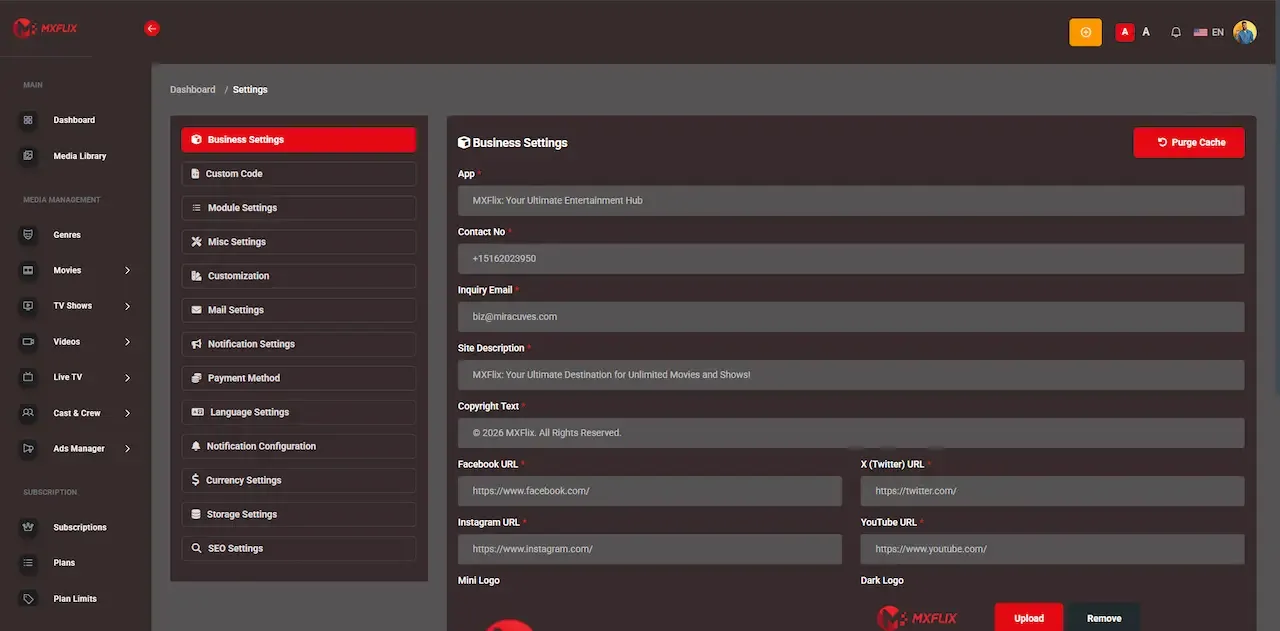
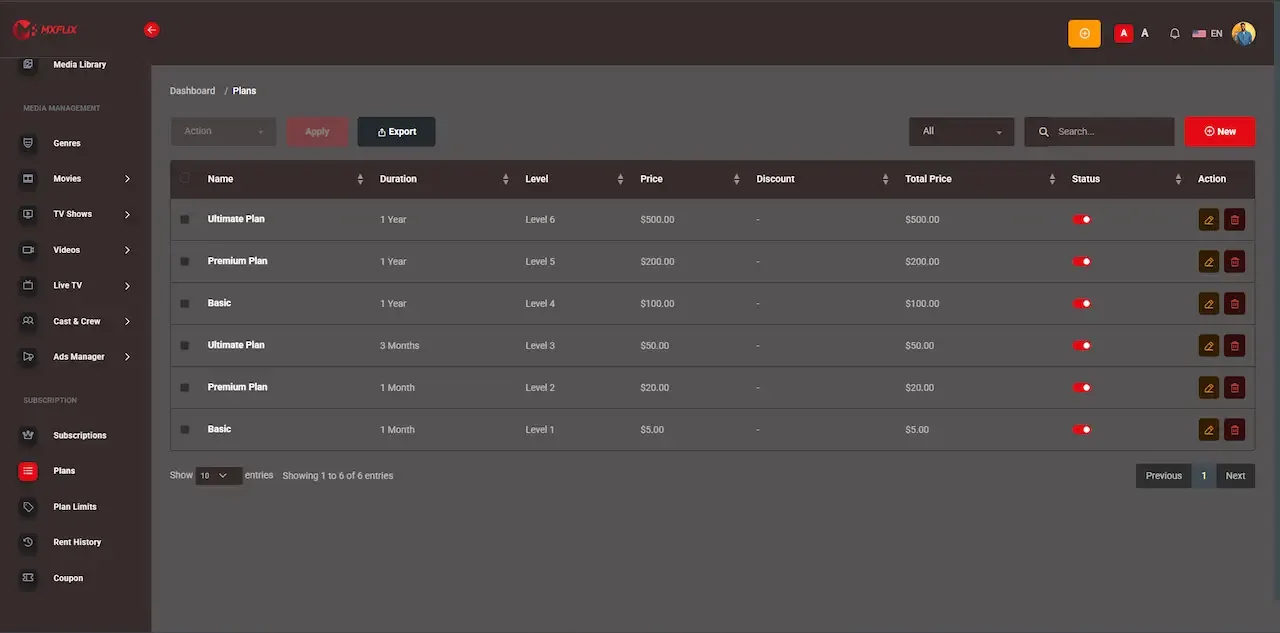
Real screens from the working product. Your platform ships rebranded with your name, logo and colors.
Admin panel 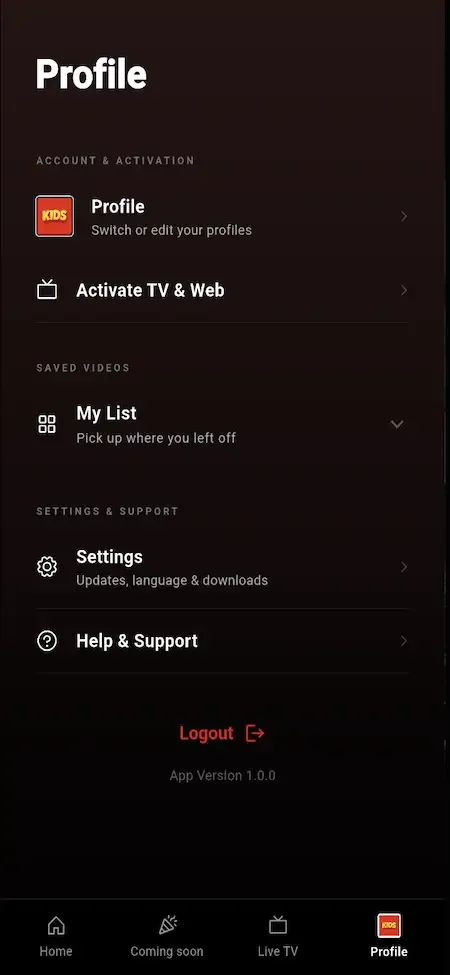
User app 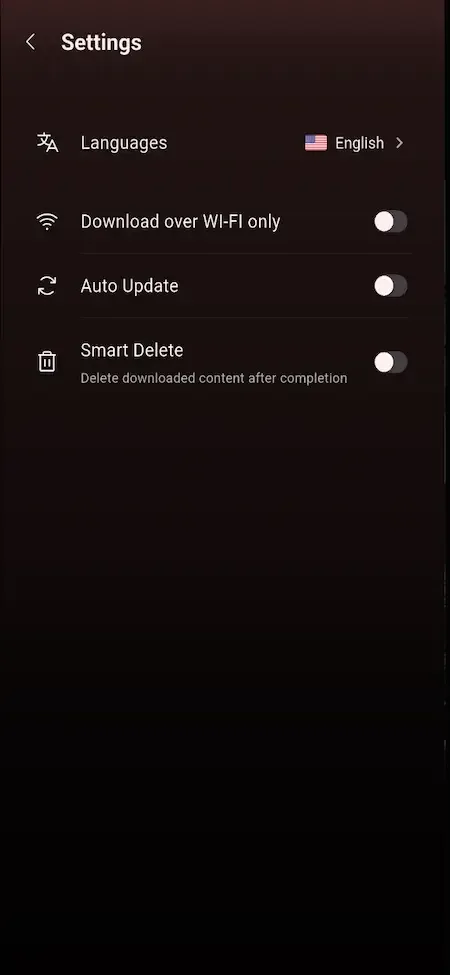
User app 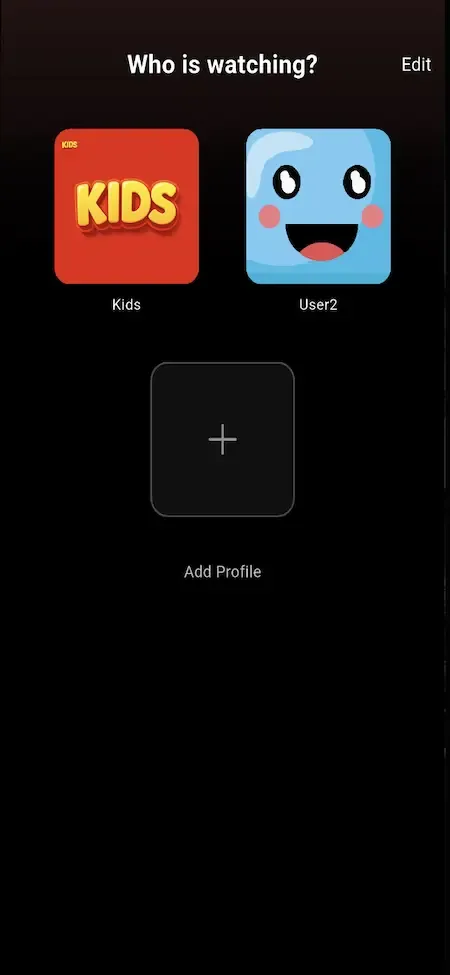
User app 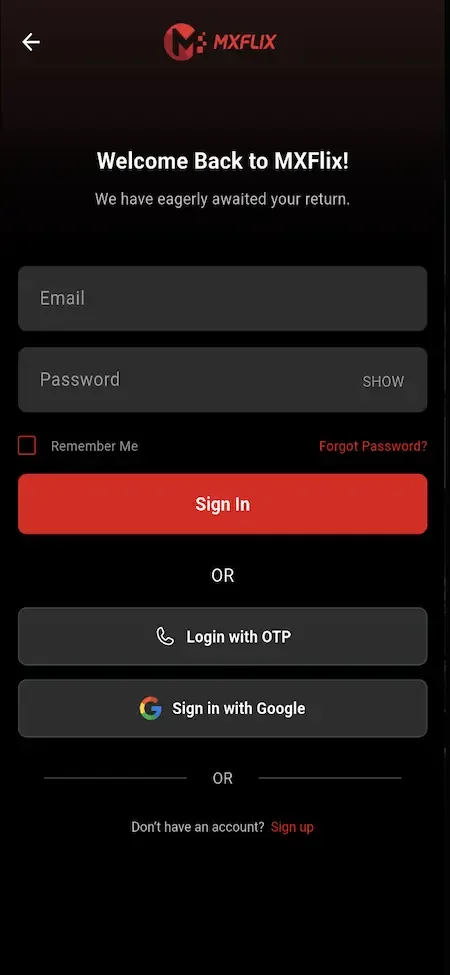
User app
How a GetFame storefront launch is delivered
A standard deployment takes six working days from our side. Preparing titles and partner terms runs in parallel and depends on you, so use the week to get content ready.
-
Brief and brand handover
You give us your name, identity, theme, domain and content policy. Rebranding is treated as configuration rather than as code changes, which keeps the source clean and makes later updates simpler for your own developers. Decide the names of your plans and the wording of your rental terms at this stage, since they appear on every screen.
-
Deployment on your cloud
We install the application on your servers, with storage and a CDN connected, so it runs on your infrastructure from the beginning. You open the cloud account and make the provider choices with our guidance. Choose a region close to most of your viewers, because distance to the servers affects how quickly a stream starts.
-
Load the catalog through ingest
Titles, metadata, artwork and territory rights are loaded through the acquisition API instead of by hand. You prepare the files and the rights information so the first catalog reflects what you can actually sell. Check a sample of titles in each territory afterward, because wrong availability is easier to fix before viewers see it.
-
Pricing for each model
We set plan tiers with their limits, rental windows and prices, purchase prices and the ad-tier rules, along with the model each title uses in each territory. You agree the prices and the rental timers. Walk through a purchase as a viewer once the settings are in, so that the price on screen matches the price you meant to charge.
-
Partners and payment providers
Partner terms and the settlement basis are configured, and payment providers for each market are connected to your merchant accounts. You open those accounts and confirm the agreements with each partner. Run a small test payment through every provider you connect, so that fees and settlement times are known before real money arrives.
-
Handover and walkthrough
We hand over the source, documentation and full credentials, walk your team through a title from submission to settlement, and start the support window. Your operations staff attend, and you begin store account setup. Record the walkthrough if you can, since new colleagues will need the same orientation later and the live session happens only once.
Warning signs in a storefront proposal
None of these proves a provider is poor, but each should prompt a harder question before you commit any money or time. Write the answers down, and compare them across the providers you are considering rather than judging each conversation in isolation.
- A demo showing only the viewer app, with no partner console and no pricing controls to open
- No clear answer to what happens when a viewer holds more than one right to the same title
- Territory rules described as a design feature and not shown enforcing access on the server
- Rentals with a single timer, or expiry that is stored but never checked
- Partner statements produced by hand from spreadsheets instead of from logged watch minutes
- Hosting that sits in the provider account, with no clear handover of data and credentials
- A proposal that treats DRM, television apps and ads as small items with no separate scope
- No stated support period, no first response time and no mention of free updates
What a Prime Video clone provider cannot do for you
These items stay with you or with third parties, however good the delivery. Planning for them early keeps your launch date realistic, and it is worth assigning a named owner to each one before the build begins so that nothing is left waiting for a decision.
We do not provide titles or rights
The storefront ships empty. Licensing films, signing partners and confirming that you may sell each title in each territory is your business to arrange, and the legal responsibility for it is yours.
We do not grant approvals
Payment providers and app stores decide on their own schedules. We prepare the submissions and guide you through common review questions, but we cannot promise an outcome or a date. Submit early and answer reviewer questions the same day, since a delayed reply can push a decision back further than the review itself takes.
We do not staff your operations
Someone must approve partners, check statements, answer viewer questions and handle takedown requests. The platform supports those roles, and your team has to fill them. The partner manager and the finance approver should be different people, so decide who they are before launch and make sure each knows which console screens belong to them.
We do not give legal advice
Partner contracts, rights agreements, age rules and consumer terms vary by market. You are responsible for compliance where you operate and should consult qualified counsel. We can change platform settings once you know what applies, but we cannot tell you which rules govern your business or review your contracts.
We do not absorb infrastructure bills
Storage, delivery and servers are charged by your cloud providers to your accounts. We configure them and advise, but the usage charges are yours. Ask each provider for a rate card, and model your expected minutes watched against it before you set rental prices, so that no title loses money each time it is played.
We do not promise viewing or sales
We deliver a working platform. How many people rent, buy or subscribe depends on your catalog, pricing and marketing, and no provider can guarantee it. The software makes each sale possible, but finding the viewers, choosing the titles and setting prices that people accept remain your work.
Try the live Amazon Prime Video Clone demo
The demo is a live deployment of the OTT storefront with demo branding and sample titles, not your final look. Four logins are open: a viewer on web and Android, a content partner, and an administrator. Rent something as the viewer first, because the way a rental window behaves is the quickest test of the platform.
-
Viewer web app
Open the Viewer web app demo- Login
user@demo.com- Password
User_321
Worth trying
- Open a title page and compare the ways it can be unlocked
- Rent a title and read the rental details on the invoice
- Search by genre and cast, then save a title to the watchlist
- Create a kids profile and see what the filter removes
-
Viewer Android app
Open the Viewer Android app demo- Login
user@demo.com- Password
User_321
Worth trying
- Install the APK and move through the home screen rails
- Start a series episode, quit, and resume from Continue Watching
- Open the live channel line-up and check which are gated
- Look at subtitle and quality options in the player
-
Content partner console
Open the Content partner console demo- Login
producer@demo.com- Password
Producer_321
Worth trying
- Read the submission screen and the approval status labels
- Open performance for one title and compare views with minutes
- Find the earnings view and the payout request form
-
Admin platform
Open the Admin platform demo- Login
admin@demo.com- Password
Admin_$321
Worth trying
- Open the pricing controls for a title and its monetization models
- Review the partner approval queue and the settlement screens
- Check the plan builder, coupon settings and regional rules
- Browse the reports and app control options
Amazon Prime Video Clone development company FAQs
Is the source code really mine?
Yes. You receive the complete code for the Flutter apps, the Laravel web platform and backend, the entitlement engine and both consoles, with handover documentation. You may modify, extend and host it as you wish, and no monthly license applies after handover.
Can my team change the pricing rules later?
Plan prices, rental windows, purchase prices and territory rules are settings in the admin platform, so your operators can change them without a developer. Deeper changes to the logic itself can be made by your own engineers, or set up with us as tailored work.
How fast will you answer questions?
Our first response comes within two hours, Monday to Saturday, from ten in the morning to seven in the evening India Standard Time. Technical support is included for sixty days, and longer issues are tracked through to a resolution.
Do you help with the app stores?
We prepare the Android and iOS builds and support the submission and listing process. The developer accounts are in your name, and the stores make the decisions, so we cannot control review times. We help you respond to common review requests.
What if I outgrow the standard build?
Because you own the code, you can extend it yourself or commission us. Tailored projects are confirmed in writing before work starts and usually take two to eight weeks. Television apps, DRM and special settlement logic are the usual next steps.
Can I try the platform before paying?
Yes. The live demo includes a viewer web app, an Android build, a partner console and an admin platform, and the sample logins are shown on this page. We can also arrange a guided walkthrough, so you can test the rental behavior directly.
How long have you been doing this?
We have built software since 2010, with more than nine thousand projects delivered for over six thousand clients. That experience is general rather than specific to your sector, so judge us on the demo and the process described here, not on a number.
Explore the Amazon Prime Video Clone
The overview and its companion pages answer the main questions in turn. Pick the one you need next.
-
Amazon Prime Video Clone
The overview: live demo, screens, price and everything in the box.
Back to the overview -
Features
Selling one title four ways sounds simple until a viewer holds two of those rights at once.
See the full breakdown -
Development cost
A storefront with several pricing models costs more to design than a plain subscription app, and that design effort is what a finished codebase saves you.
See exact pricing -
Business model
A storefront earns by matching each viewer to the way they are willing to pay, instead of asking everyone to buy the whole library.
See the playbook
→Start here
Tell us what you want to launch.
Share the platform and your market. You get a walkthrough of the live demo, the exact scope of what ships, and a fixed price in writing. First response in under 2 hours, Monday to Saturday, 10:00 to 19:00 IST.
Trademark and independence notice
This page uses the name Amazon Prime Video to describe a type of platform. The product sold here is separate software, built independently, and Amazon Prime Video has no part in it.
Why this name
"Amazon Prime Video clone" is industry shorthand that founders use when searching for software with a comparable business model. It names a category of product, not a copy of Amazon Prime Video.
Who built this
The platform is an original product designed and written by Miracuves. It contains no code, design, graphics or content originating from the Amazon Prime Video website or applications, and it ships under your own brand.
Trademarks
Amazon Prime Video and its logos are trademarks of their respective owner and are named here for reference only. GetFame is not affiliated with, sponsored by or endorsed by Amazon Prime Video. Rights holders can write to legal@miracuves.com.
Operator responsibility. The operator of a launched platform is responsible for legal compliance in the markets it serves. Nothing on this page is legal advice.Read the full disclaimer