Amazon Prime Video Clone Features for a Multi-Model Storefront

Selling one title four ways sounds simple until a viewer holds two of those rights at once. This page walks one release through the storefront, explains the entitlement engine and the other capabilities that make a mixed catalog manageable, sets the build against the service people know, and states what we set up around the platform.

4
ways to pay per title
5
apps and consoles
6 days
to go live
On this page10 sections
  1. All 50 Amazon Prime Video Clone features, by role
  2. A new release moving through the storefront
  3. The Amazon Prime Video Clone, on screen
  4. Capabilities that set the Prime Video clone apart
  5. Prime Video clone against the service it echoes
  6. What runs the storefront underneath
  7. What we set up around the Prime Video clone
  8. Try the live Amazon Prime Video Clone demo
  9. Amazon Prime Video Clone feature FAQs
  10. Explore the Amazon Prime Video Clone

All 50 Amazon Prime Video Clone features, by role

The complete list, grouped by the person who uses each feature. Nothing is hidden behind a plan tier: this is what ships in the platform.

Entitlements and pricing

13 features
Server-side entitlement engine
Play rights are resolved on the server for every request, so the client never decides what a viewer is allowed to watch.
Plan inclusion
A title can belong to one or more subscription tiers, which controls which plan holders see it without a purchase.
Three billing periods
Plans can be weekly, monthly or annual, with renewal handling and invoices for each cycle.
Catalog and device limits
Each plan can restrict how much of the library it opens and how many devices may stream.
Two-timer rentals
A rental grants a window to start watching and a shorter window to finish, which suits new releases.
Scheduled rental expiry
Expiry runs as scheduled work, so access ends predictably and the countdown shown to the viewer stays accurate.
Window settings
Rental windows can be set globally or per title, letting premieres and back catalog follow different rules.
Outright purchase
Buying a title records a permanent entitlement against the viewer, a revenue line that does not churn.
Boxsets and bundles
Several titles can be priced as a single item, sold outright or reserved for a tier.
Ad-supported access
Selected titles can open without payment on an ad tier, restricted to the territories you choose.
Ticketed live access
Live channels and events can be free, gated by plan or sold as a ticket independent of any subscription.
Scoped coupons
Fixed or percentage coupons carry validity windows and usage caps, and can be mapped to plans, titles, partners or territories.
Per-region pricing and rules
Availability, price and monetization model are set per territory and enforced where rights resolve, not merely hidden in the interface.

Viewers

13 features
Multiple sign-in routes
Email and password, social login and OTP are supported, so viewers use whichever is quickest on their device.
QR television handoff
Scanning a QR code links a TV session to an account without typing credentials with a remote.
Household profiles
Each profile keeps separate history and recommendations, so one person tastes do not distort another feed.
Maturity filtering
Kids profiles are filtered by maturity rating instead of by a switch a child can flip.
Merchandised rows
Hero banners and rows for trending, new release and leaving-soon titles guide viewers toward what the operator wants seen.
Cast and crew browsing
Viewers can follow a person across titles, as well as browse by genre.
Full catalog structure
Films, series, seasons, episodes, trailers, standalone extras and priced boxsets all live in the same catalog.
Adaptive playback
Quality adjusts to the connection, with subtitles and multiple audio tracks available per title.
360 VR-ready workflow
Titles that carry 360 material play through a VR-ready path where content and devices permit.
Cross-device watchlist
A saved list follows the profile on every device.
Synced Continue Watching
Position is stored per profile and shared across phone, web and TV handoff sessions.
Indexable title pages
Public catalog and title pages on the web can be crawled by search engines, which brings in unpaid traffic.
Purchases in the app
Viewers can subscribe, rent and buy inside the mobile apps where store policy allows.

Content partners

11 features
Partner submission
Partners submit films, series and live content to the operator rather than publishing directly.
Visible approval status
Each submission shows where it stands, so partners do not have to ask for updates by email.
Own-catalog reporting
Performance is reported at title level for the partner own catalog only.
Measured watch minutes
Viewing is logged per title, which means a partner share is a measurement, not an estimate.
Earnings visibility
What a partner is owed appears alongside the minutes that produced it.
Payout requests
A partner asks for payment from the console, and the request routes to an operator for approval.
Strict partner isolation
Roles are scoped so one partner can never see another partner numbers or terms.
Programmatic ingest
A content acquisition API accepts titles and metadata directly from aggregators and distributors.
Agreed settlement terms
Each partner is settled against the terms recorded for them, calculated from those watch minutes.
Partner statements
Statements document each settlement period so that both sides can check the arithmetic.
Mixed catalog listing
Partner titles sit in discovery next to owned ones, so viewers browse one library rather than two.

Operators

13 features
Catalog and metadata control
Manage films, series, seasons, episodes, live channels, metadata and artwork for both owned and partner titles.
Partner approval and terms
Review submitted titles, record the commercial terms and decide what reaches the catalog.
Plan configuration
Set tiers, prices, catalog scope, device limits and renewal behavior from one screen.
Rental and purchase pricing
Set window lengths, per-title prices and entitlement overrides for rentals and outright purchases.
Territory rule management
Decide which titles, prices and models apply in which regions.
Coupon campaigns
Run discount campaigns scoped to plans, titles, partners or territories.
Watch-minute reconciliation
Reconcile logged minutes against partner terms before any money is released.
Approval-gated payout runs
Payouts are batched and approved by named staff, so every decision is attributable.
Revenue by model
Reports separate subscription, rental, purchase, ad and partner income, so you can see which lines earn.
Scoped staff roles
Content manager, partner manager, finance approver and platform owner each see only their slice.
App behavior control
One place sets how each Android and iOS version behaves, which updates are required and which modules are switched on.
Regional app settings
Availability, pricing and content rules can differ by region at the app level.
Banners and live listings
Home banners and the live channel line-up are maintained in the console.
A new release moving through the storefront

Take one new film and follow every decision made about it. The path shows why a multi-model catalog needs an engine behind the screens and not just a player.

  1. The title enters the catalog

    Your team adds the film in the admin platform, or it arrives through the acquisition API with metadata and artwork. A partner can also propose it. Either way the record carries territory rights from the start, so availability is decided before anyone sees the page.

  2. Each region gets its own terms

    The operator chooses the model that applies in every territory. The same film can be included in a plan in one market, rental only in a second, and free with ads in a third. That choice is stored against the title, not scattered across separate screens.

  3. Prices are set per model

    A rental price, a purchase price and the plan tier that includes the title are set independently. Rental windows come from a global default or a per-title override. Coupons can be attached to a plan, a title or a partner catalog with validity windows and usage caps.

  4. The viewer meets the choice

    On the title page a viewer sees which options exist where they live. Someone with a plan simply presses play. Someone without one can rent, buy, or watch the ad-supported version, so a person unwilling to subscribe still has a way to give you revenue.

  5. The engine resolves the right

    On each play request the server checks plan membership, active rentals, permanent purchases, territory and the ad tier, then decides which right applies. Because the answer comes from the server, a viewer holding two rights never meets a conflict on a phone, a browser or a television.

  6. Rentals expire on schedule

    A rental carries two timers: a window to begin watching and a shorter one to finish after starting. Expiry runs as scheduled work in the background rather than as a check at playback, so the ledger and the player agree about when access ended.

  7. Viewing is measured for partners

    Watch minutes are logged at title level. If the film belongs to a partner, the minutes feed a statement that the partner can read in the console and compare with their agreed terms. Nobody has to estimate what was watched. A disagreement about a figure becomes a short check of the log for a named title and period, not a debate over whose spreadsheet is correct.

  8. Settlement goes through approval

    The partner raises a payout request when they are ready, and a finance approver in your team reviews it against the statement. Roles are scoped, so the person who approves payouts does not need to edit the catalog. That split also protects you: whoever publishes titles cannot also move money, which is the kind of separation auditors and cautious partners like to see.

The Amazon Prime Video Clone, on screen

Real screens from the working product. Your platform ships rebranded with your name, logo and colors.

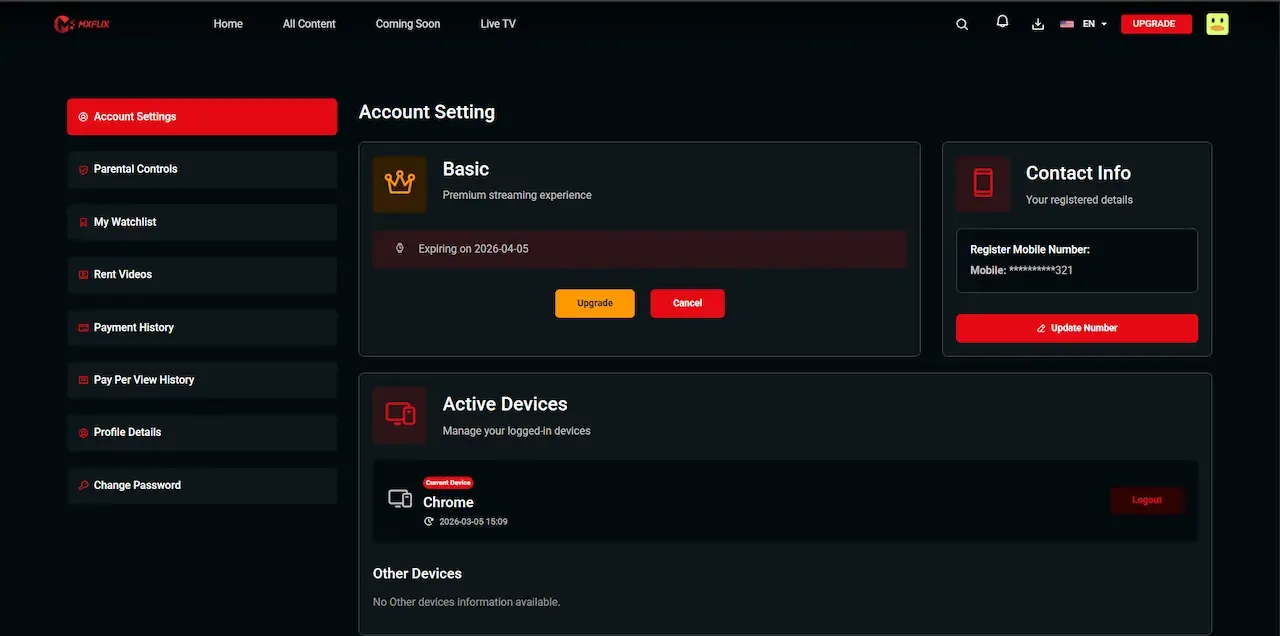
  • Dark web account settings with plan details, contact info and active device list
    Web app
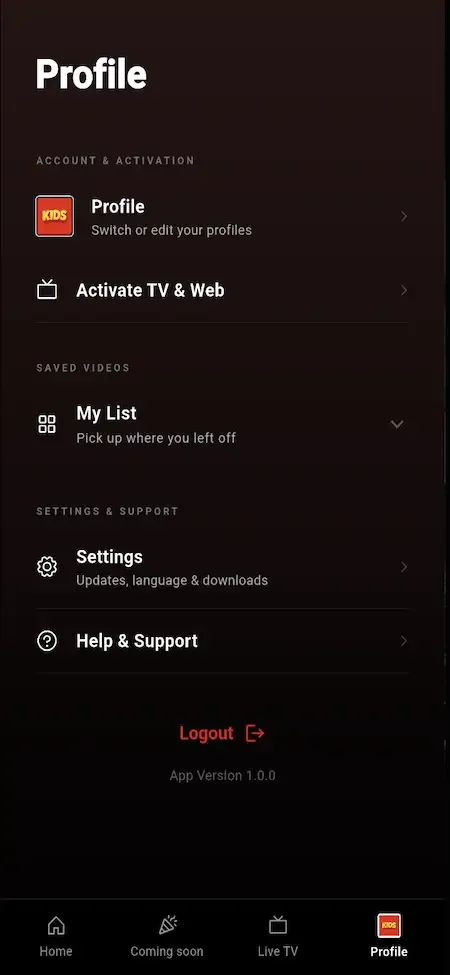
  • Phone profile menu with profile switch, activate TV and web, my list, settings and logout
    User app
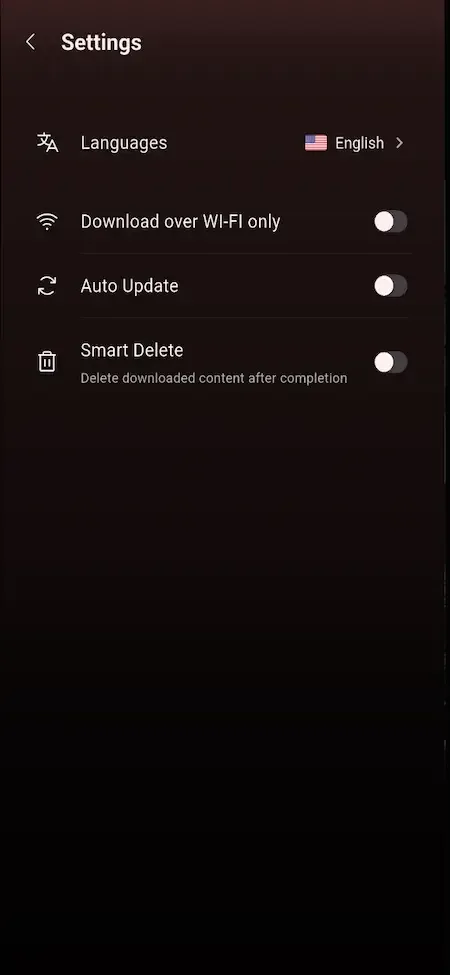
  • Phone settings list with language, Wi-Fi only downloads, auto update and smart delete toggles
    User app
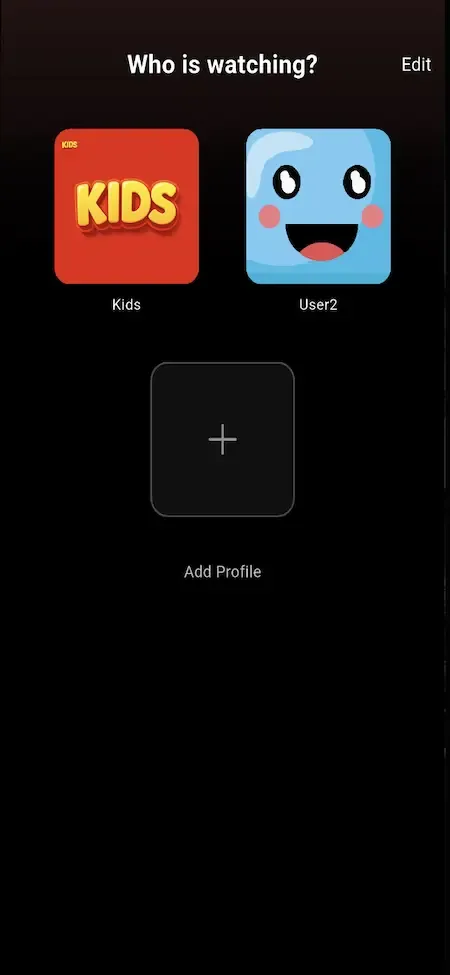
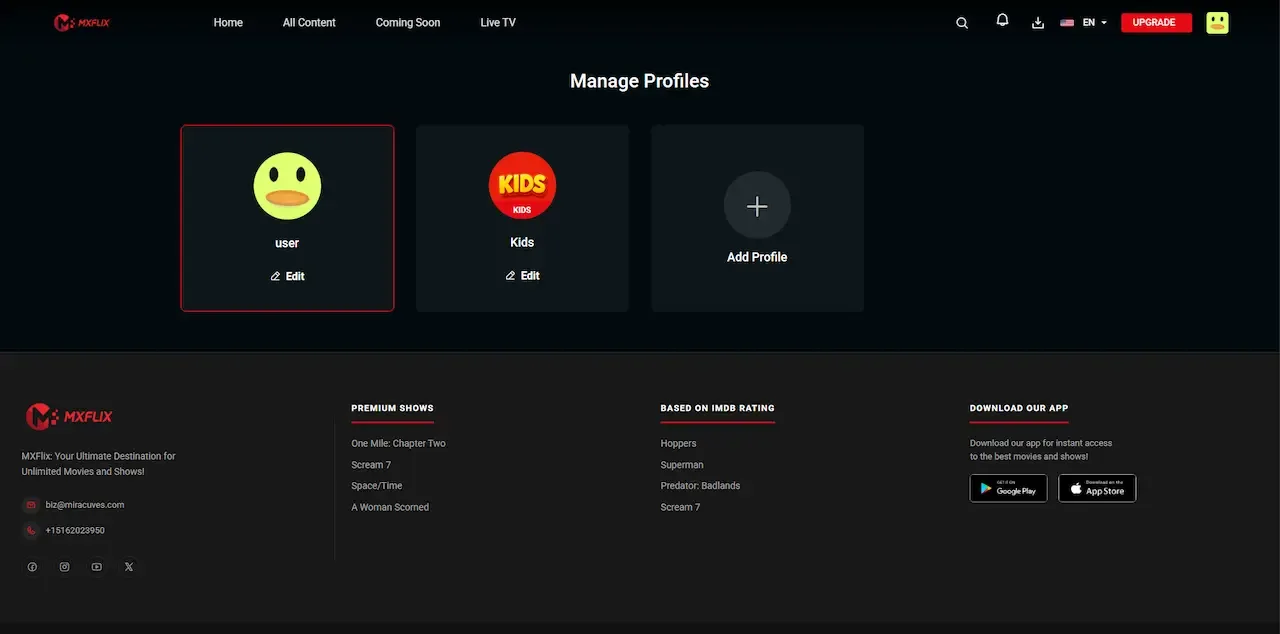
  • Phone profile picker with a kids tile, a smiley avatar and an add profile button
    User app
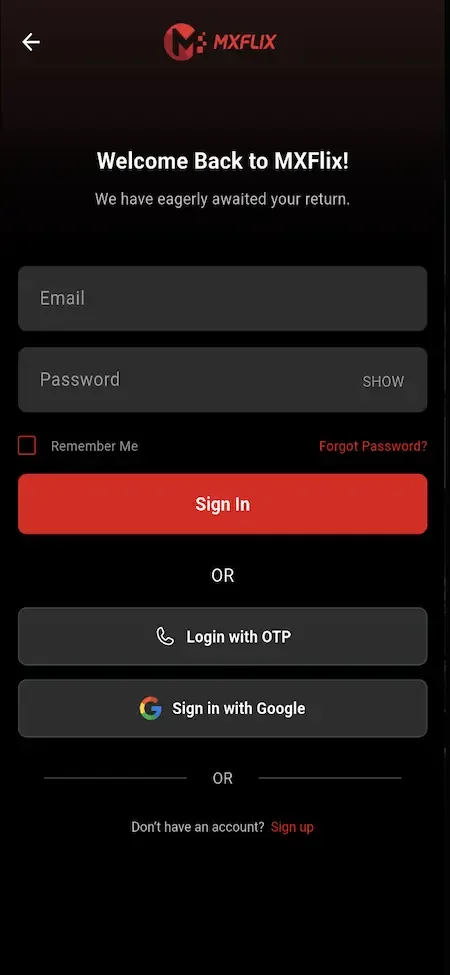
  • Phone sign-in screen with email and password fields and OTP and Google login options
    User app

Capabilities that set the Prime Video clone apart

Plenty of video scripts can play a file and take a card payment. The following are the capabilities that make a catalog with mixed pricing workable day after day.

  • Server-side entitlement engine

    Every play request is checked on the server against everything a viewer might hold. That removes the common bug where a rental, a plan and a purchase fight each other. It also means rights cannot be bypassed by editing the app, which matters when titles carry different prices.

  • Two-timer rentals

    A rental has a window to start and a separate window to finish. The distinction is fair to viewers who buy now and watch next weekend, and it protects your revenue from people who start a film and hold access forever. Both timers are configurable per title or for the whole catalog.

  • Ad-supported access tier

    A tier for viewers who will not subscribe lets you earn from an audience that would otherwise leave. The rules for it live in the backend, so you decide which titles qualify. A full advertising module with sponsor placements is available too; we set it up around your plan.

  • Territory-level pricing and rights

    Availability, price and monetization model are set per region and enforced at the entitlement layer. That makes it possible to sell the same title on very different terms in different countries without maintaining separate catalogs or separate apps. A territory where you hold only rental rights simply never offers the plan route, and a market with lower purchasing power can carry a lower price from the same record.

  • Partner catalogs on revenue share

    Third parties list films and series beside yours, subject to your approval, and are settled on measured watch minutes. You grow the library without buying every title, and each partner sees only their own numbers, so commercial terms stay private between them. The practical task for you is partner selection: a few reliable catalogs with clean rights beat many uncertain ones.

  • Boxsets and bundles

    Several titles can be priced as one item and sold outright or gated to a tier. A boxset lifts the order value for a viewer who has already decided to buy, and a themed bundle gives an interest group a single clear offer. A complete series at one price is easier to buy than twelve separate episodes, and a holiday collection gives you a reason to run a timed promotion without discounting individual titles.

  • Scoped operator roles

    Content manager, partner manager, finance approver and owner each see only their own slice of the admin platform. As a storefront grows past the founders, that separation limits mistakes and gives you a clear record of who changed what. A new hire handling artwork should not be able to open payout figures, and with scoped roles that rule is built into the console instead of depending on trust.

  • Programmatic catalog ingest

    An API-based acquisition workflow loads titles, metadata and rights data in bulk. A storefront with many partners and territories would otherwise need a long manual upload queue, which is slow and prone to errors. Bulk loading matters most on opening week and whenever a partner delivers a season at once, because retyping dates and territories by hand is where wrong availability usually begins.

Prime Video clone against the service it echoes

Amazon Prime Video is widely known for mixing titles included with a membership, others to rent or buy, and channels from other providers sold alongside. This build follows that storefront shape under your own brand. The comparison covers the commercial model only, not any claim about the brand.

Prime Video clone against the service it echoes
AspectAmazon Prime VideoAmazon Prime Video CloneBuilding from scratch
How titles are sold Some included with membership, others rented or boughtPlan, rental, purchase and ad-supported access on each titleEach model is a separate build with its own edge cases
Third-party content Channels from other providers sold alongside the main catalog as add-onsPartner catalogs listed beside yours on revenue shareA partner system you must design and secure yourself
Resolving access rights Handled inside the company platform, with no view for outsidersA server-side entitlement engine decides on every playA hard problem that usually surfaces after launch
Regional terms Varies by country and by the agreement behind each titleAvailability, price and model set per regionNeeds a rights data model built before the first sale
Rental behavior A limited time to start and to finish a rentalTwo configurable timers, one to start and one to finish, with scheduled expiryOften one timer, which creates disputes later
Free access tier Advertising appears in some plans, with an option to remove itAn ad-supported tier with rules held in the backendAd logic and eligibility rules written from nothing
Who owns the code The company holds it; outside operators cannot change or see itYou hold the complete source code and the dataYou hold it, after the long build ends
Time to first sale Not available to an outside operator, who cannot run the originalDeployed in six working days, content permittingSeveral quarters before real viewers can pay

What runs the storefront underneath

The technology is mainstream and documented, which keeps maintenance affordable and hiring simple. The table follows the names on the product page and adds nothing beyond them. Because each layer is common, any competent web or mobile developer can read the code, and you are never locked into one supplier for fixes or new features.

What runs the storefront underneath
Mobile appsFlutter for Android and iOS, so both viewer apps come from one shared codebase.
Web platformPHP Laravel with title pages that search engines can index, which helps rentals convert from search.
Backend and entitlementsA Laravel API holds the entitlement engine, with queue workers running jobs such as rental expiry.
DatabaseMySQL or MariaDB stores catalog, rights, plans, rentals, purchases, watch minutes and settlements.
PlaybackHLS, MP4 and external sources, plus 360 VR-ready playback for suitable titles.
Media protectionSigned media URLs with server-side checks, and token-based authentication for API requests.
Cloud and deliveryAWS, GCP or DigitalOcean with AWS S3, Bunny CDN or Cloudflare for storage and delivery.

What we set up around the Prime Video clone

The package gives you a working storefront, and the following items are set up around it for your build. Knowing them early helps the launch plan, so go through the list with your partners and your finance lead before you commit to a date.

  • Studio-grade DRM

    Media is protected by signed URLs and server checks, which suits owned and independent content. Studios commonly require a named DRM system, and we set that integration up for each deployment.

  • Native television apps

    Android, iOS and web are included, with QR handoff for television sign-in. Native apps for each television platform are tailored to your plan, built per platform with its own store process.

  • A channel marketplace

    Plans, bundles, boxsets and partner catalogs are covered. Selling another provider channel as an optional extra with its own billing is a different model that we set up for your build, with scope confirmed with us.

  • Content and rights

    The storefront launches empty. Acquiring titles and holding the right to sell each in each territory is your work and your responsibility. Keep a record of the agreement behind every title, because the territory settings you enter must match what the contract allows.

  • Video delivery costs

    Storage and CDN bills come from your own cloud providers and grow with viewing. They are an operating cost, separate from the one-time platform price.

  • Approvals and compliance staff

    Payment gateways, app stores and partner contracts each need approval or legal review from the right party. We assist, but decisions and legal advice are outside what we provide.

Try the live Amazon Prime Video Clone demo

The demo is a live deployment of the OTT storefront with demo branding and sample titles, not your final look. Four logins are open: a viewer on web and Android, a content partner, and an administrator. Rent something as the viewer first, because the way a rental window behaves is the quickest test of the platform.

  • Viewer web app

    Open the Viewer web app demo
    Login
    user@demo.com
    Password
    User_321

    Worth trying

    • Open a title page and compare the ways it can be unlocked
    • Rent a title and read the rental details on the invoice
    • Search by genre and cast, then save a title to the watchlist
    • Create a kids profile and see what the filter removes
  • Viewer Android app

    Open the Viewer Android app demo
    Login
    user@demo.com
    Password
    User_321

    Worth trying

    • Install the APK and move through the home screen rails
    • Start a series episode, quit, and resume from Continue Watching
    • Open the live channel line-up and check which are gated
    • Look at subtitle and quality options in the player
  • Content partner console

    Open the Content partner console demo
    Login
    producer@demo.com
    Password
    Producer_321

    Worth trying

    • Read the submission screen and the approval status labels
    • Open performance for one title and compare views with minutes
    • Find the earnings view and the payout request form
  • Admin platform

    Open the Admin platform demo
    Login
    admin@demo.com
    Password
    Admin_$321

    Worth trying

    • Open the pricing controls for a title and its monetization models
    • Review the partner approval queue and the settlement screens
    • Check the plan builder, coupon settings and regional rules
    • Browse the reports and app control options

Amazon Prime Video Clone feature FAQs

What happens if a viewer holds a plan and also rents the same title?

The engine checks every right on each play request and applies the one that serves the viewer, so they are never blocked or double-charged by accident. The invoice record still shows the rental, which keeps your accounting honest even when the plan would have covered the title.

Can a rental be watched on several devices?

Access follows the account and profile rather than a single phone, so a viewer can start on one device and continue on another while the rental is active. Device limits are a plan setting that you can tighten if you want to prevent sharing.

Can partners set their own prices?

Partners submit titles and terms for your review, and the operator controls what is published and at which price. That keeps the storefront coherent for viewers, while the partner sees the earnings that result from the agreed split.

How are coupons limited?

A coupon can be a fixed value or a percentage, with a validity window and a usage cap, and it attaches to a plan, a title or a partner catalog. That lets you run a rental promotion without discounting the subscription, or the other way around.

Do ads play inside the video?

The platform holds the rules for an ad-supported access tier. Connecting an ad server, video ad standards and sponsor placements is a module we set up around your partners. Treat the tier as a way to serve viewers who will not pay, and plan the ad integration as a later step.

Can I manage several territories from one console?

Yes. One admin platform sets availability, price and model for each region, along with payment providers and language support. You do not run separate catalogs or separate apps per country, which keeps the team small. A film can be a rental in one market, included in a plan in another and hidden in a third where you lack the rights, all from the same title record.

Can search engines find my titles?

The web platform serves indexable title pages, so a film can be found through search and sold directly from the page. Mobile apps handle everyday viewing, but the web surface is where new viewers tend to arrive, so keep its titles and descriptions well written.

→Start here

Tell us what you want to launch.

Share the platform and your market. You get a walkthrough of the live demo, the exact scope of what ships, and a fixed price in writing. First response in under 2 hours, Monday to Saturday, 10:00 to 19:00 IST.

We reply to every inquiry. No newsletters, no shared data. See our privacy policy.

Trademark and independence notice

This page uses the name Amazon Prime Video to describe a type of platform. The product sold here is separate software, built independently, and Amazon Prime Video has no part in it.

Why this name

"Amazon Prime Video clone" is industry shorthand that founders use when searching for software with a comparable business model. It names a category of product, not a copy of Amazon Prime Video.

Who built this

The platform is an original product designed and written by Miracuves. It contains no code, design, graphics or content originating from the Amazon Prime Video website or applications, and it ships under your own brand.

Trademarks

Amazon Prime Video and its logos are trademarks of their respective owner and are named here for reference only. GetFame is not affiliated with, sponsored by or endorsed by Amazon Prime Video. Rights holders can write to legal@miracuves.com.

Operator responsibility. The operator of a launched platform is responsible for legal compliance in the markets it serves. Nothing on this page is legal advice.Read the full disclaimer