
Amazon Prime Video Clone Business Model: Selling One Title Four Ways
A storefront earns by matching each viewer to the way they are willing to pay, instead of asking everyone to buy the whole library. This page explains that principle, lists the revenue lines the platform supports, describes how the brand itself mixes them, and recommends an order for switching them on.
- 4
- ways to pay per title
- 6
- revenue models
- $3,699
- one-time, no revenue share
On this page11 sections
- The idea behind a multi-model storefront
- The revenue lines in a Prime Video clone
- The Amazon Prime Video Clone, on screen
- How Amazon Prime Video mixes its models
- Matching revenue levers to the stage of your service
- Three ways operators run a storefront
- Mistakes that weaken a multi-model catalog
- The first lever to switch on
- Try the live Amazon Prime Video Clone demo
- Amazon Prime Video Clone business model FAQs
- Explore the Amazon Prime Video Clone
The idea behind a multi-model storefront
A subscription asks a viewer to pay for everything in order to watch one thing. Plenty of people will not do that. Some want a single new release, some want to keep a film permanently, and some will only watch if it costs nothing. A storefront offers each of them an option, so fewer visitors leave without paying you anything. The same visitor can also move between options over time, starting with a free ad-supported title and later buying a boxset.
The price is that selling several ways is harder to run. A single title can be in a plan, rentable, for sale and free with ads, and the viewer may already hold more than one of those rights. The business stands or falls on resolving those rights correctly and on pricing each model so that the models support each other rather than cannibalize one another.
Partner catalogs add a second layer. Letting other providers list titles beside yours widens the library without buying it, and settling them on measured viewing keeps the arrangement fair. Taken together, the model is a way to turn many kinds of demand into revenue from one catalog. The discipline it asks for is bookkeeping: each sale needs a clear owner, a clear territory and a clear rule, or the flexibility turns into confusion.
The revenue lines in a Prime Video clone
Every line below is a setting in the admin platform. They run side by side, and a title can belong to several of them at once.
Subscription plans
Viewers pay weekly, monthly or annually for a tier with its own catalog and device limits. Payment arrives at the start of each period and renewals are handled by the platform. You keep it after processor fees, and it forms the steady base that the other lines build on.
Rentals
A viewer pays once to watch a title within a window, with separate timers to start and to finish. A new release can earn more from a single rental than from a month of plan access. The operator sets the price and keeps it after processor fees. Shorter windows suit fresh releases, while a longer window suits films people want to watch with family over a weekend.
Outright purchases
A viewer buys a title permanently and keeps it. The purchase is a larger one-off payment than a rental and suits films and boxsets that people want to own. The operator keeps the payment after fees, and the purchase history appears in the viewer account. Keep the purchase price clearly above the rental price, or buyers have no reason to choose either option over the other.
Ad-supported access
A tier for people who will not pay lets them watch selected titles in exchange for advertising. The advertiser or sponsor pays, and the operator keeps the fee. The rules sit in the backend, but a full advertising module is tailored work we can set up, so this line grows later. Choose which titles go in the free tier carefully, because it should introduce people to the storefront without emptying the paid shelves.
Bundles and boxsets
Several titles are priced as one item, either sold outright or gated to a tier. The viewer pays one price for a collection, which raises order value. The operator decides what goes inside and where the bundle appears. A complete franchise or a seasonal theme sells best, because the viewer can see at once what they are getting and why the combined price is fair.
Live and event access
Channels and events can be free, tied to a plan or ticketed. A ticketed stream is paid for separately by the viewer, priced independently of any plan, and the replay can then be moved into the catalog for later sale. The ticket buys the live moment, and the replay lets the same production earn a second time from people who could not attend.
Partner revenue sharing
Partners list their catalogs, and viewing is measured in watch minutes per title. The viewer pays you, and you settle with the partner on agreed terms. Your own share is what remains, so the library grows without up-front licensing spend. Statements are generated from the same minute logs both sides can read, which keeps the monthly conversation short.
The Amazon Prime Video Clone, on screen
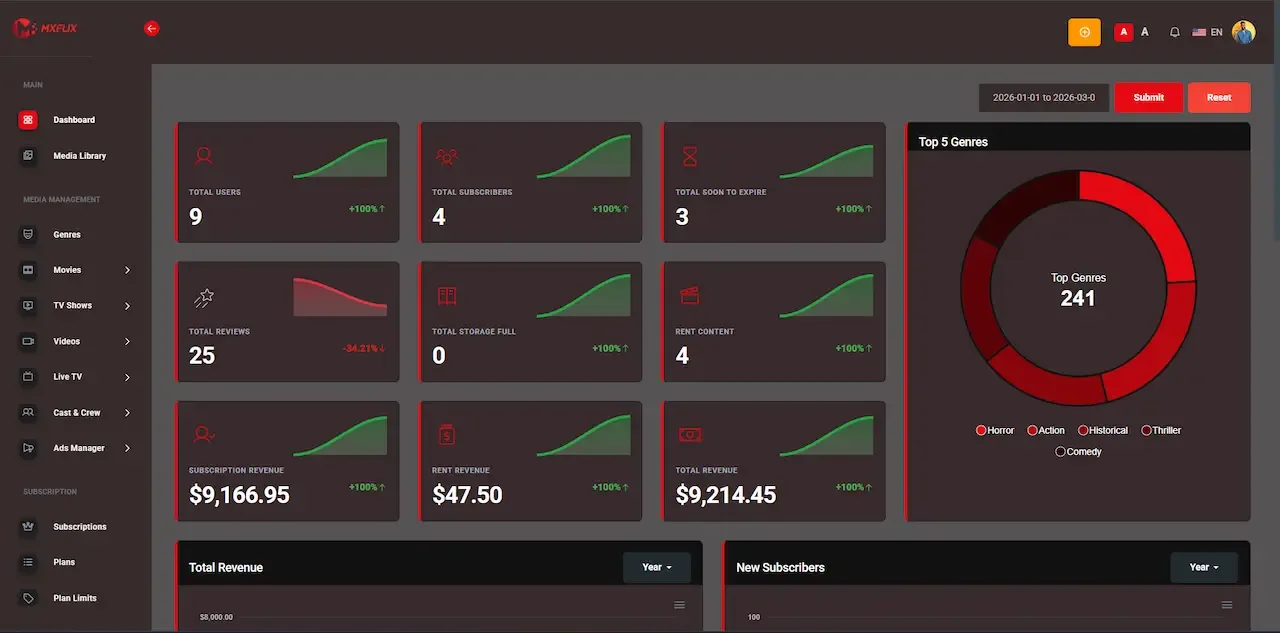
Real screens from the working product. Your platform ships rebranded with your name, logo and colors.
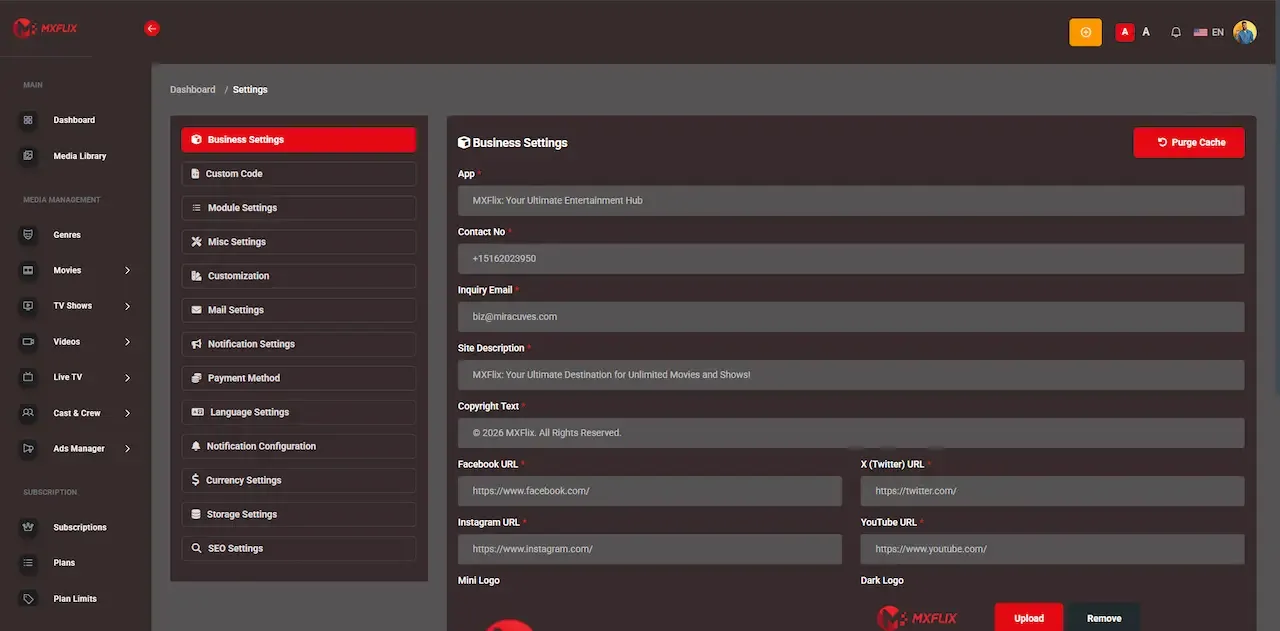
Admin panel 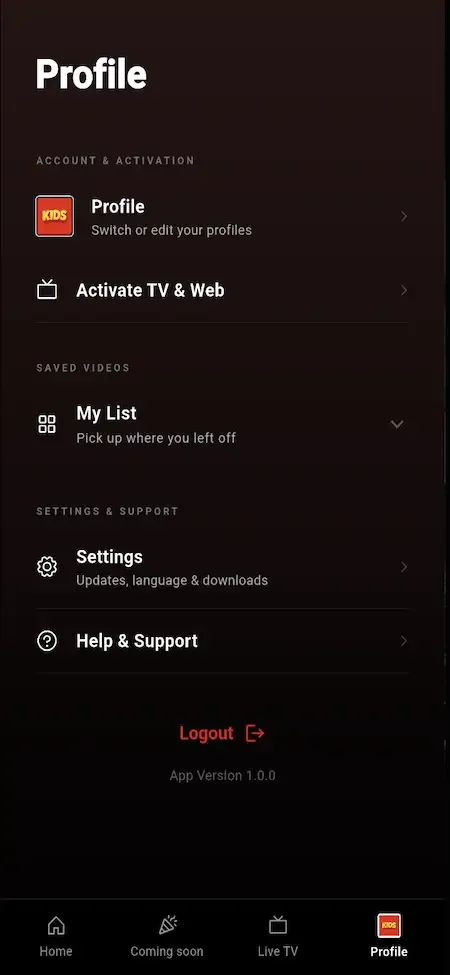
User app 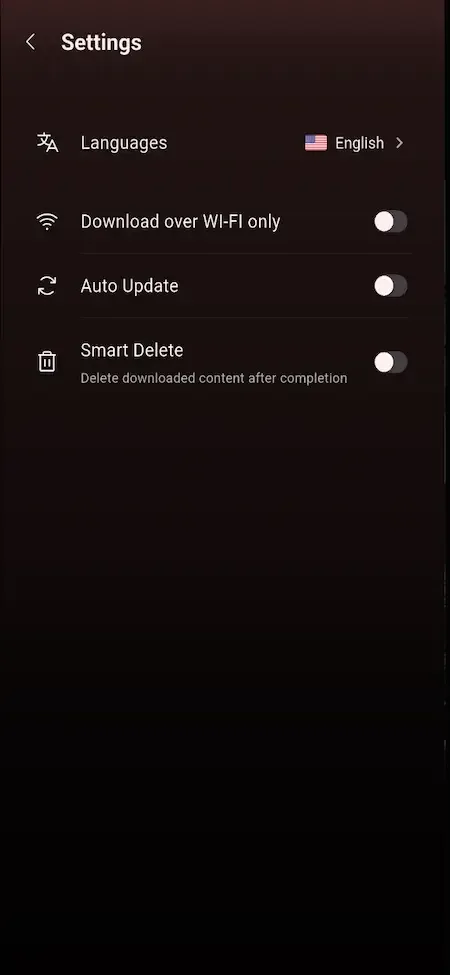
User app 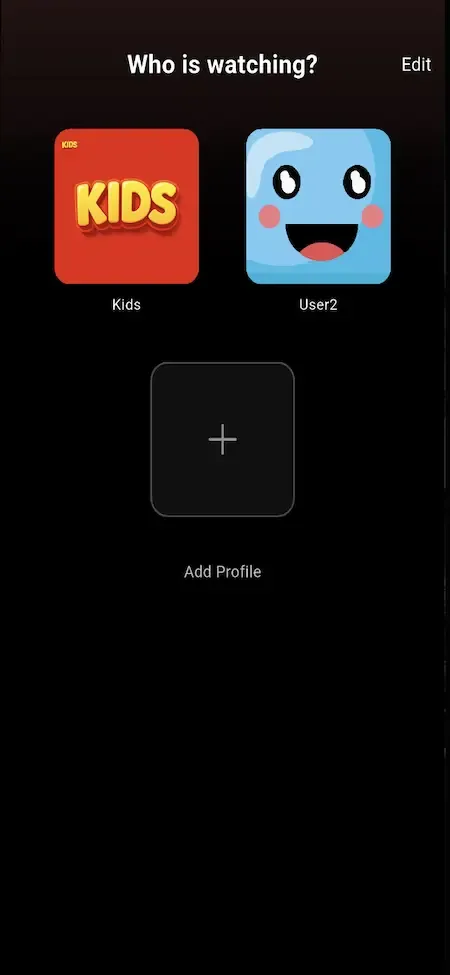
User app 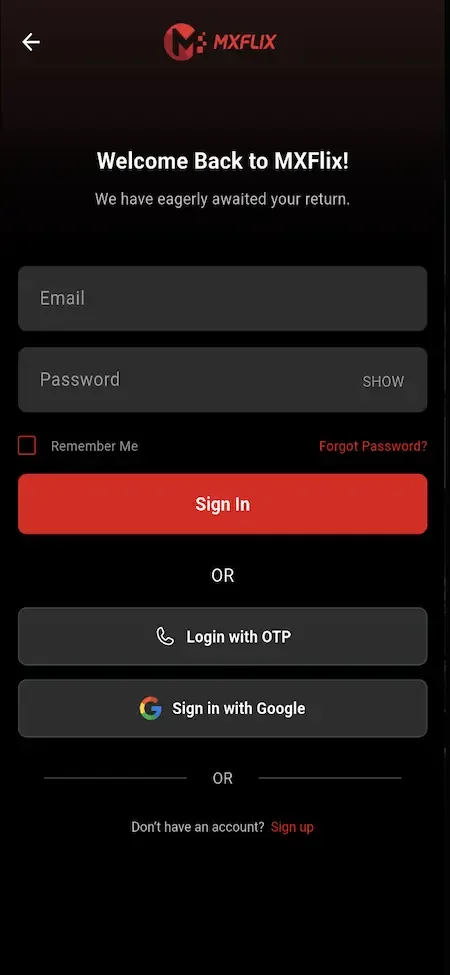
User app
How Amazon Prime Video mixes its models
Amazon Prime Video is widely known for combining several ways to watch: a catalog of titles included with a membership, other titles that are rented or bought separately, and channels from other providers that can be added and billed through the same service. Some plans have carried advertising, with an option to remove it. The appeal is that a viewer never has to leave one app to find the right way to pay for a given film.
The lesson for an operator is the mixture rather than the scale. A viewer who does not want the membership can still pay for a single title, and the company earns from both. This platform reproduces that structure at your size, with partner catalogs on revenue share in place of channel resale, which suits businesses that do not hold direct agreements with other providers.
Matching revenue levers to the stage of your service
Each stage of a storefront asks a different question. Early on you are learning what people will buy, and later you are widening the audience and the catalog.
| Stage | Lever to use | Why |
|---|---|---|
| Launch | Rentals and one plan on a small catalog | Rentals show demand for single titles, and a plan shows whether anyone wants the library |
| Learning demand | Purchases for boxsets and coupons for promotions | You find out which titles people want to keep and how price sensitive viewers are |
| Widening the audience | Ad-supported tier and regional pricing | You reach viewers who will not pay and adapt to markets with different spending habits |
| Growing the catalog | Partner catalogs on revenue share | Partners add titles without up-front licensing spend and are paid by measured viewing |
| Maturity | Bundles, events and tiered plans | You raise order value and segment willingness to pay without hiding the library |
Three ways operators run a storefront
The same models can be weighted very differently depending on your catalog and your audience. Most operators end up as a blend of the shapes below, and naming your lead model first makes every later pricing decision easier to defend.
The rental-first storefront
New releases and boxsets sit behind rentals and purchases, with a modest plan for regulars. Viewers pay when they actually want something, which suits catalogs built on fresh titles. The risk is thin repeat usage, so promotions and bundles carry much of the retention work. Reminding past renters when a related title arrives is the cheapest way to bring them back, and a notification costs far less than winning a new viewer.
The partner-channel network
Several content owners list catalogs on your platform and share revenue. You act as an aggregator and gatekeeper, and growth comes from signing partners. The workload sits in approvals, statements and payout checks, so staff the partner manager role early. Your value to partners is the audience you deliver, so the first conversations should show how you plan to reach viewers, not only how the console works.
The regional distributor
A team sells the same rights on different terms across several territories, using per-region pricing and availability. One catalog serves many markets, and the work lies in keeping the rights data accurate so that no title appears where it should not. Review expiry dates on a regular schedule, because a license that lapsed last week is a breach nobody noticed.
The ad-supported library
A large free tier brings viewers in, while rentals and a plan catch those who want more. Revenue depends on advertising partners, so this shape needs the ad module we set up sooner than the others do. Because the free viewer pays nothing, delivery cost is pure expense until the ad income arrives, so keep the free shelf focused on titles that lead people toward paid options.
Mistakes that weaken a multi-model catalog
Most problems in a storefront come from how the models interact, not from any single one. These are the patterns to avoid, each of which is easier to prevent in the first week than to repair after viewers have formed expectations about price and access.
Making every title available every way
If a film is free with ads, in a plan, rentable and for sale at once, nobody has a reason to pay more. Decide which model each title leads with, and let the others serve people who are not suited to it.
Pricing rentals too close to purchases
When a rental costs nearly as much as owning the title, viewers see poor value and buy nothing. Keep a clear gap so that renting feels like a small step and purchasing feels like a decision.
Ignoring regional differences
A single price for every country ignores how differently people spend. Use territory rules so that each market sees terms that suit it, and so that rights restrictions are respected. Start with the markets where you hold clean rights and a payment provider that works well, and add others deliberately as each one is ready.
Letting partners publish unchecked
A partner catalog that appears without review can damage the storefront with poor material or rights disputes. Keep the approval step, and make sure someone owns it. One infringing listing can put a payment provider or store account at risk, so the review costs far less than the problem it prevents.
Treating ads as an afterthought
A free tier with no real advertising income only adds delivery cost to your bill. Plan the ad integration and line up sponsors before opening the tier widely, and remember that the full advertising module is tailored work that takes time to build.
Skipping the finish timer
Without a limit on how long a rental can stay open after starting, a single payment can buy access for a very long time. Configure both timers deliberately before launch. Test the finish timer with a real rental on a real device, and confirm that playback stops when it should rather than trusting the setting alone.
The first lever to switch on
Start with rentals on a selected group of titles, alongside one simple plan. Rentals are the quickest way to learn what people will pay for individually, they are easy to explain, and they capture visitors who would never commit to a subscription. They also exercise the entitlement engine early, while the catalog is small enough to check by hand.
Once you can see which titles earn, add purchases for boxsets and the ad-supported tier for viewers outside your paying base. Open partner catalogs only when you have staff to review them and have settled the revenue share in writing. Every one of these is a console setting, so you can reverse a decision quickly if the numbers disappoint.
Try the live Amazon Prime Video Clone demo
The demo is a live deployment of the OTT storefront with demo branding and sample titles, not your final look. Four logins are open: a viewer on web and Android, a content partner, and an administrator. Rent something as the viewer first, because the way a rental window behaves is the quickest test of the platform.
-
Viewer web app
Open the Viewer web app demo- Login
user@demo.com- Password
User_321
Worth trying
- Open a title page and compare the ways it can be unlocked
- Rent a title and read the rental details on the invoice
- Search by genre and cast, then save a title to the watchlist
- Create a kids profile and see what the filter removes
-
Viewer Android app
Open the Viewer Android app demo- Login
user@demo.com- Password
User_321
Worth trying
- Install the APK and move through the home screen rails
- Start a series episode, quit, and resume from Continue Watching
- Open the live channel line-up and check which are gated
- Look at subtitle and quality options in the player
-
Content partner console
Open the Content partner console demo- Login
producer@demo.com- Password
Producer_321
Worth trying
- Read the submission screen and the approval status labels
- Open performance for one title and compare views with minutes
- Find the earnings view and the payout request form
-
Admin platform
Open the Admin platform demo- Login
admin@demo.com- Password
Admin_$321
Worth trying
- Open the pricing controls for a title and its monetization models
- Review the partner approval queue and the settlement screens
- Check the plan builder, coupon settings and regional rules
- Browse the reports and app control options
Amazon Prime Video Clone business model FAQs
Is a storefront better than a plain subscription?
It depends on your catalog. If most titles belong at one price, a subscription is simpler. If you hold new releases, boxsets, events and library titles with different values, a storefront lets each earn in the way that suits it, at the cost of more pricing decisions to manage.
Can I change the model for a title later?
Yes. The model attached to each title and territory is a setting in the admin platform, so you can move a film from rental to plan inclusion or back. Viewers who already hold a rental or purchase keep that right, because it was recorded when they paid.
How do I settle with partners?
Watch minutes are logged per title, statements are generated from them and payout requests go through operator approval. You then pay the partner through your own banking. The platform records and checks the figures, but it does not move money between accounts.
Do partners see my prices or other partners?
No. Partner roles are scoped so that each partner sees only their own titles, minutes and earnings. This protects the commercial terms you agreed with each of them and prevents one partner from comparing their deal with another.
Can I sell in several currencies?
Currency, tax and payment providers are configured per market, so each territory can show prices in its own currency through the providers you connect. Your merchant accounts and local requirements decide which currencies you can actually accept.
Is the ad-supported tier required?
No. It is an optional tier that you can leave switched off. Many operators begin with rentals and plans, then add ad-supported access when they have advertising partners and enough viewing to make the tier worthwhile.
Do you take a cut of my sales?
No. The platform price is paid once, and we take no share of plans, rentals, purchases, ads or partner settlements. Your obligations to partners, payment providers and rights holders remain yours. When you settle with a partner, the money moves from your account to theirs under your agreement, and our involvement ended at handover.
Explore the Amazon Prime Video Clone
The overview and its companion pages answer the main questions in turn. Pick the one you need next.
-
Amazon Prime Video Clone
The overview: live demo, screens, price and everything in the box.
Back to the overview -
Features
Selling one title four ways sounds simple until a viewer holds two of those rights at once.
See the full breakdown -
Development cost
A storefront with several pricing models costs more to design than a plain subscription app, and that design effort is what a finished codebase saves you.
See exact pricing -
Development company
A storefront that sells titles several ways fails in the details: rights that overlap, rentals that never end, partners who cannot see their numbers.
Compare options
→Start here
Tell us what you want to launch.
Share the platform and your market. You get a walkthrough of the live demo, the exact scope of what ships, and a fixed price in writing. First response in under 2 hours, Monday to Saturday, 10:00 to 19:00 IST.
Trademark and independence notice
This page uses the name Amazon Prime Video to describe a type of platform. The product sold here is separate software, built independently, and Amazon Prime Video has no part in it.
Why this name
"Amazon Prime Video clone" is industry shorthand that founders use when searching for software with a comparable business model. It names a category of product, not a copy of Amazon Prime Video.
Who built this
The platform is an original product designed and written by Miracuves. It contains no code, design, graphics or content originating from the Amazon Prime Video website or applications, and it ships under your own brand.
Trademarks
Amazon Prime Video and its logos are trademarks of their respective owner and are named here for reference only. GetFame is not affiliated with, sponsored by or endorsed by Amazon Prime Video. Rights holders can write to legal@miracuves.com.
Operator responsibility. The operator of a launched platform is responsible for legal compliance in the markets it serves. Nothing on this page is legal advice.Read the full disclaimer