Fanvue Clone Features: AI Personas and Creator Automation

Creators run out of hours before fans run out of questions. The Fanvue clone answers that with AI personas, saved session history, provider choice and scheduled outreach, all sitting on top of a full subscription platform. This page covers how the automation works, how it is controlled and priced, and where its limits are.

1
app for both roles
6 days
to a live platform
$3,699
one-time, full source
On this page10 sections
  1. All 48 Fanvue Clone features, by role
  2. One conversation, from first message to settled credit
  3. The Fanvue Clone, on screen
  4. The capabilities that make this build AI-forward
  5. Fanvue, this platform and a scratch build compared
  6. Technology behind the Fanvue clone
  7. What stays with you around your Fanvue clone
  8. Try the live Fanvue Clone demo
  9. Fanvue Clone feature FAQs
  10. Explore the Fanvue Clone

All 48 Fanvue Clone features, by role

The complete list, grouped by the person who uses each feature. Nothing is hidden behind a plan tier: this is what ships in the platform.

AI and automation

12 features
Persona gallery
Operators create and edit AI characters with images, status, names and attributes in one gallery.
Persona chat sessions
Users hold conversations with a persona, and sessions are stored as records.
Provider selection
Choose among multiple AI providers per deployment instead of being tied to one vendor.
Voice configuration
Set voice providers, models, API access, token limits, temperature and pricing for audio features.
Audio processing
Voice settings include audio processing options alongside model parameters.
User AI preferences
Each user saves preferences that shape how AI features behave for them.
Session history
Chat history persists for continuity and for review by operators when needed.
AI-assisted replies
Creators and staff get suggestions that speed up routine answers.
Content suggestions
AI can propose post ideas and wording for creators who need a starting point.
Credit pricing
AI access is sold in credit bundles priced against the inference cost you carry.
Scheduled outreach
Templates and scheduled sends cover routine contact without a person typing each one.
AI switch
Feature flags turn AI modules on or off per platform and region.

Creators

12 features
Post composer
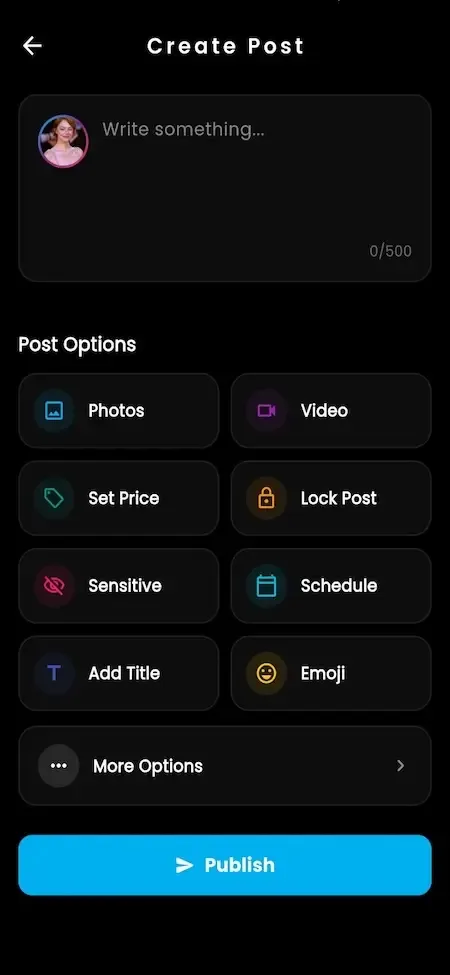
Write text, photo and video posts with pricing, locks and publishing options.
Stories and reels
Short-lived and short-form content supports daily presence between larger posts.
Subscription plans
Prices for weekly through annual periods can be enabled one by one.
Locked media
Place single posts, sets and messages behind a one-time price.
Vault
Store, name and price media for reuse in posts and messages.
Fan lists
Group fans and aim offers at the right list.
Mass messages
Reach a whole list with one message, with priced media attached.
Live sessions
Go live publicly or privately and take tips during the stream.
Priced calls
Audio and video calls are set at the creator rate and logged.
Creator shop
Products and services sell with coupons and order records.
Campaigns and shoutouts
Goal-based drives and paid personal requests extend revenue beyond posts.
Statistics
Earnings, engagement and content performance show what pays.

Fans

12 features
Discovery with previews
Browse categories, search and featured creators before any payment.
Subscriptions
Pay for recurring access on a free or paid plan with automatic renewal.
Single unlocks
Pay once for a post, file, reel or message.
Wallet
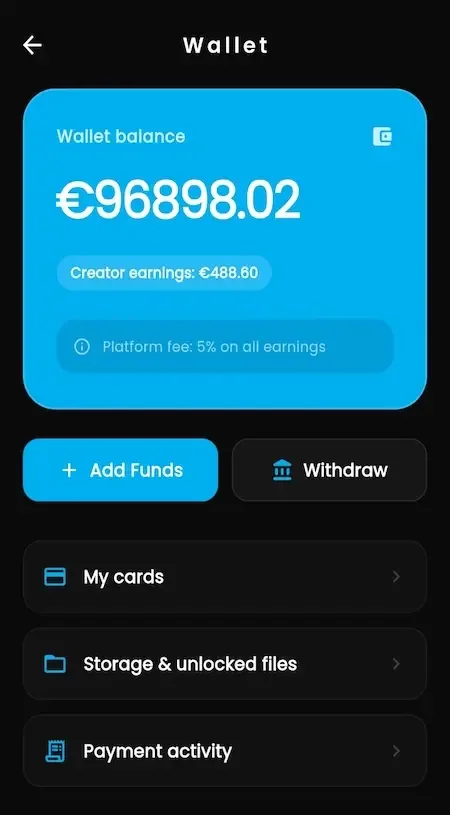
Fund a balance once and spend it on everything, including AI credits.
Tips and gifts
Support a creator from the wallet at any time or during a stream.
Messaging
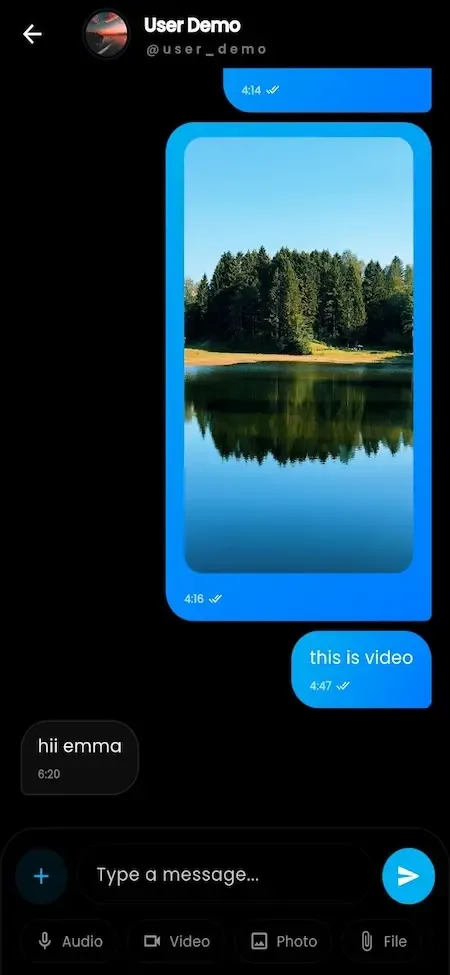
Chat one to one or in groups and open priced media in conversation.
Live access
Join public streams or request private sessions.
Calls
Book audio or video calls with creators who offer them.
AI persona chat
Start a conversation with a persona and continue it later from history.
Shop and auctions
Buy products or bid on exclusive items listed with a starting bid.
Login choices
Register by email, phone OTP or social login with optional two-factor protection.
Privacy options
Control profile privacy and notifications, and delete or deactivate an account.

Operators

12 features
Commission per revenue type
Set separate rates for subscriptions, unlocks, tips and AI credit sales.
Referral share
Configure a referral share alongside commission and transaction limits.
Gateway setup
Turn on payment providers, store their credentials and set up wallet funding.
Wallet visibility
See balances, movements and transactions across the platform.
Verification review
Approve creators once identity, business and country document checks pass.
Moderation queues
Work reports and takedowns to a recorded decision, including AI-related complaints.
Territory blocking
Exclude markets at country, state or city level.
Feature flags
Toggle modules per platform, which lets you test AI in one market first.
App update control
Make updates mandatory or optional for each platform.
Media settings
Tune image and video compression and optimization.
Branding and CMS
Edit logo, colors, domain and public pages without a developer.
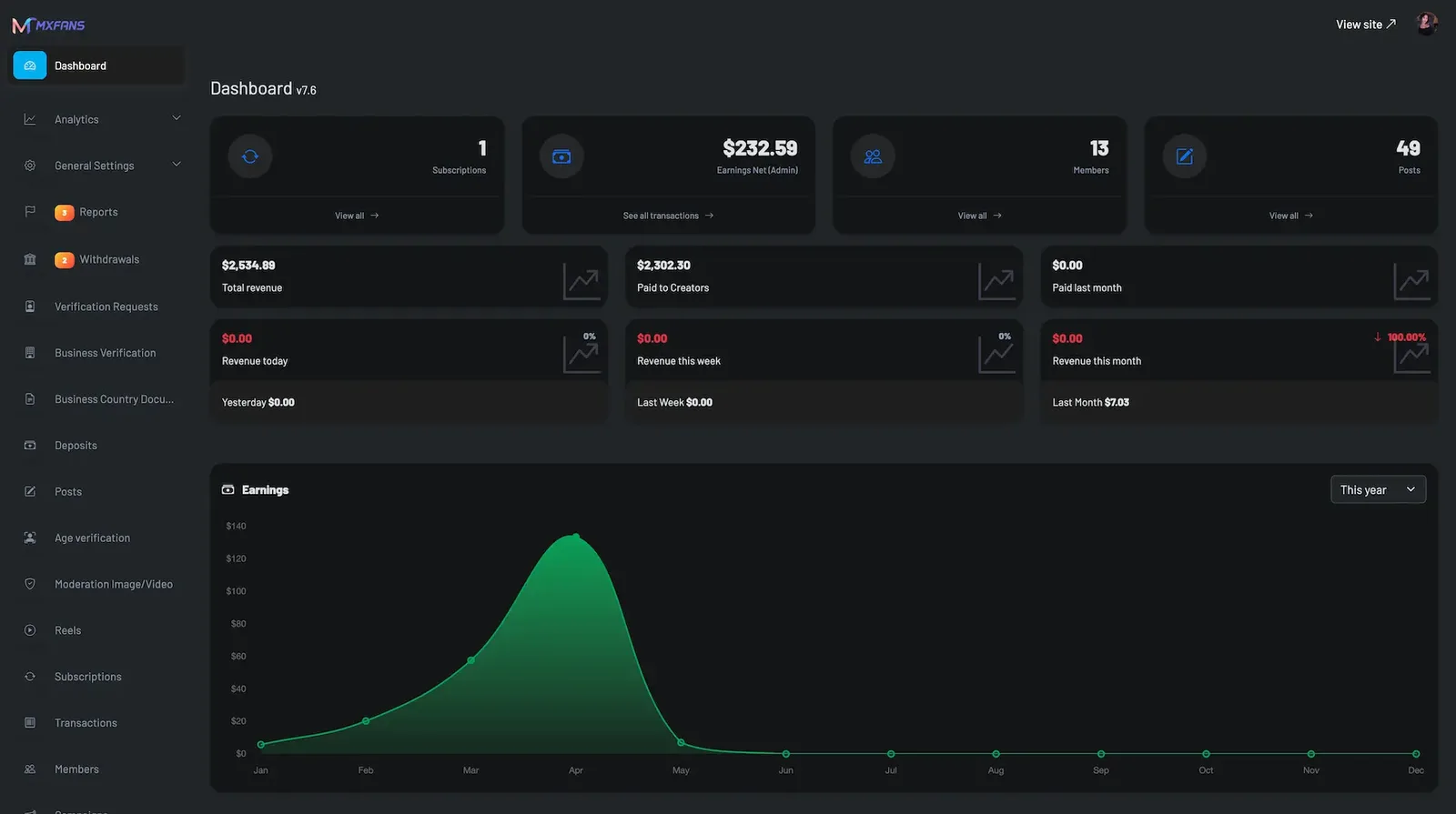
Revenue dashboard
Follow earnings, members, payouts and verification activity together.
One conversation, from first message to settled credit

AI features are easiest to judge by following a single exchange. Trace one fan, one creator and one operator and you can see where automation saves effort, where a person still decides, and where each cost and each payment gets recorded.

  1. The operator chooses where AI is allowed

    Before any fan sees a persona, you decide whether AI is on at all. Feature flags can switch modules on or off per platform and region, so one market can be tested while another stays without it. You also pick the AI provider for the deployment, which keeps usage policy and billing under your control.

  2. A persona is created and configured

    Operators build characters in a persona gallery, with images, names, status and attributes. Voice settings cover the provider, model, access keys, token limits, temperature and pricing. Nothing is hidden inside a vendor tool, so editorial decisions about how a persona should behave remain with your team and the creator.

  3. A fan buys access and starts talking

    Access is sold as credits or bundles drawn from the same wallet that pays for tips and unlocks, so there is no separate checkout. The fan opens a chat, and the conversation is saved as a session record. Each user can also store preferences that shape how AI features behave for them.

  4. Volume is handled alongside the human conversation

    Creators and staff receive suggested replies to speed up routine answers, templates cover repeated questions, and scheduled sends reach a saved list without anyone typing each message. A person still steps in where the relationship has value, and priced media can be attached to any message that goes out.

  5. Revenue and cost are recorded together

    Each purchase writes a transaction, and the commission you configured is split off at the point of spend. Inference is billed to your own provider account per message, which is a cost the platform cannot hide. Comparing credit sales with provider invoices shows whether the pricing is working.

  6. Safety review covers AI too

    Complaints about a persona arrive in the same moderation queue as reports about posts and messages. Session history persists for continuity and for review when needed, and decisions are recorded. Because the provider has its own usage policy, it makes sense to check it against your content category before launch.

The Fanvue Clone, on screen

Real screens from the working product. Your platform ships rebranded with your name, logo and colors.

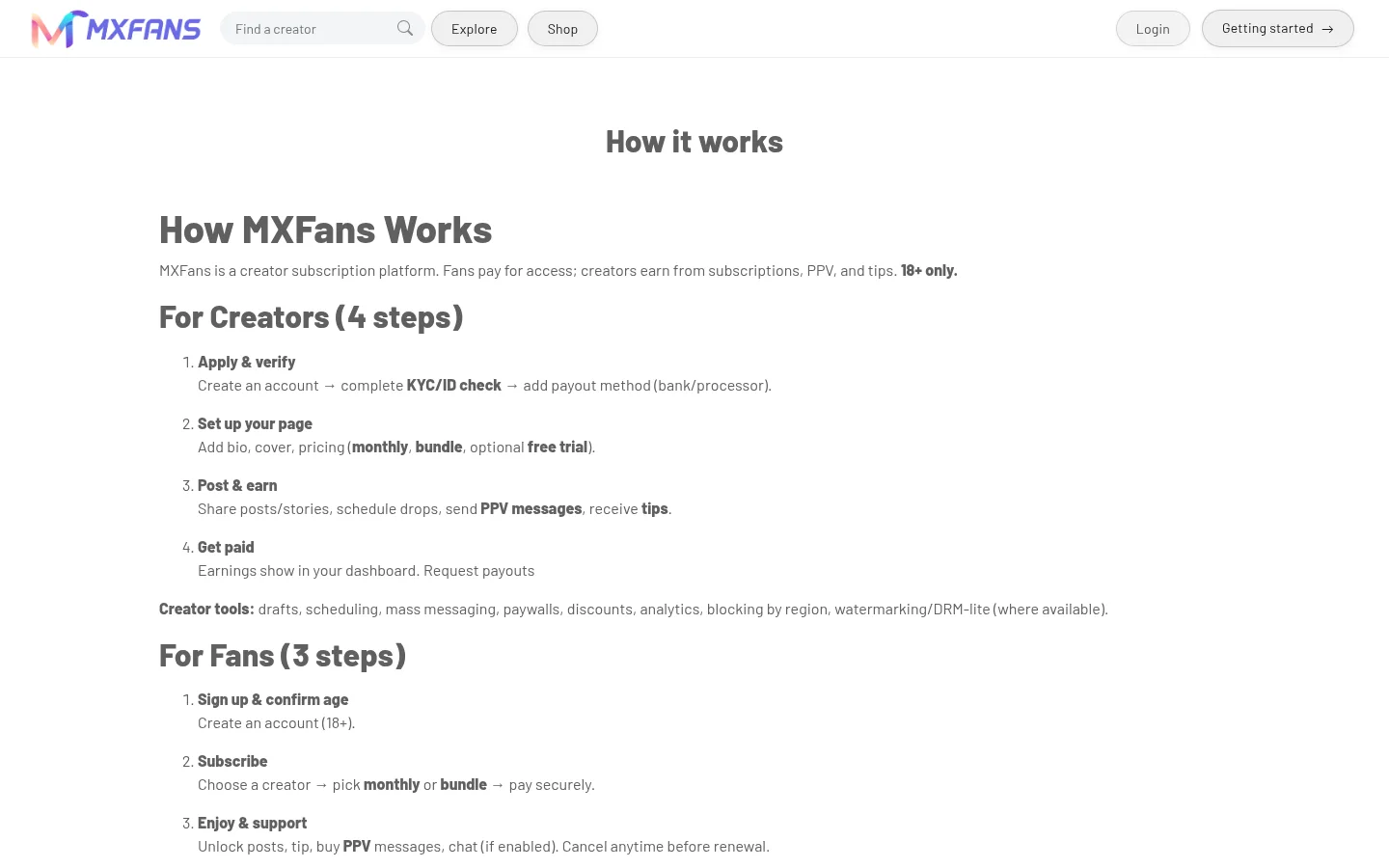
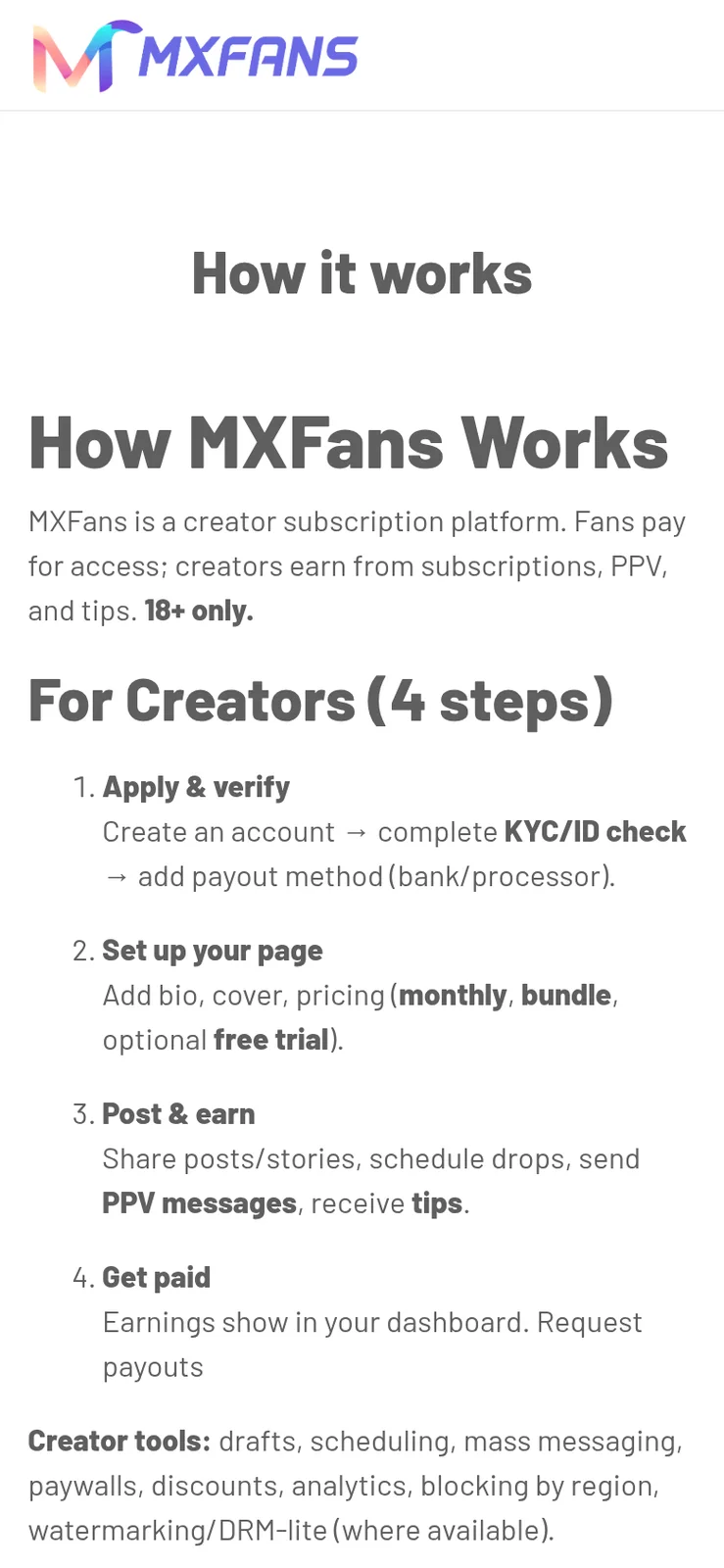
  • How it works page listing steps for creators and steps for fans
    Web app
  • Phone create post form with a text box and photo, video, price options
    Creator studio
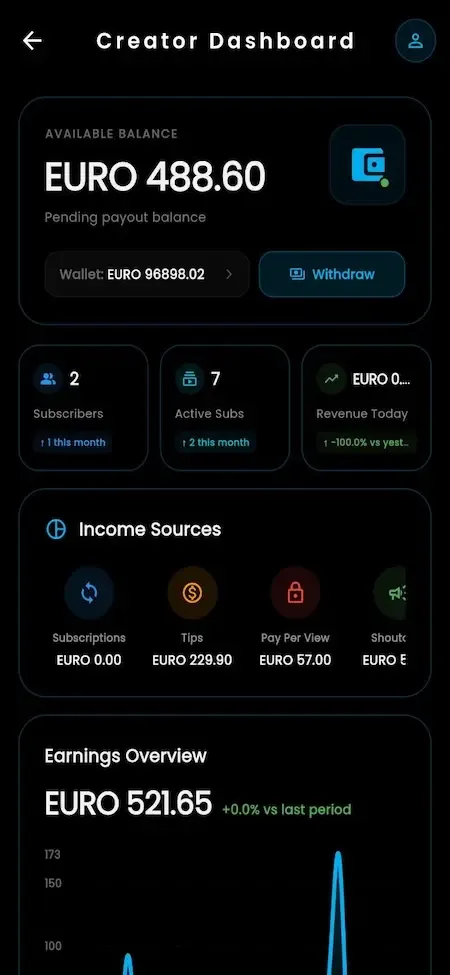
  • Phone creator dashboard with an available balance, subscriber counts, income sources and an earnings chart
    Creator studio
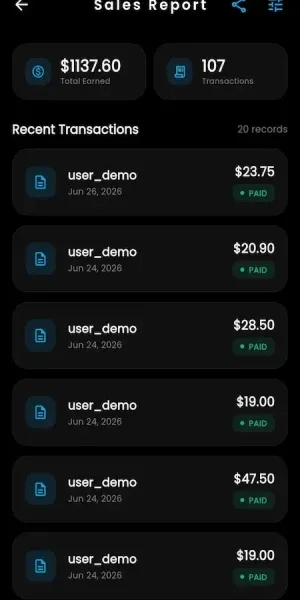
  • Phone sales report with a total earned amount and a list of paid orders
    Creator studio
  • Phone view of the how it works page with numbered creator steps
    Web app

The capabilities that make this build AI-forward

Plenty of creator scripts add a chat box and call it automation. These are the parts that decide whether AI becomes a controlled revenue line for you or an open-ended bill, so they deserve the most attention when you review the demo.

  • Persona gallery

    Operators create and edit AI characters in one place, with images, names, status and attributes. A gallery means personas are managed assets, not scattered settings. You can retire a character, adjust it for a market or test a new one without changing code, and creators can offer them to fans as a distinct product.

  • Choice of AI provider

    The deployment connects to the provider you select, rather than being locked to a single vendor. That matters because each provider has its own pricing, quality and usage policy. If terms change or a better option appears, you change the connection, and your own code and data stay where they are.

  • Voice and model settings

    Voice configuration covers the provider, model, API access, token limits, temperature and pricing, with audio processing options beside them. Token limits and pricing are the levers that keep a chatty fan from running up cost. They let you cap exposure and still offer a generous-feeling experience. If voice is a premium product for you, these controls are what keep it profitable.

  • Credits and bundles

    Fans buy credits from the same wallet that pays for everything else. There is no established market rate, so you price against what inference actually costs you per message and add margin. Because credits are separate from commission, an AI sale can earn even when no creator takes a share.

  • Session history

    Conversations persist as records. Fans can pick one up later, and operators can review a session when a complaint or a quality question comes in. It gives continuity to the user and evidence to you, which is valuable when an AI reply is questioned. Retention periods are yours to define under your own privacy rules.

  • Scheduled outreach

    Templates and scheduled sends cover routine contact, such as welcomes, renewals and announcements, aimed at a chosen fan list. One creator can keep hundreds of relationships warm without being at the keyboard, and priced media can ride along to turn attention into revenue. Because nothing here is billed per message by a provider, it is the cheapest automation to introduce first.

  • Per-market feature flags

    Modules can be toggled per platform and region. You can launch AI in one country, watch cost and complaints, and widen only when comfortable. Equally, you can disable it where a provider policy or local rule makes it unsuitable, without touching the rest of the platform. It also lets you compare cost and complaint levels between markets with real numbers.

  • Full creator toolkit underneath

    Subscriptions, locked posts, vault, live sessions, priced calls, shop and campaigns remain in place. AI extends them rather than replacing them. That matters commercially, because the steady income still comes from subscriptions, while automation raises how much one creator can handle. Creators keep a familiar toolkit, and fans keep a familiar app, which lowers the adoption risk of the newer AI modules.

Fanvue, this platform and a scratch build compared

The first column reflects only what is publicly known about how the named service positions itself, with its emphasis on creator tooling and AI-assisted engagement. The second is what you receive from us, and the third is the work a team would face writing the same capabilities itself.

Fanvue, this platform and a scratch build compared
AspectFanvueFanvue CloneBuilding from scratch
Where AI runs Inside the tools the service itself provides to creatorsInside your platform, using a provider that you selectIntegrations you design, test and maintain against each vendor
Who pays for inference The service handles that cost internally and does not itemize it for creatorsYour own provider account, priced back to fans by youYou, with no billing logic until you write it
Credit pricing Decided by the service for its usersDecided by you against your own per-message costA pricing and wallet system built from nothing
Where AI is permitted One policy applies across the whole serviceFeature flags switch it per platform and regionWhatever switches you remember to build in
Persona management Controlled through the service own interface for each character it offers to usersA gallery for characters, voice settings and statusAdmin screens that someone must design and code
Commission setting Decided by the service for every creatorSet per creator and per revenue typeA ledger and split engine you must write and reconcile
Source code Not available to outside buyers who want to run their own marketplaceComplete Laravel source delivered at handover so your own developers can extend itYours, once the whole team has finished writing it
Time to first sale Not applicable, the service already operates and has done for yearsSix working days for the ready-made platformMany months across payments, chat, AI and safety tooling

Technology behind the Fanvue clone

The AI modules sit on the same mainstream stack as the rest of the platform, so your developers can change prompts, providers and pricing without learning a new runtime. Provider integrations are connections you configure, which keeps the product open to whichever service suits your market and budget.

Technology behind the Fanvue clone
Mobile appsOne unified Android and iOS app carries fan and creator roles, including the persona chat screens.
Web appBlade and Livewire web app, usable as a PWA for audiences who skip store installs.
Backend and APILaravel 12 on PHP 8.2 or newer with Sanctum-protected REST APIs serving apps, web and admin.
AI providersSelectable AI and voice providers, configured with your own keys, models, token limits and pricing.
DatabaseMySQL or MariaDB hold users, wallets, transactions and persona session records.
Real timeWebSockets carry messaging, live chat and in-stream tips without refreshing the screen.
Queues and storageRedis queue workers for background jobs, plus S3-compatible object storage for media.

What stays with you around your Fanvue clone

AI raises expectations, and some of them are not met by software alone. These items belong to you as operator, so it is better to plan for them now than to discover them during launch week.

  • AI provider accounts and fees

    The tooling connects to a provider, but the account, the keys and the per-message bill are yours. Inference is a real cost that grows with conversation volume, so price credits against it and watch usage closely from the first week.

  • Persona editorial policy

    We supply the persona and session tooling. The decisions about how characters behave, what they may discuss and how they are disclosed to fans are yours, and disclosure is a policy question before it is a technical one.

  • Provider usage terms

    Every AI provider publishes its own acceptable use rules, and they apply to your deployment. Read them against your content category before choosing, because a provider can restrict a use that your platform otherwise permits.

  • Payment approval

    We integrate the gateways you choose. Whether a processor accepts your business, and whether AI credit sales are treated differently from subscriptions, is the provider decision, and approval can be reviewed later.

  • Moderation staff and policy

    Queues, reports and takedowns ship, including complaints about personas. Automated screening tuned to your policy, and the people who work the queue, are yours to add, and legal advice is outside what we provide.

  • Store acceptance

    We prepare builds and support submission. App stores decide what they accept, and their rules on AI-generated or companion-style content can change, so keep a web-first option open.

  • Tailored AI workflows

    Deeper behavior, such as personas that trigger orders or follow a bespoke script, is tailored work we scope with you, usually 2 to 8 weeks depending on what you ask for.

Try the live Fanvue Clone demo

The demo is the shared creator platform as delivered, still wearing vendor demo branding, so you can see the creator tools, wallet and admin controls that AI features plug into. Use the sample accounts to follow a conversation from the fan side, then check how a creator and an operator manage the same activity before your own branding goes on.

  • Fan app

    Open the Fan app demo
    Login
    user@demo.com
    Password
    User_321

    Worth trying

    • Open a creator profile and read the free preview
    • Send a message and look at how paid replies appear
    • Fund the wallet and see the balance update
    • Look for the AI persona area and start a chat
  • Creator web app

    Open the Creator web app demo
    Login
    creator@demo.com
    Password
    Creator_321

    Worth trying

    • Open message templates and fan lists in the inbox
    • Schedule a send to one list of fans
    • Set subscription prices and lock a single post
    • Review the earnings screen and statistics
  • Admin panel

    Open the Admin panel demo
    Login
    admin@demo.com
    Password
    Admin_$321

    Worth trying

    • Find the feature settings that switch modules on or off
    • Review commission rates by revenue type
    • Open the moderation queue and a reported item
    • Check wallet movements and the withdrawal queue

Fanvue Clone feature FAQs

Can fans tell when they are talking to an AI persona?

That depends on how you present it. Personas are separate characters with their own gallery entries, and sessions are stored as records. How clearly you label them to fans is an operator policy decision, and we recommend stating it plainly, because disclosure is a trust and compliance question as much as a design one.

Can I use more than one AI provider?

The platform supports a choice of AI and voice providers per deployment, configured with your own keys and settings. That lets you pick on price, quality or usage policy and change later. Running several at once, or routing between them by rule, can be built for you, scoped against your needs.

How do token limits protect my budget?

Voice and model settings include token limits, temperature and pricing, which you set as the operator. Limits cap how much a single reply can cost, and credit pricing decides what the fan pays. Together they let you offer a generous experience without leaving your provider bill open ended.

Do creators control their own persona?

Operators manage the persona gallery, including images, names, status and attributes. Creators and staff use AI-assisted replies and content suggestions in their daily work, and fans can chat with personas you make available. If you want creators to design their own characters, we can build that for you.

What happens if I want to remove AI later?

Switch the module off with feature settings, per platform and region if you prefer. The subscription, wallet, messaging, live and shop features keep working without it. Session records stay in your database, so you can decide how long to retain them under your own privacy rules.

Is scheduled outreach the same as AI?

No. Templates and scheduled sends are simple automation: a saved message goes to a chosen fan list at a chosen time. AI-assisted replies and personas are separate modules. Many operators begin with scheduling alone because it costs nothing per message and already saves creators hours each week.

Can fans pay for AI chat from the same wallet?

Yes. Credits are bought with the same wallet balance that pays for tips, unlocks and shop orders, so there is no second checkout. Because the wallet records every movement, you can compare AI credit income with your provider invoices and see whether pricing covers your costs.

→Start here

Tell us what you want to launch.

Share the platform and your market. You get a walkthrough of the live demo, the exact scope of what ships, and a fixed price in writing. First response in under 2 hours, Monday to Saturday, 10:00 to 19:00 IST.

We reply to every inquiry. No newsletters, no shared data. See our privacy policy.

Trademark and independence notice

This page uses the name Fanvue to describe a type of platform. The product sold here is separate software, built independently, and Fanvue has no part in it.

Why this name

"Fanvue clone" is industry shorthand that founders use when searching for software with a comparable business model. It names a category of product, not a copy of Fanvue.

Who built this

The platform is an original product designed and written by Miracuves. It contains no code, design, graphics or content originating from the Fanvue website or applications, and it ships under your own brand.

Trademarks

Fanvue and its logos are trademarks of their respective owner and are named here for reference only. GetFame is not affiliated with, sponsored by or endorsed by Fanvue. Rights holders can write to legal@miracuves.com.

Operator responsibility. The operator of a launched platform is responsible for legal compliance in the markets it serves. Nothing on this page is legal advice.Read the full disclaimer