Ready-made, one-time
$3,699
Amazon Prime Video Clone
Live in 6 working days from kickoff
- Full source code
- White-label under your brand
- 60 days of technical support
- 1 year of free updates
- App publishing support

OTT storefront platform
One catalog that sells every title four ways
A white-label OTT storefront for operators who do not want one plan to gate everything. The same title can sit inside a subscription, be rented for a window, be bought outright or open on an ad-supported tier, while content partners list their own catalogs beside yours under a revenue share you define. Android, iOS, web, admin and partner console are included.
The facts a buyer checks first, in one place. Everything on this page is the product as it ships.
| Product type | White-label OTT storefront where one title can be subscribed to, rented, bought or watched with ads |
|---|---|
| Apps and consoles | Android, iOS, web with indexable title pages, admin platform and a partner console |
| Price | $3,699 one time, with no per-viewer license and no share of your income |
| Launch time | 6 working days for us to deploy; catalog preparation is on your side |
| Source code | Laravel backend, Flutter apps, web platform, consoles and the entitlement engine |
| Rights engine | Server-side entitlement resolution on every play request |
| Stack | Flutter apps, PHP Laravel web and API with queue workers, MySQL or MariaDB |
| Streaming and delivery | HLS, MP4 and external sources, signed media URLs, AWS S3, Bunny CDN or Cloudflare |
| Partner supply | Partner console with settlement on measured watch minutes |
| Support and updates | Technical support for 60 days and free updates for 1 year |
An Amazon Prime Video clone is a ready-made OTT platform built around choice of purchase model. Rather than one subscription unlocking everything, each title can be included in a plan, rented for a limited window, sold outright, or opened with ads, and partner catalogs can list next to your own under their own commercial terms.
The hard part is entitlements. A viewer might hold a plan that includes a title, a rental that has days to start and hours to finish, a permanent purchase and an ad-supported fallback, all against the same asset. Resolving the right one on every play request, across devices, is what separates an OTT platform from a video gallery, and that engine is already built.
The package ships as source code with a Laravel backend, Flutter mobile apps, a web platform, a partner console and an admin platform. Pricing, rental windows, partner splits, plan structure and regional availability are yours to set, and we set up Smart TV apps and DRM around your plan, with scope confirmed with us.
Prime Video is a streaming service that mixes several ways of paying. Some titles are included for members of a paid program, some can be rented for a limited time, some can be bought outright, and other channels from third parties can be added and billed separately. The same catalog therefore behaves like a subscription library and a video store at once.
A Prime Video clone, in the sense that matters commercially, is that multi-model storefront. You do not copy a catalog or a membership; you run software in which every title can carry its own mix of access rules, in which partners can list titles beside yours, and in which regional prices and rights differ by country. The viewer chooses how to pay, and the platform works out what they are entitled to watch.
Each role works in its own side of the same product. The screens come from the working demo.
This is the heart of the product. A title is not simply free or paid. It can sit in a plan, be rented, be sold outright or open with ads, and the platform works out which right applies each time someone presses play. Operators set all of it from the console.
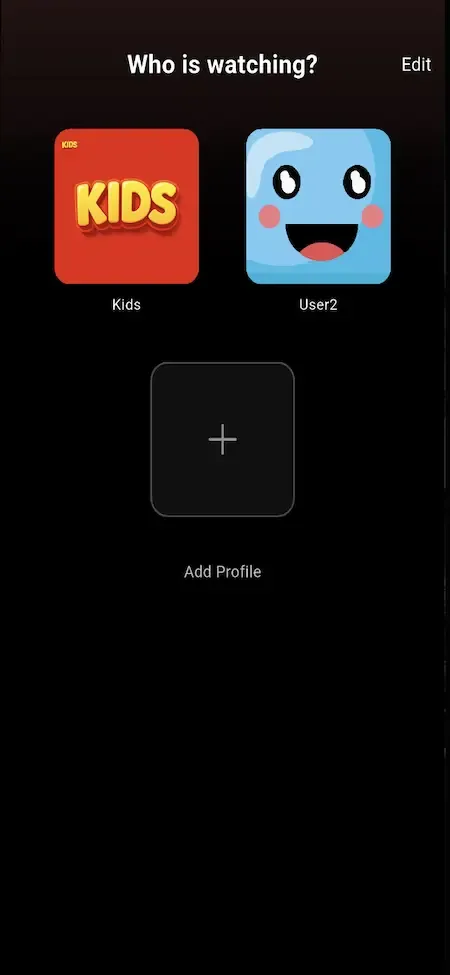
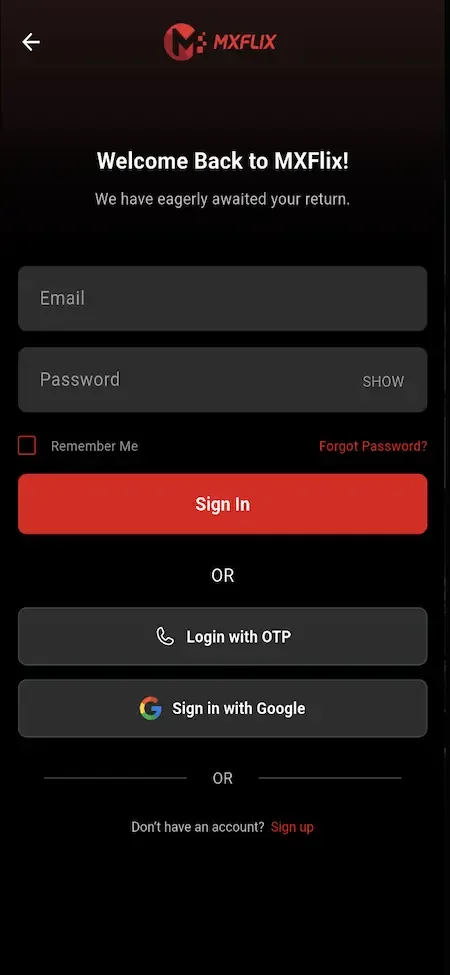
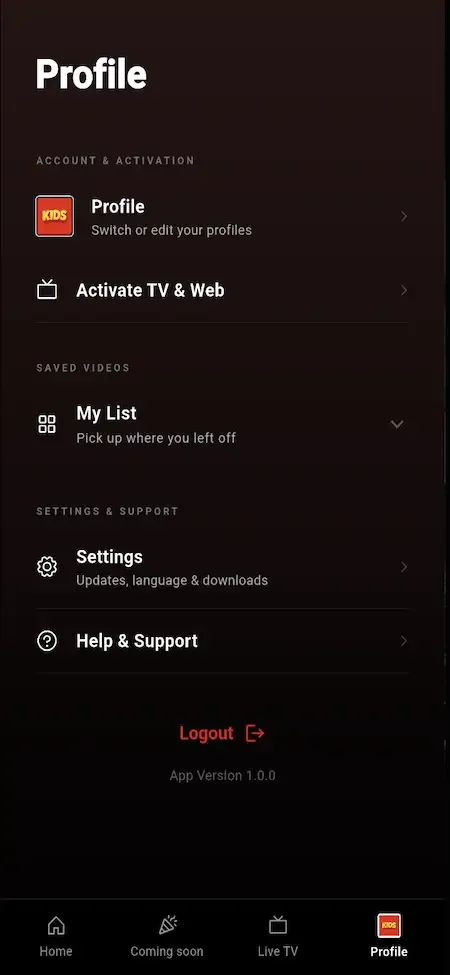
Viewers see a storefront more than a subscription wall. They can browse, decide how to pay for what they want tonight, and keep watching across phone, browser and television. Signing in on a TV is a QR scan rather than a typing exercise.
Partners are the way a storefront looks larger than its licensing budget. They list their own catalogs next to yours, under terms you set, and get paid from measured viewing. Their console shows only their own numbers, which keeps commercial terms private.
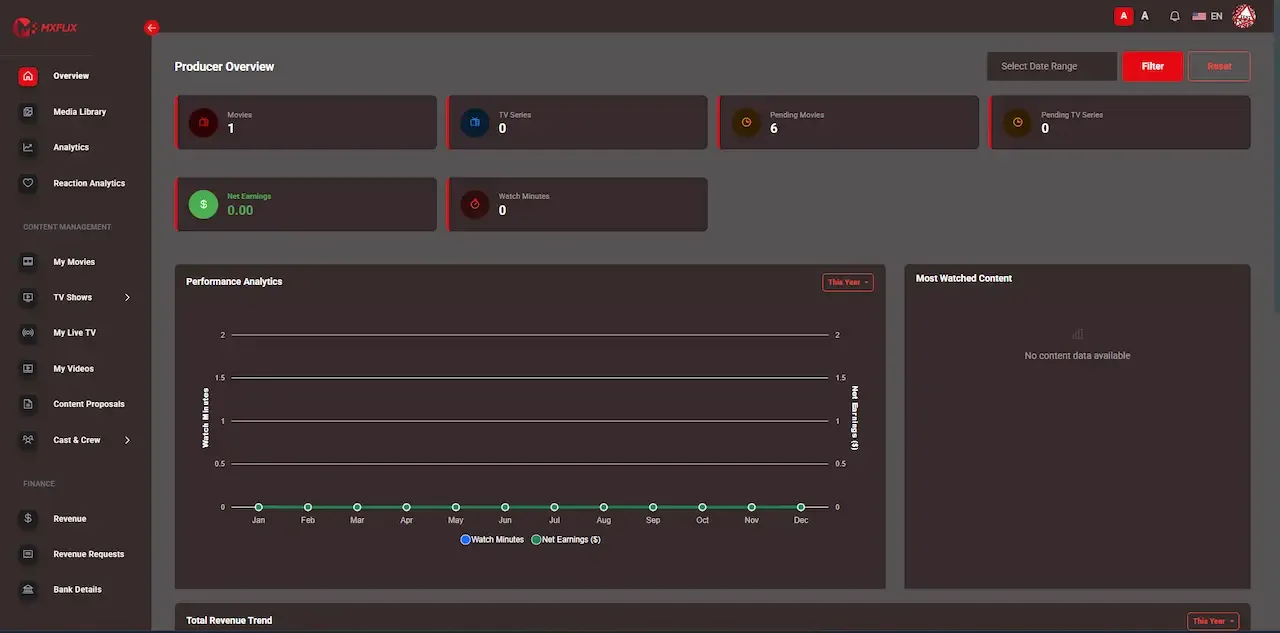
A storefront with four ways to pay is harder to run than a single-plan service, so the console carries as much weight as the viewer app. Staff roles are scoped, which means a content manager and a finance approver see different tools.
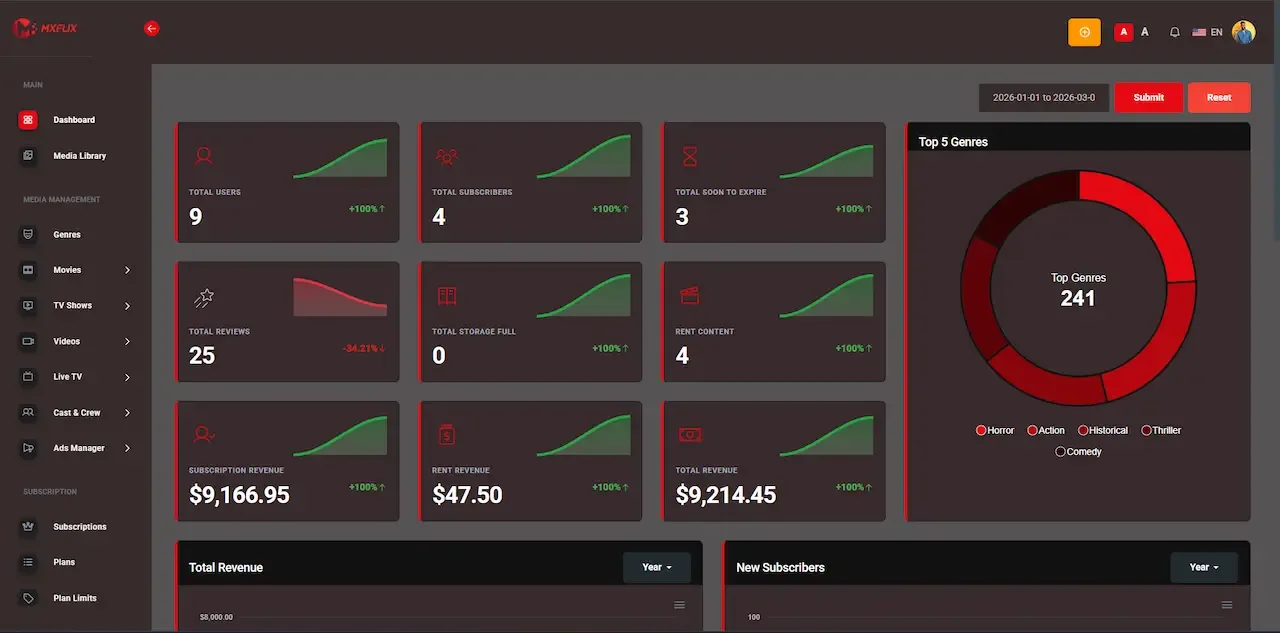
16 screens from the working demo, grouped by where they live. Your platform ships rebranded with your name, logo and colors.
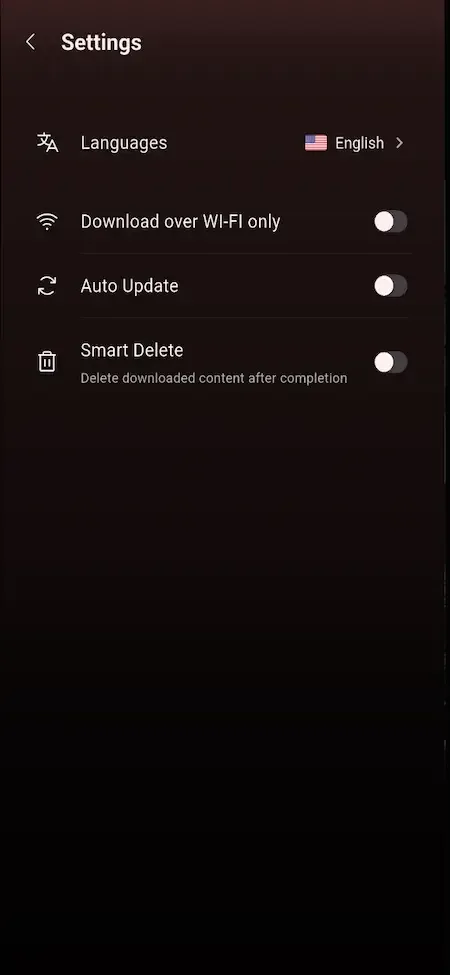
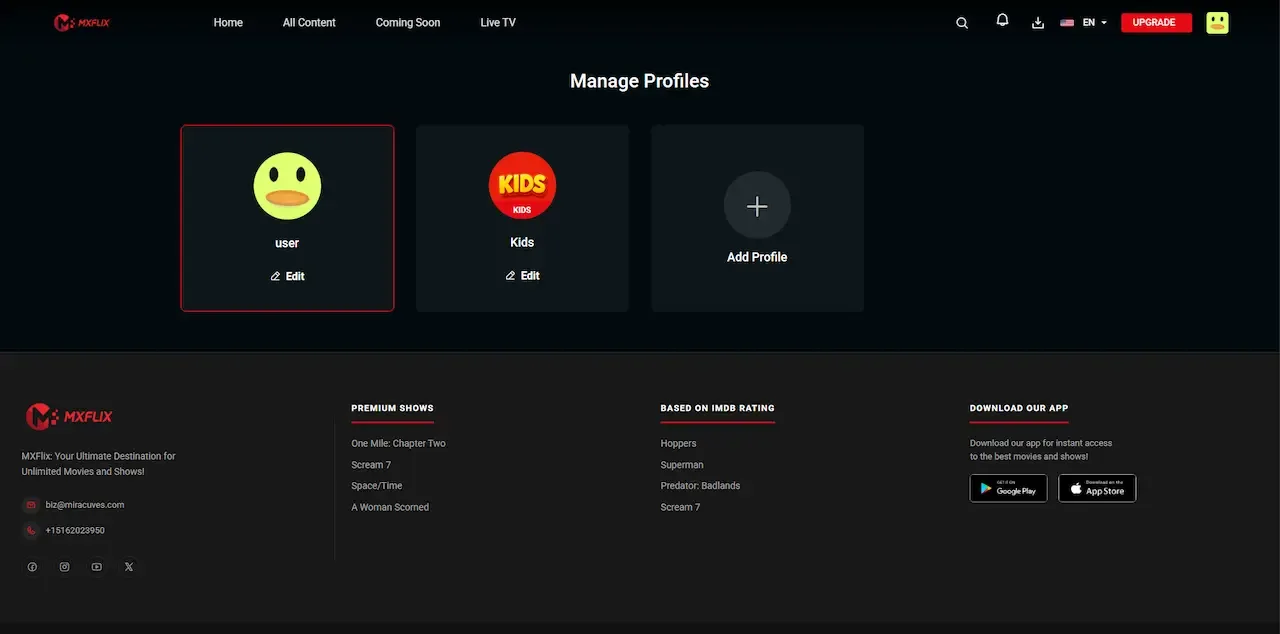
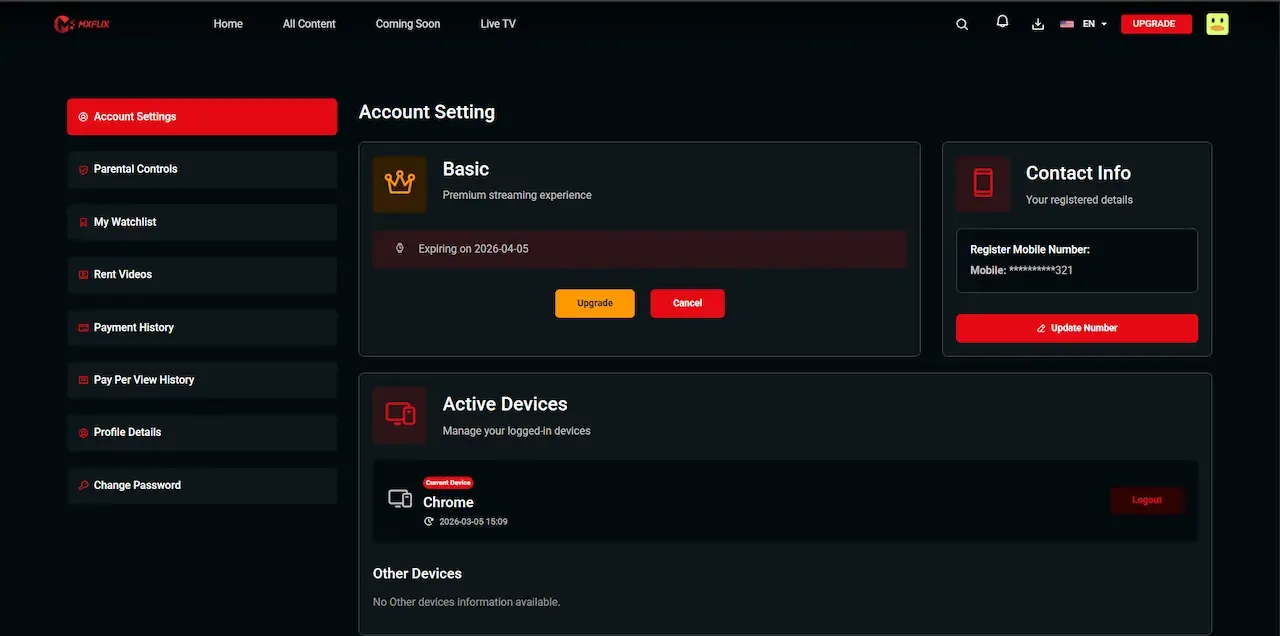
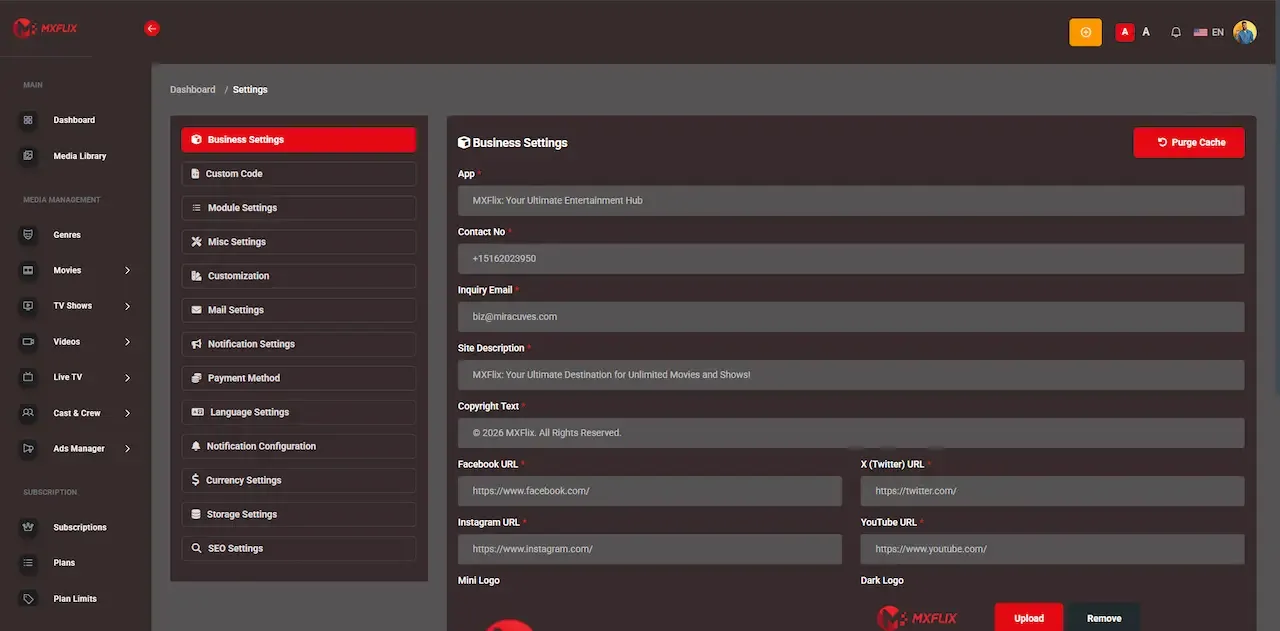
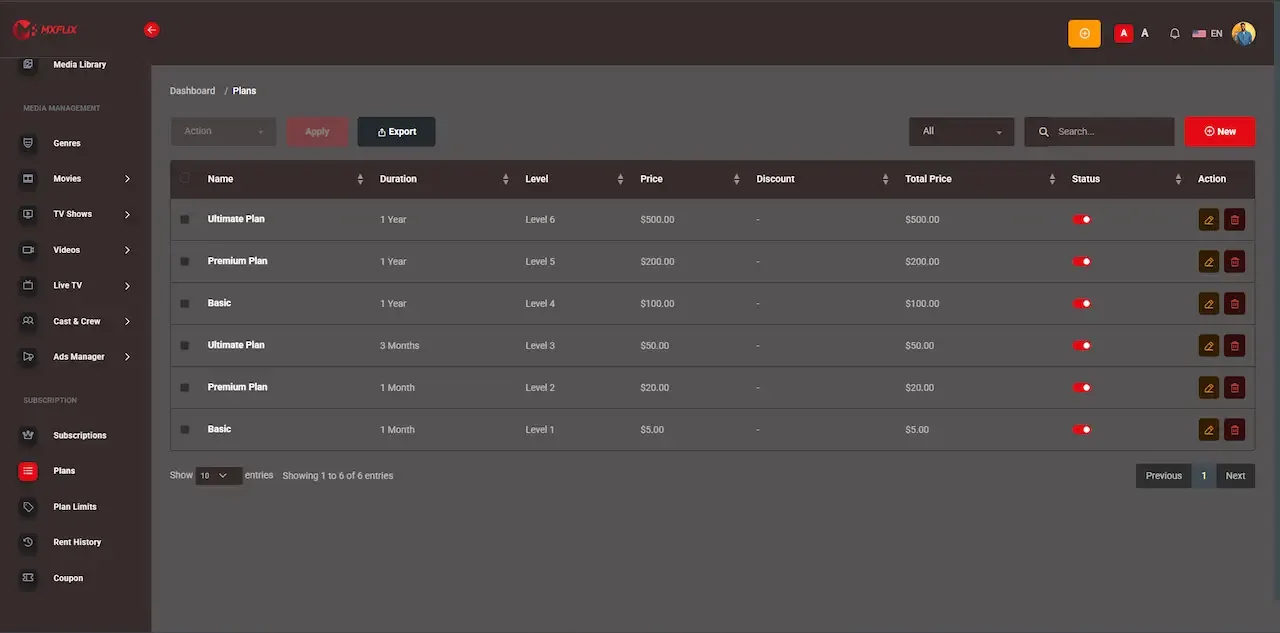
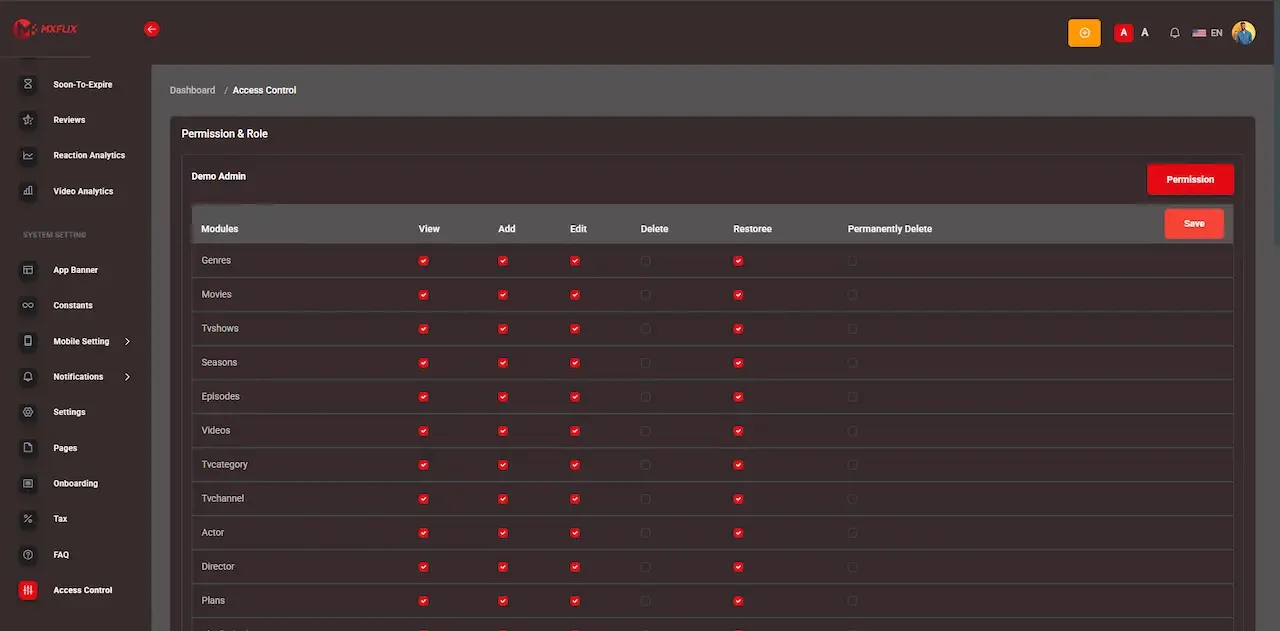
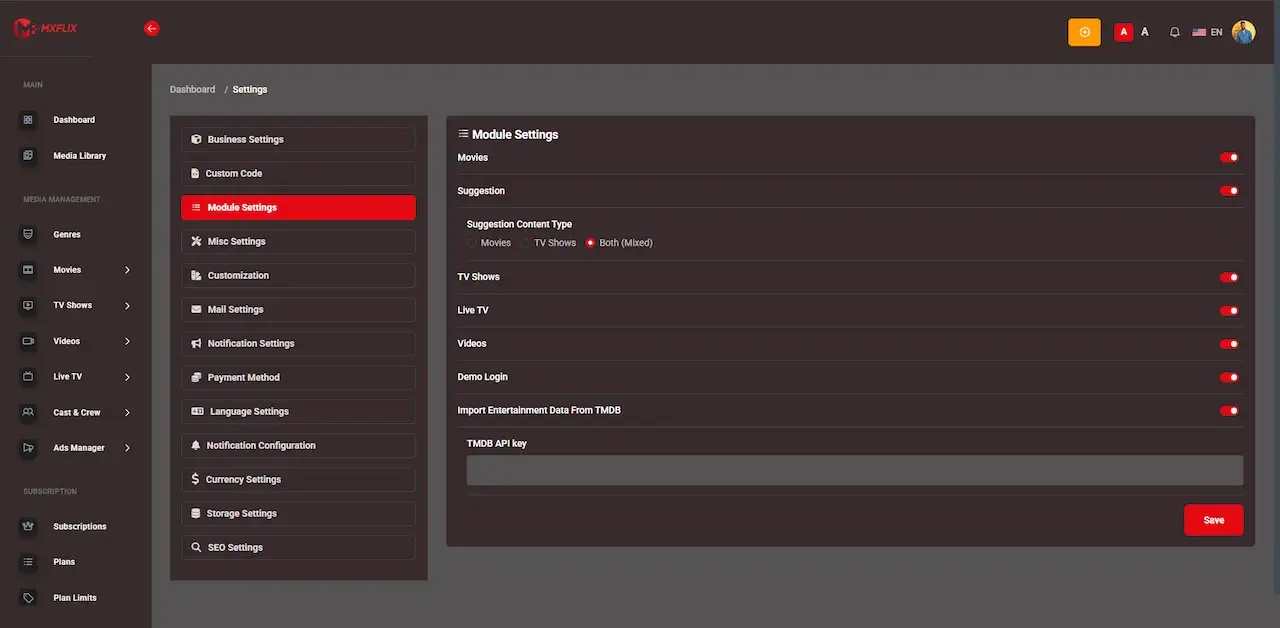
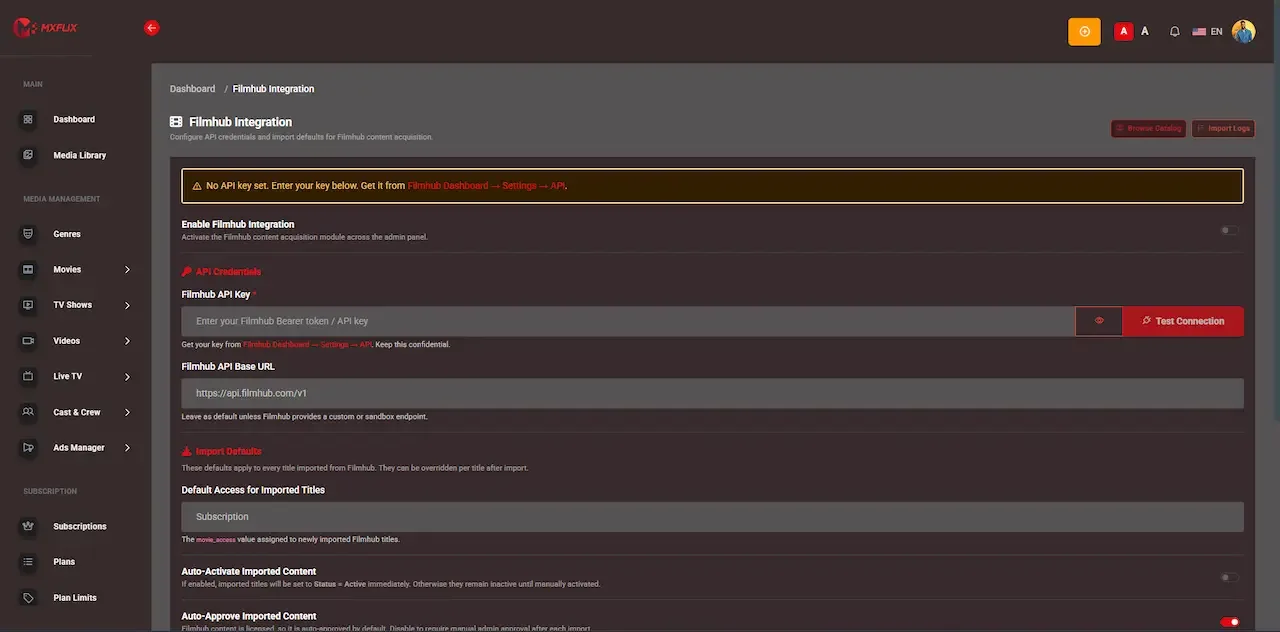
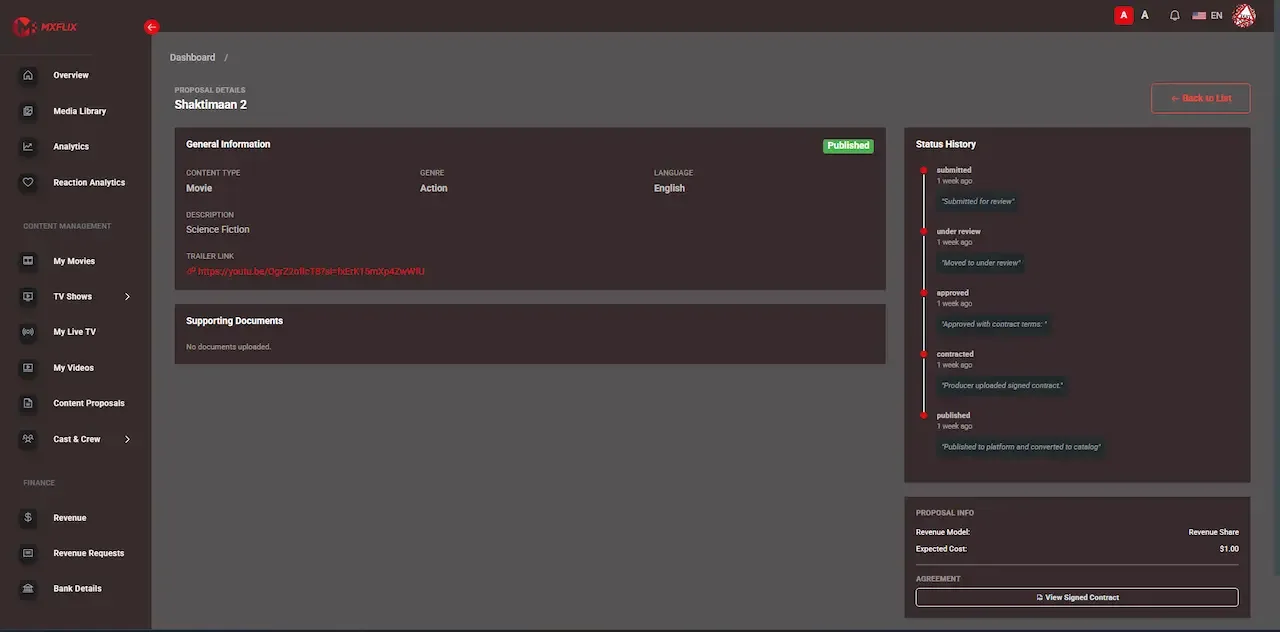
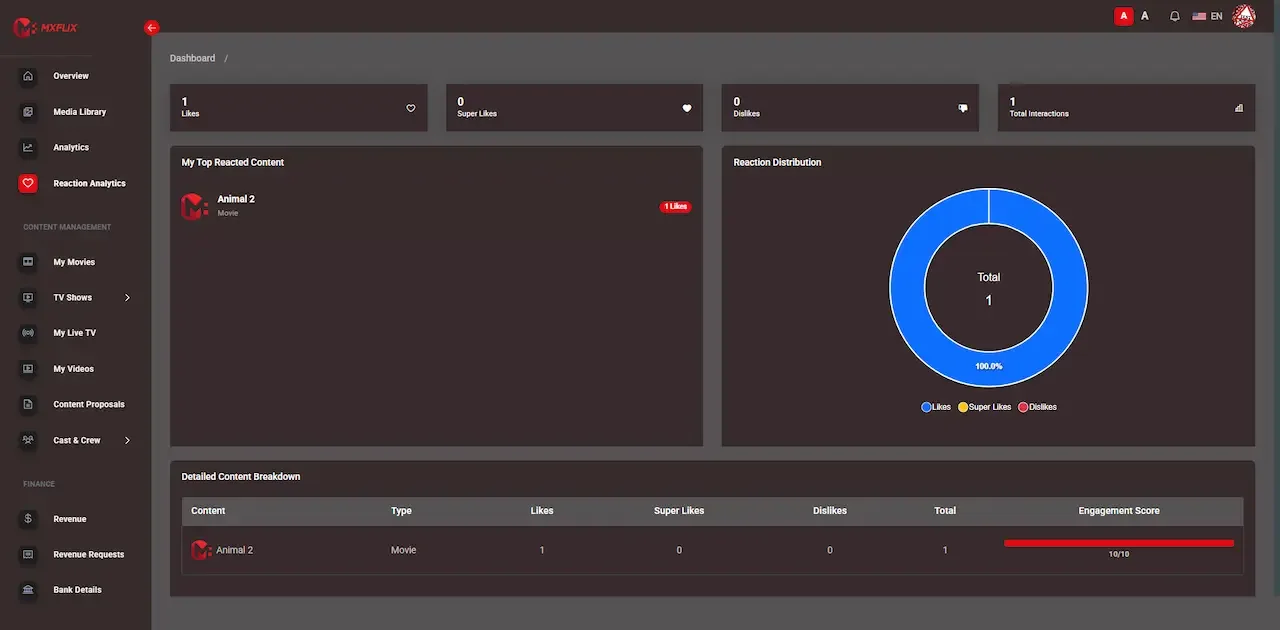
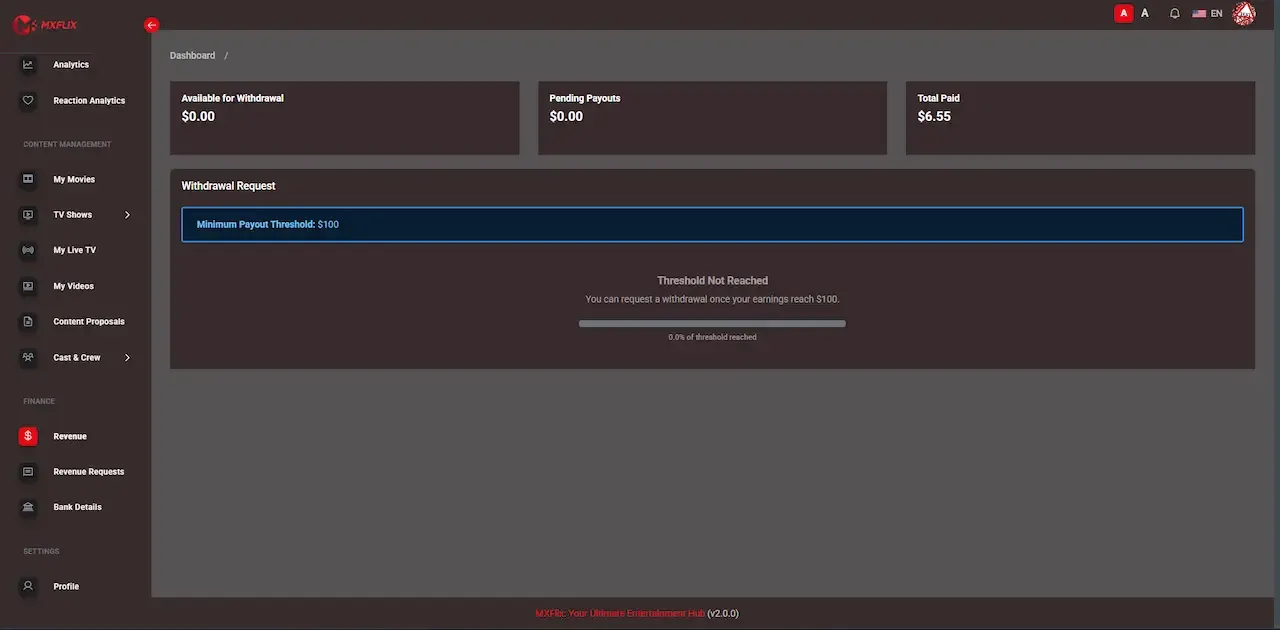
The demo is a live deployment of the OTT storefront with demo branding and sample titles, not your final look. Four logins are open: a viewer on web and Android, a content partner, and an administrator. Rent something as the viewer first, because the way a rental window behaves is the quickest test of the platform.
user@demo.comUser_321user@demo.comUser_321producer@demo.comProducer_321admin@demo.comAdmin_$32150 features across 4 roles. The first six of each role are here and the full list is one click away. Nothing is held back for a sales call.
Play rights are resolved on the server for every request, so the client never decides what a viewer is allowed to watch.
A title can belong to one or more subscription tiers, which controls which plan holders see it without a purchase.
Plans can be weekly, monthly or annual, with renewal handling and invoices for each cycle.
Each plan can restrict how much of the library it opens and how many devices may stream.
A rental grants a window to start watching and a shorter window to finish, which suits new releases.
Expiry runs as scheduled work, so access ends predictably and the countdown shown to the viewer stays accurate.
7 more Entitlements and pricing features are in the full list.
Email and password, social login and OTP are supported, so viewers use whichever is quickest on their device.
Scanning a QR code links a TV session to an account without typing credentials with a remote.
Each profile keeps separate history and recommendations, so one person tastes do not distort another feed.
Kids profiles are filtered by maturity rating instead of by a switch a child can flip.
Hero banners and rows for trending, new release and leaving-soon titles guide viewers toward what the operator wants seen.
Viewers can follow a person across titles, as well as browse by genre.
7 more Viewers features are in the full list.
Partners submit films, series and live content to the operator rather than publishing directly.
Each submission shows where it stands, so partners do not have to ask for updates by email.
Performance is reported at title level for the partner own catalog only.
Viewing is logged per title, which means a partner share is a measurement, not an estimate.
What a partner is owed appears alongside the minutes that produced it.
A partner asks for payment from the console, and the request routes to an operator for approval.
5 more Content partners features are in the full list.
Manage films, series, seasons, episodes, live channels, metadata and artwork for both owned and partner titles.
Review submitted titles, record the commercial terms and decide what reaches the catalog.
Set tiers, prices, catalog scope, device limits and renewal behavior from one screen.
Set window lengths, per-title prices and entitlement overrides for rentals and outright purchases.
Decide which titles, prices and models apply in which regions.
Run discount campaigns scoped to plans, titles, partners or territories.
7 more Operators features are in the full list.
The path through the product, in the order it happens for the people using it.
You decide which titles sit in plans, which are rentable or purchasable, where ads apply and what each region sees.
Add your own titles in the admin platform, ingest metadata through the acquisition API, and approve partner submissions.
On the app or web, a viewer subscribes, rents, buys or watches with ads. Coupons and invoices apply where configured.
On every play request the engine works out which right applies, so a viewer holding more than one never meets a conflict. Rental expiry runs as scheduled work.
Watch minutes are logged per title, partner statements are generated and payout runs go through operator approval.
Every earning route built into the product you receive: how it works, who pays and where the operator earns.
| Revenue model | How it works | Who pays | How you earn |
|---|---|---|---|
| Subscription plans | Weekly, monthly and annual tiers with catalog and device limits, billed whether or not the viewer watches. | Viewer | The recurring base that funds everything else. |
| Rentals | One title for a window, with separate start and finish timers and scheduled expiry. | Viewer | A new release can earn more from one rental than from a month of plan fees. |
| Outright purchases | A permanent entitlement for a title or boxset, recorded against the viewer. | Viewer | One-time revenue from buyers who never churn. |
| Ad-supported tier | Selected titles open without payment in territories you choose, resolved by the entitlement engine. | Advertiser | Income from an audience who would never subscribe, once ad serving is integrated. |
| Live and event tickets | Ticketed streams and replays are priced independently of any plan. | Viewer | Concentrated demand around a scheduled event. |
| Bundles and boxsets | Related titles are priced as one item, either sold outright or gated to a tier. | Viewer | Larger orders from viewers who want a complete season or collection. |
| Partner revenue share | Partner catalogs are listed next to yours and settled on measured watch minutes. | Platform, from viewer income | Breadth that grows without a matching licensing budget. |
The flow of money, the gateways you can connect and how payouts are handled.
Four payment paths meet in one ledger: a plan renewal, a rental, a purchase and a ticket each create their own invoice, while the ad tier produces no viewer payment at all. Gateways are connected per market using your own merchant accounts, and revenue by model is reported from the same records. For partners, nothing is paid on estimates. Watch minutes are measured per title, an operator reconciles them against agreed terms, and a payout run is approved before money moves.
| Gateway | What it covers |
|---|---|
| Regional | |
| Payment providers per market | The product page names no specific provider; they are wired to your own merchant accounts, one set per market. |
| Other | |
| In-app store billing | Subscriptions, rentals and purchases can happen inside the mobile apps where store policy allows. |
You operate the platform, so legal compliance in each market you serve is yours. This is the tooling that ships in the product. It is not legal advice.
Play rights are resolved on the server for every request, against plan membership, active rentals, permanent purchases, territory rights and ad-tier eligibility. The client is never trusted to say what a viewer may watch. If this layer is wrong, people either lose access they paid for or keep access they did not, so test your pricing scenarios with real accounts before launch.
Media is served through signed URLs with server-side entitlement checks, instead of public paths, and APIs use token-based authentication. That is a sound baseline for owned and independent catalog. It is not the same as studio-grade rights management, which is a separate integration, so confirm what your licensors require before you promise them anything.
We set DRM up around the ready-made package. Studio licenses commonly name Widevine, FairPlay or PlayReady, and each is an integration we confirm with you at kickoff, with vendor fees on top. If any of your content contracts mention DRM, treat it as a launch requirement, because it affects the hosting design and the budget.
Availability, pricing and monetization model are set per region at the entitlement layer. Maturity ratings, age-gating and a takedown workflow with an audit trail support content governance. Automatic activation and expiry of a licensing window by contract date is tailored work we set up for you, so until then your team must apply window changes on time.
Partner roles are scoped so each one sees only its own titles, minutes and earnings. This protects commercial terms between partners and prevents disputes from leaking. Payout approvals and content decisions are attributable to staff, so keep the role assignments tidy and review who holds the finance approver role regularly.
The platform includes an account deletion flow and structured profile records, and the operator remains responsible for legal compliance in each market, including consent notices and retention. We provide tooling, and legal advice is not part of that. Plan which markets you open first, then check requirements for payments, ratings and data handling there.
Plans, rentals and purchases run through payment providers you choose per market, with invoices and history for each viewer.
The layers of the product as delivered. You receive the full source code for every one of them.
| Layer | Built with | Hosting note |
|---|---|---|
| Mobile apps | Flutter (Android and iOS) | |
| Web platform | PHP Laravel with indexable title pages | |
| Backend and entitlements | Laravel API with an entitlement engine and queue workers | A Laravel API serves mobile, web and television clients and runs the entitlement engine. |
| Database | MySQL or MariaDB | MySQL or MariaDB stores catalog, entitlements, rental windows, invoices and watch-minute logs. |
| Streaming and media | HLS, MP4, external sources and 360 VR-ready playback | AWS S3, Bunny CDN or Cloudflare deliver media and static assets for faster start times.HLS, MP4 and external sources, with adaptive quality and DRM-ready delivery paths. |
| Cloud and CDN | AWS, GCP or DigitalOcean with AWS S3, Bunny CDN or Cloudflare | AWS, GCP or DigitalOcean, deployed during launch week on infrastructure under your control. |
| Queue workers | Workers process transcoding and settlement runs away from the request path. | |
| Scheduled jobs | Rental expiry and payout batching run on a schedule instead of being checked at play time. | |
| Protection | Signed media URLs, token-based API authentication and rate limiting on play endpoints. | |
The storefront runs on a cloud account you own. Its distinguishing infrastructure is the background work: queue workers and scheduled jobs handle rental expiry, transcoding and settlement so that none of it sits on the viewer request path. Delivery capacity matters most for scheduled peaks, such as a premiere that everyone starts together.
A storefront sells best on the biggest screen in the house, so television reach decides how far a plan can go. This table lists each surface and what the product page says about it. Included means it ships ready. Available means we set it up for you. Tailored for you means we build it and confirm scope with you.
| Surface | Status | How a viewer reaches it |
|---|---|---|
| Web browser | Included | Indexable title pages and full purchase flows, which search engines can reach |
| Android phone and tablet | Included | Branded app with the full storefront, including rentals and the ad-supported tier |
| iPhone and iPad | Included | Matching app with the same entitlement model |
| Television through QR handoff | Included | The viewer scans a code in the phone app to link a television session |
| Native Fire TV and Android TV | Available | Dedicated apps we build per platform, each with its own store review |
| Native Roku and Apple TV (tvOS) | Available | Separate builds for each, which we set up when you need them |
| Samsung and LG sets | Tailored for you | Confirmed individually and set up around your plan |
| Game consoles and set-top boxes | Tailored for you | Available if your audience requires them |
Protection has levels. Owned and independent catalogs usually need access control and unguessable media links. Licensed studio content tends to add contractual requirements. Knowing which level your deals demand keeps you from buying too little or too much.
Listing other people catalogs is how a storefront grows without licensing everything. It works only when partners trust the numbers, so this section describes the loop from viewing to payment. Each step below is something an operator can inspect, which is what keeps partners confident and keeps disputes short and factual.
One fixed price for the ready-made platform, published here so you can plan before you talk to us.
Ready-made, one-time
$3,699
Live in 6 working days from kickoff
The engineers who deploy your platform stay with it once it is live.
Need more? We tailor the platform to your plan, typically in 2-8 weeks, and confirm the scope with you before work starts. App store review times are set by Apple and Google.
Everything here is available around the ready-made Amazon Prime Video clone. We confirm the scope with you before any price is agreed.
Widevine, FairPlay and PlayReady for content whose licensing requires them, set up as an integration for your build.
Confirm with usNative apps for Fire TV, Android TV, Roku and tvOS, each with its own store process, for living-room viewing.
Confirm with usServer-side ad insertion against a live ad decisioning platform, with fill reporting and yield management for the ad tier.
Confirm with usResells a partner catalog as its own priced channel inside your storefront, as an extension of the partner model.
Confirm with usPersonalized rows and similar-title suggestions that go beyond rule-based merchandising once the catalog grows.
Confirm with usSelf-service partner onboarding, contract terms and automated settlement for operators with many partners.
Confirm with usRules that change prices by date, demand or window automatically, beyond the per-title and per-region pricing that is configurable.
Confirm with usAutomatic activation and expiry of availability by territory according to your contract dates.
Confirm with usMinimum guarantees, tiered rates by volume or recoupment against an advance, modeled for each partner deal.
Confirm with usA storefront has more moving parts than a single plan, so a plain statement of scope matters. Most of the storefront ships ready, and the rest is set up around your plan. Each row says which is which, and the status follows the product page and its feature guide.
Weekly, monthly and annual tiers with catalog and device limits.
A window to start watching and a shorter one to finish, expiring on schedule.
Permanent access for a viewer who pays once and keeps the title.
Free access to chosen titles in the territories you select.
Server-side logic that decides which right applies on every play request.
A group of titles sold under a single price, either bought outright or reserved for a plan.
Availability, price and model set per region and enforced where rights resolve.
Third parties submit titles, track performance and earnings, and request payouts.
Measured viewing per title linked to what each partner is owed.
Content, partner and finance staff see only the slice they manage.
An acquisition interface accepts titles and metadata from your own systems.
A channel line-up that is free, plan-gated or ticketed.
Household profiles with separate histories and maturity-based filtering.
A viewer links a TV session by scanning a code in the phone app.
Three viewer surfaces on one catalog and one entitlement model.
Widevine, FairPlay or PlayReady integration, which we set up for your build.
Fire TV, Android TV, Roku and tvOS apps, which we build per platform.
Ads stitched into streams, which we set up beyond the free ad-supported access tier.
Selling partner channels as extras billed beside your own plans, set up for your build.
Rules that change price automatically by date, demand or window, which we build with scope confirmed with us.
Automatic start and end of rights from contract dates, which we build with scope confirmed with us.
Four pages go deeper on the questions buyers ask most about the Amazon Prime Video Clone. This page stays the overview.
Selling one title four ways sounds simple until a viewer holds two of those rights at once.
See the full breakdownA storefront with several pricing models costs more to design than a plain subscription app, and that design effort is what a finished codebase saves you.
See exact pricingA storefront earns by matching each viewer to the way they are willing to pay, instead of asking everyone to buy the whole library.
See the playbookA storefront that sells titles several ways fails in the details: rights that overlap, rentals that never end, partners who cannot see their numbers.
Compare optionsFrom kickoff to a live Amazon Prime Video clone under your brand: what we do each day, and what we need from you.
1Day 1
2Day 2
3Day 3
4Day 4
5Day 5
6Day 6
The expensive part of a storefront is not the player. It is the logic that sits around it: resolving which of four rights applies, expiring rentals on time, keeping territory rules enforced and settling partners accurately. Custom builds routinely underestimate that entitlement layer and discover the gap only when real purchases and active rentals already exist, which makes reworking it painful. In streaming generally, content licensing and delivery cost far more than software, and both grow with success.
| Factor | Build from scratch | Rent a SaaS | Own it with GetFame |
|---|---|---|---|
| Entitlement logic | Designed from nothing, often underestimated, and hard to change after launch. | Frequently a basic plan check only. | Server-side resolution across plans, rentals, purchases, territories and ad rights. |
| Monetization at launch | Usually one model, normally subscription. | Often subscription only. | Four ways to pay on one catalog from the first day. |
| Partner settlement | A custom build, often apportioned instead of measured. | Rarely offered. | Watch-minute settlement with scoped partner access. |
| Content protection | Public media URLs are a common default. | Depends on the vendor tier. | Signed media with server-side checks, with DRM as a separate integration. |
| Factor | Build from scratch | Rent a SaaS | Own it with GetFame |
|---|---|---|---|
| Platform fees | None beyond engineering costs. | Ongoing fees that rise as usage rises. | None; no per-viewer license or revenue share. |
| Catalog onboarding | Manual forms unless an ingest API is built. | Vendor tools of varying depth. | A content acquisition API for programmatic ingest. |
| Time to live | A multi-month programme. | Quick, but on vendor terms. | Six working days to deploy; content preparation runs on your side. |
Running costs. Several costs sit outside the platform price. Content licensing is usually the largest line in the business. Storage, transcoding and CDN delivery grow with watch time, so your best month is also your most expensive. DRM vendors charge their own fees, native TV apps are separate builds, and payment processing fees multiply because rentals and purchases create many more transactions than monthly plans. Budget people time for partner approvals and statements as well.
The video player is the least interesting part of a multi-model service. The difficulty is deciding who may watch what, when and at what price, and doing it identically on every device. Here is the comparison module by module, in effort words and not figures.
Build it yourselfRanking overlapping rights such as plan, rental and purchase on each request without conflicts or leaks.
Ready-madeA tested engine that resolves the applicable right server-side on every play request.
Build it yourselfTwo clocks per rental, scheduled expiry and an accurate countdown, all prone to edge cases.
Ready-madeStart and finish windows configurable per title or globally, expiring as scheduled work.
Build it yourselfPrice, availability and model by country, enforced in the rights layer rather than hidden in the interface.
Ready-madeTerritory-level availability, pricing and model already configurable.
Build it yourselfA portal where outside catalog owners submit titles, agree terms and see statements.
Ready-madeA partner console with approval workflow, performance views and payout requests.
Build it yourselfReconciling viewing minutes into amounts owed, then gating payments behind approvals.
Ready-madeWatch-minute reconciliation, statements and approval-gated payout runs.
Build it yourselfImporting titles and metadata in bulk instead of through a manual upload queue.
Ready-madeAn acquisition interface that accepts content programmatically.
Build it yourselfDeciding which titles and territories get a free tier, and keeping it from eroding plans.
Ready-madeAn ad-supported tier switchable per title and territory.
Build it yourselfGenerating signed links and checking rights before serving files, to stop shared URLs leaking.
Ready-madeSigned media URLs with server-side checks on every request.
Build it yourselfRole-scoped screens for catalog, partners, pricing and payouts across a more complex model.
Ready-madeAn admin platform with scoped roles, coupons and reporting by revenue model.
Build it yourselfPhone, web and television clients sharing one account and entitlement model.
Ready-madeAndroid, iOS and web clients, with QR handoff to television.
Prime Video is widely known for running several models at once: video included in a broader membership, rentals and purchases for individual titles, other providers channels sold inside the storefront, and an ad-supported option. This platform builds that mix for you to brand and own. The rows cover the model only, and the product is independent of the brand.
| Aspect | The Amazon Prime Video model | This platform |
|---|---|---|
| Where the subscription lives | Video is bundled into a wider membership. | Standalone plans with your own tiers, limits and prices. |
| Individual titles | New releases can be rented or bought apart from any plan. | Per-title rentals with two timers and permanent purchases. |
| Third-party catalogs | Other providers sell channels inside the storefront. | Partner catalogs listed beside yours and settled on watch minutes; resold channel bundles are an extension. |
| Free viewing | An ad-supported option exists. | An ad tier resolved by the entitlement engine, with dynamic ad insertion as a separate integration. |
| Regional offers | Availability and pricing vary by market. | Availability, price and model set per territory at the rights layer. |
| Television viewing | Native apps across many television platforms. | Android, iOS and web with QR handoff; native TV apps are tailored for your build. |
| Ownership of data and code | Held by the company. | Source code, data and viewer relationships stay with you. |
The founders and teams this product fits most directly, one line each. The launch ideas that follow turn these audiences into a first-week plan.
Operators mixing a subscription base with rentals, purchases and an ad-supported tier.
Sellers of new releases, boxsets and events who do not want to force a plan.
Platforms that list third-party catalogs and settle them on watch minutes.
Teams selling the same title on different terms in different territories.
Rights holders running their own storefront with ad-supported and paid access side by side.
A multi-model service earns when demand differs between titles and between viewers. These are directions where a mix of included, rented, bought and ad-supported access makes sense, with the first thing to settle before launch.
A studio with older films that belong in a plan and fresh releases that deserve a rental price. Include the back library in a subscription, rent new titles for a limited window and sell boxsets outright. Decide first how long a new release stays rental-only.
A distributor selling films across several countries with different rights in each. Set availability, price and model per territory so a title can be a rental in one country and a plan item in another. Start with one market, prove the rules and then open the next.
A business that gathers libraries from independent owners without licensing everything itself. Partners list titles under terms you set, and payment follows measured viewing. Agree the settlement rule and statement format with each partner before their first title goes live.
A broadcaster moving linear programming online. Free ad-supported channels attract viewers, while premium series sit behind a plan or a rental. Decide which titles are free in which territory, so the free tier adds viewers rather than draining paid ones.
A league or promoter selling live events, replays and highlight packages. Tickets for a single event, a season bundle and free clips can coexist. Test the entitlement check at peak and confirm rights for every region where you sell.
Educators who sell some lessons in a plan, others as one-time purchases and a few as free samples. Partner instructors upload through the console and are paid by minutes watched. Set up clear approval so only reviewed material reaches the store.
People comparing apps like Prime Video are really comparing how each one charges. Some are subscriptions only, some are stores, some are free with ads. This neutral list names familiar options and what they trade away, so you can see where an owned storefront sits.
Membership plus store and channels
Viewers who want included titles, rentals, purchases and add-on channels in one app.
It is a closed service; you cannot list your titles on your own terms or own the audience.
Store with rentals and purchases
Viewers who buy or rent single films and follow channels inside an Apple ecosystem.
Distribution and pricing rules belong to the platform owner.
Free ad-supported channels
Viewers who want lean-back channels at no cost.
Revenue depends on advertising, with no ownership or rental revenue for a seller.
Rented storefront platform
Media teams who prefer a vendor to operate it and accept ongoing fees.
Fees and roadmap sit with the vendor, and the code stays theirs.
Bespoke development
Large groups with unusual rights and settlement rules.
Longest route and a team to keep, with entitlement logic to write from nothing.
A white-label storefront gives you the entitlement engine, partner console and territory rules as source code you own, with no revenue share on what you earn. It does not give you titles, licences or an audience. It suits an operator whose catalog does not fit a single price, such as a studio with new releases and a back library.
Longer answers to the questions buyers of this model ask before they commit.
Treat every title as a product with several buyers. A new release has viewers willing to pay a premium to watch tonight, a five-year-old film has viewers who will watch it as part of a plan, and some will only watch it if it is free. A storefront lets you serve all three without extra licensing spend.
Start with the highest-value moment. Release a new title as a rental or purchase first, then move it into a plan tier as demand settles. This keeps your subscription attractive without giving away the best material on day one.
Keep the ladder legible. If the same film has four prices and no clear logic, viewers hesitate. Show the cheapest route first, explain what each option includes, and avoid offering the same right at two prices in the same territory.
Use coupons sparingly and with a purpose. Map them to a specific plan, title or partner and set a validity window and usage cap, so a promotion cannot quietly become a permanent discount.
A rental has two clocks, and both shape behavior. The start window sets how long a buyer has to press play, and the finish window sets how long they have once they begin. A generous start window reduces regret, while a tighter finish window keeps the price of a rental above that of a day of subscription.
Set windows by content type. A film needs a short finish window, a series boxset might need a long one, and a live event replay might need a very short one. Because windows can be set globally or per title, use defaults and override only where a title is different.
Offer purchase as the upgrade. A viewer who rents twice may prefer to own, and a permanent entitlement never churns. Boxsets work especially well here, since the value of owning a full season is obvious.
Check the expiry experience. Rental expiry runs on a schedule, so test what a viewer sees near the end and after it passes. A clear countdown and a one-click rebuy option turn expiry into a second sale instead of a complaint.
Partners join because they trust the numbers. Settlement based on measured watch minutes lets them check your arithmetic, and statements show the calculation. Estimating by catalog size is the quickest way to lose a partner, so decide the basis before the first contract is signed.
Be selective at approval. Each partner title reflects on your service, so set quality, rights and metadata standards and apply them consistently. Record the commercial terms at approval, because settlement will use them later.
Keep terms simple at first. Minimum guarantees, tiered rates and advances are possible but need custom modeling for each deal. Begin with a straightforward share and extend it only when a partner brings enough volume to justify the complexity.
Protect confidentiality. Partners see only their own titles and earnings, and you should make that promise explicit. Assign a named person to answer settlement questions, because accuracy keeps partners but responsiveness keeps their goodwill.
Rights are usually granted by territory and by period. Before you open a new country, list the titles you hold there, the models you may use and the dates the rights run. The platform lets you set availability, price and model per region, and your job is to enter them accurately.
Enforcement matters. Hiding a title in the interface is different from refusing to play it, and licensors treat the two as very different. Rules applied where rights are resolved survive an audit, so rely on the entitlement settings rather than on layout.
Plan the manual steps. Automatic activation and expiry of a licensing window by contract date is tailored work we can set up, so until then, someone on your team must change availability on the dates in the contract. Put those dates in a calendar.
Localize beyond language. Local prices, local payment methods and local catalogs make a service feel native. Start with one or two markets, learn which offers convert, and then repeat the pattern elsewhere.
An ad tier is a different audience, not a discount. The viewers it reaches were never going to subscribe, so revenue from them is additive, provided the free tier does not include the content that sells plans and rentals. Keep new releases and premium titles off it.
Choose territories deliberately. Advertisers pay for audiences they want, and a market with weak ad demand can leave a free tier that costs delivery and earns little. Open the ad tier where you can realistically sell inventory.
Know what is live. The entitlement engine resolves ad eligibility, but serving ads into the stream, reporting fill and managing yield needs an ad insertion integration that we set up for your build. Do not promise advertisers capabilities that are not integrated yet.
Measure whether free viewers move on to paid options. If they do, the ad tier becomes a funnel. If they do not, it still earns on its own, and you can decide how much catalog to give it.
The release notes as published by our parent company, Miracuves.
v2026.1Jan 2026
v2025.3Oct 2025
It is a ready-made OTT platform built around choice of purchase model. Each title can be included in a plan, rented, bought outright or opened on an ad-supported tier, and partner catalogs can list beside your own. It ships white-label with full source code ownership.
It is the same underlying platform with a different commercial shape. The Netflix clone is framed around a subscription that unlocks the library. This page is framed around a storefront, where subscription, rental, purchase and ad-supported access run together and partners contribute catalog. If your titles do not all belong at one price, start here.
The ready-made build costs $3,699, one time, and goes live in 6 working days from our side. Content preparation is usually the longest task on your side, so start early. Tailored work such as Smart TV apps, DRM or special settlement formulas typically takes 2 to 8 weeks.
Yes. A title can be included in a plan tier, rented at one price, sold at another and offered with ads. The entitlement engine resolves which right applies on each play request, so a viewer holding two rights never sees a conflict.
A rental grants two timers: a window to start watching and a shorter window to finish once started. Both are configurable per title or globally. Expiry runs as scheduled work rather than a check at play time, so access ends predictably and the viewer sees an accurate countdown.
Partners submit titles for approval. Once live, viewing is measured in watch minutes at title level, and each share is calculated against agreed terms. Statements and payout requests run through the partner console, approval is operator-gated and each partner sees only their own numbers.
Yes. Media is served through signed URLs with server-side entitlement checks, which suits owned and independent catalog. Studio licensing usually requires Widevine, FairPlay or PlayReady, and we set that integration up for your build, with scope confirmed with us at kickoff.
Yes, we set them up for your build. The platform ships Android, iOS and web, with QR-based session handoff to television. Native apps for Fire TV, Android TV, Roku and tvOS are tailored to your plan, which is worth planning for if most of your viewing will be on a television.
Yes. The platform covers plans, bundles and boxsets, and partner catalogs under revenue share. We also set up selling another provider's channel as an optional extra around your plan, with scope confirmed with us.
Yes. Territory pricing, catalog availability, payment methods, content rules and language support are configurable per region. A title can be subscription-included in one market, rental-only in another and unavailable in a third, and several branded deployments can run from one core.
Yes. Plans are one monetization model among several, and each title carries its own rights. You can open only rentals and permanent purchases at the start, then add plans, an ad tier or ticketed events when your catalog is deep enough to justify them.
Subscriptions, rentals and purchases can be completed in the mobile apps where store policy allows. Store rules and fees differ from the web, so decide which purchases you route through the stores and which through your own checkout, and check the current policy for your category.
A partner console shows submissions and their approval status, performance for that partner own titles, measured watch minutes, earnings and payout requests. It never shows other partners or the operator financials, and payout requests route to an operator for approval before settlement.
A content acquisition API accepts titles and metadata programmatically from aggregators and distributors, so growth does not depend on manual uploads. Preparing files, artwork, metadata and territory rights is still your work, and it is usually the longest task before launch.
The ad tier is modeled and the entitlement engine decides who can watch with ads. Serving ads into the stream, reporting fill and managing yield needs a dynamic ad insertion integration against an ad platform, which we set up for your build once your requirements are clear.
Yes. Plan prices, rental windows, purchase prices, coupons and territory rules are settings in the console, and the apps read them from the server. Version behavior and feature flags are also controlled centrally, so most commercial changes do not require submitting a new build.
Brand assets, a domain, cloud access, merchant accounts for each market, store developer accounts and your catalog with its metadata, artwork and territory rights. We deploy in 6 working days, but the catalog and rights preparation usually decide when you can actually open to viewers.
Yes. Titles, series and live events are generic, so a course library, a match archive or a training channel fits the same model. Plans, per-title purchases and ticketed events map naturally to education and sport, and partners can act as instructors or leagues.
The same title can sit in a plan, be rented, be bought and open with ads, depending on how you configure it. On each play request the server decides which right the viewer holds and applies it in order. Viewers who hold two rights never see a conflict, and you choose what to expose per territory.
SVOD is a subscription to a library, TVOD is paying per title by rental or purchase, and AVOD is free viewing supported by advertising. A storefront combines them. A viewer unwilling to subscribe can still rent one film or watch a free title with ads, which captures demand a plan alone would miss.
Partners can list catalogs beside yours under terms you set, which covers much of the idea. We also set up partner channels as separately billed extras around your plan, so confirm the model you want. The settlement of partners on measured viewing is already part of the platform.
Yes. Availability, price and purchase model are set per territory and enforced where rights are resolved, so the same title can be a rental in one country and included in a plan in another. Automatic start and end dates for licence windows are tailored work we set up.
Android, iOS and web ship ready, with QR handoff to link a television session. Native apps for Fire TV, Android TV, Roku and Apple TV are built per platform, and we set them up for you. If television is where your viewers watch, plan that scope from the start.
Not for every catalog, and we can set it up when you need it. Owned and independent titles are usually fine with signed media links and server-side checks. Licensed studio content often requires specific DRM systems, and we set that integration up for your build. Ask each rights holder what they require before you finalize your plan.
Add storage for the catalog, delivery for the minutes watched, preparation of media files, payment provider charges and the time your team spends managing partners. We give no figures because rates vary by provider. Compare a quiet month with a month of major releases.
No. We have no connection with Amazon. The name is used descriptively for a category of multi-model video platforms. The code and design are written by our team, and all third-party trademarks belong to their owners.
Start on a cloud account you control, put video behind storage and a delivery network, and size the application layer for your launch audience. Because entitlements are checked server-side, test playback requests at your expected peak. Scaling work beyond the launch setup is scoped with you.
Catalog, plans, rental and purchase prices, territory rules, coupons, partner approvals, payouts and reports by revenue model. Roles are scoped, so a content manager, a partner manager and a finance approver each see only their own area, which matters once several people run a more complex service.
→Start here
Share the platform and your market. You get a walkthrough of the live demo, the exact scope of what ships, and a fixed price in writing. First response in under 2 hours, Monday to Saturday, 10:00 to 19:00 IST.
This page uses the name Amazon Prime Video to describe a type of platform. The product sold here is separate software, built independently, and Amazon Prime Video has no part in it.
"Amazon Prime Video clone" is industry shorthand that founders use when searching for software with a comparable business model. It names a category of product, not a copy of Amazon Prime Video.
The platform is an original product designed and written by Miracuves. It contains no code, design, graphics or content originating from the Amazon Prime Video website or applications, and it ships under your own brand.
Amazon Prime Video and its logos are trademarks of their respective owner and are named here for reference only. GetFame is not affiliated with, sponsored by or endorsed by Amazon Prime Video. Rights holders can write to legal@miracuves.com.
Operator responsibility. The operator of a launched platform is responsible for legal compliance in the markets it serves. Nothing on this page is legal advice.Read the full disclaimer
First response under 2 hours, Mon-Sat 10:00-19:00 IST
India+91 98300 09649 United States+1 516 202 3950