MoboReels Clone Features for Running a Deep Drama Library

Drama platforms are usually sold on the player, yet operators spend their days in the library: publishing a title, numbering episodes, setting prices, fixing mistakes after release and showing a licensor what a series earned. This page walks through how those catalog tasks work, which role does each, and what we set up around the platform.

3
catalog levels: category, title, episode
3
clients reading one library
24
console permission modules
On this page10 sections
  1. All 46 MoboReels Clone features, by role
  2. Publishing a title from blank form to live shelf
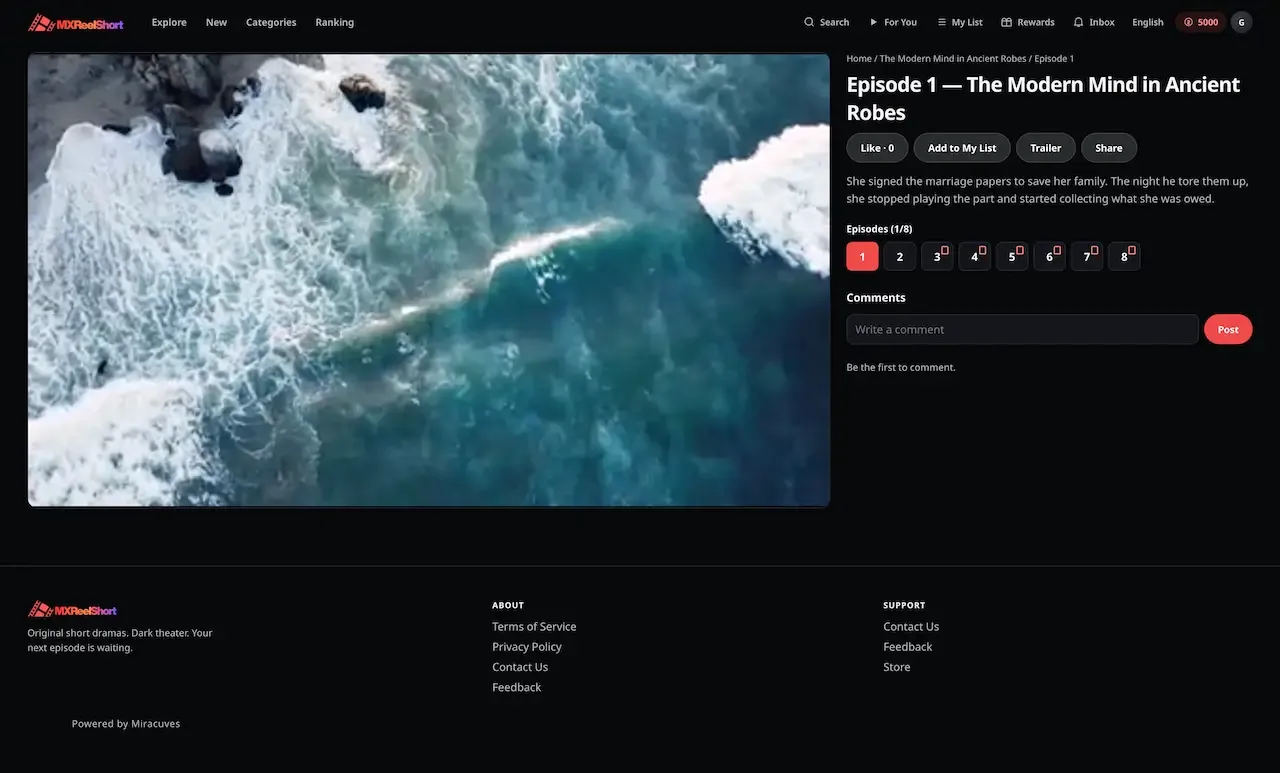
  3. The MoboReels Clone, on screen
  4. Catalog capabilities that matter commercially
  5. MoboReels, this platform and a from-scratch build, on library work
  6. What the library tools run on
  7. What the library tools leave to you
  8. Try the live MoboReels Clone demo
  9. MoboReels Clone feature FAQs
  10. Explore the MoboReels Clone

All 46 MoboReels Clone features, by role

The complete list, grouped by the person who uses each feature. Nothing is hidden behind a plan tier: this is what ships in the platform.

Library operators

14 features
Three-level library
Genre buckets contain titles and titles contain numbered episodes, mirroring how a drama library is actually organized.
Movie or web series
Titles are typed, so a single film and a long series use the same catalog with the right behavior for each.
Artwork per title
Poster and banner images attach to the title, with an option for an auto-animated hero on the front shelf.
Shelf toggles
Trending, coming soon and active switches decide where a title appears and whether it appears at all.
Trailer as episode zero
Promo material is published as episode zero, so it is ordered, targeted and hidden using the same tools as episodes.
Per-episode lock
Every episode has its own lock, independent of the free window, so a back catalog can be opened up selectively.
Uneven pricing
Coin price is stored on each episode, which lets cliffhangers cost more than transitional episodes.
Reorder and relock
Dragging episodes to new positions renumbers the run and reapplies locks, so a re-cut is a routine task.
Subtitle per episode
A VTT or SRT file is stored with its language and format and rendered as a track in the player.
Coming soon dates
An announce date on an unreleased title builds anticipation while the title is kept off other shelves.
Audio tracks
Selectable audio tracks play from stored files, which suits dubbed versions of the same episode.
Region chips
Per-title region targeting is applied in the same query that builds each shelf, so unlicensed titles never show.
Dated licence windows
A title publishes and retires according to the dates entered, which matches how distribution terms are written.
Operator-composed shelves
Banner, trending, new release, coming soon and category shelves are built from the catalog, not by a recommendation engine.
Viewers

11 features
Coming soon exclusion
An unreleased title shows on its own shelf with an announce date and stays off every other rail.
Plot-aware search
Search reads both title and plot text, with an optional genre filter on web and mobile.
Series-level My List
Saved items are kept at the series level, and a resume point is remembered for each title.
For You trailers
Trailers are grouped by title in a discovery view that works as a cheap preview of the library.
Vertical player
Sequential playback with auto advance, a subtitle track, likes, comments, reports and sharing.
Interactive branching
An episode can offer choices, and a Choice Pass option sits beside auto-unlock for the rest of a title.
Rewarded ad unlock
A viewer without coins watches a rewarded video to open an episode, capped per title per day.
VIP binge window
A plan by validity window opens locked episodes for a heavy viewer and unlocks HD playback.
Two coin balances
Reward and purchased coins are tracked apart, with spending drawn from reward coins first.
Remind Me
Viewers can request a reminder on a coming soon title, giving each release a built-in audience.
Rewards ladder
Check-in streaks, quests and referrals pay coins that keep viewers moving through a deep library.

Reporting

11 features
Overview dashboard
Date-bounded counts and charts for users and revenue, drawn from live operating data and not a nightly export.
Series analytics
Performance per series, so you can compare titles that sit in the same genre.
Episode analytics
Performance per episode with roll-ups to the series, which shows exactly where viewers stop.
Revenue by series
A breakdown of paid revenue across titles, which is the figure a rights holder asks for first.
Top revenue episodes
A ranked list of the episodes viewers actually paid at, a guide to where production budget should go.
Order history
Coin and VIP purchases keep a record of each order for reconciliation against processor statements.
Coin economy view
Analytics tied to seven typed ledger codes show how coins are earned and spent.
User analytics
User counts with a country filter help compare how each territory engages with the library.
Paid revenue trend
A trend line of paid revenue shows the effect of a pricing or catalog change over time.
Country comparison
A country filter on users lets you see which territories respond to which kinds of title.
Wallet inspection
Open any wallet and its history to explain a balance to a customer.

Staff

10 features
Role grants
Roles carry module and action grants, so editors, moderators and managers each work inside their own remit.
Filtered sidebar
Menu entries a role has no claim to are removed from the sidebar.
Report queue
Viewer reports use reasons you write, and a solved state notifies the reporter.
Comment and user controls
Hide a comment or block a user directly from the console.
Storage choice
Choose local disk, AWS S3 or DigitalOcean Spaces for media, from eight supported providers.
Upload inspection
The first bytes of every artwork, video and subtitle upload are read, and disguised files are discarded.
Campaign desk
Templates, audiences, scheduling and delivery stats announce new titles through the in-app inbox.
Legal pages
Policy pages and store links are managed as content from the console.
Read-only demo role
A demo operator browses everything while the server refuses every write.
Data requests
Accounts can be exported, anonymized or deleted from the console on request.

Publishing a title from blank form to live shelf

The clearest view of a library product is the life of one title. These steps run through the console and the viewer apps, and show where an editor, a pricing owner and a licensor each make decisions.

  1. Create the category and the title

    An editor adds a genre bucket if one is missing, then creates the title inside it. A title is typed as a movie or a web series, and carries a poster, a banner and a handful of toggles for trending, coming soon and active. Nothing here involves a database client or a migration script someone runs carefully.

  2. Add the trailer as episode zero

    Promo material is stored as episode zero of the title, which means a trailer is published, reordered, targeted by region and reported in the same way as any other episode. It gives the For You view something to group by title, and costs no separate promo subsystem to run.

  3. Number, price and lock the episodes

    Each episode carries its own number, duration, artwork, coin price and lock state. A cheap first locked episode eases the first purchase, and a higher price on a finale tests how much the story is worth. The free window is a global setting, so the opening run plays before any lock applies.

  4. Attach subtitles to the right episode

    A dialog on each episode accepts a subtitle file, and the language and format are recorded with it. The player shows the track on the web app and the store app. Because subtitles belong to a single episode, a corrected file replaces one record rather than a whole release.

  5. Set regions and compose the shelves

    Region chips and license windows decide where the title may appear. Shelves are then composed by hand from banner, trending, new release, coming soon and category rails. A coming soon title is held out of the other rails until you flip it live, so viewers never tap something that cannot play.

  6. Reorder when the cut changes

    If an episode must move, an editor drags it to the new position. The numbering and the locks are recalculated in the same action, and viewers who already opened an episode keep access because unlock records belong to the person and the episode. This turns a re-cut into routine editing.

  7. Read what the series earned

    The console reports revenue by series and by episode, with a ranked list of top revenue episodes. A rights holder can be shown those figures at renewal, built from live operational data and not from a monthly export. The same reports tell you which titles deserve a banner next week.

The MoboReels Clone, on screen

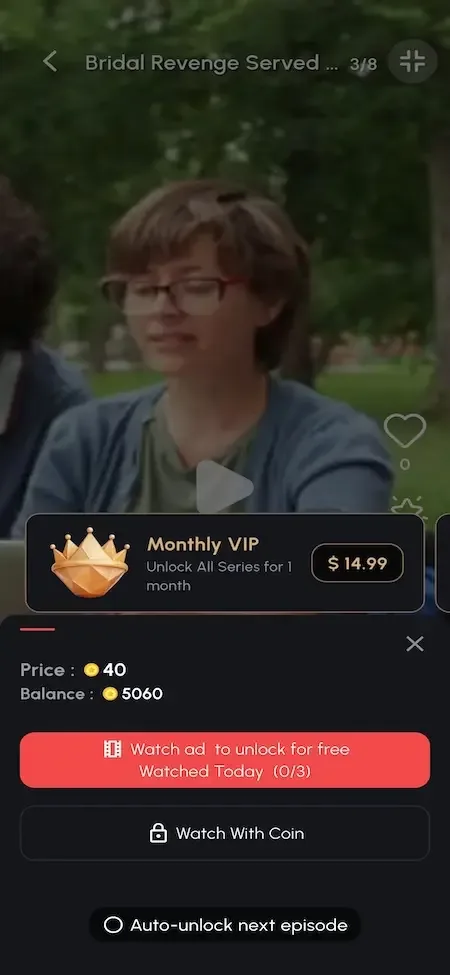
Real screens from the working product. Your platform ships rebranded with your name, logo and colors.

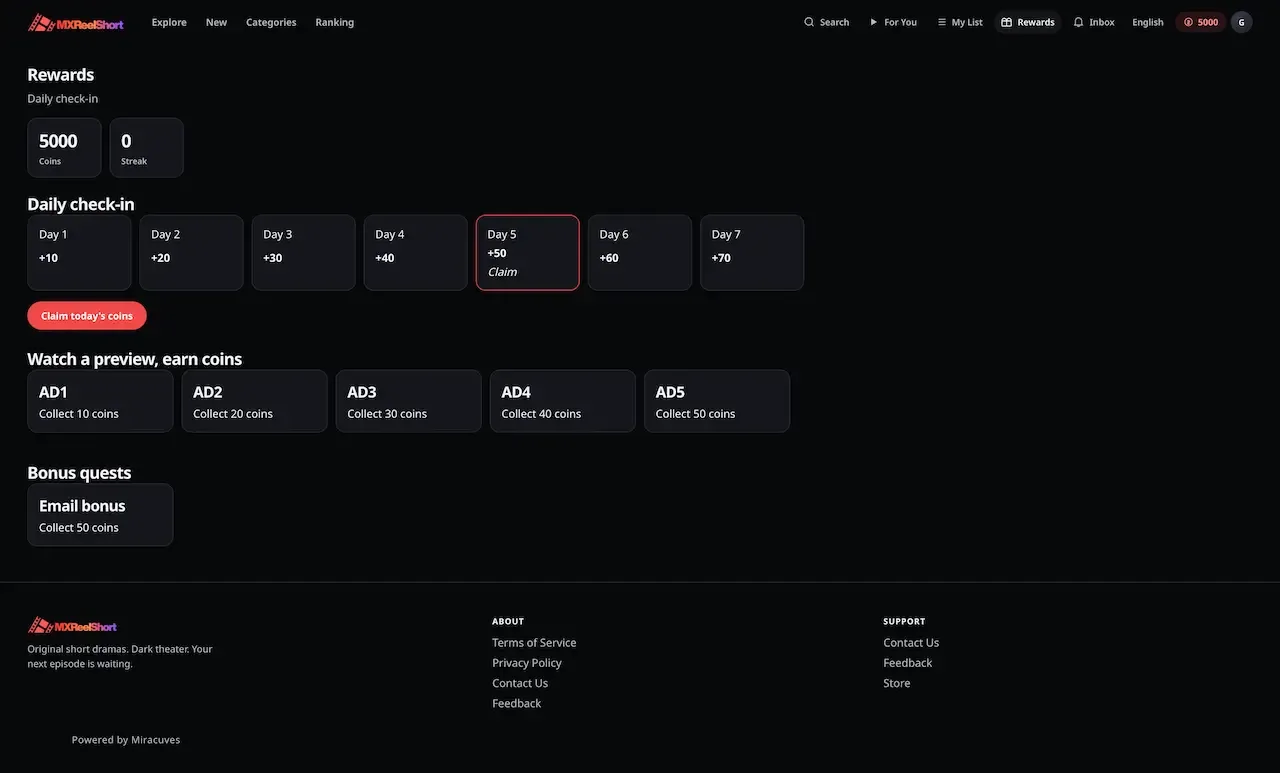
  • Dark web rewards page with a seven day check-in strip, watch ad tiles and bonus quests
    Web app
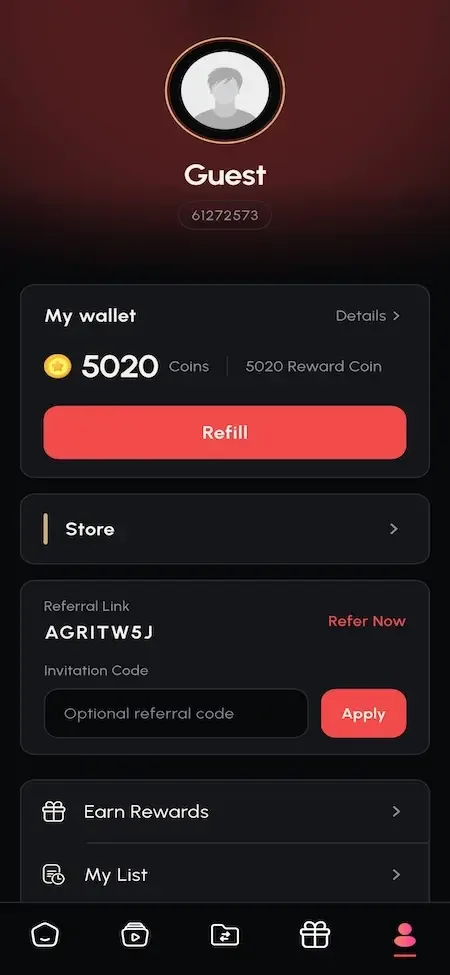
  • Phone profile page with guest avatar, coin wallet, refill button and referral code field
    User app
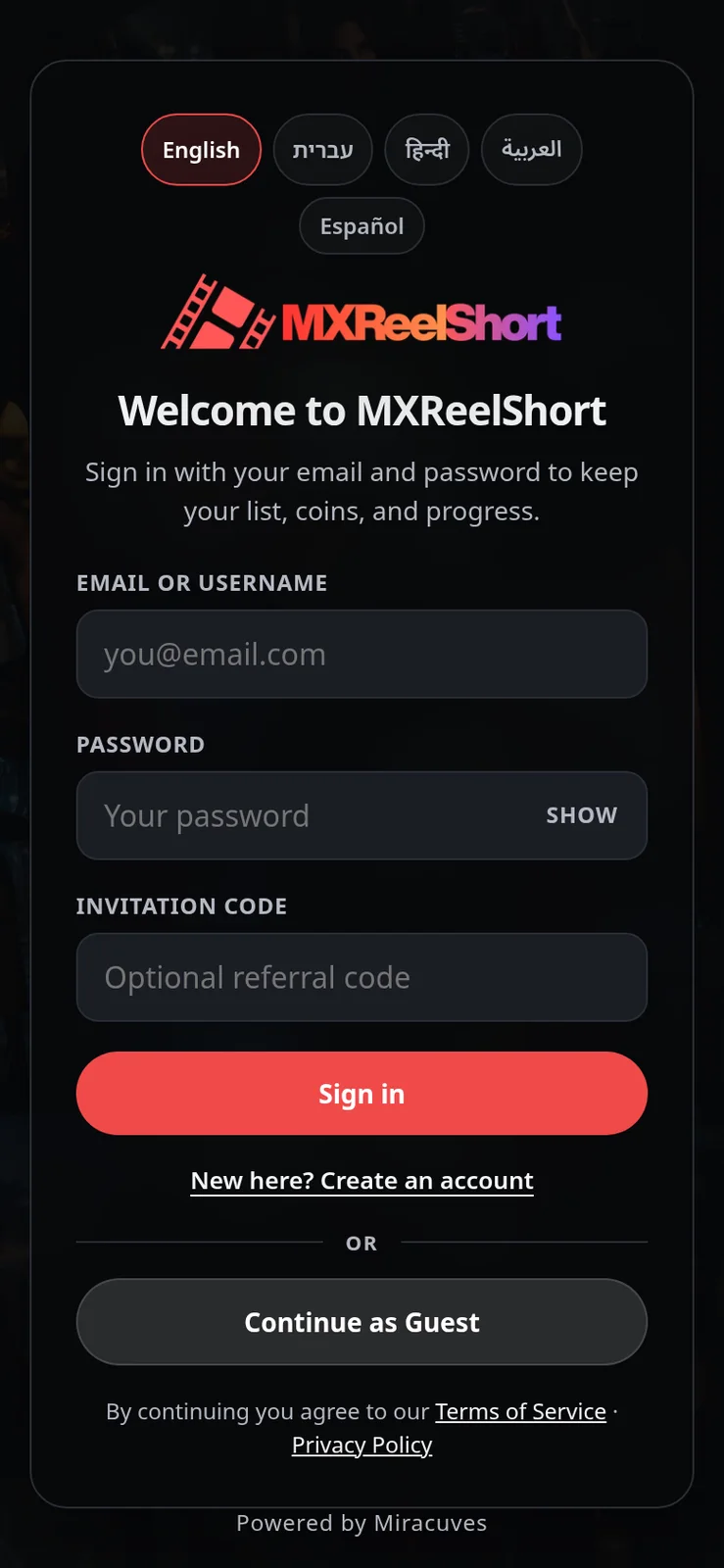
  • Sign in screen with language chips, email, password and invitation code fields
    Web app
  • Phone episode paywall offering a monthly VIP plan, a coin unlock and a watch ad option
    User app
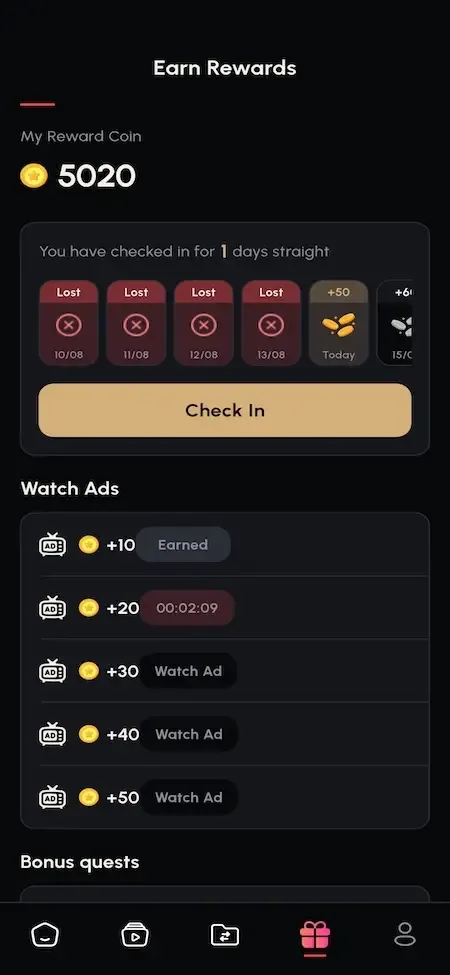
  • Phone rewards screen with a coin balance, a daily check-in streak and watch ad earnings
    User app

Catalog capabilities that matter commercially

A library is only worth running if the people operating it can work quickly and safely. These capabilities do that, and each has a reason beside it for why a library business cares.

  • Price as a field on the episode

    Coin price lives on each episode, not on the title. Back catalog can be discounted without touching new releases, and a finale can cost more than an opener. Because it is data, pricing becomes a weekly experiment by an editor and not a development ticket waiting for a release window.

  • Reorder that renumbers and relocks

    Dragging an episode to a new place updates numbering and locks in a single step. Most platforms leave this to manual clean-up and risk stranding people who already paid. Here the unlock record stays attached to the viewer and the episode, so a re-cut after launch does not take anything away.

  • Subtitles per episode in the console

    Upload happens next to the episode it belongs to, with the file format and language noted. Operators avoid the pattern of dropping files in storage and hoping the names match. For a library sold in several markets, subtitle control is a daily need, not a nice extra. When a translator returns a corrected file, it replaces the one on that episode and nothing else, so a fix to episode nine cannot disturb episode ten.

  • Territory rules on every title

    Region chips and dated license windows let you stop a title appearing where you lack rights. When a window ends the title disappears there and nowhere else. Licensors expect that discipline, and software that cannot enforce it forces you to decline territory-limited deals. A deal for one country from a fixed start date to a fixed end date becomes two entries on the title, which is something an editor can do without a developer.

  • Series-level revenue reports

    Revenue by series and a ranked list of top episodes come from the live data. A report a licensor can read at a meeting is a negotiating tool, since a platform that only reports a grand total cannot support a renewal on evidence. It also guides where to spend promotion.

  • Rewarded ads capped per title

    Back catalog titles earn little from coins, and a rewarded ad lets people who will not pay open episodes anyway. The daily cap is set per title, so you can allow generous ad access on an old series while holding a new release back. Live ad income runs through the store app.

  • Permissioned editing

    Staff accounts each carry one named role built from modules and actions across a 24-module permission system. An editor can publish and reorder without seeing the economy screens, and the sidebar hides what a role cannot use. A view-only demo role is enforced on the server. For a library with many hands, this means a freelancer attaching subtitles can be given exactly that job and nothing more, which limits the damage of a mistake.

  • Uploads inspected on arrival

    Every upload is checked by its content signature, so a renamed executable or document is discarded. Storage can be local disk, AWS S3 or DigitalOcean Spaces. For teams where many people upload, this removes an ordinary accident from the list of things that can harm the server. A library grows by hundreds of uploads, so a check that happens on every file, not once at setup, is what keeps the library safe.

MoboReels, this platform and a from-scratch build, on library work

The first column describes the widely known pattern of library-led drama apps in general, not any company internal tools. The others show what you receive here and what a team building alone would have to design, test and keep running.

MoboReels, this platform and a from-scratch build, on library work
AspectMoboReelsMoboReels CloneBuilding from scratch
Publishing a title Handled by the owner's own production pipeline, behind closed doorsA console task with artwork, toggles and regionsA migration script someone runs with care
Pricing each episode Decided by the company that runs the appCoin price as a field on every episodeOne price per title, changed by redeploying
Reordering after release Managed inside the company's own tools and not visible to outside operatorsDrag and drop that renumbers and relocksThe bug that strands paid unlocks, found late
Subtitle handling Prepared in the owner's own content pipeline before it reaches viewersPer-episode upload dialog with the language and file format recorded alongsideFiles placed in storage, with names that must match
Territory rules Set by the owner deals and licensesRegion chips and dated license windows you enterAn access rule you design and test yourself
Licensor reporting Kept internal to the company and not offered as a feature to othersRevenue by series and top revenue episodesA spreadsheet rebuilt from exports each month
Free and paid mix Free viewing beside ads and paid unlocks is commonFree window, rewarded ads, coins and VIP passes, all adjustableEach route integrated and tested separately, one country at a time
Source code Not offered as a product that an outside operator can buyFull source for web, console, API and Flutter appYours, after the whole product is written

What the library tools run on

The catalog tools use the same stack as the rest of the platform. One API serves the console and both viewer apps, which is why a reorder made on Tuesday shows the same numbering everywhere on Tuesday.

What the library tools run on
Operator consoleA Next.js 14 application with film category, film list and episode modules, and charts drawn in the browser.
Consumer web appA Vite and React single page app delivered as a static build, reading the same library as the store app.
Mobile appsA Flutter app on GetX for iOS and Android, with an immersive vertical player and a comment sheet.
APINode.js with Express behind nginx and PM2, serving client and admin routers from one service.
DatabaseMongoDB through Mongoose, with titles, numbered episodes, lock state and per-user unlock rows.
Media storageA storage switch across local disk, AWS S3 and DigitalOcean Spaces, with content signature checks on upload.

What the library tools leave to you

A library platform raises expectations that go beyond a console. These are the points to settle when you plan a large catalog, so scale does not arrive as a surprise.

  • Bulk ingestion

    Titles are published one at a time through the console. For stocking hundreds of titles at once, we set up an import or a scripted approach, and confirm the scope with you.

  • No encoding pipeline

    The platform serves the files you upload. Encode consistently before upload, or add the optional adaptive streaming module that works through a video service on your own account.

  • Seasons are modeled as titles

    A second season is a separate title linked through shelves and naming. We can build a true season container with shared locks for your build. Until then, a viewer finishing season one reaches season two through a shelf or search, so place a clear pointer on the last episode's artwork and in your naming.

  • Hand-built shelves

    Rails are composed by your editors, and we can add a ranking model for your build. Someone has to own the home screen every week. That person decides what sits under the banner, which titles trend and what is coming soon, and the series and episode reports are their evidence for those choices.

  • Simulated web ads

    The web ad unlock is a timed preview. Live rewarded ads run through the store app with your AdMob units. If much of your audience watches on the web, expect the ad route to earn there only after we tailor it, and plan coin packs and a pass as the web revenue paths.

  • Hardening backlog

    The security reference lists items such as password hashing and rate limiting, and staff permissions enforced mainly in the console. We agree with you which to close before launch.

Try the live MoboReels Clone demo

The demo is best used for catalog work: publish a title, reorder its episodes, watch the numbering and locks follow, then add a subtitle file and see it in the player. It carries our demo branding and a seed catalog of royalty-free stills, so judge the tools rather than the titles.

  • Viewer web app

    Open the Viewer web app demo
    Login
    webuser@demo.com
    Password
    User_$321

    Worth trying

    • Browse the banner, trending and coming soon shelves
    • Search by title and by a word from the plot
    • Open a title and play its trailer episode
    • Turn on a subtitle track during playback
  • Catalog console

    Open the Catalog console demo
    Login
    admin@demo.com
    Password
    Admin_$321

    Worth trying

    • Open the film category, film list and episode modules
    • Read how a title carries artwork and toggles
    • Look at series revenue and top revenue episodes
    • Try an edit and see the view-only role refuse it
  • Android viewer app

    Open the Android viewer app demo
    Login
    webuser@demo.com
    Password
    User_$321

    Worth trying

    • Scroll episodes in the fullscreen vertical player
    • Check that title numbering matches the web app
    • Add a title to My List and find it again
    • Open the For You view of grouped trailers

MoboReels Clone feature FAQs

What is the difference between a movie and a web series title?

A title is typed as one or the other when it is created, and both use the same structure of numbered episodes. The type helps shelves and filters present the title sensibly. A movie is simply a title with a short run of episodes, so the pricing, locking and subtitle tools behave identically for both.

Can I hide a finished title until I am ready?

Yes. Titles carry active and coming soon toggles. A title that is not active does not appear to viewers, and a coming soon title is held out of the other rails with an announce date. Editors can prepare artwork, episodes and subtitles in the console and flip the title live when everything is checked.

Can I correct a wrong price or lock quickly?

Price and lock are fields on each episode, so a correction is an edit in the console that applies from then on. It does not change what viewers already unlocked. Making small changes and watching the series report for a few days is a safer habit than rewriting a whole title at once.

Who can edit the library?

Anyone you give a role with the right module and action. A role is a list of modules and actions, so an editor can create episodes without reaching the economy screens. Each staff account has one role, which keeps responsibility traceable, and the console signs staff out after a short idle period.

What artwork does a title need?

A title carries a poster and a banner, and each episode can have its own artwork. The shelves and detail pages use them, so consistent sizes matter more than any single file. Prepare images in a standard shape for each slot, and keep the originals so you can replace them later.

Do viewers see the numbering I set?

Yes. Episode numbers come from the same record in the web app, the store app and the console. When you reorder, the new numbering appears everywhere together. Episode zero is reserved for the trailer, so the first story episode is number one, and your team should use that convention consistently.

Can I see which titles never get opened?

The series and episode reports show revenue and top episodes, which highlights what earns. Titles that earn nothing stand out by absence, and you can review them for artwork, placement or price. We can add a dedicated report for unwatched titles as a small tailored addition.

→Start here

Tell us what you want to launch.

Share the platform and your market. You get a walkthrough of the live demo, the exact scope of what ships, and a fixed price in writing. First response in under 2 hours, Monday to Saturday, 10:00 to 19:00 IST.

We reply to every inquiry. No newsletters, no shared data. See our privacy policy.

Trademark and independence notice

This page uses the name MoboReels to describe a type of platform. The product sold here is separate software, built independently, and MoboReels has no part in it.

Why this name

"MoboReels clone" is industry shorthand that founders use when searching for software with a comparable business model. It names a category of product, not a copy of MoboReels.

Who built this

The platform is an original product designed and written by Miracuves. It contains no code, design, graphics or content originating from the MoboReels website or applications, and it ships under your own brand.

Trademarks

MoboReels and its logos are trademarks of their respective owner and are named here for reference only. GetFame is not affiliated with, sponsored by or endorsed by MoboReels. Rights holders can write to legal@miracuves.com.

Operator responsibility. The operator of a launched platform is responsible for legal compliance in the markets it serves. Nothing on this page is legal advice.Read the full disclaimer